
Initiation à la programmation de modules du noyau Linux
|
|
|
- Clémence Audy
- il y a 10 ans
- Total affichages :
Transcription

1 Initiation à la programmation de modules du noyau Linux Labo-Unix
2 Table des matières Droits de ce document 3 Introduction 4 1 Organisation du noyau Trois grands niveaux Qu est ce qu un pilote Et les modules dans tout ça? Approche des modules Premier module Recette pour concevoir un module? Gestion de la portée des divers symboles Divers outils intéressants Informations sur le module Passage d arguments Module composé de plusieurs fichiers source Gestion de l occupation du module Les diffèrentes fonctions disponibles au niveau du noyau Jouons avec les syscalls Qu est ce que les syscalls Comment peut-on savoir quel processus utilise quoi? Redirection?!? Création d un périphérique Relations entre fichiers spéciaux et pilotes Enregistrement Les capacités du fichier spécial L exemple!!! Conclusion 28 7 GNU Free Documentation License Applicability and Definitions Verbatim Copying Copying in Quantity Modifications Combining Documents Collections of Documents Aggregation With Independent Works Translation Termination Future Revisions of This License Labo-Unix - Supinfo Paris /2002
3 Références 35 3 Labo-Unix - Supinfo Paris /2002

4 Droits de ce document Copyright (c) 2001 labo-unix.org Permission vous est donnée de copier, distribuer et/ou modifier ce document selon les termes de la Licence GNU Free Documentation License, Version 1.1 ou ultérieure publiée par la Free Software Foundation ; avec les sections inaltérables suivantes : - pas de section inaltèrable Une copie de cette Licence est incluse dans la section appelée GNU Free Documentation License de ce document. 4 Labo-Unix - Supinfo Paris /2002
5 Introduction Lorsqu on commence a s interresser de près à nos unix libres favoris, on constate une perpetuelle évolution des noyaux. A quoi cela peut être dûe, et dans quelle mesure peut-on être amené à mettre les mains dans le moteur même du système? Une première raison pourrait être l ajout du pilote d un périphérique encore non supporté par le noyau. C est l une des principales sources d évolution et c est ce qui permet au système d être malgrè tout viable alors qu il sort de nouveaux périphériques tous les jours. Cela pourrait être également l amélioration d un existant comme a pu l être Netfilter ou la gestion de la mémoire virtuelle sous GNU/Linux. Ou bien encore, le portage de certaines parties applicatives réclamant une grande rapidité de traitement, comme a pu l être le port de httpd dans GNU/Linux (arrêtez de rigoler ce n est pas très sympa). Finalement, le portage de l ensemble du système sous une nouvelle architecture peut en être une autre. Suivant ce qui est à faire, il va falloir récupèrer les docs constructeur, fouiller parmi les divers fichiers sources du noyaux, explorer la multitude de documentation sur le sujet disponible sur le net... Nous allons ici essayer d aborder quelques concepts élémentaires nécessaire au développement d un module pour GNU/Linux. L objectif de cette doc n est pas de faire un pas à pas de comment développer un module noyau, mais de faire un petit tour d horizon de ce qui se passe et comment utiliser quelques mecanismes pour bricoler notre noyau favori. Si vous souhaitez en savoir plus, reportez-vous au livre O Reilly Linux Device Driver dont l essentiel de cette doc est tirée et qui sera bientot disponible sur le site du labo, ou encore aux divers liens disponible à la fin. Il va falloir se munir de patience et bien réfléchir à ce qu on va faire, car au niveau du noyau, une erreur peut devenir rapidement ennuyeuse et se solder par le redémarrage de la machine à la suite de ce tendre message kernel panic. Si vous vous retrouvez nez à nez avec des erreurs absoluments inacceptables, que vous pensez que tout ou partie de ce document n est pas bon, ou tout simplement que vous souhaitez ajouter lui ajouter un certain nombre de choses envoyez un à [email protected]. Bien sûr nous restons ouverts à toutes remarques constructives ou non. 5 Labo-Unix - Supinfo Paris /2002
6 1 Organisation du noyau Afin de mieux pouvoir appréhender la programmation au niveau du noyau, il est indispensable de comprendre comment il fonctionne. Pour ce faire, rien de tel qu une bonne plongée dans les fichiers sources. 1.1 Trois grands niveaux On peut considérer que le système est composé de trois grandes parties (de la plus haute à la plus basse) : Les applications utilisateur Le noyau Le matériel Le noyau tient en quelquesorte un rôle de pont entre le matériel présent sur la machine et les applications utilisateur. Il va organiser les différentes requêtes issues des applications pour que celles-ci puissent accèder correctement aux diverses composants de la machine. De même, en tant que système multitâche, il aura à charge d ordonner les différents processus lancés et les répartir sur les divers processeurs dans le cadre d architecture SMP (Symmetric Multi-Processing). Bien sûr d une fonctionnalité à l autre, on ne demandera pas la même chose au noyau. Cependant, il faut garder à l esprit que les diverses parties du noyaux puissent, suivant le rôle qu elles ont à remplir, être suffisemment modulaires pour éviter de réinventer la roue à chaque fois. C est d autant plus vrai pour les pilotes de périphériques qui ne sont pas tous le temps sollicités. 1.2 Qu est ce qu un pilote Le pilote est ni plus ni moins la partie du système qui va mettre en relation la partie matérielle de la machine à la couche applicative au niveau utilisateur par le biais d un certain nombre de fonctions plus ou moins standardisées (d où l importance de la modularité évoquée précédemment). Nous aurons un pilote pour chaque type de materiel auquel nous souhaitons accéder. 1.3 Et les modules dans tout ça? Ils constituent des fonctionnalités diverses se trouvant dans le kernel land et susceptibles d être lancés n importe quand une fois le noyau chargé ; soit par le noyau lui-même de façon automatique, soit par l administrateur via des commandes telles que modprobe ou insmod. C est l aspect interressant de la chose. Module comme, au hasard, modulaire. Lors de configuration du noyau, il sont symbolisés par un [M]. Il peuvent aussi bien se référer á la gestion des cartes de cryptages qu à la gestion de requêtes HTTP (désolé, je n ai pas pu m en empêcher). Une fois leur utilisation terminée, nous pouvons les décharger de la mémoire, libèrant ainsi de l espace au profit d applications qui en auraient besoin. Il faut garder à l esprit quelquechose d important concernant les droits qu ont les modules. Ils les ont tous!!! C est pourquoi il faut être particulièrement attentif aux divers 6 Labo-Unix - Supinfo Paris /2002
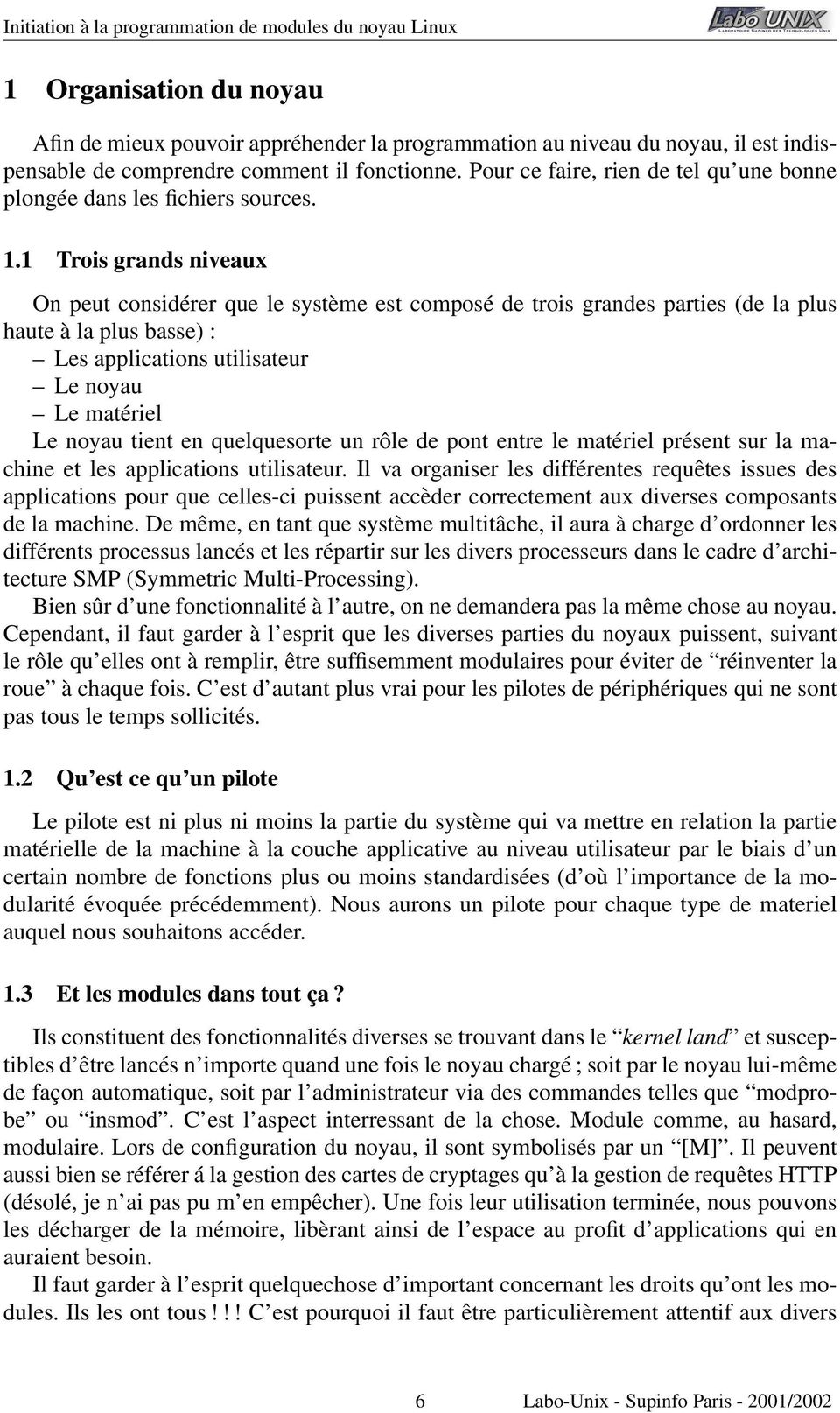
7 problèmes d overflow, de partages de ressources et autres qui pourraient être utilisés à des fins obscures. Il en va bien sûr de même pour les fuites de memoires diverses et variées. 2 Approche des modules Maintenant que nous savons grossièrement comment fonctionne le noyau, et dans quoi nous mettons les mains nous allons déscendre encore d un niveau pour comprendre comment fonctionne les modules. Pour ce faire rien de tel qu un bon vieux Hello World. 2.1 Premier module C est parti, utilisez votre éditeur favori et recopiez le contenu du fichier hello world.c, et procédez comme dans l exemple ci-dessous : <prompt_shell> cat hello_world.c #define KERNEL #define MODULE #include <linux/module.h> #include <linux/string.h> int init_module (void) printk ("<1>Hello World!!!\n"); return 0; int cleanup_module (void) printk ("<1>Puisqu on ne veut pas de moi, j me tire!!!!\n"); return 0; <prompt_shell> gcc -O -c hello_world.c <prompt_shell> insmod hello_world.o <prompt_shell> tail -1 /var/log/kernel Jan 4 21:42:42 host_bidon kernel : Hello World!!! <prompt_shell> lsmod Module Size Used by hello_world (unused) ide-scsi sb (autoclean) sb_lib (autoclean) [sb] uart (autoclean) [sb_lib] sound [sb_lib uart401] NVdriver ipt_state (autoclean) ip_conntrack (autoclean) [ip_conntrack_irc ipt_state] ipt_limit (autoclean) ipt_log (autoclean) iptable_filter (unused) ip_tables [ipt_state ipt_limit ipt_log iptable_filter] 3c59x ramfs (autoclean) xfs (autoclean) xfs_support (autoclean) [xfs] vfat (autoclean) 7 Labo-Unix - Supinfo Paris /2002
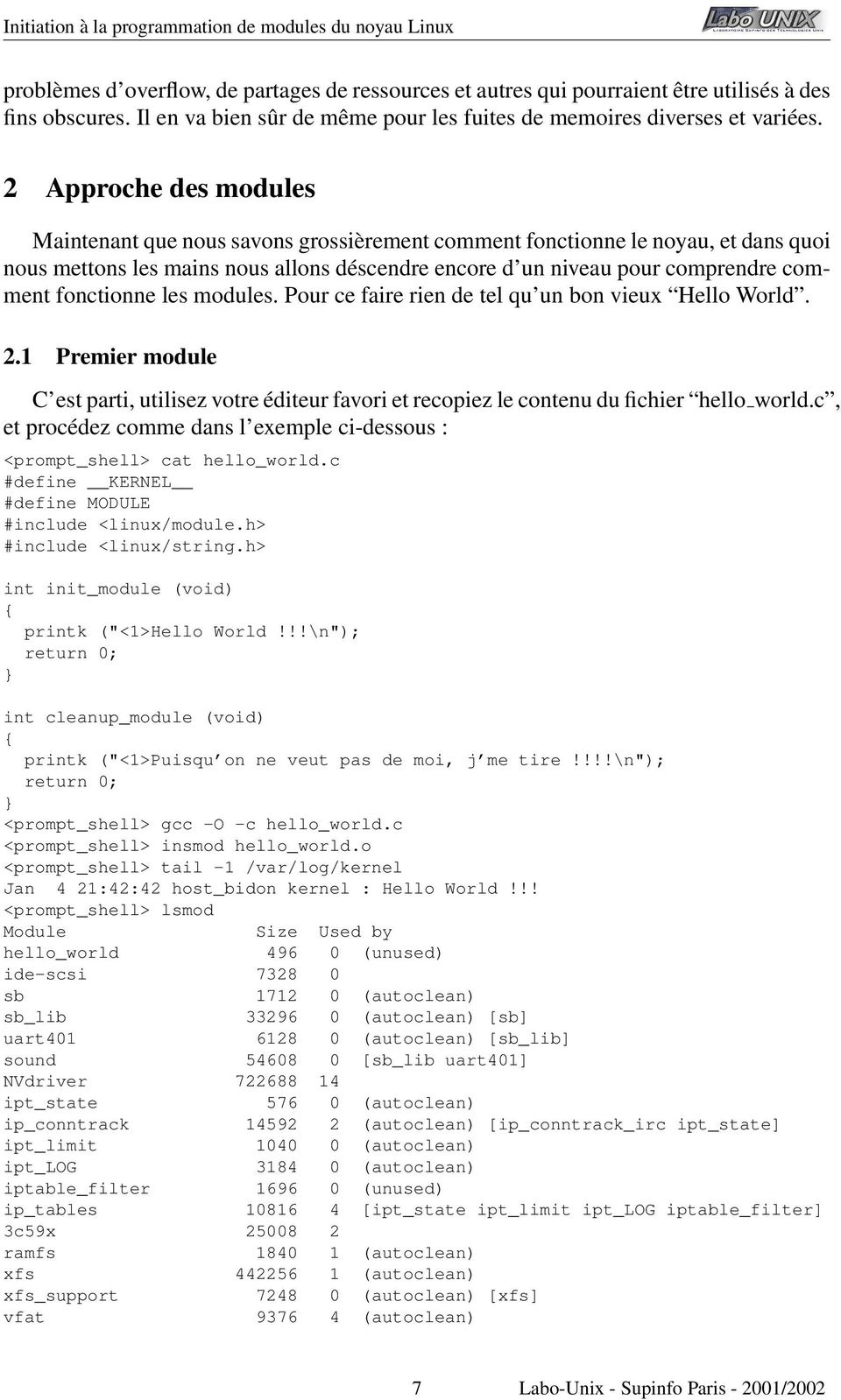
8 fat (autoclean) [vfat] sr_mod (autoclean) cdrom (autoclean) [sr_mod] <prompt_shell> rmmod hello_world <prompt_shell> tail -2 /var/log/kernel Jan 4 21:42:42 host_bidon kernel : Hello World!!! Jan 4 21:43:00 host_bidon kernel : Puisqu on ne veut pas de moi, j me tire!!!! <prompt_shell> lsmod Module Size Used by ide-scsi input (unused) sb (autoclean) sb_lib (autoclean) [sb] uart (autoclean) [sb_lib] sound [sb_lib uart401] NVdriver ipt_state (autoclean) ip_conntrack (autoclean) [ip_conntrack_irc ipt_state] ipt_limit (autoclean) ipt_log (autoclean) iptable_filter (unused) ip_tables [ipt_state ipt_limit ipt_log iptable_filter] 3c59x ramfs (autoclean) xfs (autoclean) xfs_support (autoclean) [xfs] vfat (autoclean) fat (autoclean) [vfat] sr_mod (autoclean) cdrom (autoclean) [sr_mod] <prompt_shell> Un tout petit exemple, duquel, finalement il y a beaucoup à dire. Tout d abord, les fonctions init module() et cleanup module(). La première est éxécutée lors du chargement du module en mémoire, la seconde lors de sont déchargement. Ensuite, lorsqu on regarde la fonction utilisée pour l affichage du message nous voyons que nous n utilisons pas la classique fonction printf. Ce n est pas une erreur, son équivalent au niveau du noyau se nomme printk (comme print kernel ) et se comporte à peu de choses près comme elle. Pourquoi utiliser printk alors que printf existe déjà? L explication réside dans la notion de fondations. La majorité des fonctions de la libc repose sur des appels systèmes qui eux sont gérés au niveau du noyau. On voit rapidement le problème qui peut se poser. Pour prendre une image, on peut créer une maison sur des fondations, mais construire des fondations sous la maison après n a aucun sens. C est pour ceci que vous pouvez constater l abscence des fichiers en-tête ( header files ) stdio.h ou string.h, habituellement utilisés lors du développement d applications classiques au profit de linux/string.h. Heureusement, il existe toute une panoplie de fonctions disponibles pour le développement du noyau, sensiblement équivalentes à celles que nous avons l habitude de manipuler via la libc. Vous avez peut-être pu constater que dans le message affiché par le noyau, il n y a pas la partie <1>. Ceci représente en fait le niveau d importance du message qui sera ensuite traité par des utilitaires comme syslogd et klogd. Pour voir la liste des différentes valeurs possibles et leur signification, vous pouvez vous reporter au man syslog et aux 8 Labo-Unix - Supinfo Paris /2002
![!!! <prompt_shell> lsmod Module Size Used by ide-scsi 7328 0 input 3552 0 (unused) sb 1712 0 (autoclean) sb_lib 33296 0 (autoclean) [sb] uart401 6128 0 (autoclean) [sb_lib] sound 54608 0 [sb_lib](/docs-images/43/2030293/images/page_8.jpg "uart401] NVdriver 722688 14 ipt_state 576 0 (autoclean) ip_conntrack 14592 2 (autoclean) [ip_conntrack_irc ipt_state] ipt_limit 1040 0 (autoclean) ipt_log 3184 0 (autoclean) iptable_filter 1696 0")
9 fichiers /usr/src/linux/kernel/printk.c et /usr/include/linux/kernel.h 1. Si vous n avez pas vu le message, il suffit de vous reporter à votre fichier /etc/syslogd.conf pour voir où sont redirigés vos messages issus du noyau. En général, il le sont sur la console et dans le fichier /var/log/kernel. Tout dépend de votre distribution et de vos paramètres personnels. 3 Recette pour concevoir un module? Tout d abord, il va nous falloir comme nous l avons vu dans le fichier source hello world.c au-moins les deux macros suivantes : KERNEL qui est relative à un certain nombre de paramètres spécifiques à la version du noyau utilisée. MODULE qui va indiquer que le code qui suit sera destiné à concevoir un module du noyau. Ces deux symboles doivent être définis au tout début de votre fichier source, ou simplement passé en argument lors de la compilation avec gcc (cf l exemple qui suit). Nous reprenons hello world.c auquel nous avons ôté les deux symbôles précédents : <prompt_shell> cat hello_world.c #include <linux/module.h> int init_module (void) printk ("<1>Hello World!!!\n"); return 0; void cleanup_module (void) printk ("<1>Puisqu on ne veut pas de moi, j me tire!!!!\n"); <prompt_shell> gcc -c -O -D KERNEL -DMODULE hello_world.c <prompt_shell> insmod hello_world.o <prompt_shell> lsmod Module Size Used by hello_world (unused) ide-scsi sb (autoclean) sb_lib (autoclean) [sb] uart (autoclean) [sb_lib] sound [sb_lib uart401] NVdriver ipt_state (autoclean) ip_conntrack (autoclean) [ip_conntrack_irc ipt_state] ipt_limit (autoclean) ipt_log (autoclean) iptable_filter (unused) ip_tables [ipt_state ipt_limit ipt_log iptable_filter] 3c59x ramfs (autoclean) xfs (autoclean) xfs_support (autoclean) [xfs] vfat (autoclean) 1 Nous considèrerons dans cette documentation que les sources de votre noyau sont situées dans /usr/src/linux. 9 Labo-Unix - Supinfo Paris /2002
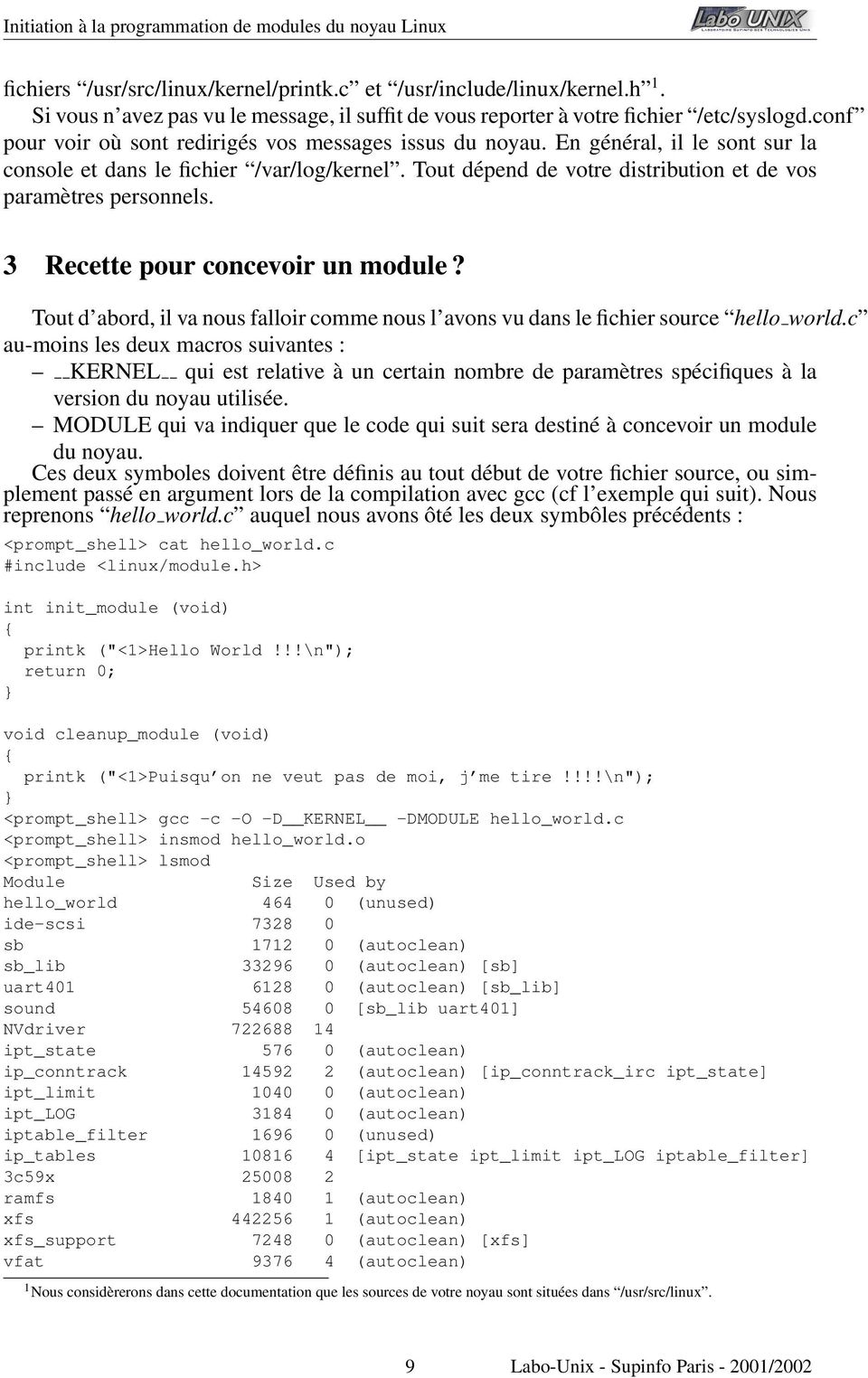
10 fat (autoclean) [vfat] rd (autoclean) (unused) sr_mod (autoclean) cdrom (autoclean) [sr_mod] <prompt_shell> rmmod hello_world <prompt_shell> lsmod Module Size Used by ide-scsi sb (autoclean) sb_lib (autoclean) [sb] uart (autoclean) [sb_lib] sound [sb_lib uart401] NVdriver ipt_state (autoclean) ip_conntrack (autoclean) [ip_conntrack_irc ipt_state] ipt_limit (autoclean) ipt_log (autoclean) iptable_filter (unused) ip_tables [ipt_state ipt_limit ipt_log iptable_filter] 3c59x ramfs (autoclean) xfs (autoclean) xfs_support (autoclean) [xfs] vfat (autoclean) fat (autoclean) [vfat] rd (autoclean) (unused) sr_mod (autoclean) cdrom (autoclean) [sr_mod] <prompt_shell> tail -2 /var/log/kernel Jan 7 19:18:26 Noirpeint kernel: Hello World!!! Jan 7 19:18:42 Noirpeint kernel: Puisqu on ne veut pas de moi, j me tire!!!! <prompt_shell> Comme nous pouvons le constater, il n y a pas de probèmes, celà fonctionne très bien. Si notre module entrait dans le câdre d une compilation sur une architecture SMP, il aurait fallu ajouter #define SMP avant d inclure au-moins linux/module.h. A partir de là, il faut définir ce qui sera éxécuté lors du chargement et du déchargement du module. Comme nous l avons vu précédemment, cela peut se faire par le biais des fonctions int init module (void) et void cleanup module (void). Si nous regardons dans certains fichiers sources tel que /usr/src/linux/drivers/net/3c59x.c, on peut constater que ces fonctions ne sont pas présentes. Cependant, il y en a deux autres ; module init (vortex init) et module exit (vortex exit). Celles-ci vont nous permettre de définir nous même les fonctions d initialisation et de départ de notre module. L interêt est essentiellement lié au débuggage. Comme nous le verrons plus tard, lorsqu on charge notre noyau en mémoire, il partage ses symboles (noms des fonctions, variables...) avec les autres entités du noyau. Si, par exemple tous les modules utilisent les fonctions init module () et cleanup module il sera particulièrement fastidieux de retrouver celles qui nous interressent. C est pourquoi il sera plus intéressant de définir ces fonctions nous-même avec les fonctions citées au-dessus. Il faudra également ajouter les macros init, exit et le fichier en-tête linux/init.h. Notre module précédent va pouvoir alors s écrire comme le fichier hello world 2.c : <prompt_shell> cd /usr/src/linux/drivers/net/ <prompt_shell> grep "init_module" 3c59x.c <prompt_shell> grep "cleanup_module" 3c59x.c 10 Labo-Unix - Supinfo Paris /2002
![14592 2 (autoclean) [ip_conntrack_irc ipt_state] ipt_limit 1040 0 (autoclean) ipt_log 3184 0 (autoclean) iptable_filter 1696 0 (unused) ip_tables 10816 4 [ipt_state ipt_limit ipt_log iptable_filter]](/docs-images/43/2030293/images/page_10.jpg "3c59x 25008 2 ramfs 1840 1 (autoclean) xfs 442256 1 (autoclean) xfs_support 7248 0 (autoclean) [xfs] vfat 9376 4 (autoclean) fat 29920 0 (autoclean) [vfat] rd 2688 0 (autoclean) (unused) sr_mod 12832")
11 <prompt_shell> tail -12 3c59x.c module_init(vortex_init); module_exit(vortex_cleanup); /* * Local variables: * c-indent-level: 4 * c-basic-offset: 4 * tab-width: 4 * End: */ <prompt_shell> tail -60 3c59x.c static int init vortex_init (void) int pci_rc, eisa_rc; pci_rc = pci_module_init(&vortex_driver); eisa_rc = vortex_eisa_init(); if (pci_rc == 0) vortex_have_pci = 1; if (eisa_rc > 0) vortex_have_eisa = 1; return (vortex_have_pci + vortex_have_eisa)? 0 : -ENODEV; static void exit vortex_eisa_cleanup (void) struct net_device *dev, *tmp; struct vortex_private *vp; long ioaddr; dev = root_vortex_eisa_dev; while (dev) vp = dev->priv; ioaddr = dev->base_addr; unregister_netdev (dev); outw (TotalReset, ioaddr + EL3_CMD); release_region (ioaddr, VORTEX_TOTAL_SIZE); tmp = dev; dev = vp->next_module; kfree (tmp); static void exit vortex_cleanup (void) if (vortex_have_pci) pci_unregister_driver (&vortex_driver); 11 Labo-Unix - Supinfo Paris /2002
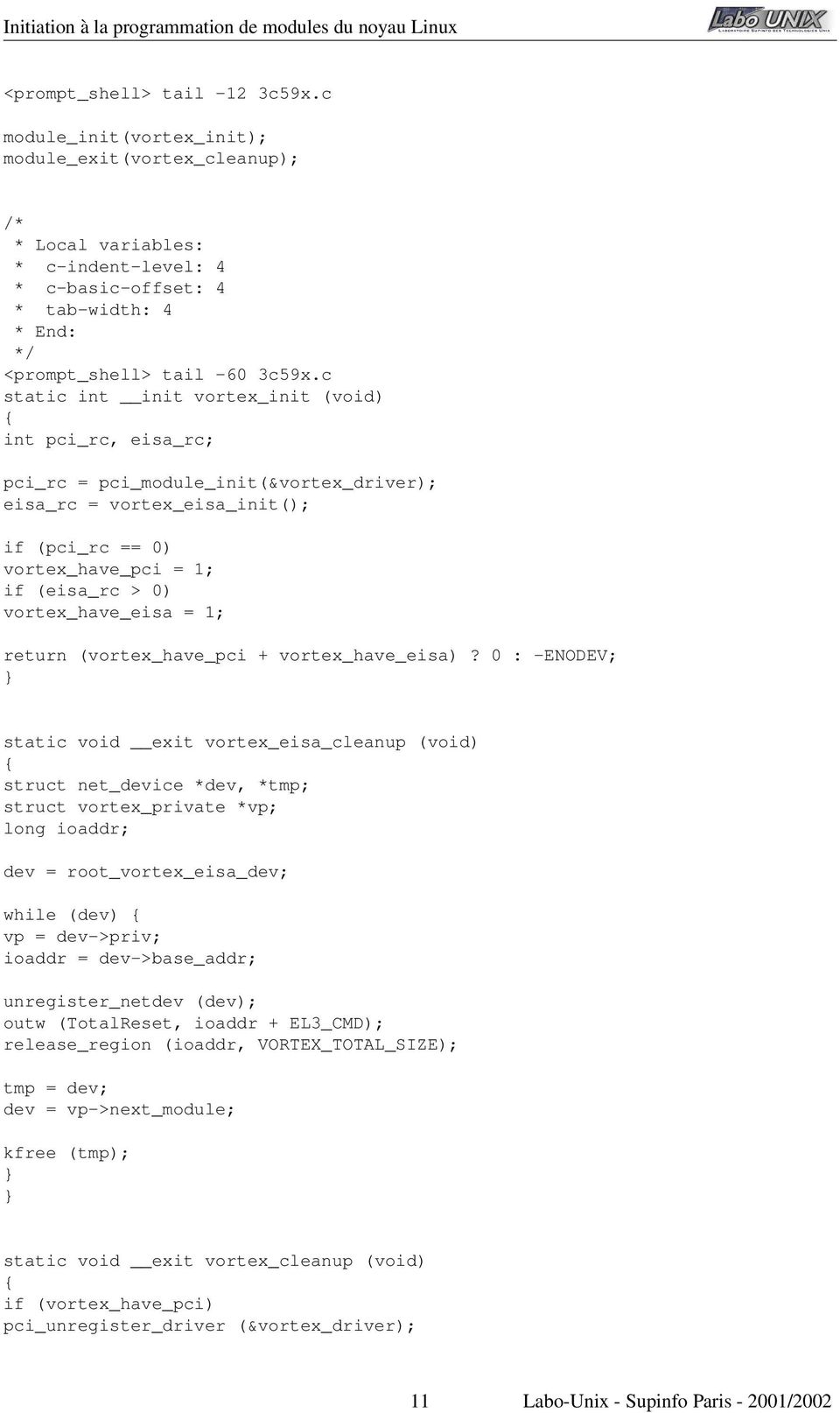
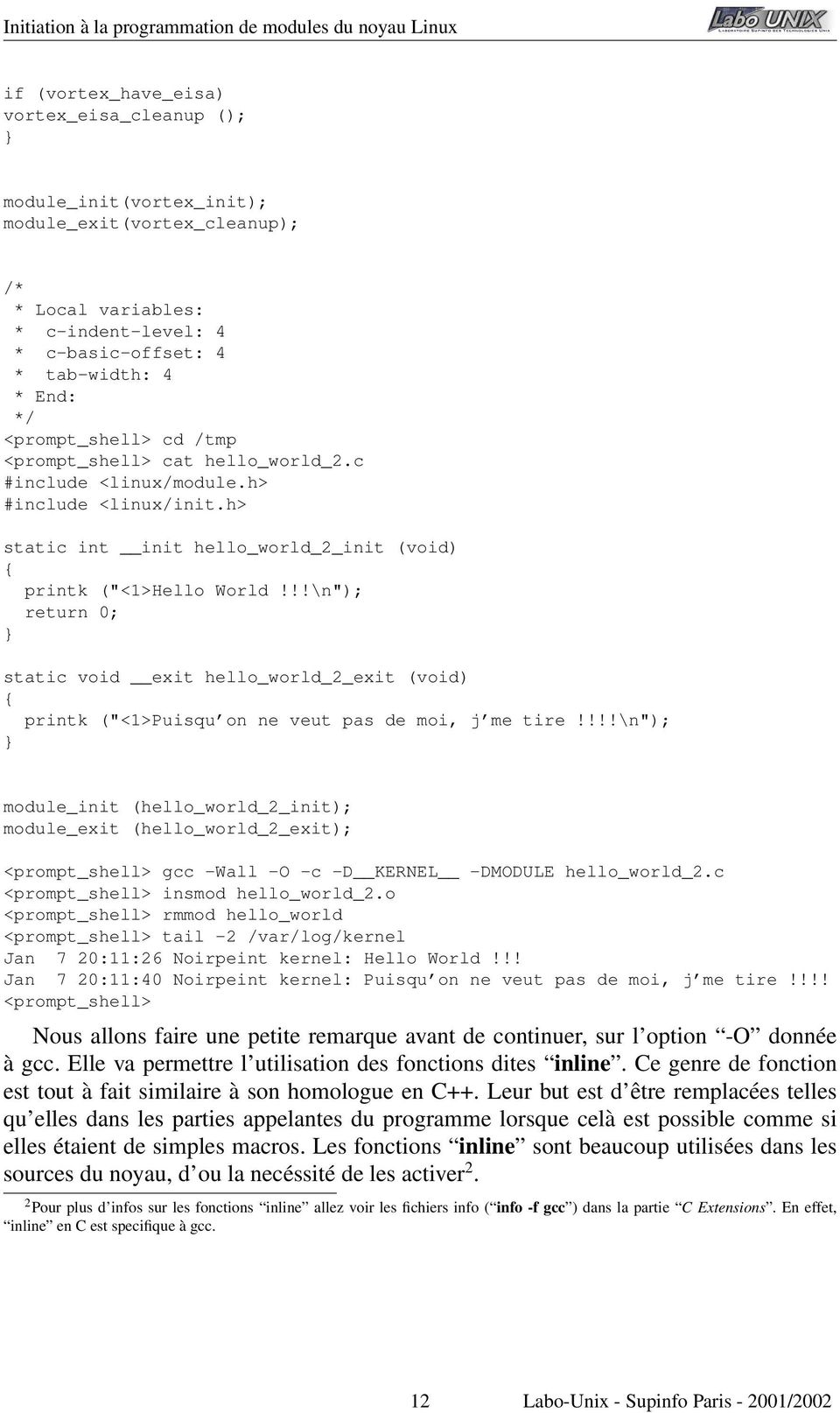
12 if (vortex_have_eisa) vortex_eisa_cleanup (); module_init(vortex_init); module_exit(vortex_cleanup); /* * Local variables: * c-indent-level: 4 * c-basic-offset: 4 * tab-width: 4 * End: */ <prompt_shell> cd /tmp <prompt_shell> cat hello_world_2.c #include <linux/module.h> #include <linux/init.h> static int init hello_world_2_init (void) printk ("<1>Hello World!!!\n"); return 0; static void exit hello_world_2_exit (void) printk ("<1>Puisqu on ne veut pas de moi, j me tire!!!!\n"); module_init (hello_world_2_init); module_exit (hello_world_2_exit); <prompt_shell> gcc -Wall -O -c -D KERNEL -DMODULE hello_world_2.c <prompt_shell> insmod hello_world_2.o <prompt_shell> rmmod hello_world <prompt_shell> tail -2 /var/log/kernel Jan 7 20:11:26 Noirpeint kernel: Hello World!!! Jan 7 20:11:40 Noirpeint kernel: Puisqu on ne veut pas de moi, j me tire!!!! <prompt_shell> Nous allons faire une petite remarque avant de continuer, sur l option -O donnée à gcc. Elle va permettre l utilisation des fonctions dites inline. Ce genre de fonction est tout à fait similaire à son homologue en C++. Leur but est d être remplacées telles qu elles dans les parties appelantes du programme lorsque celà est possible comme si elles étaient de simples macros. Les fonctions inline sont beaucoup utilisées dans les sources du noyau, d ou la necéssité de les activer 2. 2 Pour plus d infos sur les fonctions inline allez voir les fichiers info ( info -f gcc ) dans la partie C Extensions. En effet, inline en C est specifique à gcc. 12 Labo-Unix - Supinfo Paris /2002
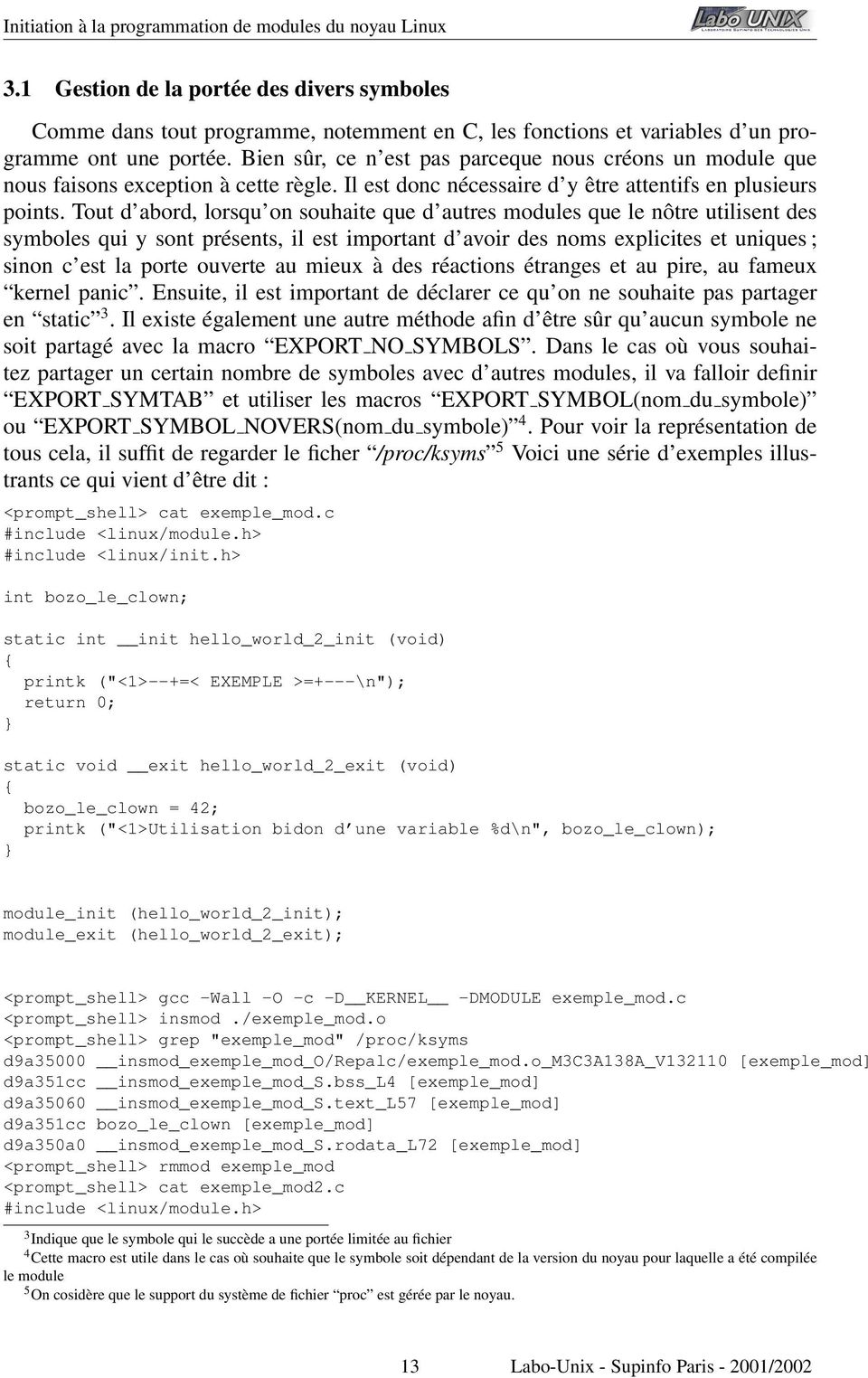
13 3.1 Gestion de la portée des divers symboles Comme dans tout programme, notemment en C, les fonctions et variables d un programme ont une portée. Bien sûr, ce n est pas parceque nous créons un module que nous faisons exception à cette règle. Il est donc nécessaire d y être attentifs en plusieurs points. Tout d abord, lorsqu on souhaite que d autres modules que le nôtre utilisent des symboles qui y sont présents, il est important d avoir des noms explicites et uniques ; sinon c est la porte ouverte au mieux à des réactions étranges et au pire, au fameux kernel panic. Ensuite, il est important de déclarer ce qu on ne souhaite pas partager en static 3. Il existe également une autre méthode afin d être sûr qu aucun symbole ne soit partagé avec la macro EXPORT NO SYMBOLS. Dans le cas où vous souhaitez partager un certain nombre de symboles avec d autres modules, il va falloir definir EXPORT SYMTAB et utiliser les macros EXPORT SYMBOL(nom du symbole) ou EXPORT SYMBOL NOVERS(nom du symbole) 4. Pour voir la représentation de tous cela, il suffit de regarder le ficher /proc/ksyms 5 Voici une série d exemples illustrants ce qui vient d être dit : <prompt_shell> cat exemple_mod.c #include <linux/module.h> #include <linux/init.h> int bozo_le_clown; static int init hello_world_2_init (void) printk ("<1>--+=< EXEMPLE >=+---\n"); return 0; static void exit hello_world_2_exit (void) bozo_le_clown = 42; printk ("<1>Utilisation bidon d une variable %d\n", bozo_le_clown); module_init (hello_world_2_init); module_exit (hello_world_2_exit); <prompt_shell> gcc -Wall -O -c -D KERNEL -DMODULE exemple_mod.c <prompt_shell> insmod./exemple_mod.o <prompt_shell> grep "exemple_mod" /proc/ksyms d9a35000 insmod_exemple_mod_o/repalc/exemple_mod.o_m3c3a138a_v [exemple_mod] d9a351cc insmod_exemple_mod_s.bss_l4 [exemple_mod] d9a35060 insmod_exemple_mod_s.text_l57 [exemple_mod] d9a351cc bozo_le_clown [exemple_mod] d9a350a0 insmod_exemple_mod_s.rodata_l72 [exemple_mod] <prompt_shell> rmmod exemple_mod <prompt_shell> cat exemple_mod2.c #include <linux/module.h> 3 Indique que le symbole qui le succède a une portée limitée au fichier 4 Cette macro est utile dans le cas où souhaite que le symbole soit dépendant de la version du noyau pour laquelle a été compilée le module 5 On cosidère que le support du système de fichier proc est gérée par le noyau. 13 Labo-Unix - Supinfo Paris /2002
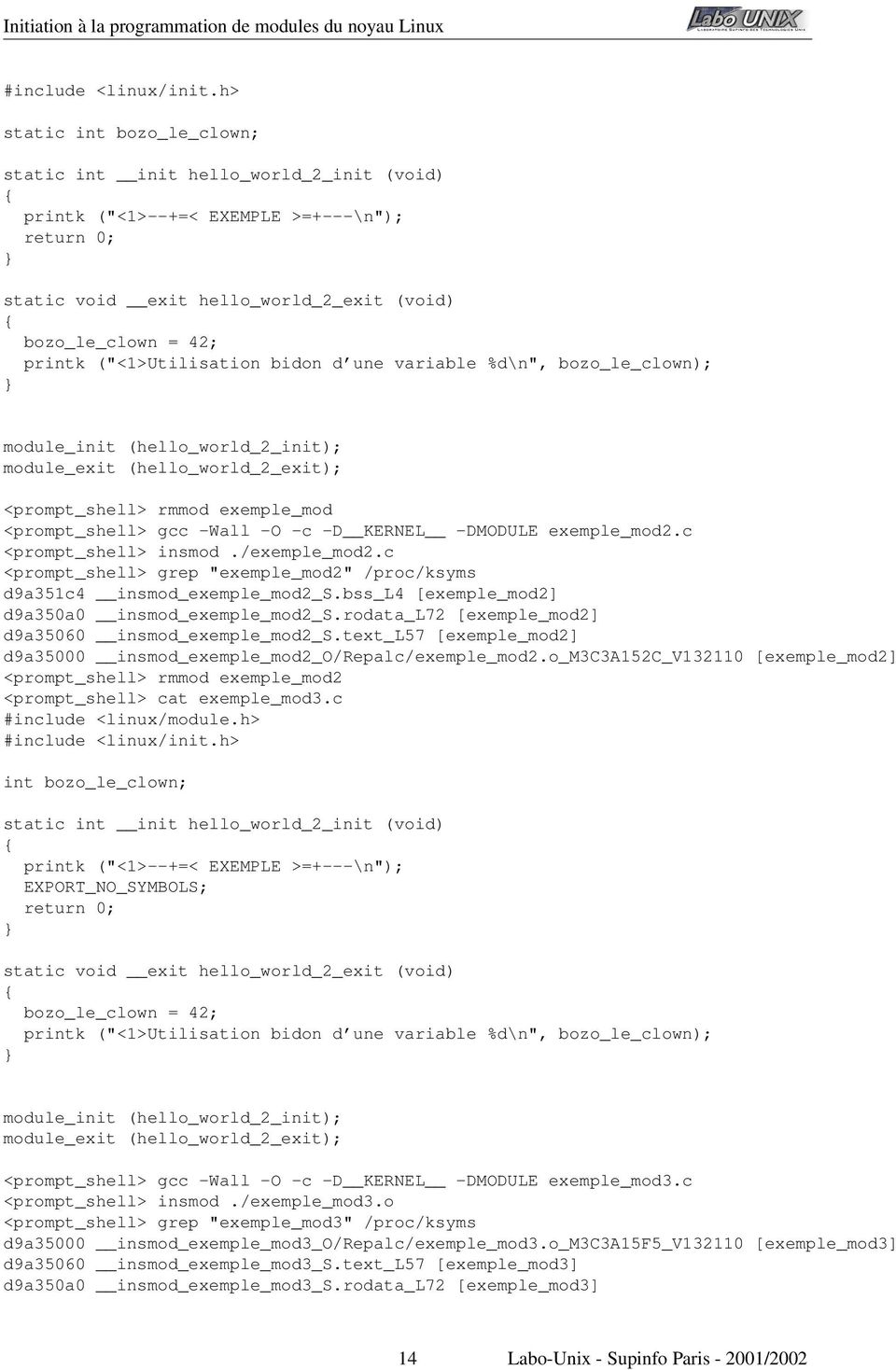
14 #include <linux/init.h> static int bozo_le_clown; static int init hello_world_2_init (void) printk ("<1>--+=< EXEMPLE >=+---\n"); return 0; static void exit hello_world_2_exit (void) bozo_le_clown = 42; printk ("<1>Utilisation bidon d une variable %d\n", bozo_le_clown); module_init (hello_world_2_init); module_exit (hello_world_2_exit); <prompt_shell> rmmod exemple_mod <prompt_shell> gcc -Wall -O -c -D KERNEL -DMODULE exemple_mod2.c <prompt_shell> insmod./exemple_mod2.c <prompt_shell> grep "exemple_mod2" /proc/ksyms d9a351c4 insmod_exemple_mod2_s.bss_l4 [exemple_mod2] d9a350a0 insmod_exemple_mod2_s.rodata_l72 [exemple_mod2] d9a35060 insmod_exemple_mod2_s.text_l57 [exemple_mod2] d9a35000 insmod_exemple_mod2_o/repalc/exemple_mod2.o_m3c3a152c_v [exemple_mod2] <prompt_shell> rmmod exemple_mod2 <prompt_shell> cat exemple_mod3.c #include <linux/module.h> #include <linux/init.h> int bozo_le_clown; static int init hello_world_2_init (void) printk ("<1>--+=< EXEMPLE >=+---\n"); EXPORT_NO_SYMBOLS; return 0; static void exit hello_world_2_exit (void) bozo_le_clown = 42; printk ("<1>Utilisation bidon d une variable %d\n", bozo_le_clown); module_init (hello_world_2_init); module_exit (hello_world_2_exit); <prompt_shell> gcc -Wall -O -c -D KERNEL -DMODULE exemple_mod3.c <prompt_shell> insmod./exemple_mod3.o <prompt_shell> grep "exemple_mod3" /proc/ksyms d9a35000 insmod_exemple_mod3_o/repalc/exemple_mod3.o_m3c3a15f5_v [exemple_mod3] d9a35060 insmod_exemple_mod3_s.text_l57 [exemple_mod3] d9a350a0 insmod_exemple_mod3_s.rodata_l72 [exemple_mod3] 14 Labo-Unix - Supinfo Paris /2002
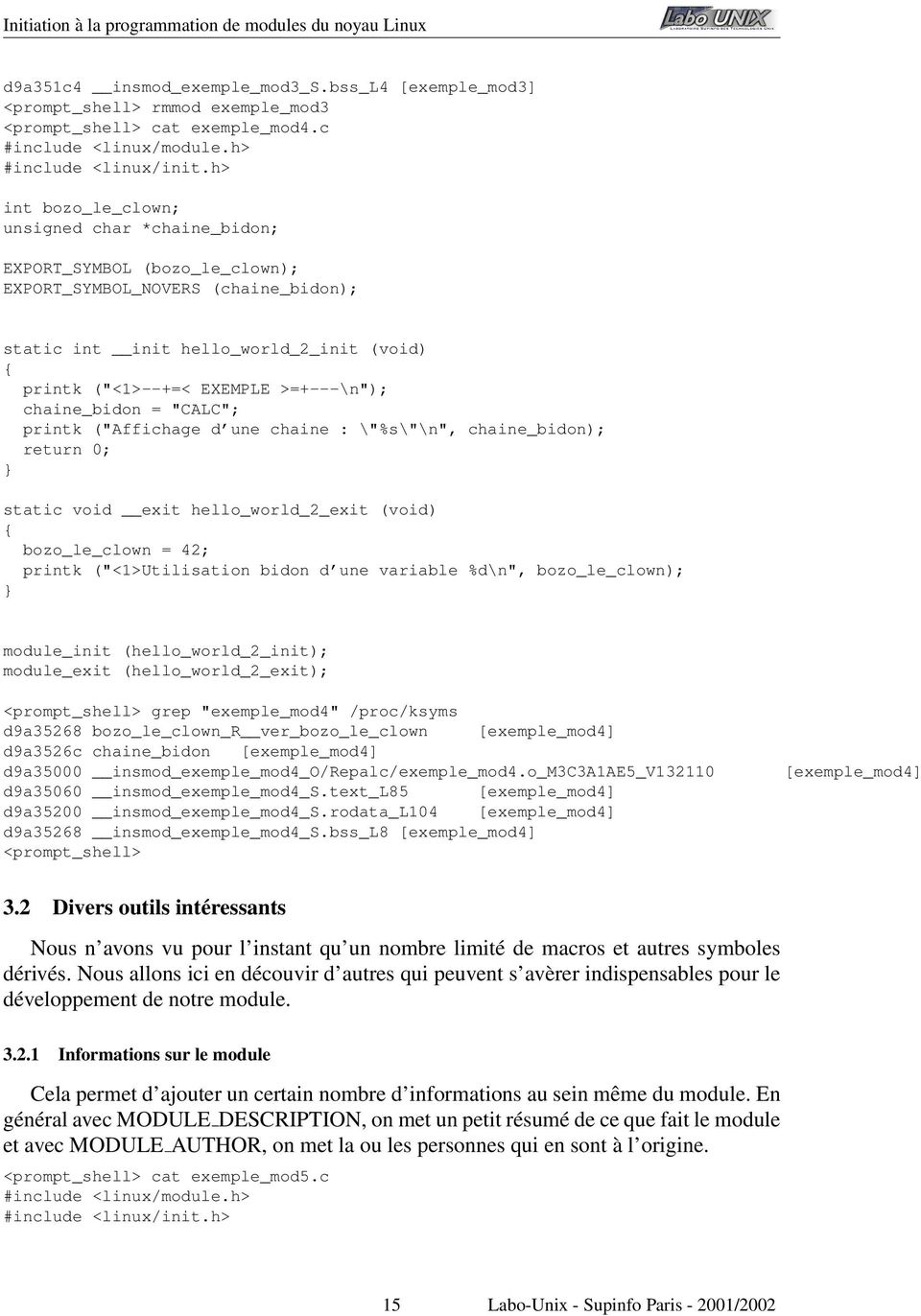
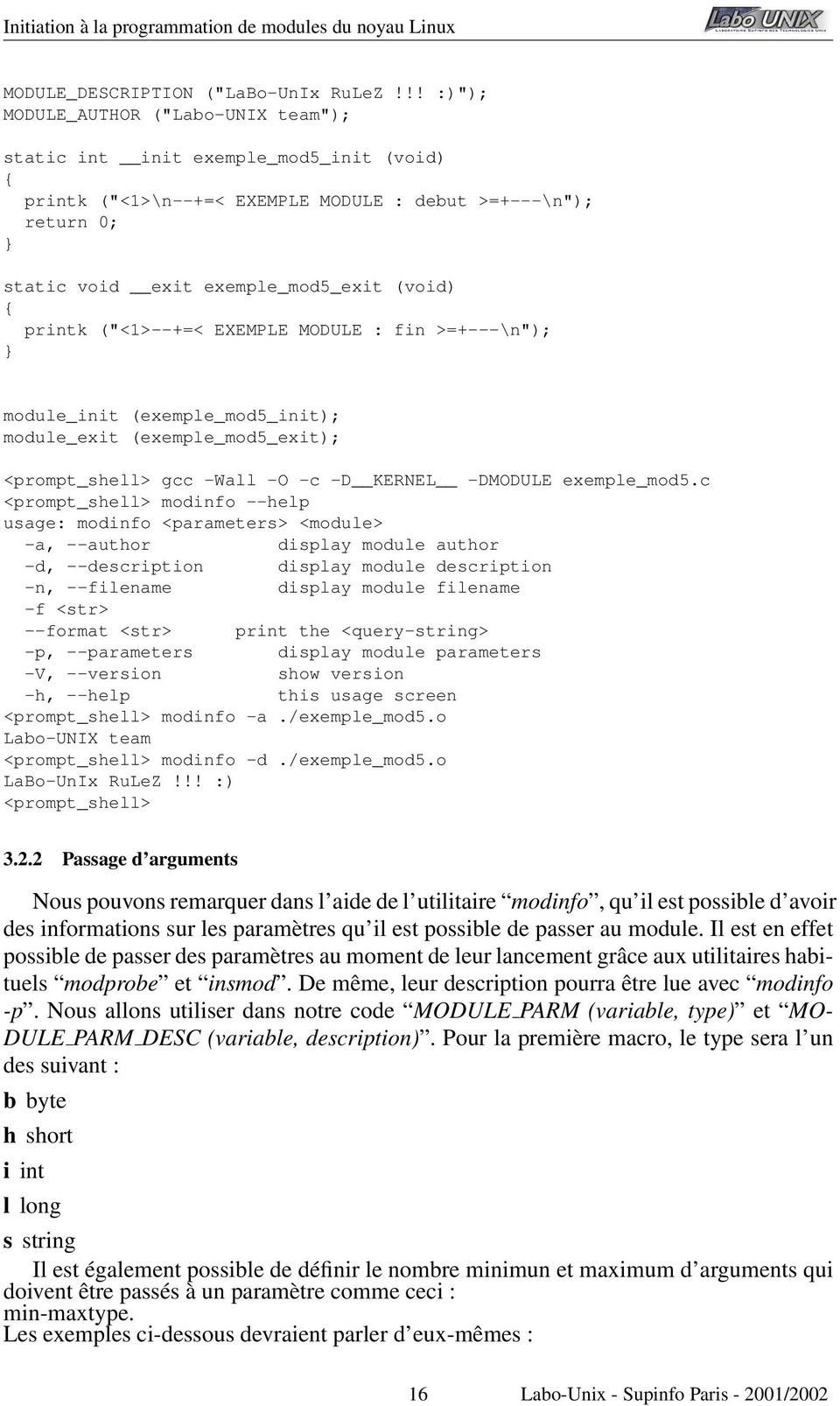
15 d9a351c4 insmod_exemple_mod3_s.bss_l4 [exemple_mod3] <prompt_shell> rmmod exemple_mod3 <prompt_shell> cat exemple_mod4.c #include <linux/module.h> #include <linux/init.h> int bozo_le_clown; unsigned char *chaine_bidon; EXPORT_SYMBOL (bozo_le_clown); EXPORT_SYMBOL_NOVERS (chaine_bidon); static int init hello_world_2_init (void) printk ("<1>--+=< EXEMPLE >=+---\n"); chaine_bidon = "CALC"; printk ("Affichage d une chaine : \"%s\"\n", chaine_bidon); return 0; static void exit hello_world_2_exit (void) bozo_le_clown = 42; printk ("<1>Utilisation bidon d une variable %d\n", bozo_le_clown); module_init (hello_world_2_init); module_exit (hello_world_2_exit); <prompt_shell> grep "exemple_mod4" /proc/ksyms d9a35268 bozo_le_clown_r ver_bozo_le_clown [exemple_mod4] d9a3526c chaine_bidon [exemple_mod4] d9a35000 insmod_exemple_mod4_o/repalc/exemple_mod4.o_m3c3a1ae5_v d9a35060 insmod_exemple_mod4_s.text_l85 [exemple_mod4] d9a35200 insmod_exemple_mod4_s.rodata_l104 [exemple_mod4] d9a35268 insmod_exemple_mod4_s.bss_l8 [exemple_mod4] <prompt_shell> [exemple_mod4] 3.2 Divers outils intéressants Nous n avons vu pour l instant qu un nombre limité de macros et autres symboles dérivés. Nous allons ici en découvir d autres qui peuvent s avèrer indispensables pour le développement de notre module Informations sur le module Cela permet d ajouter un certain nombre d informations au sein même du module. En général avec MODULE DESCRIPTION, on met un petit résumé de ce que fait le module et avec MODULE AUTHOR, on met la ou les personnes qui en sont à l origine. <prompt_shell> cat exemple_mod5.c #include <linux/module.h> #include <linux/init.h> 15 Labo-Unix - Supinfo Paris /2002
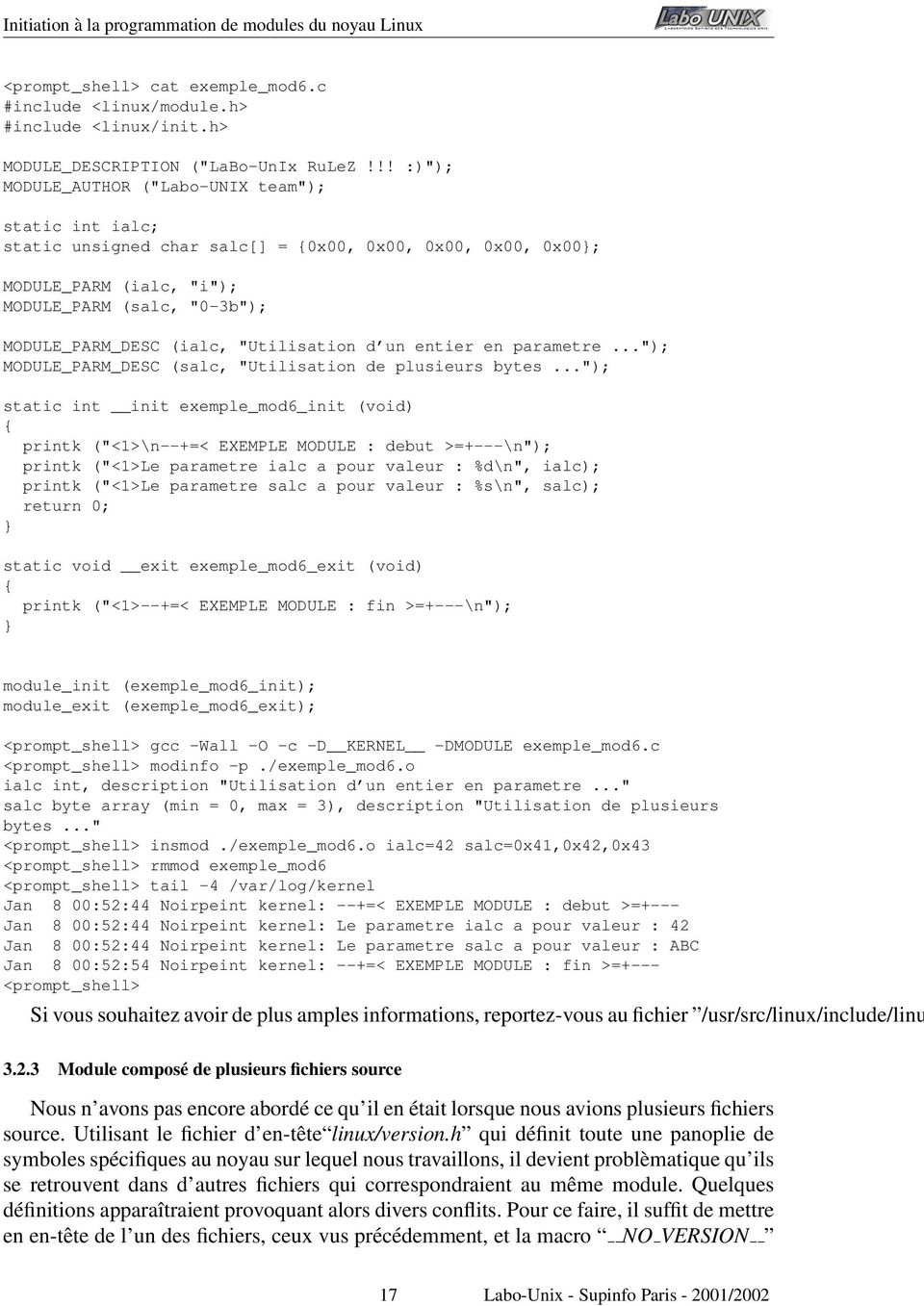
16 MODULE_DESCRIPTION ("LaBo-UnIx RuLeZ!!! :)"); MODULE_AUTHOR ("Labo-UNIX team"); static int init exemple_mod5_init (void) printk ("<1>\n--+=< EXEMPLE MODULE : debut >=+---\n"); return 0; static void exit exemple_mod5_exit (void) printk ("<1>--+=< EXEMPLE MODULE : fin >=+---\n"); module_init (exemple_mod5_init); module_exit (exemple_mod5_exit); <prompt_shell> gcc -Wall -O -c -D KERNEL -DMODULE exemple_mod5.c <prompt_shell> modinfo --help usage: modinfo <parameters> <module> -a, --author display module author -d, --description display module description -n, --filename display module filename -f <str> --format <str> print the <query-string> -p, --parameters display module parameters -V, --version show version -h, --help this usage screen <prompt_shell> modinfo -a./exemple_mod5.o Labo-UNIX team <prompt_shell> modinfo -d./exemple_mod5.o LaBo-UnIx RuLeZ!!! :) <prompt_shell> Passage d arguments Nous pouvons remarquer dans l aide de l utilitaire modinfo, qu il est possible d avoir des informations sur les paramètres qu il est possible de passer au module. Il est en effet possible de passer des paramètres au moment de leur lancement grâce aux utilitaires habituels modprobe et insmod. De même, leur description pourra être lue avec modinfo -p. Nous allons utiliser dans notre code MODULE PARM (variable, type) et MO- DULE PARM DESC (variable, description). Pour la première macro, le type sera l un des suivant : b byte h short i int l long s string Il est également possible de définir le nombre minimun et maximum d arguments qui doivent être passés à un paramètre comme ceci : min-maxtype. Les exemples ci-dessous devraient parler d eux-mêmes : 16 Labo-Unix - Supinfo Paris /2002
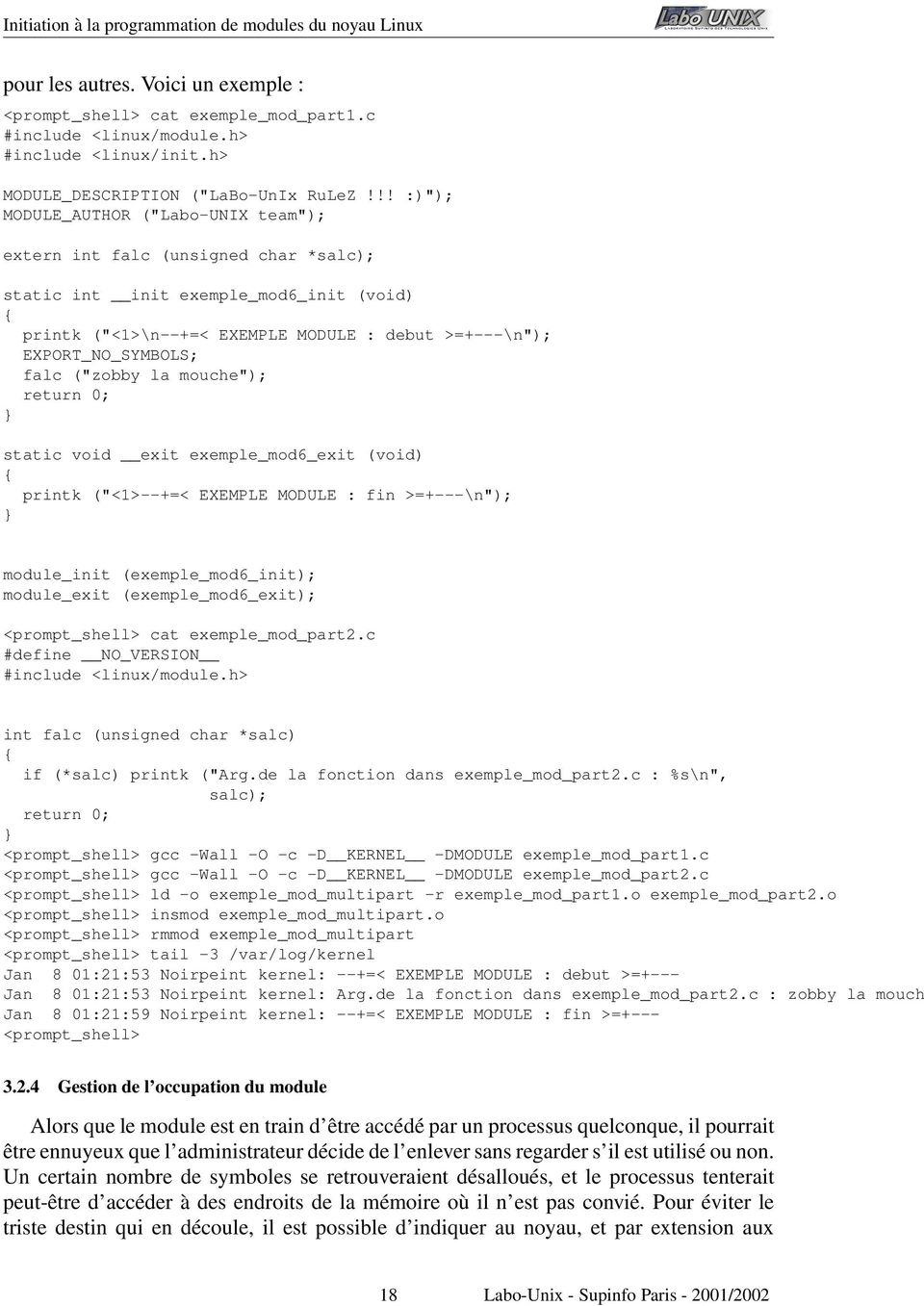
17 <prompt_shell> cat exemple_mod6.c #include <linux/module.h> #include <linux/init.h> MODULE_DESCRIPTION ("LaBo-UnIx RuLeZ!!! :)"); MODULE_AUTHOR ("Labo-UNIX team"); static int ialc; static unsigned char salc[] = 0x00, 0x00, 0x00, 0x00, 0x00; MODULE_PARM (ialc, "i"); MODULE_PARM (salc, "0-3b"); MODULE_PARM_DESC (ialc, "Utilisation d un entier en parametre..."); MODULE_PARM_DESC (salc, "Utilisation de plusieurs bytes..."); static int init exemple_mod6_init (void) printk ("<1>\n--+=< EXEMPLE MODULE : debut >=+---\n"); printk ("<1>Le parametre ialc a pour valeur : %d\n", ialc); printk ("<1>Le parametre salc a pour valeur : %s\n", salc); return 0; static void exit exemple_mod6_exit (void) printk ("<1>--+=< EXEMPLE MODULE : fin >=+---\n"); module_init (exemple_mod6_init); module_exit (exemple_mod6_exit); <prompt_shell> gcc -Wall -O -c -D KERNEL -DMODULE exemple_mod6.c <prompt_shell> modinfo -p./exemple_mod6.o ialc int, description "Utilisation d un entier en parametre..." salc byte array (min = 0, max = 3), description "Utilisation de plusieurs bytes..." <prompt_shell> insmod./exemple_mod6.o ialc=42 salc=0x41,0x42,0x43 <prompt_shell> rmmod exemple_mod6 <prompt_shell> tail -4 /var/log/kernel Jan 8 00:52:44 Noirpeint kernel: --+=< EXEMPLE MODULE : debut >=+--- Jan 8 00:52:44 Noirpeint kernel: Le parametre ialc a pour valeur : 42 Jan 8 00:52:44 Noirpeint kernel: Le parametre salc a pour valeur : ABC Jan 8 00:52:54 Noirpeint kernel: --+=< EXEMPLE MODULE : fin >=+--- <prompt_shell> Si vous souhaitez avoir de plus amples informations, reportez-vous au fichier /usr/src/linux/include/linu Module composé de plusieurs fichiers source Nous n avons pas encore abordé ce qu il en était lorsque nous avions plusieurs fichiers source. Utilisant le fichier d en-tête linux/version.h qui définit toute une panoplie de symboles spécifiques au noyau sur lequel nous travaillons, il devient problèmatique qu ils se retrouvent dans d autres fichiers qui correspondraient au même module. Quelques définitions apparaîtraient provoquant alors divers conflits. Pour ce faire, il suffit de mettre en en-tête de l un des fichiers, ceux vus précédemment, et la macro NO VERSION 17 Labo-Unix - Supinfo Paris /2002
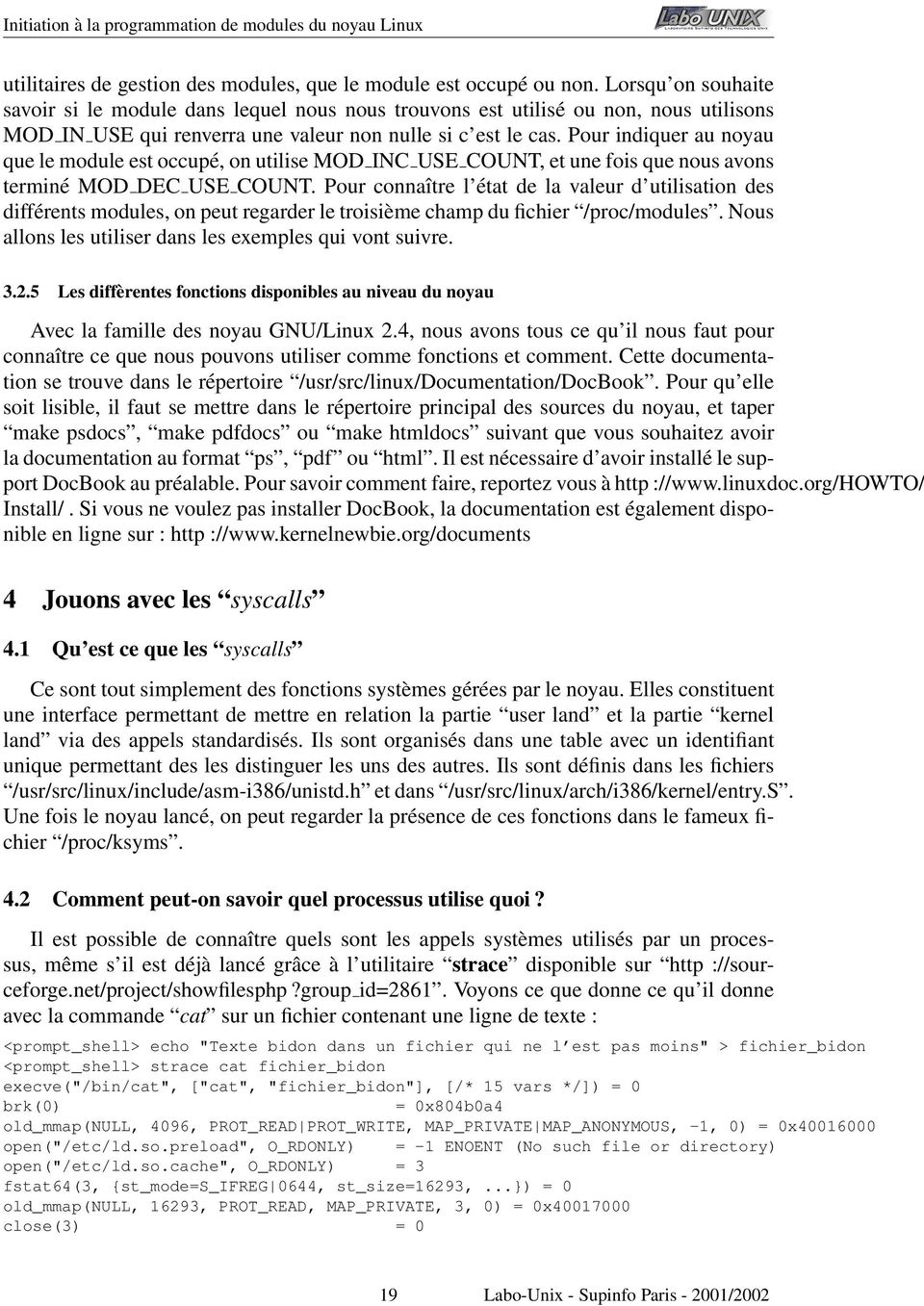
18 pour les autres. Voici un exemple : <prompt_shell> cat exemple_mod_part1.c #include <linux/module.h> #include <linux/init.h> MODULE_DESCRIPTION ("LaBo-UnIx RuLeZ!!! :)"); MODULE_AUTHOR ("Labo-UNIX team"); extern int falc (unsigned char *salc); static int init exemple_mod6_init (void) printk ("<1>\n--+=< EXEMPLE MODULE : debut >=+---\n"); EXPORT_NO_SYMBOLS; falc ("zobby la mouche"); return 0; static void exit exemple_mod6_exit (void) printk ("<1>--+=< EXEMPLE MODULE : fin >=+---\n"); module_init (exemple_mod6_init); module_exit (exemple_mod6_exit); <prompt_shell> cat exemple_mod_part2.c #define NO_VERSION #include <linux/module.h> int falc (unsigned char *salc) if (*salc) printk ("Arg.de la fonction dans exemple_mod_part2.c : %s\n", salc); return 0; <prompt_shell> gcc -Wall -O -c -D KERNEL -DMODULE exemple_mod_part1.c <prompt_shell> gcc -Wall -O -c -D KERNEL -DMODULE exemple_mod_part2.c <prompt_shell> ld -o exemple_mod_multipart -r exemple_mod_part1.o exemple_mod_part2.o <prompt_shell> insmod exemple_mod_multipart.o <prompt_shell> rmmod exemple_mod_multipart <prompt_shell> tail -3 /var/log/kernel Jan 8 01:21:53 Noirpeint kernel: --+=< EXEMPLE MODULE : debut >=+--- Jan 8 01:21:53 Noirpeint kernel: Arg.de la fonction dans exemple_mod_part2.c : zobby la mouch Jan 8 01:21:59 Noirpeint kernel: --+=< EXEMPLE MODULE : fin >=+--- <prompt_shell> Gestion de l occupation du module Alors que le module est en train d être accédé par un processus quelconque, il pourrait être ennuyeux que l administrateur décide de l enlever sans regarder s il est utilisé ou non. Un certain nombre de symboles se retrouveraient désalloués, et le processus tenterait peut-être d accéder à des endroits de la mémoire où il n est pas convié. Pour éviter le triste destin qui en découle, il est possible d indiquer au noyau, et par extension aux 18 Labo-Unix - Supinfo Paris /2002
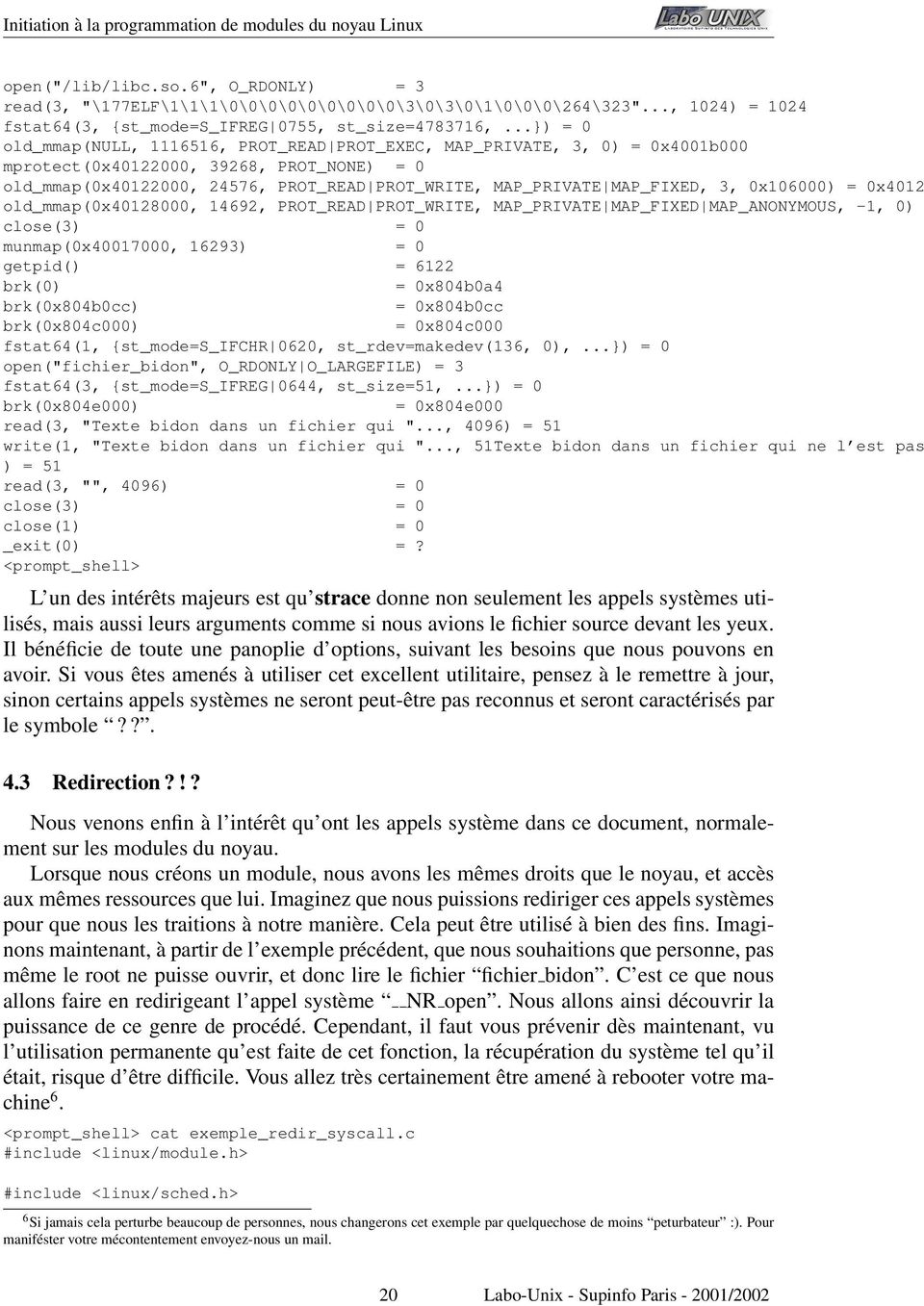
19 utilitaires de gestion des modules, que le module est occupé ou non. Lorsqu on souhaite savoir si le module dans lequel nous nous trouvons est utilisé ou non, nous utilisons MOD IN USE qui renverra une valeur non nulle si c est le cas. Pour indiquer au noyau que le module est occupé, on utilise MOD INC USE COUNT, et une fois que nous avons terminé MOD DEC USE COUNT. Pour connaître l état de la valeur d utilisation des différents modules, on peut regarder le troisième champ du fichier /proc/modules. Nous allons les utiliser dans les exemples qui vont suivre Les diffèrentes fonctions disponibles au niveau du noyau Avec la famille des noyau GNU/Linux 2.4, nous avons tous ce qu il nous faut pour connaître ce que nous pouvons utiliser comme fonctions et comment. Cette documentation se trouve dans le répertoire /usr/src/linux/documentation/docbook. Pour qu elle soit lisible, il faut se mettre dans le répertoire principal des sources du noyau, et taper make psdocs, make pdfdocs ou make htmldocs suivant que vous souhaitez avoir la documentation au format ps, pdf ou html. Il est nécessaire d avoir installé le support DocBook au préalable. Pour savoir comment faire, reportez vous à http :// Install/. Si vous ne voulez pas installer DocBook, la documentation est également disponible en ligne sur : http :// 4 Jouons avec les syscalls 4.1 Qu est ce que les syscalls Ce sont tout simplement des fonctions systèmes gérées par le noyau. Elles constituent une interface permettant de mettre en relation la partie user land et la partie kernel land via des appels standardisés. Ils sont organisés dans une table avec un identifiant unique permettant des les distinguer les uns des autres. Ils sont définis dans les fichiers /usr/src/linux/include/asm-i386/unistd.h et dans /usr/src/linux/arch/i386/kernel/entry.s. Une fois le noyau lancé, on peut regarder la présence de ces fonctions dans le fameux fichier /proc/ksyms. 4.2 Comment peut-on savoir quel processus utilise quoi? Il est possible de connaître quels sont les appels systèmes utilisés par un processus, même s il est déjà lancé grâce à l utilitaire strace disponible sur http ://sourceforge.net/project/showfilesphp?group id=2861. Voyons ce que donne ce qu il donne avec la commande cat sur un fichier contenant une ligne de texte : <prompt_shell> echo "Texte bidon dans un fichier qui ne l est pas moins" > fichier_bidon <prompt_shell> strace cat fichier_bidon execve("/bin/cat", ["cat", "fichier_bidon"], [/* 15 vars */]) = 0 brk(0) = 0x804b0a4 old_mmap(null, 4096, PROT_READ PROT_WRITE, MAP_PRIVATE MAP_ANONYMOUS, -1, 0) = 0x open("/etc/ld.so.preload", O_RDONLY) = -1 ENOENT (No such file or directory) open("/etc/ld.so.cache", O_RDONLY) = 3 fstat64(3, st_mode=s_ifreg 0644, st_size=16293,...) = 0 old_mmap(null, 16293, PROT_READ, MAP_PRIVATE, 3, 0) = 0x close(3) = 0 19 Labo-Unix - Supinfo Paris /2002
20 open("/lib/libc.so.6", O_RDONLY) = 3 read(3, "\177ELF\1\1\1\0\0\0\0\0\0\0\0\0\3\0\3\0\1\0\0\0\264\323"..., 1024) = 1024 fstat64(3, st_mode=s_ifreg 0755, st_size= ,...) = 0 old_mmap(null, , PROT_READ PROT_EXEC, MAP_PRIVATE, 3, 0) = 0x4001b000 mprotect(0x , 39268, PROT_NONE) = 0 old_mmap(0x , 24576, PROT_READ PROT_WRITE, MAP_PRIVATE MAP_FIXED, 3, 0x106000) = 0x4012 old_mmap(0x , 14692, PROT_READ PROT_WRITE, MAP_PRIVATE MAP_FIXED MAP_ANONYMOUS, -1, 0) close(3) = 0 munmap(0x , 16293) = 0 getpid() = 6122 brk(0) = 0x804b0a4 brk(0x804b0cc) = 0x804b0cc brk(0x804c000) = 0x804c000 fstat64(1, st_mode=s_ifchr 0620, st_rdev=makedev(136, 0),...) = 0 open("fichier_bidon", O_RDONLY O_LARGEFILE) = 3 fstat64(3, st_mode=s_ifreg 0644, st_size=51,...) = 0 brk(0x804e000) = 0x804e000 read(3, "Texte bidon dans un fichier qui "..., 4096) = 51 write(1, "Texte bidon dans un fichier qui "..., 51Texte bidon dans un fichier qui ne l est pas ) = 51 read(3, "", 4096) = 0 close(3) = 0 close(1) = 0 _exit(0) =? <prompt_shell> L un des intérêts majeurs est qu strace donne non seulement les appels systèmes utilisés, mais aussi leurs arguments comme si nous avions le fichier source devant les yeux. Il bénéficie de toute une panoplie d options, suivant les besoins que nous pouvons en avoir. Si vous êtes amenés à utiliser cet excellent utilitaire, pensez à le remettre à jour, sinon certains appels systèmes ne seront peut-être pas reconnus et seront caractérisés par le symbole??. 4.3 Redirection?!? Nous venons enfin à l intérêt qu ont les appels système dans ce document, normalement sur les modules du noyau. Lorsque nous créons un module, nous avons les mêmes droits que le noyau, et accès aux mêmes ressources que lui. Imaginez que nous puissions rediriger ces appels systèmes pour que nous les traitions à notre manière. Cela peut être utilisé à bien des fins. Imaginons maintenant, à partir de l exemple précédent, que nous souhaitions que personne, pas même le root ne puisse ouvrir, et donc lire le fichier fichier bidon. C est ce que nous allons faire en redirigeant l appel système NR open. Nous allons ainsi découvrir la puissance de ce genre de procédé. Cependant, il faut vous prévenir dès maintenant, vu l utilisation permanente qu est faite de cet fonction, la récupération du système tel qu il était, risque d être difficile. Vous allez très certainement être amené à rebooter votre machine 6. <prompt_shell> cat exemple_redir_syscall.c #include <linux/module.h> #include <linux/sched.h> 6 Si jamais cela perturbe beaucoup de personnes, nous changerons cet exemple par quelquechose de moins peturbateur :). Pour maniféster votre mécontentement envoyez-nous un mail. 20 Labo-Unix - Supinfo Paris /2002
21 #include <linux/string.h> #include <linux/errno.h> #include <linux/init.h> #include <linux/types.h> #include <linux/unistd.h> #define FICHIER_A_INTERDIRE "fichier_bidon" MODULE_DESCRIPTION ("Exemple de redirection d appel systeme"); MODULE_AUTHOR ("Labo-Unix Team"); static int (*open_sauvegarde) (const char *, int); static int mon_appel_open (const char *chemin, int flags) int val_retour; MOD_INC_USE_COUNT; printk ("<1>APPEL SYSTEME OPEN REDIRIGE... HEHEHE!!!!\n"); /* Les definitions des differentes erreurs susceptibles d etre */ /* retournee sont accessible dans le fichier */ /* /usr/src/linux/include/asm-i386/errno.h */ /* Ici renverra "Operation not permitted" */ if (strstr (chemin, FICHIER_A_INTERDIRE)) printk ("<1>Le processus %ld essaie d acceder au fichier interdit!!!\n", (long) current-> return -EPERM; val_retour = open_sauvegarde (chemin, flags); MOD_DEC_USE_COUNT; return val_retour; static int init redir_syscall_init (void) extern long sys_call_table[]; /* On recupere l adresse originale de l appel systeme open */ open_sauvegarde = (int (*) (const char *, int)) (sys_call_table[ NR_open]); /* On fait pointer le pointer sur fonction sur notre fonction */ sys_call_table[ NR_open] = (unsigned long) mon_appel_open; return 0; static void exit redir_syscall_exit (void) extern long sys_call_table[]; /* On restore la tables des appels systemes comme si de rien n etait */ 21 Labo-Unix - Supinfo Paris /2002
22 sys_call_table[ NR_open] = (unsigned long) open_sauvegarde; module_init (redir_syscall_init); module_exit (redir_syscall_exit); <prompt_shell> gcc -Wall -O -c -I/usr/src/linux/include -D KERNEL -DMODULE exemple_redir_sy <prompt_shell> cat fichier_bidon Texte bidon dans un fichier qui ne l est pas moins <prompt_shell> insmod exemple_redir_syscall.o <prompt_shell> cat fichier_bidon cat: /tmp/fichier_bidon: Operation not permitted <prompt_shell> tail -2 /var/log/kernel Jan 8 03:58:59 Noirpeint kernel: APPEL SYSTEME OPEN REDIRIGE... HEHEHE!!!! Jan 8 04:02:12 Noirpeint kernel: Le processus 2722 essaie d acceder au fichier interdit!!! <prompt_shell> 5 Création d un périphérique Nous allons aborder succintement comment il est possible de faire un périphérique de caractères comme peu l être l interface série de la machine, et voir encore d un peu plus près les rouages qui mènent à la conception de réels pilotes de périphériques. Cette partie va rester centralisée sur la classique organisation du /dev, et non celui du devfs Relations entre fichiers spéciaux et pilotes Dans le répertoire /dev, sont à notre disposition quantités de périphériques. Ils sont représentés comme des fichiers traditionnels et sont appelés fichiers spéciaux. Certains fonctionnent par blocs, et d autres par caractères. La principale différence réside dans leur façon d appréhender les données. Les premiers vont gérer les données par blocs (par exemple un disque dur, qui va remplir d abord une mémoire tampon avant de mettre tout un bloc sur le disque). Les seconds, vont gérer les données plutôt caractère par caractère, comme pourrait le faire une interface série. Ces fichiers sont différenciés dans le /dev/ par un c (pour caractère ) ou un b (pour bloc ) à l extrême gauche du résultat de la commande ls -l /dev/. Cette commande affiche également quelquechose qui va nous être utile pour la suite. Dans la cinquième colonne. Nous avons deux numeros. Le premier est appelé nombre majeur et le second nombre mineur. Le nombre majeur représente le pilote qui gère le fichier spécial. On peut voir la relation entre le nombre majeur et le pilote dans le fichier /proc/devices. <prompt_shell> ls -l /dev/ttys[01] crw-r root tty 4, 64 Jul /dev/ttys0 crw-r root tty 4, 65 Jul /dev/ttys1 <prompt_shell> cat /proc/devices Character devices: 1 mem 2 pty 3 ttyp 4 ttys 5 cua 7 Cela viendra avec la prochaine version de cette documentation 22 Labo-Unix - Supinfo Paris /2002
23 6 lp 7 vcs 10 misc 108 ppp 128 ptm 136 pts 162 raw Block devices: 1 ramdisk 2 fd 3 ide0 7 loop <prompt_shell> Les nombres mineurs quand à eux sont réservés à l utilisation du pilote. Son utilité consiste, dans le cas où un même pilote gère plusieurs fichiers spéciaux, à les identifier de façon unique. Leur création se fait par la commande mknod dont on pourra voir la syntaxe dans l exemple qui va suivre. 5.2 Enregistrement Les nombres majeurs doivent être enregistrés auprès du noyau pour que celui-ci fasse la liaison entre les fichiers spéciaux et le pilote. Nous ne pouvons normalement pas choisir celui qui nous plaît, nous risquerions d avoir des problèmes si un autre pilote que le notre utilisait le même nombre. Il y a donc des plages réservées qui sont définies dans le fichier /usr/src/linux/documentation/devices.txt et qu il faudrait lire avant de faire n importe quoi. Heureusement, une methode existe pour en obtenir dynamiquement fonction de ceux déjà utilisés. Une fois l enregistrement terminé, notre module dipose d une entrée dans le /proc/devices et peut utiliser les fichiers spéciaux y faisant référence. Une fois que nous avons terminé l utilisation de notre module, il faut libérer le nombre majeur obtenu qui pourra alors être utilisé à son tour par un autre pilote. Voici les fonctions permettant de gérer les enregistrements du pilote auprès du noyau (elles sont definies dans le fichier /usr/src/linux/fs/devices.c ) : int register chrdev (unsigned int nb majeur, const char *nom dev, struct file operation *fops) int unregister chrdev (unsigned int nb majeur, const char *nom dev) Pour disposer de l allocation dynamique de nombre majeur, il suffit de mettre à 0 la variable nb majeur et récupérer le retour de la fonction. La variable nom dev est le nom qui va être affiché dans /proc/devices. Pour fops lisez ce qui suit. 5.3 Les capacités du fichier spécial Lorsqu on conçoit un pilote, nous devons prendre garde de respecter ce qu il peut fournir comme possibilités en termes d accès (ouverture, déplacement, lecture, écriture...). Ceci ce fait pas le biais de la structure de pointeurs sur fonction struct file operations dont la définition est disponible dans le fichier /usr/src/linux/include/linux/fs.h. C est à nous que reviendra la tâche de définir comment chaque fonction sera traitée par le pilote. Lorsqu on ne souhaite pas d une fonctionnalité, il suffit d initialiser le pointeur sur fonction à NULL. Voici le contenu de la structure : 23 Labo-Unix - Supinfo Paris /2002
24 struct file_operations struct module *owner; loff_t (*llseek) (struct file *, loff_t, int); ssize_t (*read) (struct file *, char *, size_t, loff_t *); ssize_t (*write) (struct file *, const char *, size_t, loff_t *); int (*readdir) (struct file *, void *, filldir_t); unsigned int (*poll) (struct file *, struct poll_table_struct *); int (*ioctl) (struct inode *, struct file *, unsigned int, unsigned long); int (*mmap) (struct file *, struct vm_area_struct *); int (*open) (struct inode *, struct file *); int (*flush) (struct file *); int (*release) (struct inode *, struct file *); int (*fsync) (struct file *, struct dentry *, int datasync); int (*fasync) (int, struct file *, int); int (*lock) (struct file *, int, struct file_lock *); ssize_t (*readv) (struct file *, const struct iovec *, unsigned long, loff_t *); ssize_t (*writev) (struct file *, const struct iovec *, unsigned long, loff_t *); ssize_t (*sendpage) (struct file *, struct page *, int, size_t, loff_t *, int); unsigned long (*get_unmapped_area)(struct file *, unsigned long, unsigned long, unsigned long, ; Une fois ceci fait, il nous reste à définir ce que vont faire les différentes fonctions en respectant bien les prototypes donnés. 5.4 L exemple!!! A quand même ; il était temps qu il arrive celui là. Cela devrait éclaircir les zones sombres d explications tordues : Juste un point sur ce que fait le module en question. Son objectif très poussé dans le concept est qu il puisse garder en mémoire ce qu on lui donne lors d une écriture et qu il soit capable de nous le restituer en cas de lecture. Cet exemple est simplissime, et les réels gros problèmes de partages de ressources, d allocations de plages mémoires, de gestion d interruptions... n y sont pas traités 8. Cependant, si vous le souhaitez, comme d habitude envoyez-nous un mail est on tâchera de mettre la doc à jour. <prompt_shell> cat char_dev.c #include <linux/module.h> #include <linux/types.h> #include <linux/fs.h> #include <linux/errno.h> #include <linux/slab.h> #include <linux/init.h> #include <linux/string.h> #include <linux/unistd.h> #include <asm/uaccess.h> MODULE_AUTHOR ("Labo-UNIX team"); MODULE_DESCRIPTION ("LaBo-UnIx RuLeZ!!! :)"); static int ecd_nb_majeur; static int ecd_taille_buffer_max; static int ecd_taille_buffer; 8 Allez voir le fichier dtlk.c dans /usr/src/linux/drivers/char/ qui en montre d autres sans que ce ne soit encore trop compliqué 24 Labo-Unix - Supinfo Paris /2002
25 static unsigned char *ecd_buffer; static ssize_t ecd_read(struct file * file_ptr, unsigned char *tampon_dest, size_t nb_a_lire, loff_t *decalage); static ssize_t ecd_write(struct file *file_ptr, unsigned char *tampon_src, size_t nb_a_ecrire, loff_t *decalage); static int ecd_open (struct inode *inode, struct file *file_ptr); static int ecd_release (struct inode *inode, struct file *file_ptr); static struct file_operations ecd_fops = owner: THIS_MODULE, read: ecd_read, write: ecd_write, open: ecd_open, release: ecd_release, ; MODULE_PARM (ecd_taille_buffer_max, "i"); MODULE_PARM_DESC (ecd_taille_buffer_max, "Taille utilisee pour le buffer dans le module"); static ssize_t ecd_read(struct file * file_ptr, unsigned char *tampon_dest, size_t nb_a_lire, loff_t *decalage) printk ("<1>ecd : Lecture...\n"); if (*decalage >= ecd_taille_buffer) return 0; if (nb_a_lire > ecd_taille_buffer) copy_to_user ((unsigned char *) tampon_dest, ecd_buffer, ecd_taille_buffer); *decalage += ecd_taille_buffer; return nb_a_lire; copy_to_user ((unsigned char *) tampon_dest, ecd_buffer, nb_a_lire); return nb_a_lire; static ssize_t ecd_write (struct file *file_ptr, unsigned char *tampon_src, size_t nb_a_ecrire, loff_t *decalage) printk ("<1>ecd : ecriture...\n"); if (nb_a_ecrire > ecd_taille_buffer_max) copy_from_user ((unsigned char *) ecd_buffer, (unsigned char *) tampon_src, ecd_taille_buf ecd_taille_buffer = ecd_taille_buffer_max; *decalage += ecd_taille_buffer; return ecd_taille_buffer; 25 Labo-Unix - Supinfo Paris /2002
26 else copy_from_user ((unsigned char *) ecd_buffer, (unsigned char *) tampon_src, nb_a_ecrire); ecd_taille_buffer = nb_a_ecrire; *decalage += nb_a_ecrire; return nb_a_ecrire; static int ecd_open (struct inode *inode, struct file *file_ptr) printk ("<1>ecd : Peripherique ouvert\n"); MOD_INC_USE_COUNT; return 0; static int ecd_release (struct inode *inode, struct file *file_ptr) printk ("<1>ecd : Peripherique ferme\n"); MOD_DEC_USE_COUNT; return 0; static int init ex_char_dev_init (void) ecd_nb_majeur = register_chrdev (0, "pouet", &ecd_fops); if (ecd_nb_majeur < 0) printk ("<1>ecd : Probleme de l allocation du nombre majeur\n"); return ecd_nb_majeur; if (!ecd_taille_buffer_max) ecd_taille_buffer_max = 42; ecd_buffer = kmalloc (ecd_taille_buffer_max, GFP_KERNEL); ecd_taille_buffer = 0; printk ("<1>----+=< Module charge >= \n"); return 0; static void exit ex_char_dev_exit (void) if (ecd_nb_majeur > 0) unregister_chrdev (ecd_nb_majeur, "pouet"); 26 Labo-Unix - Supinfo Paris /2002
27 kfree (ecd_buffer); printk ("<1>-----+=< Module decharge >= \n"); module_init (ex_char_dev_init); module_exit (ex_char_dev_exit); <prompt_shell> gcc -Wall -I/usr/src/linux/include -O -c -D KERNEL -DMODULE char_dev.c <prompt_shell> modinfo -p./char_dev.o ecd_taille_buffer_max int, description "Taille utilisee pour le buffer dans le module" <prompt_shell> insmod./char_dev.o ecd_taille_buffer=4242 <prompt_shell> tail -1 /var/log/kernel Jan 9 00:08:56 msproxy kernel: ----+=< Module charge >= <prompt_shell> cat /proc/devices Character devices: 1 mem 2 pty 3 ttyp 4 ttys 5 cua 6 lp 7 vcs 10 misc 108 ppp 128 ptm 136 pts 162 raw 254 pouet Block devices: 1 ramdisk 2 fd 3 ide0 7 loop <prompt_shell> mknod -m 0777 /dev/pouet0 c <prompt_shell> ls -l /dev/pouet0 crwxrwxrwx 1 root root 254, 0 Jan 9 00:03 /dev/pouet0 <prompt_shell> cat /dev/pouet0 <prompt_shell> echo -n "zobby la mouche" > /dev/pouet0 <prompt_shell> tail -3 /var/log/kernel Jan 9 00:18:17 msproxy kernel: ecd : Peripherique ouvert Jan 9 00:18:17 msproxy kernel: ecd : ecriture... Jan 9 00:18:17 msproxy kernel: ecd : Peripherique ferme <prompt_shell> cat /dev/pouet0 zobby la mouche <prompt_shell> tail -4 /var/log/kernel Jan 9 00:18:17 msproxy kernel: ecd : Peripherique ferme Jan 9 00:19:27 msproxy kernel: ecd : Peripherique ouvert Jan 9 00:19:27 msproxy kernel: ecd : Lecture... Jan 9 00:19:27 msproxy kernel: ecd : Lecture... Jan 9 00:19:27 msproxy kernel: ecd : Peripherique ferme <prompt_shell> rmmod char_dev <prompt_shell> tail -1 /var/log/kernel Jan 9 00:20:31 msproxy kernel: =< Module decharge >= Labo-Unix - Supinfo Paris /2002
28 <prompt_shell> Dans le fichier source, vous avez peut-être remarqué les fonctions copy to user et copy from user. Tout en gardant à l esprit que nous sommes en kernel land, et que la gestion de la mémoire n est pas du tout la même qu en user land, il faut une passerelle pour dialoguer avec ce dernier. C est ce que font ces fonctions. Elles mettent en oeuvre les mécanismes nécessaires pour copier les données disponibles dans ecd buffer et dans celle de l application utilisant le fichier spécial. Ce sont en quelquesorte, des memcpy du kernel land vers le user land et vice-versa. 28 Labo-Unix - Supinfo Paris /2002
29 6 Conclusion Nous éspèrons que ceci vous aura un peu plus éclairé sur des mécanismes fondamentaux du noyau Linux, et éventuellement donné goût à en connaître davantages. Si le goût que vous avez développé pour les rouages du systèmes vous amènent à coder des pilotes ou fonctionnalités originales, n oubliez pas d en faire profiter la communauté OpenSource ;-). Dans tous les cas, si vous cherchez de la documentation, n oubliez pas de fouiller dans les sources du noyau, il n y a rien de mieux. Bon courage 29 Labo-Unix - Supinfo Paris /2002
30 7 GNU Free Documentation License Version 1.1, March 2000 Copyright copyright 2000 Free Software Foundation, Inc. 59 Temple Place, Suite 330, Boston, MA USA Everyone is permitted to copy and distribute verbatim copies of this license document, but changing it is not allowed. Preamble The purpose of this License is to make a manual, textbook, or other written document free in the sense of freedom : to assure everyone the effective freedom to copy and redistribute it, with or without modifying it, either commercially or noncommercially. Secondarily, this License preserves for the author and publisher a way to get credit for their work, while not being considered responsible for modifications made by others. This License is a kind of copyleft, which means that derivative works of the document must themselves be free in the same sense. It complements the GNU General Public License, which is a copyleft license designed for free software. We have designed this License in order to use it for manuals for free software, because free software needs free documentation : a free program should come with manuals providing the same freedoms that the software does. But this License is not limited to software manuals ; it can be used for any textual work, regardless of subject matter or whether it is published as a printed book. We recommend this License principally for works whose purpose is instruction or reference. 7.1 Applicability and Definitions This License applies to any manual or other work that contains a notice placed by the copyright holder saying it can be distributed under the terms of this License. The Document, below, refers to any such manual or work. Any member of the public is a licensee, and is addressed as you. A Modified Version of the Document means any work containing the Document or a portion of it, either copied verbatim, or with modifications and/or translated into another language. A Secondary Section is a named appendix or a front-matter section of the Document that deals exclusively with the relationship of the publishers or authors of the Document to the Document s overall subject (or to related matters) and contains nothing that could fall directly within that overall subject. (For example, if the Document is in part a textbook of mathematics, a Secondary Section may not explain any mathematics.) The relationship could be a matter of historical connection with the subject or with related matters, or of legal, commercial, philosophical, ethical or political position regarding them. The Invariant Sections are certain Secondary Sections whose titles are designated, as being those of Invariant Sections, in the notice that says that the Document is released under this License. 30 Labo-Unix - Supinfo Paris /2002
31 The Cover Texts are certain short passages of text that are listed, as Front-Cover Texts or Back-Cover Texts, in the notice that says that the Document is released under this License. A Transparent copy of the Document means a machine-readable copy, represented in a format whose specification is available to the general public, whose contents can be viewed and edited directly and straightforwardly with generic text editors or (for images composed of pixels) generic paint programs or (for drawings) some widely available drawing editor, and that is suitable for input to text formatters or for automatic translation to a variety of formats suitable for input to text formatters. A copy made in an otherwise Transparent file format whose markup has been designed to thwart or discourage subsequent modification by readers is not Transparent. A copy that is not Transparent is called Opaque. Examples of suitable formats for Transparent copies include plain ASCII without markup, Texinfo input format, L A TEX input format, SGML or XML using a publicly available DTD, and standard-conforming simple HTML designed for human modification. Opaque formats include PostScript, PDF, proprietary formats that can be read and edited only by proprietary word processors, SGML or XML for which the DTD and/or processing tools are not generally available, and the machine-generated HTML produced by some word processors for output purposes only. The Title Page means, for a printed book, the title page itself, plus such following pages as are needed to hold, legibly, the material this License requires to appear in the title page. For works in formats which do not have any title page as such, Title Page means the text near the most prominent appearance of the work s title, preceding the beginning of the body of the text. 7.2 Verbatim Copying You may copy and distribute the Document in any medium, either commercially or noncommercially, provided that this License, the copyright notices, and the license notice saying this License applies to the Document are reproduced in all copies, and that you add no other conditions whatsoever to those of this License. You may not use technical measures to obstruct or control the reading or further copying of the copies you make or distribute. However, you may accept compensation in exchange for copies. If you distribute a large enough number of copies you must also follow the conditions in section 3. You may also lend copies, under the same conditions stated above, and you may publicly display copies. 7.3 Copying in Quantity If you publish printed copies of the Document numbering more than 100, and the Document s license notice requires Cover Texts, you must enclose the copies in covers that carry, clearly and legibly, all these Cover Texts : Front-Cover Texts on the front cover, and Back-Cover Texts on the back cover. Both covers must also clearly and legibly identify you as the publisher of these copies. The front cover must present the full title with all words of the title equally prominent and visible. You may add other material 31 Labo-Unix - Supinfo Paris /2002
32 on the covers in addition. Copying with changes limited to the covers, as long as they preserve the title of the Document and satisfy these conditions, can be treated as verbatim copying in other respects. If the required texts for either cover are too voluminous to fit legibly, you should put the first ones listed (as many as fit reasonably) on the actual cover, and continue the rest onto adjacent pages. If you publish or distribute Opaque copies of the Document numbering more than 100, you must either include a machine-readable Transparent copy along with each Opaque copy, or state in or with each Opaque copy a publicly-accessible computer-network location containing a complete Transparent copy of the Document, free of added material, which the general network-using public has access to download anonymously at no charge using public-standard network protocols. If you use the latter option, you must take reasonably prudent steps, when you begin distribution of Opaque copies in quantity, to ensure that this Transparent copy will remain thus accessible at the stated location until at least one year after the last time you distribute an Opaque copy (directly or through your agents or retailers) of that edition to the public. It is requested, but not required, that you contact the authors of the Document well before redistributing any large number of copies, to give them a chance to provide you with an updated version of the Document. 7.4 Modifications You may copy and distribute a Modified Version of the Document under the conditions of sections 2 and 3 above, provided that you release the Modified Version under precisely this License, with the Modified Version filling the role of the Document, thus licensing distribution and modification of the Modified Version to whoever possesses a copy of it. In addition, you must do these things in the Modified Version : Use in the Title Page (and on the covers, if any) a title distinct from that of the Document, and from those of previous versions (which should, if there were any, be listed in the History section of the Document). You may use the same title as a previous version if the original publisher of that version gives permission. List on the Title Page, as authors, one or more persons or entities responsible for authorship of the modifications in the Modified Version, together with at least five of the principal authors of the Document (all of its principal authors, if it has less than five). State on the Title page the name of the publisher of the Modified Version, as the publisher. Preserve all the copyright notices of the Document. Add an appropriate copyright notice for your modifications adjacent to the other copyright notices. Include, immediately after the copyright notices, a license notice giving the public permission to use the Modified Version under the terms of this License, in the form shown in the Addendum below. Preserve in that license notice the full lists of Invariant Sections and required Cover Texts given in the Document s license notice. Include an unaltered copy of this License. 32 Labo-Unix - Supinfo Paris /2002
33 Preserve the section entitled History, and its title, and add to it an item stating at least the title, year, new authors, and publisher of the Modified Version as given on the Title Page. If there is no section entitled History in the Document, create one stating the title, year, authors, and publisher of the Document as given on its Title Page, then add an item describing the Modified Version as stated in the previous sentence. Preserve the network location, if any, given in the Document for public access to a Transparent copy of the Document, and likewise the network locations given in the Document for previous versions it was based on. These may be placed in the History section. You may omit a network location for a work that was published at least four years before the Document itself, or if the original publisher of the version it refers to gives permission. In any section entitled Acknowledgements or Dedications, preserve the section s title, and preserve in the section all the substance and tone of each of the contributor acknowledgements and/or dedications given therein. Preserve all the Invariant Sections of the Document, unaltered in their text and in their titles. Section numbers or the equivalent are not considered part of the section titles. Delete any section entitled Endorsements. Such a section may not be included in the Modified Version. Do not retitle any existing section as Endorsements or to conflict in title with any Invariant Section. If the Modified Version includes new front-matter sections or appendices that qualify as Secondary Sections and contain no material copied from the Document, you may at your option designate some or all of these sections as invariant. To do this, add their titles to the list of Invariant Sections in the Modified Version s license notice. These titles must be distinct from any other section titles. You may add a section entitled Endorsements, provided it contains nothing but endorsements of your Modified Version by various parties for example, statements of peer review or that the text has been approved by an organization as the authoritative definition of a standard. You may add a passage of up to five words as a Front-Cover Text, and a passage of up to 25 words as a Back-Cover Text, to the end of the list of Cover Texts in the Modified Version. Only one passage of Front-Cover Text and one of Back-Cover Text may be added by (or through arrangements made by) any one entity. If the Document already includes a cover text for the same cover, previously added by you or by arrangement made by the same entity you are acting on behalf of, you may not add another ; but you may replace the old one, on explicit permission from the previous publisher that added the old one. The author(s) and publisher(s) of the Document do not by this License give permission to use their names for publicity for or to assert or imply endorsement of any Modified Version. 7.5 Combining Documents You may combine the Document with other documents released under this License, under the terms defined in section 4 above for modified versions, provided that you in- 33 Labo-Unix - Supinfo Paris /2002
34 clude in the combination all of the Invariant Sections of all of the original documents, unmodified, and list them all as Invariant Sections of your combined work in its license notice. The combined work need only contain one copy of this License, and multiple identical Invariant Sections may be replaced with a single copy. If there are multiple Invariant Sections with the same name but different contents, make the title of each such section unique by adding at the end of it, in parentheses, the name of the original author or publisher of that section if known, or else a unique number. Make the same adjustment to the section titles in the list of Invariant Sections in the license notice of the combined work. In the combination, you must combine any sections entitled History in the various original documents, forming one section entitled History ; likewise combine any sections entitled Acknowledgements, and any sections entitled Dedications. You must delete all sections entitled Endorsements. 7.6 Collections of Documents You may make a collection consisting of the Document and other documents released under this License, and replace the individual copies of this License in the various documents with a single copy that is included in the collection, provided that you follow the rules of this License for verbatim copying of each of the documents in all other respects. You may extract a single document from such a collection, and distribute it individually under this License, provided you insert a copy of this License into the extracted document, and follow this License in all other respects regarding verbatim copying of that document. 7.7 Aggregation With Independent Works A compilation of the Document or its derivatives with other separate and independent documents or works, in or on a volume of a storage or distribution medium, does not as a whole count as a Modified Version of the Document, provided no compilation copyright is claimed for the compilation. Such a compilation is called an aggregate, and this License does not apply to the other self-contained works thus compiled with the Document, on account of their being thus compiled, if they are not themselves derivative works of the Document. If the Cover Text requirement of section 3 is applicable to these copies of the Document, then if the Document is less than one quarter of the entire aggregate, the Document s Cover Texts may be placed on covers that surround only the Document within the aggregate. Otherwise they must appear on covers around the whole aggregate. 7.8 Translation Translation is considered a kind of modification, so you may distribute translations of the Document under the terms of section 4. Replacing Invariant Sections with translations requires special permission from their copyright holders, but you may include translations of some or all Invariant Sections in addition to the original versions of these Invariant Sections. You may include a translation of this License provided that you also include the 34 Labo-Unix - Supinfo Paris /2002
35 original English version of this License. In case of a disagreement between the translation and the original English version of this License, the original English version will prevail. 7.9 Termination You may not copy, modify, sublicense, or distribute the Document except as expressly provided for under this License. Any other attempt to copy, modify, sublicense or distribute the Document is void, and will automatically terminate your rights under this License. However, parties who have received copies, or rights, from you under this License will not have their licenses terminated so long as such parties remain in full compliance Future Revisions of This License The Free Software Foundation may publish new, revised versions of the GNU Free Documentation License from time to time. Such new versions will be similar in spirit to the present version, but may differ in detail to address new problems or concerns. See http :// Each version of the License is given a distinguishing version number. If the Document specifies that a particular numbered version of this License or any later version applies to it, you have the option of following the terms and conditions either of that specified version or of any later version that has been published (not as a draft) by the Free Software Foundation. If the Document does not specify a version number of this License, you may choose any version ever published (not as a draft) by the Free Software Foundation. ADDENDUM : How to use this License for your documents To use this License in a document you have written, include a copy of the License in the document and put the following copyright and license notices just after the title page : Copyright c YEAR YOUR NAME. Permission is granted to copy, distribute and/or modify this document under the terms of the GNU Free Documentation License, Version 1.1 or any later version published by the Free Software Foundation ; with the Invariant Sections being LIST THEIR TITLES, with the Front-Cover Texts being LIST, and with the Back-Cover Texts being LIST. A copy of the license is included in the section entitled GNU Free Documentation License. If you have no Invariant Sections, write with no Invariant Sections instead of saying which ones are invariant. If you have no Front-Cover Texts, write no Front-Cover Texts instead of Front-Cover Texts being LIST ; likewise for Back-Cover Texts. If your document contains nontrivial examples of program code, we recommend releasing these examples in parallel under your choice of free software license, such as the GNU General Public License, to permit their use in free software. 35 Labo-Unix - Supinfo Paris /2002
36 Références [1] http :// [2] http :// [3] http :// [4] http :// [5] http :// 36 Labo-Unix - Supinfo Paris /2002
Little Black Book An interactive address book. MiKaël NAVARRO
 Little Black Book An interactive address book. MiKaël NAVARRO 1 er avril 2014 Les notes qui suivent sont distribuées suivant les termes de la Licence de Documentation Libre GNU (GNU Free Documentation
Instructions Mozilla Thunderbird Page 1
 Instructions Mozilla Thunderbird Page 1 Instructions Mozilla Thunderbird Ce manuel est écrit pour les utilisateurs qui font déjà configurer un compte de courrier électronique dans Mozilla Thunderbird et
First Nations Assessment Inspection Regulations. Règlement sur l inspection aux fins d évaluation foncière des premières nations CONSOLIDATION
 CANADA CONSOLIDATION CODIFICATION First Nations Assessment Inspection Regulations Règlement sur l inspection aux fins d évaluation foncière des premières nations SOR/2007-242 DORS/2007-242 Current to September
Support Orders and Support Provisions (Banks and Authorized Foreign Banks) Regulations
 CANADA CONSOLIDATION CODIFICATION Support Orders and Support Provisions (Banks and Authorized Foreign Banks) Regulations Règlement sur les ordonnances alimentaires et les dispositions alimentaires (banques
Les avantages et inconvénients de Linux sur Windows (36)
 Les avantages et inconvénients de Linux sur Windows (36) Copyright (c) 2006 Dany Dubé. Permission is granted to copy, distribute and/or modify this document under the terms of the GNU Free Documentation
DOCUMENTATION - FRANCAIS... 2
 DOCUMENTATION MODULE SHOPDECORATION MODULE PRESTASHOP CREE PAR PRESTACREA INDEX : DOCUMENTATION - FRANCAIS... 2 INSTALLATION... 2 Installation automatique... 2 Installation manuelle... 2 Résolution des
APPENDIX 6 BONUS RING FORMAT
 #4 EN FRANÇAIS CI-DESSOUS Preamble and Justification This motion is being presented to the membership as an alternative format for clubs to use to encourage increased entries, both in areas where the exhibitor
APPENDIX 2. Provisions to be included in the contract between the Provider and the. Holder
 Page 1 APPENDIX 2 Provisions to be included in the contract between the Provider and the Obligations and rights of the Applicant / Holder Holder 1. The Applicant or Licensee acknowledges that it has read
Application Form/ Formulaire de demande
 Application Form/ Formulaire de demande Ecosystem Approaches to Health: Summer Workshop and Field school Approches écosystémiques de la santé: Atelier intensif et stage d été Please submit your application
Package Contents. System Requirements. Before You Begin
 Package Contents DWA-125 Wireless 150 USB Adapter CD-ROM (contains software, drivers, and manual) Cradle If any of the above items are missing, please contact your reseller. System Requirements A computer
that the child(ren) was/were in need of protection under Part III of the Child and Family Services Act, and the court made an order on
 ONTARIO Court File Number at (Name of court) Court office address Applicant(s) (In most cases, the applicant will be a children s aid society.) Full legal name & address for service street & number, municipality,
Paxton. ins-20605. Net2 desktop reader USB
 Paxton ins-20605 Net2 desktop reader USB 1 3 2 4 1 2 Desktop Reader The desktop reader is designed to sit next to the PC. It is used for adding tokens to a Net2 system and also for identifying lost cards.
Once the installation is complete, you can delete the temporary Zip files..
 Sommaire Installation... 2 After the download... 2 From a CD... 2 Access codes... 2 DirectX Compatibility... 2 Using the program... 2 Structure... 4 Lier une structure à une autre... 4 Personnaliser une
DOCUMENTATION MODULE BLOCKCATEGORIESCUSTOM Module crée par Prestacrea - Version : 2.0
 DOCUMENTATION MODULE BLOCKCATEGORIESCUSTOM Module crée par Prestacrea - Version : 2.0 INDEX : DOCUMENTATION - FRANCAIS... 2 1. INSTALLATION... 2 2. CONFIGURATION... 2 3. LICENCE ET COPYRIGHT... 3 4. MISES
English Q&A #1 Braille Services Requirement PPTC 144918. Q1. Would you like our proposal to be shipped or do you prefer an electronic submission?
 English Q&A #1 Braille Services Requirement PPTC 144918 Q1. Would you like our proposal to be shipped or do you prefer an electronic submission? A1. Passport Canada requests that bidders provide their
THE LAW SOCIETY OF UPPER CANADA BY-LAW 19 [HANDLING OF MONEY AND OTHER PROPERTY] MOTION TO BE MOVED AT THE MEETING OF CONVOCATION ON JANUARY 24, 2002
![THE LAW SOCIETY OF UPPER CANADA BY-LAW 19 [HANDLING OF MONEY AND OTHER PROPERTY] MOTION TO BE MOVED AT THE MEETING OF CONVOCATION ON JANUARY 24, 2002](/thumbs/19/276456.jpg "THE LAW SOCIETY OF UPPER CANADA BY-LAW 19 [HANDLING OF MONEY AND OTHER PROPERTY] MOTION TO BE MOVED AT THE MEETING OF CONVOCATION ON JANUARY 24, 2002") 2-aes THE LAW SOCIETY OF UPPER CANADA BY-LAW 19 [HANDLING OF MONEY AND OTHER PROPERTY] MOTION TO BE MOVED AT THE MEETING OF CONVOCATION ON JANUARY 24, 2002 MOVED BY SECONDED BY THAT By-Law 19 [Handling
2-aes THE LAW SOCIETY OF UPPER CANADA BY-LAW 19 [HANDLING OF MONEY AND OTHER PROPERTY] MOTION TO BE MOVED AT THE MEETING OF CONVOCATION ON JANUARY 24, 2002 MOVED BY SECONDED BY THAT By-Law 19 [Handling
NORME INTERNATIONALE INTERNATIONAL STANDARD. Dispositifs à semiconducteurs Dispositifs discrets. Semiconductor devices Discrete devices
 NORME INTERNATIONALE INTERNATIONAL STANDARD CEI IEC 747-6-3 QC 750113 Première édition First edition 1993-11 Dispositifs à semiconducteurs Dispositifs discrets Partie 6: Thyristors Section trois Spécification
DOCUMENTATION - FRANCAIS... 2
 DOCUMENTATION MODULE CATEGORIESTOPMENU MODULE CREE PAR PRESTACREA INDEX : DOCUMENTATION - FRANCAIS... 2 INSTALLATION... 2 CONFIGURATION... 2 LICENCE ET COPYRIGHT... 3 SUPPORT TECHNIQUE ET MISES A JOUR...
Contrôle d'accès Access control. Notice technique / Technical Manual
 p.1/18 Contrôle d'accès Access control INFX V2-AI Notice technique / Technical Manual p.2/18 Sommaire / Contents Remerciements... 3 Informations et recommandations... 4 Caractéristiques techniques... 5
RULE 5 - SERVICE OF DOCUMENTS RÈGLE 5 SIGNIFICATION DE DOCUMENTS. Rule 5 / Règle 5
 RULE 5 - SERVICE OF DOCUMENTS General Rules for Manner of Service Notices of Application and Other Documents 5.01 (1) A notice of application or other document may be served personally, or by an alternative
POLICY: FREE MILK PROGRAM CODE: CS-4
 POLICY: FREE MILK PROGRAM CODE: CS-4 Origin: Authority: Reference(s): Community Services Department Cafeteria Services and Nutrition Education Division Resolution #86-02-26-15B.1 POLICY STATEMENT All elementary
Règlement sur le télémarketing et les centres d'appel. Call Centres Telemarketing Sales Regulation
 THE CONSUMER PROTECTION ACT (C.C.S.M. c. C200) Call Centres Telemarketing Sales Regulation LOI SUR LA PROTECTION DU CONSOMMATEUR (c. C200 de la C.P.L.M.) Règlement sur le télémarketing et les centres d'appel
INFO-F-404 : Techniques avancées de systèmes d exploitation
 Nikita Veshchikov e-mail : [email protected] téléphone : 02/650.58.56 bureau : 2N8.213 URL : http://student.ulb.ac.be/~nveshchi/ INFO-F-404 : Techniques avancées de systèmes d exploitation Table
Contents Windows 8.1... 2
 Workaround: Installation of IRIS Devices on Windows 8 Contents Windows 8.1... 2 English Français Windows 8... 13 English Français Windows 8.1 1. English Before installing an I.R.I.S. Device, we need to
AMENDMENT TO BILL 32 AMENDEMENT AU PROJET DE LOI 32
 THAT the proposed clause 6(1), as set out in Clause 6(1) of the Bill, be replaced with the following: Trustee to respond promptly 6(1) A trustee shall respond to a request as promptly as required in the
Notice Technique / Technical Manual
 Contrôle d accès Access control Encodeur USB Mifare ENCOD-USB-AI Notice Technique / Technical Manual SOMMAIRE p.2/10 Sommaire Remerciements... 3 Informations et recommandations... 4 Caractéristiques techniques...
Exemple PLS avec SAS
 Exemple PLS avec SAS This example, from Umetrics (1995), demonstrates different ways to examine a PLS model. The data come from the field of drug discovery. New drugs are developed from chemicals that
Quick Start Guide This guide is intended to get you started with Rational ClearCase or Rational ClearCase MultiSite.
 Rational ClearCase or ClearCase MultiSite Version 7.0.1 Quick Start Guide This guide is intended to get you started with Rational ClearCase or Rational ClearCase MultiSite. Product Overview IBM Rational
Nouveautés printemps 2013
 » English Se désinscrire de la liste Nouveautés printemps 2013 19 mars 2013 Dans ce Flash Info, vous trouverez une description des nouveautés et mises à jour des produits La Capitale pour le printemps
Cheque Holding Policy Disclosure (Banks) Regulations. Règlement sur la communication de la politique de retenue de chèques (banques) CONSOLIDATION
 CANADA CONSOLIDATION CODIFICATION Cheque Holding Policy Disclosure (Banks) Regulations Règlement sur la communication de la politique de retenue de chèques (banques) SOR/2002-39 DORS/2002-39 Current to
SERVEUR DÉDIÉ DOCUMENTATION
 SERVEUR DÉDIÉ DOCUMENTATION Release 5.0.6.0 19 Juillet 2013 Copyright 2013 GIANTS Software GmbH, All Rights Reserved. 1/9 CHANGE LOG Correction de bug divers (5.0.6.0) Ajout d une option de relance automatique
Cette Leçon va remplir ces attentes spécifiques du curriculum :
 Dev4Plan1 Le Plan De Leçon 1. Information : Course : Français Cadre Niveau : Septième Année Unité : Mes Relations Interpersonnelles Thème du Leçon : Les Adjectifs Descriptifs Date : Temps : 55 minutes
SunATM 4.0 Release Notes
 SunATM 4.0 Release Notes Sun Microsystems, Inc. 901 San Antonio Road Palo Alto, CA 94303-4900 USA 650 960-1300 Fax 650 969-9131 Part No.: 805-6553-10 March 1999, Revision A Copyright 1999 Sun Microsystems,
WEB page builder and server for SCADA applications usable from a WEB navigator
 Générateur de pages WEB et serveur pour supervision accessible à partir d un navigateur WEB WEB page builder and server for SCADA applications usable from a WEB navigator opyright 2007 IRAI Manual Manuel
Testez votre installation. Créer un répertoire vide
 http://www.gnu.org/software/dejagnu/ Exposé sur DejaGNU Sommaire Présentation 1 Comment l obtenir.. 1 Comment obtenir la documentation 1 Comment çà marche 1 Remarque 5 Présentation DejaGnu est un système
Tutoriel de formation SurveyMonkey
 Tutoriel de formation SurveyMonkey SurveyMonkey est un service de sondage en ligne. SurveyMonkey vous permet de créer vos sondages rapidement et facilement. SurveyMonkey est disponible à l adresse suivante
Micronator VirtualBox-4.2.6 & Ubuntu-10.04.4
 Micronator VirtualBox-4.2.6 & Ubuntu-10.04.4 / jeudi 17 janvier 2013-17:24 RF-232, Montréal 2013, 6447, avenue Jalobert, Montréal. Québec H1M 1L1 Tous droits réservés RF-232 Licence GNU Free Documentation
Credit Note and Debit Note Information (GST/ HST) Regulations
 CANADA CONSOLIDATION CODIFICATION Credit Note and Debit Note Information (GST/ HST) Regulations Règlement sur les renseignements à inclure dans les notes de crédit et les notes de débit (TPS/ TVH) SOR/91-44
1.The pronouns me, te, nous, and vous are object pronouns.
 1.The pronouns me, te, nous, and vous are object pronouns.! Marie t invite au théâtre?!! Oui, elle m invite au théâtre.! Elle te parle au téléphone?!! Oui, elle me parle au téléphone.! Le prof vous regarde?!!!
Practice Direction. Class Proceedings
 Effective Date: 2010/07/01 Number: PD - 5 Title: Practice Direction Class Proceedings Summary: This Practice Direction describes the procedure for requesting the assignment of a judge in a proceeding under
ONTARIO Court File Number. Form 17E: Trial Management Conference Brief. Date of trial management conference. Name of party filing this brief
 ONTARIO Court File Number at (Name of court) Court office address Form 17E: Trial Management Conference Brief Name of party filing this brief Date of trial management conference Applicant(s) Full legal
Instructions pour mettre à jour un HFFv2 v1.x.yy v2.0.00
 Instructions pour mettre à jour un HFFv2 v1.x.yy v2.0.00 HFFv2 1. OBJET L accroissement de la taille de code sur la version 2.0.00 a nécessité une évolution du mapping de la flash. La conséquence de ce
RAPID 3.34 - Prenez le contrôle sur vos données
 RAPID 3.34 - Prenez le contrôle sur vos données Parmi les fonctions les plus demandées par nos utilisateurs, la navigation au clavier et la possibilité de disposer de champs supplémentaires arrivent aux
Le passé composé. C'est le passé! Tout ça c'est du passé! That's the past! All that's in the past!
 > Le passé composé le passé composé C'est le passé! Tout ça c'est du passé! That's the past! All that's in the past! «Je suis vieux maintenant, et ma femme est vieille aussi. Nous n'avons pas eu d'enfants.
The new consumables catalogue from Medisoft is now updated. Please discover this full overview of all our consumables available to you.
 General information 120426_CCD_EN_FR Dear Partner, The new consumables catalogue from Medisoft is now updated. Please discover this full overview of all our consumables available to you. To assist navigation
Utiliser une WebCam. Micro-ordinateurs, informations, idées, trucs et astuces
 Micro-ordinateurs, informations, idées, trucs et astuces Utiliser une WebCam Auteur : François CHAUSSON Date : 8 février 2008 Référence : utiliser une WebCam.doc Préambule Voici quelques informations utiles
Guide d'installation rapide TFM-560X YO.13
 Guide d'installation rapide TFM-560X YO.13 Table of Contents Français 1 1. Avant de commencer 1 2. Procéder à l'installation 2 Troubleshooting 6 Version 06.08.2011 16. Select Install the software automatically
GIGABIT PCI DESKTOP ADAPTER DGE-530T. Quick Installation Guide+ Guide d installation+
 GIGABIT PCI DESKTOP ADAPTER Quick Installation Guide+ Guide d installation+ Check Your Package Contents Quick Installation Guide Gigabit Ethernet PCI Adapter CD with Manual and Drivers DO NOT insert the
Folio Case User s Guide
 Fujitsu America, Inc. Folio Case User s Guide I N S T R U C T I O N S This Folio Case is a stylish, lightweight case for protecting your Tablet PC. Elastic Strap Pen Holder Card Holders/ Easel Stops Figure
Archived Content. Contenu archivé
 ARCHIVED - Archiving Content ARCHIVÉE - Contenu archivé Archived Content Contenu archivé Information identified as archived is provided for reference, research or recordkeeping purposes. It is not subject
Micro-ordinateurs, informations, idées, trucs et astuces utiliser le Bureau à distance
 Micro-ordinateurs, informations, idées, trucs et astuces utiliser le Bureau à distance Auteur : François CHAUSSON Date : 8 février 2008 Référence : utiliser le Bureau a distance.doc Préambule Voici quelques
Micronator. SME Server. Manuel de l'utilisateur. RF-232: 0.0.3 / vendredi 23 mai 2014-19:55
 Micronator SME Server Manuel de l'utilisateur RF-232: 0.0.3 / vendredi 23 mai 2014-19:55 KOOZALI FOUNDATION, INC., Salem, Oregon Tous droits réservés KOOZALI FOUNDATION, INC. GNU Free Documentation License
VTP. LAN Switching and Wireless Chapitre 4
 VTP LAN Switching and Wireless Chapitre 4 ITE I Chapter 6 2006 Cisco Systems, Inc. All rights reserved. Cisco Public 1 Pourquoi VTP? Le défi de la gestion VLAN La complexité de gestion des VLANs et des
Tex: The book of which I'm the author is an historical novel.
 page: pror3 1. dont, où, lequel 2. ce dont, ce + preposition + quoi A relative pronoun introduces a clause that explains or describes a previously mentioned noun. In instances where the relative pronoun
MELTING POTES, LA SECTION INTERNATIONALE DU BELLASSO (Association étudiante de lʼensaparis-belleville) PRESENTE :
 MELTING POTES, LA SECTION INTERNATIONALE DU BELLASSO (Association étudiante de lʼensaparis-belleville) PRESENTE : Housing system est un service gratuit, qui vous propose de vous mettre en relation avec
en SCÈNE RATIONAL Rational Démonstration SDP : automatisation de la chaîne de développement Samira BATAOUCHE [email protected]
 Rational Démonstration SDP : automatisation de la chaîne de développement Samira BATAOUCHE [email protected] Fabrice GRELIER [email protected] RATIONAL en SCÈNE 2007 IBM Corporation Objectif
PRACTICE DIRECTION ON THE LENGTH OF BRIEFS AND MOTIONS ON APPEAL
 Tribunal pénal international pour le Rwanda International Criminal Tribunal for Rwanda PRACTICE DIRECTION ON THE LENGTH OF BRIEFS AND MOTIONS ON APPEAL INTRODUCTION In accordance with Rule 107bis of the
ETABLISSEMENT D ENSEIGNEMENT OU ORGANISME DE FORMATION / UNIVERSITY OR COLLEGE:
 8. Tripartite internship agreement La présente convention a pour objet de définir les conditions dans lesquelles le stagiaire ci-après nommé sera accueilli dans l entreprise. This contract defines the
How to Login to Career Page
 How to Login to Career Page BASF Canada July 2013 To view this instruction manual in French, please scroll down to page 16 1 Job Postings How to Login/Create your Profile/Sign Up for Job Posting Notifications
CLIM/GTP/27/8 ANNEX III/ANNEXE III. Category 1 New indications/ 1 re catégorie Nouvelles indications
 ANNEX III/ANNEXE III PROPOSALS FOR CHANGES TO THE NINTH EDITION OF THE NICE CLASSIFICATION CONCERNING AMUSEMENT APPARATUS OR APPARATUS FOR GAMES/ PROPOSITIONS DE CHANGEMENTS À APPORTER À LA NEUVIÈME ÉDITION
Mon premier rpm. http://alexandre-mesle.com 7 juin 2010. 1 Avant de commencer 2 1.1 RPM... 2 1.2 URPMI... 2 1.3 RPMBUILD... 2
 Mon premier rpm http://alexandre-mesle.com 7 juin 2010 Table des matières 1 Avant de commencer 2 1.1 RPM....................................................... 2 1.2 URPMI.....................................................
Import Allocation Regulations. Règlement sur les autorisations d importation CONSOLIDATION CODIFICATION
 CANADA CONSOLIDATION CODIFICATION Import Allocation Regulations Règlement sur les autorisations d importation SOR/95-36 DORS/95-36 Current to May 17, 2011 À jour au 1 er 17 mai 2011 Published by the Minister
Academic Project. B2- Web Development. Resit Project. Version 1.0 Last update: 24/05/2013 Use: Students Author: Samuel CUELLA
 SUPINFO Academic Dept. Resit Project Academic Project B2- Web Development 2012-2013 Version 1.0 Last update: 24/05/2013 Use: Students Author: Samuel CUELLA Conditions d utilisations : SUPINFO International
Lesson Plan Physical Descriptions. belle vieille grande petite grosse laide mignonne jolie. beau vieux grand petit gros laid mignon
 Lesson Plan Physical Descriptions Objective: Students will comprehend and describe the physical appearance of others. Vocabulary: Elle est Il est Elle/Il est Elle/Il a les cheveux belle vieille grande
Editing and managing Systems engineering processes at Snecma
 Editing and managing Systems engineering processes at Snecma Atego workshop 2014-04-03 Ce document et les informations qu il contient sont la propriété de Ils ne doivent pas être copiés ni communiqués
Frequently Asked Questions
 GS1 Canada-1WorldSync Partnership Frequently Asked Questions 1. What is the nature of the GS1 Canada-1WorldSync partnership? GS1 Canada has entered into a partnership agreement with 1WorldSync for the
Programmation système I Les entrées/sorties
 Programmation système I Les entrées/sorties DUT 1 re année Université de Marne La vallée Les entrées-sorties : E/O Entrées/Sorties : Opérations d échanges d informations dans un système informatique. Les
Interest Rate for Customs Purposes Regulations. Règlement sur le taux d intérêt aux fins des douanes CONSOLIDATION CODIFICATION
 CANADA CONSOLIDATION CODIFICATION Interest Rate for Customs Purposes Regulations Règlement sur le taux d intérêt aux fins des douanes SOR/86-1121 DORS/86-1121 Current to August 4, 2015 À jour au 4 août
If you understand the roles nouns (and their accompanying baggage) play in a sentence...
 If you understand the roles nouns (and their accompanying baggage) play in a sentence...... you can use pronouns with ease (words like lui, leur, le/la/les, eux and elles)...... understand complicated
TABLE DES MATIERES A OBJET PROCEDURE DE CONNEXION
 1 12 rue Denis Papin 37300 JOUE LES TOURS Tel: 02.47.68.34.00 Fax: 02.47.68.35.48 www.herve consultants.net contacts@herve consultants.net TABLE DES MATIERES A Objet...1 B Les équipements et pré-requis...2
COUNCIL OF THE EUROPEAN UNION. Brussels, 18 September 2008 (19.09) (OR. fr) 13156/08 LIMITE PI 53
 COUNCIL OF THE EUROPEAN UNION Brussels, 18 September 2008 (19.09) (OR. fr) 13156/08 LIMITE PI 53 WORKING DOCUMENT from : Presidency to : delegations No prev. doc.: 12621/08 PI 44 Subject : Revised draft
lundi 3 août 2009 Choose your language What is Document Connection for Mac? Communautés Numériques L informatique à la portée du Grand Public
 Communautés Numériques L informatique à la portée du Grand Public Initiation et perfectionnement à l utilisation de la micro-informatique Microsoft Document Connection pour Mac. Microsoft Document Connection
Consultation Report / Rapport de consultation REGDOC-2.3.3, Periodic Safety Reviews / Bilans périodiques de la sûreté
 Consultation Report / Rapport de consultation REGDOC-2.3.3, Periodic Safety Reviews / Bilans périodiques de la sûreté Introduction Regulatory document REGDOC-2.3.3, Periodic Safety Reviews, sets out the
Comment Définir une Plage de données Pour Utiliser Fonctions de Filtres et de Tris
 Comment Définir une Plage de données Pour Utiliser Fonctions de Filtres et de Tris Diffusé par Le Projet Documentation OpenOffice.org Table des matières 1. Définir les plages...3 2. Sélectionner une plage...4
Disclosure on Account Opening by Telephone Request (Trust and Loan Companies) Regulations
 CANADA CONSOLIDATION CODIFICATION Disclosure on Account Opening by Telephone Request (Trust and Loan Companies) Regulations Règlement sur la communication en cas de demande téléphonique d ouverture de
DOCUMENTATION - FRANCAIS... 2
 DOCUMENTATION MODULE PRETTYSLIDER MODULE PRESTASHOP CREE PAR PRESTACREA INDEX : DOCUMENTATION - FRANCAIS... 2 INSTALLATION... 2 Installation automatique... 2 Installation manuelle... 2 Résolution des problèmes...
SUGARCRM Sugar Open Source Guide d Installation de French SugarCRM Open Source Version 4.2
 SUGARCRM Sugar Open Source Guide d Installation de French SugarCRM Open Source Version 4.2 Version 1.0.5 Mentions légales Mentions légales Ce document est susceptible de modification à tout moment sans
Form of Deeds Relating to Certain Successions of Cree and Naskapi Beneficiaries Regulations
 CANADA CONSOLIDATION CODIFICATION Form of Deeds Relating to Certain Successions of Cree and Naskapi Beneficiaries Regulations Règlement sur la forme des actes relatifs à certaines successions de bénéficiaires
Utiliser un proxy sous linux
 Utiliser un proxy sous linux Par LoiselJP Le 22/05/2013 Objectif Les systèmes d exploitation sont de plus en plus gourmand en ressource, notemment en consommation réseau. C est d autant plus vrai que Linux
Thank you for choosing the Mobile Broadband USB Stick. With your USB Stick, you can access a wireless network at high speed.
 Thank you for choosing the Mobile Broadband USB Stick. With your USB Stick, you can access a wireless network at high speed. Note: This manual describes the appearance of the USB Stick, as well as the
IFT2245 - Systèmes d exploitation - TP n 1-20%
 IFT2245 - Systèmes d exploitation - TP n 1-20% DIRO - Université de Montréal Nicolas Rous et Dorian Gomez Disponible : 14/02/2013 - Remise : 28/03/2013 au début de la démo LISEZ TOUT LE DOCUMENT AVANT
LE FORMAT DES RAPPORTS DU PERSONNEL DES COMMISSIONS DE DISTRICT D AMENAGEMENT FORMAT OF DISTRICT PLANNING COMMISSION STAFF REPORTS
 FORMAT OF DISTRICT PLANNING COMMISSION STAFF REPORTS LE FORMAT DES RAPPORTS DU PERSONNEL DES COMMISSIONS DE DISTRICT D AMENAGEMENT A Guideline on the Format of District Planning Commission Staff Reports
This is a preview - click here to buy the full publication NORME INTERNATIONALE INTERNATIONAL STAN DARD. Telecontrol equipment and systems
 NORME INTERNATIONALE INTERNATIONAL STAN DARD CEI IEC 870-3 Première édition First edition 1989-03 Matériels et systèmes de téléconduite Troisième partie: Interfaces (caractéristiques électriques) Telecontrol
COPYRIGHT Danish Standards. NOT FOR COMMERCIAL USE OR REPRODUCTION. DS/EN 61303:1997
 COPYRIGHT Danish Standards. NOT FOR COMMERCIAL USE OR REPRODUCTION. DS/EN 61303:1997 COPYRIGHT Danish Standards. NOT FOR COMMERCIAL USE OR REPRODUCTION. DS/EN 61303:1997 COPYRIGHT Danish Standards. NOT
Guide de récupération de Windows Server 2003 R2 pour serveurs Sun x64
 Guide de récupération de Windows Server 2003 R2 pour serveurs Sun x64 Sommaire Introduction 1 Procédure de réinstallation 1 Documentation associée 5 Vos commentaires nous sont utiles 5 Introduction Ce
Export Permit (Steel Monitoring) Regulations. Règlement sur les licences d exportation (surveillance de l acier) CONSOLIDATION CODIFICATION
 CANADA CONSOLIDATION CODIFICATION Export Permit (Steel Monitoring) Regulations Règlement sur les licences d exportation (surveillance de l acier) SOR/87-321 DORS/87-321 Current to August 4, 2015 À jour
CONVENTION DE STAGE TYPE STANDART TRAINING CONTRACT
 CONVENTION DE STAGE TYPE STANDART TRAINING CONTRACT La présente convention a pour objet de définir les conditions dans lesquelles le stagiaire ci-après nommé sera accueilli dans l entreprise. This contract
Calculation of Interest Regulations. Règlement sur le calcul des intérêts CONSOLIDATION CODIFICATION. Current to August 4, 2015 À jour au 4 août 2015
 CANADA CONSOLIDATION CODIFICATION Calculation of Interest Regulations Règlement sur le calcul des intérêts SOR/87-631 DORS/87-631 Current to August 4, 2015 À jour au 4 août 2015 Published by the Minister
iqtool - Outil e-learning innovateur pour enseigner la Gestion de Qualité au niveau BAC+2
 iqtool - Outil e-learning innovateur pour enseigner la Gestion de Qualité au niveau BAC+2 134712-LLP-2007-HU-LEONARDO-LMP 1 Information sur le projet iqtool - Outil e-learning innovateur pour enseigner
AIDE FINANCIÈRE POUR ATHLÈTES FINANCIAL ASSISTANCE FOR ATHLETES
 AIDE FINANCIÈRE POUR ATHLÈTES FINANCIAL ASSISTANCE FOR ATHLETES FORMULAIRE DE DEMANDE D AIDE / APPLICATION FORM Espace réservé pour l utilisation de la fondation This space reserved for foundation use
Installation d'un TSE (Terminal Serveur Edition)
 Installation d'un TSE (Terminal Serveur Edition) Par LoiselJP Le 01/05/2013 (R2) 1 Objectifs Le TSE, comprenez Terminal Server Edition est une application de type 'main-frame' de Microsoft qui réside dans
Comment consolider des données
 Comment consolider des données Version 0.02 du 18.11.2004 Réalisé avec : OOo 1.1.3 Plate-forme / Os : Toutes Distribué par le projet fr.openoffice.org Sommaire 1 Introduction...3 2 Création des données...4
Mon Service Public - Case study and Mapping to SAML/Liberty specifications. Gaël Gourmelen - France Telecom 23/04/2007
 Mon Service Public - Case study and Mapping to SAML/Liberty specifications Gaël Gourmelen - France Telecom 23/04/2007 Agenda Brief presentation of the "Mon Service Public" project (main features) Detailed
Principe de TrueCrypt. Créer un volume pour TrueCrypt
 Sommaire : Principe de TrueCrypt...1 Créer un volume pour TrueCrypt...1 Premier montage...6 Réglages...8 Save Currently Mounted Volumes as Favorite...8 Settings > Preferences...9 TrueCrypt Traveller pour
Compléter le formulaire «Demande de participation» et l envoyer aux bureaux de SGC* à l adresse suivante :
 FOIRE AUX QUESTIONS COMMENT ADHÉRER? Compléter le formulaire «Demande de participation» et l envoyer aux bureaux de SGC* à l adresse suivante : 275, boul des Braves Bureau 310 Terrebonne (Qc) J6W 3H6 La
Comment faire un Mailing A partir d une feuille Calc
 Comment faire un Mailing A partir d une feuille Calc Diffusé par Le Projet Documentation OpenOffice.org Table des matières 1. Création de la base de données...3 2. Création de la lettre type...4 3. Fusion...5
Exercices sur SQL server 2000
 Exercices sur SQL server 2000 La diagramme de classe : Exercices sur SQL server 2000 Le modèle relationnel correspondant : 1 Créer les tables Clic-droit on Tables et choisir «New Table» Créer la table
Introduction...3. Objectif...3. Manipulations...3. La Sauvegarde...4. Les différents types...4. Planification...4. Les outils...5
 Système d'exploitation Sommaire Introduction...3 Objectif...3 Manipulations...3 La Sauvegarde...4 Les différents types...4 Planification...4 Les outils...5 Quelques commandes...5 La commande tar...5 La
ADMINISTRATION DE ADOBE LIVECYCLE MOSAIC 9.5
 ADMINISTRATION DE ADOBE LIVECYCLE MOSAIC 9.5 Informations juridiques Copyright 2010 Adobe Systems Incorporated and its licensors. All rights reserved. Administration d Adobe LiveCycle Mosaic 9.5 13 octobre