
Debianuel Notes on a linux experience. Emmanuel Branlard
|
|
|
- Bertrand Lamarche
- il y a 10 ans
- Total affichages :
Transcription
1 Debianuel Notes on a linux experience Emmanuel Branlard June 2011
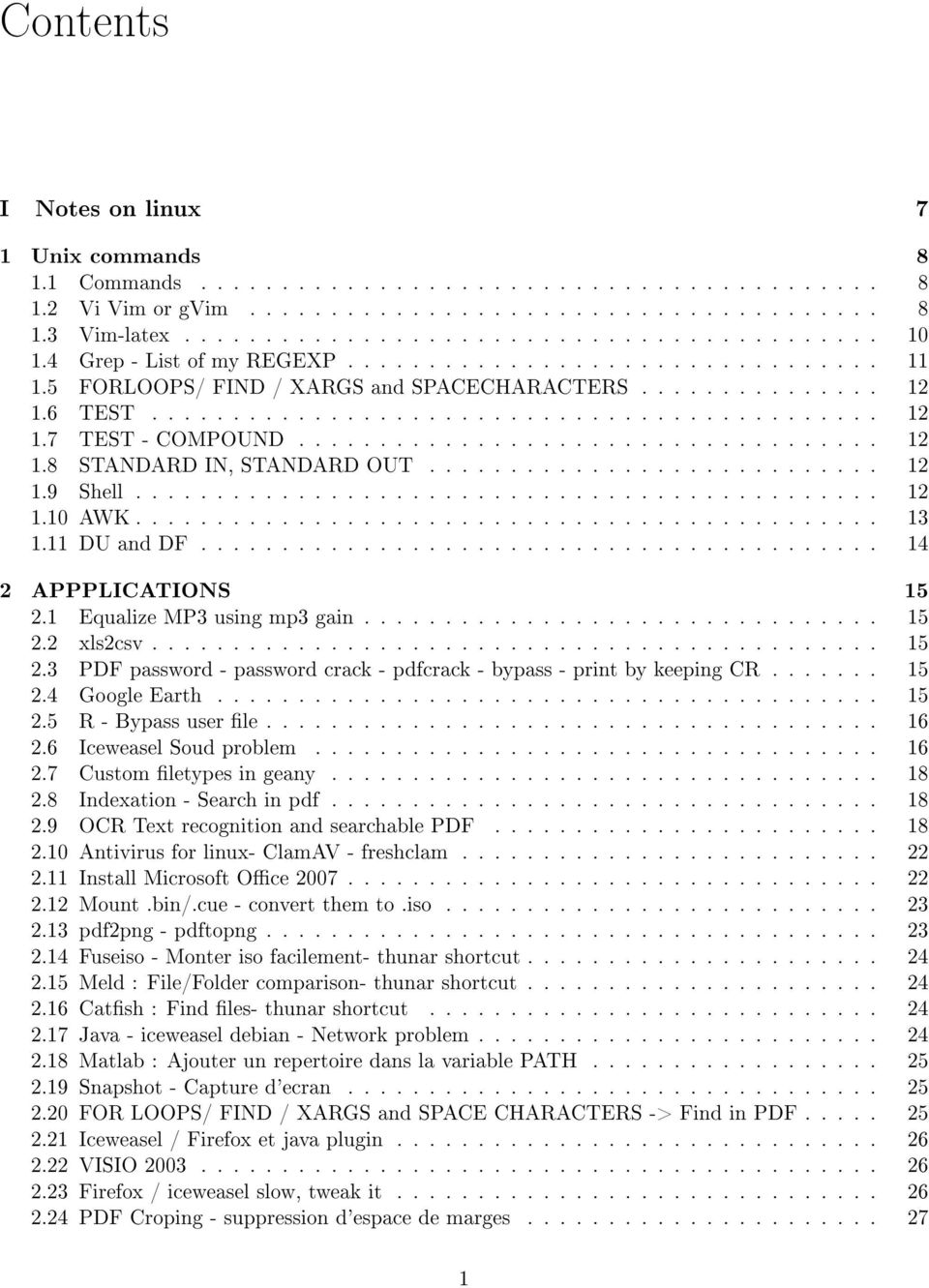
2 Contents I Notes on linux 7 1 Unix commands Commands Vi Vim or gvim Vim-latex Grep - List of my REGEXP FORLOOPS/ FIND / XARGS and SPACECHARACTERS TEST TEST - COMPOUND STANDARD IN, STANDARD OUT Shell AWK DU and DF APPPLICATIONS Equalize MP3 using mp3 gain xls2csv PDF password - password crack - pdfcrack - bypass - print by keeping CR Google Earth R - Bypass user le Iceweasel Soud problem Custom letypes in geany Indexation - Search in pdf OCR Text recognition and searchable PDF Antivirus for linux- ClamAV - freshclam Install Microsoft Oce Mount.bin/.cue - convert them to.iso pdf2png - pdftopng Fuseiso - Monter iso facilement- thunar shortcut Meld : File/Folder comparison- thunar shortcut Catsh : Find les- thunar shortcut Java - iceweasel debian - Network problem Matlab : Ajouter un repertoire dans la variable PATH Snapshot - Capture d'ecran FOR LOOPS/ FIND / XARGS and SPACE CHARACTERS -> Find in PDF Iceweasel / Firefox et java plugin VISIO Firefox / iceweasel slow, tweak it PDF Croping - suppression d'espace de marges
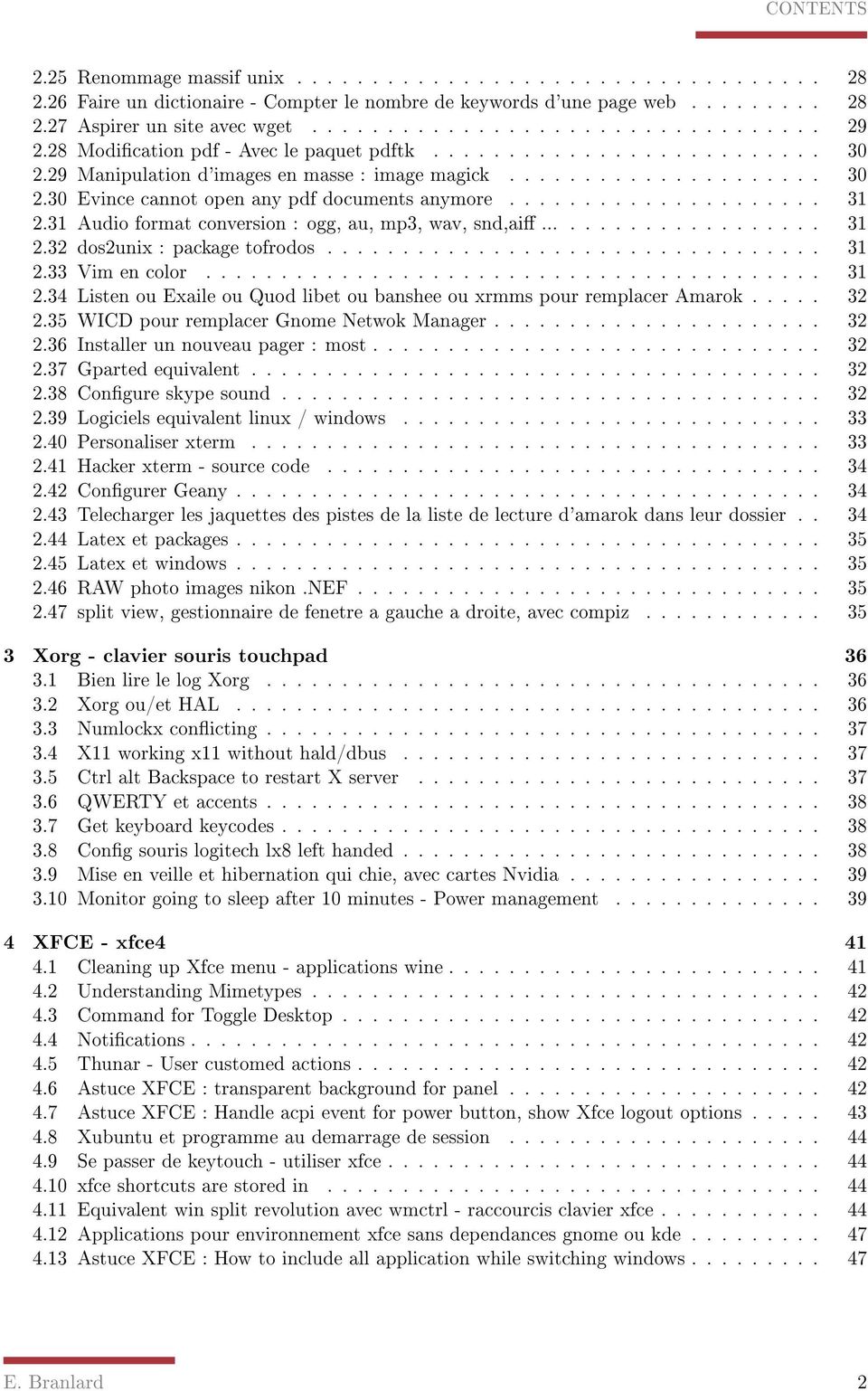
3 CONTENTS 2.25 Renommage massif unix Faire un dictionaire - Compter le nombre de keywords d'une page web Aspirer un site avec wget Modication pdf - Avec le paquet pdftk Manipulation d'images en masse : image magick Evince cannot open any pdf documents anymore Audio format conversion : ogg, au, mp3, wav, snd,ai dos2unix : package tofrodos Vim en color Listen ou Exaile ou Quod libet ou banshee ou xrmms pour remplacer Amarok WICD pour remplacer Gnome Netwok Manager Installer un nouveau pager : most Gparted equivalent Congure skype sound Logiciels equivalent linux / windows Personaliser xterm Hacker xterm - source code Congurer Geany Telecharger les jaquettes des pistes de la liste de lecture d'amarok dans leur dossier Latex et packages Latex et windows RAW photo images nikon.nef split view, gestionnaire de fenetre a gauche a droite, avec compiz Xorg - clavier souris touchpad Bien lire le log Xorg Xorg ou/et HAL Numlockx conicting X11 working x11 without hald/dbus Ctrl alt Backspace to restart X server QWERTY et accents Get keyboard keycodes Cong souris logitech lx8 left handed Mise en veille et hibernation qui chie, avec cartes Nvidia Monitor going to sleep after 10 minutes - Power management XFCE - xfce Cleaning up Xfce menu - applications wine Understanding Mimetypes Command for Toggle Desktop Notications Thunar - User customed actions Astuce XFCE : transparent background for panel Astuce XFCE : Handle acpi event for power button, show Xfce logout options Xubuntu et programme au demarrage de session Se passer de keytouch - utiliser xfce xfce shortcuts are stored in Equivalent win split revolution avec wmctrl - raccourcis clavier xfce Applications pour environnement xfce sans dependances gnome ou kde Astuce XFCE : How to include all application while switching windows E. Branlard 2
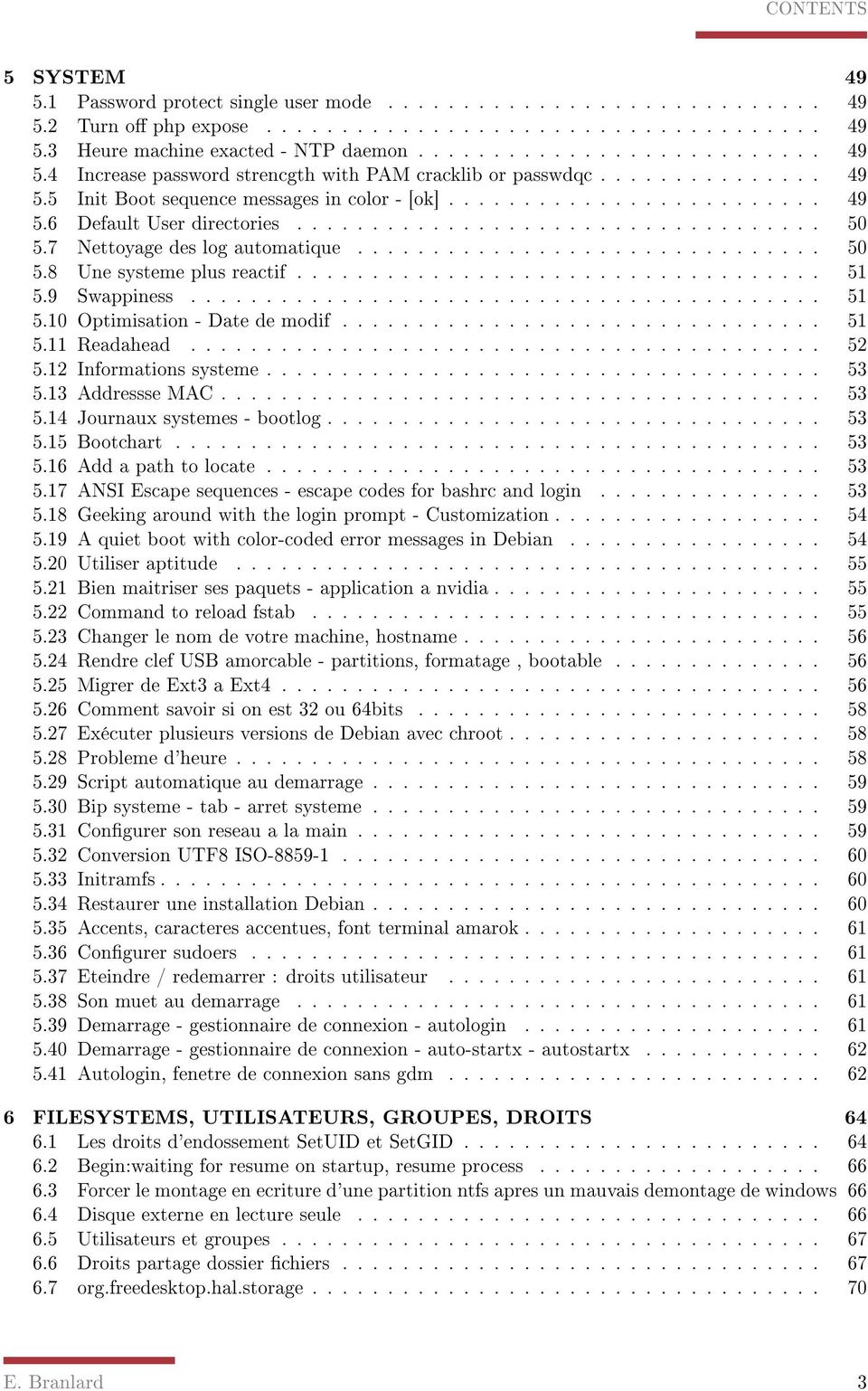
4 CONTENTS 5 SYSTEM Password protect single user mode Turn o php expose Heure machine exacted - NTP daemon Increase password strencgth with PAM cracklib or passwdqc Init Boot sequence messages in color - [ok] Default User directories Nettoyage des log automatique Une systeme plus reactif Swappiness Optimisation - Date de modif Readahead Informations systeme Addressse MAC Journaux systemes - bootlog Bootchart Add a path to locate ANSI Escape sequences - escape codes for bashrc and login Geeking around with the login prompt - Customization A quiet boot with color-coded error messages in Debian Utiliser aptitude Bien maitriser ses paquets - application a nvidia Command to reload fstab Changer le nom de votre machine, hostname Rendre clef USB amorcable - partitions, formatage, bootable Migrer de Ext3 a Ext Comment savoir si on est 32 ou 64bits Exécuter plusieurs versions de Debian avec chroot Probleme d'heure Script automatique au demarrage Bip systeme - tab - arret systeme Congurer son reseau a la main Conversion UTF8 ISO Initramfs Restaurer une installation Debian Accents, caracteres accentues, font terminal amarok Congurer sudoers Eteindre / redemarrer : droits utilisateur Son muet au demarrage Demarrage - gestionnaire de connexion - autologin Demarrage - gestionnaire de connexion - auto-startx - autostartx Autologin, fenetre de connexion sans gdm FILESYSTEMS, UTILISATEURS, GROUPES, DROITS Les droits d'endossement SetUID et SetGID Begin:waiting for resume on startup, resume process Forcer le montage en ecriture d'une partition ntfs apres un mauvais demontage de windows Disque externe en lecture seule Utilisateurs et groupes Droits partage dossier chiers org.freedesktop.hal.storage E. Branlard 3
5 CONTENTS 7 Grub, dual-boot, MBR Grub Installer grub dans le MBR Installer un dual boot avec Vista, sans utiliser le MBR WIFI Congurer ma carte wi bcm4310, broadcom Fluxbox et wi Cracker wi WAP Cracker wi WEP Monitor mode for wi usb key : TL-WN321G chipset Ralink rt WIFI, et GESTIONNAIRE DE TROUSSEAU SERVERS - PHP SQL APACHE SAMBA FTP SSH Free shell servers Debian Serveur Video surveillance - Zone minder Telnet Creer une base de donnees sql pour amarok PHP mysql et apache sous ubuntu Apache - probleme de liens symbolic Aide server apache - les bases Aide server apache - l'autoindex et le probleme de php Aide server apache - protection par mot de passe iptables Server FTP DynDNS Voisimage reseau : pyneighborhood Samba fusesmb pyneighborhood Communiquer avec les reseaux microsoft Activation du voisinage réseau Windows dans Thunar fusemb OTHERS Lire wmv windows media video? Java Gcj versus Sun - select defaults JVM Script shell -Command FIND - manipulation album cover le Connexion ssh avec mot de passe automatique, methode bourrin mot de passe en clair Nvidia drivers Timidity is not yet congured Midi FFMPEG et MP3 lame sous debian Create from template Probleme gnome barre verticale - liste de fenetres Mot de passe mise en veille NetworkManager - wi au reveil apres mise en veille ou hibernation Histoire de memoire vive detectee Virer le Usplash splash screen demarrage ubuntu Optimisation - Preload Optimisation - Démarrer les applications plus rapidement avec Prelink Optimisation - Suppression services Optimisation - Cong reseau demarrage Optimisation - chargement polices E. Branlard 4

6 CONTENTS 10.20Open oce optimization Optimisation Debian - conseil II Supplementary notes Conguration Files /.bashrc /.bash_prole /.xinitrc /.xsession /.Xdefaults /.vimrc /.conkyrc /etc/apt/sources.list /etc/apt/preferences Shell scripts pm-inhibit.py pdfautorename alarmaniac pdfocr backupsyst shrinkfig topdf xsetnumlock.c ifort-setup convertEnc xfce4ToggleDesktop keywordsSetUp pdfocr-tess GETAPTKEY rhythmboxstart rhythmboxstartlong showTag terms ECN-RenameByTitle.sh compilWebVersion formatWebVersion audioInfo unix2win svg2png toCover texclean DEFAULT shrinkFig tomp pdfBind DoBootchart cnx-vjk.expect pdfAlternRotation syncStorage E. Branlard 5

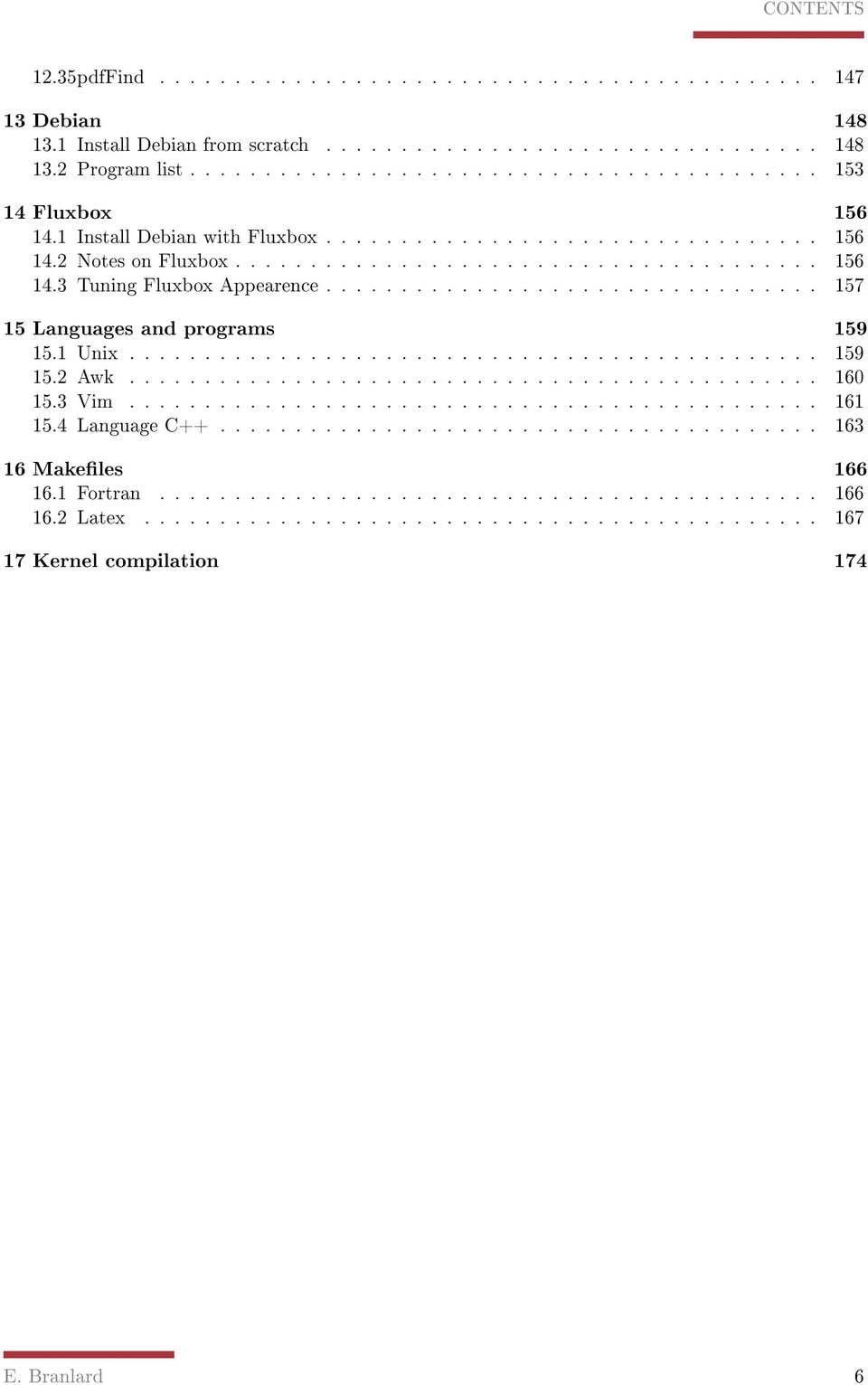
7 CONTENTS 12.35pdfFind Debian Install Debian from scratch Program list Fluxbox Install Debian with Fluxbox Notes on Fluxbox Tuning Fluxbox Appearence Languages and programs Unix Awk Vim Language C Makeles Fortran Latex Kernel compilation 174 E. Branlard 6
8 Part I Notes on linux 7

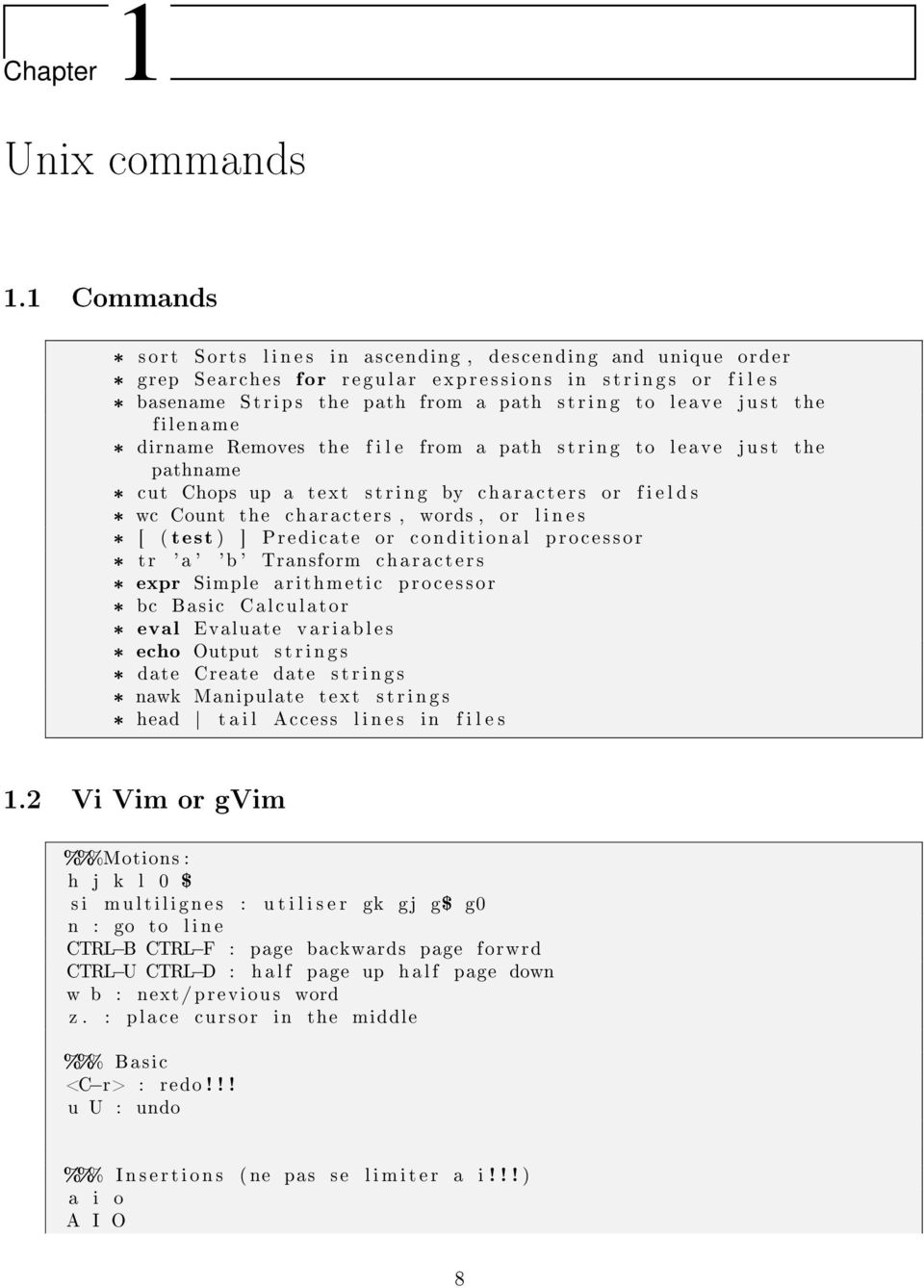
9 Chapter 1 Unix commands 1.1 Commands * sort Sorts l i n e s in ascending, descending and unique order * grep Searches for regular expressions in s t r i n g s or f i l e s * basename Strips the path from a path s t r i n g to leave j u s t the filename * dirname Removes the f i l e from a path s t r i n g to leave j u s t the pathname * cut Chops up a text s t r i n g by characters or f i e l d s * wc Count the characters, words, or l i n e s * [ ( test ) ] Predicate or conditional processor * tr 'a ' 'b ' Transform characters * expr Simple arithmetic processor * bc Basic Calculator * eval Evaluate v a r i a b l e s * echo Output s t r i n g s * date Create date s t r i n g s * nawk Manipulate text s t r i n g s * head t a i l Access l i n e s in f i l e s 1.2 Vi Vim or gvim %%%Motions : h j k l 0 $ s i m u l t i l i g n e s : u t i l i s e r gk gj g$ g0 n : go to l i n e CTRL B CTRL F : page backwards page forwrd CTRL U CTRL D : h a l f page up h a l f page down w b : next/previous word z. : place cursor in the middle %%% Basic <C r> : redo!!! u U : undo %%% I n s e r t i o n s ( ne pas se l i m i t e r a i!!! ) a i o A I O 8
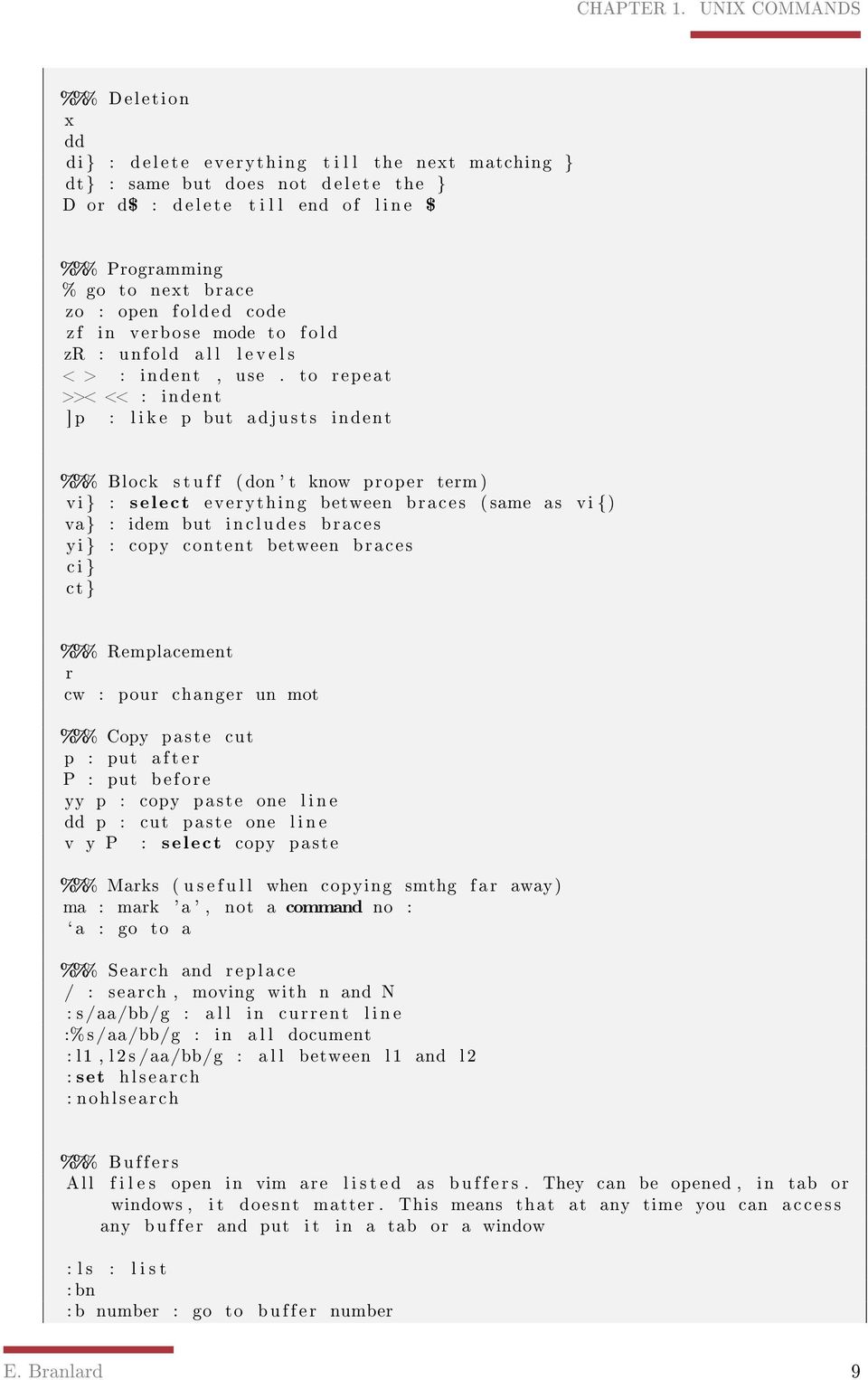
10 CHAPTER 1. UNIX COMMANDS %%% Deletion x dd di } : d e l e t e everything t i l l the next matching } dt} : same but does not d e l e t e the } D or d$ : d e l e t e t i l l end of l i n e $ %%% Programming % go to next brace zo : open folded code z f in verbose mode to f o l d zr : unfold a l l l e v e l s < > : indent, use. to repeat >>< << : indent ] p : l i k e p but adjusts indent %%% Block s t u f f (don ' t know proper term ) vi } : select everything between braces ( same as vi {) va} : idem but includes braces yi } : copy content between braces c i } ct } %%% Remplacement r cw : pour changer un mot %%% Copy paste cut p : put a f t e r P : put before yy p : copy paste one l i n e dd p : cut paste one l i n e v y P : select copy paste %%% Marks ( u s e f u l l when copying smthg f a r away) ma : mark 'a ', not a command no : ` a : go to a %%% Search and replace / : search, moving with n and N : s/aa/bb/g : a l l in current l i n e :%s/aa/bb/g : in a l l document : l1, l 2 s /aa/bb/g : a l l between l1 and l2 : set hlsearch : nohlsearch %%% Buffers All f i l e s open in vim are l i s t e d as b u f f e r s. They can be opened, in tab or windows, i t doesnt matter. This means that at any time you can a c c e s s any b u f fer and put i t in a tab or a window : l s : l i s t : bn : b number : go to buffer number E. Branlard 9
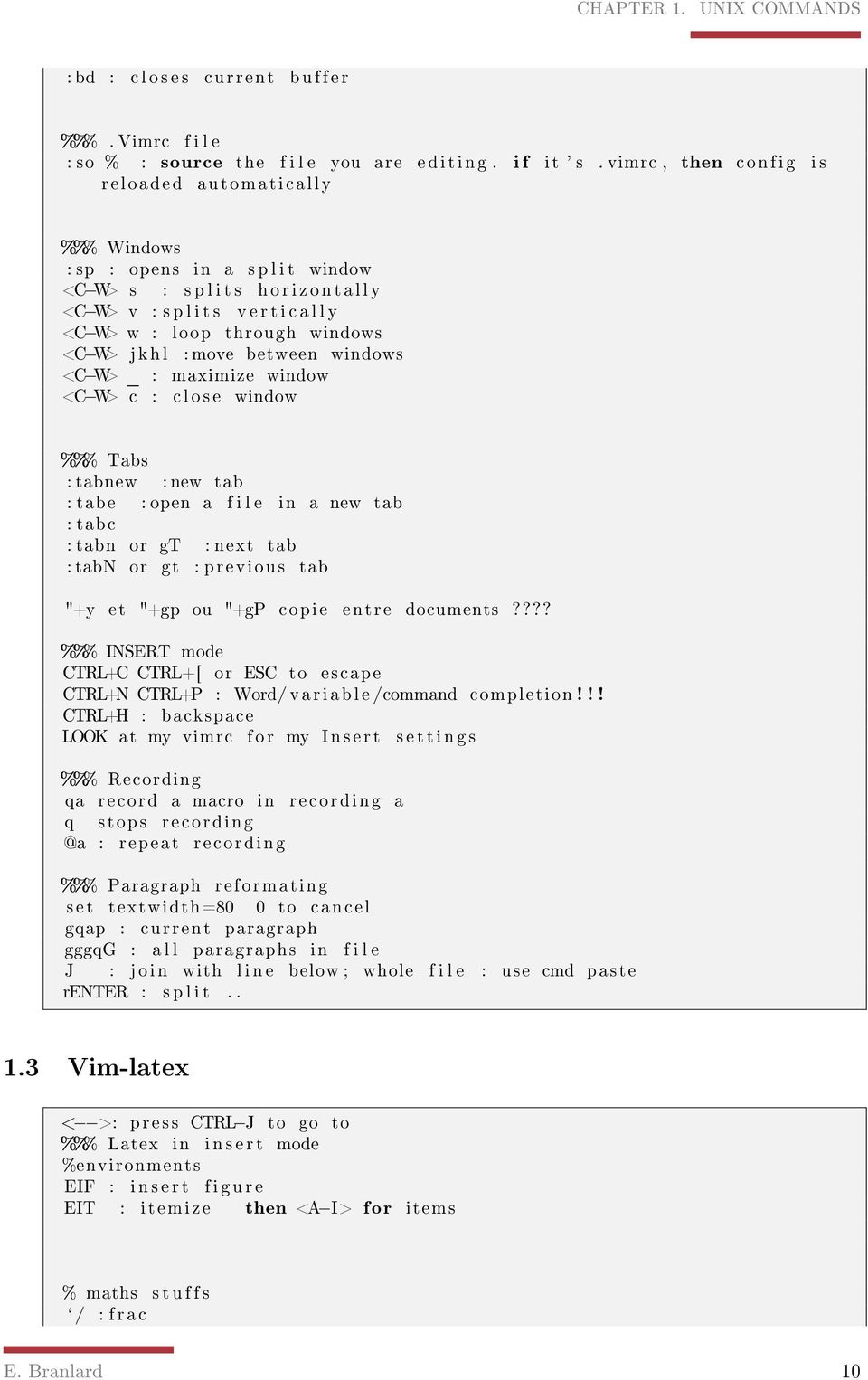
11 CHAPTER 1. UNIX COMMANDS : bd : c l o s e s current b u ffer %%%. Vimrc f i l e : so % : source the f i l e you are e d i t i n g. i f it ' s. vimrc, then config i s reloaded automatically %%% Windows : sp : opens in a s p l i t window <C W> s : s p l i t s h o r i z o n t a l l y <C W> v : s p l i t s v e r t i c a l l y <C W> w : loop through windows <C W> j k h l : move between windows <C W> _ : maximize window <C W> c : c l o s e window %%% Tabs : tabnew : new tab : tabe : open a f i l e in a new tab : tabc : tabn or gt : next tab : tabn or gt : previous tab "+y et "+gp ou "+gp copie entre documents???? %%% INSERT mode CTRL+C CTRL+[ or ESC to escape CTRL+N CTRL+P : Word/ variable /command completion!!! CTRL+H : backspace LOOK at my vimrc f o r my I n s e r t s e t t i n g s %%% Recording qa record a macro in recording a q stops : repeat recording %%% Paragraph reformating set textwidth=80 0 to cancel gqap : current paragraph gggqg : a l l paragraphs in f i l e J : j o i n with l i n e below ; whole f i l e : use cmd paste renter : s p l i t Vim-latex < >: press CTRL J to go to %%% Latex in i n s e r t mode %environments EIF : i n s e r t f i g u r e EIT : itemize then <A I> for items % maths s t u f f s ` / : f r a c E. Branlard 10
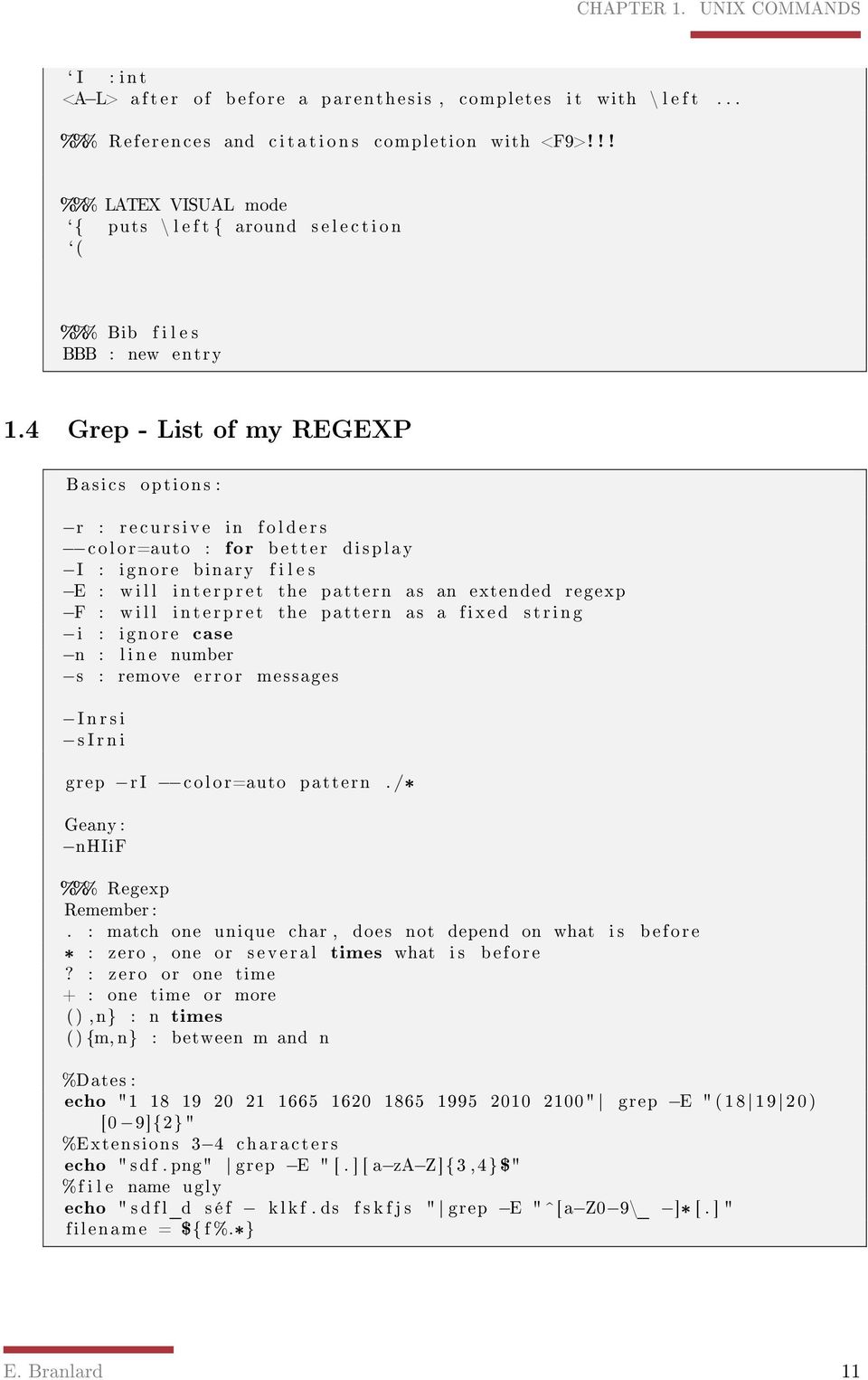
12 CHAPTER 1. UNIX COMMANDS ` I : int <A L> a f t e r of before a parenthesis, completes i t with \ l e f t... %%% References and c i t a t i o n s completion with <F9>!!! %%% LATEX VISUAL mode `{ puts \ l e f t { around s e l e c t i o n `( %%% Bib f i l e s BBB : new entry 1.4 Grep - List of my REGEXP Basics options : r : r e c u r s i v e in f o l d e r s color=auto : for better display I : ignore binary f i l e s E : w i l l i n t e r p r e t the pattern as an extended regexp F : w i l l i n t e r p r e t the pattern as a fixed s t r i n g i : ignore case n : l i n e number s : remove error messages I n r s i s I r n i grep r I color=auto pattern. /* Geany : nhiif %%% Regexp Remember :. : match one unique char, does not depend on what i s b e f o r e * : zero, one or s e v e r a l times what i s before? : zero or one time + : one time or more (),n} : n times () {m, n} : between m and n %Dates : echo " " grep E " ( ) [0 9]{2}" %Extensions 3 4 characters echo " sdf. png" grep E " [. ] [ a za Z]{3,4} $" %f i l e name ugly echo " s d f l_d s é f k l k f. ds f s k f j s " grep E " ^[a Z0 9\_ ]* [. ] " filename = ${ f %.*} E. Branlard 11
13 CHAPTER 1. UNIX COMMANDS 1.5 FORLOOPS/ FIND / XARGS and SPACECHARACTERS #! /bin /bash echo "Looking f o r "$1 SAVEIFS=$IFS IFS=$( echo en "\n\b" ) for i in ` find name "*. pdf" printf '%h/%f \n ' 2> /dev/null ` do echo " " echo "$ i " ; echo " " pdftotext $ i grep color=always $1 # s t r i n g s "$ i " grep $1 done ; IFS=$SAVEIFS 1.6 TEST Look at Compound! %%% String i s empty [ z ${var} ] Conditionnals t e s t s are in bracket [ ] See man test for d e t a i l s, l i k e : Expression comparison :! EX1 a Ex2, Ex1 o Ex2 String comp : S1 = S2, S1!=S2 Int comp : I1 ne I2 IF : i f [ ] [ ] && [ ] ; then... ; e l i f [ ] ; then... ; else... ; f i WARNING!! you need spaces around [ and =!!!!!!!!!! 1.7 TEST - COMPOUND %%% String matching [ [ "abc def. d, x " == a [ abc ] *\?d* ] ] ; echo $? 1.8 STANDARD IN, STANDARD OUT : PIPE. /compile_astra 2>&1 tee log. log 1.9 Shell E. Branlard 12
![%%% String i s empty [ z ${var} ] Conditionnals t e s t s are in bracket [ ] See man test for d e t a i l s, l i k e : Expression comparison :! EX1 a Ex2, Ex1 o Ex2 String comp : S1 = S2, S1!](/docs-images/43/2050862/images/page_13.jpg "=S2 Int comp : I1 ne I2 IF : i f [ ] [ ] && [ ] ; then... ; e l i f [ ] ; then... ; else... ; f i WARNING!! you need spaces around [ and =!!!!!!!!!! 1.")
14 CHAPTER 1. UNIX COMMANDS extension = ${ f#*.} filename = ${ f %.*} %%% l o c a t i o n for local s c r i p t s % i f local p a r t i t i o n ( /usr / local /bin ) % or in. bash_p r o f i l e PATH=$PATH: /home/manu/ s c r i p t s / 1.10 AWK awk i s a pattern scanning and processing language. By default i t reads standard input and writes standard output. Usage : awk f p r o g f i l e [ ] f i l e Usage : awk ' program ' f i l e Usage :. / awkfscript F, : f i e l d separator comma(, ) F " ; " : f i e l d separator semicolumn ( ; ) F " ;, " : f i e l d separator semicolumn or comma ( ; ) #f i r s t 1000 l i n e s awk 'NR<1000 { print } ' r a d i a l. ini >radi #l i g n e s paires NR % 2 == 1 { print $0 } #a f f i c h e l e numero de l i g n e { print NR, $0 } # First three f i e l d s awk F, 'NR>1 { print $1, $2, $ 3;} ' tab. csv > tab2 # Not matching a pattern awk '! / Distribution / { print $0 } ' d r i f t. in # Cut a l i n e every 20 f i e l d s awk F, '{ for ( i =1; i<=nf; i=i +1){ i f (( i %20)==0 ) { printf $ i " ;\ n" } else { printf $ i " ; "} } printf "\n" } ' p. csv >r. csv # print sum of f i r s t record awk '{ sum += $1 }; END { print sum } ' f i l e awk F= 'NR<10 { for ( i =1; i<=nf; i++){ printf $ i "=" }; print "" } ' d r i f t. in #p r i n t f "&NEWRUN\n D i s t r i b u t i o n ='$bunchdir /$3 '\n" tee $2>/dev/ n u l l E. Branlard 13
![Usage : awk f p r o g f i l e [ ] f i l e Usage : awk ' program ' f i l e Usage :.](/docs-images/43/2050862/images/page_14.jpg "/ awkfscript F, : f i e l d separator comma(, ) F \" ; \" : f i e l d separator semicolumn ( ; ) F \" ;, \" : f i e l d separator semicolumn or comma ( ; ) #f i r s t 1000 l i n e s awk 'NR<1000 { print")
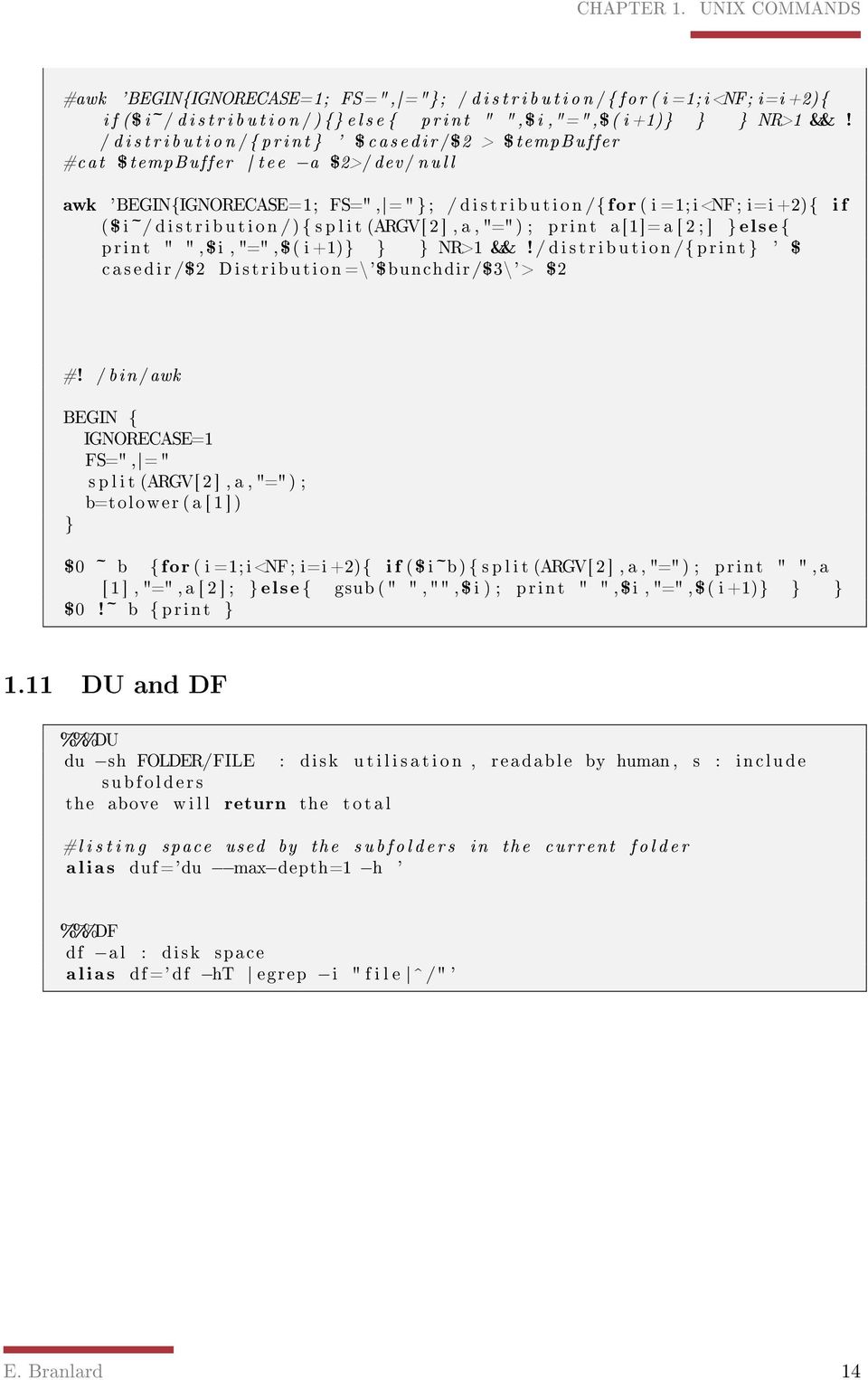
15 CHAPTER 1. UNIX COMMANDS #awk 'BEGIN{IGNORECASE=1; FS=", ="}; / d i s t r i b u t i o n /{ for ( i =1; i<nf; i=i +2){ i f ($ i~/ d i s t r i b u t i o n /) {} e l s e { print " ", $i,"=",$( i +1)} } } NR>1 &&! / d i s t r i b u t i o n /{ print } ' $ casedir /$2 > $tempbuffer #cat $tempbuffer tee a $2>/dev/ n u l l awk 'BEGIN{IGNORECASE=1; FS=", =" }; / d i s t r i b u t i o n /{ for ( i =1; i<nf; i=i +2){ i f ( $ i~/ d i s t r i b u t i o n /) { s p l i t (ARGV[ 2 ], a, "=" ) ; print a [1]= a [ 2 ; ] } else { print " ", $i, "=", $( i +1)} } } NR>1 &&! / d i s t r i b u t i o n /{ print } ' $ c a s e d ir /$2 Distribution =\'$bunchdir /$3\'> $2 #! /bin /awk BEGIN { IGNORECASE=1 FS=", =" s p l i t (ARGV[ 2 ], a, "=" ) ; b=tolower ( a [ 1 ] ) } $0 ~ b { for ( i =1; i<nf; i=i +2){ i f ( $ i~b) { s p l i t (ARGV[ 2 ], a, "=" ) ; print " ", a [ 1 ], "=", a [ 2 ] ; } else { gsub ( " ", "", $ i ) ; print " ", $i, "=", $( i +1)} } } $0!~ b { print } 1.11 DU and DF %%%DU du sh FOLDER/FILE : disk u t i l i s a t i o n, readable by human, s : include subfolders the above w i l l return the t o t a l #l i s t i n g space used by the s u b f o l d e r s in the current f o l d e r a l i a s duf='du max depth=1 h ' %%%DF df al : disk space a l i a s df =' df ht egrep i " f i l e ^ /" ' E. Branlard 14
16 Chapter 2 APPPLICATIONS 2.1 Equalize MP3 using mp3 gain find. name ' *.mp3' exec mp3gain r k {} \; #But f i r s t, to hceck l e v e l without doing anything run : find. name ' *.mp3' exec mp3gain s s {} \; 2.2 xls2csv command among other tool from package " catdoc " 2.3 PDF password - password crack - pdfcrack - bypass - print by keeping CR ## Encrypting info pdfinfo ## First try g h o s t s c r i p t ( i f read access but no modif ) gs q dnopause dbatch sdevice=p d f w r i t e soutputfile=unencrypted. pdf c. setpdfwrite f crypted. pdf ## For brute force cracking : pdfcrack f i l e. pdf o pdfcrack f i l e. pdf o c ` cat a s c i i l i s t. txt ` 2.4 Google Earth sudo aptitude i n s t a l l googleearth package make googleearth package sudo dpkg i googleearth_ _i386. deb 15

17 CHAPTER 2. APPPLICATIONS 2.5 R - Bypass user le R no i n i t f i l e 2.6 Iceweasel Soud problem %%%# Introduction The problem comes when s e v e r a l a p p l i c a t i o n s try to access the sound device d i r e c t l y. I f a mixer i s used in between the application and the hardware, then there should be no problem Pulseaudio does t h i s mixing job, and thus, allow playing of s e v e r a l a p p l i c a t i o n s at the same time. Pulseaudio, s t a r t s by default, i f c a l l e d properlly by the application. So let ' s try with pulseaudio which i s now default in debian and ubuntu. Several people remove pulseaudio and don ' t have trouble... well, let ' s take the challenge. # Firefox / Iceweasel /Flash player vlc & rhythmbox together, no problem, they c a l l pulseaudio. The problem comes from iceweasel or maybe j u s t the f l a s h p l u g i n which try to access the sound device d i r e c t l y. I f pulseaudio i s c a l l e d f i r s t, then iceweasel does not have access to the card /dev/snd/*. I f iceweasel i s c a l l e d f i r s t and then pulseaudio, it ' s pulseaudio that can ' t access the card. To see who i s using what : l s o f w egrep ' snd dsp ' Use t h i s command e x t e n s i v e l y to debug : i f you see that f i r e f o x bin uses / dev/snd/* then, i t w i l l obviously not work. The only one that should use i t i s pulseaudio! %%% The s o l u t i o n that worked for me: #( Step 0: As I was q u i t e uncertain of my l a s t i n s t a l l of f l a s h p l a y e r, I did a clean i n s t a l l, but t h i s i s not necessary Purged flashplugin nonfree * Removed ~/. mozilla / plugins / f l a s h p l u g i n *. so ( not sure about the name anymore ) l o c a t e f l a s h p l u g i n * to see i f everuthing was purged c o r r e c t l y i n s t a l l flashplugin nonfree and that ' s a l l ) #Step 1 : i n s t a l l a l l the pulseaudio s t u f f : sudo aptitude i n s t a l l pulseaudio libao4 libpulse mainloop glib0 pulseaudio module j a c k pulseaudio module hal pulseaudio module x11 gstreamer0.10 pulseaudio pulseaudio u t i l s libasound2 plugins libpulse browse0 pulseaudio esound compat l i b p u l s e 0 I f you want to use bluetooth : pulseaudio module bluetooth E. Branlard 16

18 CHAPTER 2. APPPLICATIONS I f you want to use some v i s u a l i n t e r f a c e s t u f f : pavumeter paprefs pavucontrol!!! PAVUCONTROL i s r e a l l y good. For instance, for recording audio card flux. Launch recording with audacity. then in pavucontrol /recording change i n t e r n a l to monitor in the audacity l i n e. #Step 2: Tell ALSA a p p l i c a t i o n s to use a " pulse " device. Create /Edit f i l e ~/. asoundrc ( or /etc /asound. conf ) with the following content : pcm. pulse { type pulse } c t l. pulse { type pulse } pcm.! default { type pulse } c t l.! default { type pulse } This w i l l create a pseudo device c a l l e d " pulse " that w i l l be used by default by ALSA a p p l i c a t i o n s #Step3 : Make sure you have pcm( mixing ) volume none z e r o In terminal you can use alsamixer ( I had to use the option c 0) or aumixer, or probably the p u l s e audio commandline pacmd. or whatever volume mixer i n t e r f a c e l i k e xfce4 mixer, or the pulse audio one i f you i n s t a l l e d i t. #Step4 : Test K i l l a l l a p p l i c a t i o n s using sound, including pulseaudio. The command l s o f w egrep ' snd dsp ' should return nothing. Do some t e s t i n g. Hopefully you should be able to have youtube / vlc / rhythmbox working a l l t o g e t h e r at the same time for a good cachophony. %%% In the f i l e /etc / iceweasel / iceweaselrc, replace the l i n e ICEWEASEL_DSP=" none" by ICEWEASEL_DSP=" aoss " aoss i s a simple wrapper s c r i p t which f a c i l i t a t e s the use of the ALSA OSS compatibility l i b r a r y. To i n s t a l l i t : root@localhost : ~#apt get i n s t a l l alsa oss E. Branlard 17

19 CHAPTER 2. APPPLICATIONS Does i t work?? 2.7 Custom letypes in geany # to make i t r e a l l y custon, you need to comnpile one... Otherwise use an e x i s t i n g parser ( perl C, LaTeX) and customize i t # First step launch Geany, Tool>>Configuration Add the l i n e Bib=*. bib ; f i l e s >>f i l e t y p e_extensions. conf and saved in ~/. config /geany/ f i l e t y p e_extensions. conf cp /usr /share /geany/ f i l e t y p e s. latex /home/manu/. config /geany/ f i l e t y p e s. bib. conf 2.8 Indexation - Search in pdf # swish++ appear as a good solution, i t i s configurable via a. conf f i l e instead of using a conf f i l e, one can use do i t manually convert a l l pdf to txt via pdftotext then index them with index++ then search with search++ # Use tracker... it ' s e a s i e r and more complete tracker control s : To launch the indexing : tracker p references : for options tracker search tool : for graphical i n t e r f a c e tracker search bla : command l i n e search tracker search t bla : search in documents 2.9 OCR Text recognition and searchable PDF Idea : s p l i t t i n g pdf converting to good image format (1bpp ) use an OCR tool to create hocr data ( html OCR) use hocr2pdf to put the t e x t data i n t o the pdf combine the pdf ( using pdfjoin from pdfjam ) %%% Step by step t o o l s # pdftk # pdf2ppm # Creating hocr f i l e s from images t e s s e r a c t ( you need version 3 not 2.04 as in Debian see below ) E. Branlard 18

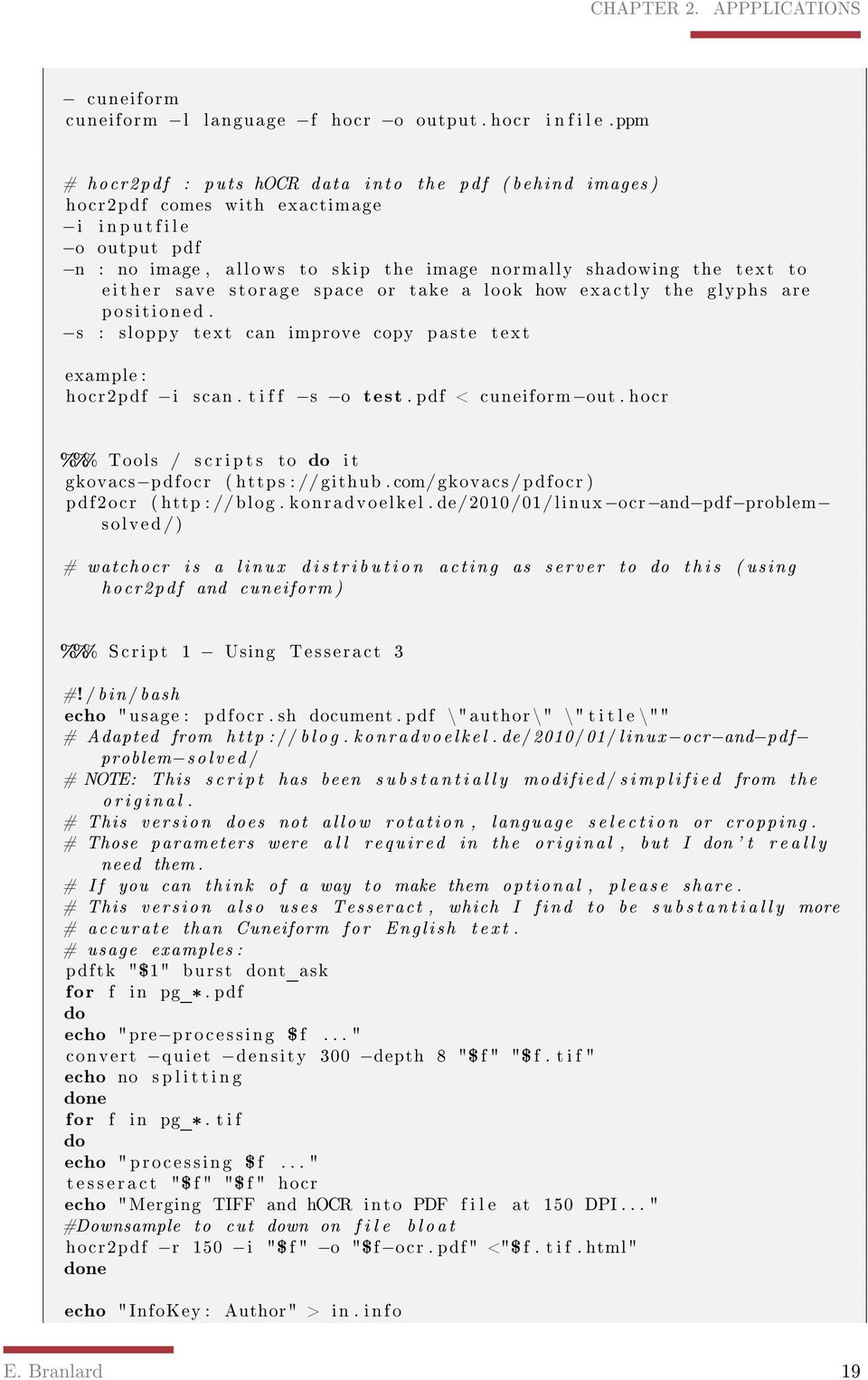
20 CHAPTER 2. APPPLICATIONS cuneiform cuneiform l language f hocr o output. hocr i n f i l e.ppm # hocr2pdf : puts hocr data into the pdf ( behind images ) hocr2pdf comes with exactimage i i n p u t f i l e o output pdf n : no image, allows to skip the image normally shadowing the text to e i t h e r save storage space or take a look how exactly the glyphs are positioned. s : sloppy text can improve copy paste text example : hocr2pdf i scan. t i f f s o test. pdf < cuneiform out. hocr %%% Tools / s c r i p t s to do i t gkovacs pdfocr ( https : //github. com/gkovacs /pdfocr ) pdf2ocr ( http : //blog. konradvoelkel. de/2010/01/linux ocr and pdf problem solved /) # watchocr i s a linux d i s t r i b u t i o n acting as server to do t h i s ( using ho cr2 pdf and cuneiform ) %%% Script 1 Using Tesseract 3 #! /bin /bash echo " usage : pdfocr. sh document. pdf \" author \" \" t i t l e \"" # Adapted from http : // blog. konradvoelkel. de /2010/01/linux ocr and pdf problem solved / # NOTE: This s c r i p t has been s u b s t a n t i a l l y modified / s i m p l i f i e d from the o r i g i n a l. # This version does not allow rotation, language s e l e c t i o n or cropping. # Those parameters were a l l required in the original, but I don ' t r e a l l y need them. # I f you can think of a way to make them optional, please share. # This version also uses Tesseract, which I find to be s u b s t a n t i a l l y more # accurate than Cuneiform for English t e x t. # usage examples : pdftk "$1" burst dont_ask for f in pg_*. pdf do echo "pre processing $ f... " convert quiet density 300 depth 8 "$ f " "$ f. t i f " echo no s p l i t t i n g done for f in pg_*. t i f do echo " processing $ f... " t e s s e r a c t "$ f " "$ f " hocr echo "Merging TIFF and hocr into PDF f i l e at 150 DPI... " #Downsample to cut down on f i l e b l o a t hocr2pdf r 150 i "$ f " o "$f ocr. pdf" <"$ f. t i f. html" done echo "InfoKey : Author" > in. i n f o E. Branlard 19
21 CHAPTER 2. APPPLICATIONS echo " InfoValue : $2" >> in. i n f o echo "InfoKey : Title " >> in. i n f o echo " InfoValue : $3" >> in. i n f o echo "InfoKey : Creator " >> in. i n f o echo " InfoValue : PDF OCR scan s c r i p t " >> in. i n f o pdfjoin f i t p a p e r tidy o u t f i l e "$ 1. ocr1. pdf" "pg_* ocr. pdf" rm f pg_* pdftk "$ 1. ocr1. pdf" update_i n f o doc_data. txt output "$ 1. ocr2. pdf" pdftk "$ 1. ocr2. pdf" update_i n f o in. i n f o output "$1 ocr. pdf" rm f "$ 1. ocr1. pdf" "$ 1. ocr2. pdf" doc_data. txt in. i n f o %%% Script 2 using cuneiform #! /bin /bash pdftk "$1" burst dont_ask for f in pg_*. pdf do echo "pre processing $ f... " convert quiet rotate $[90 *$ 2] monochrome normalize density 300 "$ f " " $ f. png" convert quiet crop $6x$7+$4+$5 "$ f. png" "$ f. png" i f [ "1" = "$3" ] ; then convert quiet crop $ [ $6/ 2] x$7+0+0 "$ f. png" "$ f. 1. png" convert quiet crop 0x$7+$ [ $6/2]+0 "$ f. png" "$ f. 2. png" rm f "$ f. png" else echo no s p l i t t i n g f i rm f "$ f " done for f in pg_*. png do echo " processing $ f... " convert "$ f " "$ f.bmp" cuneiform l $8 f hocr o "$ f. hocr " "$ f.bmp" convert blur 0.4 "$ f " "$ f.bmp" hocr2pdf i "$ f.bmp" s o "$ f. pdf" < "$ f. hocr " rm f "$ f " "$ f.bmp" "$ f. hocr " done echo "InfoKey : Author" > in. i n f o echo " InfoValue : $9" >> in. i n f o echo "InfoKey : Title " >> in. i n f o echo " InfoValue : $10" >> in. i n f o echo "InfoKey : Creator " >> in. i n f o echo " InfoValue : PDF OCR scan s c r i p t " >> in. i n f o pdfjoin f i t p a p e r tidy o u t f i l e "$ 1. ocr1. pdf" "pg_*. png. pdf" rm f pg_*. png. pdf pdftk "$ 1. ocr1. pdf" update_i n f o doc_data. txt output "$ 1. ocr2. pdf" pdftk "$ 1. ocr2. pdf" update_i n f o in. i n f o output "$1 ocr. pdf" rm f "$ 1. ocr1. pdf" "$ 1. ocr2. pdf" doc_data. txt in. i n f o rm r f pg_*_f i l e s %%% pdftk i n f i l e. pdf burst dont_ask pdftk i n f i l e. pdf dump_data pdftoppm pg_001. pdf > pg_001.ppm E. Branlard 20
22 CHAPTER 2. APPPLICATIONS cuneiform l language f hocr o out. hocr f i l e.ppm' o c r o s c r i p t recognize f i l e.ppm > out. hocr " hocr2pdf i f i l e.ppm s o i n f i l e new. pdf < out. hocr " pdftk i n f i l e * new. pdf cat output merged. pdf pdftk merged. pdf update_i n f o pdfinfo. txt output o u t f i l e. pdf %%% Tesseract 3 sudo apt get i n s t a l l libpng12 dev sudo apt get i n s t a l l libjpeg62 dev sudo apt get i n s t a l l l i b t i f f 4 dev sudo apt get i n s t a l l zlibg dev sudo apt get i n s t a l l leptonica svn checkout http : // tesseract ocr. googlecode. com/svn/trunk/ tesseract ocr read only. /runautoconf. / configure make sudo make i n s t a l l #download language data cd /usr / local /share / tessdata sudo wget http : // tesseract ocr. googlecode. com/ f i l e s /eng. traineddata. gz #a c t i v a t e hocr cd /usr / local /share / tessdata / c o n f i g s sudo vi hocr You need to know how to use Vim to do t h i s b i t Put t h i s in : " t e s s e d i t_create_hocr 1" Save with " : x" #usage Convert density 300 scanpage1. pdf depth 8 scanpage1. t i f Tesseract scanpage1. t i f outputtext Tesseract scanpage1. t i f outputtext hocr pdftk burst test. pdf convert quiet monochrome normalize density 300 pg_0001. pdf pg_0001. png convert pg_0001. png pg_0001.bmp convert quiet density 300 depth 8 monochrome normalize pg_0001. pdf pg _0001. t i f convert quiet density 300 depth 8 monochrome normalize pg_0001. pdf pg _0001.bpm t e s s e r a c t pg_0001.bmp pg_0001 hocr t e s s e r a c t pg_0001. t i f pg_0002 hocr t e s s e r a c t pg_0001. png pg_0003 hocr E. Branlard 21
23 CHAPTER 2. APPPLICATIONS cuneiform f hocr o pg_0001. hocr pg_0001.bmp convert blur 0.4 pg_0001. png pg_0004.bmp hocr2pdf i pg_0001.bmp n s o out_0001. pdf < pg_0001. html hocr2pdf i pg_0001. t i f n s o out_0002. pdf < pg_0002. html hocr2pdf i pg_0001. png n s o out_0003. pdf < pg_0003. html hocr2pdf i pg_0001. png n s o out_0005. pdf < pg_0004. html hocr2pdf i pg_0001. png n s o out_0004. pdf < pg_0001. hocr #hocr2pdf i "$ f. bmp" n s o "$ f. pdf " < "$ f. hocr" #rm f "$ f " "$ f. bmp" "$ f. hocr" rm f "$ f ""$ f.bmp" 2.10 Antivirus for linux- ClamAV - freshclam aptitude i n s t a l l clamav 2.11 Install Microsoft Oce 2007 %%% For debian squeeze : maybe there i s a way by using wine unstable ( wine ) Otherwise ( what I ' ve done) download the. deb for wine 1. 2 for ubuntu jaunty This w i l l require you to d e s i n s t a l l the previous wine. And it ' s best i f you remove your ~/. wine directory f i r s t then do a winecfg do the i n s t a l l ( i f you can ' t type the product key, you probably i n s t a l l e d riched20 l i b r a i r i e with winetricks, remove i t ) %%% Minimum, i t worked get winetricks winetricks corefonts tahoma vcrun2005sp1 wsh56js a l l f o n t s %%% Font smoothing wget http : // f i l e s. polosatus. ru /winefontssmoothing_en. sh bash winefontssmoothing_en. sh %%% x l s 2 l a t e x #1 I manage to get x l s 2 l a t e x working, by adding t h i s macro to the custom toolbar on top of the ribbon Open x l s 2 l a t e x E. Branlard 22
24 CHAPTER 2. APPPLICATIONS C l i c k on top o f the ribbom > Customize commands > Macro > ToLatexTable #2 I modified the VBA code, now i t ' s working. Use the F i l e Excel2Latex? Linux. Execute CreateCommandBar I t should be i n addins now I removed the buggy forms I t copy the latex table in the clipboard %%% More???. / winetricks msxml3 dotnet20 gdiplus riched20 riched30 vcrun2005sp1 a l l f o n t s 2.12 Mount.bin/.cue - convert them to.iso The e a s i e s t : convert them to i s o with bchunk sudo aptitude i n s t a l l bchunk The syntax from bchunk i s as f o l l o w s : bchunk [ v ] [ p ] [ r ] [ w] [ s ] bchunk image. bin image. cue image. i s o Mount the i s o : mount o loop t iso9660 image. i s o /mnt/image 2.13 pdf2png - pdftopng Best I found : convert density 300 format png npoints3. pdf npoint3. png Bof : convert quality 100 npoints3. pdf npoint3. png mogrify quality 100 format png npoints3. pdf Ma s o l u t i o n : (NON ACTUALISE) Compiler l e code source redhat de K r i s t i a n Hogsberg <krh@redhat. com> ( Informatique /Programmation/C/pdf2png ) Chercher cairo /test sur i n t e r n e t Makefile.am* Makefile. win* pdf2png. c* pdf2png. dev* pdf2png. layout * poppler action. cc * poppler action. h* poppler attachment. cc * poppler. cc * poppler document. h* poppler f e a t u r e s. h. in * poppler. g i d l * E. Branlard 23
25 CHAPTER 2. APPPLICATIONS poppler. h* poppler page. cc * poppler page. h* poppler private. h* test poppler g l i b. c* 2.14 Fuseiso - Monter iso facilement- thunar shortcut adduser manu fuse ##Mounting command : f u s e i s o n p %f %f. mount appearance conditions : *. i s o ; *. ISO ; *. bin ; *. BIN ; *. nrg ; *.NRG; *. mdf ; *.MDF ## Unmouting command: fusermount u %f *. mount 2.15 Meld : File/Folder comparison- thunar shortcut meld %F 2.16 Catsh : Find les- thunar shortcut c a t f i s h fileman=thunar path=%f ( on d i r e c t o r i e s ) 2.17 Java - iceweasel debian - Network problem i n s t a l l i n g java : aptitude i n s t a l l sun java6 j r e sun java6 plugin update java a l t e r n a t i v e s set java 6 sun Here i s the s o l u t i o n. open f i l e /etc / s y s c t l. d/bindv6only. conf and set net. ipv6. bindv6only =0, then r e s t a r t the procfs with invoke rc. d procps r e s t a r t here are the corresponding bugs http : //bugs. debian. org /cgi bin/bugreport. cgi?bug= http : //bugs. debian. org /cgi bin/bugreport. cgi?bug= This wasted q u i e t some time for me, so I thought I ' d warn you. I t happens i f you update package netbase to 4.40 and i t can a f f e c t other apps too, e s p e c i a l l y i f they are not from the debian repos. A r e a l debian s p e c i a l... E. Branlard 24
26 CHAPTER 2. APPPLICATIONS 2.18 Matlab : Ajouter un repertoire dans la variable PATH Unix Systems On a Unix computer you can set the MATLABPATH environment v a r i a b l e by typing something l i k e the f ollowing at the sytem prompt ( not the MATLAB prompt ). Si p l u s i e u r s paths, l e s concatener avec " : ". export MATLABPATH=/home/ share / Config / matlab I t doesn ' t seem to work, so use Matlab d i r e c t l y : F i l e / Set Path... I f you don ' t have writing rights, then save pathdef.m and copy i t to the bin directory of matlab 2.19 Snapshot - Capture d'ecran xfce4 screenshooter 2.20 FOR LOOPS/ FIND / XARGS and SPACE CHARACTERS -> Find in PDF bash uses space characters as default separators. This i s set with the v a r i a l b l e $IFS #Option 1 #! /bin /bash SAVEIFS=$IFS IFS=$( echo en "\n\b" ) for f in * do echo "$ f " done IFS=$SAVEIFS #Option 2 find. print0 while read d $ '\0 ' f i l e do echo v "$ f i l e " done # Application : Script to find in pdf : #! /bin /bash SAVEIFS=$IFS IFS=$( echo en "\n\b" ) echo "Looking f o r "$1 for i in ` find name "*. pdf" printf '%h/%f \n ' 2> /dev/null ` do echo " " echo "$ i " ; echo " " E. Branlard 25
27 CHAPTER 2. APPPLICATIONS pdftotext $ i grep color=always $1 # s t r i n g s "$ i " grep $1 done ; IFS=$SAVEIFS 2.21 Iceweasel / Firefox et java plugin R é c a p i t u l a t i f d ' i n s t a l l a t i o n de JAVA et J ' ai téléchargé jre 6u1 linux i586. bin http : // sdlc5c. sun. com/... des plugins Java dans Iceweasel i c i J ' ai changé l e s p r o p r i é t é s d ' accès du f i c h i e r a f i n de pouvoir l ' exécuter. #chmod +x jre 6u1 linux i586. bin J ' ai exécuté l e f i c h i e r à l ' aide de la commande suivante : #. /jre 6u1 linux i586. bin Un r é p e r t o i r e nommé j r e vient d ' être créé. J ' ai déplacé ce r é p e r t o i r e dans l e r é p e r t o i r e /opt qui va contenir toutes l e s a p p l i c a t i o n s u t i l i s a t e u r s p r o p r i é t a i r e s. #mv f jre _01/ /opt / J ' ai ajouté l e s l i e n s vers l e s b i n a i r e s n é c e s s a i r e s à l ' aide des commandes suivantes : #ln s /opt / jre _01/bin /java /usr / l o c a l /bin /java #ln s /opt / jre _01/bin / p o l i c y t o o l /usr / l o c a l /bin / p o l i c y t o o l J ' ai renseigné l e r e s t e du système que la Java Runtime Environment est i n s t a l l é e en ajoutant la l i g n e suivante au f i c h i e r /etc /environment #echo JAVA_HOME=/opt / jre _01 >> / etc /environment Création de l i e n vers l i b j a v a p l u g i n_o j i. so #ln s f v /opt / jre _01/ plugin /i386 /ns7/ l i b j a v a p l u g i n_o j i. so /usr / l i b / iceweasel / plugins 2.22 VISIO 2003 L' i n s t a l l a t i o n marche #Pour resoudre l ' erreur IOPL not enabled : winecfg #Go to the Libraries tab, and add an entry c a l l e d g d i p l u s. Then, e d i t the entry you j u s t added, and s e l e c t Native (Windows) Firefox / iceweasel slow, tweak it dans la barre d ' addresse : about : config desactiver l ' Ipv6 en double cliquant sur network. dns. disableipv6 Other tweaks that can be done in the user. j s f i l e ou ( pref. j s quand f i r e f o x i s closed ) E. Branlard 26
28 CHAPTER 2. APPPLICATIONS or by about : config /* Speed Tweak Common to a l l Configurations */ user_pref ( "network. http. p i p e l i n i n g ", true ) ; user_pref ( "network. http. proxy. p i p e l i n i n g ", true ) ; user_pref ( "network. http. p i p e l i n i n g. maxrequests ", 8) ; user_pref ( " content. n o t i f y. backoffcount ", 5) ; user_pref ( " plugin. expose_f u l l_path", true ) ; user_pref ( " ui. submenudelay", 0) ; /* Speed Tweak Fast Computer Fast Connection */ user_pref ( " content. interrupt. parsing ", true ) ; user_pref ( " content.max. tokenizing. time", ) ; user_pref ( " content. n o t i f y. i n t e r v a l ", ) ; user_pref ( " content. n o t i f y. ontimer ", true ) ; user_pref ( " content. switch. threshold ", ) ; user_pref ( " nglayout. i n i t i a l p a i n t. delay ", 0) ; user_pref ( "network. http. max connections ", 48) ; user_pref ( "network. http. max connections per server ", 16) ; user_pref ( "network. http. max persistent connections per proxy", 16) ; user_pref ( "network. http. max persistent connections per server ", 8) ; user_pref ( " browser. cache. memory. capacity ", 65536) ; Disabling ipv6 i s the b i g g i e that tends to speed things up. As mentioned in the " other " thread. /* Speed Tweak Another Tweak */ user_pref ( "network. dns. disableipv6 ", true ) ; /* Tor Settings */ user_pref ( "network. http. keep a l i v e. timeout ",600) ; user_pref ( "network. http. proxy. keep a l i v e ", true ) ; # Perso : # Pour avoir l e s tab de memes t a i l l e s, modifier l e s tab options max_tabs_undo tabmaxwidth tabminwidth 2.24 PDF Croping - suppression d'espace de marges #U t i l i s e r pdfcrop ( s c r i p t p e r l d ' Eric Doviak et Mark Sherry ) d i s p o n i b l e sur source forge #Sinon, pour avoir la t a i l l e ( old s t u f f ) i d e n t i f y x. pdf Puis convert crop x. pdf y. pdf # Recently : I found i t to work by f i r s t converting to png with a density chosen ( between 100 and 300 depending ) for i in *. pdf ; do convert density 150 $ i tmp/${ i %.* }. png ; done i d e n t i f y * ( gives W0xH0) concert crop W2xH2+L2+T2 +repage x. png y. png Option +repage i s important, i t remove the canvas information, set i t to the new image s i z e. E. Branlard 27
29 CHAPTER 2. APPPLICATIONS #convert crop 950 x repage x. png y, png 2.25 Renommage massif unix ca depend de la version de rename rename " s /mp4/mp3/g" *.mp4 rename.mp3.mp4 *.mp3 rename " s /mp4/mp3/" *.mp4 for i in *htm ; do mv $ i ` basename $ i htm ` html ; done for i in *htm ; do mv $ i ${ i%%. htm}. html ; done 2.26 Faire un dictionaire - Compter le nombre de keywords d'une page web unalias grep Virer l e s commandes HTML : sed e : a e ' s/<[^>]*>//g ; /</N; //ba ' U t i l i s e r tr pour transformer un character en un autre ( espace en newline ) : tr ' ' '\n ' Virer la ponctuation : tr d ' [ : punct : ] ' Virer l e s l i g n e s avec des c a r a c t e r e s qui ne sont pas des l e t t r e s ( tab, nombres... ) : grep v '[^ a z ] ' Virer l e s mots de moins de 2 l e t t r e s et l e s l i g n e s vides : grep E ' [ a z ]{3,} ' Mettre tout en lower case : tr ' [ : upper : ] ' ' [ : lower : ] ' Virer l e s mot communs : grep v E w ' the and for from with used ' Trier avec sort Compter l e s occurences avec uniq et l ' option c : uniq c Trier par nombre reverse : sort rn cat *php* sed e : a e ' s/<[^>]*>//g ; /</N; //ba ' tr ' ' '\n ' tr d ' [ : punct : ] ' grep v '[^ a z ] ' grep E ' [ a z ]{3,} ' tr ' [ : upper : ] ' ' [ : lower : ] ' grep v w E ' the and for from with used which are that t h i s w i l l can been should using a l l one two three has taken where made also thus though have when not such f i g u r e table these could seen given nbsp l e s des from d i f f e r e n t est dans une our qui between next would sont i t s see son plus case que pour suivant nous par sur each but than only other main f i g u r e s tables more there value values were was low high around since very order per into f i r s t because found them done good t h e i r r e a l l y here got big better well away shown over l i k e while within take due any then under same much most both second l o t use get pas mais a l o r s peut plot l e f t right ' sort uniq c sort rn head 50 sed ' s/ ' [ \ 0 9] '//g ' xargs cat SUPERFILE grep E ' [ a z ]{3,} ' tr ' [ : upper : ] ' ' [ : lower : ] ' tr d ' [ : punct : ] ' >SUPERFILE2 cat SUPERFILE3 grep v w E ' the and for from with used which are that t h i s w i l l can been should using a l l one two three has taken where made E. Branlard 28
30 CHAPTER 2. APPPLICATIONS also thus though have when not such f i g u r e table these could seen given nbsp l e s des from d i f f e r e n t est dans une our qui between next would sont i t s see son plus case que pour suivant nous par sur each but than only other main f i g u r e s tables more there value values were was low high around since very order per into f i r s t because found them done good t h e i r r e a l l y here got big better well away shown over l i k e while within take due any then under same much most both second l o t use get pas mais a l o r s peut plot l e f t right ' sort uniq c sort rn head 300 cat test grep v w E ' the and for from with used which are that t h i s w i l l can been should using a l l one two three has taken where made also thus though have when not such f i g u r e table these could seen given nbsp l e s des from d i f f e r e n t est dans une our qui between next would sont i t s see son plus case que pour suivant nous par sur each but than only other main f i g u r e s tables more there value values were was low high around since very order per into f i r s t because found them done good t h e i r r e a l l y here got big better well away shown over l i k e while within take due any then under same much most both second l o t use get pas mais a l o r s peut plot l e f t right ' sort uniq c sort rn head Aspirer un site avec wget http : //forum. ubuntu f r. org /viewtopic. php? id =78954 wget r l1 k E A *svg http : //www. openclipart. org /user c l i p a r t s /johnny_ automatic? page=$ i wget r l5 k E np www. unsite. com ` no parent ' Do not ever ascend to the parent d i r e c t o r y when r e t r i e v i n g r e c u r s i v e l y. This i s a u s e f u l option, since i t guarantees that only the f i l e s _below_ a c e r t a i n hierarchy w i l l be downloaded. see " Directory Based Limits ", for more d e t a i l s. Explication : r : r é c u r s i f sur l e s i t e l5 : cinq niveaux de récursion au maximum k : convertir l e s d e s t i n a t i o n s des l i e n s pour une l e c t u r e l o c a l e E : convertir l e s types de f i c h i e r au format HTML ( pour é v i t e r que la l e c t u r e de s i t e s en PHP ne f o i r e en l e c t u r e sous Firefox ). np : no parent ' Do not ever ascend to the parent d i r e c t o r y A : +l i s t of f i l e types patterns c : continue previously stopped download Pour a l l e r plus l o i n. E. Branlard 29
31 CHAPTER 2. APPPLICATIONS Si vous voulez plus d ' options, la page de manuel de wget est p l e i n e d ' i n f o s u t i l e s, v o i c i des options t r è s i n t é r e s s a n t e s : t : s p é c i f i e r combien de f o i s que wget devrait essayer de t é l é c h a r g e r chaque f i c h i e r. w : s p é c i f i e r combien de temps attendre entre l e s e s s a i s c : demander à wget de c o n t i n u e r un téléchargement interrompu. T : s p é c i f i e r au bout de combien de secondes sans réponse wget abandonne une connexion limit rate : mettre une v i t e s s e de connexion maximale pour ne pas monopoliser v o t r e bande passante Q : l i m i t e r la place que prendront tous l e s f i c h i e r s téléchargés, pour ne pas trop remplir votre disque dur. Dès qu ' à la f i n d ' un téléchargement l e quota sera dépassé, wget s ' a r r ê t e r a load cookies : importer des cookies ( pratique pour l e s s i t e s où vous devriez être a u t h e n t i f i é ) X : exclure un r é p e r t o i r e 2.28 Modication pdf - Avec le paquet pdftk # Concaténer l e s f i c h i e r s A1 et A2 pour obtenir l e f i c h i e r B. pdf pdftk A1. pdf A2. pdf cat output B. pdf # Supprimer l e s 2 premières pages d ' un document de 9 pages pdftk o r i g i n a l. pdf cat 3 9 output f i n a l. pdf # Supprimer l e s page 6 et 7 pdftk o r i g i n a l. pdf cat end output f i n a l. pdf # Garder l e s pages 69 a 117 impaire pdftk o r i g i n a l. pdf cat odd output f i n a l. pdf pdftk ` l s 1 *. pdf sort g xargs ` cat output out. pdf #decomposer en p l u s i e u r s pdftk chap. pdf burst f i c h i e r s # Rotate an e n t i r e PDF document to 180 degrees pdftk i n. pdf cat 1 ends output out. pdf 2.29 Manipulation d'images en masse : image magick display : i n t e r f a c e graphique moyen ( mauvais gimp ) Plusieurs o u t i l s pour multiples f i c h i e r s dont mogrify " mogrify " modifie l e s image en places a l o r s que " convert " l e s sauve sous un autre nom " i d e n t i f y " pour donner des i n f o sur l ' image Options u t i l e s : mogrify r e s i z e 800 x600 *.JPG mogrify r e s i z e 50% *.JPG mogrify negate test. jpg mogrify monochrome test. jpg mogrify format jpg *. png mogrify s c a l e 110x2 *. png # wouldn ' t work with 110x1 E. Branlard 30
32 CHAPTER 2. APPPLICATIONS convert f i g 1 3. png crop 1530 x test. png mkdir 16 x16 mkdir 24 x24 mkdir 32 x32 mkdir 48 x48 export f o l d=actions cd $ f o l d export s i z e =16x16 mkdir.. /$ s i z e /$ f o l d mogrify r e s i z e $ s i z e path export s i z e =24x24 mkdir.. /$ s i z e /$ f o l d mogrify r e s i z e $ s i z e path export s i z e =32x32 mkdir.. /$ s i z e /$ f o l d mogrify r e s i z e $ s i z e path export s i z e =48x48 mkdir.. /$ s i z e /$ f o l d mogrify r e s i z e $ s i z e path.. /$ s i z e /$ f o l d *. png.. /$ s i z e /$ f o l d *. png.. /$ s i z e /$ f o l d *. png.. /$ s i z e /$ f o l d *. png 2.30 Evince cannot open any pdf documents anymore remove /usr / local /share /mime/mime. cache or ~/. local /share /mime/mime. cache 2.31 Audio format conversion : ogg, au, mp3, wav, snd,ai... SoX i s a b l e to handle formats l i k e Ogg Vorbis, MP3, WAV, AIFF, VOC, SND, AU, GSM sudo aptitude i n s t a l l sox libsox fmt a l l 2.32 dos2unix : package tofrodos Convertit un point bat 2.33 Vim en color Dans l e home mettre un f i c h i e r. vimrc avec : syntax enable set background=dark f i l e t y p e on A part ca, pour un simple f i c h i e r taper " : syntax enable " s u f f i t S i on a ce message : E319 : Sorry, the command i s not a v a i l a b l e in t h i s version : syntax on E. Branlard 31
33 CHAPTER 2. APPPLICATIONS a l o r s f a i r e un aptitude i n s t a l l vim ( car tous l e s runtime ne sont pas presents ) 2.34 Listen ou Exaile ou Quod libet ou banshee ou xrmms pour remplacer Amarok aptitude i n s t a l l l i s t e n aptitude i n t s a l l e x a i l e 2.35 WICD pour remplacer Gnome Netwok Manager aptitude i n s t a l l wicd 2.36 Installer un nouveau pager : most Le pager est un programme qui s e r t à a f f i c h e r du texte. Vous avez l e choix entre plu s i e u r s programmes, grâce à un mécanisme d ' a l t e r n a t i v e s. Je vous propose d ' i n s t a l l e r et d ' u t i l i s e r most, un pager qui permet entre autres de c o l o r e r l e s pages de manuel. # aptitude i n s t a l l most # update a l t e r n a t i v e s config pager La seconde commande vous demnde de c h o i s i r l e pager à u t i l i s e r. Répondez en donnant l e numéro qui correspond à most. Maintenant, c ' e s t ce programme qui sera u t i l i s é pour a f f i c h e r l e s manuels Gparted equivalent Dur a trouver. => parted en l i g n e de commande De toute facon, i l faut des p a r t i t i o n s demontees, donc u t i l i s a t i o n d ' un l i v e CD. I n u t i l e d ' i n s t a l l e r gparted 2.38 Congure skype sound Son entrant : HDAINTEL Le plus important : D i g i t a l input source must be d i g i t a l mic 1, instead of analog input Plus clairement : Avec xfce4 mixer : Onglet Capture : Capture et d i g i t a l en mode en registrement Onglet Options : MicJacMode Mic In E. Branlard 32
34 CHAPTER 2. APPPLICATIONS Playback Source : Analog mux 1 Peut etre : v i r e r pulseaudio 2.39 Logiciels equivalent linux / windows http : //wiki. linuxquestions. org /wiki /Linux_software_equivalent_to_Windows_ software http : //www. l i b e r v i s. com/wiki /index. php? t i t l e=table_of_equivalent_software 2.40 Personaliser xterm xrdb ~/. Xdefaults prompt c o lore : ( variable PS1) par default : ${ debian_chroot :+($debian_chroot ) }\u@\h :\w\$ export PS1= '\033[1m\033[1;33m\u :\ e [ 3 2 ; 1m\w\e [ 3 3 ; 1m$ \033[m' export PS1= '\[\033[1m\ ] \ [ \ [ 1 ; 3 3m\]\ u : \ [ \ e [ 3 2 ; 1m\]\w \[\ e [ 3 3 ; 1m\]\ $ \[\033[m\] ' vim. bashrc # some more l s a l i a s e s a l i a s l l =' l s lhb ' a l i a s l s =' l s F color=always ' a l i a s la =' l s laxh more ' a l i a s lag =' l s lagxh grep ' a l i a s lsd =' l s l grep drwx ' a l i a s lag =' l s lagxh grep ' a l i a s lsd =' l s l grep drwx ' a l i a s dir =' l s color=auto format=v e r t i c a l ' a l i a s cd..= ' cd.. ' a l i a s grep='grep color=always ' a l i a s cp='cp i ' a l i a s mv='mv i ' a l i a s rm='rm' a l i a s gedit ='geany ' a l i a s mydiff =' d i f f a b B w y i suppress common l i n e s ' a l i a s mydiffb=' d i f f a b B w y i ' a l i a s filemanup=" java j a r /home/share /Config /Applications /File manupilation v1.315 /File Manupilation v j a r " a l i a s alarmaniac=" java j a r /home/share /Config /Applications /Alarmaniac/ alarmaniac. j a r " vim. Xdefaults! xterm xterm*facename : monospace : p i x e l s i z e =14! xterm* dynamiccolors : true! xterm*utf8 : 2! xterm*eightbitinput : true xterm*scrollttykeypress : true E. Branlard 33
35 CHAPTER 2. APPPLICATIONS xterm*scrollttyoutput : xterm* s c r o l l B a r : xterm* r i g h t S c r o l l B a r : xterm* jumpscroll : xterm* m u l t i S c r o l l : xterm* background : black xterm* foreground : green xterm* t i t l e : xterm xterm* vt100. geometry : 80 x28 XTerm*reverseVideo : on XTerm* SaveLines : 1000 f a l s e true true true true! Xcursor Xcursor *theme : Vanilla DMZ AA Xcursor. s i z e : 22 A mettre dans l e. x i n i t r c xrdb ~/. Xdefaults 2.41 Hacker xterm - source code http : //www. davidsimmons. com/ s o f t /xtermhacks / Source code : http : // i n v i s i b l e island. net /xterm/xterm. html 2.42 Congurer Geany http : //marcimat. magraine. net /Geany SVN et plugins sous Ubuntu Transformer l e s c a r a c t è r e s accentués en un coup de crayon * sudo aptitude i n s t a l l recode * Clic droit dans geany > format > envoyer s é l e c t i o n > d é f i n i r une commande personnalisée * ajouter recode.. html * Puis Editer > préférences > r a c c o u r c i s > format > Envoyer vers la commande personnalisée 1. Sélectionner votre raccourci... pour moi, ce sera : control+& 2.43 Telecharger les jaquettes des pistes de la liste de lecture d'amarok dans leur dossier for (( i =0; i <`dcop amarok p l a y l i s t gettotaltrackcount ` ; i++)) ; do echo " Traitement de : ` dcop amarok p l a y e r nowplaying ` " ; cp f "$( dcop amarok player coverimage ) " "$( dirname "$( dcop amarok player path ) " ) "/"$( dcop amarok player a r t i s t ) "\ \ "$( dcop amarok player album ) ". jpg "" ; dcop amarok player next ; done for (( i =0; i <`dcop amarok p l a y l i s t gettotaltrackcount ` ; i++)) \ do echo "Traitement de : ` dcop amarok player nowplaying ` " ;\ E. Branlard 34
36 CHAPTER 2. APPPLICATIONS cp "$( dcop amarok player path ) " "$( dcop amarok player nowplaying ) " dcop amarok player next ;\ done ; 2.44 Latex et packages e d i t e r /etc /texmf/texmf. cnf, repère la l i g n e TEXMFHOME = $HOME/texmf comenter%, remplacer par TEXMFHOME = /home/manu/ Config / texmf, creer l ' arborescence texmf /tex / latex / et y mettre tous ses. sty Puis f a i r e un : texhash ~/ Config / texmf p o s s i b i l i t e d ' i n s t a l l e r aussi texline generic extra 2.45 Latex et windows Les f i c h i e r s creer sous windows peuvent etre u t i l i s e s. I l faut l e s ouvrir en pour detecter l e s accents. L' entete doit etre %\usepackage [ T1]{ fontenc } \ usepackage [ l a t i n 1 ]{ inputenc } 2.46 RAW photo images nikon.nef ufraw out type jpg compression 90 *.NEF 2.47 split view, gestionnaire de fenetre a gauche a droite, avec compiz http : //ubuntuforums. org /showthread. php? t =801170&h i g h l i g h t=w i n s p l i t sudo apt get i n s t a l l compiz fusion bcop compiz dev compizconfig settings manager build e s s e n t i a l l i b t o o l libglu1 mesa dev libxss dev l i b c a i r o 2 dev git core mkdir ~/ compiz cd ~/ compiz g i t clone g i t : //anongit. compiz fusion. org / users /stevek / grid cd grid make make i n s t a l l 7.1 You may need to enable "Normal" or "Extra" under desktop e f f e c t s in System >Preferences >Appearance f i r s t. (You may also need to chown R user : user ~/compiz in order to get things to compile. ) ccsm 9. Check " grid " under "Window Management". E. Branlard 35
37 Chapter 3 Xorg - clavier souris touchpad 3.1 Bien lire le log Xorg grep \(EE /var/log /Xorg. 0. log grep \(WW /var/log /Xorg. 0. log grep disabled /var/log /Xorg. 0. log grep enabled /var/log /Xorg. 0. log grep Unload /var/log /Xorg. 0. log 3.2 Xorg ou/et HAL Xorg u t i l i s e desormais HAL pour déterminer la configuration. Ce qui a pour conséquences : * De s i m p l i f i e r la vie pour l e s débutants, ou de ceux qui ne veulent pas se prendre la tête. ; ) * De rendre l e f i c h i e r xorg. conf i n u t i l e, s i souhaité. * Que la commande xorgconfig, permettant de générer l e f i c h i e r de configuration, a été supprimée. Si votre matériel n ' a rien de spécial, que vous connaissez mal votre configuration m a t é r i e l l e ou que vous n ' êtes pas sûr de vos paramètres, i l est t r è s probablement plus prudent et sûr de l a i s s e r f a i r e HAL. La configuration ne sera peut être pas optimale ou parfaite, mais e l l e fonctionnera. #U t i l i s e r xorg. conf, comme avant Pour ce f a i r e, en root, i l faut ajouter à ce dernier dans la s e c t i o n ServerLayout l e s deux options suivantes : Option "AllowEmptyInput" " f a l s e " Option "AutoAddDevices" " f a l s e " La première s e r t à se débarrasser du warning, ce qui provoque un " bégaiement" du c l a v i e r ( é c r i t t r o i s f o i s la même l e t t r e pour chaque touche tapée, ou suivant l e s cas est aussi a l é a t o i r e ). La seconde s e r t à c o r r i g e r l e "bégaiement" du c l a v i e r après suppression du warning. #Configurer HAL Ca se passe i c i, et c ' est un peu plus complique. /etc /hal / f d i / policy / 36
38 CHAPTER 3. XORG - CLAVIER SOURIS TOUCHPAD 3.3 Numlockx conicting Fine create your own : xsetnumlock. c : #include <X11/ extensions /XTest. h> #include <X11/keysym. h> /* Requires : aptitude i n s t a l l libxcb keysyms1 dev l i b x t s t dev Compiled with : gcc I /usr / include /X11 L/usr / l i b /X11 o xsetnumlock xsetnumlock. c lx11 lxtst */ int main ( void ) { Display * disp = XOpenDisplay (NULL) ; i f ( disp == NULL) return 1; XTestFakeKeyEvent ( disp, XKeysymToKeycode( disp, XK_Num_Lock ), True, CurrentTime ) ; XTestFakeKeyEvent ( disp, XKeysymToKeycode( disp, XK_Num_Lock ), False, CurrentTime ) ; XCloseDisplay ( disp ) ; return 0; } aptitude i n s t a l l libxcb keysyms1 dev l i b x t s t dev gcc I /usr / include /X11 L/usr / l i b /X11 o xsetnumlock xsetnumlock. c lx11 lxtst sudo cp xsetnumlock / usr / bin aptitude remove libxcb keysyms1 dev l i b x t s t dev 3.4 X11 working x11 without hald/dbus Voi plus haut pour un peu plus de d e t a i l s Bien mettre ces deux options pour que la configuration des devices de xorg. conf soient p r i s e s en compte ( sinon, configurer HAL) Section " ServerFlags " (... ) Option "AllowEmptyInput" " o f f " Option "AutoAddDevices" " o f f " EndSection 3.5 Ctrl alt Backspace to restart X server #La s o l u t i o n f a c i l e Dans ~/. x i n i t r c setxkbmap option option terminate : c t r l_a l t_bksp E. Branlard 37
39 CHAPTER 3. XORG - CLAVIER SOURIS TOUCHPAD %%%%%%OU #f a i r e ces deux manip dans l e xorg. conf Section " ServerFlags " (... ) Option "DontZap" " o f f " EndSection Section " InputDevice " (... ) Option "XkbOptions" " terminate : c t r l_a l t_bksp" EndSection 3.6 QWERTY et accents Sous xfce i l n ' y a pas moyen de c onfigurer compose dans l e s options du c l a v i e r : i l faut modifier l e /etc /X11/xorg. conf et ajouter a la s e c t i o n input device keyboard Option "XkbOptions" "compose : r a l t " Ou tout autre option pour la touche compose ralt, lwin, caps etc... Un accent se f a i t a l o r s en tappant Compose, puis en la relachant puis apostrophe, puis e Attention : accent c i r c o n f l e x e : compose, s h i t+6 (^) + e #OU la s o l u t i o n f a c i l e Dans ~/. x i n i t r c setxkbmap option option compose : r a l t 3.7 Get keyboard keycodes Se s e r v i r de la commande xev : pour avoir l e s keycodes # Mute xmodmap e ' keycode 160 = XF86AudioMute ' 3.8 Cong souris logitech lx8 left handed http : //tuxtweaks. com/2008/09/how to south paw logitech lx8 in linux / # tout d ' abord la config de base de xorg. conf Section " InputDevice " I d e n t i f i e r " Configured Mouse" Driver "mouse" Option " CorePointer " Option " Device " "/dev/ input / mice" Option " Protocol " "ExplorerPS /2" Option " ZAxisMapping" " 4 5" Option " ButtonMapping" " " #RH # Option " ButtonMapping" " " #LH EndSection # Ensuite gere l ' alternance avec xmodmap dans. bashrc # a l i a s e s for l e f t and r i g h t handed Logitech LX8 mice E. Branlard 38
40 CHAPTER 3. XORG - CLAVIER SOURIS TOUCHPAD a l i a s a l i a s lhm='xmodmap e " pointer = " ' rhm='xmodmap e " pointer = " ' ## f a i r e marcher l e s c o l l h o r i z o n t a l #http : //tuxtweaks. com/2008/12/update l o g i t e c h lx8 in ubuntu/ 3.9 Mise en veille et hibernation qui chie, avec cartes Nvidia Rajouter dans la s e c t i o n device de /etc /X11/xorg Option "NvAGP" " 1" Option "NoLogo" " true " Peut etre Modifier /etc /acpi / sleep. sh # Ajout sinon crash on resume. Copie l i g n e de hibernation. sh # Unset video posting unset POST_VIDEO Si la mise en v e i l l e sur ram ( suspendre ) ou sur disque ( hiberner ) ne fonctionne pas, i l est p o s s i b l e d ' u t i l i s e r une autre méthode u t i l i s a n t l e paquet apt : //uswsusp. http : //www. shallowsky. com/linux /x screen blanking. html 3.10 Monitor going to sleep after 10 minutes - Power management I t i s probably DPMS which i s doing t h i s. check xset q Standby : 60 ( in seconds )... # easy You can set t h i s up by i n s t a l l i n g xscreensaver and running xscreensaver demo on advanced tab But there should be a smarter way... # On the f l y ( before watching a movie ) Disable dpms xset dpms Put i t back with xset +dpms xset dpms # Disable DPMS xset +dpms # Enable DPMS xset s o f f # Disable screen blanking xset s 150 # Blank the screen a f t e r 150 seconds x s e t dpms # Set standby, suspend, & o f f times ( in seconds ) xset dpms f o r c e standby # Immediately go into standby mode xset dpms f o r c e suspend # Immediately go into suspend mode xset dpms f o r c e o f f # Immediately turn o f f the monitor E. Branlard 39
41 CHAPTER 3. XORG - CLAVIER SOURIS TOUCHPAD xset q # Query current s e t t i n g s # Configuring DPMS in xorg. conf in s e c t i o n Monitor ( times are in minutes!!! ) Option "DPMS" Option " BlankTime" " 4" Option " StandbyTime" " 0" Option " SuspendTime" " 0" Option " OffTime" " 5" E. Branlard 40
42 Chapter 4 XFCE - xfce4 4.1 Cleaning up Xfce menu - applications wine These menu are in these f o l d e r s ~/. local /share / a p p l i c a t i o n s /wine ~/. local /share /desktop d i r e c t o r i e s /wine * ~/. config /menus/ applications merged/wine *. local /share /desktop d i r e c t o r i e s I f your wine a p p l i c a t i o n s go into Other menu instead of Wine you are missing a menu config f i l e which i s not re created by simply re i n s t a l l i n g wine package.. config /menus create a f o l d e r named applications merged and i n s i d e a text f i l e with wine Programs. menu with the f ollowing text : <!DOCTYPE Menu PUBLIC " // freedesktop //DTD Menu 1.0 //EN" " http : //www. freedesktop. org /standards /menu spec /menu 1.0. dtd"> <Menu> <Name>Applications </Name> <Menu> <Name>wine wine</name> <Directory>wine wine. directory </Directory> <Menu> <Name>wine Programs</Name> <Directory>wine Programs. directory </Directory> <Include > <Filename>wine Programs Wenlin. desktop</ Filename> </Include> </Menu> </Menu> </Menu> 41
43 CHAPTER 4. XFCE - XFCE4 4.2 Understanding Mimetypes ~/. local /share / ~/. local /mime 4.3 Command for Toggle Desktop #! /bin /sh i f xprop r o o t _NET_SHOWING_DESKTOP egrep '= 1 ' ; then wmctrl k o f f ; else wmctrl k on ; f i 4.4 Notications sudo aptitude i n s t a l l l i b n o t i f y bin send n o t i f i c a t i o n to a n o t i f i c a t i o n daemon : xfce4 notifyd par exemple notify send jdghjdfh du chs %N xargs 0 notify send t 2000 i openofficeorg 20 database ffmpeg i %f 2>&1 grep Stream awk F, '{ print $1"\n "$2 $3 $4"\n "$5} ' xargs 0 notify send t 2000 i gnome volume control awk F, '{ print $1"\n "$2 $3 $4"\n "$5} ' Test 4.5 Thunar - User customed actions Stored in ~/. config /Thunar/uca. xml mine : latexclean, To mp3, Zip i t!, New folder, I n s t a l l package, Eps2pdf, terminal Fichier (How Big the s e l e c t i o n ) http : //forums. debian. net /viewtopic. php? f =20&t = Astuce XFCE : transparent background for panel patch : http : //forum. xfce. org /index. php? topic =4721.0; prev_next=prev#new sudo aptitude i n s t a l l libexo 0.3 dev libxfcegui4 dev xorg dev libgtk2.0 dev l i b x f c e 4 u t i l dev libwnck dev E. Branlard 42
44 CHAPTER 4. XFCE - XFCE4 4.7 Astuce XFCE : Handle acpi event for power button, show Xfce logout options I f you would l i k e the xfce logout menu to show up when you press your power button, and your machine has acpi support, then do the f ollowing : * sudo vim /etc /acpi /events /powerbtn # / etc /acpi /events /powerbtn # This i s c a l l e d when the user presses the power button and c a l l s # / etc /acpi /powerbtn. sh for f u r t h e r processing. # Optionally you can s p e c i f y the placeholder %e. I t w i l l pass # through the whole kernel event message to the program you ' ve # s p e c i f i e d. # We need to react on " button power. *" and " button /power. *" because # of kernel changes. event=button [ / ] power action=/usr / local /sbin /xfce4 shutdown as user. sh * sudo vim /usr / local /sbin /xfce4 shutdown as user. sh #! /bin /sh # xfce4 shutdown as user. sh # # Check how many users are currently logged into X. # I f only one user i s logged in, run a s c r i p t which s e t s # up the environment to c a l l xfce4 session logout. LOGGED_IN_USER=` l s t r l /tmp/. ICE unix/ t a i l n 1 cut d ' ' f3 ` NUM_X_USERS=`echo $LOGGED_IN_USER wc l ` i f f i [ $NUM_X_USERS eq 1 ] ; then sudo H u $LOGGED_IN_USER /usr / local /sbin /xfce4 user session shutdown. sh * sudo vim /usr / local /sbin /xfce4 user session shutdown. sh #! /bin /sh # xfce4 user session shutdown. sh # # Set up t h e environment so t h a t DISPLAY and # SESSION_MANAGER are valid, and xfce4 session logout can run HOST=`hostname ` SESSION_ID=` l s t /tmp/. ICE unix/ head n1 ` # Note that d i s t r o s use d i f f e r e n t syntax for the SESSION_MANAGER v a r i a b l e ( t h i s s c r i p t has Debian ' s format ). # I f t h i s does not work, then try something l i k e SESSION_MANAGER="l o c a l /$ HOST:@/tmp/. ICE unix /$SESSION_ID" # instead. You can always find the correct format for your d i s t r i b u t i o n by looking at the # value of SESSION_MANAGER in a X session. E. Branlard 43
45 CHAPTER 4. XFCE - XFCE4 DISPLAY=:0 SESSION_MANAGER=" l o c a l /$HOST: /tmp/. ICE unix/$session_id" / usr / bin/xfce4 session logout 4.8 Xubuntu et programme au demarrage de session malgré la case décochée dans " s e s s i o n s et démarrage" du g e s t i o n n a i r e de paramètres de xfce, tous l e s programmes revenaient à l ' ouverture de s e s s i o n. j ' ai e f f e c t u é l e s opérations suivantes et tout est rentré dans l ' ordre : dans mon r é p e r t o i r e perso : 1) j ' ai supprimé l e contenu du r é p e r t o i r e. cache / s e s s i o n s 2) j ' ai édité l e f i c h i e r. config /xfce4 s e s s i o n /xfce4 s e s s i o n. rc pour remplacer : SaveOnExit=true par SaveOnExit=f a l s e 4.9 Se passer de keytouch - utiliser xfce %%% Avec alsamixer ( avec pulseaudio!!! l ' option c 0 est requise ( default device ) ) amixer c 0 s s e t Master toggle amixer c 0 s s e t Master 1 unmute amixer c 0 s s e t Master 1+ unmute %%% Avec aumix ( mieux avec pulseaudio???) aumix v+1 aumix v 1 %%% Avec alsamixer #t o g g l e Mute amixer s s e t Master toggle #decrease amixer s s e t Master 1 unmute #increase amixer s s e t Master 1+ unmute 4.10 xfce shortcuts are stored in ~/. config /xfce4 / xfconf /xfce perchannel xml/xfce4 keyboard shortcuts. xml and therer are plenty of other cool f i l e s there 4.11 Equivalent win split revolution avec wmctrl - raccourcis clavier xfce Les r a c c o u r c i s c l a v i e r xfce sont stockes dans :. config /xfce4 / xfconf.... shortcurts. xml E. Branlard 44
46 CHAPTER 4. XFCE - XFCE4 Modifier l e f i c h i e r xfce. config /xfce4 / xfconf.... shortcurts. xml sudo aptitude i n s t a l l wmctrl TopLeft : wmctrl r :ACTIVE: b remove, maximized_vert, maximized_horz ; wmctrl r : ACTIVE: e 1,83,0,664,460 TopRight : wmctrl r :ACTIVE: b remove, maximized_vert, maximized_horz ; wmctrl r : ACTIVE: e 0,745,0,664,460 Bottom Left : wmctrl r :ACTIVE: b remove, maximized_vert, maximized_horz ; wmctrl r : ACTIVE: e 1,83,444,664,444 Bottom Right : wmctrl r :ACTIVE: b remove, maximized_vert, maximized_horz ; wmctrl r : ACTIVE: e 0,745,445,664,444 bottom : wmctrl r :ACTIVE: b remove, maximized_vert, maximized_horz ; wmctrl r : ACTIVE: e 0,83,445,1322,444 top : wmctrl r :ACTIVE: b remove, maximized_vert, maximized_horz ; wmctrl r : ACTIVE: e 0,83,0,1322,460 l e f t : wmctrl r :ACTIVE: b remove, maximized_vert, maximized_horz ; wmctrl r : ACTIVE: e 1,83,0,664,886 right : wmctrl r :ACTIVE: b remove, maximized_vert, maximized_horz ; wmctrl r : ACTIVE: e 0,745,0,664,886 Middle : wmctrl r :ACTIVE: b remove, maximized_vert, maximized_horz ; wmctrl r : ACTIVE: e 0,83,0,1322,898 E. Branlard 45
47 CHAPTER 4. XFCE - XFCE4 Modifier l e f i c h i e r xfce. config /xfce4 / xfconf.... shortcurts. xml <channel name=" xfce4 keyboard shortcuts " version=" 1.0 "> <property name="commands" type="empty"> <property name=" default " type="empty"> <property name="&l t ; Alt> ; F2" type="empty"/> <property name="&l t ; Control> ;&l t ; Alt> ; De let e " type="empty"/> <property name=" XF86Display" type="empty"/> <property name=" Print " type="empty"/> <property name="&l t ; Alt> ; Print " type="empty"/> </ property > <property name="custom" type="empty"> <property name="&l t ; Alt> ; F2" type=" s t r i n g " value=" xfrun4 "/> <property name="&l t ; Control> ;&l t ; Alt> ; Delete " type=" s t r i n g " value=" xflock4 "/> <property name=" XF86Display" type=" s t r i n g " value=" xrandr auto"/> <property name=" override " type=" bool " value=" true "/> <property name="xf86audiomute" type=" s t r i n g " value="aumix v0"/> <property name="xf86audioraisevolume" type=" s t r i n g " value="aumix v +10"/> <property name="&l t ; Control> ; Escape" type=" s t r i n g " value=" xfce4 popup menu"/> <property name="&l t ; Meta> ; F1" type=" s t r i n g " value=" xfhelp4 "/> <property name="&l t ; Control> ;&l t ; Meta> ; Delete " type=" s t r i n g " value=" xflock4 "/> <property name="&l t ; Meta> ; F2" type=" s t r i n g " value=" xfrun4 "/> <property name="&l t ; Control> ;&l t ; Meta> ; Escape" type=" s t r i n g " value=" x k i l l "/> <property name="xf86audiolowervolume" type=" s t r i n g " value="aumix v 10"/> <property name="&l t ; Super> ; r " type=" s t r i n g " value="xterm fa Monospace f s 11 fg " ; green" ; bg " ; black" ; "/> <property name="&l t ; Super> ; e" type=" s t r i n g " value="thunar"/> <property name="&l t ; Control> ;&l t ; Alt> ;KP_1" type=" s t r i n g " value= " wmctrl r :ACTIVE: b remove, maximized_vert, maximized_horz ; wmctrl r :ACTIVE: e 0,0,445,644,430 "/> <property name="&l t ; Control> ;&l t ; Alt> ;KP_9" type=" s t r i n g " value= " wmctrl r :ACTIVE: b remove, maximized_vert, maximized_horz ; wmctrl r :ACTIVE: e 0,738,0,644,430 "/> <property name="&l t ; Control> ;&l t ; Alt> ;KP_4" type=" s t r i n g " value= " wmctrl r :ACTIVE: b remove, maximized_vert, maximized_horz ; wmctrl r :ACTIVE: e 0,0,0,644,876 "/> <property name="&l t ; Control> ;&l t ; Alt> ;KP_2" type=" s t r i n g " value= " wmctrl r :ACTIVE: b remove, maximized_vert, maximized_horz ; wmctrl r :ACTIVE: e 0,738,445,1298,430 "/> <property name="&l t ; Control> ;&l t ; Alt> ;KP_3" type=" s t r i n g " value= " wmctrl r :ACTIVE: b remove, maximized_vert, maximized_horz ; wmctrl r :ACTIVE: e 0,738,445,644,430 "/> <property name="&l t ; Control> ;&l t ; Alt> ;KP_8" type=" s t r i n g " value= " wmctrl r :ACTIVE: b remove, maximized_vert, maximized_horz ; wmctrl r :ACTIVE: e 1,0,0,1298,430 "/> <property name="&l t ; Control> ;&l t ; Alt> ;KP_7" type=" s t r i n g " value= " wmctrl r :ACTIVE: b remove, maximized_vert, maximized_horz ; wmctrl r :ACTIVE: e 1,1,0,644,430 "/> E. Branlard 46
48 CHAPTER 4. XFCE - XFCE4 <property name="&l t ; Control> ;&l t ; Alt> ;KP_5" type=" s t r i n g " value= " wmctrl r :ACTIVE: b add, maximized_vert, maximized_horz "/> <property name="&l t ; Control> ;&l t ; Alt> ;KP_6" type=" s t r i n g " value= " wmctrl r :ACTIVE: b remove, maximized_vert, maximized_horz ; wmctrl r :ACTIVE: e 0,738,0,644,876 "/> </ property > </ property > 4.12 Applications pour environnement xfce sans dependances gnome ou kde MP3 player : xmms l i s t e n banshee quod l i b e t rhytmbox sonata amarok xfce4 xfce4 extras /thunar volman xfce4 extras /xfce4 screenshooter xfburn : gravure xarchiver squeeze : archive management xfmedia : multimedia player > nul Image viewer gpicview > OK (mon p r e f e r e ) mirage > bof r i s t r e t t o > nul L i f e r e a : Flux RSS web browser : midori > ok, but bof khazeakaze xfbib : edit BibTeX f i l e s ( for use with LyX), lyx : between word and latex????? emelfm2 enca : a l t e r n a t i v e to thunar, l i k e t o t a l commander c a t f i s h : f i l e searching tool HardInfo ( sys apps/hardinfo ) System P r o f i l e r and Benchmark qalculate gtk qalculate bases qalculate currency qalculate units EasyTAG ( media sound/easytag ) U t i l i t y for e d i t i n g MP2, MP3, MP4, FLAC, Ogg and other media tags xfmedia or : haaw! Media Player ( media video /whaawmp) A lightweight audio /video player using Gstreamer 4.13 Astuce XFCE : How to include all application while switching windows There are some hidden option with Xfce that a l l o w s the panel as w e l l as apps l i k e Gkrellm to be i n c l u d e d while you switch from one window to another with the Alt+Tab shortcut. E. Branlard 47
49 CHAPTER 4. XFCE - XFCE4 Just edit the f i l e ~/. config /xfce4 /xfwm4/xfwm4rc and add the l i n e below cycle_minimum=f a l s e E. Branlard 48
50 Chapter 5 SYSTEM 5.1 Password protect single user mode When booting into s i n g l e user mode you w i l l not be prompted for the root password. This i s something every a t t a c k e r knows and prays on once he has gained physical access to you box. So what do you do? su : S : wait : /sbin / sulogin to /etc / i n i t t a b 5.2 Turn o php expose edit php. i n i, search for expose and turn i t o f f sudo vim /etc /php5/apache2/php. i n i 5.3 Heure machine exacted - NTP daemon i n s t a l l e r ntp 5.4 Increase password strencgth with PAM cracklib or passwdqc aptitude i n s t a l l libpam passwdqc 5.5 Init Boot sequence messages in color - [ok] http : //ubuntuforums. org /showthread. php? t =50054 Edit / l i b / lsb / i n i t functions Find the l o g_end_msg () function, a l l the way at the bottom o f the f i l e Add GREEN=`$TPUT s e t a f 2 ` below RED=`$TPUT s e t a f 1 ` Instead of echo ". " : echo "$UP$END[ ${GREEN}ok${NORMAL} ] " Un peu plus d ' aide : log_begin_msg () { 49
51 CHAPTER 5. SYSTEM } i f f i i f [ z "${1: }" ] ; then return 1 l o g_use_fancy_output ; then GREEN=`$TPUT s e t a f 2 ` NORMAL=`$TPUT op ` else GREEN= ' ' NORMAL= ' ' f i echo n " $NORMAL[ $GREEN*$NORMAL] $@" #echo n " $@" i f l o g_use_fancy_output ; then RED=`$TPUT s e t a f 1 ` GREEN=`$TPUT s e t a f 2 ` YELLOW=`$TPUT s e t a f 3 ` NORMAL=`$TPUT s e t a f 7 ` # BOLD=`$TPUT bold ` # UNBOLD=`$TPUT rmso ` COLS=$($TPUT c o l s ) COL=$ (( $COLS 8)) # UP=$($TPUT cuu1 ) END=$( $TPUT hpa $COL) START=$( $TPUT hpa 0) else RED= ' ' GREEN= ' ' YELLOW= ' ' NORMAL= ' ' f i i f [ $1 eq 0 ] ; then / bin/echo e "$START$NORMAL[ ${GREEN} ok ${NORMAL}] " e l i f [ $1 eq 255 ] ; then / bin/echo e "$START$NORMAL[ ${YELLOW}warn${NORMAL}] " else #/bin /echo e "$END$NORMAL[ ${RED} f a i l ${NORMAL}]" /bin/echo e "$START$NORMAL[ ${RED} f a i l ${NORMAL}] " f i 5.6 Default User directories See : /etc /xdg/user d i r s. conf And mainly, edit : ${XDG_CONFIG_HOME: ~/. config }/user d i r s. d i r s This can be u s e f u l for Desktop, Templates, Images, Download e t c Nettoyage des log automatique E. Branlard 50
52 CHAPTER 5. SYSTEM l o g r o t a t e se charge de ca, par default en cron. daily. Perso j e cron. weekly. Modifier l e /etc / l o g r o t a t e. conf l e fou en 5.8 Une systeme plus reactif 5.9 Swappiness Système avec beaucoup de mémoire vive : diminuer la valeur pour l i m i t e r l e s accès disques et la charge processeur, au prix d ' une u t i l i s a t i o n de la mémoire plus importante. La valeur par défaut est 60, s i vous disposez de plus de 1Go de mémoire n ' h é s i t e z pas à descendre à 20, voir aussi bas que 5 au dessus de 2Go. De toute façon même s i la valeur 0 est u t i l i s é e et que du swapping s o i t nécessaire, l e noyau outrepassera l e réglage, simplement i l ne l e f e r a qu ' en dernier recours et non systématiquement en avance. J ' u t i l i s e la valeur 10 qui me donne s a t i s f a c t i o n, la mémoire vive est plus u t i l i s é e et j e n ' ai jamais de swap, l e s a p p l i c a t i o n s et l ' environnement de bureau sont plus r é a c t i f s, en p a r t i c u l i e r après une courte période d ' i n u t i l i s a t i o n. Pour changer ce réglage é d i t e z l e f i c h i e r /etc / s y s c t l. conf en root et ajoutez à la f i n du f i c h i e r l e s l i g n e s : #swappiness perso vm. swappiness=10 pour c h o i s i r une valeur de 10. Pour rendre l e changement e f f e c t i f u t i l i s e z : # /sbin / s y s c t l p 5.10 Optimisation - Date de modif Pour ce qui est des options propres au système d ' exploitation, avec un système j o u r n a l i s é comme ext3 ou r e i s e r f s l e système va e n r e g i s t r e r l ' heure p r é c i s e d ' accès à un f i c h i e r l o r s de sa création, modification ou simplement de son ouverture. Ce dernier point est un gâchis de r e s s o u r c e s sur un poste de t r a v a i l ( sur un serveur i l peut se j u s t i f i e r par la n é c e s s i t e r de pouvoir e f f e c t u e r des c o n t r ô l e s sur l e s accès à un f i c h i e r s donné, mais l e premier pirate venu modifiant ce paramètre d ' un simple " touch " on peut douter de son e f f i c a c i t é... ). Pour supprimer ce comportement ajoutez l ' option noatime dans votre f i c h i e r / etc / fstab. Un exemple de l i g n e s modifiées : /dev/sda1 / ext3 defaults, noatime, e r r o r s=remount ro 0 1 E. Branlard 51
53 CHAPTER 5. SYSTEM Cette option est applicable à la p a r t i t i o n root et /home, mais également aux autres p a r t i t i o n s contenant des données s i vous avez un partitionnement plus élaboré ( /usr ; /tmp ;... ), l ' option n ' est pas u t i l e sur /boot, et pas u t i l i s a b l e sur /swap. Comme alternative, l ' option relatime est un bon compromis. Certains programmes comme "mutt" ( c l i e n t de c o u r r i e l en l i g n e de commande) peuvent être perturbés par "noatime", ce qui ne sera pas l e cas de " relatime " Readahead Readahead est un programme conçu pour a c c é l é r e r l e chargement d ' autres programmes, plus particulièrement pendant la séquence de démarrage. À noter que l e paquet "readahead" semble être en voie d ' abandon dans Debian et Ubuntu. Sur Debian i l est remplacé par "readahead fedora " à p a r t i r de Squeeze. Pour que "readahead[ fedora ] " fonctionne votre noyau doit être compilé avec l e support du système d ' audit. C' est l e cas des noyaux par défaut Debian. Si vous compilez vous même votre noyau v é r i f i e z avec : $ grep CONFIG_AUDIT= /boot/config $(uname r ) Après son i n s t a l l a t i o n, i l faut l u i permettre de " p r o f i l e r " la séquence de démarrage. Sur grub2 : * * * * Sélectionnez l ' entrée correspondant à votre système, et é d i t e z la avec la touche [ e ]. Placez vous sur la l i g n e " linux ", et é d i t e z la directement. Ajoutez en f i n de la l i g n e " linux " l ' option p r o f i l e. Poursuivez l e démarrage avec [ c t r l ] [ x ] Ceci n ' est plus n é c e s s a i r e avec "readahead fedora ", des tâches " cron " se chargeant de la configuration sans intervention de l ' u t i l i s a t e u r ( c ' est beau l e progrès ; ) ) Le démarrage peut être sensiblement plus lent que la normal, ce sera l ' unique f o i s, l ' option " p r o f i l e " que vous avez ajoutez aura disparu au prochain démarrage. Les démarrages suivant devraient être plus rapides. Vous pouvez j e t e r un o e i l aux f i c h i e r s de configuration dans /etc / readahead / ( /etc /readahead. conf pour "readahead fedora " ), i l s contiennent la l i s t e des exécutables et l i b r a i r i e s à pré charger en cache pour l e démarrage ( f i c h i e r "boot" ), et l e fonctionnement normal ( f i c h i e r " desktop " ). Readahead ne présente aucun danger pour votre système, i l est encore plus e f f i c a c e u t i l i s é conjointement au options suivantes : # echo CONCURRENCY=makefile >> / etc / d e f a u l t /rcs # aptitude i n s t a l l i n s s e r r v # dpkg reconfigure insserv sysv rc E. Branlard 52
54 CHAPTER 5. SYSTEM Cela c o n s i s t e à r é o r g a n i s e r totalement la séquence d ' exécution des s c r i p t s " i n i t ", et permettre leur exécution p a r a l l è l e ( en p a r t i c u l i e r sur l e s processeurs multicoeurs ). Si vous constatez des problèmes d ' i n i t i a l i s a t i o n de c e r t a i n s s c r i p t s " i n i t " avec ces r é g l a g e s ( peu probable ), f a i t e s un rapport de bug au mainteneur du paquet en question. I l l u i s u f f i t de c o r r i g e r l e s en t ê t e s des s c r i p t " i n i t ". "readahead" peut être u t i l i s é conjointement à " upstart " présenté ci dessous, l i s e z /usr /share /doc/readahead fedora /README pour l e s é v e n t u e l l e s précautions ( en p a r t i c u l i e r d é s i n s t a l l e r " auditd " s i présent ) Informations systeme l s p c i lsusb 5.13 Addressse MAC sudo i f c o n f i g Regarder apres HWaddress 5.14 Journaux systemes - bootlog dmesg /var/log /kren. log messages. log syslog. log u t i l e de l e s voir avec gnome system log Bootlog : a l l e r voir /etc / default /bootlogd =Yes 5.15 Bootchart L' i n s t a l l e r, puis ajouter l ' option au kernel dans grub : kernel /vmlinuz ro root=/dev/hda1 i n i t=/sbin /bootchartd Un t a r b a l l est generé dans /var/log. en tappant bootchart dasn son home, un png est generé Add a path to locate ADD a NETPATH in the f i l e /etc /updatedb. conf or /etc /cron. daily / l o c a t e 5.17 ANSI Escape sequences - escape codes for bashrc and login E. Branlard 53
55 CHAPTER 5. SYSTEM ESC est l e cactere code ACII 27 s o i t en octal 033 L' i n s e r e r avec vim en mode i n s e r t i o n : Ctrl+V Ctrl+Esc ( a f f i c h e ^[ <=> ESC) #Les plus important : Wherever you see '#', that should be replaced by the appropriate number. ESC[2 J Clear screen and home cursor ESC[#; # ;.... ; #m Set d i s p l a y a t t r i b u t e s where # i s 0 : normal display 1 : bold 4 : underline 5 : blink 22: normal 30 black foreground 31 red foreground 32 green foreground 33 yellow foreground 34 blue foreground 35 magenta foreground 36 cyan foreground 37 white foreground 39 default foreground 40 black background 41 red background 42 green background 43 yellow background 44 blue background 45 magenta background 46 cyan background 47 white background 49 default background #Liste complete : http : // i s t h e. com/chongo/tech /comp/ansi_escapes. html 5.18 Geeking around with the login prompt - Customization The l i n e before the login i s configured in the f i l e /etc / i s s u e 5.19 A quiet boot with color-coded error messages in Debian # Less messages : F i r s t of a l l, change VERBOSE=yes to VERBOSE=no in /etc / default /rcs. This get rid of some messages from the boot s c r i p t s. Next, add ' quiet ' as a kernel option in /boot/grub/menu. cfg. This t e l l the kernel and initramfs to be more quiet on the console. # Usplash Last, i n s t a l l the usplash package. This enable color coding of the boot messages. You do not have to enable the s p l a s h support to get the color coding. I f you do want to enable the splash support, I recommend i n s t a l l i n g some other splash image, for example the one in debian edu artwork usplash. To enable the splash support add ' splash ' as a kernel option in /boot/grub/menu. cfg. E. Branlard 54
56 CHAPTER 5. SYSTEM #also sudo aptitude i n s t a l l startupmanager 5.20 Utiliser aptitude #Inverse search to see dependencies aptitude search '~i~dbash ' #purge tous l e s paquest qui sont dans l ' e t a t "c" ( d e l e t e d mais configuration ) aptitude purge ~c 1 st caractere : state p : non present sur l e systeme i : i n s t a l l e u : paquet v i r t u e l c : supprime mais config sur l e system 2 eme : action prevue i : i n s t a l l d : suppr p : purger, supprimer + supprimer config A : i n s t a l l e automatiquement clean : supprime tous l e s paquets du cache : /var/cache /apt/ archives autoclean : supprime sueleument l e s anciens paquets 5.21 Bien maitriser ses paquets - application a nvidia # / etc /apt /sources. l i s t #/ etc /apt / preferences # que l ' on check avec apt cache policy aptitude dist upgrade d apt cache policy nvidia glx apt cache policy nvidia kernel source dpkg l grep nvidia apt get update apt get i n s t a l l nvidia kernel source m a a i nvidia kernel source apt get i n s t a l l nvidia glx 5.22 Command to reload fstab E. Branlard 55
57 CHAPTER 5. SYSTEM #to relaod / etc /mtab and / etc / f s t a b mount a 5.23 Changer le nom de votre machine, hostname sudo vim /etc /hostname 5.24 Rendre clef USB amorcable - partitions, formatage, bootable http : //www. sysresccd. org /Sysresccd manual en_how_to_i n s t a l l_systemrescuecd _on_an_usb s t i c k #aptitude i n s t a l l f s a r c h i v e r ( j u s t to check ) #f s a r c h i v e r probe # s ' i l y a une p a r t i t i o n mount t vfat /dev/sdf1 /mnt/ usbstick # r e i n i t i a l i z a t i o n de la t a b l e des p a r t i t i o n s c f d i s k /dev/sdb S e l e c t type LBA FAT32 # formatting and l a b e l l i n g the p a r t i t i o n mkfs. vfat F 32 n PARTITIONNAME /dev/sdb1 %%% putting syslinux # using s y s l i n u x for boot aptitude i n s t a l l syslinux # copying the d e f a u l t MBR of s y s l i n u x dd i f=/usr /share / syslinux /mbr. bin of=/dev/sdb /usr / l i b / syslinux /mbr. bin %%% Debian : d i r e c t l y with the f i l e hd media/boot. img. gz zcat hd media/boot. img. gz > /dev/sdb1 mount the p a r t i t i o n on your USB memory s t i c k (mount /dev/sda1 /mnt) and copy a Debian n e t i n s t or businesscard ISO image to i t ( please note that the f i l e name must end in. ISO). %%%# img f i l e Even though t h i s image i s a. img f i l e, i t i s gzipped, so i t needs to be extracted to your target volume : gunzip c FreeNAS amd64 embedded xxx. img dd o f=/dev/ sdb 5.25 Migrer de Ext3 a Ext4 E. Branlard 56
58 CHAPTER 5. SYSTEM # References I n s p i r e de : http : //www. webstrat. f r /blog /web technology /migrer ses partitions ext3 vers ext4 sous linux ubuntu Rescue CD u t i l i s e : ( i l faut un version recente pour avoir l e support ext4 ) http : //www. sysresccd. org /Sysresccd manual en_how_to_i n s t a l l_systemrescuecd _on_an_usb s t i c k # Intro Ci dessous comment migrer la p a r t i t i o n systeme du format ext3 a ext4. Pour e v i t e r toute perte de donnee, on va d ' abord t e s t e r sur une p a r t i t i o n intermediaire, puis ensuite recommencer la meme operation, de sorte qu ' on a toujours une p a r t i t i o n avec un system complet. ( s i p a r t i t i o n home separee, idem mais moins dur ) # Step 1 Partition systeme : sda3 Avec gparted, creer une p a r t i t i o n ext 4 aussi grande que sda3 > i c i sda9 # Step 2 Booter sur un l i v e CD avec support ext4 et grub ( sur c l e f USB, c ' est beaucoup plus rapide! ) monter l e s deux p a r t i t i o n s mount t ext3 /dev/ sda3 /mnt/deb3 mount t ext4 /dev/ sda9 /mnt/deb4 copier de l ' un a l ' autre (v pour v e r s a t i l e ) : rsync av /mnt/deb3/* /mnt/deb4/ ( Perso, sous mon systeme ( pas l e l i v e CD), j ' ai f a i t la copie de tous l e s gros r e p e r t o i r e s de "/" sauf /sys, /proc et /dev avec la commande cp a /bin /boot /var /etc / /usr /opt / l i b /media/partitionext4 Le " a" est important pour l e s l i e n s symboliques! Puis, sous l e l i v e CD, j ' ai f i n a l i s é avec un rsync. Ca permet de continuer a bosser sur son systeme normal pendant la copie de la plupart des f i c h i e r s systemes. ) # Step 3 ( Sous l e l i v e CD toujours ) on i n s t a l l l e grub de sda9 dans l e MBR grub i n s t a l l root dir=/mnt/deb4 /dev/sda A ce stade, s i on redemarre on aura toujours l e systeme precedent, car l e s f i c h i e r s du boot de sda9 sont identiques a ceux de sda3 et donc r e f e r e n t au boot de sda3 (hd0, 2 ). Du coup, i l faut modifier l e f i c h i e r /mnt/deb4/boot/menu. l s t et remplacer l e s (hd0, 2 ) par (hd0, 8 ) et sda3 par sda9. # Step 4 ( Sous l e l i v e CD toujours ) on modifie l e /etc / fstab pour que la p a r t i t i o n / s o i t bien sda9 # Step 5 on redemarre au menu grub, on v e r i f i e que c ' est bien l e grub de sda9 on v e r i f i e que c ' est bien l e systeme de sda9 qui est lance est pas c e l u i de sda3 une f o i s l e system en place, on f a i t un update grub. # Step 6 S i tout marche impeccable, on recommence tout. On formatte sda3, on c o p i e de sda9 a sda3, i n s t a l l e grub et fstab, redemarrage, tests, update grub et on supprime sda9. E. Branlard 57
59 CHAPTER 5. SYSTEM 5.26 Comment savoir si on est 32 ou 64bits %%%methode 1 cat /proc /cpuinfo model name : AMD Athlon (tm) 64 Processor %%%methode 2 ( model name : I n t e l (R) Atom(TM) CPU 1.60GHz) perl e ' print ~123; ' #32 b i t s #64 b i t s %%%methode 3 s c r i p t C cat test. c #include <s t d i o. h> #include <unistd. h> int main ( void ) { printf ( "%ld CPU (%u b i t s ) \n", sysconf (_SC_NPROCESSORS_ONLN), 8 * s i z e o f ( void *) ) ; return 0; } gcc W Wall O2 test. c a. out 24 CPU (32 b i t s ) 5.27 Exécuter plusieurs versions de Debian avec chroot http : //www. debian. org /doc/manuals/debian r e f e r e n c e /ch t i p s. f r. html Un environnment chroot Debian peut aisément ê t r e c r é é par l a commande debootstrap de Woody. Par exemple, pour c r é e r un chroot Sid sur / sid root avec une connexion Internet rapide : main # cd / ; mkdir /sid root main # debootstrap sid /sid root http : // f t p. debian. org /debian /... regardez l e système se t é l é c h a r g e r main # echo "proc sid /sid root /proc proc none 0 0" >> / etc / f s t a b main # mount proc sid /sid root /proc t proc main # cp / etc / hosts /sid root / etc / hosts main # chroot /sid root /bin /bash chroot # cd /dev ; /sbin /MAKEDEV generic ; cd chroot # apt setup # set up / etc /apt /sources. l i s t chroot # vi / etc /apt /sources. l i s t # mettre la source sur unstable chroot # d s e l e c t # ou aptitude, i n s t a l l e z mc et vim : ) A ce point, vous devriez avoir un systã me Debian complètement fonctionnel, avec l e q u e l vous pouvez jouer sans avoir peur de toucher votre i n s t a l l a t i o n Debian p r i n c i p a l e Probleme d'heure # hwclock r #or hwclock show # hwclock w #or hwclock systohc E. Branlard 58
60 CHAPTER 5. SYSTEM # hwclock s #or hwclock hctosys sudo hwclock hctosys hardware sudo hwclock systohc systeme #r e s e t l ' heure systeme a p a r t i r de l ' heure #r e s e t l ' heure hardware a p a r t i r de l ' heure sudo date +%H:%M set=" 21:42 " veut #s e t l ' heure systeme a c e l l e que l ' on 5.29 Script automatique au demarrage Sinon, pour qu ' i l se lance au démarrage, i l faut que tu crées un p e t i t s c r i p t de rien du tout et que tu l e mettes dans ton d o s s i e r ou sont l e s s c r i p t s de démarrage... Par exemple, s i l e s c r i p t plus haut s ' appel automat ssh. sh, l e s c r i p t de demarrage peut être : ( on l ' appelera i n i t automatssh. sh pour la s u i t e ) #! /bin /bash automat ssh. sh Tu l e copies dans /etc / i n i t. d/ Tu l u i donnes l e s bons d r o i t s : chmod +x i n i t automatss. sh Tu repères ton d o s s i e r de demarrage. ( Si tu ne l e connais pas, regarde dans inittab, au niveau du runlevel. ) Si c ' est 2 ( c ' est mon cas ), a l o r s dans /etc /rc2. d/, tu f a i s un l i e n s vers ton super s c r i p t! ln s /etc / i n i t. d/ i n i t automat. sh /etc /rc2. d/s90automatssh. sh ( S90 sera l e 90ième s e r v i c e lancé, j e mets ça, parce que j e pense que ton reseau est deja lancé à ce stade du démarrage... ) 5.30 Bip systeme - tab - arret systeme %%% Method 1 Fermer l e clappet au PC beep avec alsamixer %%% Method 2 X command : to run in a terminal or put in. x i n i t r c xset b o f f %%% Method 3 ( f i r s t check i s lsmod returns pcspkr ) #You can d i s a b l e t h i s by e d i t i n g a f i l e and entering two simple l i n e s. sudo vim /etc /modprobe. d/ b l a c k l i s t #s i l l y speaker beep b l a c k l i s t pcspkr I f you don ' t want to wait until a reboot, simply type : sudo rmmod pcspkr 5.31 Congurer son reseau a la main E. Branlard 59
61 CHAPTER 5. SYSTEM #Ajouter l ' i n t e r f a c e eth0 en dhcp / etc /network / i n t e r f a c e s auto eth0 i f a c e eth0 inet dhcp redemarrer l e network : /etc / i n i t. d/networking r e s t a r t r e v e i l l e r l e reseau avec ifup eth Conversion UTF8 ISO http : //www. haypocalc. com/ wiki /UTF 8_et_Linux #iconv iconv f iso t utf 8 <in >out # vers UTF 8 iconv f utf 8 t iso <in >out # vers latin 1 iconv f utf 8 t iso f i l e 1 > f i l e 2 #f i l e i : connaitre l ' encodage f i l e i filename f i l e i * grep utf 8 awk F: '{ print $ 1;} ' xargs #us a s c i i US a s c i i ne conteint pas d ' accents. La table de c a r a c t è r e s us a s c i i est strictement i n s c r i t e dans utf 8 et tous l e s c a r a c t è r e s de us a s c i i ont la même valeur dans us a s c i i et dans utf8. Donc vouloir convertir de us a s c i i vers utf8 n ' a tout simplement pas de sens Initramfs initramfs sudo mkinitramfs o /boot/initramfs http : //forum. ubuntu f r. org /viewtopic. php? id = Restaurer une installation Debian Si tu veux pouvoir reproduire une i n s t a l l a t i o n sous Debian, j ' ai entendu parler du couple : dpkg get s e l e c t i o n s > l i s t e. dpkg pour l i s t e r l e s paquets i n s t a l l é s sur Debian au format pour la commande suivante : dpkg set s e l e c t i o n s < l i s t e. dpkg qui f e r a l e " restaure " des paquets sur une autre machine Debian. s i tu veux voir tout tes package i n s t a l l é archives Ou encore aptitude search '~i! (~M) ' f a i t un l s /var/cache /apt/ E. Branlard 60
62 CHAPTER 5. SYSTEM 5.35 Accents, caracteres accentues, font terminal amarok dpkg r e c o n f i g u r e l o c a l e s avoir f r_fr.utf Congurer sudoers e d i t e r /etc /sudoers pour a u t o r i s e r sudo avec password ajouter la l i g n e : %sudo ALL=(ALL) ALL sans password : %sudo ALL=NOPASSWD:ALL 5.37 Eteindre / redemarrer : droits utilisateur On peut passer par l e f i c h i e r de sudoers mais l e plus simple c ' est d ' ajouter l ' u t i l i s a t e u r au groupe powerdev sudo adduser manu powerdev 5.38 Son muet au demarrage r e s i n s t a l l e r pulseaudio 5.39 Demarrage - gestionnaire de connexion - autologin Pour l ' autologin Modifier l e f i c h i e r d e f i n i s s a n t l e terminal p r i n c i p a l / l e s terminaux : Sous Debian : Code : gedit /etc / i n i t t a b Commenter la l i g n e :#1:2345: respawn : /sbin / g e t t y t t y1 # La remplacer par : 1:2345: respawn : /sbin /mingetty tty1 autologin MONLOGIN # 1:2345: respawn : /bin / l o g i n f YOUR_USER_NAME t t y 1 / dev/ t ty1 2>&1 1:2345: respawn : /bin/ login f manu tty1 /dev/ tty1 2>&1 Sous Ubuntu : Code : I n s t a l l e r mingetty : sudo apt get mingetty gedit /etc /event. d/tty1 Commenter la l i g n e : #exec /sbin / g e t t y n t ty1 E. Branlard 61
63 CHAPTER 5. SYSTEM La remplacer par : exec /sbin /mingetty tty1 autologin MONLOGIN #exec /sbin / g e t t y l / usr /sbin / autologin n t ty1 Mise en garde : Si on a un g e s t i o n a i r e de connexion, i l est n e c e s s a i r e de l e desactiver! Pour cela j ' ai u t i l i s e sysv rc conf, programe qui permet de gerer l e s s e r v i c e s charges au demarrage. On desactive tous l e s runlevel de slim ou gdm ou kdm. Quelques remarques : Rq1 : A mon avis l ' option autologin ne marche pas avec getty, d ' ou l e besoin d ' u t i l i s e r mingetty > U t i l i s e r l ogin sous Debian Rq2 : Mingetty est equivalent a rungetty, mais s o i t disant plus l i g h t! Rq3 : Sur i n t e r n e t on trouve : u t i l i s e r getty en f a i s a n t un s c r i p t s h e l l perso, ou en compilant son propre p e t i t f i c h i e r c 5.40 Demarrage - gestionnaire de connexion - auto-startx - autostartx Creer / e d i t e r l e f i c h i e r ~/. bash_p r o f i l e ( en u t i l i s a t e u r, pas en root ) Y i n s e r e r : Code : # Load X11 #i f [ z "$DISPLAY" ] && [ $( t t y ) == /dev/ t ty1 ] ; then i f [ ` ps l e grep startx wc l ` == 0 ] ; then startx f i Permettant a i n s i de lancer X a chaque ouverture de s e s s i o n sur l e terminal 1. Maintenant s i vous avez p l u s i e u r s g e s t i o n n a i r e de f e n e t r e ( fluxbox /gnome/ xfce.. ), j e pense que l e choix de celui c i se f a i t via l e f i c h i e r. x i n i t r c. A confirmer. Rq: j ' ai eu un probleme, mes u t i l i s a t e u r s n ' avaient pas la permission de lancer startx ( erreur : unable to open Xwrapper. config... ). J ' ai r e i n s t a l l e r ou reconfigurer, j e s a i s plus, mon serveur x Autologin, fenetre de connexion sans gdm You can also use getty to autologin : 1) Create a f i l e /usr /sbin /autologin which i s as f o l l o w s : #! /bin /bash exec login <your_username> Replace <your_username> with the name o f the u s e r you want to l o g i n automatically. Then make that f i l e executable via E. Branlard 62
64 CHAPTER 5. SYSTEM sudo chmod a+x /usr /sbin /autologin 2) Edit the f i l e /etc /event. d/tty1 and change the l i n e exec /sbin /getty tty1 to exec /sbin /getty l /usr /sbin /autologin n tty1 E. Branlard 63
65 Chapter 6 FILESYSTEMS, UTILISATEURS, GROUPES, DROITS 6.1 Les droits d'endossement SetUID et SetGID http : //www. commentcamarche. net /faq /3603 securite droits d acces gnu linux# i i i les droits speciaux chmod 4644 f i c h i e r chmod 4700 f i c h i e r chmod 4755 f i c h i e r chmod u+s (4000) chmod g+s (2000) Les d r o i t s d ' endossement dans GNU/Linux sont représentés par : * la l e t t r e s ( s i l e droit x est positionné ) * la l e t t r e S ( s i l e droit x n ' est pas positionné ) Numériquement, l e s d r o i t s d ' endossement sont représentés de la façon suivante : * 4000 pour l ' endossement de l ' i d e n t i t é du p r o p r i é t a i r e * 2000 pour l ' endossement de l ' i d e n t i t é du groupe Le comportement des d r o i t s d ' endossement. * Pour l e s f i c h i e r s programme ou exécutable o SUID = 4000 l e processus a l e s d r o i t s du p r o p r i é t a i r e du programme exécuté o SGID = 2000 l e processus a l e s d r o i t s du groupe du programme exécuté * Pour l e s r é p e r t o i r e s o SGID = 2000 l e s f i c h i e r s qui se trouvent dans l e r é p e r t o i r e appartiennent au groupe du r é p e r t o i r e 64
66 CHAPTER 6. FILESYSTEMS, UTILISATEURS, GROUPES, DROITS Les d r o i t s d ' endossement sont t r è s importants pour la s é c u r i t é. Au l i e u de donner l ' accès à un f i c h i e r, on donne l e droit d ' accès à une commande. Le kernel ( ou noyau ), au moment de l ' exécution de la commande endosse l ' i d e n t i t é du p r o p r i é t a i r e ou du groupe de la commande au l i e u de c e l l e de l ' u t i l i s a t e u r qui a lancé la commande. Donc l ' accès au f i c h i e r se f a i t par l e b i a i s de la commande et non pas directement. Quand un u t i l i s a t e u r se connecte sur un système GNU/Linux, i l détient 2 UID ( UserIDentity ) et 2 GID ( GroupIDentity ) : l e r é e l et l ' e f f e c t i f. * Au moment de l ' exécution d ' une commande l e s UID et GID sont l e s r é e l s, l e s e f f e c t i f s sont a t t r i b u é s à la commande. * Quand l e s d r o i t s d ' endossement ne sont pas positionnés, a l o r s l e s UID et GID e f f e c t i f s sont identiques aux UID et GID r é e l s. * Si l e s d r o i t s d ' endossement sont positionnés a l o r s l 'UID et/ou GID e f f e c t i f s sont ceux de la commande. Ce qui veut dire que l e s UID et GID e f f e c t i f s sont ceux qui contrôlent l e s d r o i t s d ' accès à une commande Pour connaître l e s f i c h i e r s avec l e s d r o i t s d ' endossement de votre système tapez dans un terminal la commande suivante : # find / perm 2000 o perm 4000 exec l s l {} \; 2>/dev/ n u l l Un bon exemple c ' est la commande crontab. Cette commande crée un f i c h i e r dans /var/spool /cron /crontabs pour l ' u t i l i s a t e u r qui a exécuté la commande crontab. L' accès au r é p e r t o i r e /var/spool /cront /crontabs est i n t e r d i t aux u t i l i s a t e u r s sauf root. $ cd /var/spool /cron /crontabs / bash : cd : /var/spool /cron /crontabs / : Permission non accordée Quand l ' u t i l i s a t e u r lance la commande crontab e ( pour é d i t e r son f i c h i e r /var/spool /cron /crontabs /nom_user ), la commande s ' exécute avec l 'UID et GID r é e l de l ' u t i l i s a t e u r mais avec l 'UID et GID e f f e c t i f de root. $ l s l /usr /bin/crontab rwxr sr x 1 root crontab :44 /usr /bin/crontab On voit que la commande crontab est la propriété de root et qu ' e l l e p a rtie du groupe crontab avec l e droit SGID. f a i t Et comme root a l e droit de créer dans /var/spool /cron /crontabs l e f i c h i e r sera créé. # l s l /var/ spool /cron/crontabs /lami20j rw 1 lami20j crontab :00 /var/spool /cron /crontabs /lami20j E. Branlard 65
67 CHAPTER 6. FILESYSTEMS, UTILISATEURS, GROUPES, DROITS On voit que l ' u t i l i s a t e u r lami20j est l e p r o p r i é t a i r e du f i c h i e r et qu ' i l a l e s d r o i t s de l e c t u r e et d ' é c r i t u r e. Cependant i l ne peut pas l e f a i r e directement. 6.2 Begin:waiting for resume on startup, resume process The resume s c r i p t check i f the swap p a r t i t i o n e x i s t s. 1. f i r s t make the swap p a r t i t i o n work again by sudo mkswap /dev/ sda6 ( where sda6 should be the corresponding p a r t i t i o n on your system. Check gparted to ensure t h i s. This w i l l DESTROY a l l your data i f you use i t on a data partition, l i k e your /home one ) ( i f not working ( occupied ), you need to f r e e i t swapoff /dev/ sda6 ) 2. then compute the UUID of the new swap p a r t i t i o n sudo blkid /dev/sda6 3. change the UUID code in both these f i l e s /etc / fstab ( only change the one concerning /dev/sda6! ) /etc /initramfs t o o l s /conf. d/resume 4. rebuild the initramfs with update initramfs u 5. reboot You can a l s o change back the swap UUID with t h i s command ( thanks Lowell ) mkswap U UUID /dev/swapdev where UUID i s the ID shown i n both mentioned / e t c f i l e s ( the ID should be the same in both them, otherwise follow the 1 3 steps! ) 6.3 Forcer le montage en ecriture d'une partition ntfs apres un mauvais demontage de windows demonter l e disque puis l e monter avec l ' option f o r c e : sudo mount t ntfs 3g /dev/sdb1 /media/storagedisk o f o r c e 6.4 Disque externe en lecture seule cat mtab /dev/sdc1 /media/storage fuseblk rw, nosuid, nodev, noatime, allow_other, b l k s i z e = sudo v o l_i d u /dev/ sdxx UUID : 0C3C5FC03C5FA40C E. Branlard 66
68 CHAPTER 6. FILESYSTEMS, UTILISATEURS, GROUPES, DROITS d e f a u l t s Correspond a rw, suid, dev, exec, auto, nouser et async # gid =100 assignera l ' ensemble des f i c h i e r s au groupe dont l e gid ( pour group id, i d e n t i f i a n t de groupe ) e s t 100. Sous Ubuntu, l e gid 100 correspond au groupe users, auquel tous l e s u t i l i s a t e u r s font normalement p a r t i e. Vous pouvez retrouver une l i s t e de tous l e s groupes e x i s t a n t s sur votre machine avec leur gid dans l e f i c h i e r / etc /group. Si vous omettez c e t t e option, tous l e s f i c h i e r s seront assignés au groupe 0, s o i t root ( l e compte système ). # uid=1000 assignera l ' ensemble des f i c h i e r s de la p a r t i t i o n à l ' u t i l i s a t e u r dont l 'UID ( pour User ID, i d e n t i f i a n t d ' u t i l i s a t e u r ) e s t Sous Ubuntu, l 'UID 1000 correspond au premier u t i l i s a t e u r, créé l o r s de l ' i n s t a l l a t i o n de Ubuntu. Si vous omettez c e t t e option, tous l e s f i c h i e r s seront assignés à l ' u t i l i s a t e u r root ( l e compte système ). # L' option umask=002 donnera l e s d r o i t s d ' accès, sur l ' ensemble des r é p e r t o i r e s et f i c h i e r s, en l e c t u r e et en é c r i t u r e à tous, de même qu ' en exécution au p r o p r i é t a i r e du f i c h i e r. 6.5 Utilisateurs et groupes U t i l i s a t e u r s : ( /etc /passwd /etc /shadow ) useradd m m pour creation automatique du d o s s i e r dans home passwd d USER ( vide l e passwd, l ' u t i l i s a t e u r l e change en tappant passwd ) usermod addgroup user group userdel id groups Groupes : ( / e t c / group > gid et membre du groupe ) groupadd groupmod groupdel Droits f i c h i e r s d o s s i e r s : chmod 770 f o l d chown R user : group f o l d chown : gid f o l d chown uid f o l d chmod u=rwx, g=rwxs, o= f o l d > l e s est important, tous l e s f i c h i e r s creer dans l e d o s s i e r et sous d o s s i e r appartiennent au grope 6.6 Droits partage dossier chiers Les bases de droit UNIX Les d r o i t s sous unix dans leur version POSIX sont relativement simples. Un u t i l i s a t e u r est d é f i n i par un i d e n t i f i a n t et un groupe. Le nom de ce groupe est généralement l e même que l e nom de l ' i d e n t i f i a n t. Ainsi lorsque l ' on crée un nouvel u t i l i s a t e u r par la commande adduser gaston, est automatiquement fabriqué l ' i d e n t i f i a n t gaston ET son groupe gaston E. Branlard 67
69 CHAPTER 6. FILESYSTEMS, UTILISATEURS, GROUPES, DROITS. L' idée sous jacente de ce groupe un peu spécial, est que seul l ' u t i l i s a t e u r y appartient et personne d ' autre. La commande addgroup permet quant à e l l e d ' a j o u t e r de nouveaux groupes qui ne sont à l ' o r i g i n e l i é s à aucun u t i l i s a t e u r. Après i l est p o s s i b l e d ' ajouter arbitrairement un u t i l i s a t e u r à un de ces groupe avec la commande usermod. Un u t i l i s a t e u r est donc l e seul à appartenir au groupe qui porte l e nom de son i d e n t i f i a n t, mais peut appartenir à plein d ' autres groupes. Chaque ressource ( f i c h i e r ou un d o s s i e r ) est d é c r i t par un groupe, un i d e n t i f i a n t et t r o i s niveaux de d r o i t s. Chacun de ces t r o i s niveaux correspond à une des conditions suivantes appliquée à l ' u t i l i s a t e u r qui tente d ' accéder à la ressource : 1. u ou user Son i d e n t i f i a n t est c e l u i de la ressource. 2. g ou group I l appartient au groupe de la ressource. 3. o ou other I l n ' est ni du bon groupe, ni du bon i d e n t i f i a n t. A chacun de ses niveaux correspond une s é r i e d ' a u t o r i s a t i o n : droit de l e c t u r e ( r ), droit d ' é c r i t u r e (w) et droit d ' exécution (x). Sachant qu ' exécuter un d o s s i e r c o n s i s t e sous Unix à pouvoir r e n t r er dedans... Ainsi lorsqu ' un u t i l i s a t e u r accède à une ressource, UNIX cherche la première condition v é r i f i é e, regarde l e s d r o i t s qui correspondent et l e s applique. La commande pour changer l e s d r o i t s sur une ressource est chmod. Par exemple chmod gu+rw, o rw, donne un accès l e c t u r e ( r ) et é c r i t u r e (w) pour la condition (1) et (2), et aucun droit pour la condition (3). Lorsqu ' un u t i l i s a t e u r fabrique un f i c h i e r, ce dernier l u i appartient, c ' est à dire que l e groupe et l ' i d e n t i f i a n t du f i c h i e r sont ceux de l ' u t i l i s a t e u r (d ' où l ' i n t é r ê t du groupe privé ). Les d r o i t s du f i c h i e r sont généralement de type rw pour groupe et p ropriétaire, et r seulement pour l e s autres. Ces d r o i t s par défaut peuvent cependant être changés par la commande umask qui permet d ' enlever des d r o i t s aux f i c h i e r s créés. Par exemple umask go w f e r a que tous l e s prochains f i c h i e r s n ' auront plus l e droit d ' é c r i t u r e que sur o ( l e p r o p r i é t a i r e ). L' umask par défaut est donc o w. Pour une information plus poussée sur l e s d r o i t s unix, j e vous c o n s e i l l e de l i r e l ' e x c e l l e n t a r t i c l e sur wikipedia. Première approche du partage Par " partage ", i l faut entendre i c i "système de f i c h i e r ". I l n ' est absolument pas question de NFS, CIFS ou autre a p p a r e i l l a g e du même acabits. L' idée de départ du besoin est la suivante : * Sur une machine j ' ai des u t i l i s a t e u r s, disons gaston, j o s e t t e et robert * J ' ai des d o s s i e r s qui sont chacun partagés par un ensemble d i f f é r e n t d ' u t i l i s a t e u r s. Le d o s s i e r /photos est partagé par j o s e t t e et gaston, mais /vidéos l ' est par gaston et robert. * Je veux que lorsqu ' un u t i l i s a t e u r crée une ressource ( d o s s i e r ou f i c h i e r ) dans un d o s s i e r ( ou sous d o s s i e r ), l e s autres u t i l i s a t e u r s ayant accès à ce d o s s i e r puisse modifier cette ressource. Simple n ' est ce pas? On se dit dans une première approche qu ' i l s u f f i t : 1. De créer autant de groupes que de d o s s i e r. E. Branlard 68
70 CHAPTER 6. FILESYSTEMS, UTILISATEURS, GROUPES, DROITS 2. De changer l e s d r o i t s de chaque d o s s i e r ( de manière r é c u r s i v e ) de sorte à l e s donner au groupe en é c r i t u r e. 3. D' ajouter dans ce groupe chaque u t i l i s a t e u r ayant accès au d o s s i e r. Ce qui nous donne : # création des u t i l i s a t e u r s adduser gaston adduser j o s e t t e adduser robert # création des deux groups addgroup acces photos addgroup acces videos # changement des d r o i t s sur l e s d o s s i e r s : l e c t u r e / é c r i t u r e / traversée pour groupe et u t i l i s a t e u r, rien pour l e s Autres. chown o rwx, gu+rwx /vidéos /photos Rc Le mode d ' accès de ` /vidéos /nos_vacances. avi ' a été modifié à 0660 (rw rw ). # changement du group d ' appartenance chown : acces videos /vidéos Rc chown : acces photos / photos Rc # ajout des u t i l i s a t e u r s aux d i f f é r e n t s groups usermod a G acces videos, acces photos gaston usermod a G acces videos j o s e t t e usermod a G acces photos robert root# A p a r t i r de l à tout va bien ou presque, car l e s ennuis commencent lorsqu ' un u t i l i s a t e u r commence à créer un f i c h i e r dans un partage. Comme nous l ' avons vu plus haut, ce nouveau f i c h i e r h é r i t e r a de l ' i d e n t i f i a n t et du group de l ' u t i l i s a t e u r qui l ' aura crée. La conséquence, à cause de l ' umask par défaut, est l ' i m p o s s i b i l i t é d ' être modifiée par qui que ce soit, vu que tout l e monde est other dans ce cas de f i g u r e. Droit SGID et SUID Les d r o i t s SUID et SGID s ' appliquent généralement aux exécutables en donnant à l ' u t i l i s a t e u r qui l e s lancent l e s mêmes droit que l ' u t i l i s a t e u r (SGID) ou l e groupe (SGID) auquel l ' exécutable appartient. Ainsi sur une commande appartenant à root, un chmod u+s permettrait à n ' importe qui de la lancer AVEC l e s d r o i t s root... Dans l e cas qui nous i n t é r e s s e, SGID a une propriété un peu moins connue. En e f f e t lorsque cette f o i s c ' est un d o s s i e r qui dispose du droit SGID, tous l e s d o s s i e r s et tous l e s f i c h i e r s qui seront créé immédiatement en dessous auront l e même groupe que l u i. Plus i n t é r e s s a n t encore, tout d o s s i e r créé aura en plus l e SGID de positionné. Ainsi notre problème se r è g l e t r è s simplement en positionnant au départ l e SGID sur tous l e s d o s s i e r s ( et seulement l e s d o s s i e r s!! ) : root#find / vidéos type d exec chmod g+s {} \; root#find /photos type d exec chmod g+s {} \; root# E. Branlard 69
71 CHAPTER 6. FILESYSTEMS, UTILISATEURS, GROUPES, DROITS Ensuite, SGID étant positionné, tous l e s prochains f i c h i e r s créés i c i auront l e bon groupe et tous l e s nouveaux d o s s i e r l e SGID. Conclusion L' avantage de cette approche est que la majorité des a p p l i c a t i o n s qui vont accéder au système de f i c h i e r vont r e s p e c t e r ces d r o i t s. Maintenant ce n ' est pas l ' absolue panacée car l e f i c h i e r ou l e d o s s i e r continue d ' appartenir à l ' u t i l i s a t e u r qui l ' a créé, et rien ne l ' empêche d ' a l l e r modifier l e s droits, y compris l e SGID. I l y a aussi c e r t a i n e s a p p l i c a t i o n s comme tar qui vont modifier ces d r o i t s et l ' on risque a l o r s à nouveau l ' incohérence. Mais cette méthode r è g l e une grande p a rtie des problèmes et une p e t i t e tâche CRON peut venir f i n i r l e t r a v a i l. 6.7 org.freedesktop.hal.storage sudo nano /etc /PolicyKit /PolicyKit. conf <?xml version=" 1.0 " encoding="utf 8"?> <! * XML * > <!DOCTYPE pkconfig PUBLIC " // freedesktop //DTD PolicyKit Configuration 1.0 //EN" " http : //hal. freedesktop. org / r e l e a s e s /PolicyKit /1.0 / config. dtd"> <! See the manual page PolicyKit. conf (5) for f i l e format > <config version=" 0.1 "> <define_admin_auth group=" users "/> <match action=" org. freedesktop. hal. power management. shutdown"> <return r e s u l t=" yes "/> </match> <match action=" org. freedesktop. hal. power management. reboot "> <return r e s u l t=" yes "/> </match> <match action=" org. freedesktop. hal. power management. suspend"> <return r e s u l t=" yes "/> </match> <match action=" org. freedesktop. hal. power management. hibernate "> <return r e s u l t=" yes "/> </match> <match action=" org. freedesktop. hal. storage. *"> <return r e s u l t=" yes "/> </match> <match action="hal storage mount fixed extra options "> <! for i n t e r n a l devices mounted with extra options l i k e a wished mount point > <return r e s u l t=" yes " /> </match> <match action="hal storage mount removable extra options "> <! for external devices mounted with extra options l i k e a wished mount point $ <return r e s u l t=" yes " /> </match> </config > E. Branlard 70
72 Chapter 7 Grub, dual-boot, MBR 7.1 Grub 2 Fichier de config dans : /boot/grub/grub. cfg Methode propre : http : // b l o g s. koolwal. net / 2008/12/28/windows xpvista dual boot does not boot from grub2 or grub pc/ # nano / etc /grub. d/11_windows ( t h i s w i l l e s s e n t i a l l y create a new f i l e ) #! /bin /sh e echo "Adding Windows" >&2 cat << EOF menuentry "Windows XP" { set root=(hd0, 1 ) chainloader +1 } EOF chmod a+x /etc /grub. d/11_windows # nano / etc /grub. d/05_debian_theme COLOR_NORMAL=" green / black " COLOR_HIGHLIGHT=" white / black " update grub2 7.2 Installer grub dans le MBR %%%%%%%%% # booter sur System rescue CD # mounter FS mount /dev/ sda3 /mnt/ gentoo # I n s t a l l e r grub 1 ( /dev/sda SANS NUMERO) grub i n s t a l l root directory=/mnt/gentoo /dev/sda # root dir ca e v i t e de monter /proc et /dev et de chrooter # Cette methode r e i n s t a l l grub 1. # I l faudra donc f a i r e un update grub une f o i s que tout marche 71
73 CHAPTER 7. GRUB, DUAL-BOOT, MBR %%%%%%%%% i n s t a l l e r grub dans l e MBR ( Master Boot Record ). I l faut tout d ' abord savoir q u e l l e est la p a r t i t i o n qui contient votre f i c h i e r /boot/grub/stage1, etc. Ce point est t r è s important. La commande df /boot/grub/stage1 devrait vous renseigner avec p r é c i s i o n. I l faudra, selon cet exemple, que l e r é p e r t o i r e /boot/grub contienne tous l e s f i c h i e r s n é c e s s a i r e s à grub : stage1, xxx_stage1_5 ( xxx étant l e s f i l e s y s t e m s dont vous avez besoin ), menu. l s t ( qui est un l i e n vers grub. conf ), stage2. Supposons que ce s o i t la p a r t i t i o n /dev/hda5. On lancera a l o r s l e s commandes : /sbin /grub root (hd0, 4 ) setup ( hd0 ) quit %%%## 1. Marquer la p a r t i t i o n où se trouve /boot comme active ( drapeau boot avec l ' u t i l i t a i r e c f d i s k par exemple ) et «démarquer» la p a r t i t i o n Windows. 2. I n s t a l l e r un MBR générique avec la commande i n s t a l l mbr du paquet mbr. 3. Démarrer sur un Live CD (comme Knoppix ou Kaella ), monter l a p a r t i t i o n contenant /boot, se «chrooter» dedans, et lancer un grub i n s t a l l. 4. Démarrer sur un Live CD et r é i n s t a l l e r GRUB dans l e MBR de cette manière : # grub grub> root (hd0, 4 ) grub> setup ( hd0 ) grub> quit Complements ( elements disparates a organiser ) : a p a r t i r d ' un l i v e cd monter l e bon hdax mount /dev/hdax /mnt/temp l e chrooter : chroot /mnt/temp chroot /mnt/temp /bin/sh i chroot /mnt/temp / bin/ bash monter elements qui peuvent etre u t i l e s a l ' i n s t a l l a t i o n mount o bind / dev/ /mnt/temp/dev mount o bind / proc /mnt/temp/ proc cp / proc /mounts /mnt/temp/ e t c /mtap sudo grub >find /boot/grub/stage1 >root (hdx, y) >setup hd0 >quit grub i n s t a l l /dev/hdax exit umount /mnt E. Branlard 72
74 CHAPTER 7. GRUB, DUAL-BOOT, MBR sudo s su 7.3 Installer un dual boot avec Vista, sans utiliser le MBR I n s t a l l e r Vista I n s t a l l e r ubuntu, mais ne pas i n s t a l l e r grub sur l e MBR, l ' i n s t a l l e r dans /boot/grub de la p a r t i t i o n linux. I n s t a l l e r Easy BCD sous v i s t a Ajouter un choix vers une p a r t i t i o n linux. E. Branlard 73
75 Chapter 8 WIFI 8.1 Congurer ma carte wi bcm4310, broadcom #commandes u t i l e s iwconfig i f c o n f i g l s p c i grep i network lsmod # voir l e s modules charges lshw C network #Pour kernel ( what I ' ve done with and 5) ( i n s t a l l firmware b43... maybe u s e l e s s?) i n s t a l l source from broadcom b43 go to /usr / src /modules/broadcom sta /i380 Puis a p a r t i r des sources de broadcom : make ( cree wl. ko ) make i n s t a l l ( l e met dans / l i b /modules/ XXX/ kernel / d r i v e r s /net / w i r e l e s s /) depmod ( pour que wl s o i t reconnu ) Ensuite!!! L' important est la sequence dans l a q u e l l e l e s modules se chargent : tout deloader : rmmod b43 b44 wl ssb Puis dans l ' ordre : modprobe wl modprobe ssb modprobe b44 Un depmod a ne doit pas f a i r e de mal pour generer l e s dependances entre modules S ' i l faut appliquer des b l a k l i s t s, cela s i g n i f i e qu ' i l faut surement r e f a i r e un iniramfs update initramfs u En e f f e t, b44 peut etre chargé dans l ' initramfs. Ca se v e r i f i e en tappant : gunzip c /boot/ i n i t r d. img $(uname r ) cpio l i s t grep b44 74
76 CHAPTER 8. WIFI #pour kernel superieur a http : //wiki. debian. org /wl#squeeze http : //forums. debian. net /viewtopic. php? f =16&t =30648&sid=20 ba5ccea3f4a b08a694b069&s t a r t =120 http : //www. archlinux. i t /wiki /index. php? t i t l e=broadcom_bcm4312 sudo aptitude i n s t a l l broadcom sta sources puis a l l e r dans l e r e p e r t o i r e /usr /share /doc/broadcom sta source/ et l i r e l e readme /etc /modprobe. d/broadcom sta common. conf # o r i g i n a l contents was the l i n e immediately below # i n s t a l l wl /sbin /modprobe qr b43 ssb ; /sbin /modprobe ignore i n s t a l l wl $CMDLINE_OPTS i n s t a l l wl /sbin /modprobe qr b44 ssb ; /sbin /modprobe ignore i n s t a l l wl $CMDLINE_OPTS My best guess, was that the reason my w i f i isn ' t working that it ' s r e l a t e d to the module ssb. I can not keep the module from being loaded and I can not remove the module. After reading some about b l a c k l i s t i n g http : / /wiki. debian. org /KernelModuleBlacklisting I saw that I was not entering ' b l a c k l i s t ssb ' in the c o r r e c t f i l e and I followed the i n s t r u c t i o n the the URL. I had previously noticed that there was some dependency of b44 on ssb and I couldn ' t remove ssb u n t i l b44 was out o f the way. I decided to ( I don ' t r e a l l y know why) look at /etc /modprobe. d/broadcom sta common. conf and noticed the removal of b43 module instead of b44 module. So when I changed ' b43 ' to ' b44 ' I then had w i f i. As noted i n a previous post, b44 i s my wired ethernet. The only thing that might be a concern, i s that my w i r e l e s s device i s named eth1 instead of wlan0. Not that i t r e a l l y matters but in keeping convention, my w i r e l e s s should be wlanx not ethx. ou sudo aptitude i n s t a l l broadcom sta modules puis b l a c k l i s t e r ( /etc /modprobe. d/ b l a c k l i s t. d ) b43 b44 ssb l e s v i r e r rmmod b43 ; rmmod b44 ; rmmod ssb ; Enfin, ajouter wl et peut etre lib80211_crypt_tkip dans /etc /modules Sinon, patcer s o i meme l e s f i c h i e r s wl_linux. c et wl_linux. h l o r s de la compilation du driver wl. ko ( voir plus bas ) a f i n de ne pas u t i l i s e r ieee80211 mais lib80211 #Pour kernel < De la b a l l e!!!!!!! : U t i l i s e r l e s d r i v e r s broadcom : http : //www. broadcom. com/support / /linux_sta. php U t i l i s e r l e patch s i besoin ( kernel >2.6.28) Le module ieee80211_crypt_tkip a change de nom, maintenant c ' est lib80211_ crypt_tkip donc, f a i r e : modprobe lib80211_crypt_tkip puis insmod wl. ko E. Branlard 75
77 CHAPTER 8. WIFI A r t i c l e e x p l i c a t i f : http : //jomcode. com/ f a d h i l /?p=59 J ' ai sauve l e f i c h i e r tar dans mon Config tar xvzf hybrid portsrc x86_32_5_10_27_6. tar. gz make C / l i b /modules/ `uname r ` /build M=`pwd` Of course, you need to make sure you have a l l the required kernel headers before building i t. Once that ' s done, your directory l i s t i n g should look l i k e t h i s : built in. o hybrid portsrc x86_32_5_10_27_6. tar. gz l i b Makefile modules. order Module. symvers src wl. ko wl.mod. c wl.mod. o wl. o The magic f i l e we need i s wl. ko. Make sure you don ' t have b43, b43legacy or b43xx loaded by running t h i s : rmmod bcm43xx ; rmmod b43 ; rmmod b43legacy And for good measure remove ndiswrapper modules : rmmod ndiswrapper Now load the module ieee80211_crypt_tkip : modprobe ieee80211_crypt_tkip And f i n a l l y load the wl. ko module : insmod wl. ko Now i f you do an i f c o n f i g, you should see wlan0 right a f t e r your eth0 and lo devices. Y ippee kay yay! Test i t out by scanning and connecting to a network. I f i t works, then you might want your module to load upon boot, which i s something the Broadcom readme doesn ' t touch on. Let me school you how. Copy the wl. ko f i l e to / l i b /modules/ / kernel /net / w i r e l e s s / cp wl. ko / l i b /modules/ / kernel /net/ w i r e l e s s / Create the module dependencies : depmod a Try loading your new module! : E. Branlard 76
78 CHAPTER 8. WIFI modprobe wl I f you get no error on modprobe, then i t worked p e r f e c t l y! Next you have to t e l l your system to load the module at startup. On my debian system, I do t h i s by e d i t i n g the f i l e /etc /modules to include the f ollowing : ieee80211_crypt_tkip wl Now, reboot and you ' ve got o f f i c i a l Broadcom w i f i goodness! # old s t u f f http : //ubuntu. cafuego. net / d i s t s /hardy cafuego /broadcom/ ce que j ' ai f a i t : i n s t a l l e r depuis cafuego bcm43xx firmware select system >administration >software sources under the update tab select hardy proposed, and i n s t a l l the r e s t r i c t e d d r i v e r s module and r e s t a r t your computer j ' ai i n s t a l l e gnome device manager j ' ai i n s t a l l e hostapd et linux wlan et wl beta 8.2 Fluxbox et wi dans l e. fluxbox de home, rajouter : nm applet & btw networkmanager need hal and dbus to be s t a r t e d. DAEMONS=( s y s l o g ng! network hal dhcdbd networkmanager n e t f s crond ipw3945d ) 8.3 Cracker wi WAP 8.4 Cracker wi WEP La s u i t e aircrack ng comprend p l u s i e u r s programmes dont l e s 3 principaux sont * airodump ng, l e l o g i c i e l de capture de paquets, c ' est l u i qui scan l e s réseaux et conserve l e s paquets qui s e r v i r o n t à décrypter la c l e f. * aireplay ng, un l o g i c i e l dont la p r i n c i p a l e fonction est l ' envois de paquets dans l e but de stimuler l e reseau et capturer plus de paquets. E. Branlard 77
79 CHAPTER 8. WIFI * aircrack ng, l e l o g i c i e l de crack de c l e f, c ' est un l o g i c i e l qui à p a r t i r des informations capturées à l ' aide d ' airodump va nous donner la c l e f ( s i biensur on en a un nombre s u f f i s a n t ). http : //www. cdc. informatik. tu darmstadt. de/aircrack ptw/ Aircrack ptw Our tool i s quite s i m i l a r to aircrack ng. Tutotrial aircrack ng : http : //www. aircrack ng. org /doku. php? id=simple_wep_ crack For ptw : * In Step 3, you MUST NOT use the parameter i v s. Just skip t h i s parameter, the other command l i n e arguments s t i l l apply. * In Step 5, you should use aircrack ptw instead of aircrack ng. l s la output*. cap w i l l give you a l i s t of capture f i l e s airodump ng has created. Usually, i f you did not interrupt airodump ng, there should be only one f i l e named output 01.cap. Just s t a r t aircrack ptw output 01.cap to get the key. I f aircrack ptw was not s u c c e s s f u l l, wait a few seconds and s t a r t i t again. Aircrack ng : sudo aptitude i n s t a l l build e s s e n t i a l sudo aptitude i n s t a l l l i b s s l dev l i b s q l i t e 3 dev? s q l i t e apt get i n s t a l l libpcap0.8 dev. 8.5 Monitor mode for wi usb key : TL-WN321G chipset Ralink rt73 http : //aircrack ng. org /doku. php? id=rt73 wget http : //homepages. tu darmstadt. de/~p_l a r b i g /wlan/rt73 k2wrlz tar. bz2 tar x j f rt73 k2wrlz tar. bz2 cd rt73 k2wrlz /Module make then, as root, type make i n s t a l l modprobe rt73 Conseil perso : rechercher dans / l i b /modules/ / l e s f i c h i e r s rt73 * Deplacer l e s modules rt2x00 ( rt73usb, rt2500 etc ) dans un d o s s i e r ( /root /rt old par exemple ) Recreer l e s dependances module : depmod ae et redemarrer E. Branlard 78
80 CHAPTER 8. WIFI Activer l e mode monitor a la main : iwconfig rausb0 mode monitor Ou avec airmon ng i f c o n f i g rausb0 up airmon ng s t a r t rausb0 La commande iwpriv donne acces ou " fonctions " de l ' i n t e r f a c e iwpriv raus0 8.6 WIFI, et GESTIONNAIRE DE TROUSSEAU Avoir sa connexion w i f i mais a chaque f o i s être o b l i g é de r e n t r e r l e mot de passe du trousseau pour pouvoir se connecter, c ' est un peu lourd, surtout quand vous êtes tout seul sur votre machine, nous a l l o n s donc automatiser tout ça grace à PAM qui gère l ' a u t h e n t i f i c a t i o n automatique. I l vous faut avant tout i n s t a l l e r c e c i => Code : build e s s e n t i a l l i b t o o l l i b g l i b 2.0 dev libgnome keyring dev libpam0g dev Ensuite i n s t a l l e z c e c i pam_keyring. Maintenant vous avez j u s t e à c onfigurer l e f i c h i e r gdm dans /etc /pam. d/. ajoutez à la f i n du document => Code : auth optional pam_keyring. so try_f i r s t_pass s e s s i o n optional pam_keyring. so E. Branlard 79
81 Chapter 9 SERVERS - PHP SQL APACHE SAMBA FTP SSH 9.1 Free shell servers USER@shellmix. com p 22 USER@elitter. net > a l l o w s command to be runed even a f t e r logout and c l o s i n g of the s h e l l! 9.2 Debian Serveur LAMP : Linux Apache Mysql Php mail (SMTP avec P o s t f i x et POP/IMAP avec Cyrus ) temp (NTP) dns ( bind9 ) l e DHCP ( dhcpd ) partage de f i c h i e r s (NFS ou Samba) impression (CUPS) %%% SSH de base open sshh server ( et non c l i e n t ) aptitude i n s t a l l openssh server %%% Pour plus de s e c u r i t é et u t i l i s a t i o n plus commode u t i l i s e r des c l e f s ( DSA) # On cree l e couple de c l e f publique / privee sur la machine c l i e n t e $ ssh keygen t dsa cree l e f i c h i e r /home/ c l i e n t u s e r /. ssh /id_dsa. pub # i l faut ensuite donner la c l e f publique au serveur pour q u e l l e f i g u r e dans la l i s t e des c l e f authorisee de l ' u t i l i s a t e u r serveur s o i t en u t i l i s a n t ssh copy id i ~/. ssh /id_dsa. pub serveruser@ip s o i t en activant temporairement la connection par mot de passe (PAM et Password ), et en f a i s a n t un scp ou un echo >> dans l e f i c h i e r /home/ serveruser /. ssh /authorized_keys de l ' u t i l i s a t e u r server. Une f o i s l e t r a n s f e r t effectué, on desactive la connection par mot de passe s o i t en la donnant par c l e f USB a l ' administrateur du serveur! 80
82 CHAPTER 9. SERVERS - PHP SQL APACHE SAMBA FTP SSH # On redemarre l e serveur ssh pour prendre en compte la c l e f publique du c l i e n t, et p o s s i b l e modification du f i c h i e r sshd_config %%% Exemple d ' options pour l e f i c h i e r sshd_config and public key ## Low s e c u r i t y #Port #PermitRootLogin no #RSAAuthentication yes #PubkeyAuthentication no #AuthorizedKeysFile %h/. ssh / authorized_keys #UsePAM yes ## Higher s e c u r i t y Port PermitRootLogin no RSAAuthentication yes PubkeyAuthentication yes AuthorizedKeysFile %h/. ssh /authorized_keys PasswordAuthentication no UsePAM no AllowUsers manu DenyUsers test guest admin root snort apache nobody MaxStartups 1 %%% Pour encore plus de s e c u r i t é avec des program qui banissent aptitude i n s t a l l t i g e r fail2ban %%% Notes i l est p r e f e r a b l e que l e f i c h i e r authorized_keys a i t l e s d r o i t s 600 i l faut que dans sshd_config, l e home s o i t r e f e r r é comme ~h/. ssh / authorized_keys u t i l i s e r ssh v donne l e s d e t a i l s de debug # sous windows, c l i e n t de base : putty SSH c ' est du TCP port 22 # l e s bons tutos http : //technique. a r s c e n i c. org /connexion distante au serveur ssh / a r t i c l e / securisation ssh poussee http : //doc. ubuntu f r. org /ssh http : //wiki. debian f a c i l e. org / config : ssh http : //www. coagul. org /spip. php? a r t i c l e # scan des ports ouverts http : //www. frameip. com/scan /scan. php %%% Connexion à un serveur SSH via un autre serveur SSH Si vous avez deux serveurs SSH mais q u i i l est n é c e s s a i r e de se connecter au premier pour pouvoir a c c é d e r au deuxième, c e t t e commande permet de E. Branlard 81
83 CHAPTER 9. SERVERS - PHP SQL APACHE SAMBA FTP SSH r é a l i s e r l e s deux connexions : ssh root@serveur1 t ssh root@serveur2 %%% Tunnel crypté en SSH I l se peut que vous vouliez é t a b l i r une connexion distante pour t r a n s i t e r des données de manière 100% transparente et sécurisée, nous a l l o n s donc é t a b l i r un tunnel ssh. # ssh L 5901: l o c a l h o s t :5900 user@ Cette technique est t r è s u t i l e pour r e l i e r en local un bon nombre d ' u t i l i s a t i o n, comme sur kde distant, un serveur smtp personnel, une boite mail ( pop ou imap ) personnelle, un bon nombre d ' u t i l i s a t i o n s ont recours à cette technique. Détail sur la l i g n e de commande SSH ssh : invoque l e protocole L invoque de la création d ' un tunnel crypté 5901 : port coté local l o c a l h o s t : indique que l ' accès se f e r a en local de manière transparente 5900 : port du s e r v i c e distant user@ : indique avec q u e l l e user et sur q u e l l e ip on va é t a b l i r la connection 9.3 Video surveillance - Zone minder http : //www. csquad. org /cocoon/tags /public /zoneminder/zoneminder. html#n1004a http : //forum. debian f r. org /viewtopic. php? f=1&t =17162&view=next 9.4 Telnet Pour f a i r e du t e l n e t a p r i o r i i l faut lancer l e daemon openbsd inetd ( j e l ' ai desactive au demarrage ) Http avec t e l n e t t e l n e t www. google. f r Creer une base de donnees sql pour amarok i n s t a l l e r mysql server lancer MySQL avant de f a i r e ces manipulations : sudo /etc / i n i t. d/mysql s t a r t pour acceder a mysql : tapper mysql u root p #c r e e r un base de donnes pour amarok http : // mikesubuntu. b l o g s p o t. com/ 2007/09/how to set up mysql database in amarok. html $mysql p u root >CREATE DATABASE amarok ; >USE mysql ; >GRANT ALL ON amarok. * TO amarok@localhost IDENTIFIED BY ' amarok ' ; >FLUSH PRIVILEGES; E. Branlard 82
84 CHAPTER 9. SERVERS - PHP SQL APACHE SAMBA FTP SSH >quit In Amarok use the f ollowing s e t t i n g s : Hostname : Database : amarok Port : 3306 Username : amarok Password : Your Password 9.6 PHP mysql et apache sous ubuntu http : //giminik. developpez. com/ a r t i c l e s /apache/debian / # Les paquest necessaires sudo aptitude i n s t a l l apache2 php5 mysql server php5 mysql libapache2 mod php5 #Le mot de passe administrateur mysql vous e s t demandé : Entrez en un. sudo /etc / i n i t. d/apache2 reload #Un ajustement de la p o l i t i q u e des d r o i t s permet de mieux u t i l i s e r ce r é p e r t o i r e sudo groupadd www data sudo addgroup manu www data sudo chown R www data :www data / var/www sudo chmod R u=rwx, g=rwxs, o= / var/www # permettra à apache de l i r e l e r é p e r t o i r e pour produire l e s pages # permettra à tous l e s u t i l i s a t e u r s membres du groupe www data de t r a v a i l l e r sur l e s f i c h i e r s ( en général, i l faut créer ce groupe "www data " e t se mettre comme membre) # permettra à tous l e s f i c h i e r s et r é p e r t o i r e s créés dans ce r é p e r t o i r e d ' avoir l e s mêmes p r o p r i é t é s au t r a v e r s du groupe (GIG a c t i v é par g=s ) # f a i r e un l i e n vers son dossier s i t e : ln s /home/manu/ S i t e s /var/www/ s i t e s # Creation d ' un f i c h i e r t e s t echo "<? phpinfo () ;?>" > /var/www/test. php Une f o i s l ' i n s t a l l a t i o n terminé, ouvrez http : // l o c a l h o s t dans votre navigateur La racine de votre s i t e web est s i t u é e dans /var/www et ouvrez http : // l o c a l h o s t /test. php dans votre navigateur. lynx http : // l o c a l h o s t /test. php # Si ca ne marche pas e d i t e r / etc /apache2/apache2. conf : AddType application /x httpd php. php LoadModule php5_module / usr / l i b / apache2/ modules/ libphp5. so Si vous avez une erreur comme c e l l e là : ERROR 2002 (HY000) : Can ' t connect to local MySQL server through socket ' /var/run/mysqld/mysqld. sock ' (2) i l s u f f i t de lancer MySQL avant de f a i r e ces manipulations : sudo /etc / i n i t. d/mysql s t a r t pour acceder a mysql : tapper E. Branlard 83
85 CHAPTER 9. SERVERS - PHP SQL APACHE SAMBA FTP SSH mysql u root p Pour changer l e password r o o t : update mysql. user set Password=PASSWORD( " t e s t " ) where User=" root " ; http : // mikesubuntu. b l o g s p o t. com/ 2007/09/how to set up mysql database in amarok. html 9.7 Apache - probleme de liens symbolic ce s i t e enabled marche avec un l i e n symbolic de /var/www/ s i t e s / dans /home/manu/ S i t e s es drois du r e p e r t o i r e sont e c r i t u r e pour u t i l i s a t e u r et groupe et,manu : www data Faire bien attention a l ' ordre Deny, Allow qui est par default, et donc pas de droit d ' acces <VirtualHost *:80> ServerAdmin webmaster@localhost DocumentRoot / var/www # Disable access to the e n t i r e f i l e system except for the d i r e c t o r i e s that # are e x p l i c i t l y allowed l a t e r. <Directory /> AllowOverride None Order Deny, Allow Deny from a l l </ Directory > <Directory /var/www > Order allow, deny allow from a l l AllowOverride A l l Options Indexes FollowSymLinks </ Directory > </ VirtualHost > ~ 9.8 Aide server apache - les bases Bien regarder l e contenu de tous l e s f i c h i e r s /etc /apache2 : Le locahost par default est dans s i t e s a v a i l a b l e s \ Les s i t e s enabled sont des l i e n s vers l e s s i t e s a v a i l a b l e ports. conf : l e s port sur l e s q u e l s l e serveur ecoute conf. d/ : config de php, s e c u r i t e s httpd. conf : l e f i c h i e r de conf pour l ' u t i l i s a t e u r. A mon avis : c ' est pas plus mal d ' en mettre un dans son home, et d ' i n c l u r e ce f i c h i e r a la f i n de apache2. conf E. Branlard 84
86 CHAPTER 9. SERVERS - PHP SQL APACHE SAMBA FTP SSH Attention a l ' option : " AllowOverride None", l e s e f f e t a cause de cela. htaccess n ' ont aucun Ce s i t e a l e merite d ' etre simple ( sauve dans config ) : http : // b l a i r e a u l i n u x. f r e e. f r /apache. php http : //www. nemako. net /dc2/? post /2006/01/13/77 personnaliser apache avec htaccess 9.9 Aide server apache - l'autoindex et le probleme de php Hierarchie : /var/www/ s i t e s / s i t e 1 / #l e s i t e en question /var/www/ s i t e s / s i t e 1 /. htaccess #d e f i n i t l e s changement de r e g l e s pour l ' option Indexes autoindex /var/www/ s i t e s / s i t e 1 /_includes /. htaccess #!!! t r e s important : autorise l e php /var/www/ s i t e s / s i t e 1 /_includes /header. php # l e nouveau header /var/www/_includes / > s i t e s / s i t e s 1 /_includes /header. php #un l i e n symbolique a p a r t i r de la racine du s i t e Mon httpd. conf : #pour a c t i v e r l e. htaccess dans ce dossier, et a i n s i changer l ' option indexes <Directory "/var/www/ s i t e s / s i t e 1 /"> AllowOverride A l l Order allow, deny allow from a l l </ Directory > #pour a u t o r i s e r un header / f o o t e r en php, en l e considerant comme du t e x t e <Directory "/var/www/_includes /"> AllowOverride A l l Order allow, deny allow from a l l </ Directory > #. htaccess a la racine de s i t e 1 : on change la methode d ' indexation Options Indexes IndexOptions FancyIndexing FoldersFirst IndexOptions SuppressHTMLPreamble IndexOptions SuppressDescription IndexOptions NameWidth=50 HeaderName /_includes /header. php ReadmeName /_includes / f o o t e r. php IndexIgnore. htaccess #. htaccess dans l e dossier /_includes / : considere l e php comme du texte, uniquement dans ce dossier! # on supprime l e l i s t a g e dans ce dossier par s e c u r i t e AddType text /html. php E. Branlard 85
87 CHAPTER 9. SERVERS - PHP SQL APACHE SAMBA FTP SSH AddHandler application /x httpd php. php Options Indexes 9.10 Aide server apache - protection par mot de passe protéger des pages et r é p e r t o i r e s Dans ce chapitre, nous a l l o n s voir l e s d i f f é r e n t e s étapes pour protéger l e s pages contenues dans /var/www/test/ et ses sous r é p e r t o i r e s. 1. créer un f i c h i e r mot de passes ( vide pour l ' instant ), par exemple /var/ www/. htpasswd 2. é d i t e r l e f i c h i e r de la forme : fred : gwk3udicgh832 bob : BgG6vsQflVS66 Ce f i c h i e r doit contenir l e s mots de passe sous forme cryptée uniquement. Pour l e créer, i l faut d ' abord mettre n ' importe quoi à la place du mot de passe. Exemple : fred : blabla bob : bob Puis, pour l e s crypter, on va t a p e r " htpasswd b / var/www/. htpasswd bob mot de passe en c l a i r ". Maintenant, l e mot de passe de bob sera crypté. I l faut f a i r e p a r e i l avec tous l e s comptes. Si on ne veut pas que l e mot de passe apparaisse en c l a i r sur la l i g n e de commande, i l faut taper "htpasswd /var/www/. htpasswd bob" et i l va demander de taper l e mot de passe. 3. é d i t e r l e f i c h i e r /var/www/test/. htaccess et copier dedans : AuthUserFile /var/www/. htpasswd # f i c h i e r mot de passe AuthGroupFile /dev/ n u l l # idem pour l e groupe AuthName "Accés réservé " # t e x t e qui apparait dans la b o i t e de dialogue AuthType Basic # pour l u i dire d ' u t i l i s e r AuthUserFile <Limit GET POST> Require valid user # autorise tous l e s u t i l i s a t e u r s qui sont dans. htpasswd. On pourait mettre " Require user fred " pour n ' a u t o r i s e r que fred </ Limit> 9.11 iptables http : //wiki. debian. org / i p t a b l e s #l i s t i n g i p t a b l e s l i s t #c l e a r i n g them i p t a b l e s F i p t a b l e s X E. Branlard 86
88 CHAPTER 9. SERVERS - PHP SQL APACHE SAMBA FTP SSH i p t a b l e s t nat F i p t a b l e s t nat X i p t a b l e s t mangle F i p t a b l e s t mangle X i p t a b l e s P INPUT ACCEPT i p t a b l e s P OUTPUT ACCEPT 9.12 Server FTP aptitude i n s t a l l ftpd ( openbsd inetd ) ou aptitude i n s t a l l proftpd # /etc / i n i t. d/proftpd s t a r t # Liste des exclus /etc / f t p u s e r s # Security i n s t a l l e r fail2ban (!!!! ) et l e configurer dans /etc / fail2ban / j a i l. local (!!! read below ) i n s t a l l e r Lynis t i g e r chkroot qui aident a detecter l e s f a i l l e s de s e c u r i t e s i n s t a l l e r ufw #f a i l 2 b a n problem avec i p t a b l e s i p t a b l e s ne peut pas r e c e v o i r trop de commandes a la modifier /etc / fail2ban / actions. d/ i p t a b l e s. conf et iptables multiport s u i t e mettre sleep 3.0 apres la premiere l i g n e de a c t i o n s t a r t et actionstop sur i n t e r n e t un mec propose quelquechose d ' a l e a t o i r e : a c t i o n s t a r t = sleep ${RANDOM: 0 : 1 }. ${RANDOM: 0 : 1 } i p t a b l e s N fail2ban <name> i p t a b l e s A fail2ban <name> j RETURN i p t a b l e s I INPUT p <protocol > m multiport dports <port> j fail2ban <name> %%%Livebox : Les passives ports c ' est t r e s important!!! http : //forum. ubuntu f r. org /viewtopic. php? id = plages de port ftp : active : passive : #<IfModule mod_dynmasq. c> # DynMasqRefresh #</ IfModule> #MasqueradeAddress %%%%%%. dyndns. org E. Branlard 87
89 CHAPTER 9. SERVERS - PHP SQL APACHE SAMBA FTP SSH #DisplayXXX i l faut avoir l e s d r o i t s d ' acces aux f i c h i e r s welcome, connect, quit, goaway... # /etc / i n i t. d/ fail2ban s t a r t /etc / i n i t. d/ufw s t a r t /etc / i n i t. d/proftpd s t a r t # Run the Ufw f i r e w a l l wizard. I n s t a l l a rate l i m i t i n g rule to guard against DOS and brute f o r c e r s : # General new connection rate l i m i t i n g for DOS and Brute Force protection i p t a b l e s I INPUT p TCP m state state NEW m l i m i t \ l i m i t 30/minute l i m i t burst 5 j ACCEPT 9.13 DynDNS Creer un compte g r a t u i t sur dyndns creer un host ( avec IP address ) Configurer la Livebox http : // Configuration / Avancee/ DNS Dynamique Nom du compte ( login de DynDNS) Password login DynDNS HostNane : c e l u i c h o i s i t sur DynDns ( monserveurftp. dyndns. org ) Configurer la livebox2 : r e d i r e c t i o n des ports Serveurs LAN, Ajouter. Nom du serveur : " Serveur web". (HTTP ou FTP) Protocole : TCP qui est l e protocole généralement u t i l i s é pour l e s serveurs web. Du port 80 Au port 8 0. Adresse IP l o c a l e : c ' est l ' adresse IP de la machine où est i n s t a l l é l e serveur. Elle est de la forme XXX 9.14 Voisimage reseau : pyneighborhood #pyneighborhood e s t un t r e s bon l o g i c i e l pour voisinage reseau aptitude i n s t a l l pyneighborhood #Changer l e s commandes de montage / demontage en mettant sudo devant #Au l i e u de umount. c i f s, mettre umount! 9.15 Samba fusesmb pyneighborhood E. Branlard 88
90 CHAPTER 9. SERVERS - PHP SQL APACHE SAMBA FTP SSH # pour l e serveur i n s t a l l e r samba aptitude i n s t a l l samba #et d e f i n i r un nom de reseau, comme WORKGROUP # pour l e c l i e n t i n s t a l l e r smbclient #samba $nmblookup VJK querying VJK on VJK<00> VJK<00> # <00> e s t l e cas courant <20> e s t pour un serveur #chercher pour l e reseau BRANET OU pour l e s resaux SAMBA nmblookup BRANET SAMBA #chercher pour l e reseau BRANET ET pour l e s resaux SAMBA nmblookup B BRANET SAMBA # This time we are t e s t i n g the a b i l i t y of programs ( such as nmbd ) to use broadcast. It ' s e s s e n t i a l l y a c o n n e c t i v i t y test, done via a broadcast to the d e f a u l t broadcast address. A number of NetBIOS /TCP IP hosts on the network should respond with " got a p o s i t i v e name query response " messages. Samba may not catch a l l of the responses in the short time i t l i s t e n s, so you won ' t always see a l l the SMB c l i e n t s on the network. However, you should see most of them : manu@server$ nmblookup d 2 ' * ' # l e N c ' e s t pour etre anonyme, je pense que ca doit revenir au meme que U% pour l e s serveur SAMBA mais pas pour windows $smbclient N L Domain=[KINGS WIN] OS=[Windows 5. 1 ] S e r v e r =[Windows 2000 LAN Manager ] Sharename Type Comment SharedDocs Disk $smbclient \\\\ kings win\\shareddocs U user passwd $smbclient '\\ kings win\shareddocs ' U user passwd $smbclient '\\ kings win\shareddocs ' N smb : \> quit $smbclient '\\ olympe\ Public ' N #fusesmb cp /usr /share /doc/fusesmb/examples/fusesmb. conf. ex ~/. smb/fusesmb. conf chmod 600 ~/. smb/ fusesmb. conf E. Branlard 89
91 CHAPTER 9. SERVERS - PHP SQL APACHE SAMBA FTP SSH 9.16 Communiquer avec les reseaux microsoft #I n s t a l l a t i o n de Samba, p o l i c e s Microsoft et cabextract sudo apt get i n s t a l l samba msttcorefonts cabextract #jout de l ' u t i l i s a t e u r au groupe sambashare doivent etre automatique sudo adduser $USER sambashare 9.17 Activation du voisinage réseau Windows dans Thunar #I n s t a l l a t i o n de fusesmb : sudo apt get i n s t a l l fusesmb #V é r i f i e r la présence du module fuse dans / etc /modules : sudo vim /etc /modules #modprobe fusemb #Redémarrer l e serveur X : Ctrl + Alt + bacs Space #menu XFCE / Système / Users : cocher pour l e s u t i l i s a t e u r s devant u t i l i s e r 9.18 fusemb sudo modprobe fuse #I l faut ensuite penser à rajouter l e groupe fuse à votre u t i l i s a t e u r. sudo gpasswd a $USER f u s e # cd ~ mkdir p Network fusesmb Network A p a r t i r de maintenant, vous pouvez voir l e voisinage réseau de la forme «DOMAINES/MACHINES/PARTAGES». Pour démonter l e p o i n t de montage : fusermount u Network E. Branlard 90
92 Chapter 10 OTHERS 10.1 Lire wmv windows media video? sudo aptitude i n s t a l l w32codecs 10.2 Java Gcj versus Sun - select defaults JVM sudo update a l t e r n a t i v e s config java ( gcj base ) ( sun java ) 10.3 Script shell -Command FIND - manipulation album cover le #find. / name "*. jpg " exec echo " ` dirname "{}" ` /cover. jpg " \; tocover. sh : #! /bin /sh a=$1 echo "$a" path=`dirname "$a" ` echo "$path" cp "$a" "$path/ cover. jpg " echo "" find. / name "*. jpg " exec. /tocover. sh '{} ' \; find. / name "*.JPG" exec. /tocover. sh '{} ' \; find. / name "*.wma" exec wma2mp3 '{} ' \; find. /* s i z e 0b type f exec rm {} \; 10.4 Connexion ssh avec mot de passe automatique, methode bourrin mot de passe en clair 91
93 CHAPTER 10. OTHERS U t i l i s a t i o n d ' expect ( a i n s t a l l e r ) Creation d ' un s c r i p t : #! /usr /bin /expect f set f o r c e_conservative 1; set timeout 2 spawn ssh ton login@la ou tu veux expect " password : $" send " ton passwd\n" i n t e r a c t 10.5 Nvidia drivers Actually since you already have a nvidia d r i v e r s i n s t a l l e d you should be able to get away with : # aptitude i n s t a l l nvidia kernel source module a s s i s t a n t kernel package linux headers Then, boot into the new kernel and, a f t e r you get dumped to the console : m a a i nvidia kernel source Fuck it, t e l e c h a r g e r et u t i l i s e r l e s d r i v e r s p r o p r i e t a i r e s sur l e s i t e web nvidia 10.6 Timidity is not yet congured. When running : /etc / i n i t. d/ timidity i t shows s t a r t Timidity i s not yet configured. Enable Alsa Sequencer f i r s t by e d i t i n g /etc / default / timidity. sudo nano /etc / default / timidity and uncomment the l i n e for ALSASEQ 10.7 Midi 1. I n s t a l l TiMidity++. I f you are a Debian user, t h i s package i s a v a i l a b l e in the o f f i c i a l r e p o s i t o r i e s. Other binary versions may be a v a i l a b l e. You can also compile from source. I n s t r u c t i o n s and download l o c a t i o n a v a i l a b l e at the TiMidity website. Binary packages for select d i s t r o s : * Debian package * Slackware b i n a r i e s * RPM packages 2. Get some good sound patches. Debian u s e r s can use Freepats. But I recommend the eaw patches which are of higher quality. No Debian packages are available, but l u c k i l y you can j u s t download i t and extract i t in any l o c a t i o n. You can download the tar. gz here. Just extract i t into your home directory. Let ' s say /home/ hari /eawpats. E. Branlard 92
94 CHAPTER 10. OTHERS 3. Replace the default TiMidity++ timidity. cfg f i l e ( rename the old f i l e to something l i k e timidity. conf. old ) with the one in the /home/ hari /eawpats/ l i n u x c o n f i g f o l d e r. Just edit i t to make sure the l o c a t i o n points to the directory where you extracted the EAW patches. The config f i l e i s located usually in the /etc / timidity / f o l d e r in Debian. I don ' t know about other d i s t r o s. Here i s how the f i l e looks l i k e. Just change the dir s e t t i n g to whichever l o c a t i o n you extracted the EAW patches to : dir /home/ hari /eawpats/ source gravis. cfg source gsdrums. cfg source gssfx. cfg source xgmap2. cfg #mid > wav : t i m i d i t y input. mid Ow1S s o output. wav All right, you ' ve now i n s t a l l e d i t. To test it, you need to play a MIDI f i l e. I f you have one, j u s t run timidity filename. mid 10.8 FFMPEG et MP3 lame sous debian http : //blog. fclement. i n f o /content /ffmpeg et mp3 avec debian conversion ffmpeg i %f vn ar ac 2 ab 128k y %n.mp3 ffmpeg i %f vcodec mpeg2video acodec libmp3lame ar s 320 x240 y %n. avi ffmpeg i Test_a v i. a v i vcodec mpeg2video acodec libmp3lame ar copy s copy y out. avi mencoder en 2 passes avec ovc lavc lavcopts vcodec=mpeg4 avec un b i t r a t e =(HxL) /325 à (HxL) /350 où H et L sont l e s largeur et hauteur. Le b i t r a t e video par défaut de mencoder, j e c r o i s est de 800. J ' u t i l i s a i s plutôt Create from template Dans l e home crer un d o s s i e r Template et en ajouter Probleme gnome barre verticale - liste de fenetres ht tp s : // bugs. launchpad. net /ubuntu/+source/gnome panel /+bug/ E. Branlard 93
95 CHAPTER 10. OTHERS I ' ve created patches for gnome panel and libwnck solving t h i s bug. Applicable for gnome panel 1: ubuntu1 and libwnck ubuntu1 as they are i n Hardy. Dans un premier temps on telecharge l e s o u t i l s necessaires, l e s sources et paquets d ' i n s t a l l. On placera tout ca dans l e r e p e r t o i r e gnomepatch Depuis l e r e p e r t o i r e perso : mkdir gnomepatch cd gnomepatch sudo apt get i n s t a l l fakeroot sudo apt get i n s t a l l devscript sudo apt get build dep gnome panel sudo apt get build dep libwnck apt get source gnome panel apt get source libwnck Ensuite, recuperer l e s patchs de puis l e s i t e ht tp s : // bugs. launchpad. net /ubuntu/+source/gnome panel /+bug/ ( j e l e s ai gardes sur mon disque ) Detarrer paskma patch. tar en mettant tous l e s f i c h i e r s dans notre r e p e r t o i r e gnomepatch I l faudra peutetre modifier l e s f i c h i e r s s i l e s versions sont mauvaises. Pour moi, libwnck en e t a i t a la version 3 et non 1. On patch : patch p0 < gnome panel paskma. patch patch p0 < gnome panel paskma chagnelog. patch patch p0 < libwnck paskma. patch patch p0 < libwnck paskma chagnelog. patch cd gnome panel debuild us uc cd.. cd libwnck debuild us uc cd.. On i n s t a l l e sudo dpkg i *. deb Et la c ' est de la b a l l e Mot de passe mise en veille gconf e d itor Se rendre dans l a branche apps > gnome power manager > l o c k Décocher la case hibernate pour désactiver l e mot de passe l o r s de la s o r t i e du mode hibernation. Décocher la case suspend pour désactiver l e mot de passe l o r s de la s o r t i e du mode v e i l l e. Décocher la case gnome_keyring_hibernate pour ne pas bloquer l e mot de passe du trousseau l o r s de la s o r t i e du mode v e i l l e ( par exemple quand on est connecté au w i f i ). E. Branlard 94
96 CHAPTER 10. OTHERS NetworkManager - wi au reveil apres mise en veille ou hibernation gconf e d itor Se rendre dans l a branche apps > gnome power manager > g e n e r a l / network_ sleep Histoire de memoire vive detectee Compiler l e Kernel avec CONFIG_HIGHMEM64G=y???? car i l s e b l r e a i t que 4Gb ne s u f f i s e n t pas Virer le Usplash splash screen demarrage ubuntu sudo /boot/grub/menu. l s t v i r e r l e s options quiet et splash Pour passer au splash screen d ' xubuntu, i l faut après avoir tapé ça ( c f la doc ) : Code : sudo update a l t e r n a t i v e s config usplash artwork. so et c h o i s i l e spash d ' xubuntu, i l faut taper cette commande également qui génère l e spash screen Code : sudo dpkg r e c o n f i g u r e linux image $(uname r ) ensuite on peut supprimer /usr / l i b /usplash /usplash theme ubuntu. so Optimisation - Preload Preload est un "daemon adaptatif pour readahead", qui se lance en tache de fond sur votre système, qui observe quel programme vous u t i l i s e z l e plus souvent, et l e s met en cache en vue d ' a c c é l é r e r l e temps de chargement des a p p l i c a t i o n s. En u t i l i s a n t Preload, vous metterez votre mémoire non u t i l i s é au t r a v a i l ( en gros e l l e sera u t i l i s é utilement ), et améliorer l e s performances général de votre ordinateur de bureau. I n s t a l l e r Preload sur Ubuntu est f a i s a b l e facilement avec la commande : sudo apt get i n s t a l l preload Optimisation - Démarrer les applications plus rapidement avec Prelink sudo apt get i n s t a l l prelink sudo gedit /etc / default / prelink Changer l ' option : PRELINKING=unknown en PRELINKING=yes Pour lancer Prelink, taper la commande suivante dans la console : sudo /etc /cron. daily / prelink Ceci prendra quelqu es temps à f i n i r ( autour de minutes ). E. Branlard 95
97 CHAPTER 10. OTHERS Si vous voulez lancer Prelink à chaque f o i s que vos mettez à jour votre système, ajouter un s c r i p t dans l e d o s s i e r /etc /apt/apt. conf. d/ ( quand i l dit s c r i p t c ' est un f i c h i e r hein... ), appellé l e S99prelink, et mettez la l i g n e suivante à l ' i n t é r i e u r : DPkg : : Post Invoke {"echo Running prelink, please wait... ; /etc /cron. daily / prelink " ;} Optimisation - Suppression services ##Manually : /etc / i n i t. d /etc /rc0. d /etc /rcs. d %%% Nouveau outil, graphique mais bien plus complet : BUM sudo aptitude i n s t a l l bum %%% I n s t a l l a tool sysv rc conf. I t i s a perl based boot process adjustment tool. Code : sudo apt get update sudo apt get i n s t a l l sysv rc conf sudo sysv rc conf acpid (D?) acpi support support de l ' acpi ( gestion de l ' énergie ) alsa serveur de son alsa u t i l s : anacron (D) : synchronisations apmd u s e f u l l for battery monitor demon apm ( ancien acpi ) ( gestion de l ' énergie ) apparmor (D) service, s e c u r i t e ) aport (D) ( i n f o sur l e s crash ) atd (D) daemon atd ( d i f f é r e n t de cron dans l e principe ) aumix (D? i f d i f f e r e n t than amixer ) : manager son en mode texte avahi daemon(d?) : permet de découvrir automatiquement l e s r e s s o u r c e s réseau et de s ' y connecter binfmt support : pour wine u t i l i s e r d ' autres bin format bootclean. sh e f f a c e l e s r é p e r t o i r e s /tmp, /var/run et /var/lock bootlogd (D) un des permiers s c r i p t s exécuté, lance l e daemon bootlogd bootmisc. sh e f f e c t u e d i v e r s e s tâches, genre sauver l e r é s u l t a t de dmesg dans /var/log /dmesg, a f f i c h e r l e motd, etc ) checkfs. sh v é r i f i e s i l e s p a r t i t i o n s d é f i n i e s dans /etc / fstab ont besoins d ' être v é r i f i é e s ( fsck ) checkroot. sh v é r i f i e s i la racine est ok, monte l e s swap d é f i n i s dans /etc /fstab, en cas de problème boot en s i n g l e mode console screen. sh i n i t i a l i s e la console ( p o l i c e s notamment, d é f i n i par console t o o l s ) cpid daemon acpi ( gestion d ' énergie ) cron (ON) daemon crond, qui lance des taches de manière périodique cups (D) g e s t i o n n a i r e d ' impression E. Branlard 96
98 CHAPTER 10. OTHERS cupsys (D) g e s t i o n n a i r e d ' impression dbus 1 daemon dbus ( http : //www. freedesktop. org /Software /dbus ) dhcdbd (ON) : I n t e r f a c e D Bus pour l e c l i e n t DHCP ISC discover essaye de détecter tout ton matériel dns clean e f f a c e l e s f i c h i e r s /etc / r e s o l v. conf l a i s s é e par ppp evms daemon qui gère l e stockage d ' une manière avancée exim4 : gestion de mail > paquets d e s t i n s t a l l é s fancontrol : ( partie du paquet lm sensors ) fam F i l e Alteration Monitor, permet de n o t i f i e r l e s programme d ' un changement sur l e s f i c h i e r s ( genre tu ouvre ton home dans konqueror, dans un console tu e f f a c e un f i c h i e r dans ton home, konqueror a f f i c h e r a immédiatement la modification, sans besoin de recharger l e r é p e r t o i r e ), actuellement remplacé par gamin fetchmail mail? récupérer des mails sur des serveurs d i s t a n t s ( pop / imap ) gdm g e s t i o n n a i r e de connexion graphique ( l e truc qui vous demande votre login /pass ) hal (ON) : g e s t i o n n a i r e des peripheriques ( combiné à Udev/Dbus) est un système qui permet d ' autodetecter l e s périphériques ) halt pour a r r e t e r l e PC hddtemp (D) : used by sensors u t i l s hdparm gestion des DD ( réglage des disques dur, genre a c t i v e r l e DMA, mettre en udma5) et état du raid via /proc /mdstat hostname. sh declaration de ton hostname ( à p a r t i r de /etc / hostname ) hotplug lance d i f f é r e n t s sous systèmes hotplug ( à p a r t i r de /etc /hotplug et /etc /hotplug. d) gère tout ce qui est détection du matériel, comme l ' i n s e r t i o n d ' un matériel, etc ), assez complexe ) h w c l o c k f i r s t. sh synchronise l ' horloge m a t é r i e l l e avec l ' horloge l o g i c i e l l e hwclock. sh ifupdown i n i t i a l i s e l ' état des i n t e r f a c e s ( a c t i v é e s ou non ) inetd daemon inetd, s e r t à lancer d ' autres s e r v i c e s ( serveur ftp, http, etc ) de manière sporadique initrd t o o l s. sh s ' occupe de l ' i n i t r d ( l i b é r a t i o n et récupération de la mémoire u t i l i s é e par celui c i ) ivman (ON) : l i k e hal support automount of d i f f e r e n t media jabber : jackd (D?) : server de son permettant connexions au peripherique audio keyboard : keymap. sh charge l e mappage c l a v i e r adéquat klogd (D) daemon qui e n r e g i s t r e l e s messages du noyau laptop mode ( parsing tete de lecture, gestion disque pour economie d ' energie, b a t t e r i e ) libdevmapper1.00 gère l e s f i c h i e r s périphériques n é c é s s a i r e s à libdevmapper lm sensors (D?) : lpd (D) : printing s e r v i c e lvm g e s t i o n n a i r e de stockage avancé makedev crée l e s f i c h i e r s de périphérique dans /dev mdadm monte l e s arrays raid d é f i n i e s dans /etc / mdadm/mdadm. conf mdadm raid lance l e daemon qui s u r v e i l l e l e s arrays raid module i n i t t o o l s (S) résoudre l e s dépendances et charger l e s modules n é c e s s a i r e s modutils chargement des modules mountover (S) mountall. sh montage des p a r t i t i o n ( systèmes de f i c h i e r s " locaux " i e non réseaux d é f i n i s dans /etc / fstab ) E. Branlard 97
99 CHAPTER 10. OTHERS mountnfs. sh monte l e s système de f i c h i e r s nfs et samba figurant dans /etc / fstab mountvirtfs montage f s v i r t u e l ( /proc, tmpfs, devpts, /sys, usbfs ) networking a ctivation des i n t e r f a c e s réseaux d é f i n i e s dans / etc /networking / i n t e r f a c e s et r è g l e quelques autres trucs, genre l e forwarding, la protection syn cookies, l ' anti spoofing ) nfs common (D?) ntpdate synchronisation de l ' horloge l o g i c i e l l e à l ' aide d ' un serveur de temps via l e protocole ntp nvidia glx gestion du module p r o p r i é t a i r e nvidia nvidia kernel openbsd inetd (D) gere l e s connexion reseau entrante openvpn (D?) : quelquechose en l i e n avec l e s serveurs openbsd iunetd (D) : pour gerer connection??? pcmciauti (S) > rien car s e r t a se connecter a dautres pc p o l i c i k i t : portmap (2 5 : D?) lance l e portmapper, u t i l i s é entre autre par nfs p o s t f i x serveur de c o u r r i e r powernowd daemon qui gère l e s processeur qui peuvent changer de fréquence pppd dns (D) r e s t o r e l e f i c h i e r /etc / r e s o l v. conf t e l qu ' i l é t a i t avant l e l i e n réseau é t a b l i t par ppp ppp démarre/ arrête un l i e n ppp ( rtc ou adsl?) procps. sh d é f i n i t l e s v a r i a b l e s du noyau depuis /etc / s y s c t l. conf ( genre l ' ip forwarding, ignorer l e s icmp, etc ) rc. local : reboot exécute l a commande reboot r e s o l v c o n f : rmnologin (D) e f f a c e l e f i c h i e r /etc /nologin s i n é c e s s a i r e ( empêche l e s users de se logguer et a f f i c h e l e message contenu dans ce f i c h i e r ) r s y s l o g : un syslog, u t i l e, sinon l e s messages s ' a f f i c h e n t souvent en console rsync (D) daemon de synchronisation de f i c h i e r s locaux / d i s t a n t s saned (D?) : scanner et reseau samba daemon samba ( partager / voir des f i c h i e r s / imprimantes sur un réseau netbios ) screen cleanup e f f a c e l e s " pipes " l a i s s é s par l e l o g i c i e l screen sendsigs envoi des signaux KILL pour tuer l e s processus r e s t a n t s a l ' e x t i n c t i o n s i n g l e executé par i n i t quand tu rentre en " s i n g l e mode" skeleton un exemple de s c r i p t à mettre i c i stop bootlogd (25 : D) stop l e daemon bootlogd stop bootlogd s i n g l e (S : D) sudo (D) f a i t l e ménage dans l e s f i c h i e r s temporaires de sudo, make sure p r i v i l e g e s don ' t p e r s i s t across reboots sysklogd lance syslogd, qui sauve l e s messages du système dans /var/log udev daemon qui crée de manière dynamique et personnalisée des l i e n s dans /dev umountfs démonte l e s swap et tous l e s systèmes de f i c h i e r locaux umountnfs. sh démonte tous l e s système de f i c h i e r exceptés la racine urandom sauvegarde / restaure la " graine a l é a t o i r e " pour l e générateur de nombres a l é a t o i r e /dev/urandom, l e f i c h i e r est /var/ l i b / urandom/random seed et est restauré /sauvegardé wpa ifupd winbind (D) : u t i l i s e r par samba pour se connecter a des machines windows et gerer l e s d r o i t s u t i l i s a t e u r s E. Branlard 98
100 CHAPTER 10. OTHERS xfree86 common i n i t i l i a s e l e serveur xfree ( xorg maintenant ) notamment l e s sockets Optimisation - Cong reseau demarrage La configuration réseau r a l e n t i t un peu l e démarrage d ' Ubuntu. Pour l e f i x e r, é d i t e z votre f i c h i e r "/etc /hosts " en tapant la commande : sudo gedit /etc /hosts Vous devriez y voir l e s l i g n e s suivantes : l o c a l h o s t toto " toto " est l e nom de votre machine ( votre l o c a l h o s t name) Ajoutez dans la première l i g n e l e nom de votre machine : l o c a l h o s t toto toto Sauvegardez et quittez gedit. Redémarrez votre PC Optimisation - chargement polices l e chargement de bcp de p o l i c e s r a l e n t i s l e systeme j e c r o i s donc s i tu veux v i r e r des p o l i c e s i n u t i l e s... s t y l e tu f a i s jamais de traitement de texte... tu peux supprimer des p o l i c e s a l o r s pour ca tu ouvres synaptic, tu cherches t t f et tu supprimes toutes l e s p o l i c e s sauf : ttf dejavu, ttf opensymbol, ttf bitream vera puis ds un terminal tu tapes : sudo fc cache f v Voilà! Open oce optimization Options > Memory Cache : 128 Mo Memory per object 32 Java >d i s a b l e open o f f i c e rapide http : //forum. ubuntu f r. org /viewtopic. php? id =130569&p= Optimisation - http : //ubuntuforums. org /showthread. php? t =189192&h i g h l i g h t=improve+ performance E. Branlard 99
101 CHAPTER 10. OTHERS Debian - conseil N' oublie pas la l i g n e suivante dans ton /etc /apt/sources. l i s t de Lenny pour l e multimedia : deb http : //www. debian multimedia. org / lenny main http : //forum. ubuntu f r. org /viewtopic. php? id =221929&p=1 http : //forum. ubuntu f r. org /viewtopic. php? id =4325 http : //forum. ubuntu f r. org /viewtopic. php? pid = E. Branlard 100
102 Part II Supplementary notes 101
103 Chapter 11 Conguration Files 11.1 /.bashrc # ~/. bashrc : executed by bash (1) for non l o g i n s h e l l s. # see /usr /share /doc/bash /examples /startup f i l e s ( in the package bash doc ) # for examples # I f not running i n t e r a c t i v e l y, don ' t do anything [ z "$PS1" ] && return # don ' t put d u p l i c a t e l i n e s in the h i s t o r y. See bash (1) for more options export HISTCONTROL=ignoredups #... and ignore same s u c e s s i v e e n t r i e s. export HISTCONTROL=ignoreboth # check the window s i z e a f t e r each command and, i f necessary, # update the values of LINES and COLUMNS. shopt s checkwinsize # make l e s s more f r i e n d l y for non t e x t input f i l e s, see l e s s p i p e (1) [ x /usr /bin/ l e s s p i p e ] && eval "$( l e s s p i p e ) " #K i l l i n g PC BEEP #xset b ######################################################### # ALIASES ######################################################### # some more l s a l i a s e s a l i a s l l =' l s lhb ' a l i a s l s =' l s F color=always group d i r e c t o r i e s f i r s t ' a l i a s la =' l s laxh ' a l i a s lag =' l s lagxh grep ' a l i a s lsd =' l s l grep drwx ' a l i a s dir =' l s 1' a l i a s lad =' l s lah grep drwx ' a l i a s cd..= ' cd.. ' a l i a s grep='grep color=always ' # systeme a l i a s reboot ='sudo reboot ' 102
104 CHAPTER 11. CONFIGURATION FILES a l i a s a l i a s a l i a s vigrub ='sudo vim /boot/grub/grub. cfg ' vix ='sudo vim /etc /X11/xorg. conf ' v i i n i t ='sudo vim /etc / inittab ' a l i a s gedit ='vim ' a l i a s mydiff =' d i f f a b B w y i suppress common l i n e s ' a l i a s mydiffb=' d i f f a b B w y i ' a l i a s mywget='wget r l5 k E ' a l i a s df =' df ht egrep i " f i l e ^ /" ' a l i a s duf='du max depth=1 h ' a l i a s R='R no save ' a l i a s RR='R no i n i t f i l e ' # function f f { grep I n r s i $1. /* } # a l i a s f=f f # a l i a s asearch =' tracker search ' a l i a s tsearch =' tracker search t ' a l i a s msearch=' tracker search m ' a l i a s vsearch =' tracker search v ' a l i a s i s e a r ch =' tracker search i ' a l i a s a l i a s a l i a s network="/home/ share / bin/ pyneighborhood 0.4/ pyneighborhood" lhm='xmodmap e " pointer = " ' rhm='xmodmap e " pointer = " ' #Aptitude a l i a s update='sudo aptitude update ; sudo aptitude safe upgrade ' a l i a s i n s t ='sudo aptitude i n s t a l l ' a l i a s search =' aptitude search ' a l i a s llsmod='lsmod grep "b43 \ ssb \ wl" ' ######################################################### # GVIM SINGLE INSTANCE function gv { i f [ "$#" eq "0" ] ; then / usr / bin/gvim servername GVIMLOCAL else f i } i f echo "$*" grep q " servername" ; then # echo "Command already has servername use i t " /usr /bin/gvim $* else #echo "Use d e f a u l t VIM server VIMLOCAL" /usr /bin/gvim servername GVIMLOCAL remote tab s i l e n t $* f i #a l i a s gvim=gv a l i a s gvim='gvim p remote tab s i l e n t ' E. Branlard 103
105 CHAPTER 11. CONFIGURATION FILES ######################################################### # PROGRAM PATHS and VARIABLES ######################################################### export MATLABPATH=/home/manu/ Config / matlab export PS1= '\[[1m[33m\]\ u \ [ [ 3 2m\]@\ [ [ 3 3m\]\ h : \ [ [ 3 2m\]\w \ [ [ 3 3m\]\ $ \ ] \ [ [m\ ] ' \ [ [ 3 2m #export PS1= '\[\033[1m\]\[\033[1;33m\]\ u : \ [ \ e [32;1m\]\w \[\ e [33;1m\]\ $ \[\033[m\] ' #export PS1="\033[33;40m[\u@\h \w]\\ $\007 \033[0m\007" #export PS1= '\[\033[33;40m\ ] [ \u@\h \[\ e [33;40m\]\w] \ [ \ e [33;1m\]\ $\[\033[m \] ' # enable programmable completion f e a t u r e s ( you don ' t need to enable # this, i f it ' s already enabled in / etc /bash. bashrc and / etc / p r o f i l e # sources / etc /bash. bashrc ). i f [ f /etc /bash_completion ] ; then. /etc /bash_completion f i 11.2 /.bash_prole #i f [ ` tty ` = "/dev/ t ty1 " ] ; then # s t a r t x& #f i # Load X11 #i f [ z "$DISPLAY" ] ; then #export PS1= '\[\033[1m\]\[\033[1;33m\]\ u : \ [ \ e [32;1m\]\w \[\ e [33;1m\]\ $ \[\033[m\] ' #source. bashrc PATH=$PATH: /home/manu/config / s c r i p t s / i f [ ` ps l e grep x i n i t wc l ` == 0 ] ; then x i n i t ; echo "" ; echo "Bye Bye" ; echo "" source f i. bashrc # && [ $( t t y ) == /dev/ t ty1 ] ; then # s t a r t x& #f i 11.3 /.xinitrc ############################# # This f i l e i s not used by nodm, see. xsession ############################# E. Branlard 104
106 CHAPTER 11. CONFIGURATION FILES #i f [ x /usr /bin /numlockx ] #then # /usr /bin /numlockx on #f i #/usr /bin /keytouchd& # /home/share /Config /_MyScripts /cnx vjk. sh #/ etc / i n i t. d/ i n i t cnx vjk. sh& / usr / bin/ xsetnumlock& #xterm config xrdb ~/. Xdefaults setxkbmap option terminate : c t r l_a l t_bksp setxkbmap option compose : r a l t xset b o f f #pcbib #bootchart exec xfce4 s e s s i o n #exec ck launch session xfce4 session #exec s t a r t x f c e 4 #blackbox #icewm #sawfish 11.4 /.xsession 11.5 /.Xdefaults! xterm xterm*facename : monospace : p i x e l s i z e =14! xterm* dynamiccolors : true! xterm*utf8 : 2! xterm*eightbitinput : true xterm*scrollttykeypress : true xterm*scrollttyoutput : f a l s e xterm* s c r o l l B a r : true xterm* r i g h t S c r o l l B a r : true xterm* jumpscroll : true xterm* m u l t i S c r o l l : true xterm* background : black xterm* foreground : green xterm* t i t l e : xterm xterm* vt100. geometry : 80 x28 XTerm*reverseVideo : on XTerm* SaveLines : 1000! xterm* iconpixmap : /home/ share / Config /_Apparence/xapp. xbm! xterm* iconmask : /home/ share / Config /_Apparence/xapp mask. xbm! Xcursor E. Branlard 105
107 CHAPTER 11. CONFIGURATION FILES Xcursor *theme : Vanilla DMZ AA Xcursor. s i z e : /.vimrc set nocompatible """""""""""""""""""""""""""""""""""""""""""""""""""""""""""""" " Indent """""""""""""""""""""""""""""""""""""""""""""""""""""""""""""" " ' autoindent ' uses the indent from the previous l i n e. " ' smartindent ' i s l i k e ' autoindent ' but also recognizes some C syntax to " i n c r e a s e /reduce the indent where appropriate. " ' cindent ' Works more c l e v e r l y than the other two and i s configurable to " d i f f e r e n t indenting s t y l e s. " ' indentexpr ' The most f l e x i b l e of a l l : Evaluates an expression to compute " the indent of a l i n e. When non empty t h i s method overrides " the other ones. See indent expression. set smartindent set cindent set tabstop=4 set shiftwidth=4 " 4 characters for indenting set et " expand tab """""""""""""""""""""""""""""""""""""""""""""""""""""""""""""""" """ From vimrc example """""""""""""""""""""""""""""""""""""""""""""""""""""""""""""""" " allow backspacing over everything in i n s e r t mode set backspace=indent, eol, s t a r t whichwrap+=<,>,[,] set history=50 " keep 50 l i n e s of command l i n e history set r u l e r " show the cursor p o s i t i o n a l l the time set mouse=a " Only do t h i s part when compiled with support for autocommands. i f has ( "autocmd" ) " Enable f i l e type detection. " Use the default f i l e t y p e settings, so that mail gets 'tw ' set to 72, " ' cindent ' i s on in C f i l e s, etc. " Also load indent f i l e s, to automatically do language dependent indenting. f i l e t y p e plugin indent on " Put these in an autocmd group, so that we can d e l e t e them e a s i l y. augroup vimrcex au! " For a l l text f i l e s set ' textwidth ' to 78 characters. autocmd FileType text s e t l o c a l textwidth=78 " When e d i t i n g a f i l e, always jump to the l a s t known cursor p o s i t i o n. " Don ' t do i t when the p o s i t i o n i s i n v a l i d or when i n s i d e an event handler " ( happens when dropping a f i l e on gvim ). autocmd BufReadPost * \ i f l i n e ( " '\ "" ) > 0 && l i n e ( " '\ "" ) <= l i n e ( "$" ) \ exe "normal! g `\ "" \ endif augroup END E. Branlard 106
108 CHAPTER 11. CONFIGURATION FILES else set autoindent " always set autoindenting on endif " has ( "autocmd" ) " Convenient command to see the d i f f e r e n c e between the current b uffer and the " f i l e i t was loaded from, thus the changes you made. command DiffOrig vert new set bt=n o f i l e r # 0d_ d i f f t h i s \ wincmd p d i f f t h i s " Detect f i l e t y p e nd use syntax h i g h l i g h t i n g syntax enable syntax enable s e t background=dark " f i l e t y p e on color ManuGreen " set guioptions =m "remove menu bar " set guioptions =T "remove toolbar """""""""""""""""""""""""""""""""""""""""""""""""""""""""""""" " Editor general """""""""""""""""""""""""""""""""""""""""""""""""""""""""""""" set number " l i n e numbering set lbr " l i n e break " s p e l l check set s p e l l inoremap <M h> <Left > inoremap <M j> <Down> inoremap <M k> <Up> inoremap <M l > <Right> """""""""""""""""""""""""""""""""""""""""""""""""""""""""""""" " Search """""""""""""""""""""""""""""""""""""""""""""""""""""""""""""" " Press F3 to toggle h i g h l i g h t i n g on/ off, and show current value. noremap <F3> : set hlsearch! hlsearch?<cr> set hlsearch set incsearch " do incremental searching set ignorecase " ignore case set smartcase " but don ' t ignore it, when search s t r i n g contains uppercase l e t t e r s """""""""""""""""""""""""""""""""""""""""""""""""""""""""""""" " Completion """""""""""""""""""""""""""""""""""""""""""""""""""""""""""""" set completeopt=menu, longest, preview set showcmd " display incomplete commands at the bottom of the screen set wildchar=<tab> wildmenu wildmode=f u l l s e t wildcharm=<c Z> set wildignore=*. o, *~, *. cmo, *. cmi, *. a, *. cmx, *. cmxa, *. pdf """""""""""""""""""""""""""""""""""""""""""""""""""""""""""""" " Folding E. Branlard 107
109 CHAPTER 11. CONFIGURATION FILES """""""""""""""""""""""""""""""""""""""""""""""""""""""""""""" h i g h l i g h t Folded ctermfg=yellow ctermbg=none " set f o l d t e x t=g e t l i n e (v : f o l d s t a r t ) """""""""""""""""""""""""""""""""""""""""""""""""""""""""""""" " Tabs """""""""""""""""""""""""""""""""""""""""""""""""""""""""""""" "tab f i r e f o x l i k e nmap <C t> : tabnew<cr> nmap <C S tab> : tabprevious <CR> nmap <C tab> : tabnext<cr> map <C S tab> : tabprevious <CR> map <C tab> : tabnext<cr> imap <C S tab> <Esc >: tabprevious <CR> imap <C tab> <Esc >: tabnext<cr> set showtabline=2 " always tabs v i s i b l e """""""""""""""""""""""""""""""""""""""""""""""""""""""""""""" " Buffers """""""""""""""""""""""""""""""""""""""""""""""""""""""""""""" " Buffers explore /next/previous : Alt F12, F12, Shift F12. nnoremap <s i l e n t > <M F12> : BufExplorer<CR> nnoremap <s i l e n t > <F12> : bn<cr> nnoremap <s i l e n t > <S F12> : bp<cr> " Bluid in f e a t u r e s " smart b u ffer switching pressing : b tab of F10 nnoremap <F10> : b <C Z> """""""""""""""""""""""""""""""""""""""""""""""""""""""""""""" " Comment / Toggle comment """""""""""""""""""""""""""""""""""""""""""""""""""""""""""""" map <s i l e n t > <A S C> : c a l l ToggleComment(&f t )<CR> nmap <s i l e n t >cc : c a l l LineCommenter ()<Esc> """""""""""""""""""""""""""""""""""""""""""""""""""""""""""""" """""""""""""""""""""""""""""""""""""""""""""""""""""""""""""" " Windows l i k e """""""""""""""""""""""""""""""""""""""""""""""""""""""""""""" set winaltkeys=no " CTRL X are Cut vnoremap <C X> "+x inoremap <C x> <C o>x noremap <C x> x " CTRL C vnoremap <C C> "+y " CTRL V map <C V> "+gp cmap <C V> <C R>+ " Pasting blockwise and l i n e w i s e s e l e c t i o n s i s not p o s s i b l e in I n s e r t and " Visual mode without the +v i r t u a l e d i t feature. They are pasted as i f they " were characterwise instead. E. Branlard 108
110 CHAPTER 11. CONFIGURATION FILES " Uses the paste. vim autoload s c r i p t. exe ' inoremap <script > <C V>' paste#paste_cmd [ ' i ' ] exe ' vnoremap <script > <C V>' paste#paste_cmd [ ' v ' ] " Use CTRL S f o r saving, also in I n s e r t mode noremap <C S> : update<cr> vnoremap <C S> <C C>: update<cr> inoremap <C S> <C O>: update<cr> " CTRL Z i s Undo ; not i n cmdline though noremap <C Z> u inoremap <C Z> <C O>u " CTRL A i s S e l e c t a l l noremap <C A> gggh<c O>G inoremap <C A> <C O>gg<C O>gH<C O>G cnoremap <C A> <C C>gggH<C O>G onoremap <C A> <C C>gggH<C O>G snoremap <C A> <C C>gggH<C O>G xnoremap <C A> <C C>ggVG " CTRL Tab i s Next window "noremap <C Tab> <C W>w " inoremap <C Tab> <C O><C W>w "cnoremap <C Tab> <C C><C W>w "onoremap <C Tab> <C C><C W>w """ " CTRL Tab i s Next window "noremap <C Tab> <C W>w " inoremap <C Tab> <C O><C W>w "cnoremap <C Tab> <C C><C W>w "onoremap <C Tab> <C C><C W>w """""""""""""""""""""""""""""""""""""""""""""""""""""""""""""" " Windows """""""""""""""""""""""""""""""""""""""""""""""""""""""""""""" " Navigate between windows "nmap <s i l e n t > <C k> : wincmd k<cr> "nmap <s i l e n t > <C j> : wincmd j<cr> "nmap <s i l e n t > <C h> : wincmd h<cr> "nmap <s i l e n t > <C l> : wincmd l<cr> " r e s i z e in horizontal mode map <C W> map + <C W>+ " r e s i z e in v e r t i c a l mode ALT SHIFT [<>]: map <M <> <C W>< map <M >> <C W>> imap <M <> <C W>< imap <M >> <C W>> imap <C w> <C o><c w> " min win height to 0, 1 default set wmh=0 E. Branlard 109
111 CHAPTER 11. CONFIGURATION FILES """""""""""""""""""""""""""""""""""""""""""""""""""""""""""""""""""""""""" """"""""""""""""""""""""""""""""""""""""""""""""""""" """""""""""""""""""""""""""""""""""""""""""""""""""""""""""""" " INSERT MODE TWEAKS and COPY PASTE TWEAKS """""""""""""""""""""""""""""""""""""""""""""""""""""""""""""" " Dealing with long l i n e s automaticaly... nmap k g<up> nmap j g<down> " navigate without l i f t i n g hand o f f of keys imap <C space> <Plug>IMAP_JumpForward imap <C H> <Left> imap <C J> <C o>g<down> imap <C K> <C o>g<up> imap <C L> <Right> imap <A 4> <C o><end> imap <A 0> <C o><home> " duplicate l i n e inoremap <A d> <C o>yy<c o>p<down> noremap <A d> yyp " inoremap <M D> <C o>yy<c o>p<down> " inoremap <M D> <C o>yy<c o>p<down> "noremap <M D> yyp """""""""""""""""""""""""""""""""""""""""""""""""""""""""""""" " VIM LATEX """"""""""""""""""""""""""""""""""""""""""""""""""""""""""""""" " REQUIRED. This makes vim invoke Latex S u i t e when you open a tex f i l e. f i l e t y p e plugin on " IMPORTANT: win32 users w i l l need to have ' s h e l l s l a s h ' set so that latex " can be c a l l e d c o r r e c t l y. set s h e l l s l a s h " IMPORTANT: grep w i l l sometimes skip displaying the f i l e name i f you " search in a singe f i l e. This w i l l confuse Latex Suite. Set your grep " program to always generate a f i l e name. s e t grepprg=grep \ nh\ $* " OPTIONAL: Starting with Vim 7, the f i l e t y p e of empty. tex f i l e s d e f a u l t s to " ' plaintex ' instead of ' tex ', which r e s u l t s in vim latex not being loaded. " The following changes the default f i l e t y p e back to ' tex ' : l e t g : tex_f l a v o r =' latex ' l e t g : Tex_Menus=0 l e t g : Tex_AutoFolding=0 l e t g : Tex_Folding=0 """""""""""""""""""""""""""""""""""""""""""""""""""""""""""""""" " Latex compilation """""""""""""""""""""""""""""""""""""""""""""""""""""""""""""""" E. Branlard 110
112 CHAPTER 11. CONFIGURATION FILES l e t g : Tex_DefaultTargetFormat = ' pdf ' l e t g : Tex_MultipleCompileFormats = ' ' l e t g : Tex_FormatDependency_pdf = ' ' l e t g : Tex_CompileRule_pdf = ' pdflatex i n t e r a c t i o n=nonstopmode $* ; ' l e t g : Tex_CompileRule_dvi = ' latex i n t e r a c t i o n=nonstopmode $* ; ' l e t g : Tex_CompileRule_ps = ' dvips Ppdf o $*. ps $*. dvi ; ' l e t g : Tex_UseMakeFile = 1 l e t g : Tex_GotoError=0 "remember command for dynamicly changing warning l e v e l : TCLevel 3 l e t g : Tex_IgnoredWarnings = \ ' /usr /share '. "\n". \ ' /texmf '. "\n". \ ' Underfull '. "\n". \ ' Overfull '. "\n". \ ' s p e c i f i e r changed to '. "\n". \ 'You have requested '. "\n". \ ' Missing number, treated as zero. '. "\n". \ ' There were undefined references '. "\n". \ ' Citation %.%# undefined '. " \ n". \ ' Label '. "\n". \ ' Warning ' l e t g : Tex_IgnoreLevel = 1 " Latex Folding l e t g : Tex_FoldedSections =' section ' l e t g : Tex_FoldedEnvironments = ' ' l e t g : Tex_FoldedCommands= ' ' l e t g : Tex_FoldedMisc = ' ' "To put in a *. latexmain to override for a project " l e t Tex_DefaultTargetFormat = ' pdf ' " l e t g : Tex_MultipleCompileFormats ='pdf ' " l e t Tex_FormatDependency_pdf = ' dvi, ps, pdf ' " l e t Tex_CompileRule_dvi = ' latex i n t e r a c t i o n=nonstopmode $* ' " l e t Tex_CompileRule_ps = ' dvips Ppdf o $*. ps $*. dvi ; echo " Rule DVI>PS defined in Main" ; read A' " l e t Tex_CompileRule_pdf = ' ps2pdf $*. ps ; echo "Rule PS>PDF defined in Main" ; read A' " l e t g : Tex_ProjectSourceFiles ='bib /*. bib, tex /*. tex ' """""""""""""""""""""""""""""""""""""""""""""""""""""""""""""""" " Sessions """""""""""""""""""""""""""""""""""""""""""""""""""""""""""""""" "~ function! SaveSession () "~ i f v : t h i s_s e s s i o n!= "" "~ echo "Saving. " "~ exe ' mksession! '. ' " '. v : t h i s_s e s s i o n. ' " ' "~ e l s e "~ echo "No Session. " "~ endif "~ endfunction "~ "~ au VimLeave * : c a l l SaveSession () "~ E. Branlard 111
113 CHAPTER 11. CONFIGURATION FILES """""""""""""""""""""""""""""""""""""""""""""""""""""""""""""""" " Matlab """""""""""""""""""""""""""""""""""""""""""""""""""""""""""""""" " source $VIMRUNTIME/macros/matchit. vim "autocmd BufEnter *.m co mp ile r mlint 11.7 /.conkyrc #~ ${ color grey }RAM Usage : $ color $mem/$memmax $memperc% ${membar 4} #~ ${ color grey }Swap Usage : $ color $swap/$swapmax $swapperc% ${swapbar 4} #~ ${ color grey }CPU Usage : $ color $cpu% ${cpubar 4} #~ ${ color grey } Processes : $ color $ processes ${ color grey }Running : $ color $ running_processes #~ $hr #~ ${ color grey } File systems : #~ / $ color ${ f s_used /}/${ f s_s i z e /} ${ f s_bar 6 /} #~ ${ color grey }Networking : #~ Up: $ color ${upspeed eth0 } ${ color grey } Down: $ color ${downspeed eth0 } #~ $hr #~ ${ color grey }Name PID CPU% MEM% #~ ${ color l i g h t g r e y } ${ top name 1} ${ top pid 1} ${ top cpu 1} ${ top mem 1} #~ ${ color l i g h t g r e y } ${ top name 2} ${ top pid 2} ${ top cpu 2} ${ top mem 2} #~ ${ color l i g h t g r e y } ${ top name 3} ${ top pid 3} ${ top cpu 3} ${ top mem 3} #~ ${ color l i g h t g r e y } ${ top name 4} ${ top pid 4} ${ top cpu 4} ${ top mem 4} background no # Use Xft? use_xft yes x f t f o n t DejaVu Sans : s i z e=8 xftalpha 0.6 #t e x t_b u f f e r_s i z e 2048 text_b u ffer_s i z e 2048 # Update i n t e r v a l in seconds update_i n t e r v a l 1 # This i s the number of times Conky w i l l update before q u i t t i n g. # Set to zero to run forever. t o t a l_run_times 0 # Create own window instead of using desktop ( required in n a u t i l u s ) own_window yes own_window_transparent yes own_window_type normal own_window_hints undecorated, below, sticky, skip_taskbar, skip_pager # Use double b u f f e r i n g ( reduces f l i c k e r, may not work for everyone ) double_b u ffer yes # minimum s i z e of t e x t area minimum_s i z e maximum_width 230 E. Branlard 112
114 CHAPTER 11. CONFIGURATION FILES # Draw shades? draw_shades no # Draw o u t l i n e s? draw_o u t l i n e no # Draw borders around t e x t draw_borders no # S t i p p l e d borders? s t i p p l e d_borders 0 # border margins border_margin 4 # border width border_width 1 # Default colors and also border colors default_color white #d e f a u l t_shade_color black #d e f a u l t_o u t l i n e_color grey own_window_colour white # Text alignment, other p o s s i b l e values mr, b l etc... alignment t r # Gap between borders of screen and t e x t # same thing as passing x at command l i n e gap_x 35 gap_y 35 # Subtract f i l e system b u f f e r s from used memory? no_b u f f e r s yes # s e t to yes i f you want a l l t e x t to be in uppercase uppercase no # number o f cpu samples t o average # s e t to 1 to d i s a b l e averaging cpu_avg_samples 1 # number o f net samples t o average # s e t to 1 to d i s a b l e averaging net_avg_samples 1 # Force UTF8? note that UTF8 support required XFT override_utf8_l o c a l e yes # Add spaces to keep things from moving about? This only a f f e c t s #certain o b j e c t s. use_spacer none #$nodename $sysname $ k e r n e l on $machine #$ s t i p p l e d_hr #${ color l i g h t g r e y }Uptime : $ color $uptime ${ color l i g h t g r e y } Load : $ color $ loadavg E. Branlard 113
115 CHAPTER 11. CONFIGURATION FILES #~ ${ font a r i a l b l a c k : s i z e =5: bold }${ color #2E313F}CPU${ color #838383}${ a l i g n r }$ f r e q_g GHz ${ color black } / ${ color #838383}$cpu% #~ ${ color #2E313F}RAM: ${ color #838383}${ a l i g n r }$mem ${ color black } / ${ color #838383}$memperc% #~ $ color $ s t i p p l e d_hr #~ ${ color #2E313F} File systems : #~ ${ color #2E313F}/ ${ a l i g n r }${ color #838383}${ f s_used /}${ color black } / ${ color #838383}${ f s_s i z e /} #~ ${ color #2E313F} s t u f f ${ a l i g n r }${ color #838383}${ f s_used /media/ s t u f f } ${ color black } / ${ color #838383}${ f s_s i z e /media/win} #~ ${ color #2E313F}Windows ${ a l i g n r }${ color #838383}${ f s_used /media/win }${ color black } / ${ color #838383}${ f s_s i z e /media/datawin} #~ #~ ${ color l i g h t g r e y }CPU Temperature : ${acpitemp} #~ ${ color l i g h t g r e y }RAM Usage : $ color $mem/$memmax $memperc% ${membar} #~ ${ color l i g h t g r e y } Processes : $ color $ processes ${ color grey }Running : $ color $running_processes #~ ${ color l i g h t g r e y }$ s t i p p l e d_hr #~ ${ color l i g h t g r e y } File systems : #~ / $ color ${ f s_used /}/${ f s_s i z e /} ${ f s_bar /} #~ $ s t i p p l e d_hr #~ k g t k j t r k r t k j #~ ${ color }Name PID CPU% MEM% #~ ${ color #ddaa00} ${ top name 1} ${ top pid 1} ${ top cpu 1} ${ top mem 1} #~ ${ color l i g h t g r e y } ${ top name 2} ${ top pid 2} ${ top cpu 2} ${ top mem 2} #~ ${ color l i g h t g r e y } ${ top name 3} ${ top pid 3} ${ top cpu 3} ${ top mem 3} #~ ${ color l i g h t g r e y } ${ top name 4} ${ top pid 4} ${ top cpu 4} ${ top mem 4} #~ ${ color }Mem usage #~ ${ c o l o r #ddaa00} ${ top_mem name 1} ${ top_mem p id 1} ${ top_mem cpu 1} ${ top_mem mem 1} #~ ${ color l i g h t g r e y } ${ top_mem name 2} ${ top_mem pid 2} ${ top_mem cpu 2} ${ top_mem mem 2} #~ ${ color l i g h t g r e y } ${ top_mem name 3} ${ top_mem pid 3} ${ top_mem cpu 3} ${ top_mem mem 3} #~ ${ color l i g h t g r e y } ${ top_mem name 4} ${ top_mem pid 4} ${ top_mem cpu 4} ${ top_mem mem 4} #~ $ s t i p p l e d_hr #~ #~ ${ color orange}fortune ${hr 2}$ color #~ ${ execi 120 fortune s f o l d w50} #~ #~ #~ ${ color #ddaa00}port ( s ) ${ a l i g n r}#connections #~ $ color Inbound : ${ tcp_portmon count} Outbound : ${ tcp_portmon count}${ a l i g n r }ALL: ${ tcp_portmon count} #~ ${ color #ddaa00}inbound Connection ${ a l i g n r } Local Service /Port$ color #~ ${ tcp_portmon rhost 0} ${ a l i g n r } ${ tcp_portmon l s e r v i c e 0} #~ ${ tcp_portmon rhost 1} ${ a l i g n r } ${ tcp_portmon l s e r v i c e 1} #~ ${ tcp_portmon rhost 2} ${ a l i g n r } ${ tcp_portmon l s e r v i c e 2} #~ ${ tcp_portmon rhost 3} ${ a l i g n r } ${ tcp_portmon l s e r v i c e 3} #~ ${ color #ddaa00}outbound Connection ${ a l i g n r } Remote Service /Port$ color E. Branlard 114
116 CHAPTER 11. CONFIGURATION FILES #~ ${ tcp_portmon rhost 0} ${ a l i g n r } ${ tcp_portmon r s e r v i c e 0} #~ ${ tcp_portmon rhost 1} ${ a l i g n r } ${ tcp_portmon r s e r v i c e 1} #~ ${ tcp_portmon rhost 2} ${ a l i g n r } ${ tcp_portmon r s e r v i c e 2} #~ ${ tcp_portmon rhost 3} ${ a l i g n r } ${ tcp_portmon r s e r v i c e 3} #${ color orange}logging ${hr 2}$ color #${ execi 30 t a i l n3 /var / log /messages f o l d w50} #${ color l i g h t g r e y }Swap Usage : $ color $swap/$swapmax $swapperc% ${swapbar } #${ color l i g h t g r e y }Networking : #Down: ${ color #8844ee} ${downspeed eth1 } k/s${ color l i g h t g r e y } ${ o f f s e t 100}Up: ${ color #22 c c f f } ${upspeed eth1 } k/s #${ color #0000 f f }${downspeedgraph eth1 32,175 ff f f } ${ color #22 c c f f }${ upspeedgraph eth1 32, f f ff0000 } TEXT ${ font Bitstream Vera Sans Mono: s i z e =8}${ color yellow }Date ${hr 2}${ color white } ${ a l i g n c 17}${ font Arial Black : s i z e =16}${time %H:%M}${ font } ${ a l i g n c }${time %A %d %B %Y} ${ color white }${ font Bitstream Vera Sans Mono: s i z e =8}${ execpi 60 DJS=`date +%_d ` ; cal sed ' /. /!d ' sed '1d ' sed ' s/$/ / ' f o l d w 21 sed n ' /^.\{21\} /p ' sed ' s/^/${ a l i g n c } / ' sed /" $DJS "/s/" $DJS "/" " ' ${ color tan2 } ' "$DJS" ' ${ color white } ' " "/} # DAXX0009 # FRXX1262 ### METEO ${ color yellow }${ execi 120 ~/. conky/meteo. sh DAXX0009}Mà tã o à ${ execi 120 ~/. conky/meteo2. sh " V i l l e "} ${hr 2} ${ color white } Aujourd ' hui : ${ execi 120 ~/. conky/meteo2. sh "Tempà rature aujourd ' hui "} ${ font weather : s i z e =40}${ v o f f s e t 8}${ execi 120 ~/. conky/meteo2. sh " Conditions aujourd ' hui "}${ font }${ v o f f s e t 26} ${ color white } Vent : ${ execi 120 ~/. conky/meteo2. sh "Vent aujourd ' hui " } ${ color white } Lever du s o l e i l : ${ execi 120 ~/. conky/meteo2. sh "Lever du s o l e i l "} ${ color white } Coucher du s o l e i l : ${ execi 120 ~/. conky/meteo2. sh " Coucher du s o l e i l "} ${ color white } Demain : ${ execi 120 ~/. conky/meteo2. sh "Tempà rature demain"} ${ font weather : s i z e =32}${ v o f f s e t 8}${ execi 120 ~/. conky/ meteo2. sh " Conditions demain"}${ font Bitstream Vera Sans Mono: s i z e =8} $ { v o f f s e t 12} ### SYSTEM ${ color yellow }${ font Bitstream Vera Sans Mono: s i z e =8}System ${hr 2} ${ color white }Power : ${ color #FFFB00}${ acpiacadapter }${ color #DBAA82}( $ b a t t e r y_percent%)${ a l i g n r }${ color #f f f f f f }${cpubar cpu1 5,50 00 f f f f 0 0 } ${ color white }RAM: ${ color #FFFB00}$mem${ color black }${ color #DBAA82}( $ memperc%) ${ a l i g n r }${ color #f f f f f f }${ v o f f s e t 3}${cpubar cpu2 5,50 E. Branlard 115
117 CHAPTER 11. CONFIGURATION FILES 0000 f f 00 f f 0 0 } ${ v o f f s e t 3} ${ color white }Pc : ${ color #FFFB00}${ top name 1}${ a l i g n r }${ color #FFFFFF}Cpu : ${cpugraph 10, f f 00 f f 0 0 } ${ color white } Processes : ${ color yellow }$ processes ${ a l i g n r } ${ color white }Running : ${ color yellow } $running_processes ### NETWORK ${ color yellow }Network ${hr 2} ${ color white }WAN IP : $ a l i g n r ${ color yellow }${ execi 600 ~/. conky/wanip. sh } ${ color white }LAN IP : $ a l i g n r ${ color yellow }${addr eth1 } ${ color white }Down: ${ font Monospace : s i z e =8}${ color yellow }${downspeedf eth1 }kb/s $ a l i g n r ${ color white } Up: ${ color yellow }${ upspeedf eth1 }kb/ s ${ color white }Inbound : ${ color yellow } ${ tcp_portmon count} $ a l i g n r ${ color white }Outbound : ${ color yellow }${ tcp_portmon count}${ a l i g n r } ### HDD ${ color yellow }HDD ${hr 2} ${ color white } ROOT: ${ color yellow }${ f s_f r e e_perc /}% ( ${ f s_f r e e /}) ${ a l i g n r }${ color white }${ f s_bar 5,50 /} ${ color white } HOME: ${ color yellow }${ f s_f r e e_perc /home}% ( ${ f s_f r e e / home}) ${ a l i g n r }${ color white }${ f s_bar 5,50 /home} ${ color white } DATA: ${ color yellow }${ f s_f r e e_perc /media/datawin}% ( ${ f s_f r e e /media/datawin}) ${ a l i g n r }${ color white }${ f s_bar 5,50 /media/ DataWin} ### LOGS ${ color yellow }${ font Bitstream Vera Sans Mono: s i z e =8}Log ${hr 2} ${ color white }${ execi 10 t a i l n6 /var/log /messages cut c 45 } ### TODO ${ color yellow }${ font Bitstream Vera Sans Mono: s i z e =8}To do ${hr 2} ${ color white }${ execi 600 cat /media/datawin/ Projets /TODO. c} 11.8 /etc/apt/sources.list ## squeeze deb http : // ftp. us. debian. org /debian squeeze main contrib non f r e e deb src http : // ftp. us. debian. org /debian / squeeze main contrib non f r e e ## squeeze multimedia deb http : // mirror. home dn. net / debian multimedia squeeze main non f r e e deb src http : //mirror. home dn. net /debian multimedia squeeze main non f r e e ## squeeze s e c u r i t y deb http : // s e c u r i t y. debian. org / squeeze /updates main contrib non f r e e deb src http : // s e c u r i t y. debian. org / squeeze /updates main contrib non f r e e # squeeze update deb http : // ftp. us. debian. org /debian / squeeze updates main contrib non f r e e E. Branlard 116
118 CHAPTER 11. CONFIGURATION FILES deb src http : // ftp. us. debian. org /debian / f r e e squeeze updates main contrib non # proposed additions for a 6.0 point r e l e a s e deb http : // ftp. us. debian. org /debian squeeze proposed updates main contrib non f r e e #skype deb http : //download. skype. com/linux /repos /debian / stable non f r e e deb http : // mozilla. debian. net / squeeze backports iceweasel 4.0 ################################################ ## wheezy deb http : // ftp. us. debian. org /debian / wheezy main contrib non f r e e deb src http : // ftp. us. debian. org /debian / wheezy main contrib non f r e e ## wheezy multimedia deb http : //www. debian multimedia. org wheezy main non f r e e deb s r c http : //www. debian multimedia. org / wheezy main ## wheezy s e c u r i t y deb http : // s e c u r i t y. debian. org / wheezy/updates main contrib non f r e e deb src http : // s e c u r i t y. debian. org / wheezy/updates main contrib non f r e e ################################################ ## sid deb http : // ftp. us. debian. org /debian / sid main contrib non f r e e deb src http : // ftp. us. debian. org /debian / sid main contrib non f r e e ## sid multimedia deb http : //mirror. home dn. net /debian multimedia sid main deb src http : //mirror. home dn. net /debian multimedia sid main #experimental deb http : // ftp. us. debian. org /debian / experimental main contrib non f r e e deb src http : // ftp. us. debian. org /debian / experimental main contrib non f r e e 11.9 /etc/apt/preferences Package : * Pin : r e l e a s e o=apt build Pin P r i o r i t y : 989 ################################################## ### Stable ################################################## Package : * Pin : r e l e a s e o=debian, a=squeeze updates, l=debian Pin P r i o r i t y : 985 Package : * Pin : r e l e a s e o=debian, a=stable, l=debian Security E. Branlard 117
119 CHAPTER 11. CONFIGURATION FILES Pin P r i o r i t y : 984 Package : * Pin : r e l e a s e o=u n o f f i c i a l Multimedia Packages, a=stable, l=u n o f f i c i a l Multimedia Packages Pin P r i o r i t y : 981 Package : * Pin : r e l e a s e o=debian, a=stable, l=debian Pin P r i o r i t y : 982 ################################################## ### Testing ################################################## Package : * Pin : r e l e a s e o=debian, a=testing, l=debian Security Pin P r i o r i t y : 98 Package : * Pin : r e l e a s e o=u n o f f i c i a l Multimedia Packages, a=testing, l=u n o f f i c i a l Multimedia Packages Pin P r i o r i t y : 97 Package : * Pin : r e l e a s e o=debian, a=testing, l=debian Pin P r i o r i t y : 96 ##################################################### ### Unstable ##################################################### Package : * Pin : r e l e a s e o=u n o f f i c i a l Multimedia Packages, a=unstable, l=u n o f f i c i a l Multimedia Packages Pin P r i o r i t y : 50 Package : * Pin : r e l e a s e o=debian, a=unstable, l=debian Pin P r i o r i t y : 50 #################################################### ### Experimental #################################################### Package : * Pin : r e l e a s e o=u n o f f i c i a l Multimedia Packages, a=experimental, l=u n o f f i c i a l Multimedia Packages Pin P r i o r i t y : 10 Package : * Pin : r e l e a s e o=debian, a=experimental, l=debian Pin P r i o r i t y : 10 E. Branlard 118
120 Chapter 12 Shell scripts 12.1 pm-inhibit.py #! /usr /bin /python import dbus import time #import os import signal, sys i f len ( sys. argv )!= 3 : sys. stderr. write ( ' Usage : pm i n h i b i t. py <appname> <reason >\n ' ) sys. exit (1) def sighandler ( signum, frame ) : dev. UnInhibit ( cookie ) exit () bus = dbus. Bus( dbus. Bus.TYPE_SESSION) devobj = bus. get_object ( ' org. freedesktop. PowerManagement ', ' /org / freedesktop /PowerManagement/ Inhibit ' ) dev = dbus. I n t e r f a c e ( devobj, " org. freedesktop. PowerManagement. I n h i b i t " ) cookie = dev. I n h i b i t ( sys. argv [ 1 ], sys. argv [ 2 ] ) # going away from dbus when dieing should be enough, but be sure s i g n a l. s i g n a l ( s i g n a l.sigterm, sighandler ) print cookie while 1 == 1 : time. sleep (30) 12.2 pdfautorename #! /bin /sh for i in *. pdf ; do echo "" echo " " ; f i l e b a s e=${ i %.* }; 119
121 CHAPTER 12. SHELL SCRIPTS INFO=` pdfinfo "$" i 2>/dev/null ` ; FIRSTPAGE=` pdftotext f 1 l 1 "$ i " head c 1000 tr d ' [ * ] ' ` ; Title =`echo $INFO awk F " : " ' / Title / { print $2} ' ` Author=`echo $INFO awk F " : " ' /Author/ { print $2} ' ` Subject =`echo $INFO awk F " : " ' /Subject / { print $2} ' ` Date=`echo $FIRSTPAGE grep E o color=none " ( ) [0 9]{2}" xargs cut c 1 4` ### Display information echo F i l e i s : ${ i %.* }; echo Title : $ Title echo Author : $Author echo Subject : $ Subject echo Date : $Date ### Predifined scheme t i t l e=" $Date " ` pdftotext f 1 l 1 "$ i " tr d ' [ * ] ' awk '! / [0 9.] / ' awk ' /. / ' tr '\n ' ' ' head c 100 ` t i t l e R i s 1=" $Date " ` pdftotext f 1 l 1 "$ i " tr d ' [ * ] ' awk '! / Ris/ ' awk ' /. / ' awk '! / [, ] / ' tr '\n ' ' ' head c 100 ` t i t l e R i s 2=" $Date " ` pdftotext f 1 l 1 "$ i " tr d ' [ * ] ' awk '! / Ris/ ' awk ' / [A Za z0 9.] / ' awk ' /. / ' awk '! / [, ] / ' tr '\n ' ' ' head c 100 ` t i t l e s a n d i a=" $Date " ` pdftotext f 1 l 1 "$ i " tr d ' [ * ] ' awk '! /[0 9.] / ' awk '! /SANDIA REPORT/ ' awk '! /Unlimited Release / ' awk ' /. / ' tr d '\n ' head c 100 ` t i t l e b e g i n=" $Date " ` echo $FIRSTPAGE cut c 100 ` t i t l e u p p e r=" $Date " ` echo $FIRSTPAGE grep E o color=none " [A Z ] { 2 } [A Z ] *" xargs cut c 1 100` titleecn=` pdftotext f 1 l 1 "$ i " awk '! /[0 9.] / ' awk ' /. / ' tr '\ n ' ' ' head c 64 tr ' ' '_' ` ### Making a choice nchosen =1; i f test " ` echo $FIRSTPAGE cut c 11`" = "WIND ENERGY" then echo "Wind Energy Publication " Date=` pdftotext f 1 l 1 "$ i " awk F " Published " 'NR < 2 { print $ 2} ' grep E o color=none " ( ) [0 9]{2}" ` Title =` pdftotext f 1 l 1 "$ i " awk 'NR==5 { print $0} ' ` Author=` pdftotext f 1 l 1 "$ i " awk 'NR==6 { print $ 0} ' tr d ' [ : punct : ] ' cut c 1 30` t i t l e c h o s e n="$author $Date $ Title " nchosen=5 e l i f test " ` echo $FIRSTPAGE cut c 11`" = "ECN" then t i t l e c h o s e n=titleecn nchosen=8 e l i f [ n " ` echo $Subject grep " Journal " ` " ] then echo "JOURNAL OF FLUID MEACHANICS" Year=`echo $INFO awk F " : " ' /CreationDate / { print $NF } ' ` t i t l e c h o s e n=$author" "$Year" "$ Title nchosen=5b e l i f [ n " ` echo $FIRSTPAGE grep "Ris" ` " ] then echo "RISO INSIDE" E. Branlard 120
122 CHAPTER 12. SHELL SCRIPTS i f [ ` expr length "$ t i t l e R i s 1 " ` gt 12 ] then t i t l e c h o s e n=$ t i t l e R i s 1 nchosen =2; else t i t l e c h o s e n=$ t i t l e nchosen =1; f i e l i f [ n " ` echo $FIRSTPAGE grep "SANDIA" ` " ] then echo "SANDIA INSIDE" t i t l e c h o s e n=$ t i t l e s a n d i a nchosen=4 e l i f [ n " ` echo $Subject grep " Journal " ` " ] then echo "JOURNAL OF FLUID MEACHANICS" Year=`echo $INFO awk F " : " ' /CreationDate / { print $NF} ' ` t i t l e c h o s e n=$author" "$Year" "$ Title nchosen=5b e l i f [ n "$ Title " ] then t i t l e c h o s e n=$ Title ; nchosen =5; else t i t l e c h o s e n=$ t i t l e ; nchosen =1; f i i f [ ` expr length "$ t i t l e " ` l t 7 ] then nchosen =0; t i t l e c h o s e n="$ f i l e b a s e " f i t i t l e p d f i n f o=$author" $Date "$ Title ### User i n t e r a c t echo " Choices : " echo 1 $ t i t l e echo 2 $ t i t l e R i s 1 echo 3 $ t i t l e R i s 2 echo 4 $ t i t l e s a n d i a echo 5 $ t i t l e p d f i n f o echo 6 $ t i t l e b e g i n echo 7 $ t i t l e u p p e r echo 8 $titleecn echo "" echo "$nchosen ) >"$ t i t l e c h o s e n echo "" echo " Type enter f o r default, number f o r choice, 0 f o r nothing " read choice i f [ n "$choice " ] then echo "Using choice $choice " case $ choice in 0) dest="$ f i l e b a s e " ; ; 1) dest="$ t i t l e " ; ; 2) dest="$ t i t l e R i s 1 " ; ; 3) dest="$ t i t l e R i s 2 " ; ; 4) dest="$ t i t l e s a n d i a " ; ; E. Branlard 121
123 CHAPTER 12. SHELL SCRIPTS 5) dest="$ t i t l e p d f i n f o " ; ; 6) dest="$ t i t l e b e g i n " ; ; 7) dest="$ t i t l e u p p e r " ; ; 8) dest="$titleecn" ; ; esac else echo "Using default : " dest=$ t i t l e c h o s e n f i # echo "mv $ i $ dest " mv "$ i " "$dest. pdf" done 12.3 alarmaniac #! /bin /sh cd /home/manu/ Config / bin/ Alarmaniac/ java j a r alarmaniac. j a r 12.4 pdfocr #! /bin /bash echo "Usage : pdf2ocr. sh FILE. pdf lang " i f [ e tmp ] ; then echo " Folder tmp/ e x i s t s Continue anyway?" ; echo " YES : Press Enter " ; echo " NO : Press Ctrl+C " ; read reply else mkdir tmp f i echo " " echo " Entering f o l d e r tmp" cd tmp ERRORS=0 echo " " echo " Bursting with pdftk... " pdftk ".. /$1" burst dont_ask echo " " for f in pg_*. pdf do echo " Pre processing $ f... " ; convert quiet monochrome normalize density 300 "$ f " "$ f. png" ; done echo " " for f in pg_*. png do echo " Processing $ f... " convert "$ f " "$ f.bmp" echo "Merging BMP and hocr into PDF f i l e... " E. Branlard 122
124 CHAPTER 12. SHELL SCRIPTS cuneiform l $2 f hocr o "$ f. html" "$ f. bmp" convert blur 0.4 "$ f " "$ f.bmp" OUT=$? hocr2pdf i "$ f " s o "$ f. pdf" < "$ f. html" OUT=`expr $? + $OUT` i f [ $OUT gt 127 ] ; then echo "$ f " >>.. / e r r o r s. log ; ERRORS=`expr $ERRORS + 1 ` ; cp "${ f%%. png}" "$ f. pdf" f i rm f "$ f.bmp" done echo " " echo " Binding with pdftk... " pdftk pg_*. png. pdf output ".. /$1 OCR. pdf" echo " " i f [ $ERRORS gt 0 ] ; then echo " Number of e r r o r s $ERRORS" cat.. / e r r o r s. log f i echo "Done, should I d e l e t e a l l the temporary f i l e s?" echo " YES : Press Enter " ; echo " NO : Press Ctrl+C " ; read reply rm r pg_* 12.5 backupsyst #! /bin /sh #i n i t i a l i z a t i o n HOME=/home/manu f o l d e r=backup_data/ mydate=$( date +%Y %m %d %H%M) f o l d e r=$ f o l d e r $mydate mkdir p $ f o l d e r cd $ f o l d e r #creating arborescence mkdir p home/ config mkdir p home/ local /share /rhythmbox mkdir p etc /network mkdir p log mkdir etc /event. d mkdir etc /grub. d/ mkdir etc /cron. daily / mkdir etc /cron. weekly / mkdir etc /X11 E. Branlard 123
125 CHAPTER 12. SHELL SCRIPTS mkdir etc /apt mkdir etc /texmf mkdir etc /samba mkdir etc / default mkdir etc /ssh mkdir etc /apache2 mkdir etc / l o g r o t a t e. d mkdir p l i b / lsb / mkdir etc /proftpd mkdir etc / fail2ban #mkdir p etc /gdm/ I n i t / # l i s t e des paquets dpkg get s e l e c t i o n s > l i s t e paquets. dpkg #home f o l d e r cp $HOME/. bashrc home/ bashrc cp $HOME/. bash_p r o f i l e home/bash_p r o f i l e cp $HOME/. vimrc home/ vimrc cp $HOME/. x i n i t r c home/ x i n i t r c cp $HOME/. Xdefaults home/xdefaults cp $HOME/. conkyrc home/ conkyrc cp $HOME/. asoundrc home/ asoundrc cp r $HOME/. config /* home/ config / cp $HOME/. local /share /rhythmbox/ p l a y l i s t s. xml home/ local /share /rhythmbox/ p l a y l i s t s. xml #system cp /etc / fstab etc / fstab cp /etc /modules etc /modules #cp / etc /event. d/ t ty1 etc /event. d/ t ty1 cp /etc / i s s u e etc / i s s u e cp /etc / i n i t t a b etc / cp /etc /sudoers etc cp /etc /group etc / cp /etc /passwd etc /passwd cp /etc /cron. daily /* etc /cron. daily / cp /etc /cron. weekly /* etc /cron. weekly / cp /etc / l o g r o t a t e. conf etc / l o g r o t a t e. conf cp /etc / l o g r o t a t e. d/ r s y s l o g etc / l o g r o t a t e. d/ r s y s l o g cp /etc /network/ i n t e r f a c e s etc /network/ i n t e r f a c e s cp /etc /X11/xorg. conf etc /X11/xorg. conf cp /etc /apt/sources. l i s t etc /apt/sources. l i s t cp /etc /apt/ p references etc /apt/ p references #cp /boot /grub /menu. l s t menu. l s t cp /boot/grub/grub. cfg grub. cfg cp /etc /grub. d/* etc /grub. d/ cp /etc / s y s c t l. conf etc / cp /etc / default /rcs etc / default /rcs cp / l i b / lsb / i n i t functions l i b / lsb / #programs E. Branlard 124
126 CHAPTER 12. SHELL SCRIPTS cp /etc /latex2html. conf etc / cp /etc /texmf/texmf. cnf etc /texmf/texmf. cnf cp /etc /samba/smb. conf etc /samba/ cp R /etc /apache2/* etc /apache2/ cp /etc /ssh /sshd_config etc /ssh / #cp / etc /gdm/ I n i t /Default etc /gdm/ I n i t /Default cp /etc /proftpd /proftpd. conf etc /proftpd / cp /etc /proftpd /msg/* etc /proftpd cp /etc / fail2ban / j a i l. local etc / fail2ban #processus i n i t cp R /etc / i n i t. d etc / i n i t. d cp R /etc /rc0. d etc /rc0. d cp R /etc /rc1. d etc /rc1. d cp R /etc /rc2. d etc /rc2. d cp R /etc /rc3. d etc /rc3. d cp R /etc /rc4. d etc /rc4. d cp R /etc /rc5. d etc /rc5. d cp R /etc /rc6. d etc /rc6. d cp R /etc /rcs. d etc /rcs. d #l o g s cp /var/log /dmesg log /dmesg cp /var/log /daemon. log log /daemon. log cp /var/log /messages log /messages cp /var/log / syslog log / syslog cp /var/log /kern. log log /kern. log cp /var/log /aptitude log / #Giving r i g h t s to a l l f i l e s cd.. /.. / chown R manu : manu $ f o l d e r 12.6 shrinkfig2 #! /bin /sh ############################################################# # Shrink Fig ############################################################# # Description : Shrink Figure to 60% # Written by : Emmanuel Branlard # Date : March 2011 # Dependencies : image magick # License : Feel f r e e t o modify and adapt i t ############################################################# for i do done mogrify r e s i z e 60% $ i 12.7 topdf E. Branlard 125
127 CHAPTER 12. SHELL SCRIPTS #! /bin /bash i f [ $# eq 0 ] then F i l e s=*. jpg F i l e s="$ F i l e s " else l=$@ Buff="" F i r s t = ' ' for i in $ l do i f [! ` echo $ i grep E " [. ] [ a za Z]{3,4} $" ` = "" ] then F i l e="$buff $ i " Buff="" F i r s t="" File2 =`echo $ F i l e tr ' ' '_' ` # i f [ $ F i l e!= $ File2 ] then mv "$ F i l e " $ File2 f i # F i l e s="$ F i l e s $ File2 " else i f [ z ${ F i r s t } ] then Buff="$ i " F i r s t="no" else Buff="$Buff $ i " f i f i done # echo $ F i l e s f i FileOut=`echo $ F i l e s grep Eo " ^[a Z0 9\_ ]* [. ] " tr '_' ' ' ` "pdf" echo $ FileOut convert $ F i l e s "$FileOut " 12.8 xsetnumlock.c #include <X11/ extensions /XTest. h> #include <X11/keysym. h> /* Requires : aptitude i n s t a l l libxcb keysyms1 dev l i b x t s t dev Compiled with : gcc I /usr / include /X11 L/usr / l i b /X11 o xsetnumlock xsetnumlock. c lx11 lxtst */ E. Branlard 126
128 CHAPTER 12. SHELL SCRIPTS int main ( void ) { Display * disp = XOpenDisplay (NULL) ; i f ( disp == NULL) return 1; XTestFakeKeyEvent ( disp, XKeysymToKeycode( disp, XK_Num_Lock ), True, CurrentTime ) ; XTestFakeKeyEvent ( disp, XKeysymToKeycode( disp, XK_Num_Lock ), False, CurrentTime ) ; XCloseDisplay ( disp ) ; return 0; } 12.9 ifort-setup #! /bin /bash source /opt/ i n t e l /Compiler/11.1 /069/bin/ i f o r t v a r s. sh ia convertenc #! /bin /bash # # Conversion de toute une arborescence d ' un encodage dans un autre. # Exemple d ' u t i l i s a t i o n : # mise a jour de sa d i s t r i b u t i o n Linux de iso vers UTF 8 # # Necessite : convmv et iconv # # U t i l i s a t i o n : # $. / convertenc. sh Documents/ Divers # # IMPORTANT : f a i t e s une copie de vos donnees et t r a v a i l l e z sur c e t t e copie!! # ( Je ne peux etre tenu responsable s i vous corrompez vos donnees, soyez prudents ) # # Ce s c r i p t ne demande qu ' a etre ameliore... # ## Protection contre l e s espaces ( JacquesF > g u i l l e m e t s autour des v a r i a b l e s ou cela n ' e t a i t pas f a i t ) # # Sebastien de Boissieu ( c ) 2006 # $Id : convertenc. sh, v /03/17 22:39:29 s e b a s t i e n Exp $ # Licence : GPL 2 FROM=" iso " TO="UTF 8" echo " Conversion de $FROM en $TO" # Procedure pour renommer un f i c h i e r s i nom deja e x i s t a n t renomme () E. Branlard 127
129 CHAPTER 12. SHELL SCRIPTS { nbe=0 num="_$nbe" nouvnom="$1" while [ e "$nouvnom" ] ; do l e t nbe=nbe+1 num="_$nbe" nouvnom="$1$num" done export nouvnom } # Conversion recursive des noms de f i c h i e r s et r e p e r t o i r e s convert_names () { echo " Conversion des NOMS de f i c h i e r s et r e p e r t o i r e s " #convmv r f $FROM t $TO qfrom qto notest "$1" convmv r f $FROM t $TO notest "$1" echo "" } # Routine de conversion du contenu d ' un f i c h i e r do_convert () { f i c="$1" echo " Fichier $ f i c " # Lecture du type mime encform=` f i l e bi "$ f i c " awk F " charset=" '{ print $2 } ' ` i f [! "$encform" = "" ] ; then # l e f i c h i e r possede un charset echo " > $encform" i f [! "$encform" = "$TO" ] ; then # ce charset e s t d i f f e r e n t de c e l u i v i s e # nom du f i c h i e r converti temporaire renomme "$ f i c "_"$TO" nouv_f i c="$nouvnom" # la conversion iconv f "$encform" t $TO "$ f i c " o "$nouv_f i c " # r e u s s i t e ou echec de la commande c r u c i a l e? status=$? i f [ $ status == 0 ] ; then # Pour conserver la / l e s date ( s ) : touch r "$ f i c " "$nouv_f i c " # Pour conserver l e p r o p r i e t a i r e chown r e f e r e n c e "$ f i c " "$nouv_f i c " # pour conserver l e s d r o i t s : chmod r e f e r e n c e "$ f i c " "$nouv_f i c " # on ecrase l ' ancien f i c h i e r par l e nouveau i f [ w "$ f i c " ] ; then ### JacquesF ### Sur mes t e s t s, s i l e f i c h i e r n ' e s t pas a c c e s s i b l e en e c r i t u r e ### un mv f sur l e f i c h i e r remplace pourtant celui ci ( d r o i t s d ' e c r i t u r e dans l e r e p e r t o i r e ) mv f "$nouv_f i c " "$ f i c " else echo "Le f i c h i e r $ f i c n ' est pas a c c e s s i b l e en e c r i t u r e " echo "Le f i c h i e r converti se nomme $nouv_f i c " E. Branlard 128
130 CHAPTER 12. SHELL SCRIPTS f i f i f i else echo " > Echec : $nouv_f i c corrompu?" echo " $ f i c conserve. " f i } # Conversion recursive du contenu des f i c h i e r s t e x t e convert_content () { #echo "Conversion du contenu des f i c h i e r s " i f [ d "$1" ] ; then # c ' e s t un r e p e r t o i r e i f [ x "$1" ] ; then # On peut entrer dans l e r e p e r t o i r e echo " Entree dans : $1" ### Protection s i l e r e p e r t o i r e contient un espace chemin_orig=" `pwd` " cd "$1" # l i s t e complete ( avec f i c h i e r s caches ) # Attention : s i l i s t e trop longue ca peut planter # passer par xargs > man xargs for f i c in ` l s *. * xargs ` ; do i f [ $ f i c!= ". " a $ f i c!= ".. " ] ; then base_f i c=$( basename "$ f i c " ) #echo "$ f i c > $base_f i c " echo " Analyse de : $ base_f i c " # r e c u r s i v i t e i f [ d "$base_f i c " ] ; then # Si repertoire, on execute la procedure dessus convert_content "$ base_f i c " else # sinon on f a i t la conversion do_convert "$ base_f i c " f i f i done echo " S ortie de : $1" cd "$chemin_orig " else echo " Entree INTERDITE dans : $1" f i else # On f a i t la conversion sur l e f i c h i e r do_convert "$1" f i } #======================================= # Debut execution i f [ $# gt 0 ] ; then ### Alerte avant lancement du s c r i p t c l e a r E. Branlard 129
131 CHAPTER 12. SHELL SCRIPTS echo e "\n\nattention : ne t r a v a i l l e z jamais sur l e s donnees d ' o r i g i n e! " echo e "\netes vous c e r t a i n de vouloir modifier ces f i c h i e r s?" echo e "\ tappuyez sur Ctrl C pour annuler ou sur Return pour continuer \c" read Tempo echo ### Fin de l ' a l e r t e # pour l ' i n s t a n t on ne considere que l e 1 er argument echo " Sur : $1" echo "" ### On n ' e s t pas a l ' abri d ' un r e p e r t o i r e avec des espaces dans l e nom convert_names "$1" echo "=============" # Remarque : s i $1 e s t un r e p e r t o i r e dont l e nom a ete converti # l e contenu de $1 e s t o b s o l e t e. # on l e converti : nom=$( echo "$1" iconv f $FROM t $TO) convert_content "$nom" echo " Fini " else echo " U t i l i s a t i o n : " echo "$0 chemin/ r e p e r t o i r e " ### Alerte par precaution echo "Ne t r a v a i l l e z jamais sur l e s donnees d ' o r i g i n e mais seulement sur une copie de c e l l e s c i " f i xfce4toggledesktop #! /bin /sh i f xprop r o o t _NET_SHOWING_DESKTOP egrep '= 1 ' ; then wmctrl k o f f ; else wmctrl k on ; f i keywordssetup #! /bin /bash SAVEIFS=$IFS IFS=$( echo en "\n\b" ) echo " Converting pdfs " for i in ` find name "*. php" printf '%h/%f \n ' 2> /dev/null ` do echo " " echo "Keywords $ i " ; echo " " cp $ i "$ i. tmp" cat "$ i. tmp" awk ' $0!~ NAME="keywords" { print $0}; $0 ~ NAME=" keywords" { print "<META NAME=\"keywords\" CONTENT=\" KEYWORDSSHOULDGOHERE\">" } ' >$ i E. Branlard 130
132 CHAPTER 12. SHELL SCRIPTS rm "$ i. tmp" done ; IFS=$SAVEIFS pdfocr-tess #! /bin /bash echo " usage : pdfocr. sh document. pdf \" author \" \" t i t l e \"" # Adapted from http : // blog. konradvoelkel. de /2010/01/linux ocr and pdf problem solved / # NOTE: This s c r i p t has been s u b s t a n t i a l l y modified / s i m p l i f i e d from the o r i g i n a l. # This version does not allow rotation, language s e l e c t i o n or cropping. # Those parameters were a l l required in the original, but I don ' t r e a l l y need them. # I f you can think of a way to make them optional, please share. # This version also uses Tesseract, which I find to be s u b s t a n t i a l l y more # accurate than Cuneiform for English t e x t. # usage examples : #echo "InfoKey : Author" > in. info #echo " InfoValue : $2" >> in. info #echo "InfoKey : T i t l e " >> in. info #echo " InfoValue : $3" >> in. info #echo "InfoKey : Creator" >> in. info #echo " InfoValue : PDF OCR scan s c r i p t " >> in. info #p d f j o i n f i t p a p e r t i d y o u t f i l e "$1. ocr1. pdf " "pg_* ocr. pdf " #rm f pg_* #pdftk "$1. ocr1. pdf " update_info doc_data. t x t output "$1. ocr2. pdf " #pdftk "$1. ocr2. pdf " update_info in. info output "$1 ocr. pdf " #rm f "$1. ocr1. pdf " "$1. ocr2. pdf " doc_datax. t x t in. info #! /bin /bash echo "Usage : pdf2ocr. sh FILE. pdf lang " i f [ e tmp ] ; then echo " Folder tmp/ e x i s t s Continue anyway?" ; echo " YES : Press Enter " ; echo " NO : Press Ctrl+C " ; read reply else mkdir tmp f i echo " " echo " Entering f o l d e r tmp" cd tmp ERRORS=0 echo " " echo " Bursting with pdftk... " pdftk ".. /$1" burst dont_ask echo " " for f in pg_*. pdf do echo " Pre processing $ f... " ; # convert q u i e t monochrome normalize density 300 "$ f " "$ f. png "; convert quiet density 300 depth 8 "$ f " "$ f. t i f " E. Branlard 131
133 CHAPTER 12. SHELL SCRIPTS done echo " " for f in pg_*. t i f do echo " Processing $ f... " t e s s e r a c t "$ f " "$ f " hocr echo "Merging BMP and hocr into PDF f i l e... " hocr2pdf i "$ f " o "$f ocr. pdf" <"$ f. html" OUT=$? i f [ $OUT gt 127 ] ; then echo "$ f " >>.. / e r r o r s. log ; ERRORS=`expr $ERRORS + 1 ` ; cp "${ f%%. png}" "$ f. pdf" f i done echo " " echo " Binding with pdftk... " pdftk pg_*. png. pdf output ".. /$1 OCR. pdf" echo " " i f [ $ERRORS gt 0 ] ; then echo " Number of e r r o r s $ERRORS" cat.. / e r r o r s. log f i echo "Done, should I d e l e t e a l l the temporary f i l e s?" echo " YES : Press Enter " ; echo " NO : Press Ctrl+C " ; read reply rm r pg_* GETAPTKEY #! /bin /sh TITLE MESSAGE: Recuperation des c l e s GPG et exportation vers apt Feilong version 05/01/2009 Syntaxe : GETKEY KEY MACHINE VM DEBIAN lenny i f [ $( id u)!= "0" ] ; then echo â œseul root peut executer ce shellâ >&2 exit 1 f i i f [ $# ne 1 ] ; then echo â œsyntaxe : GETKEY <votre cle >â exit 1 f i gpg â keyserver hkp : //wwwkeys. eu. pgp. net â recv keys $1 i f [ $? ne 0 ] ; then echo â Une erreur est survenu pendant l e tã lã chargement de la clã â exit 1 E. Branlard 132
134 CHAPTER 12. SHELL SCRIPTS f i gpg â armor â export $1 apt key add i f [ $? ne 0 ] ; then echo â Une erreur est survenu pendant lâ export de la clã vers aptâ exit 1 f i apt get update rhythmboxstart #! /bin /sh #launching rhythmbox& #a f t e r a while using the c l i e n t to play sleep 2; rhythmbox c l i e n t play hide& rhythmboxstartlong #! /bin /sh #launching rhythmbox& #a f t e r a while using the c l i e n t to play sleep 20; rhythmbox c l i e n t play hide& showtag #! /usr /bin /python ############################################################# # Show Tag ############################################################# # Description : n o t i f y audio tags # Written by : Emmanuel Branlard # Date : March 2011 # Dependencies : # License : Feel f r e e t o modify and adapt i t # Note : ############################################################# import mutagen import optparse import subprocess parser = optparse. OptionParser () ( options, args ) = parser. parse_args () def getkey ( audio, key ) : try : f=audio [ key ]. pop (). encode ( ' utf 8 ') except KeyError : print "caught" f="" return ( f ) audio=mutagen. F i l e ( args [ 0 ], easy=true ) E. Branlard 133
135 CHAPTER 12. SHELL SCRIPTS a r t i s t=getkey ( audio, ' a r t i s t ' ) album=getkey ( audio, ' album ' ) s o n g t i t l e=getkey ( audio, ' t i t l e ' ) genre=getkey ( audio, ' genre ' ) year=getkey ( audio, ' date ' ) print a r t i s t print s o n g t i t l e print album print genre print year subprocess. c a l l ( [ " notify send", a r t i s t+"\n"+s o n g t i t l e+"\n"+album+"\n"+genre +"\n"+year ] ) terms #! /bin /sh xfce4 terminal T T4 geometry 80x & xfce4 terminal T T1 geometry 80x & xfce4 terminal T T3 geometry 80x & xfce4 terminal T T2 geometry 80x & ECN-RenameByTitle.sh #! /bin /bash for i in *. pdf ; do echo "" echo " " ; echo ${ i %.* }; t i t l e =` pdftotext f 1 l 1 $ i awk '! /[0 9.] / ' awk ' /. / ' tr '\n ' ' ' head c 64 tr ' ' '_' ` mv "$ i " "${ i %.*}_$ t i t l e. pdf" done compilwebversion #! /bin /bash unalias grep ######################################################################## # Preliminary t e s t s ######################################################################## i f [ $# == 0 ] then echo "No arguments! " ; exit ; f i cpt=` l s /usr /bin 2>/dev/ null i f [ $cpt == 0 ] then echo " I n s t a l l gawk! " ; exit ; grep gawk wc l ` E. Branlard 134
136 CHAPTER 12. SHELL SCRIPTS f i cpt=` l s /usr /bin 2>/dev/ null grep latex2html wc l ` i f [ $cpt == 0 ] then echo " I n s t a l l latex2html! " ; exit ; f i # echo " Entering f o l d e r $1" cd $1 # echo "Trying *report *. tex " cpt=` l s *eport *. tex 2>/dev/ null wc l ` echo $cpt i f [ $cpt ne 1 ] then i f [ $cpt gt 0 ] then l s *eport *. tex echo " Ambiguity on the main f i l e name! " exit ; else echo "Trying *. tex " cpt=` l s *. tex 2>/dev/ null wc l ` echo $cpt i f [ $cpt ne 1 ] then l s *. tex echo " Ambiguity on the main f i l e name! " exit ; else f =`echo *. tex ` ; f i f i else f =`echo *eport *. tex ` ; f i echo "" echo "Main f i l e : $ f " cp $ f ${ f /tex /backuptex} t i t l e =`grep t i t l e a $ f awk v FS=" [ { } ] " '{ print $4} ' xargs ` echo " Title : $ t i t l e \n" echo "" echo " Press ENTER i f every thing ' s OK, Ctrl+C otherwise " read ######################################################################## # Removing pdf ######################################################################## echo "##################################################################" echo " Converting pdf to png" echo "##################################################################" rm *. pdf 2>/dev/ null.. /pdf2pngcleanup E. Branlard 135
137 CHAPTER 12. SHELL SCRIPTS ######################################################################## # l a t e x work ######################################################################## echo "##################################################################" echo " Formatting" echo "##################################################################" echo "Modifying f i g u r e width" grep nhfr \\\newcommand{\\\ f i t f i g }. /* > tmp. tmp f f =`gawk F: '{ print $1} ' tmp. tmp ` i f ` test e $ ff ` then sed i " s/{\\\ f i t f i g }\[1\]{[#0 9\\\a za Z ] *}/{\\\ f i t f i g }[1]{14cm}/g" $ f f f i echo "Commenting xcolor " grep nhr. *{ xcolor }. /* > tmp. tmp f f =`gawk F: '{ print $1} ' tmp. tmp ` i f ` test e $ ff ` then sed i " s/. *usepackage. *{ xcolor }*/%\\\usepackage [ table ]{ xcolor } /g" $ f f f i echo " Modifying f o r parshape " grep nhr. *\\\ parshape. /* > tmp. tmp f f =`gawk F: '{ print $1} ' tmp. tmp ` i f ` test e $ ff ` then sed i " s/. *\\\ parshape /%/g" $ f f f i rm tmp. tmp echo "Modifying $ f f o r undefined commands before \ begin {document}" old_value=". *\\\ begin {document}" ; new_value="\\\newcommand{\\\ rowcolors } [ 3 ] { } \\\renewcommand{\\\ a r r a y r u l e c o l o r } [ 1 ] { } \\\renewcommand{\\\ rhead } [ 1 ] { } \\\renewcommand{\\\ hypersetup } [ 1 ] { } \\\renewcommand{\\\ l s t s e t } [ 1 ] { } \\\renewcommand{\\\ framebox }[1]{#1} \\\renewcommand{\\\ s c r i p t } [ 1 ] { } \\\renewcommand{\\\ command}[1]{} \\\renewcommand{\\\ dtutext }[1]{#1\\\ par} \\\ begin { document}" ; sed i " s/$ old_value /$new_value /g" $ f echo "##################################################################" echo "Running pdflatex a f i r s t time on $ f " echo "##################################################################" pdflatex $ f echo "##################################################################" echo "Running bibtex on $ f " echo "##################################################################" f f=*. aux bibtex $ f f E. Branlard 136
138 CHAPTER 12. SHELL SCRIPTS echo "##################################################################" echo "Running pdflatex a second time on $ f " echo "##################################################################" pdflatex $ f ######################################################################## # l a t e x 2 html and postformatting ######################################################################## echo "##################################################################" echo "Now Running latex2html " echo "##################################################################" echo "Running latex2html on f o l d e r $1" latex2html html_version 4.0, ISO address " " s p l i t 2 $ f dir $1 mkdir t "$ t i t l e " echo "Done. I f r e s u l t s are bad, check that the package xcolor has been commented. " echo " Formatting" cp r $1 "$1 bkp" cd $1 rename " s /html/php/g" *. html sed i " s/ [. ] html/. php/g" *. php sed i " s:</head>:: g" *. php old_value="<body >" ; new_value="<? include ( '.. /_includes /haut. php ' ) ;?>" ; sed i " s : $old_value : $new_value : g" *. php old_value="<address>" ; new_value="<? include ( '.. /_includes /bas. php ' ) ;?>" ; sed i " s : $old_value : $new_value : g" *. php old_value="</address>" ; new_value="" ; sed i " s : $old_value : $new_value : g" *. php old_value="</address>" ; new_value="" ; sed i " s : $old_value : $new_value : g" *. php ######################################################################## # Keywords ######################################################################## echo "##################################################################" echo "Keywords" echo "##################################################################" keywords=` cat *php* sed e : a e ' s/<[^>]*>//g ; /</N; //ba ' tr ' ' '\n ' tr d ' [ : punct : ] ' grep v '[^ a z ] ' grep E ' [ a z ]{3,} ' tr ' [ : upper : ] ' ' [ : lower : ] ' grep v w E ' the and for from with used which are that t h i s w i l l can been should using a l l one two three has taken where made also thus though have when not such f i g u r e table these could seen given nbsp l e s des from d i f f e r e n t est dans une our qui between next would sont i t s see son plus case que pour suivant nous par sur each but than only other main f i g u r e s tables more there value values were was low high around since very order per into f i r s t because found E. Branlard 137
139 CHAPTER 12. SHELL SCRIPTS them done good t h e i r r e a l l y here got big better well away shown over l i k e while within take due any then under same much most both second l o t use get pas mais a l o r s peut plot l e f t right ' sort uniq c sort rn head 50 sed ' s/ ' [ \ 0 9] '//g ' xargs sed ' s/ [\ ] /, /g ' ` echo "Keywords : $keywords".. /.. /keywordssetup. sh old_value ='KEYWORDSSHOULDGOHERE' ; new_value="$keywords" ; sed i " s : $old_value : $new_value : g" *. php cd.. / #f i n a l cleaning texclean 2>/dev/ null formatwebversion #! /bin /sh #~ #~ cd Debianuel #~ cp r debianuel debianuel bkp #~ #~ cd debianuel #~ #~ #~ rename "s /html/php/g" *. html #~ sed i "s/ [. ] html/. php/g" *. php #~ sed i "s:</head>:: g" *. php #~ #~ #~ old_value="<body >"; #~ new_value="<? include ( '.. /_includes /haut. php ' ) ;? >"; #~ sed i "s : $old_value : $new_value : g" *. php #~ #~ old_value="<address>"; #~ new_value="<? include ( '.. /_includes /bas. php ' ) ;?>"; #~ #~ sed i "s : $old_value : $new_value : g" *. php #~ #~ #~ old_value="</address>"; #~ new_value =""; #~ sed i "s : $old_value : $new_value : g" *. php #~ #~ #~ audioinfo E. Branlard 138
140 CHAPTER 12. SHELL SCRIPTS #! /bin /bash ############################################################# # audioinfo : p r i n t s audio info, metadata, b i t rate ############################################################# # Description : # Written by : Emmanuel Branlard # Date : March 2011 # Dependencies : # License : Feel f r e e t o modify and adapt i t # Note : ############################################################# Duration=`ffmpeg i "$@" 2>&1 grep Duration awk F" :, " '{ print $3" : " int ( $4) } ' ` MetaData=`ffmpeg i "$@" 2>&1 grep E " a r t i s t t i t l e album genre TYER" awk F: '{ print " "$2} ' ` Stream=` ffmpeg i "$@" 2>&1 grep Stream awk F, '{ p r i n t $1"\n "$2 $3 $4"\n "$5} ' ` Bitrate =`ffmpeg i "$@" 2>&1 awk ' / b i t r a t e : / { print $6" "$7} ' ` #xargs 0 echo $ Duration echo $Stream echo $MetaData Out="MetaData : $MetaData Length : $ Duration Bitrate : $ Bitrate Audio : $Stream" notify send t 3000 i gnome volume control "$Out" unix2win #! /bin /bash ############################################################# # unix2win : ############################################################# # Description : mv input f i l e s from unix format to windows compatible format # Written by : Emmanuel Branlard # Date : May 2011 # Dependencies : # License : Feel f r e e t o modify and adapt i t # Example : # find. /* type f execdir unix2win {} \; ############################################################# ############################################################# for f i l e ; do newfile =`echo $ f i l e sed e ' s/[^a Z_0 9\. / ]//g ' ; ` E. Branlard 139
141 CHAPTER 12. SHELL SCRIPTS i f [ [ "$ f i l e "!= "$ newfile " ] ] then echo $ f i l e ; echo $ newfile ; mv "$ f i l e " "$ newfile " ; f i done svg2png #! /bin /bash ################################################# # WHAT i s svg2png? # Script to convert svg f i l e s to png # svg2png does not modify the f i l e which you s e l e c t, i t creates a new f i l e. # I t cannot convert a d i r e c t o r y but you can s e l e c t s e v e r a l f i l e s. ################################################# # INFO # Author : yekcim yeknan@yahoo. f r http : //yeknan. f r e e. f r # Licence : GNU GPL # Dependency # z e n i t y # inkscape # Based on # WOM_audioconverter # History # : v0.1 : First p u b l i c version # I n s t a l l # Put on ~/. gnome2/ nautilus s c r i p t s / # In a console : chmod u+x ~/. gnome2/ nautilus s c r i p t s /svg2png version=" 0.1 " ################################################# # TRADUCTIONS ###### Default = English ##### t i t l e="svg2png "$ version "" p l e a s e s e l=" Please s e l e c t at l e a s t one f i l e. " noselec=""$ t i t l e " converts svg to png. "$ p l e a s e s e l "" nobin="program inkscape i s not i n s t a l l e d, please i n s t a l l! " warning="warning" choix=" Export type?" drawing="drawing" canvas="canvas" exportof=" Picture to convert : " case $LANG i n ######## Franàais ######## f r * ) t i t l e="svg2png "$ version "" p l e a s e s e l="merci de sãƒâ lectionner au moins un f i c h i e r. " noselec=""$ t i t l e " permet de convertir des svg en png. "$ p l e a s e s e l "" warning=" Attention " nobin="le programme inkscape n ' est pas installãƒâ, v e u i l l e z l ' i n s t a l l e r! " choix="type d ' export?" drawing=" Dessin " E. Branlard 140
142 CHAPTER 12. SHELL SCRIPTS canvas="page" exportof="image à convertir : " ; ; esac ################################################# # PROGRAMME ######## Test dãƒâ pendance ######## which inkscape 2>/dev/ null i f [ $?!= 0 ] then zenity error t i t l e="$ t i t l e " text="$nobin" exit 0 f i #### Pas de f i c h i e r s sãƒâ lectionnãƒâ ### i f [ $# eq 0 ] ; then zenity error t i t l e="$warning" text="$ noselec " exit 1 f i ######## Page/image? ######## while [! "$ c h o i x u t i l i s a t e u r " ] # Ràafficher la fenãƒâªtre tant que l ' u t i l i s a t e u r n ' a pas f a i t de choix do c h o i x u t i l i s a t e u r =` zenity t i t l e "$ t i t l e " l i s t column="$exportof " $ canvas $drawing text "$choix " ` ###### Choix > Sortie boucle ###### i f [ $?!= 0 ] ; then exit 1 f i [ $? ne 0 ] && exit 2 # Annulation done i f [ $ c h o i x u t i l i s a t e u r == $drawing ] ; then type=" export area drawing" ; f i ######## Ràsolution? ######## while [! "$ r e s o l u t i o n " ] # Ràafficher la fenãƒâªtre tant que l ' u t i l i s a t e u r n ' a pas f a i t de choix do r e s o l u t i o n =` zenity entry t i t l e "$ t i t l e " text "Ràsolution : " entry text "90" ` ###### Choix > Sortie boucle ###### i f [ $?!= 0 ] ; then exit 1 f i [ $? ne 0 ] && exit 2 # Annulation done ######## Export png ######## while [ $# g t 0 ] ; do picture=$1 png_f i l e =`echo "$ picture " sed ' s/\.\w*$/. png/ ' ` inkscape $type export dpi="$ r e s o l u t i o n " export png="$png_f i l e " "$ picture " s h i f t done E. Branlard 141
143 CHAPTER 12. SHELL SCRIPTS tocover #! /bin /sh # tocover, for renaming album thumbnail in music l i b r a r y # takes a picture in argument, and copy i t to cover. jpg... a=$1 echo "$a" path=`dirname "$a" ` echo "$path" cp "$a" "$path/ cover. jpg " echo "" texclean #! /bin /bash rm *. aux rm *. toc rm *. log rm *. bbl rm *. out rm *. cb rm *. blg rm *. l o t rm *. l o f rm *. tps rm *. maf rm *. i l g rm *. glo rm *. mtc* rm *. ptc * rm *. bmt rm *. idx rm *. ind rm *. snm rm *. nav rm *. cb DEFAULT #! /bin /bash ############################################################# # Default s c r i p t : ############################################################# # Description : # Written by : Emmanuel Branlard # Date : Oct 2009 # Dependencies : # License : Feel f r e e t o modify and adapt i t # Note : To separate ' f i l e. pdf ' into s i n g l e page f i l e s : # pdftk f i l e. pdf burst ############################################################# echo " Script name i s [ $ 0] " echo "This Process ID i s [ $$ ] " echo "This Parameter Count i s [ $#]" E. Branlard 142
144 CHAPTER 12. SHELL SCRIPTS echo " All Parameters [ $@] " echo "The FLAGS are [ $ ]" ############################################################# #sh syntax # i f [ $# eq 0 ] ; then echo "No arguments "; f i # Expression comparison :! EX1 a Ex2, Ex1 o Ex2 # String comp : S1 = S2, S1!=S2 # I n t comp : I1 ne I2 #bash syntax #i f [ $# == 0 ] ; then echo "No arguments "; f i # for f in * # do # echo "$ f " # done shrinkfig #! /bin /sh ############################################################# # Shrink Fig ############################################################# # Description : Shrink Figure to 40% # Written by : Emmanuel Branlard # Date : March 2011 # Dependencies : image magick # License : Feel f r e e t o modify and adapt i t ############################################################# for i do done mogrify r e s i z e 40% $ i tomp3 #! /bin /sh ############################################################# # To MP3 ############################################################# # Description : au2mp3 m4a2mp3 wma2mp3 mp32mp3 flv2mp3 anything2mp3 # Written by : Emmanuel Branlard # Date : Feb 2011 # Dependencies : ffpmeg, lame, sox, faad, mplayer # License : Feel f r e e t o modify and adapt i t ############################################################# for i do # Out File j =`echo "$ i " tr '_' ' ' ` j=${ j %.* }.mp3 i f [ f $ j ] then echo " F i l e e x i s t s $ j > skipping " else i f [ [ "$ i " == *. au ] ] E. Branlard 143
145 CHAPTER 12. SHELL SCRIPTS done f i then sox "$ i " "$ i ". wav ffmpeg i "$ i ". wav vn acodec libmp3lame y "$ j " rm "$ i ". wav e l i f [ [ "$ i " == *. m4a ] ] then faad o "$ i " lame h b 192 "$ j " e l i f [ [ "$ i " *. wav ] ] then lame "$ i " "$ j " e l i f [ [ "$ i " == *.wma ] ] then #wma > mp3 Rip with Mplayer / encode with LAME mplayer vo n u l l vc dummy a f resample =44100 ao pcm : waveheader "$ i " ; lame "audiodump. wav" "$ j " ; rm "audiodump. wav" e l i f [ [ "$ i " == *. mid* ] ] then # echo To be done e l i f [ [ "$ i " == *.mp3 ] ] then #mp3 > mp3 lame "$ i " "audiodump. mp3" mv "audiodump. mp3" "$ j " rm "audiodump. mp3" else ffmpeg i "$ i " vn ab 128k ac 2 ar y "$ j ">/dev/ null f i pdfbind #! /bin /bash i f [ $# eq 0 ] then F i l e s=*. pdf F i l e s="$ F i l e s " else l=$@ Buff="" F i r s t = ' ' for i in $ l do i f [! ` echo $ i grep E " [. ] [ a za Z]{3,4} $" ` = "" ] then F i l e="$buff $ i " Buff="" F i r s t="" File2 =`echo $ F i l e tr ' ' '_' ` # i f [ $ F i l e!= $ File2 ] then E. Branlard 144
146 CHAPTER 12. SHELL SCRIPTS else f i mv "$ F i l e " $ File2 f i # F i l e s="$ F i l e s $ File2 " i f [ z ${ F i r s t } ] then Buff="$ i " F i r s t="no" else Buff="$Buff $ i " f i done # echo $ F i l e s f i FileOut=`echo $ F i l e s grep Eo " ^[a Z0 9\_ ]* [. ] " tr '_' ' ' ` "Bind. pdf" echo $ FileOut pdftk $ F i l e s cat output "$FileOut " DoBootchart #! /bin /sh #i n i t i a l i z a t i o n HOME=/home/manu f o l d e r=/home/manu/config / s c r i p t s /Bootchart mydate=$( date +%Y %m %d %H%M) cd $HOME bootchart cp bootchart. png $ f o l d e r /bootchart $mydate. png cnx-vjk.expect #! /usr /bin /expect f set f o r c e_conservative 1; set timeout 2 spawn ssh T l LOGIN HOST expect " password : $" send "MOTDEPASSE\n" i n t e r a c t pdfalternrotation E. Branlard 145
147 CHAPTER 12. SHELL SCRIPTS #! /bin /sh ############################################################# # Altern Rotation : ############################################################# # Rotate by 180 degrees every other page of a pdf # written by Emmanuel Branlard # Oct 2009 # This s c r i p t uses pdftk # Feel f r e e to modify and adapt i t # To separate ' f i l e. pdf ' into s i n g l e page f i l e s : # pdftk f i l e. pdf burst ############################################################# echo ' Every other pdf f i l e in the current directory w i l l be rotated ' echo ' Warning : do a backup of the pdf f i l e s f i r s t ' echo ' Press C t r l+c to cancel ' echo ' Press Enter to Continue ' ; read reply j=0 # looping on a l l pdf f i l e s in the f o l d e r for i in *. pdf ; do j =`expr $ j + 1 ` ; printf ' F i l e %d : %s ' $ j $ i i f [ ` expr $ j % 2 ` eq 0 ] ; then printf ' > Rotating... ' ; cp $ i $ i. bkp pdftk $ i. bkp cat 1S output $ i rm $ i. bkp f i echo done ' ' echo 'Do you want to concatenate the f i l e? ' echo ' Press C t r l+c to cancel ' echo ' Press Enter to Continue ' ; read reply echo ' Binding... ' pdftk *. pdf cat output bind. pdf echo "Done. F i l e ' bind. pdf ' created " syncstorage #! /bin /sh # Sould be run as user #v a r i a b l e s OPTS=" av" DEST=/media/ Storage ############## # DATAWIN ############## SRC=/media/DataWin E. Branlard 146
148 CHAPTER 12. SHELL SCRIPTS #without d e l e t i o n rsync $OPTS $SRC/ Etudes/ $DEST/ Etudes/ rsync $OPTS $SRC/ Images/ $DEST/ Images/ #with d e l e t e propagation rsync $OPTS d e l e t e $SRC/Config / $DEST/Config / rsync $OPTS d e l e t e $SRC/Data/ $DEST/Data/ rsync $OPTS d e l e t e $SRC/Informatique / $DEST/Informatique / rsync $OPTS d e l e t e $SRC/Musique/ $DEST/Musique/ rsync $OPTS d e l e t e "$SRC/Musique Data/" "$DEST/Musique Data/" rsync $OPTS d e l e t e "$SRC/Musique Classique /" "$DEST/Musique Classique /" rsync $OPTS d e l e t e $SRC/ Projets / $DEST/ Projets / rsync $OPTS d e l e t e $SRC/Work/ $DEST/Work/ ############## # Linux ############## SRC=/home/manu #without d e l e t i o n rsync $OPTS $SRC/ S i t e s / $DEST/ S i t e s / #with d e l e t e propagation rsync $OPTS d e l e t e $SRC/ Config / "$DEST/ Config Linux/" pdffind #! /bin /bash echo "Looking f o r "$1 SAVEIFS=$IFS IFS=$( echo en "\n\b" ) for i in ` find name "*. pdf" printf '%h/%f \n ' 2> /dev/null ` do echo " " echo "$ i " ; echo " " pdftotext $ i grep color=always $1 # s t r i n g s "$ i " grep $1 done ; IFS=$SAVEIFS E. Branlard 147
149 Chapter 13 Debian 13.1 Install Debian from scratch ######################################################################## ### Au cas, configuration du reseau a la main I n t e r f a c e Ethernet ######################################################################## # s i l e reseau eth0 n ' apparait pas en f a i s a n t i f c o n f i g, a l o r s vim /etc /network/ i n t e r f a c e s #ajouter #allow hotplug eth0 #i f a c e eth0 i n e t dhcp # #la commande ifup eth0 r e v e i l l e l ' i n t e r f a c e ( i n t e r f a c e up) ######################################################################## ### Au cas, configuration du reseau a la main I n t e r f a c e WIRELESS ######################################################################## # pour avoir l e wifi, avec c l e f w i f i r a l i n k usb : wireless t o o l s et firmware r a l i n k # modprobe rt73usb ( s i pas automatique ) ### Tout d ' abord, methode pas a pas, ensuite on configure / etc /network / i n t e r f a c e s ; i f c o n f i g #( v i r e r eth0 avec i f c o n f i g eth0 down) # iwconfig ( wlan0 d e v r a i t y etre ) # mettre en route la c l e f ; i f c o n f i g wlan0 up # f a i r e un l i s t i n g ; i w l i s t wlan0 scan # Configurer l e e s s i d ; iwconfig wlan0 e s s i d WANADOO F658 # Mettre en mode managed s i pas d e j a ; iwconfig wlan0 mode managed # Configure c l e f ; iwconfig wlan0 key XXXXXXXXXXXXXXXXXXX # ou, d i f f e r e n c e?? ; iwconfig wlan0 key r e s t r i c t e d XXXXXXXXXXXXXXXXXXX # enfin on a c t i v e l ' i n t e r f a c e ; ifup wlan0 ### Configurer par l e f i c h i e r 148
150 CHAPTER 13. DEBIAN #Restreindre l e s permissions d ' accés à / etc /network / i nterfaces, pour é v i t e r de divulguer la c l e f mot de passe # chmod 0600 / etc /network / i n t e r f a c e s # # WEP #auto wlan0 #i f a c e wlan0 inet dhcp # wireless e s s i d Mon_EssiD # wireless key ABCDEF # # WPA # i n s t a l l e r wpasupplicant pour gerer l e s options wpa * #Ouvrir / etc /network / i n t e r f a c e s dans un éditeur : # vim / etc /network / i n t e r f a c e s # Entrer l e s données de votre réseau sans f i l ; SSID et Clef WPA. Par exemple : #auto wlan0 #i f a c e wlan_maison i n et dhcp # wpa s s i d NomRéseau # wpa psk Mot Passe Clef WPA #La commande auto montera l ' i n t e r f a c e sans f i l automatiquement au démarrage du système. La commenter ou l a supprimer s i ce fonctionnement n ' e s t pas d é s i r e r. # Sauvegarder et s o r t i r de l ' éditeur. # Monter votre i n t e r f a c e. Cela démarrera wpa_suppliquant en a r r i è r e plan # i f u p wlan0=wlan_maison ######################################################################## ### Modifier l e s sources et ajouter contrib et non f r e e ######################################################################## # vim / etc /apt /sources. l i s t ## squeeze s e c u r i t y #deb http : // f t p. f r. debian. org /debian / lenny main contrib non f r e e #deb src http : // f t p. f r. debian. org /debian / lenny main contrib non f r e e #deb http : // s e c u r i t y. debian. org / lenny /updates main contrib non f r e e #deb src http : // s e c u r i t y. debian. org / lenny /updates main contrib non f r e e #deb http : //www. debian multimedia. org / lenny main contrib non f r e e #deb http : //www. backports. org /debian lenny backports main contrib #gpg keyserver pgpkeys. mit. edu recv key B00F7992B0 #gpg e x p o r t armor B00F7992B0 sudo apt key add ######################################################################## ### I n s t a l l e r Lynx pour naviguer sur i n t e r n e t au cas ou ######################################################################## aptitude i n s t a l l lynx # Une f o i s l ' i n s t a l l a t i o n debian terminee, i n s t a l l e r un serveur x : ( nv pour nvidia, a t i sinon ) # Pour une i n s t a l l minimale, bien comprendre l e s dependances du serveur X E. Branlard 149
151 CHAPTER 13. DEBIAN # =>l i r e l e s i n f o s d ' aptitude, ca prend du temp de prendre en main l ' i n t e r f a c e d ' aptitude, mais on s ' y f a i t # s i on ne comprend pas trop aptitude, taper #aptitude show nom du paquet, et l i r e l e s dependances # Ce l i e n e s t peut etre u t i l e : http : //forum. ubuntu f r. org / viewtopic. php? id =86307&p=17 ######################################################################## ### Methode bourrin, pour avoir une debian + f l u x b o x f o n c t i o n e l l e ######################################################################## #Si on veut etre t r a n q u i l e on i n s t a l l e Xorg ou x window system core ( je ne s a i s plus trop la d i f f e r e n c e ) #Xorg depend de x server xorg, xauth, xinit, x11 apps, xfonts base, xterm #aptitude i n s t a l l xorg xterm #dpkg reconfigure xserver xorg ##on tente de lancer l e serveur x, on a j u s t e un terminal dans un coin #s t a r t x ##on i n s t a l l e un gestionnaire de f e n e t r e #apt get i n s t a l l f l u x b o x #s t a r t x ######################################################################## ### Methode pas a pas ######################################################################## #Si on veut f a i r e ca etape par etape pour une config minimum, faut s ' accrocher, c ' e s t vraiment h i s t o i r e d ' etre minimaliste # mais ca aide a comprendre l e s d i f f e r e n t e s couches et surtout ca apprend a i n s t a l l e r j u s t e ce dont on a besoin (au l i e u des gros paquets ) # Les paquets core contiennent l e minimum, l e s paquets a l l, sont des fourres tout # par contre, je ne me souviens plus trop ce que j ' ai f a i t # Voila ce que je c r o i s avoir f a i t : (a chaque etape, essayer de lancer l e server x ( startx, qui e s t f o u r n i t par x i n i t ) et regarder ce qu ' i l d i t ) #serveur X de base aptitude i n s t a l l x server xorg core #et ca, ca r e s t e un mystere, essayer sans au debut #aptitude i n s t a l l x window system core #aptitude i n s t a l l x11 session u t i l s #aptitude i n s t a l l xserver xorg i n t e l #o u t i l s necessaires au lancement du server x,comme s t a r t x aptitude i n s t a l l xauth x i n i t # a p p l i c a t i o n s x ( obscure ) aptitude i n s t a l l x11 apps #LES INPUTS : xserver xorg input a l l : tous l e s input ( clavier, souris, trucs dans l e genre s i je me souviens bien ) # s i on e s t t a t i l l o n on peut customiser pour e v i t e r d ' i n s t a l l e r tous l e s input : sudo aptitude i n s t a l l xserver xorg input mouse xserver xorg input kbd #LES OUTPUTS: nv : p i l o t e s graphique l i b r e s pour nvidia ( ca e v i t e d ' i n s t a l l e r xserver xorg video a l l ) aptitude i n s t a l l xserver xorg video nv E. Branlard 150
152 CHAPTER 13. DEBIAN # configurer l e serveur x et prendre en compte l e s bons d r i v e r s dpkg r e c o n f i g u r e xserver xorg #p o l i c e s de base nécessaires #a p r i o r i, on peut se permettre d ' i n s t a l l e r toutes l e s autres p o l i c e s s calable, 100 dpi 75 dpi etc... : xfonts 100dpi, xfonts s c a l a b l e aptitude i n s t a l l xfonts base # xterm ( terminal de base, pas besoin des autres emulateurs de terminaux, i l e s t t r e s bien ) aptitude i n s t a l l xterm #a ce stade s t a r t x d e v r a i t marcher, meme sans gestionnaire de f e n e t r e!!! (on a j u s t e un terminal dans un coin ) #ca s e r t a rien d ' a l l e r plus l o i n tant que ca marche pas! #ensuite on peut s ' i n t e r r e s s e r au gestionnaire de f e n e t r e ( windows manager (wm) ) comme : fluxbox, xfwm( c e l u i d ' xfce4 ), plus lourd : gnome # i n s t a l l de f l u x b o x ( ca vaut l e coup d ' essayer, et ca coute pas grand chose ) aptitude i n s t a l l fluxbox #Lancer l e serveur x : startx #Pour gnome, a t t e n t i o n c ' e s t lourd, pour decomposer gnome voir plus l o i n ( je n ' ai jamais f a i t ) ) aptitude i n s t a l l gnome core #Pour gnome, gestionnaire de l o g i n, pas o b l i g a t o i r e aptitude i n s t a l l gdm #Pour de la bureautique ( t r e s important pour tout ce qui e s t montage, p o l i c y k i t et compagnie ) aptitude i n s t a l l hal dbus udev #Synaptic pour aider a i n s t a l l e r : aptitude i n s t a l l synaptic ######################################################################## ### n i v i d i a proprietaire, deux methodes k i f f k i f f ######################################################################## aptitude i n s t a l l linux headers `uname r ` aptitude i n s t a l l nvidia glx aptitude i n s t a l l nvidia s e t t i n g s # configuration manuelle du serveur x nano /etc /X11/xorg. conf #Pour i n s t a l l e r vraiment facilement et durablement l e s d r i v e r s nvidia sur debian ( avoir non f r e e aux sources ) : # l ' i n s t a l l a t i o n se f a i t a l ' aide du module a s s i s t a n t (m a) aptitude i n s t a l l module a s s i s t a n t m a prepare m a a i nvidia aptitude i n s t a l l nvidia glx E. Branlard 151
153 CHAPTER 13. DEBIAN #config automatique du serveur x et dpkg r e c o n f i g u r e xserver xorg c h o i s i r " nvidia " comme driver ######################################################################## ### la s u i t e c ' e s t un peu en vrac, ce n ' e s t pas de moi ######################################################################## Paquets n e c e s s a i r e s ( en plus du x window system core, bien sur ) pour un gnome minimal : gnome applets : sinon pas de tableau de bord nautilus : sinon pas d ' icone sur l e bureau ( et pas de navigation interne ) gnome s e s s i o n : ca semble logique xscreensaver : pour ne pas se f a i r e i n s u l t e r au demarrage de gnome metacity ( ou sawfish ou autre ) : sinon pas de g e s t i o n n a i r e de f e n e t r e En plus, j e c o n s e i l l e au moins l e paquet xterm, c ' est quand meme bien pratique une console sous gnome. Peut etre aussi gnome audio, mais j e ne s u i s pas sur. ################################################## # xfce l e g e r ################################################## xfwm + thunar + mousepad ################################################## # gnome ################################################## J ' ai r e f a i t une synthèse des paquets u t i l e s propres à gnome #Pour e v i t e r gnome core Paquets n e c e s s a i r e s ( en plus du x window system core, bien sur ) pour un gnome minimal : gnome applets : sinon pas de tableau de bord nautilus : sinon pas d ' icone sur l e bureau ( et pas de navigation interne ) gnome s e s s i o n : ca semble logique xscreensaver : pour ne pas se f a i r e i n s u l t e r au demarrage de gnome metacity ( ou sawfish ou autre ) : sinon pas de g e s t i o n n a i r e de f e n e t r e En plus, j e c o n s e i l l e au moins l e paquet xterm, c ' est quand meme bien pratique une console sous gnome. Peut etre aussi gnome audio, mais j e ne s u i s pas sur. Les o u t i l s d ' administration graphiques indispensables : synaptic : i n t e r f a c e graphique à aptitude, permet la gestion des paquets gnome system t o o l s : gestion des u t i l i s a t e u r s, configuration de l ' horloge, configuration réseau, etc. gnome system monitor : gestion des processus tournant sur l e système, permet de voir la charge CPU, la charge mémoire, etc. gnome volume manager : montage automatique des médias ( cd rom, disquettes... ) et éventuellement lancement automatique de ceux c i gnome cups manager : ajout /suppression d ' imprimantes E. Branlard 152
154 CHAPTER 13. DEBIAN gnome control center : configuration de l ' a c c e s s i b i l i t é, des p o l i c e s du bureau, des p r o p r i é t é s s o u r i s / clavier, du volume sonore, de la r é s o l u t i o n graphique, des thèmes de bureau, etc. Les o u t i l s graphiques u t i l e s : gnome nettool : i n t e r f a c e graphique aux o u t i l s réseaux : i f c o n f i g, ping, netstatus, traceroute, port scanning, DNS lookup, finger, whois a l a c a r t e : gestion des menus gnome ( ajout /suppression d ' entrées ) gnome u t i l s : formater l e s disquettes, f a i r e des screenshots,... gnome media : l e c t e u r de CD, e n r e g i s t r e u r de son, réglage du volume gconf e d itor : permet de modifier la configuration de c e r t a i n s programmes gnome power manager : gestion de l ' arrêt de l ' écran /HDD, mise en v e i l l e gnome keyring manager : gestion du trousseau Remarque : l e paquet gnome desktop environment e s t une t r è s bonne base pour l e s paquets u t i l e s de gnome. I l reprend la majorité des paquets ci dessus ( i l ne l u i manque que a l a c a r t e et gnome cups manager ), avec en plus la gestion archives ( zip /tar ) pour nautilus ( f i l e r o l l e r ), un v i s u a l i s e u r de pdf ( evince ), la c a l c u l a t r i c e... I l contient également des programmes qui pourraient être i n u t i l e s comme Evolution, des jeux... A vous de f a i r e l e t r i. Les o u t i l s /programmes plus ou moins c é l è b r e s et l e s p e t i t s «plus» : gnome themes : d i v e r s thèmes pour gnome xscreensaver et xscreensaver gl : économiseurs d ' écrans ( mieux que gnome screensaver ) gtkorphan : permet de supprimer l e s paquets orphelins souvent ( et pas toujours! ) i n u t i l e s gnome mount : ajoute à Nautilus des r a c c o u r c i s pour ( dé ) monter et é j e c t e r l e s médias gimp : l e c é l è b r e o u t i l s de création graphique o p e n o f f i c e. org : la s u i t e l i b r e équivalente à Microsoft O f f i c e brasero : l o g i c i e l de gravure 13.2 Program list ############################# ### i n s t a l l rapide, copy paste dans l e terminal ############################# #en vrac aptitude i n s t a l l \ xpdf mirage xscreensaver gimp gpicview x f i g f spot \ nano vim geany\ unzip zip bzip2 tar eterm brasero g c a l c t o o l Gmount i s o \ alsa u t i l s ntfs 3g numlockx network manager gnome sysv rc conf preload prelink gnome system monitor \ o p e n o f f i c e. org wine \ gxine vlc amarok audacity timidity \ octave k i l e e c l i p s e t e x l i v e \ iceweasel amule amsn transmission f i l e z i l l a pidgin jabber \ jumpnbump \ ############################# E. Branlard 153
155 CHAPTER 13. DEBIAN ### i n s t a l l un peu plus d e t a i l l e e, avec moins d ' a p p l i c a t i o n s ############################# #i n s t a l l a t i o n du g e s t i o n a i r e de f i c h i e r ( thunar, pour xfce ) et d ' e d i t e u r s t e x t e (nano, vim en terminal, geany, bien sympa je l e prefere a g e d i t ) aptitude i n s t a l l thunar nano vim geany # Navigateur aptitude i n s t a l l iceweasel #i n s t a l l a t i o n de ntfs 3g pour gerer l e s p a r t i t i o n s NTFS aptitude i n s t a l l ntfs 3g # i n s t a l l l e c t e u r pdf ( evince b e t t e r ) aptitude i n s t a l l xpdf #i n s t a l l visionneuse d ' image mirage aptitude i n s t a l l mirage #i n s t a l l screensaver aptitude i n s t a l l xscreensaver #Lecteur Multimedia gxine : Un peu " lourd " (~20Mo de ram) vrai #aptitude i n s t a l l gxine l e c t e u r #quelques f o n c t i o n n a l i t e s pratiques : aptitude i n s t a l l numlockx unzip zip bzip2 tar #Eterm : terminal sympa /usr /bin /Eterm, voir plus l o i n pour config caracteres accentues, pour tunning du fond d ' ecran : ( voir f i c h i e r dedie ) #aptitude i n s t a l l eterm # Audio aptitude i n s t a l l alsa u t i l s #Open o f f i c e aptitude i n s t a l l o p e n o f f i c e. org # gimp aptitude i n s t a l l gimp #gnome network manager aptitude i n s t a l l network manager gnome #o u t i l s i n t e r n e t aptitude i n s t a l l transmission amule # autologin l e g e r #aptitude i n s t a l l mingetty #geeker avec l e s s e r v i c e s aptitude i n s t a l l syst rc conf aptitude i n s t a l l \ xpdf mirage xscreensaver gimp gpicview x f i g f spot \ unzip zip bzip2 tar eterm brasero g c a l c t o o l \ alsa u t i l s ntfs 3g numlockx network manager gnome sysv rc conf preload prelink gnome system monitor \ E. Branlard 154
156 CHAPTER 13. DEBIAN o p e n o f f i c e. org wine \ gxine vlc amarok audacity timidity \ octave k i l e e c l i p s e \ iceweasel amule amsn transmission f i l e z i l l a pidgin jabber lilypond \ jumpnbump \ E. Branlard 155
157 Chapter 14 Fluxbox 14.1 Install Debian with Fluxbox ############################# ###I n s t a l l a t i o n du serveur X, a revoir ############################# # bourrin x window system core xterm # dpkg reconfigure xserver xorg # apt get i n s t a l l f l u x b o x # s t a r t x # voir d e t a i l s des paquets dans aptitude # x window system core xserver xorg i n t e l, x11 session u t i l s xfonts 100dpi xfonts s c a l a b l e # pour sur i l faut minimum x i n i t ( s t a r t x ), xauth, xserver xorg video nv des inputs, l e s x11 apps aptitude i n s t a l l x window system core x i n i t xauth xserver xorg video nv xserver xorg input mouse xserver xorg input kbd x11 apps #i n s t a l l a t i o n de l ' emulation du terminal aptitude i n s t a l l xterm #i n s t a l l a t i o n de nvidia proprement m a prepare m a a i nvidia aptitude i n s t a l l nvidia glx # configuration de X, c h o i s i r nvidia comme driver!!! dpkg r e c o n f i g u r e xserver xorg #i n s t a l l a t i o n du windows manager aptitude i n s t a l l fluxbox #on peut lancer x startx 14.2 Notes on Fluxbox \ s e c t i o n {Fluxbox et power manager dans l e. fluxbox de home, rajouter : gnome power manager & 156
158 CHAPTER 14. FLUXBOX 14.3 Tuning Fluxbox Appearence D' apres l e wiki de debian f a c i l e. org ################################################### ##Startup : l e f i c h i e r. f l u x b o x / startup ################################################### I f you have network manager, j u s t s t i c k "nm applet &" in the startup f i l e ( but make sure i t s before the " exec /usr / l o c a l /bin/fluxbox.... " l i n e ). I t works for me. I had to add "gnome keyring daemon &" along with "nm a p p l e t &" i n or der to get w i f i with WEP to work and not constantly ask for the WEP key to be re entered. xscreensaver nosplash & idesk & nm applet& wmlaptop& numlockx& Now I have to get the front audio keys on my laptop to s t a r t working... I used a combination of xmodmap and keybindings, in conjunction with alsamixer. my. xmodmaprc contains! vol up keycode 176 = XF86AudioRaiseVolume! vol down keycode 174 = XF86AudioLowerVolume! vol mute keycode 160 = XF86AudioMute ( check the keycodes for your buttons u si ng xev ) and then I have XF86AudioMute : ExecCommand amixer set Master t o g g l e XF86AudioLowerVolume : ExecCommand amixer set Master 5% XF86AudioRaiseVolume : ExecCommand amixer set Master 5%+ in. fluxbox /keys. Hope t h i s helps ; check the xmodmap man page for more. ################################################### ##Mettre son fond d ' écran sous f l u x b o x ################################################### #f b s e t b g n e c e s s i t e eterm #sinon a l l e r voir l e f i c h i e r. f l u x b o x / startup fbsetbg f /chemin/de/votre /fond d ' ecran #sauvegarder l e s i n f o s Editer ~/. f l u x b o x / i n i t et l u i ajouter c e t t e l i g n e : s e s s i o n. screen0. rootcommand : fbsetbg l ################################################### ## Icones sur l e bureaux E. Branlard 157
159 CHAPTER 14. FLUXBOX ################################################### #I n s t a l l a t i o n de idesk apt get i n s t a l l idesk #Créer l e dossier. idesktop, pour contenir l e s. lnk. mkdir ~/. idesktop table Icon Caption : xchat Icon : /home/syb/. idesktop / icones /xchat.xpm X: 32 Y: 66 Command: xchat end #Lancer idesk à chaque démarrage de f l u x b o x decommenter ou ajouter la l i g n e idesk idesk e d i t e r ~/. f l u x b o x / startup et ################################################### ## Tunning de thunar ################################################### Telecharger un theme : http : //www. gnome look. org /content /show. php/vista I n s p i r a t e? content =28352 bzip2 + tar xvf Copier "Vista I n s p i r a t e_1.0 " dans =====>/usr /share / icons Dans ce r e p e r t o i r e i l y a un f i c h i e r " index. theme " dans l e q u e l ce trouve l e nom du théme "Name=Vista I n s p i r a t e_1.0 " J ' ouvre avec un éditeur l e f i c h i e r. gtkrc 2.0 s i t u e r dans /home/user / Je rajoute > gtk icon theme name = " Vista I n s p i r a t e_1.0 " Ce qui me permet de garder l e théme qui gére l e s boutons, l e s onglets, l e s barre de défilement, mais de changer l e s iconnes des f i c h i e r s et r é p e r t o i r e s dans thunar. I l est p o s s i b l e que ce message : bad image index ( thunar : c h i f f r e quelconque ( ou PID) ) : Gtk WARNING ** : Icon cache ' /usr / share / icons / h i c o l o r /icon theme. cache ' i s i n v a l i d Et/ou quelque chose dans l e genre de : ( thunar : c h i f f r e quelconque ( ou PID) ) : Gtk WARNING ** : Error loading theme icon for stock ; Icon 'gnome fs home ' not present in theme Apparait On peu l e c o r r i g é par un : sudo gtk update icon cache f /usr /share / icons / h i c o l o r / E. Branlard 158
160 Chapter 15 Languages and programs 15.1 Unix linux commands du sh FOLDER/FILE : disk u t i l i s a t i o n, readable by human, s : include subfolders df al : disk space * sort Sorts l i n e s in ascending, descending and unique order * grep Searches for regular expressions in s t r i n g s or f i l e s * basename Strips the path from a path s t r i n g to leave j u s t the filename * dirname Removes the f i l e from a path s t r i n g to leave j u s t the pathname * cut Chops up a text s t r i n g by characters or f i e l d s * wc Count the characters, words, or l i n e s * [ ( test ) ] Predicate or conditional processor * tr 'a ' 'b ' Transform characters * expr Simple arithmetic processor * bc Basic Calculator * eval Evaluate v a r i a b l e s * echo Output s t r i n g s * date Create date s t r i n g s * nawk Manipulate text s t r i n g s * head t a i l Access l i n e s in f i l e s FORLOOPS/ FIND / XARGS and SPACECHARACTERS SHELL SCRIPTS NOTES Conditionnals t e s t s are in bracket [ ] See man test for d e t a i l s, l i k e : Expression comparison :! EX1 a Ex2, Ex1 o Ex2 String comp : S1 = S2, S1!=S2 Int comp : I1 ne I2 IF : 159
161 CHAPTER 15. LANGUAGES AND PROGRAMS i f [ ] [ ] && [ ] then... e l i f [ ] then... else... f i WARNING!! you need spaces around [ and =!!!!!!!!!! STANDARD IN, STANDARD OUT : PIPE. /compile_astra 2>&1 tee log. log deadbbg http : //www. onlinecomputerbooks. com/ 15.2 Awk awk awk i s a pattern scanning and processing language. By default i t reads standard input and writes standard output. Usage : awk f p r o g f i l e [ ] f i l e Usage : awk ' program ' f i l e Usage :. / awkfscript F, : f i e l d separator comma(, ) F " ; " : f i e l d separator semicolumn ( ; ) F " ;, " : f i e l d separator semicolumn or comma ( ; ) #f i r s t 1000 l i n e s awk 'NR<1000 { print } ' r a d i a l. ini >radi #l i g n e s paires NR % 2 == 1 { print $0 } #a f f i c h e l e numero de l i g n e { print NR, $0 } # First three f i e l d s awk F, 'NR>1 { print $1, $2, $ 3;} ' tab. csv > tab2 # Not matching a pattern awk '! / Distribution / { print $0 } ' d r i f t. in # Cut a l i n e every 20 f i e l d s awk F, '{ for ( i =1; i<=nf; i=i +1){ i f (( i %20)==0 ) { printf $ i " ;\ n" } else { printf $ i " ; "} } printf "\n" } ' p. csv >r. csv # print sum of f i r s t record awk '{ sum += $1 }; END { print sum } ' f i l e E. Branlard 160
162 CHAPTER 15. LANGUAGES AND PROGRAMS awk F= 'NR<10 { for ( i =1; i<=nf; i++){ printf $ i "=" }; print "" } ' d r i f t. in #p r i n t f "&NEWRUN\n D i s t r i b u t i o n ='$bunchdir /$3 '\n" tee $2>/dev/ n u l l #awk 'BEGIN{IGNORECASE=1; FS=", ="}; / d i s t r i b u t i o n /{ for ( i =1; i<nf; i=i +2){ i f ($ i~/ d i s t r i b u t i o n /) {} e l s e { print " ", $i,"=",$( i +1)} } } NR>1 &&! / d i s t r i b u t i o n /{ print } ' $ casedir /$2 > $tempbuffer #cat $tempbuffer tee a $2>/dev/ n u l l awk 'BEGIN{IGNORECASE=1; FS=", =" }; / d i s t r i b u t i o n /{ for ( i =1; i<nf; i=i +2){ i f ( $ i~/ d i s t r i b u t i o n /) { s p l i t (ARGV[ 2 ], a, "=" ) ; print a [1]= a [ 2 ; ] } else { print " ", $i, "=", $( i +1)} } } NR>1 &&! / d i s t r i b u t i o n /{ print } ' $ c a s e d ir /$2 Distribution =\'$bunchdir /$3\'> $2 #! /bin /awk BEGIN { IGNORECASE=1 FS=", =" s p l i t (ARGV[ 2 ], a, "=" ) ; b=tolower ( a [ 1 ] ) } $0 ~ b { for ( i =1; i<nf; i=i +2){ i f ( $ i~b) { s p l i t (ARGV[ 2 ], a, "=" ) ; print " ", a [ 1 ], "=", a [ 2 ] ; } else { gsub ( " ", "", $ i ) ; print " ", $i, "=", $( i +1)} } } $0!~ b { print } 15.3 Vim ~~~~~~~~~~~~~~~~~~~~~~~~~~~~~~~~~~~~~~~~~~~~~~~~~~~~~~~~~~~~~~~~~~~~~~~~~~ ~~~~ LESSON 1 SUMMARY 1. The cursor i s moved using e i t h e r the arrow keys or the hjkl keys. h ( l e f t ) j (down) k (up) l ( right ) 2. To s t a r t Vim from the s h e l l prompt type : vim FILENAME <ENTER> 3. To exit Vim type : <ESC> : q! <ENTER> to trash a l l changes. OR type : <ESC> : wq <ENTER> to save the changes. 4. To d e l e t e the character at the cursor type : x 5. To i n s e r t or append text type : i type i n s e r t e d text <ESC> i n s e r t before the cursor A type appended text <ESC> append a f t e r the l i n e E. Branlard 161
163 CHAPTER 15. LANGUAGES AND PROGRAMS NOTE: Pressing <ESC> w i l l place you in Normal mode or w i l l cancel an unwanted and p a r t i a l l y completed command. ~~~~~~~~~~~~~~~~~~~~~~~~~~~~~~~~~~~~~~~~~~~~~~~~~~~~~~~~~~~~~~~~~~~~~~~~~~ ~~~~ LESSON 2 SUMMARY 1. To d e l e t e from the cursor upto the next word type : dw 2. To d e l e t e from the cursor to the end of a l i n e type : d$ 3. To d e l e t e a whole l i n e type : dd 4. To repeat a motion prepend i t with a number : 2w 5. The format for a change command i s : operator [ number ] motion where : operator i s what to do, such as d for d e l e t e [ number ] i s an optional count to repeat the motion motion moves over the text to operator on, such as w ( word ), $ ( to the end of l i n e ), etc. 6. To move to the s t a r t of the l i n e use a zero : 0 7. To undo previous actions, type : u ( lowercase u) To undo a l l the changes on a line, type : U ( c a p i t a l U) To undo the undo ' s, type : CTRL R ~~~~~~~~~~~~~~~~~~~~~~~~~~~~~~~~~~~~~~~~~~~~~~~~~~~~~~~~~~~~~~~~~~~~~~~~~~ ~~~~ LESSON 3 SUMMARY 1. To put back text that has j u s t been deleted, type p. This puts the deleted text AFTER the cursor ( i f a l i n e was deleted i t w i l l go on the l i n e below the cursor ). 2. To replace the character under the cursor, type r and then the character you want to have there. 3. The change operator allows you to change from the cursor to where the motion takes you. eg. Type ce to change from the cursor to the end of the word, c$ to change to the end o f a l i n e. 4. The format for change i s : c [ number ] motion ~~~~~~~~~~~~~~~~~~~~~~~~~~~~~~~~~~~~~~~~~~~~~~~~~~~~~~~~~~~~~~~~~~~~~~~~~~ ~~~~ LESSON 4 SUMMARY 1. CTRL G displays your l o c a t i o n in the f i l e and the f i l e status. G moves to the end of the f i l e. number G moves to that l i n e number. gg moves to the f i r s t l i n e. E. Branlard 162
164 CHAPTER 15. LANGUAGES AND PROGRAMS 2. Typing / followed by a phrase searches FORWARD for the phrase. Typing? followed by a phrase searches BACKWARD for the phrase. After a search type n to find the next occurrence in the same d i r e c t i o n or N to search in the opposite d i r e c t i o n. CTRL O takes you back to older positions, CTRL I to newer p o s i t i o n s. 3. Typing % while the cursor i s on a (, ), [, ], {, or } goes to i t s match. 4. To s u b s t i t u t e new for the f i r s t old in a l i n e type : s/old /new To s u b s t i t u t e new for a l l ' old ' s on a l i n e type : s/old /new/g To s u b s t i t u t e phrases between two l i n e #' s type :#,#s/old /new/g To s u b s t i t u t e a l l occurrences in the f i l e type :%s/old /new/g To ask for confirmation each time add ' c ' :%s /old /new/gc ~~~~~~~~~~~~~~~~~~~~~~~~~~~~~~~~~~~~~~~~~~~~~~~~~~~~~~~~~~~~~~~~~~~~~~~~~~ ~~~~ LESSON 6 SUMMARY 1. Type o to open a l i n e BELOW the cursor and s t a r t I n s e r t mode. Type O to open a l i n e ABOVE the cursor. 2. Type a to i n s e r t text AFTER the cursor. Type A to i n s e r t text a f t e r the end of the l i n e. 3. The e command moves to the end o f a word. 4. The y operator yanks ( copies ) text, p puts ( pastes ) i t. 5. Typing a c a p i t a l R enters Replace mode until <ESC> i s pressed. 6. Typing " : set xxx" s e t s the option "xxx". Some options are : ' ic ' ' ignorecase ' ignore upper /lower case when searching ' is ' ' incsearch ' show p a r t i a l matches for a search phrase ' hls ' ' hlsearch ' h i g h l i g h t a l l matching phrases You can e i t h e r use the long or the short option name. 7. Prepend "no" to switch an option o f f : : set noic 15.4 Language C++ \ s e c t i o n { I n t e r f a c e graphique GTK : GTK+ en C, GTKmm en C++} http : //forums. codeblocks. org /index. php? topic = Dans Codeblocks, voir Project > Build options Compiler options ` pkg config gtk+ 2.0 cflags ` ` pkg config gtkmm 2.4 cflags ` Si glade : ` pkg config gtkmm 2.4 libglademm 2.4 cflags ` E. Branlard 163
165 CHAPTER 15. LANGUAGES AND PROGRAMS Linker option : ` pkg config gtk+ 2.0 l i b s ` ` pkg config gtkmm 2.4 l i b s ` Si glade : ` pkg config gtkmm 2.4 libglademm 2.4 l i b s ` \ s e c t i o n {Un makefile propre GTKmm} CC=g++ CFLAGS= Wall W g ` pkg config gtkmm 2.4 libglademm 2.4 cflags ` LFLAGS=`pkg config gtkmm 2.4 libglademm 2.4 l i b s ` OBJECTS=main. o application. o HEADERS=application. hpp TARGET=helloworld a l l : $(TARGET) $(TARGET) : $(OBJECTS) $(CC) $(LFLAGS) o $(TARGET) $(OBJECTS) %.o : %.cc $(CC) $(CFLAGS) c $< o $@ clean : rm f $(OBJECTS) $(TARGET) *~ \ s e c t i o n { heritage de gtk : : window} c l a s s Fenetre : public Gtk : : Window { public : Fenetre () ; private : Gtk : : VBox * v ; Gtk : : Button b1, b2 ; Gtk : : Label * l ; Glib : : RefPtr xml ; }; Fenetre : : Fenetre () : v (0), b1 ( "Ok" ), b2 ( "Annule" ), l (0) E. Branlard 164
166 CHAPTER 15. LANGUAGES AND PROGRAMS { // on charge l e f i c h i e r xml = Gnome : : Glade : : Xml : : create ( " f e n e t r e. glade " ) ; // on récupère des pointeurs sur l e s éléments de l ' i n t e r f a c e xml >get_widget ( "vbox1", v) ; xml >get_widget ( " l a b e l 1 ", l ) ; // on déplace la VBox de l ' instance générée par l e f i c h i e r glade // vers la f e n ê t r e courante xml >reparent_widget ( "vbox1", * t h i s ) ; // on connecte deux boutons b1. s i g n a l_c l i c k e d (). connect ( SigC : : s l o t ( *this, &Gtk : : Window : : hide ) ) ; b2. s i g n a l_c l i c k e d (). connect ( SigC : : s l o t ( *this, &Gtk : : Window : : hide ) ) ; // on ajoute l e s deux boutons précédents dans notre VBox qui // appartient à cette instance v >add ( b1 ) ; v >add ( b2 ) ; } // on a f f i c h e tout l e monde v >show_a l l_children () ; int main ( int argc, char ** argv ) { Gtk : : Main application (&argc, &argv ) ; Fenetre f ; application. run ( f ) ; } E. Branlard 165
167 Chapter 16 Makeles 16.1 Fortran ######################################################################## ### General syntax # t a r g e t : dependencies # command # ### Variables : in a command : # $@ : t a r g e t name # $< : current ( f i r s t ) dependency # $Ë : a l l dependency, even in other f o l d e r s ( cf VPATH) # $? : dependency that have been modified ( were not up to date ) # $* : t a r g e t name without extension (%) # * : l i k e in a s h e l l, *. c *. o # In t a r g e t and dependency # % : p a r t i c u l a r t a r g e t or rule # # Functions $() # SRC:=$( wildcard *. o) ######################################################################## FC = i f o r t CC = gcc FFLAGS = g CFLAGS = Df2cFortran LDFLAGS = INCLS = BINNAME = NWTCLIB =.. /.. /NWTC_Lib/Source / INFLOWLIB =.. /.. /InflowWind/Source / PATHSEP =: ######################################################################## SRC=$( wildcard *. f90 ) OBJ= $( patsubst %.f90,%.o, $(SRC) ) a l l : $(OBJ) i n i t $(OBJ) 166
168 CHAPTER 16. cd $(NWTCLIB) ; $(MAKE) a l l ) cd $(INFLOWLIB) ; $(MAKE) a l l ) ; clean : rm *.mod *. o %.o : %. f90 $(FC) $(FFLAGS) $(INCLS) c $< I $(NWTCLIB) I $(INFLOWLIB) AeroDyn. o : SharedTypes. o AeroMods. o AeroSubs. o AeroSubs. o : GenSubs. o AeroMods. o GenSubs. o : AeroMods. o 16.2 Latex # # DOCUMENT OPTIONS # MASTER=WTbook Branlard OS=WINDOWS USE_BIBTEX=1 USE_MAKEINDEX=1 USE_MAKEGLOSS=0 USE_PSTRICKS=0 # # PATHS # FIGSDIR=f i g s FIGSDUMPDIR=figsdump SVGDIR=svg SVGTEXDIR=svgtex BIBDIR=bib SRCDIR=. # # BINARIES # i f e q ( $(OS),Windows_NT) LATEX = C: /Unix/Miktex/miktex/bin/ latex BIBTEX = C: /Unix/Miktex/miktex/bin/bibtex DVIPS = C: /Unix/ Miktex/ miktex/ bin/ dvips PDFLATEX = C: /Unix/Miktex/miktex/bin/ pdflatex MAKEINDEX= C: /Unix/ Miktex/ miktex/ bin/ makeindex LATEXHTML= C: /Unix/ Miktex/ miktex/ bin/ latex2html PS4PDF= ps4pdf else LATEX = latex BIBTEX = bibtex DVIPS =dvips PDFLATEX =pdflatex MAKEINDEX= makeindex LATEXHTML= latex2html PS4PDF= ps4pdf endif test : E. Branlard 167
169 CHAPTER 16. $(LATEX) CONVERT=convert LN=ln PDFTOEPS=pdftops eps EPSTOPDF=epstopdf SVGTOLATEX=svg2latex. py SVGTOPDF=inkscape D A SVGTOEPS=inkscape D E # # FLAGS # TEX_FLAGS = f i l e line error s t y l e i n t e r a c t i o n=nonstopmode BIB_FLAGS = HTML_FLAGS = PDFLATEX_FLAGS = f i l e line error s t y l e i n t e r a c t i o n=nonstopmode PS2PDF_FLAGS = dmaxsubsetpct=100 dcompatibilitylevel =1.2 dsubsetfonts=true dembedallfonts=true MAKEINDEX_FLAGS = s pre /index_s t y l e. i s t MAKEGLOSS_FLAGS = s pre / g l o s s a i r e_s t y l e. i s t DVIPS_FLAGS = Ppdf G0 # # SRC FILES # FIGS=$( notdir $( wildcard $(FIGSDUMPDIR) /*) ) FIGSRC=$( patsubst %,$(FIGSDUMPDIR) /%,$(FIGS) ) TEXSRC = $( wildcard $(SRCDIR) /pre/*. tex ) \ $( wildcard $(SRCDIR) /tex /*. tex ) BIBSRC = $( wildcard $(BIBDIR) /*. bib ) # Using Bibtex ifneq ( $( s t r i p $(BIBSRC) ),) BBLSRC = $(MASTER). bbl endif # # Display Codes ( t h i s i s so we can track passes ) # SETCOLOR_BLACK " \\033[0;30m" SETCOLOR_RED " \\033[0;31m" SETCOLOR_GREEN " \\033[0;32m" SETCOLOR_BLUE " \\033[0;34m" # # PNG # PNGS=$( notdir $( wildcard $(FIGSDUMPDIR) /*. png ) ) PNGS2EPSS=$( patsubst %,$(FIGSDIR) /%,$(PNGS:. png=. eps ) ) PNGS2PDFS=$( patsubst %,$(FIGSDIR) /%,$(PNGS:. png=.pdf ) ) # E. Branlard 168
170 CHAPTER 16. MAKEFILES # JPG # JPGS=$( notdir $( wildcard $(FIGSDUMPDIR) /*. jpg ) ) JPGS2EPSS=$( patsubst %,$(FIGSDIR) /%,$(JPGS :. jpg =. eps ) ) JPGS2PDFS=$( patsubst %,$(FIGSDIR) /%,$(JPGS :. jpg =.pdf ) ) # # EPS # EPSS=$( notdir $( wildcard $(FIGSDUMPDIR) /*. eps ) ) EPSS2EPSS=$( patsubst %,$(FIGSDIR) /%,$(EPSS :. eps =. eps ) ) EPSS2PDFS=$( patsubst %,$(FIGSDIR) /%,$(EPSS :. eps =.pdf ) ) # # PDF # PDFS=$( notdir $( wildcard $(FIGSDUMPDIR) /*. pdf ) ) PDFS2EPSS=$( patsubst %,$(FIGSDIR) /%,$(PDFS :. pdf=. eps ) ) PDFS2PDFS=$( patsubst %,$(FIGSDIR) /%,$(PDFS :. pdf=.pdf ) ) # # SVGTEX # SVGTEXS=$( notdir $( wildcard $(SVGTEXDIR) /*. svg ) ) SVGTEXS2PDFS=$( patsubst %,$(FIGSDIR) /%,$(SVGTEXS:. svg =. pdf ) ) SVGTEX2SEPSS=$( patsubst %,$(FIGSDIR) /%,$(SVGTEXS:. svg =. eps ) ) # # SVG # SVGS=$( notdir $( wildcard $(SVGDIR) /*. svg ) ) SVGS2PDFS=$( patsubst %,$(FIGSDIR) /%,$(SVGS :. svg=.pdf ) ) SVGS2SEPSS=$( patsubst %,$(FIGSDIR) /%,$(SVGS :. svg=. eps ) ) # # # CONVERSION TO EPS # $(FIGSDIR) /%.eps : $(FIGSDUMPDIR) /%.png $(CONVERT) "$<" EPS3 : "$@" $(FIGSDIR) /%.eps : $(FIGSDUMPDIR) /%.jpg $(CONVERT) "$<" EPS3 : "$@" $(FIGSDIR) /%.eps : $(FIGSDUMPDIR) /%.pdf $(PDFTOEPS) "$<" "$@" $(FIGSDIR) /%.eps : $(FIGSDUMPDIR) /%.eps $(LN) "$<" "$@" $(FIGSDIR) /%.eps : $(SVGTEXDIR) /%.svg $(SVGTOLATEX) f "$<" l "$(FIGSDIR) /$*. tex " e o $(FIGSDIR) /%.eps : $(SVGDIR) /%.svg $(SVGTOEPS) "$@" "$<" # # CONVERSION TO PDF # $(FIGSDIR) /%.pdf : $(FIGSDUMPDIR) /%.png E. Branlard 169
171 CHAPTER 16. MAKEFILES $(CONVERT) "$<" $(FIGSDIR) /%.pdf : $(FIGSDUMPDIR) /%.jpg $(CONVERT) "$<" "$@" $(FIGSDIR) /%.pdf : $(FIGSDUMPDIR) /%.eps $(EPSTOPDF) "$<" o u t f i l e="$@" $(FIGSDIR) /%.pdf : $(FIGSDUMPDIR) /%.pdf $(LN) "$<" "$@" $(FIGSDIR) /%.pdf : $(SVGTEXDIR) /%.svg $(SVGTOLATEX) f "$<" l "$(FIGSDIR) /$*. tex " o $(FIGSDIR) /%.pdf : $(SVGDIR) /%.svg $(SVGTOPDF) "$@" "$<" # # MAIN COMMANDS # a l l : a l l p d f a l l p d f : f i g s p d f p d f a l l # $(MASTER). pdf #$(MASTER). p d f $(TEXSRC) $(FIGSRC) $(BIBSRC) clean f *. aux *. bbl *. blg *. log *. dvi *. idx *. i l g *. ind *. toc *. l o t *. thm *. cb *. cb2 *. g l s *. mtc0\ *. l o f *~ *. bak *. blg *. exa *. adx *. bmt *. mtc *. out *. som *. glo *. glx *. tns *. tpt *. maf *. brf cleansvgs : rm f $(SVGTEXS2PDFS) $(SVGS2PDFS) f i g s s v g : $(SVGTEXS2PDFS) $(SVGS2PDFS) c l e a n f i g s : rm f $(FIGSDIR) /* f i g s p d f : $(JPGS2PDFS) $(PNGS2PDFS) $(SVGTEXS2PDFS) $(SVGS2PDFS) $( EPSS2PDFS) $(PDFS2PDFS) f i g s e p s : $(JPGS2EPSS) $(PNGS2EPSS) $(SVGTEXS2EPSS) $(SVGS2EPSS) $( EPSS2EPSS) $(PDFS2EPSS) fipspng : f i g s l o w e r : E. Branlard 170
172 CHAPTER 16. MAKEFILES for i in figsdump/* ; do ext=`echo $${ i#*. } t r ' [ : upper : ] ' ' [ : lower : ] ' ` ; mv "$$ i " "$${ i %.*}. $$ ext "; done # # SEQUENCES # pdf : $(PDFLATEX) $(PDFLATEX_FLAGS) $(MASTER) p d f a l l : i f e q ( "======================================= PSTRICKS ================================================" $(PS4PDF) $(MASTER). tex "======================================= PDFLATEX1 ================================================" $(PDFLATEX) $(PDFLATEX_FLAGS) $(MASTER) i f e q ( "======================================= BIBTEX ================================================" $(BIBTEX) $(BIB_FLAGS) $(MASTER) endif i f e q ( "======================================= MAKEINDEX ================================================" $(MAKEINDEX) $(MAKEINDEX_FLAGS) $(MASTER) endif i f e q ( "======================================= MAKEGLOSS ================================================" $(MAKEINDEX) $(MAKEGLOSS_FLAGS) o $(MASTER). g l s $(MASTER). glo "======================================= PDFLATEX2 ================================================" $(PDFLATEX) $(PDFLATEX_FLAGS) "======================================= PDFLATEX3 ================================================" $(PDFLATEX) $(PDFLATEX_FLAGS) $(MASTER) #~ $(LATEX) $(TEX_FLAGS) $(MASTER) #~ $(DVIPS) $(DVIPS_FLAGS) o $(FIGSDIR) /PSTRICKSFIGURES. ps $(MASTER). dvi #~ $(PS2PDF) dautorotatepages=/none pst pdf example1 pics. pdf #~ $(PDFLATEX) $(PDFLATEX_FLAGS) $(MASTER) latexquick : $(LATEX) $(MASTER) latex : $(LATEX) $(TEX_FLAGS) $(MASTER) $(BIBTEX) $(BIB_FLAGS) $(MASTER) $(LATEX) $(TEX_FLAGS) $(MASTER) $(LATEX) $(TEX_FLAGS) $(MASTER) E. Branlard 171
173 CHAPTER 16. MAKEFILES # # LATEX # # To accomplish 2 compilation we chain from tex >aux >dvi # To generate a. aux f i l e from a. tex f i l e # To generate a. dvi f i l e from a. tex f i l e $(MASTER). dvi : $(MASTER). aux $(LATEX) $(TEX_FLAGS) $< >/dev/ n u l l # To generate a. ps f i l e from a. dvi f i l e $(MASTER). ps : $(MASTER). dvi $(DVIPS) $(DVIPS_FLAGS) o $@ $< # # INDEX # index : $(MASTER). aux $(MASTER). idx $(MASTER). i l g $(MASTER). ind # To generate a. idx f i l e from a. tex f i l e %. i l g : %.idx $(MAKEINDEX) $(MAKEINDEX_FLAGS) $(*F) bibindex : bibtex index #makeindex s b i b i d x /manuel. i s t $(MASTER) #makeindex s b i b i d x / g l o s s a i r e. i s t $(MASTER). glo o $(MASTER). g l x #b i b t e x $(MASTER) # # HTML Output # html : $(MASTER). html fipspng # # PDFLATEX # $(MASTER). pdf : $(MASTER). tex $(PDFLATEX) $(PDFLATEX_FLAGS) $< %.aux : %.tex $(PDFLATEX) $(PDFLATEX_FLAGS) $< # # BIBTEX # %.bbl : %.tex ifneq ( $( s t r i p $(BIBSRC) ),) echo "Here" $(BIBTEX) $(BIB_FLAGS) $(*F) E. Branlard 172
174 CHAPTER 16. MAKEFILES endif # Dependencies #$(MASTER). tex : $(TEXSRC) $(FIGSRC) #$(MASTER). aux : $(TEXSRC) $(FIGSRC) $(BBLSRC) #$(MASTER). b b l : $(BIBSRC) $(MASTER). aux #$(MASTER). p d f : $(MASTER). aux $(TEXSRC) $(FIGSRC) $(BBLSRC) $(BIBSRC) #$(MASTER). d v i : $(TEXSRC) $(FIGSRC) $(BBLSRC) E. Branlard 173
175 Chapter 17 Kernel compilation ## Solution a la main ( modules_i n s t a l l e s fout l e s modules dans / l i b / modules ) # cd /usr /src / linux # make clean # make menuconfig # make && make modules_i n s t a l l # make i n s t a l l # cp arch /i386 /boot /bzimage /boot /kernel x y # cp. config /boot /config x y # vi /boot /grub /grub. conf # reboot ## Solution debian simple # make kpkg i n i t r d r e v i s i o n=1 kernel_image kernel_headers # cd.. / # dpkg i linux *. deb ## Solution debian avec compilations modules make kpkg i n i t r d append to version =.rastamanu r e v i s i o n=2 added modules=nvidia kernel, broadcom sta kernel_image kernel_headers modules _image make kpkg append to version =.batmanu r e v i s i o n=1 added modules=nvidia kernel, broadcom sta kernel_image kernel_headers modules_image make kpkg append to version =.ironmanu r e v i s i o n=1 added modules= nvidia kernel, broadcom sta kernel_image kernel_headers modules_image a f t e r i n s t a l l, the modules are in the f o l d e r / l i b /modules/ ( default l o c a t i o n s for modules sources ) /usr / src /modules 174
176 CHAPTER 17. KERNEL COMPILATION ( make kpkg kernel_source make kpkg kernel_doc ) ## Solution debian Target buildpackage cree tous l e s deb : kernel_image, dbg, headers, doc, etc... su c 'make kpkg i n i t r d buildpackage ' cd.. su c ' dpkg i linux *. deb ' Livre u t i l e Linux Kernel in a Nutshell http : //www. kroah. com/lkn / > Principe Tout ce qui doit être chargé en permance a compiler en dur ( ext3, acpi et co... ) et l e r e s t e en module ( cryptage notement ) E. Branlard 175
177 CHAPTER 17. KERNEL COMPILATION Dépendances >Paquets basique : sudo aptitude i n s t a l l build e s s e n t i a l kernel package initramfs t o o l s fakeroot debconf u t i l s dpkg dev debhelper bin86 >Paquets pour créer l e ". config " ". config ", c ' est l e f i c h i e r de configuration contenant l e s i n s t r u c t i o n s de compilation. *Pour une i n t e r f a c e graphique ( bleue ) en console : i n s t a l l e z l e paquet libncurses5 dev Pour une i n t e r f a c e en TK : i n s t a l l e z l e paquet tk dev *Pour une i n t e r f a c e en GTK+ ( noyau 2.6 seulement ) : i n s t a l l e z l e s paquets l i b g l i b 2.0 dev libgtk2.0 dev libglade2 dev Pour créer une configuration en mode console : make config ## Déconseillé pour l e s débutants et même l e s autres Pour créer une configuration en mode semi graphique (menu bleu ) : make menuconfig Pour créer une configuration en GTK : make gconfig Pour créer une configuration en TK ou en QT : make xconfig > Droit d ' e c r i t u r e pour l e s sources : $groups S i vous n ' appartenez pas au groupe " s r c ", ajoutez vous : $sudo adduser $USERNAME src ## besoin de se fermer la session pour que c e t t e commande prenne e f f e t. $sudo chown $USERNAME /usr / src ## s i la commande du dessus ne vous donne pas l ' accès en é c r i t u r e du dossier /usr /src... I l faut maintenant se reconnecter sous votre login pour que l e s nouveaux d r o i t s s o i t f o n c t i o n n e l s. su $USERNAME ## Entrer v o t r e mot de passe Allez dans l e r é p e r t o i r e /usr / src : cd /usr / src Téléchargement des sources > Le kernel E. Branlard 176
178 CHAPTER 17. KERNEL COMPILATION Telecharges l e dernier kernel stable http : //www. kernel. org /pub/linux / kernel /. 4. tar. bz2 ( wget... ) OU #aptitude search linux source # aptitude i n s t a l l linux source ( placé dans /usr / src /) Avec votre u t i l i s a t e u r, placez vous dans votre r é p e r t o i r e personnel ${HOME } puis créez un r é p e r t o i r e src /, décompactez l ' archive contenant l e s sources du noyau : $ mkdir ${HOME}/ src && cd ${HOME}/ src / $ tar xvf /usr / src /linux source tar. bz2 Vous obtenez un r é p e r t o i r e ${HOME}/ src /linux source Nous a l l o n s f a i r e un l i e n symbolique pointant sur l e r é p e r t o i r e précédemment créé et nous placer enfin dans l e r é p e r t o i r e des sources : $ ln s ${HOME}/ src /linux source ${HOME}/ src /linux > l e s modules complémentaires : alsa et nvidia ( i n s t a l l e r et decompacter l e s sources ) Pour la compilation rajouter : added modules=alsa driver, nvidia kernel new La configuration du. config On peut commencer par prendre l e. config actuel : cp /boot/ config */. config ${HOME}/ src /linux /. config Afin de connaître précisément votre matériel, vous pouvez u t i l i s e r commandes $ l s p c i $lshw, sans o u b l i e r l ' arborescence /proc / l e s http : //doc. ubuntu f r. org / t u t o r i e l / kernel_options Les options s e c t i o n par s e c t i o n * Code maturity l e v e l options : Permet de cacher ou de f a i r e apparaître l e s options qui sont encore en développement et donc considérées comme i n s t a b l e s ( souvent u t i l e de dire ' oui ' i c i s i l ' on veut E. Branlard 177
179 CHAPTER 17. KERNEL COMPILATION pouvoir p r o f i t e r des d e r n i è r e s avancées du noyau ). * General setup : Ensemble d ' options générales sur votre système ( sauf s i vous voulez compiler pour des a r c h i t e c t u r e s t r è s p a r t i c u l i è r e s, vous pouvez l e l a i s s e r t e l quel ). * Loadable module support : Options concernant l a g e s t i o n des modules ( l e défaut est presque toujours c o r r e c t pour une u t i l i s a t i o n normale ). * Block layer : Les entrées / s o r t i e s sur votre carte mère ( i n u t i l e d ' y toucher ). * Processor type and f e a t u r e s : Options r e l a t i v e s au (x) processeur ( s ) : type ( x86, Sparc,... ), hyper thread, dual core, SMP, etc. * Power management o p t i o n s (ACPI, APM) : Options concernant l ' économie d ' énergie, la mise en v e i l l e et l 'ACPI/APM. * Bus options (PCI, PCMCIA, EISA, MCA, ISA) : Gestion de tous l e s endroits où vous pourriez e n f i c h e r des cartes (PCI, PCMCIA, ISA, etc ). * Executable f i l e formats : La gestion des f i c h i e r s exécutable ( Le suppport ELF doit toujours être à 'Y' ). * Networking : Options concernant l e s protocoles réseau gérés par votre noyau ( l e défaut est bien souvent s u f f i s a n t, mais j e t e z y un coup d ' o e i l à tout hasard ). * Device Drivers : Options concernant tous l e s p i l o t e s matériel ( c ' est bien souvent i c i que l ' on passe l e plus de temps ). * F i l e systems : Options concernant l e s systèmes de f i c h i e r s gérés par votre noyau ( vous aurez à y j e t e r un coup d ' o e i l ). * Instrumentation Support : Option de p r o f i l a g e du noyau ( i n u t i l e de l ' a c t i v e r ). * Kernel hacking ; Options de déboguage du noyau ( i n u t i l e de l ' a c t i v e r sauf s i vous avez des envies p a r t i c u l i è r e s ). * Security options : Options concernant l e modèle de s é c u r i t é de votre noyau ( l e défaut est s u f f i s a n t ) * Cryptographic options : Algorithmes cryptographiques pouvant être implantés dans l e noyau ( l e défaut est s u f f i s a n t ). * Library routines : Bibliothèques communes du noyau ( l e défaut est s u f f i s a n t ) La compilation > Options : E. Branlard 178
180 CHAPTER 17. KERNEL COMPILATION Les modules complémentaires : added modules=alsa driver, nvidia kernel legacy Ajouter un nom de version : append to version =. ` date +%y%m%d ` Si fakeroot i n s t a l l é rootcmd fakeroot i n i t r d Cela permet de créer un f i c h i e r i n i t r d. Cela est particulièrement u t i l e s i vous souhaitez u t i l i s e r des modules du noyau a f i n qu ' i l s s oient p r i s en compte dès l ' amorçage de l ' image de votre noyau. Notez que cette option n é c e s s i t e l e paquet initramfs t o o l s, que vous pouvez i n s t a l l e r en tapant : # aptitude i n s t a l l initramfs t o o l s l e s c i b l e s de make kpkg : sont par exemple clean, binary ( f a i s. deb doc etc et grub ), kernel_image ( f a i s. deb et grub ), ou buildpackage ( qui f a i t clean et binary ) > Compilation Sous Ubuntu : sudo make kpkg i n i t r d buildpackage Sous Debian su c 'make kpkg i n i t r d buildpackage ' Retournez dans l e d o s s i e r précédent : cd.. su c ' dpkg i linux *. deb ' I n s t a l l a t i o n des *. deb Sous Ubuntu sudo dpkg i linux *. deb Sous Debian su c ' dpkg i linux *. deb ' D e s i n s t a l l a t i o n du kernel aptitude remove purge kernel image ` date +%y%%m%d ` http : //doc. ubuntu f r. org / t u t o r i e l /comment_compiler_un_kernel_de_kernel. org http : //www. a n d e s i. org /noyau : compilation d un noyau a la sauce debian http : //gershwin. ens. f r /vdaniel /Doc Locale /Outils Gnu Linux/Linux_Doc/YAGIL /HTML/c4517. html E. Branlard 179
Contents Windows 8.1... 2
 Workaround: Installation of IRIS Devices on Windows 8 Contents Windows 8.1... 2 English Français Windows 8... 13 English Français Windows 8.1 1. English Before installing an I.R.I.S. Device, we need to
Instructions Mozilla Thunderbird Page 1
 Instructions Mozilla Thunderbird Page 1 Instructions Mozilla Thunderbird Ce manuel est écrit pour les utilisateurs qui font déjà configurer un compte de courrier électronique dans Mozilla Thunderbird et
Vanilla : Virtual Box
 Vanilla : Virtual Box Installation Guide for Virtual Box appliance Guide d'installation de l'application VirtualBox Vanilla Charles Martin et Patrick Beaucamp BPM Conseil Contact : [email protected],
Logitech Tablet Keyboard for Windows 8, Windows RT and Android 3.0+ Setup Guide Guide d installation
 Logitech Tablet Keyboard for Windows 8, Windows RT and Android 3.0+ Setup Guide Guide d installation English.......................................... 3 Français.........................................
How to Login to Career Page
 How to Login to Career Page BASF Canada July 2013 To view this instruction manual in French, please scroll down to page 16 1 Job Postings How to Login/Create your Profile/Sign Up for Job Posting Notifications
Utiliser une WebCam. Micro-ordinateurs, informations, idées, trucs et astuces
 Micro-ordinateurs, informations, idées, trucs et astuces Utiliser une WebCam Auteur : François CHAUSSON Date : 8 février 2008 Référence : utiliser une WebCam.doc Préambule Voici quelques informations utiles
Once the installation is complete, you can delete the temporary Zip files..
 Sommaire Installation... 2 After the download... 2 From a CD... 2 Access codes... 2 DirectX Compatibility... 2 Using the program... 2 Structure... 4 Lier une structure à une autre... 4 Personnaliser une
Instructions pour mettre à jour un HFFv2 v1.x.yy v2.0.00
 Instructions pour mettre à jour un HFFv2 v1.x.yy v2.0.00 HFFv2 1. OBJET L accroissement de la taille de code sur la version 2.0.00 a nécessité une évolution du mapping de la flash. La conséquence de ce
Table des matières. 1. Installation de VMware ESXI 4... 3. 1.1. Pré-requis... 3. 1.2. Installation... 3
 Table des matières 1. Installation de VMware ESXI 4.... 3 1.1. Pré-requis... 3 1.2. Installation... 3 1.2.1. Panneau de configuration du serveur ESXI... 4 1.2.2. Configuration du mot de passe «Root»....
Ocs Inventory et GLPI s appuie sur un serveur LAMP. Je vais donc commencer par installer les paquets nécessaires.
 Installation & Configuration GPLPI / OCS Inventory NG Installer sur Debian 5 Lenny, Liaison Active Directory, Mise en place du couple OCS/GLPI Par : POMENTE Guillaume OCS Inventory et GLPI sont deux outils
WEB page builder and server for SCADA applications usable from a WEB navigator
 Générateur de pages WEB et serveur pour supervision accessible à partir d un navigateur WEB WEB page builder and server for SCADA applications usable from a WEB navigator opyright 2007 IRAI Manual Manuel
TABLE DES MATIERES A OBJET PROCEDURE DE CONNEXION
 1 12 rue Denis Papin 37300 JOUE LES TOURS Tel: 02.47.68.34.00 Fax: 02.47.68.35.48 www.herve consultants.net contacts@herve consultants.net TABLE DES MATIERES A Objet...1 B Les équipements et pré-requis...2
WiFi Security Camera Quick Start Guide. Guide de départ rapide Caméra de surveillance Wi-Fi (P5)
 #45 #46 WiFi Security Camera Quick Start Guide Guide de départ rapide Caméra de surveillance Wi-Fi (P5) #47 Start Here 1 Is this you? TECH SUPPORT CTRL ALT DEL 2 If yes, turn to page three 1 3 If not,
calls.paris-neuroscience.fr Tutoriel pour Candidatures en ligne *** Online Applications Tutorial
 calls.paris-neuroscience.fr Tutoriel pour Candidatures en ligne Online Applications Tutorial 1/4 Pour postuler aux Appels d Offres de l ENP, vous devez aller sur la plateforme : calls.parisneuroscience.fr.
RAPID 3.34 - Prenez le contrôle sur vos données
 RAPID 3.34 - Prenez le contrôle sur vos données Parmi les fonctions les plus demandées par nos utilisateurs, la navigation au clavier et la possibilité de disposer de champs supplémentaires arrivent aux
Principe de TrueCrypt. Créer un volume pour TrueCrypt
 Sommaire : Principe de TrueCrypt...1 Créer un volume pour TrueCrypt...1 Premier montage...6 Réglages...8 Save Currently Mounted Volumes as Favorite...8 Settings > Preferences...9 TrueCrypt Traveller pour
Documentation FOG. Déploiement d images de systèmes d exploitation à travers le réseau.
 Documentation FOG Déploiement d images de systèmes d exploitation à travers le réseau. Sommaire 1. Installation et configuration d une distribution Linux 2. Installation de FOG 2.1. Configuration DHCP
INSTALLATION DE WINDOWS 2000 SERVER POUR BCDI3. par. G.Haberer, A.Peuch, P.Saadé
 INSTALLATION DE WINDOWS 2000 SERVER POUR BCDI3 par G.Haberer, A.Peuch, P.Saadé Table des matières 1. Installation de Windows 2000 Server.............................................. 2 2. Installation
Package Contents. System Requirements. Before You Begin
 Package Contents DWA-125 Wireless 150 USB Adapter CD-ROM (contains software, drivers, and manual) Cradle If any of the above items are missing, please contact your reseller. System Requirements A computer
TP LINUX : LINUX-SAMBA SERVEUR DE FICHIERS POUR UTILISATEURS WINDOWS
 TP LINUX : LINUX-SAMBA SERVEUR DE FICHIERS POUR UTILISATEURS WINDOWS I LA MISSION Votre entreprise cherche maintenant à réduire le coût des licences. Elle vous confie la mission qui consiste à tester différents
Tutoriel de formation SurveyMonkey
 Tutoriel de formation SurveyMonkey SurveyMonkey est un service de sondage en ligne. SurveyMonkey vous permet de créer vos sondages rapidement et facilement. SurveyMonkey est disponible à l adresse suivante
LOGICIEL D'ADMINISTRATION POUR E4000 & G4000 MANAGEMENT SOFTWARE FOR E4000 & G4000
 LOGICIEL D'ADMINISTRATION POUR E4000 & G4000 MANAGEMENT SOFTWARE FOR E4000 & G4000 TABLE DES MATIÈRES TITRE PAGE Présentation - - - - - - - - - - - - - - - - - - - - - - - - - - - - - - - - - - - -4 Le
REMBO Version 2.0. Mathrice 2004 DESCRIPTION MISE EN OEUVRE CONCLUSION. [email protected]
 REMBO Version 2.0 Mathrice 2004 DESCRIPTION MISE EN OEUVRE CONCLUSION Description Successeur de BPBatch 3 déclinaisons Rembo Auto Deploy (déploiement massif de clients) Rembo Auto Backup (restauration
lundi 3 août 2009 Choose your language What is Document Connection for Mac? Communautés Numériques L informatique à la portée du Grand Public
 Communautés Numériques L informatique à la portée du Grand Public Initiation et perfectionnement à l utilisation de la micro-informatique Microsoft Document Connection pour Mac. Microsoft Document Connection
Guide d'installation rapide TFM-560X YO.13
 Guide d'installation rapide TFM-560X YO.13 Table of Contents Français 1 1. Avant de commencer 1 2. Procéder à l'installation 2 Troubleshooting 6 Version 06.08.2011 16. Select Install the software automatically
sshgate Patrick Guiran Chef de projet support [email protected] WWW.LINAGORA.COM
 sshgate Patrick Guiran Chef de projet support [email protected] WWW.LINAGORA.COM Sommaire 1. Problématique des accès aux serveurs Besoins Linagora Recherche d'une solution 2. Présentation de sshgate
Bon ben voilà c est fait!
 Bon ben voilà c est fait! Au programme : - Exploration de l arborescence et informations systèmes - Action sur les dossiers et fichiers - Gestion des autorisations - Conversion pdf en text - Connexion
1 Configuration des Fichiers Hosts, Hostname, Resolv.conf
 INSTALLATION ET CONFIGURATION ZIMBRA SUR DEBIAN 4.0 ETCH Zimbra est une solution Open Source d e-mail et de partage de calendrier destinée aux entreprises, aux prestataires de service, aux institutions
GIGABIT PCI DESKTOP ADAPTER DGE-530T. Quick Installation Guide+ Guide d installation+
 GIGABIT PCI DESKTOP ADAPTER Quick Installation Guide+ Guide d installation+ Check Your Package Contents Quick Installation Guide Gigabit Ethernet PCI Adapter CD with Manual and Drivers DO NOT insert the
Thank you for choosing the Mobile Broadband USB Stick. With your USB Stick, you can access a wireless network at high speed.
 Thank you for choosing the Mobile Broadband USB Stick. With your USB Stick, you can access a wireless network at high speed. Note: This manual describes the appearance of the USB Stick, as well as the
USB 598. Quick Start Guide (Windows) Guide de démarrage rapide (Windows) USB Modem. Modem USB. www.sierrawireless.com
 USB 598 With Avec USB Modem Quick Start Guide (Windows) Modem USB Guide de démarrage rapide (Windows) www.sierrawireless.com This guide provides installation instructions for users of: Windows Vista Windows
DOCUMENTATION MODULE BLOCKCATEGORIESCUSTOM Module crée par Prestacrea - Version : 2.0
 DOCUMENTATION MODULE BLOCKCATEGORIESCUSTOM Module crée par Prestacrea - Version : 2.0 INDEX : DOCUMENTATION - FRANCAIS... 2 1. INSTALLATION... 2 2. CONFIGURATION... 2 3. LICENCE ET COPYRIGHT... 3 4. MISES
Surveillance de Scripts LUA et de réception d EVENT. avec LoriotPro Extended & Broadcast Edition
 Surveillance de Scripts LUA et de réception d EVENT avec LoriotPro Extended & Broadcast Edition L objectif de ce document est de présenter une solution de surveillance de processus LUA au sein de la solution
DOCUMENTATION - FRANCAIS... 2
 DOCUMENTATION MODULE SHOPDECORATION MODULE PRESTASHOP CREE PAR PRESTACREA INDEX : DOCUMENTATION - FRANCAIS... 2 INSTALLATION... 2 Installation automatique... 2 Installation manuelle... 2 Résolution des
VoD ( Video on Demand ) avec VLC
 VoD ( Video on Demand ) avec VLC I) Le protocole RTSP ( Real Time Streaming Protocol ) Présentation RTSP a été développé par Henning Schulzrinne qui a aussi fait SIP et SDP en Téléphonie sur IP. ( http://www.cs.columbia.edu/~hgs/rtsp/
Thank you for choosing the Mobile Broadband USB Stick. With your USB Stick, you can access a wireless network at high speed.
 Thank you for choosing the Mobile Broadband USB Stick. With your USB Stick, you can access a wireless network at high speed. Note: This manual describes the appearance of the USB Stick, as well as the
Installer un domaine DNS
 Installer un domaine DNS Olivier Hoarau ([email protected]) V1.2 du 3.12.00 1 Historique... 2 2 Préambule... 2 3 Présentation... 2 4 Installation et configuration... 3 5 Lancement automatique de
Micro-ordinateurs, informations, idées, trucs et astuces utiliser le Bureau à distance
 Micro-ordinateurs, informations, idées, trucs et astuces utiliser le Bureau à distance Auteur : François CHAUSSON Date : 8 février 2008 Référence : utiliser le Bureau a distance.doc Préambule Voici quelques
DOCUMENTATION - FRANCAIS... 2
 DOCUMENTATION MODULE CATEGORIESTOPMENU MODULE CREE PAR PRESTACREA INDEX : DOCUMENTATION - FRANCAIS... 2 INSTALLATION... 2 CONFIGURATION... 2 LICENCE ET COPYRIGHT... 3 SUPPORT TECHNIQUE ET MISES A JOUR...
1-Introduction 2. 2-Installation de JBPM 3. 2-JBPM en action.7
 Sommaire 1-Introduction 2 1-1- BPM (Business Process Management)..2 1-2 J-Boss JBPM 2 2-Installation de JBPM 3 2-1 Architecture de JOBSS JBPM 3 2-2 Installation du moteur JBoss JBPM et le serveur d application
Supervision et infrastructure - Accès aux applications JAVA. Document FAQ. Page: 1 / 9 Dernière mise à jour: 15/04/12 16:14
 Document FAQ Supervision et infrastructure - Accès aux EXP Page: 1 / 9 Table des matières Introduction... 3 Démarrage de la console JMX...4 I.Généralités... 4 II.WebLogic... 5 III.WebSphere... 6 IV.JBoss...
3615 SELFIE. http://graffitiresearchlab.fr HOW-TO / GUIDE D'UTILISATION
 3615 SELFIE http://graffitiresearchlab.fr HOW-TO / GUIDE D'UTILISATION Hardware : Minitel Computer DIN FM545 45 connector (http://www.gotronic.fr/art-fiche-din-fm545-4747.htm) Cable Arduino compatible
LiveUSB clefisn. Meilland jean claude et Kbida Abdellatif. 16 septembre 2012
 LiveUSB clefisn Meilland jean claude et Kbida Abdellatif 16 septembre 2012 Table des matières 1 Présentation de la clefisn 2 1.1 liveusb......................................... 2 1.2 Le boot.........................................
Tutoriel Création d une source Cydia et compilation des packages sous Linux
 Tutoriel Création d une source Cydia et compilation des packages sous Linux 1. Pré-requis 1. Quelques connaissances sous Linux 2. Avoir à disposition un Serveur FTP pour héberger votre source 3. Un thème
VTP. LAN Switching and Wireless Chapitre 4
 VTP LAN Switching and Wireless Chapitre 4 ITE I Chapter 6 2006 Cisco Systems, Inc. All rights reserved. Cisco Public 1 Pourquoi VTP? Le défi de la gestion VLAN La complexité de gestion des VLANs et des
Sécurité des systèmes d exploitation
 Sécurité des systèmes d exploitation Jean-Marc Robert Génie logiciel et des TI Plan de la présentation Systèmes d exploitation Microsoft XP, Vista, 7, Unix/Linux MAC Conclusion Jean-Marc Robert, ETS Sécurité
If you understand the roles nouns (and their accompanying baggage) play in a sentence...
 If you understand the roles nouns (and their accompanying baggage) play in a sentence...... you can use pronouns with ease (words like lui, leur, le/la/les, eux and elles)...... understand complicated
CRÉER UN DVD VIDEO avec DVD FLICK (avec ou sans menu)
 CRÉER UN DVD VIDEO avec DVD FLICK (avec ou sans menu) DVD Flick permet de convertir des vidéos de différents formats en DVD Vidéo (lisible sur un lecteur DVD de salon). Il supporte plus de 45 formats différents
PUPPET. Romain Bélorgey IR3 Ingénieurs 2000
 PUPPET Romain Bélorgey IR3 Ingénieurs 2000 SOMMAIRE Qu est-ce que Puppet? Utilisation de Puppet Ses composants Son utilisation Le langage Puppet Démonstration QU EST-CE QUE PUPPET? Administration centralisée
Telecharger gratuitement convertisseur de fichier word en pdf
 Telecharger gratuitement convertisseur de fichier word en pdf Cliquez sur le bouton pour tlcharger le convertisseur PDF en Word. online pour convertir des fichiers PDF en fichiers Word ditables (gratuit,
Le passé composé. C'est le passé! Tout ça c'est du passé! That's the past! All that's in the past!
 > Le passé composé le passé composé C'est le passé! Tout ça c'est du passé! That's the past! All that's in the past! «Je suis vieux maintenant, et ma femme est vieille aussi. Nous n'avons pas eu d'enfants.
NON URGENTE TEMPORAIRE DEFINITIVE OBJET : RÉCUPÉRATION DES DONNÉES CLIENT SUR DISQUE DUR DÉFECTUEUX OU INVALIDÉ
 COMMUNICATION TECHNIQUE N TC0536 Ed. 01 OmniPCX Enterprise Nb de pages : 11 Date : 12-03-2004 URGENTE NON URGENTE TEMPORAIRE DEFINITIVE OBJET : RÉCUPÉRATION DES DONNÉES CLIENT Cette communication technique
Quick Start Guide This guide is intended to get you started with Rational ClearCase or Rational ClearCase MultiSite.
 Rational ClearCase or ClearCase MultiSite Version 7.0.1 Quick Start Guide This guide is intended to get you started with Rational ClearCase or Rational ClearCase MultiSite. Product Overview IBM Rational
that the child(ren) was/were in need of protection under Part III of the Child and Family Services Act, and the court made an order on
 ONTARIO Court File Number at (Name of court) Court office address Applicant(s) (In most cases, the applicant will be a children s aid society.) Full legal name & address for service street & number, municipality,
Configurer la supervision pour une base MS SQL Server Viadéis Services
 Configurer la supervision pour une base MS SQL Server Référence : 11588 Version N : 2.2 : Créé par : Téléphone : 0811 656 002 Sommaire 1. Création utilisateur MS SQL Server... 3 2. Configuration de l accès
Lesson Plan Physical Descriptions. belle vieille grande petite grosse laide mignonne jolie. beau vieux grand petit gros laid mignon
 Lesson Plan Physical Descriptions Objective: Students will comprehend and describe the physical appearance of others. Vocabulary: Elle est Il est Elle/Il est Elle/Il a les cheveux belle vieille grande
L'accélération 3D sous Linux
 Pré-requis Vous devez avoir au préalable installé un serveur graphique et un environnement graphique (KDE, gnome...). Pour plus d'informations, vous pouvez consulter cet article. Problématique Si vous
Software and Hardware Datasheet / Fiche technique du logiciel et du matériel
 Software and Hardware Datasheet / Fiche technique du logiciel et du matériel 1 System requirements Windows Windows 98, ME, 2000, XP, Vista 32/64, Seven 1 Ghz CPU 512 MB RAM 150 MB free disk space 1 CD
Gérer ses environnements de développement avec Vagrant RMLL 2012
 Gérer ses environnements de développement avec Vagrant RMLL 2012 1 Jean-Marc Fontaine Passionné de web depuis 1996, de PHP depuis 2000 et de musique depuis 1977 Consultant PHP chez Alter Way Ex-Président
Restaurant Application Quick Reference Guide
 Restaurant Application Quick Reference Guide Ingenico Telium Canada English Color key Required Merchant Input on Point of Sale Required Customer Input on Internal or External PIN-pad Optional Merchant
Installation UpdatEngine serveur (CentOs apache2 / MySQL)
 Installation UpdatEngine serveur (CentOs apache2 / MySQL) Christophe Geneste 2014/02/26 10:05 Table des matières Introduction... 3 Installation de l environnement et des dépendances nécessaires... 3 Environnement
Installation software
 Gigatec SA Rue Galilée 9 / Y-Parc CH-1400 Yverdon Switzerland Phone: +41 24 423 8964 Fax: +41 24 423 8960 Portage libkorebot sur PicoITX Installation software Portage libkorebot sur PicoITX Installation
Editing and managing Systems engineering processes at Snecma
 Editing and managing Systems engineering processes at Snecma Atego workshop 2014-04-03 Ce document et les informations qu il contient sont la propriété de Ils ne doivent pas être copiés ni communiqués
Installation de VirtualPOPC-1 sur Ubuntu Server 10.04 LTS 64bits
 Titre Propriétaire Classification Date dernière modification Chemin et NomFichier Installation de VirtualPOPC-1 sur Ubuntu Server 10.04 LTS 64bits Penas Cédric Privé 19.09.10 \\10.1.1.1\FilesTD\Group4\Personnel\Penas\ViSaG\Installation_VirtualP
L installation a quelque peu changée depuis les derniers tutos, voici une actualisation.
 Gestion de parc Informatique OCS, GLPI sur Debian 5 Jonathan Gautier Open Computer and Software Inventory Next Generation (OCS inventory NG) est une application permettant de réaliser un inventaire sur
Adeunis-RF Softwares. Stand-Alone configuration Manager V2. User guide version V1 FRANCAIS ENGLISH
 Adeunis-RF Softwares Stand-Alone configuration Manager V2 User guide version V1 FRANCAIS ENGLISH Adeunis RF 283 rue Louis Néel Parc Technologique Pré Roux 38920 Crolles - France Tel : +33 0)4 76 92 07
Dans une agence de location immobilière...
 > Dans une agence de location immobilière... In a property rental agency... dans, pour et depuis vocabulaire: «une location» et «une situation» Si vous voulez séjourner à Lyon, vous pouvez louer un appartement.
Guide d installation de SugarCRM Open Source version 4.5.1
 Guide d installation de SugarCRM Open Source version 4.5.1 Version 1.0.2 Mentions légales Mentions légales Ce document est susceptible de modification à tout moment sans notification. Disclaimer / Responsabilité
Nouveautés printemps 2013
 » English Se désinscrire de la liste Nouveautés printemps 2013 19 mars 2013 Dans ce Flash Info, vous trouverez une description des nouveautés et mises à jour des produits La Capitale pour le printemps
GUIDE UTILISATEUR SYSTEMES CCTV
 GUIDE UTILISATEUR SYSTEMES CCTV 2SECURE 3 chemin des mules 13124 PEYPIN www.2secure.fr - 1 - SOMMAIRE : 1 ACCEDER / SORTIR D UN MENU :...3 2 VISUALISER UN ENREGISTREMENT SUR LE DVR :...3 3 SAUVEGARDER
Our recommendation engine has come up with some personalized suggestions for you.
 Purchase flow 1. 1. Product preview I want this! You'll get 10 files. Attribute Value 2. 2. Payment form Optimize for conversion (?) Require shipping information More information: Required Enter placeholder
Table des matières. 1. Installation de VMware ESXI 4... 5. 1.1. Pré-requis... 5. 1.2. Installation... 5
 2 Table des matières 1. Installation de VMware ESXI 4.... 5 1.1. Pré-requis... 5 1.2. Installation... 5 1.2.1. Panneau de configuration du serveur ESXI... 6 1.2.2. Configuration du mot de passe «Root»....
Linux et le Shell. Francois BAYART. Atelier du samedi 20 Novembre 2010 http://www.loligrub.be
 Linux et le Shell Francois BAYART Atelier du samedi 20 Novembre 2010 http://www.loligrub.be 1 Le «système» 2 FHS http://fr.wikipedia.org/wiki/filesystem_hierarchy_standard Filesystem Hierarchy Standard
Contrôle d'accès Access control. Notice technique / Technical Manual
 p.1/18 Contrôle d'accès Access control INFX V2-AI Notice technique / Technical Manual p.2/18 Sommaire / Contents Remerciements... 3 Informations et recommandations... 4 Caractéristiques techniques... 5
Environnement Informatique EMSE Linux
 Environnement Informatique EMSE Linux Xavier Serpaggi École Nationale Supérieure des Mines de Saint-Étienne. Septembre 2013 Xavier Serpaggi (ENSM-SE) Environnement Informatique
Client windows Nagios Event Log
 Client windows Nagios Event Log 1.Telechargement http://www.steveshipway.org/software/f_nagios.html 2.Comment configurer cet agent L'outil de configuration d'agent a été installé. Vous pouvez l'exécuter
INFO-F-404 : Techniques avancées de systèmes d exploitation
 Nikita Veshchikov e-mail : [email protected] téléphone : 02/650.58.56 bureau : 2N8.213 URL : http://student.ulb.ac.be/~nveshchi/ INFO-F-404 : Techniques avancées de systèmes d exploitation Table
WORKSHOP OBIEE 11g (version 11.1.1.5) PRE-REQUIS:
 WORKSHOP OBIEE 11g (version 11.1.1.5) Durée du workshop: 2 jours Profil des participants du workshop: Profil fonctionnel ou technique Notions de modélisation multidimensionnelle et du décisionnel NB :
SERVEUR DÉDIÉ DOCUMENTATION
 SERVEUR DÉDIÉ DOCUMENTATION Release 5.0.6.0 19 Juillet 2013 Copyright 2013 GIANTS Software GmbH, All Rights Reserved. 1/9 CHANGE LOG Correction de bug divers (5.0.6.0) Ajout d une option de relance automatique
Tous les logiciels cités dans ce document sont des marques déposées de leurs propriétaires respectifs
 * / VHUYHX 3UR[ :LQ*DWH,QVWDOODWLRQ &RQILJXUDWLR + GH,-, HUYLFH, :LQ*DWH &RQILJXUDWLRQ. GH. DSSOLFDWLRQ. FOLHQWHV FKULVWRSKHFDURQ#HGXFDJULIU! "# $&%' ( ) Tous les logiciels cités dans ce document sont
Règles et paramètres d'exploitation de Caparmor 2 au 11/12/2009. Pôle de Calcul Intensif pour la mer, 11 Decembre 2009
 Règles et paramètres d'exploitation de Caparmor 2 au 11/12/2009 Pôle de Calcul Intensif pour la mer, 11 Decembre 2009 CAPARMOR 2 La configuration actuelle Les conditions d'accès à distance règles d'exploitation
Guide Installation Serveur Extensive Testing
 Sommaire Installation sur un système vierge... 1 Mise à jour du produit... 4 Déployer un nouveau client Windows... 5 Déployer un nouveau client Linux... 5 Auteur : Denis Machard Date : 22/03/2015 Version
Gestion des prestations Volontaire
 Gestion des prestations Volontaire Qu estce que l Income Management (Gestion des prestations)? La gestion des prestations est un moyen de vous aider à gérer votre argent pour couvrir vos nécessités et
Exercices sur SQL server 2000
 Exercices sur SQL server 2000 La diagramme de classe : Exercices sur SQL server 2000 Le modèle relationnel correspondant : 1 Créer les tables Clic-droit on Tables et choisir «New Table» Créer la table
Imprimantes et partage réseau sous Samba avec authentification Active Directory
 Imprimantes et partage réseau sous Samba avec authentification Active Directory Sommaire 1- Pré requis Page 2 2- Configuration réseau Page 3 3- Installation de samba Page 4 à 5 4- Installation de kerberos
Guide pour l Installation des Disques Durs SATA et Configuration RAID
 Guide pour l Installation des Disques Durs SATA et Configuration RAID 1. Guide pour l Installation des Disques Durs SATA.. 2 1.1 Installation de disques durs Série ATA (SATA).. 2 1.2 Créer une disquette
APPENDIX 6 BONUS RING FORMAT
 #4 EN FRANÇAIS CI-DESSOUS Preamble and Justification This motion is being presented to the membership as an alternative format for clubs to use to encourage increased entries, both in areas where the exhibitor
2X ThinClientServer Guide d utilisation
 2X ThinClientServer Guide d utilisation Page 1/23 Sommaire 2x Thin Client Server Boot PXE Edition... 3 Connections Manage... 3 Connections Manage Users... 3 Connections Manage Full Desktops... 4 Connections
RULE 5 - SERVICE OF DOCUMENTS RÈGLE 5 SIGNIFICATION DE DOCUMENTS. Rule 5 / Règle 5
 RULE 5 - SERVICE OF DOCUMENTS General Rules for Manner of Service Notices of Application and Other Documents 5.01 (1) A notice of application or other document may be served personally, or by an alternative
COURS 5 Mettre son site en ligne! Exporter son site avec WordPress Duplicator Installer un logiciel FTP Faire le suivi des visites de son site avec
 COURS 5 Mettre son site en ligne! Exporter son site avec WordPress Duplicator Installer un logiciel FTP Faire le suivi des visites de son site avec Google Analytics Donner votre appréciation du cours!
HSCS 6.4 : mieux appréhender la gestion du stockage en environnement VMware et service de fichiers HNAS Laurent Bartoletti Product Marketing Manager
 HSCS 6.4 : mieux appréhender la gestion du stockage en environnement VMware et service de fichiers HNAS Laurent Bartoletti Product Marketing Manager Hitachi Storage Command Suite Portfolio SAN Assets &
Notice Technique / Technical Manual
 Contrôle d accès Access control Encodeur USB Mifare ENCOD-USB-AI Notice Technique / Technical Manual SOMMAIRE p.2/10 Sommaire Remerciements... 3 Informations et recommandations... 4 Caractéristiques techniques...
Mise en place d un serveur trixbox sur un domaine Kwartz. Version 1.0 du 25 juin 2012 Lycée Polyvalent d Artois, Noeux les Mines Adrien Bonnel
 Mise en place d un serveur trixbox sur un domaine Kwartz Version 1.0 du 25 juin 2012 Lycée Polyvalent d Artois, Noeux les Mines Adrien Bonnel 1 Télécharger trixbox CE 2.8.0.4 Vous pouvez récupérer le fichier
Logitech Speaker System Z553 Setup Guide Guide d installation
 Logitech Speaker System Z553 Setup Guide Guide d installation Logitech Speaker System Z553 English................. 3 Français................ 10 www.logitech.com/support...19 2 Package contents Logitech
Debian Lenny - Virtualisation avec Libvirt/KVM Debian GNU/Linux
 Debian Lenny - Virtualisation avec Libvirt/KVM Debian GNU/Linux Matthieu Vogelweith 13 janvier 2009 Résumé L objectif de ce document est de détailler l installation d un serveur KVM [1] (Kernel based Virtual
Motivations (many2many) Motivations (many2one) Sur le thème de la Version. La gestion de version. La gestion de configuration.
 À la recherche de la qualité Motivations (one2one) Développer : 1 utilisateur 1 fichier/classe/package Cycle prog: 1ère version tests correction bugs version corrigée tests difficiles/fonctionnels version
CONFIGURATION DU SERVEUR DE MAILS EXIM. par. G.Haberer, A.Peuch, P.Saade
 CONFIGURATION DU SERVEUR DE MAILS EXIM par G.Haberer, A.Peuch, P.Saade Table des matieres 1. Introduction........................................................................ 2 1.1. Objectifs....................................................................
Application Form/ Formulaire de demande
 Application Form/ Formulaire de demande Ecosystem Approaches to Health: Summer Workshop and Field school Approches écosystémiques de la santé: Atelier intensif et stage d été Please submit your application
Les techniques de la télémaintenance
 Les techniques de la télémaintenance 1. VNC Virtual Network Computer est un produit gratuit de prise de contrôle à distance; Sa particularité est de permettre le contrôle de l'interface graphique d'une