
OWNER S MANUAL / MANUAL DEL USUARIO / MANUEL D UTILISATION
|
|
|
- Martin Robert
- il y a 10 ans
- Total affichages :
Transcription
1 Model / Modelo / Modèle : SL1 Lithium Ion Jump Starter, Fuel Pack and Backup Power Litio Ion Jump Starter, pack de energía y energía de reserva Lithium ion aide-démarrage, bloc d alimentation et énergie de secours OWNER S MANUAL / MANUAL DEL USUARIO / MANUEL D UTILISATION PLEASE SAVE THIS OWNER S MANUAL AND READ BEFORE EACH USE. This manual will explain how to use the unit safely and effectively. Please read and follow these instructions and precautions carefully. POR FAVOR GUARDE ESTE MANUAL DEL PROPIETARIO Y LEER ANTES DE CADA USO. En este manual se explica cómo utilizar la unidad segura y efectiva. Por favor, lea y siga las siguientes instrucciones y precauciones. ESSAYER DE GARDER LE MANUEL D INSTRUCTIONS ET LE LIRE AVANT CHAQUE UTILISATION. Ce manuel explique comment utiliser l unité d une façon sûre et efficace. S il vous plaît lisez et suivez ces instructions et précautions
2 CONTENTS IMPORTANT SAFETY INSTRUCTIONS... 3 PERSONAL PRECAUTIONS... 3 PREPARING TO USE THE UNIT... 4 FOLLOW THESE STEPS WHEN CONNECTING TO A BATTERY... 4 FEATURES... 4 CONTROL PANEL... 5 CHARGING THE INTERNAL BATTERY... 5 OPERATING INSTRUCTIONS... 6 DISPLAY MESSAGES... 7 MAINTENANCE INSTRUCTIONS... 7 STORAGE INSTRUCTIONS... 8 TROUBLESHOOTING... 8 BEFORE RETURNING FOR REPAIRS... 9 SPECIFICATIONS... 9 REPLACEMENT PARTS/ACCESSORIES... 9 LIMITED WARRANTY WARRANTY CARD CONTENIDOS INSTRUCCIONES IMPORTANTES DE SEGURIDAD...11 PRECAUCIONES DE SEGURIDAD PERSONAL...11 PREPARACIÓN PARA EL USO SIGA ESTOS PASOS CUANDO SE CONECTE A LA BATERÍA CARACTERÍSTICAS PANEL DE CONTROL PARA CARGAR LA BATERIA INTERNA INSTRUCCIONES DE OPERACIÓN MENSAJES DE LA PANTALLA INSTRUCCIONES DE MANTENIMIENTO INSTRUCCIONES DE ALMACENAMIENTO RESOLUCIÓN DE PROBLEMAS ANTES DE DEVOLVER A REPARACIONES ESPECIFICACIONES REPUESTOS / ACCESORIOS GARANTÍA LIMITADA TARJETA DE GARANTÍA TABLE DES MATIÈRES CONSIGNES DE SÉCURITÉ IMPORTANTES MESURES DE SÉCURITÉ PERSONNELLE PRÉPARATION UTILISER L APPAREIL SUIVEZ CES ÉTAPES LORSQUE CONNEXION À UNE BATTERIE CARACTÉRISTIQUES PANNEAU DE CONTRÔLE CHARGE DE LA BATTERIE INTERNE CONSIGNES D UTILISATION MESSAGES D AFFICHAGE CONSIGNES D ENTRETIEN INSTRUCTIONS DE STOCKAGE TABLEAU DE DÉPANNAGE SPÉCIFICATIONS PIÈCES DE RECHANGE / ACCESSOIRES GARANTIE LIMITÉE CARTE DE GARANTIE... 28
3 1. IMPORTANT SAFETY INSTRUCTIONS SAVE THESE INSTRUCTIONS. WARNING RISK OF EXPLOSIVE GASES WORKING IN THE VICINITY OF A LEAD-ACID BATTERY IS DANGEROUS. BATTERIES GENERATE EXPLOSIVE GASES DURING NORMAL OPERATION. IT IS IMPORTANT THAT YOU FOLLOW THESE INSTRUCTIONS EACH TIME YOU USE THE UNIT. To reduce the risk of battery explosion, follow these instructions and those published by the battery manufacturer and the manufacturer of any equipment you intend to use in the vicinity of a battery. Review cautionary markings on these products and on the engine. WARNING: Pursuant to California Proposition 65, this product contains chemicals known to the State of California to cause cancer and birth defects or other reproductive harm. Wash hands after handling. WARNING! RISK OF ELECTRIC SHOCK OR FIRE. 1.1 Read the entire manual before using this product. Failure to do so could result in serious injury or death. 1.2 Keep out of reach of children. 1.3 Do not put fingers or hands into any of the unit s outlets. 1.4 Do not expose the unit to rain or snow. 1.5 Use only recommended attachments. Use of an attachment not recommended or sold by Schumacher Electric Corporation may result in a risk of fire, electric shock or injury to persons or damage to property. 1.6 To reduce the risk of damage to the electric plug or cord, pull by the adaptor rather than the cord when disconnecting the unit. 1.7 Do not operate the unit with damaged cables or clamps. 2. PERSONAL PRECAUTIONS WARNING! RISK OF EXPLOSIVE GASES. A SPARK NEAR THE BATTERY MAY CAUSE A BATTERY EXPLOSION. TO REDUCE THE RISK OF A SPARK NEAR THE BATTERY: 2.1 NEVER smoke or allow a spark or flame in the vicinity of a battery or engine. 2.2 Remove personal metal items such as rings, bracelets, necklaces and watches when working with a lead-acid battery. A lead-acid battery can produce a shortcircuit current high enough to weld a ring to metal, causing a severe burn. 2.3 Be extra cautious, to reduce the risk of dropping a metal tool onto the battery. It might spark or short-circuit the battery or other electrical part that may cause an explosion. 2.4 Do not permit the internal battery of the unit to freeze. Never charge a frozen battery. 2.5 To prevent sparking, NEVER allow clamps to touch together or contact the same piece of metal Do not operate the unit if it has received a sharp blow, been dropped or otherwise damaged in any way; take it to a qualified service person. 1.9 Do not disassemble the unit; take it to a qualified service person when service or repair is required. Incorrect reassembly may result in a risk of fire or electric shock. WARNING! RISK OF EXPLOSIVE GASES To reduce the risk of a battery explosion, follow these instructions and those published by the battery manufacturer and the manufacturer of any equipment you intend to use in the vicinity of the battery. Review the cautionary markings on these products and on the engine Do not set the unit on flammable materials, such as carpeting, upholstery, paper, cardboard, etc Never place the unit directly above battery being jumped Do not use the unit to jump start a vehicle while charging the internal battery. 2.6 Consider having someone nearby to come to your aid when you work near a lead-acid battery. 2.7 Have plenty of fresh water, soap and baking soda nearby for use, in case battery acid contacts your eyes, skin, or clothing. 2.8 Wear complete eye and body protection, including safety goggles and protective clothing. Avoid touching your eyes while working near the battery. 2.9 If battery acid contacts your skin or clothing, immediately wash the area with soap and water. If acid enters your eye, immediately flood the eye with cold running water for at least 10 minutes and get medical attention right away If battery acid is accidentally swallowed, drink milk, the whites of eggs or water. DO NOT induce vomiting. Seek medical attention immediately Neutralize any acid spills thoroughly with baking soda before attempting to clean up.
4 3. PREPARING TO USE THE UNIT WARNING! RISK OF CONTACT WITH BATTERY ACID. BATTERY ACID IS A HIGHLY CORROSIVE SULFURIC ACID. 3.1 Make sure the area around the battery is well ventilated while the unit is in use. 3.2 Clean the battery terminals before using the jump starter. During cleaning, keep airborne corrosion from coming into contact with your eyes, nose and mouth. Use baking soda and water to neutralize the battery acid and help eliminate airborne corrosion. Do not touch your eyes, nose or mouth. 3.3 Determine the voltage of the battery by referring to the vehicle owner s manual and make sure that the output voltage is 12V. 3.4 Make sure that the unit s cable clamps make tight connections. 4. FOLLOW THESE STEPS WHEN CONNECTING TO A BATTERY WARNING! A SPARK NEAR THE BATTERY MAY CAUSE A BATTERY EXPLOSION. TO REDUCE THE RISK OF A SPARK NEAR THE BATTERY: 4.1 Attach the output cables to the battery and chassis as indicated below. Never allow the output clamps to touch each other. 4.2 Position the DC cables to reduce the risk of damage by the hood, door and moving or hot engine parts. NOTE: If it is necessary to close the hood during the jump starting process, ensure that the hood does not touch the metal part of the battery clips or cut the insulation of the cables. 4.3 Stay clear of fan blades, belts, pulleys and other parts that can cause injury. 4.4 Check the polarity of the battery posts. The POSITIVE (POS, P, +) battery post usually has a larger diameter than the NEGATIVE (NEG, N, -) post. 4.5 Determine which post of the battery is grounded (connected) to the chassis. If the negative post is grounded to the chassis (as in most vehicles), see step 4.6. If the positive post is grounded to the chassis, see step FEATURES 4.6 For a negative-grounded vehicle, connect the POSITIVE (RED) clamp from the Power Pack to the POSITIVE (POS, P, +) ungrounded post of the battery. Connect the NEGATIVE (BLACK) clamp to the vehicle chassis or engine block away from the battery. Do not connect the clamp to the carburetor, fuel lines or sheet-metal body parts. Connect to a heavy gauge metal part of the frame or engine block. 4.7 For a positive-grounded vehicle, connect the NEGATIVE (BLACK) clamp from the Power Pack to the NEGATIVE (NEG, N, -) ungrounded post of the battery. Connect the POSITIVE (RED) clamp to the vehicle chassis or engine block away from the battery. Do not connect the clamp to the carburetor, fuel lines or sheet-metal body parts. Connect to a heavy gauge metal part of the frame or engine block. 4.8 When disconnecting the unit, press the jump start button to turn off, remove the clamp from the vehicle chassis, then remove the clamp from the battery terminal SL1 2. Battery clamp adaptor V~120V AC wall charger 4. USB/Micro USB connector 5. 12V port adaptor 6. 12V DC car charger 7. Case 8. 12V Input socket for recharging 9. Light 10. USB port V DC port 12. Jump starter input socket 13. Jump Start button 14. Digital display 15. Charging LED indicator V/USB button 17. Light button
5 6. CONTROL PANEL DIGITAL DISPLAY When the clamps are connected to a vehicle s battery, the digital display indicates the battery s voltage. When not connected to a battery, the digital display is used to indicate the percent of charge of the jump starter s internal battery. See Display Messages for a complete list of messages. NOTE: If the vehicle s battery voltage is too low to detect, the display will remain blank; the voltage will not display. A manual start procedure is required to enable the jump start function. See Section 8.2, Starting a Battery with Low Voltage. NOTE: During charging, the display will go into sleep mode and will not display any messages. To turn the display back on, press any button. 7. CHARGING THE INTERNAL BATTERY IMPORTANT! CHARGE IMMEDIATELY AFTER PURCHASE, AFTER EACH USE AND EVERY 3-6 MONTHS, TO KEEP THE INTERNAL BATTERY FULLY CHARGED AND PROLONG BATTERY LIFE. 7.1 To reduce the risk of electric shock, unplug the unit s wall charger from the outlet before attempting any maintenance or cleaning. Simply turning off the controls will not reduce this risk. 7.2 When charging the internal battery, work in a well ventilated area and do not restrict the ventilation in any way. 7.3 CHECKING THE LEVEL OF THE INTERNAL BATTERY To check the internal battery s charge level, make sure the unit is turned OFF, then press the or button. The digital display will show the battery s percent of charge. A fully charged internal battery will read 100%. Charge the internal battery if the display shows it is under 100%. 7.4 CHARGING THE INTERNAL BATTERY, USING THE AC WALL CHARGER WARNING! Use only the charger included with the unit to charge the internal battery. Using any other charger will damage the unit. 1. Plug the AC wall charger into the unit s 12V input socket. 2. Connect the wall charger to a 120VAC electrical wall outlet. 3. The green LED will light, and the display will show CHARGING-xx%. Complete charging may take 4-6 hours. LED INDICATOR Green LED solid The internal battery is charging. Green LED flashing Charging has aborted. Green LED pulsing The internal battery is fully charged. FUNCTION BUTTONS LIGHT Operates the LED light 12V/USB Enables the 12V DC port and the USB port JUMP START Enables the jump start function 4. When the internal battery is completely charged, the green LED will pulse, and the display will show FULLY CHARGED. 5. When the battery is fully charged, disconnect the wall charger from the AC outlet, and then unplug the wall charger from the unit. 6. Charge the unit as soon as possible after use. 7.5 CHARGING THE INTERNAL BATTERY WHILE DRIVING You may also charge the internal battery while driving, using the 12V DC car charger (included). 1. Make sure the car is running. 2. Plug the 12V DC adaptor cable into the unit s 12V input socket. 3. Insert the other end of the accessory cable into the vehicle s accessory outlet (lighter socket). 4. The green LED will light, and the display will show CHARGING-xx%. Complete charging may take 4-6 hours. 5. When the internal battery is completely charged, the green LED will pulse, and the display will show FULLY CHARGED. 6. When the battery is fully charged, disconnect the accessory cable from the unit, then from the lighter socket of the vehicle. 7. Charge the unit as soon as possible after use. NOTE: Completely disconnect the charger cable when the engine is not running. 5
6 8. OPERATING INSTRUCTIONS 8.1 JUMP STARTING A VEHICLE ENGINE IMPORTANT: Do not use the jump starter while charging its internal battery. IMPORTANT: Using the jump starter without a battery installed in the vehicle will damage the vehicle s electrical system. 1. Turn the ignition OFF. 2. Lay the DC cables away from any fan blades, belts, pulleys and other moving parts. 3. Plug the battery clamp cable into the jump starter s input socket. NOTE: Make sure all of the vehicle s electrical devices are turned off. 4. For a negative-ground vehicle (as in most vehicles), connect the unit s POSITIVE (RED) clamp to the POSITIVE (POS, P, +) battery post. Next, connect the NEGATIVE (BLACK) clamp to the vehicle chassis or engine block, away from the battery. 5. For a positive-ground vehicle, connect the NEGATIVE (BLACK) clamp to the NEGATIVE (NEG, N, -) battery post. Next, connect the POSITIVE (RED) clamp to the vehicle chassis or engine block away from the battery. 6. After a proper connection has been made, press the button. When the display shows JUMP START READY, the jump starter is ready for use. WARNING! RISK OF EXPLOSION. If you have connected the clamps backwards, an audio alarm will sound, and the display will show WARNING- CLAMPS REVERSED. Press the button to turn off the unit. Reverse the connections. Press the button to turn the unit back on. 7. Crank the engine. If the engine does not start within 5-8 seconds, stop cranking and wait at least 1 minute before attempting to start the vehicle again. The display will show BATTERY COOL DOWN xx SEC REMAINING. When the display shows JUMP START READY, the jump starter is ready for use. 8. After the engine starts, press the button to turn the unit off. Disconnect the black clamp (-) and then the red clamp (+), in that order. 9. Recharge the unit as soon as possible after each use STARTING A BATTERY WITH LOW VOLTAGE If the vehicle s battery voltage is too low for the jump starter to detect that the clamps are connected, there is a manual start procedure to enable the jump start function. 1. Make sure the clamps are correctly connected. 2. Press and hold the button for 5 seconds. When the display shows JUMP START READY, the jump starter is ready for use. WARNING! This overrides a safety feature. It will energize the clamps and cause sparking if they are touched together. If the clamp connections are reversed, damage to the unit, battery and possibly the car s electrical system will occur. 8.3 POWERING A 12V DC DEVICE (up to 6A) The Fuel Pack is a power source for most DC accessories that are equipped with a 12V accessory plug. NOTE: Charging while operating a DC device (light, USB, memory saver) will extend run time, but will also extend recharge time. If the load exceeds 1A, it will discharge the battery. 1. Make sure the device to be powered is OFF before inserting the 12V DC accessory plug into the 12V DC outlet. 2. Plug the 12V port adaptor into the unit s 12V output port. 3. Plug your device into the 12V adaptor port and turn on the device (if required). 4. Press the button on the unit, twice. 5. When finished, turn off the DC device (if required) and disconnect the device. Press any button, to turn on the display. Then press the button, to turn off the 12V function. 6. Recharge the Fuel Pack immediately after unplugging the device. 8.4 USING THE USB PORT The USB port provides up to 2A at 5V DC. 1. Press the button on the unit. 2. Plug the USB connector into the USB port of the unit. 3. Plug the other (micro) end of the adaptor into your device. Turn device on, if necessary. 4. When finished using the USB port, turn off the device (if necessary) and unplug the device. Press any button, to turn on the display. Then press the button twice, to turn off the USB function. 5. Recharge the unit.
7 NOTE: The USB power will automatically turn off if not used for 10 minutes. 8.5 USING THE LED LIGHT 1. Press the button: once for steady light twice for a flashing light 2. When finished using the light, press the button again, to turn off the light. 9. DISPLAY MESSAGES Messages during recharge: CHARGING - xx% (Green LED lit) Plugged into the AC or DC charger and internal battery is recharging. FULLY CHARGED (Green LED pulsing) Plugged into the AC outlet and internal battery is completely charged. BATTERY TOO HOT TO CHARGE Remove charger and allow battery to cool down before recharging. BATTERY TOO COLD TO CHARGE The temperature of the internal battery is too low. CHARGING-USB ON The USB function is in use while the internal battery is recharging. CHARGING-12V ON The 12V function is in use while the internal battery is recharging. FULLY CHARGED-USB ON The internal battery is fully charged and the USB is in use. FULLY CHARGED-12V ON The internal battery is fully charged and the 12V port is in use. UNPLUG CHARGER Attempting to use the jump starter while the unit is recharging. CHARGE ABORTED-SEE MANUAL Charging cannot be completed normally. Messages during use of 12V/USB: USB ON-BATTERY xxx% The USB port is in use. The % shows the battery s charge. 12V ON-BATTERY xxx% The 12V port is in use. USB/12V OVER LOAD The 12V/USB port is overloaded. 10. MAINTENANCE INSTRUCTIONS 10.1 After use and before performing maintenance, unplug and disconnect the unit Use a dry cloth to wipe all battery corrosion and other dirt or oil from the battery clamps, cords, and the outer case. 8.6 USING A MEMORY SAVER (not included). The unit can be used with a memory saver to save the vehicle s on-board diagnostic computer settings (radio programs, diagnostic codes, etc.) while the battery is disconnected from the vehicle during repair or maintenance. We recommend the SECF-12V-OBD or OBD-L memory savers. BATTERY LOW-RECHARGE While using the 12V/USB, the battery voltage has dropped. The 12V/USB power will shut off after 10 minutes. Messages during use of jump starter: xx.xv Clamps are connected to a car battery, but jump start button was not pressed. CONNECT CLAMPS-BATTERY xxx% Unit is turned on, but does not detect battery clamps. WARNING-CLAMPS REVERSED (alarm sounds) The clamps are connected backwards to a battery. BATTERY LOW-RECHARGE The jump start button has been pressed, and the internal battery is discharged (will beep). TURN OFF USB/12V Attempting to jump start when 12V/USB function is activated. OFF The jump start button has been pressed twice. BATTERY TOO HOT The internal temperature of the battery is too warm. Allow battery to cool down before attempting another jump start. JUMP START READY-BATTERY COLD REDUCED PERFORMANCE The temperature of the internal battery is too low, which reduces cranking performance. JUMP START READY The jump start button has been pressed, unit is correctly connected to a car battery, and the unit is ready for jump start. 10 Maximum 10-second-down counter for engine start. BATTERY COOL DOWN xx SEC REMAINING Shows waiting time needed before attempting another engine start Do not open the unit, as there are no userserviceable parts; any servicing should be performed by qualified service personnel. 7
8 11. STORAGE INSTRUCTIONS 11.1 Charge battery to full capacity before storage Store this unit at temperatures between -4 F +104 F (-20 C +40 C) Never completely discharge the battery Charge after each use Charge at least once every 3 to 6 months if not in frequent use, to prevent overdischarge. 12. TROUBLESHOOTING PROBLEM POSSIBLE CAUSE REASON/SOLUTION When recharging the unit, the display shows BATTERY TOO HOT TO CHARGE or When jump starting, the display shows BATTERY TOO HOT. When recharging the unit, the display shows BATTERY TOO COLD TO CHARGE. Alarm is sounding and display shows WARNING-CLAMPS REVERSED. The unit won t jump start my car. When the internal temperature is too warm, the unit will not recharge (or jump start), to protect itself from damage. The internal battery s temperature is too low. Connections are reversed. Clamps are not making a good connection to the battery. Disconnect unit. Move the unit to a cooler, well-ventilated location and allow it to cool down before attempting to recharge (or jump start). Disconnect unit. Move the unit to a warmer, well-ventilated location and allow it to warm up before attempting to recharge. Disconnect the unit and reverse the clamps. Check for poor connection to battery and frame. Make sure connection points are clean. The internal battery is not charged. The temperature of the internal battery is above 131 F (55 C). The vehicle s battery voltage is over 15V. The vehicle s battery voltage is below 1V. The outside temperature is less than 14 F (-10 C). Check the battery charge status and recharge, if necessary. Place the unit in a well-ventilated area, to cool the battery. You cannot use this jump starter for this vehicle. Press and hold jump start button for 5 seconds, until display shows JUMP START READY. Try starting several times. If not successful, place the unit in a warmer area for a short time. The unit won t power my 12V or USB device. The display shows JUMP START READY-BATTERY COLD REDUCED PERFORMANCE. The vehicle s battery is defective. The device is not turned on. The internal battery is not charged. The temperature of the jump starter s internal battery is too low. Have the battery checked. Turn on the device. Check the battery charge status and recharge, if necessary. Turn on the headlights or try to jump start a few times, to warm up the internal battery of the jump starter. 8
9 PROBLEM POSSIBLE CAUSE REASON/SOLUTION Beeping sound and display shows BATTERY LOW- RECHARGE. The green LED is flashing and the display shows CHARGE ABORTED-SEE MANUAL. The internal battery was discharged, when using the 12V/ USB function. The internal battery was dicharged, when using the jump starter. Charging has aborted. The battery is not accepting a charge. 13. BEFORE RETURNING FOR REPAIRS If these solutions do not eliminate the problem, or for more information about troubleshooting, contact customer service for assistance: [email protected] or call Monday-Friday 7:00am to 5:00pm CST If battery is not recharged, 12V/ USB will shut off after 10 minutes. Recharge the internal battery. Reset the charger by briefly unplugging the unit. If problem persists, call customer service. For REPAIR OR RETURN, contact Customer Service at DO NOT SHIP UNIT until you receive a RETURN MERCHANDISE AUTHORIZATION (RMA) number from Customer Service at Schumacher Electric Corporation. 14. SPECIFICATIONS Internal battery type... Lithium Iron Phosphate (Lithium Ion) Chargers V~120V AC wall charger 12V DC car charger 12V DC power output... 6A USB output...5v DC, 2A Jump start...400a peak/270a cranking Light...1W/90 Lm Overload protection... Yes 15. REPLACEMENT PARTS/ACCESSORIES USB/Micro USB adaptor V DC car charger AC wall charger V DC port adaptor Case
10 16. LIMITED WARRANTY SCHUMACHER ELECTRIC CORPORATION, 801 BUSINESS CENTER DRIVE, MOUNT PROSPECT, IL , MAKES THIS LIMITED WARRANTY TO THE ORIGINAL RETAIL PURCHASER OF THIS PRODUCT. THIS LIMITED WARRANTY IS NOT TRANSFERABLE OR ASSIGNABLE. Schumacher Electric Corporation (the Manufacturer ) warrants this jump starter for one (1) year from the date of purchase at retail against defective material or workmanship that may occur under normal use and care. If your unit is not free from defective material or workmanship, Manufacturer s obligation under this warranty is solely to repair or replace your product, with a new or reconditioned unit, at the option of the Manufacturer. It is the obligation of the purchaser to forward the unit, along with proof of purchase and mailing charges prepaid to the Manufacturer or its authorized representatives in order for repair or replacement to occur. Manufacturer does not provide any warranty for any accessories used with this product that are not manufactured by Schumacher Electric Corporation and approved for use with this product. This Limited Warranty is void if the product is misused, subjected to careless handling, repaired, or modified by anyone other than Manufacturer or if this unit is resold through an unauthorized retailer. Manufacturer makes no other warranties, including, but not limited to, express, implied or statutory warranties, including without limitation, any implied warranty of merchantability or implied warranty of fitness for a particular purpose. Further, Manufacturer shall not be liable for any incidental, special or consequential damage claims incurred by purchasers, users or others associated with this product, including, but not limited to, lost profits, revenues, anticipated sales, business opportunities, goodwill, business interruption and any other injury or damage. Any and all such warranties, other than the limited warranty included herein, are hereby expressly disclaimed and excluded. Some states do not allow the exclusion or limitation of incidental or consequential damages or length of implied warranty, so the above limitations or exclusions may not apply to you. This warranty gives you specific legal rights and it is possible you may have other rights which vary from this warranty. THIS LIMITED WARRANTY IS THE ONLY EXPRESS LIMITED WARRANTY AND THE MANUFACTURER NEITHER ASSUMES OR AUTHORIZES ANYONE TO ASSUME OR MAKE ANY OTHER OBLIGATION TOWARDS THE PRODUCT OTHER THAN THIS WARRANTY. Schumacher and the Schumacher logo are registered trademarks of Schumacher Electric Corporation. 10
11 1. INSTRUCCIONES IMPORTANTES DE SEGURIDAD GUARDE ESTAS INSTRUCCIONES. ADVERTENCIA RIESGO DE GASES EXPLOSIVOS TRABAJAR CERCA DE UNA BATERÍA DE PLOMO-ÁCIDO ES PELIGROSO. LAS BATERÍAS GENERAN GASES EXPLOSIVOS DURANTE SU FUNCIONAMIENTO NORMAL. ES IMPORTANTE QUE SIGA LAS INSTRUCCIONES CADA VEZ QUE UTILICE LA UNIDAD. Para disminuir el riesgo de explosión de la batería, siga estas instrucciones, al igual que las recomendaciones publicadas por el fabricante de la batería y de cualquier equipo que se utilizará cerca de la batería. Verifique las señales de advertencia que se hayan colocado en estos productos y en el motor. ADVERTENCIA: Conforme a la Propuesta 65 de California, este producto contiene químicos de los cuales en el Estado de California se tiene conocimiento que provocan cáncer y malformaciones congénitas u otras lesiones reproductivas. Lávese las manos después de usar. ADVERTENCIA: RIESGO DE DESCARGA ELÉCTRICA O INCENDIO. 1.1 Lea el manual completo antes de utilizar este producto. Cualquier falla podría resultar en serias lesiones o podría ser mortal. 1.2 Manténgase alejado de los niños. 1.3 No coloque los dedos o las manos en cualquiera de salidas de la unidad. 1.4 No exponga la unidad a la lluvia o la nieve. 1.5 Utilice solamente accesorios recomendados. El uso de un accesorio no recomendado o suministrado por Schumacher Electric Corporation puede provocar riesgo de incendio, descarga eléctrica o lesiones a personas o daño a la propiedad. 1.6 Para reducir el riesgo de daños al enchufe o cable eléctrico, jale del adaptador en lugar de jalar del cable al desconectar la unidad. 1.7 No utilice la unidad si el mismo posee los cables o las pinzas dañado. 2. PRECAUCIONES DE SEGURIDAD PERSONAL ADVERTENCIA: RIESGO DE GASES EXPLOSIVOS. UNA CHISPA CERCA DE LA BATERÍA HACER QUE LA BATERÍA EXPLOTE. PARA REDUCIR EL RIESGO DE CHISPAS CERCA DE LA BATERÍA: 2.1 NUNCA fume o permita la presencia de chispas o llamas en la proximidad de una batería o motor. 2.2 No utilice elementos personales de metal tales como anillos, pulseras, collares y relojes al trabajar con una batería de plomoácido. Una batería de plomo-ácido puede producir una corriente de cortocircuito lo No utilice la unidad si el mismo recibió un golpe fuerte, si se cayó o si sufrió daños de cualquier otra forma; hágalo revisar por una persona capacitada que efectúe reparaciones. 1.9 No desarme la unidad; hágalo revisar por una persona capacitada que efectúe reparaciones cuando necesite servicio de mantenimiento o una reparación. Volver a ensamblar la unidad en forma incorrecta puede provocar riesgo de incendio o descarga eléctrica. ADVERTENCIA: RIESGO DE GASES EXPLOSIVOS Para reducir el riesgo de explosión de una batería, siga estas instrucciones y aquellas publicadas por el fabricante de la batería y por el fabricante de cualquier equipo que intente utilizar en la proximidad de la batería. Revise las pautas de precaución en estos productos y en el motor No coloque la unidad sobre materiales inflamables como alfombras, tapicería, papel, cartón, etc Nunca coloque la unidad directamente sobre la batería que se iniciará No use la unidad arrancar con un vehículo mientras se carga la batería interna. suficientemente elevada como para soldar un anillo o provocar efectos similares sobre el metal, causando una quemadura de gravedad. 2.3 Tenga especial cuidado para reducir el riesgo de dejar caer una herramienta de metal sobre la batería. Esto podría provocar chispas o un cortocircuito en la batería o en cualquier otra pieza eléctrica que podría provocar una explosión. 2.4 No deje que la batería interna se congele. Nunca cargue una batería congelada.
12 2.5 Para prevenir cortos, NUNCA permita que las pinzas se junten o hagan contacto por medio de un mismo metal. 2.6 Considere la idea de que alguna persona se encuentre cerca suyo para poder ayudarlo cuando trabaje en forma cercana a una batería de plomo-ácido. 2.7 Cuente con una gran cantidad de agua potable y jabón a mano en caso de que el ácido de la batería tenga contacto con su piel, ropa u ojos. 2.8 Utilice protección visual y corporal completa, incluyendo gafas de seguridad y prendas de protección. Evite tocar sus ojos mientras trabaje en forma cercana a la batería. 3. PREPARACIÓN PARA EL USO ADVERTENCIA: RIESGO DE EXPLOSIÓN Y DE CONTACTO CON EL ÁCIDO DE LA BATERÍA. EL ÁCIDO DE LA BATERÍA ES UN ÁCIDO SULFÚRICO ALTAMENTE CORROSIVO. 3.1 Asegúrese de que el área alrededor de la batería esté bien ventilada mientras la unidad está en uso. 3.2 Limpie los terminales de la batería antes de usar el arrancador. Durante la limpieza, evite que la corrosión producida por aire 2.9 Si el ácido de la batería tiene contacto con su piel o su ropa, lave de inmediato el área afectada con agua y jabón. En caso de que ingrese ácido en un ojo, sumerja el mismo de inmediato bajo agua potable corriente por al menos 10 minutos y obtenga atención médica en forma inmediata Si el ácido de la batería es accidentalmente ingerido, se recomienda beber leche, clara de huevo o agua. NO provoque vómito. Busque ayuda médica de inmediato Neutralice el ácido derramado abundantemente con bicarbonato de sodio antes de intentar limpiarlo. tenga contacto con sus ojos, nariz y boca. Utilice bicarbonato de sodio y agua para neutralizar el ácido de la batería y ayudar a eliminar la corrosión producida por aire. No toque ojos, nariz o boca. 3.3 Determine el voltaje de la batería consultando el manual del usuario del vehículo y asegúrese de que la tensión de salida es de 12V. 3.4 Asegúrese de que las pinzas de la unidad se encuentren firmemente conectadas. 4. SIGA ESTOS PASOS CUANDO SE CONECTE A LA BATERÍA ADVERTENCIA: UNA CHISPA 4.5. Si el borne positivo hace descarga a PROVOCADA CERCA DE LA BATERÍA tierra con el chasis, ver el paso 4.6. PUEDE CAUSAR LA EXPLOSIÓN 4.6 En un vehículo con descarga a tierra DE LA BATERÍA. PARA REDUCIR EL por borne negativo, conecte el gancho RIESGO DE PROVOCAR CHISPAS POSITIVO (ROJO) de pack de energía al CERCA DE LA BATERÍA: borne POSITIVO (POS, P, +) sin descarga 4.1 Conecte los cables de salida a la batería y a tierra de la batería. Conecte el gancho al chasis según lo indicado abajo. Nunca NEGATIVO (NEGRO) al chasis del vehículo permita que las pinzas hagan contacto una o al bloque motor alejado de la batería. No con el otra. conecte el gancho al carburador, líneas de 4.2 Ubique los cables de C.C. para reducir el combustible o cuerpos metálicos. Conecte riesgo de daños a la cubierta, a la puerta y a una pieza metálica de calibre grueso del a las piezas móviles o calientes del motor. marco o del bloque motor. NOTA: Si es necesario cerrar el cofre 4.7 En un vehículo con descarga a tierra durante el proceso de arranca, asegúrese por borne positivo, conecte el gancho que el cofre no toque parte metálica de la NEGATIVO (NEGRO) de la pack de batería o pele los cables. energía al borne NEGATIVO (NEG, N, -) 4.3 Manténgase alejado de las paletas del sin descarga a tierra de la batería. ventilador, correas, poleas y otras piezas Conecte el gancho POSITIVO (ROJO) que podrían provocar lesiones. al chasis del vehículo o al bloque motor 4.4 Verifique la polaridad de los bornes de la alejado de la batería. No conecte al batería. El borne POSITIVO (POS, P, +) de carburador, líneas de combustible o la batería generalmente posee un diámetro cuerpos metálicos. Conecte a una pieza mayor al borne NEGATIVO (NEG, N, -). metálica de calibre grueso del marco o del bloque motor. 4.5 Determine qué borne de la batería hace descarga a tierra (se encuentra conectado) 4.8 Al desconectar la unidad, pulse el botón de con el chasis. Si el borne negativo hace arranque al desactivar, quitar la pinza del descarga a tierra con el chasis (como en la chasis del vehículo, a continuación, retire mayor parte de los vehículos), ver el paso la abrazadera de la terminal de la batería. 12
13 5. CARACTERÍSTICAS SL1 2. Adaptador de la abrazadera de la batería 3. Cargador de pared de 100V ~ 120V AC 4. Conector USB / USB micro 5. Adaptador de puerto 12V 6. Cargador para automóvil de 12V DC 7. Caso 8. Enchufe de entrada de 12 V para la recarga 9. Luz 10. Puerto USB 11. Puerto de 12V DC 12. Arrancador toma de entrada 13. Botón de arrancador 14. Pantalla digital 15. Indicador LED de carga 16. Botón 12V/USB 17. Botón de luz 6. PANEL DE CONTROL PANTALLA DIGITAL Cuando las pinzas están conectados a la batería de un vehículo, la pantalla digital indica el voltaje de la batería. Cuando no está conectado a una batería, la pantalla digital se utiliza para indicar el porcentaje de carga de la batería interna del arrancador. Consulte Mensajes de la Pantalla para obtener una lista completa de los mensajes. NOTA: Si el voltaje de la batería del vehículo es demasiado baja para detectar, la pantalla permanecerá en blanco; la tensión no se vea. Se requiere un procedimiento de arranque manual para activar la función de salto de inicio. Vea la sección 8.2, Para Iniciar una Batería con Baja Tensión. NOTA: Durante la carga, la pantalla pasará al modo de reposo y no mostrará ningún mensaje. Para encender la pantalla de nuevo, pulse cualquier botón. INDICADOR LED LED verde sólido La batería interna se está cargando. LED verde intermitente La carga ha abortado. LED verde pulsante La batería interna está completamente cargada. BOTONES DE FUNCIÓN LIGHT Controla la luz LED 12V/USB Habilita el 12V DC puerto y el puerto USB JUMP START Activa la función de arrancador 7. PARA CARGAR LA BATERIA INTERNA IMPORTANTE: CARGUE LA UNIDAD INMEDIATAMENTE DESPUES DE COMPRARLA, DESPUES DE CADA USO Y CADA 3-6 MESES PARA MANTENER LA BATERÍA INTERNA COMPLETAMENTE CARGADA Y PROLONGAR LA VIDA DE LA BATERÍA. 7.1 Para reducir el riesgo de descarga eléctrica, desenchufe el cargador de la pared de la unidad del tomacorriente antes de intentar cualquier mantenimiento o limpieza. Simplemente apagar los controles no reducirá este riesgo. 7.2 Cuando la carga de la batería interna, trabajar en un área bien ventilada y no restringir la ventilación de ninguna manera. 7.3 COMPROBACIÓN DEL NIVEL DE LA BATERÍA INTERNA Para comprobar el nivel de carga de la batería interna, asegúrese de que la unidad esté apagada, luego presione el botón o. La pantalla digital mostrará el porcentaje de carga de la batería. Una batería interna completamente cargada leerá el 100%. Cargue la batería interna si la pantalla indica que es menos de 100%. 13
14 7.4 CARGANDO LA BATERÍA INTERNA CON EL CARGADOR DE PARED INCLUIDO. ADVERTENCIA: Utilice sólo el cargador incluido con la unidad para cargar la batería interna. El uso de cualquier otro cargador puede dañar la unidad. 1. Enchufe el cargador de pared de CA en la toma de entrada de 12 V de la unidad. 2. Conecte el cargador de pared a una toma de corriente eléctrica de 120 VCA. 3. El LED verde se iluminará y la pantalla mostrará CHARGING-xx%. La carga completa puede tardar 4-6 horas. 4. Cuando la batería interna está completamente cargada, el LED verde pulsara y la pantalla mostrará FULLY CHARGED. 5. Cuando la batería está completamente cargada, desconecte el cargador de la pared de la toma de CA y, a continuación, desenchufe el cargador de pared desde la unidad. 6. Cargue la unidad tan pronto sea posible, después de usarse. 7.5 CARGA DE LA BATERÍA INTERNA MIENTRAS SE CONDUCE UN AUTOMÓVIL También puede cargar la batería interna durante la conducción, utilizando el cargador para automóvil de 12V DC (incluido). 1. Asegúrese de que el vehículo esté en marcha. 2. Enchufe el cable del adaptador de 12V DC en la toma de entrada de 12 V de la unidad. 3. Inserte el otro extremo del cable accesorio en accesorio de salida de vehículo (toma del encendedor). 4. El LED verde se iluminará y la pantalla mostrará CHARGING-xx%. La carga completa puede tardar 4-6 horas. 5. Cuando la batería interna está completamente cargada, el LED verde pulsara y la pantalla mostrará FULLY CHARGED. 6. Cuando la batería está completamente cargada, desconecte el cable de accesorios de la unidad, después de la toma del encendedor del vehículo. 7. Cargue la unidad tan pronto sea posible, después de usarse. NOTA: Desconecte completamente el cable de carga cuando el motor no está en marcha. 8. INSTRUCCIONES DE OPERACIÓN 8.1 PARA ARRANCAR EL MOTOR IMPORTANTE: No utilice el arrancador mientras se carga su batería interna. IMPORTANTE: Utilización de la función arranque del motor sin una batería instalada en el vehículo dañará el sistema eléctrico del vehículo. 1. APAGUE el motor. 2. Ponga los cables de CD lejos de las aspas del ventilador, bandas, poleas u otras partes móviles. 3. Conecte el cable de la abrazadera de la batería al zócalo de entrada del arrancador. NOTA: Asegúrese de que todos los aparatos eléctricos del vehículo estén apagados. 4. En los vehículos con carga negativa a tierra (como en la mayoría de los vehículos), conecte la pinza con el polo POSITIVO (ROJO) de la unidad al borne POSITIVO (POS, P, +) de la batería. A continuación, conecte la pinza con el polo NEGATIVO (NEGRO) al chasis del vehículo o al bloque del motor, lejos de la batería. 5. En los vehículos con carga positiva a tierra, conecte la pinza con el polo NEGATIVO (NEGRO) de la unidad al borne NEGATIVO (NEG, N, -) de la batería. A continuación, conecte la 14 pinza con el polo POSITIVO (ROJO) al chasis del vehículo o al bloque del motor, lejos de la batería. 6. Después de una conexión adecuada se ha hecho, pulse el botón. Cuando la pantalla muestra JUMP START READY, el arrancador está listo para su uso. ADVERTENCIA: RIESGO DE EXPLOSIÓN. Si ha conectado las pinzas hacia atrás, una alarma acústica sonará, y la pantalla mostrará WARNING-CLAMPS REVERSED. Pulse el botón para apagar la unidad. Invierta las conexiones. Pulse el botón para encender la unidad de nuevo. 7. Haga girar el motor. Si el motor no arranca dentro de 5-8 segundos, deje de arranque y espere al menos 1 minuto antes de intentar arrancar el vehículo nuevo. La pantalla mostrará BATTERY COOL DOWN xx SEC REMAINING. Cuando la pantalla muestra JUMP START READY, el arrancador está listo para su uso. 8. Después de arrancar el motor, pulse el botón para apagar la unidad. Desconecte la pinza negro (-) y luego la pinza roja (+), en ese orden. 9. Cargue la unidad tan pronto sea posible, después de cada uso.
15 8.2 PARA INICIAR UNA BATERÍA CON BAJA TENSIÓN Si el voltaje de la batería del vehículo es demasiado baja para detectar que las abrazaderas están conectados, existe un procedimiento manual para activar la función de arranque. 1. Asegúrese de que las abrazaderas estén correctamente conectados. 2. Pulse y mantenga pulsado el botón durante 5 segundos. Cuando la pantalla muestra JUMP START READY, el arrancador está listo para su uso. ADVERTENCIA! Esto anula una medida de seguridad. Será energizar las abrazaderas y causar chispas si se tocan juntos. Si se invierten las conexiones de abrazadera, se producirán daños a la unidad, la batería y, posiblemente, el sistema eléctrico del coche. 8.3 PARA HACER FUNCIONAR UN APARATO DE 12V DE CD (hasta 6A) El pack de energía es una fuente de poder para la mayoría de los accesorios de 12V de corriente directa que estén equipados con enchufe de 12V. NOTA: La carga mientras opera un dispositivo DC (luz, USB, protector de la memoria) se extenderá el tiempo de ejecución, pero también se extenderá el tiempo de recarga. Si la carga supera 1A, ésta se descargará la batería. 1. Asegúrese de que el dispositivo sea accionado está apagada antes de insertar el enchufe de 12V DC a la toma de 12V DC. 2. Conecte el adaptador de puerto de 12V al puerto de salida de 12V de la unidad. 3. Conecte su dispositivo al puerto del adaptador 12V y encienda el dispositivo (si es necesario). 4. Pulse el botón en la unidad, dos veces. 5. Cuando haya terminado, desconecte el dispositivo de DC (si se requiere) y desconecte el dispositivo. Pulse cualquier botón, para encender la pantalla. A continuación, pulse el botón, para desactivar la función de 12V. 6. Recargue la unidad inmediatamente después de desconectar el dispositivo de 12V DC. 8.4 EL USO DE PUERTO USB El puerto USB provee poco más de 2A por 5V de CD. 1. Presione el botón en la unidad. 2. Enchufe el conector USB en el puerto USB de la unidad. 3. Conecte el otro extremo del adaptador (micro) en el dispositivo. Encender el dispositivo, si es necesario. 4. Cuando termine de usar el puerto USB, apague el dispositivo (si es necesario) y desenchufe el aparato. Pulse cualquier botón, para encender la pantalla. A continuación, pulse el botón dos veces, para desactivar la función USB. 5. Recargue la unidad. NOTA: La fuente de USB V se apagará automáticamente si no se utiliza durante 10 minutos. 8.5 EL USO DE LA LUZ LED 1. Pulse el botón : una vez para luz fija dos veces una luz parpadeante 2. Cuando termine de usar la luz, pulse el botón de nuevo para apagar la luz. 8.6 EL USO DE UN CONSERVADOR DE MEMORIA (no incluida). La unidad se puede utilizar con un protector de memoria para guardar la configuración del vehículo de diagnóstico a bordo informáticos (programas de radio, códigos de diagnóstico, etc), mientras que se desconecta la batería del vehículo durante la reparación o mantenimiento. Recomendamos el conservadores de memoria SECF-12V-OBD o OBD-L. 9. MENSAJES DE LA PANTALLA Mensajes durante la recarga: CHARGING xx% (LED verde encendido) Enchufado al cargador de CA o DC y la batería interna se está recargando. FULLY CHARGED (LED verde pulsara) Enchufado a la toma de CA y la batería interna está completamente cargada. BATTERY TOO HOT TO CHARGE Retire el cargador y deje enfriar la batería antes de recargarla. BATTERY TOO COLD TO CHARGE La temperatura de la batería interna es demasiado baja. 15 CHARGING-USB ON La función USB está en uso, mientras que la batería interna se está recargando CHARGING-12V ON La función 12V está en uso, mientras que la batería interna se está recargando FULLY CHARGED-USB ON La batería interna está completamente cargada y el USB está en uso. FULLY CHARGED-12V ON La batería interna está completamente cargada y el puerto USB está en uso. UNPLUG CHARGER El intento de utilizar el motor de arranque de salto mientras la unidad se está recargando.
16 CHARGE ABORTED-SEE MANUAL La carga no se puede completar con normalidad. Mensajes cuando se utiliza 12V / USB: USB ON-BATTERY xxx% El puerto USB está en uso. El% muestra la carga de la batería. 12V ON-BATTERY xxx% El puerto 12V está en uso. USB/12V OVER LOAD El puerto 12V / USB está sobrecargado. BATTERY LOW-RECHARGE Durante el uso de la 12V/USB, el voltaje de la batería ha caído. Potencia 12V/USB se apagará después de 10 minutos. Mensajes durante la utilización del arrancador: xx.xv Pinzas están conectados a una batería de coche, pero botón de arranque no se ha presionado. CONNECT CLAMPS-BATTERY xxx% La unidad está encendida, pero no detecta pinzas de la batería. WARNING-CLAMPS REVERSED (suena la alarma) Las pinzas se conectan a la inversa a una batería. 10. INSTRUCCIONES DE MANTENIMIENTO 10.1 Después de usar la unidad y antes de hacerle mantenimiento, desenchúfela y desconéctela Use un paño seco para limpiar cualquier suciedad o grasa de los cargadores, de 11. INSTRUCCIONES DE ALMACENAMIENTO 11.1 Cargue la batería a plena capacidad antes de su almacenamiento Almacene la unidad a temperaturas entre -20 C +40 C (-4 F +104 F) Nunca descargue completamente la batería. 12. RESOLUCIÓN DE PROBLEMAS Al recargar la unidad, la pantalla muestra BATTERY TOO HOT TO CHARGE o Al arrancar, la pantalla muestra BATTERY TOO HOT. Al recargar la unidad, la pantalla muestra BATTERY TOO COLD TO CHARGE. 16 BATTERY LOW-RECHARGE El botón de arrancador se ha pulsado y la batería interna se descarga (sonará de pitido). TURN OFF USB/12V Intentar arrancar cuando se activa la función de 12V / USB. OFF El botón de arrancador se ha pulsado dos veces. BATTERY TOO HOT La temperatura interna de la batería está demasiado caliente. Deje que la batería se enfríe antes de intentar otro arrancar. JUMP START READY-BATTERY COLD REDUCED PERFORMANCE La temperatura interna de la batería es demasiado baja, lo que reduce el rendimiento de arranque. JUMP START READY El botón de arrancador se ha pulsado, la unidad está correctamente conectada a una batería de coche y la unidad está lista para arranque del motor. 10 Máxima contador de 10 segundos hacia abajo para arrancar el motor. BATTERY COOL DOWN xx SEC REMAINING Muestra el tiempo de espera necesario antes de intentar otro arranque del motor. los cables y del estuche No abra la unidad, ya que no hay partes que el usuario; cualquier reparación o mantenimiento debe ser realizado por personal técnico cualificado Cargue después de cada uso Cargue al menos una vez cada 3 a 6 meses, si no en el uso frecuente, para evitar la sobre-descarga. PROBLEMA CAUSA POSIBLE SOLUCIÓN Cuando la temperatura interna es demasiado alta, la unidad no se recarga (o arranque), para protegerse del daño. La alarma está sonando y la pantalla muestra WARNING-CLAMPS REVERSED. La temperatura de la batería interna es demasiado baja. Las conexiones se invertido. Desconecte la unidad. Mueva la unidad a un lugar más fresco y bien ventilado y deje que se enfríe antes de intentar recargarlo (o arranque). Desconecte la unidad. Mueva la unidad a un lugar más cálido, con buena ventilación y deje que se caliente antes de intentar recargarlo. Desconecte la unidad y revertir las pinzas.
17 PROBLEMA CAUSA POSIBLE SOLUCIÓN Las pinzas no hacen buena conexión a la batería. La unidad no poner en marcha el coche. Asegúrese de que existe buena conexión a la batería y la carrocería. También que los puntos de las conexiones estén limpios. La pantalla muestra JUMP START READY-BATTERY COLD REDUCED PERFORMANCE. La unidad no pone a funcionar mi aparato de 12V o USB. Sonido de pitido y la pantalla muestra BATTERY LOW- RECHARGE. El LED verde parpadea y la pantalla muestra CHARGE ABORTED- SEE MANUAL. La batería interna no está cargada. La temperatura de la batería interna está por encima de (55 C) 131 F. Voltaje de la batería del vehículo está más de 15V. Voltaje de la batería del vehículo está por debajo de 1V. La temperatura exterior es inferior a -10 C (14 F). La batería del vehículo esta defectuosa. La temperatura interna de la batería del arrancador es demasiado baja. El aparato de 12V no enciende. La batería interna no está cargada. La batería interna se descargó cuando se utiliza la función 12V / USB. La batería interna se descargó cuando se utiliza el arrancador. La carga ha abortado. La batería no está aceptando un cargo. Compruebe el estado de carga de la batería y la recarga, si es necesario. Coloque la unidad en un lugar bien ventilado, para enfriar la batería. Usted no puede utilizar este arrancador del salto para este vehículo. Mantenga pulsado el botón de arrancar durante 5 segundos, hasta que la pantalla muestra JUMP START READY. Trate de comenzar varias veces. Si no tiene éxito, coloque la unidad en un área más cálida por un corto tiempo. Haga un chequeo de la batería. Encienda los faros o tratar de reactivar un par de veces, para calentar la batería interna del arrancador. Encienda el aparato. Compruebe el estado de carga de la batería y la recarga, si es necesario. Si la batería no se recarga, 12V / USB se apagará después de 10 minutos. Recargue la batería interna. Desconecte brevemente la unidad a reajustar el cargador. Si el problema persiste, llame al servicio al cliente. 13. ANTES DE DEVOLVER A REPARACIONES Si estas soluciones no eliminan el problema o si desea obtener más información sobre la solución de problemas, póngase en contacto con el departamento de servicio al cliente para recibir asistencia: [email protected] o llame , lunes-viernes 7:00am to 5:00pm CST Para REPARACIÓN O DEVOLUCIÓN, comuníquese con Servicios al Cliente al NO ENVÍE LA UNIDAD hasta que usted reciba AUTORIZACIÓN DE DEVOLUCIÓN DE MERCANCÍA (RMA) de Servicios al Cliente de Schumacher Electric Corporation. 17
18 14. ESPECIFICACIONES Tipo de la batería interna...litio fosfato de hierro (Ion de litio) Cargadores V ~ 120V Cargador de pared de CA Cargador para automóvil de 12V DC Potencia de salida de 12 V DC... 6 A Salida USB...5 V DC, 2 A Arranque de motor A pico / 270 A cranking Luz...1 W / 90 Lm Protección de sobrecarga...sí 15. REPUESTOS / ACCESORIOS Adaptador USB / USB Micro Cargador para automóvil de 12V DC Cargador de pared de CA Adaptador de puerto 12V Caso GARANTÍA LIMITADA SCHUMACHER ELECTRIC CORPORATION, 801 BUSINESS CENTER DRIVE, MOUNT PROSPECT, IL , REALIZA LA PRESENTE GARANTÍA LIMITADA AL COMPRADOR MINORISTA ORIGINAL DE ESTE PRODUCTO. LA PRESENTE GARANTÍA LIMITADA NO PUEDE TRANSFERIRSE NI CEDERSE. Schumacher Electric Corporation (el Fabricante ) otorga garantía este arrancador por un (1) año contados a partir de la fecha de compra por menor por la existencia de cualquier material o de mano de obra defectuosos que pudieran surgir por su uso y cuidado normal. Si su unidad cuenta con material defectuoso o defectos de mano de obra, la obligación de los Fabricantes, conforme a la presente garantía, será simplemente reparar o sustituir el producto por uno nuevo o por una unidad reparada, a elección del fabricante. Es obligación del comprador enviar la unidad con comprobante de compra y los gastos de envío prepagos al fabricante o a sus representantes autorizados para que ésta se pueda reparar o reemplazar. El Fabricante no presta garantía por lo accesorios utilizados con este producto que no sean los fabricados por Schumacher Electric Corporation y que no estén aprobados para su uso con este producto. La presente Garantía Limitada será nula si el producto se utiliza en forma errónea, se trata de manera inadecuada, es reparado o modificado por personas que nos sean el Fabricante o si esta unidad es revendida a través de un vendedor minorista no autorizado. El Fabricante no realiza ninguna otra garantía, incluidas, a título enunciativo, las garantías expresas, implícitas o legales, incluidas, a modo de ejemplo, las garantías implícitas de comerciabilidad o adecuación a un fin específico. Asimismo, el Fabricante no será responsable ante reclamos por daños accidentales, especiales ni directos en los que incurran los compradores, usuarios u otras personas asociadas al producto, incluidas, a título enunciativo, los ingresos y ganancias no percibidos, ventas anticipadas, oportunidades comerciales, el buen nombre, la interrupción de la actividad comercial o cualquier otro daño que haya provocado. Todas las garantías, excepto la garantía limitada incluida en el presente, por medio de la presente, quedan expresamente anuladas y excluidas. Algunos estados no permiten la exclusión ni la limitación de los daños accidentales ni directos o el plazo de garantía implícita, por lo que las limitaciones o exclusiones mencionadas anteriormente podrían no corresponder con su caso. La presente garantía le otorga derechos legales específicos y es probable que usted cuente con otros derechos que podrían diferir de los incluidos en la presente garantía. LA PRESENTE GARANTÍA LIMITADA ES LA ÚNICA GARANTÍA LIMITADA EXPRESA Y EL FABRICANTE NO ASUME NI AUTORIZA A NADIE A ASUMIR O A ADQUIRIR NINGUNA OTRA OBLIGACIÓN RESPECTO DEL PRODUCTO QUE NO SEA LA PRESENTE GARANTÍA. Schumacher y el logo Schumacher son marcas registradas de Schumacher Electric Corporation. 18
19 1. CONSIGNES DE SÉCURITÉ IMPORTANTES CONSERVER CES INSTRUCTIONS. AVERTISSEMENT : RISQUE DE GAZ EXPLOSIFS TRAVAILLER À PROXIMITÉ D UNE BATTERIE PLOMB-ACIDE EST DANGEREUX. EN FONCTIONNEMENT NORMALE, LES BATTERIES PRODUISENT DES GAZ EXPLOSIFS. POUR CETTE RAISON IL EST IMPORTANT QUE VOUS SUIVIEZ CES INSTRUCTIONS CHAQUE FOIS QUE VOUS UTILISEZ L UNITÉ. Pour réduire les risques d explosion de la batterie, suivez ces instructions et celles publiées par le fabricant de la batterie et le fabricant de tout équipement que vous avez l intention d utiliser à proximité de la batterie. Examinez les marquages sur ces produits et sur le moteur. AVERTISSEMENT : Conformément à la Proposition 65 de Californie, ce produit contient des produits chimiques qui de l avis de l État de la Californie causent du cancer, des malformations congénitales ou d autres problèmes pour la reproduction. Lavez-vous les mains après toute manipulation. AVERTISSEMENT : RISQUE DE CHOC ÉLECTRIQUE OU D INCENDIE. 1.1 Lire entièrement le guide avant d utiliser ce produit. L échec de faire ainsi peut s ensuivre dans la blessure sérieuse ou la mort. 1.2 Ne le laissez pas a la portée des enfants. 1.3 Ne pas mettre les doigts ou les mains dans l un des points de sortie de l appareil. 1.4 Ne pas exposer l unité à la pluie ou la neige. 1.5 N utilisez que les accessoires recommandés. L utilisation d accessoires non recommandés ou vendus par le fabricant peut engendrer un risque d incendie, un choc électrique ou des blessures. 1.6 Pour réduire le risque d endommager le cordon électrique, tirez sur la adaptateur plutôt que sur le cordon quand vous débranchez l unité. 2. MESURES DE SÉCURITÉ PERSONNELLE AVERTISSEMENT : RISQUE DE GAZ EXPLOSIFS. UNE ÉTINCELLE PRÈS DE BATTERIE PEUT CAUSER SON EXPLOSION. POUR RÉDUIRE LES RISQUES D ÉTINCELLE PRÈS DE LA BATTERIE : 2.1 NE JAMAIS fumer ou allumer des flammes à proximité de la batterie ou du moteur. 2.2 Enlevez vos objets personnels en métal comme les bagues, les bracelets, les colliers et les montres quand vous travaillez avec une batterie d accumulateurs au plomb. Une batterie d accumulateurs au plomb peut produire un court-circuit thermique assez fort pour souder une Ne pas utiliser l appareil avec des câbles ou des pinces endommagées. 1.8 Ne pas faire fonctionner l unité s il a reçu un choc violent, est tombé par terre ou a été endommagé d une autre façon; apportez-le à un technicien qualifié. 1.9 Ne pas démonter l unité; apportez-le chez un technicien qualifié quand vous devez l entretenir ou le réparer. Un mauvais remontage pourrait causer un risque d incendie ou de choc électrique. AVERTISSEMENT : RISQUE DE GAZ EXPLOSIFS 1.10 Pour réduire le risque d explosion de la batterie, suivez ces directives et celles publiées par le fabricant de la batterie et du fabricant de tout autre appareil que vous pensez utiliser au voisinage de la batterie. Examinez les marquages sur ces produits et sur le moteur Ne mettez pas l unité sur des matériaux inflammables, tels que les tapis, tissus d ameublement, papier, carton, etc Ne placez jamais l unité directement audessus de la batterie qui va être utilisé Ne pas utiliser l unité pour démarrer un véhicule pendant le chargement de la batterie interne. bague ou autre chose du même genre au métal, causant de graves brûlures. 2.3 Soyez extra prudent pour réduire le risque de laisser tomber un outil en métal sur la batterie. Ça pourrait faire une étincelle ou produire un court-circuit à la batterie ou à d autres parties électriques et pourrait produire une explosion. 2.4 Veillez à ce que la batterie interne ne gèle pas. Ne tentez jamais de recharger une batterie gelée. 2.5 Pour éviter les étincelles, NE JAMAIS laisser pinces se toucher ensemble ou contacter la même pièce de métal.
20 2.6 Considérez d être assez proche d une personne quand vous travaillez près d un accumulateur au plomb pour qu elle puisse venir à votre aide en cas d urgence. 2.7 Ayez assez d eau fraîche et du savon à proximité au cas ou votre peau, vos yeux ou vos habits viendraient en contact avec l acide de la batterie. 2.8 Portez une protection complète des yeux et du corps, comprenant des lunettes de sécurité et des vêtements protecteurs. Évitez de toucher vos yeux quand vous travaillez près de la batterie. 3. PRÉPARATION UTILISER L APPAREIL AVERTISSEMENT! LE RISQUE DE CONTACT AVEC L ACIDE DE BATTERIE. L ACIDE DE BATTERIE EST UN ACIDE SULFURIQUE EXTRÊMEMENT CORROSIF. 3.1 Assurez-vous que la zone autour de la batterie est bien ventilée lorsque l appareil est en cours d utilisation. 3.2 Nettoyer les bornes de la batterie avant d utilisée l unité. Lors du nettoyage, ne laissez pas les particules de corrosion entrer en contact avec vos yeux, Si l acide de la batterie rentre en contact avec votre peau ou vos vêtements, lavez l endroit immédiatement avec de l eau et du savon. Si l acide entre dans vos yeux, rincez immédiatement l œil avec de l eau froide coulante pour au moins 10 minutes puis allez voir le médecin aussitôt Si l acide de batterie est avalée accidentellement boire du lait, les blancs d œufs ou de l eau. NE PAS faire vomir. Consulter un médecin immédiatement Neutraliser les déversements d acide abondamment avec du bicarbonate de soude avant de tenter de nettoyer. votre nez et votre bouche. Utilisez du bicarbonate de sodium et de l eau pour neutraliser l électrolyte de batterie et aider à éliminer les particules de corrosion dans l air. Ne vous touchez pas les yeux, le nez ou la bouche. 3.3 Déterminez la tension de la batterie en vous référant au guide d utilisation de votre véhicule et assurez-vous que le tension de sortie est de 12V. 3.4 Assurez-vous que les pinces des câbles du l unité sont fermement connectées. 4. SUIVEZ CES ÉTAPES LORSQUE CONNEXION À UNE BATTERIE AVERTISSEMENT : UNE ÉTINCELLE PRÈS DE BATTERIE PEUT CAUSER SON EXPLOSION. POUR RÉDUIRE LES RISQUES D ÉTINCELLE PRÈS DE LA BATTERIE : 4.1 Fixez les câbles de sortie de la batterie et le châssis comme indique ci-dessous. Ne laissez jamais les bornes de sortie de toucher l autre. 4.2 Positionner les câbles CC pour réduire le risque de dommages causes par le capot, porte et mobile ou parties chaudes du moteur. REMARQUE : si il est nécessaire de fermer le capot pendant le processus de départ de saut, assurez-vous que le capot ne touche pas la partie métallique des pinces de batterie ou de couper l isolation des câbles. 4.3 Faire attention aux pales, aux courroies et aux poulies du ventilateur ainsi qu à toute autre pièce susceptible de causer des blessures. 4.4 Vérifier la polarité des bornes de la batterie. le diamètre de la borne POSITIVE (POS, P, +) est généralement supérieur à celui de la borne NÉGATIVE (NÉG, N, ). 4.5 Déterminer quelle borne est mise à la masse (raccordée au châssis). Si la borne négative est raccordée au châssis (comme dans la plupart des cas), voir l étape 4.6. Si la borne positive est raccordée au châssis, voir l étape Si la borne négative est mise à la masse, raccorder la pince POSITIVE (ROUGE) à partir du bloc d alimentation à la borne POSITIVE (POS, P, +) non mise à la masse de la batterie. Raccorder la pince NÉGATIVE (NOIRE) au châssis du véhicule ou au moteur, loin de la batterie. Ne pas raccorder la pince au carburateur, aux canalisations d essence ni aux pièces de la carrosserie en tôle. Raccorder à une pièce du cadre ou du moteur en tôle de forte épaisseur. 4.7 Si la borne positive est mise à la masse, raccorder la pince NÉGATIVE (NOIRE) à partir du bloc d alimentation à la borne NÉGATIVE (NÉG, N, ) non mise à la masse de la batterie. Raccorder la pince POSITIVE (ROUGE) au châssis du véhicule ou au moteur, loin de la batterie. Ne pas raccorder la pince au carburateur, aux canalisations d essence ni aux pièces de la carrosserie en tôle. Raccorder à une pièce du cadre ou du moteur en tôle de forte. 4.8 Pour débrancher l appareil, appuyez sur le bouton de démarrage d éteindre, retirer la pince du châssis du véhicule, puis retirer la pince de la borne de batterie.
21 5. CARACTÉRISTIQUES SL1 2. Adaptateur de serrage de la batterie V~120V CA chargeur mural 4. Connecteur USB / micro 5. Adaptateur de port 12V 6. Chargeur de voiture 12V CC 7. Boite 8. Prise d entrée de 12V pour recharger 9. Lumière 10. Port de USB 11. Port 12V CC 12. Prise d entrée de démarrage 13. Bouton pour démarrer 14. Affichage numérique 15. Indicateur de charge LED 16. Bouton de 12V / USB 17. Bouton de lumière 6. PANNEAU DE CONTRÔLE AFFICHAGE NUMÉRIQUE Lorsque les pinces sont reliées à la batterie du véhicule, l affichage numérique indique la tension de la batterie. Lorsqu il n est pas connecte à une batterie, l affichage numérique est utilisé pour indiquer le pourcentage de charge de la batterie interne du démarreur de saut. Voir Messages d Affichage pour une liste complète des messages. REMARQUE : si la tension de la batterie du véhicule est trop faible pour détecter, l affichage reste vide; la tension ne sera pas afficher. Un manuel de procédure de démarrage est nécessaire pour activer la fonction de démarrage. Voir la section 8.2, Démarrage d une Batterie avec un Tension Basse. REMARQUE : pendant le chargement, l affichage passera en mode veille et ne sera pas afficher les messages. Pour rallumer l écran, appuyez sur une bouton. INDICATEUR À DEL LED verte solide La batterie interne se recharge. LED vert clignotant Le chargement est interrompu. LED verte clignote lentement La batterie est complètement chargée. BOUTONS DE FONCTION LIGHT Active le lumière de LED 12V/USB Active le 12V CC port et le port USB JUMP START Permet le saut fonction de démarrage 7. CHARGE DE LA BATTERIE INTERNE IMPORTANT! CHARGE IMMÉDIATEMENT APRÈS L ACHAT, APRÈS CHAQUE UTILISATION ET TOUS LES 3-6 MOIS, POUR GARDER LA BATTERIE INTERNE DE L UNITÉ ENTIÈREMENT CHARGÉE ET PROLONGERA LA VIE DE BATTERIE. 7.1 Pour réduire le risque de choc électrique, débranchez le chargeur de mur de l appareil de la prise avant de tenter toute opération de maintenance ou de nettoyage. il suffit de désactiver les contrôles ne réduira pas ce risque. 7.2 Lorsque la charge de la batterie interne, travailler dans un endroit bien ventilé et ne pas restreindre la ventilation en aucune façon. 7.3 VÉRIFICATION DU NIVEAU DE LA BATTERIE INTERNE Pour vérifier le niveau de charge de la batterie interne, s assurer que l appareil 21 est éteint, puis appuyez sur la touche ou. L affichage numérique indique le pour cent de charge de la batterie. Une batterie entièrement chargée se lire 100%. Charger la batterie interne si l affichage montre qu il est inferieur a 100%.
22 7.4 CHARGE DE LA BATTERIE INTERNE, UTILISANT LE MUR CA CHARGEUR AVERTISSEMENT! Utilisez uniquement le chargeur fourni avec l appareil pour charger la batterie interne. L utilisation de tout autre chargeur endommager l unité. 1. Branchez le chargeur mural CA dans la prise d entrée de 12V de l unité. 2. Branchez le chargeur mural sur une prise électrique murale 120VAC. 3. Le voyant vert s allume, et l écran affiche CHARGING-xx%. La charge complète peut prendre 4-6 heures. 4. Lorsque la batterie est complètement chargée, la LED verte clignotera lentement, et l écran affiche FULLY CHARGED. 5. Lorsque la batterie est complètement chargée, débranchez le chargeur de mur de la prise secteur, puis débranchez le chargeur mural de l unité. 6. Rechargez l unité dès que possible après l avoir utilisé. 8. CONSIGNES D UTILISATION 7.5 CHARGE DE LA BATTERIE INTERNE PENDANT LA CONDUITE Vous pouvez également charger la batterie interne pendant la conduite,en utilisant le chargeur de voiture 12V CC (inclus). 1. Assurez-vous que la voiture est en marche. 2. Branchez le câble de l adaptateur 12V CC dans la prise d entrée de 12V de l unité. 3. Insérez l autre extrémité du câble dans la sortie accessoire du véhicule. 4. Le voyant vert s allume, et l écran affiche CHARGING-xx%. La charge complète peut prendre 4-6 heures. 5. Lorsque la batterie est complètement chargée, la LED verte clignotera, et l écran affiche FULLY CHARGED. 6. Lorsque la batterie est complètement chargée, débranchez le câble de l accessoire de l appareil, puis de la prise allume-cigare du véhicule. 7. Rechargez l unité dès que possible après l avoir utilisé. REMARQUE : Débranchez complètement le cordon du chargeur lorsque le moteur n est pas en marche. 8.1 DÉMARRAGE D UN MOTEUR 6. Après une bonne connexion a été faite, DE VÉHICULE appuyez sur le bouton. Lorsque IMPORTANT : Ne pas utiliser le l écran affiche JUMP START READY, démarreur pendant le chargement de le démarreur de saut est prêt a l emploi. sa batterie interne. AVERTISSEMENT! RISQUE D EXPLOSION. IMPORTANT : Utilisant le démarreur Si vous avez connecte les pinces vers de saut sans batterie installée dans le l arrière, une alarme sonore retentit et véhicule peut endommager le système l écran affiche WARNING-CLAMPS électrique du véhicule. REVERSED. Appuyez sur la touche 1. Coupez le contact. pour éteindre l appareil. Inversez les 2. Disposez les câbles CC loin de toute connexions. Appuyez sur la touche pales de ventilateur, courroies, poulies pour mettre l appareil en marche. et autres pièces mobiles. 7. Démarrez le moteur. si le moteur ne 3. Branchez le câble batterie de serrage démarre pas dans les 5-8 secondes, dans la prise d entrée du démarreur s arrête de tourner et attendre au moins de saut. 1 minute avant de tenter de démarrer REMARQUE : Assurez-vous que tous les le véhicule a nouveau. L écran affiche appareils électriques sont éteints. BATTERY COOL DOWN xx SEC REMAINING. Lorsque l écran affiche 4. Pour un véhicule a masse négative JUMP START READY, le démarreur de (comme dans la plupart des saut est prêt a l emploi. véhicules), connectez POSITIVE de l unité (ROUGE) pour serrer la borne 8. Après le démarrage du moteur, appuyez POSITIVE (POS, P, +) de la batterie. sur le bouton pour éteindre Ensuite, connectez le NÉGATIF l appareil. Débrancher la pince noire (-) (NOIR) a serrer le châssis du véhicule et la pince rouge (+), dans cet ordre. ou du bloc moteur, loin de la batterie. 9. Rechargez l unité des que possible 5. Pour un véhicule positif terre, connecter après chaque utilisation. la borne NÉGATIVE (NOIR) serrer a la 8.2 DÉMARRAGE D UNE BATTERIE borne NÉGATIVE (NÉGATIVE, -) de la AVEC UN TENSION BASSE batterie. Ensuite, connectez le POSITIF Si la tension de la batterie du véhicule est (ROUGE) pince au châssis du véhicule trop faible pour que l appareil détecte que ou au bloc moteur, loin de la batterie. les pinces sont connectés, l unité a un fonctionnent manuel pour activer l aide de démarrage. 22
23 1. Assurez vous que les pinces sont correctement connectés. 2. Pressez et maintenez le bouton pendant 5 secondes. Lorsque l écran affiche JUMP START READY, le démarreur est prêt a utiliser. AVERTISSEMENT! Cela remplace les caractéristique de sécurité. Il active les pinces et provoque des étincelles si elles se touchent. L unité, la batterie ou le système électrique de la voiture peut être endommager si les connexions de pince sont inverses. 8.3 ALIMENTER UN APPAREIL 12V CC (Jusqu à 6A) Le bloc d alimentation est une source d énergie pour la plupart des accessoires CC qui sont équipés d une prise accessoire 12V. NOTE: Charge pendant le fonctionnement sur l appareil CC (lumière, USB, garde de mémoire) va étendre moment de l exécution, mais aussi prolonger le temps de recharge. Si la charge dépasse 1A, la batterie se décharge. 1. Assurez-vous que le dispositif a alimenter est éteint avant d insérer la fiche de l accessoire 12V CC dans la prise 12V CC. 2. Branchez l adaptateur de port 12V dans le port de sortie 12V de l unité. 3. Branchez votre appareil sur le port de l adaptateur 12V et allumer l appareil (si nécessaire). 4. Appuyez sur la bouton de l unité, deux fois. 5. Lorsque vous avez termine, éteignez l appareil CC (si nécessaire) et débrancher l appareil. Appuyez sur n importe quel bouton une fois pour activer l affichage. Ensuite, appuyez sur le bouton fonction 12V., a désactiver la 9. MESSAGES D AFFICHAGE Messages lors de la recharge: CHARGING - xx% (LED verte allumée) Branché sur la chargeur CA ou CC et la batterie interne se recharge. FULLY CHARGED ((LED verte clignote lentement) Branché à la prise secteur et la batterie interne est complètement chargée. BATTERY TOO HOT TO CHARGE Retirer le chargeur et laisser la batterie refroidir avant de la recharger. BATTERY TOO COLD TO CHARGE La température de la batterie interne est trop basse. CHARGING-USB ON La fonction USB est utilisé pendant que la batterie interne se recharge Rechargez le bloc d alimentation immédiatement après avoir débranche l appareil. 8.4 UTILISATION DU PORT USB Le port USB fournit jusqu à 2A avec 5V CC. 1. Appuyez sur la bouton de l unité. 2. Branchez le connecteur USB dans le port USB de l appareil. 3. Branchez l autre (micro) extrémité de l adaptateur dans votre appareil. dispositif allumez, si nécessaire. 4. Lorsque vous avez termine d utiliser le port USB, éteignez l appareil (le cas échéant) et débrancher l appareil. Appuyez sur n importe quel bouton une fois pour activer l affichage. Ensuite, appuyez sur le bouton deux fois, pour désactiver la fonction USB. 5. Rechargez l unité. NOTE : L alimentation USB s éteint automatiquement s il n est pas utilise pendant 10 minutes. 8.5 UTILISATION DE LA LAMPE LED 1. Appuyez sur le bouton : une fois pour la lumière constante deux fois pour une lumière clignotante 2. Lorsque vous avez termine l aide de la lumière, appuyez sur le bouton de nouveau, d éteindre la lumière. 8.6 UTILISER COMME UN GARDE DE MÉMOIRE (non inclus) L appareil peut être utilise avec un écran de mémoire pour enregistrer de diagnostic embarques informatiques paramètres du véhicule (émissions de radio, des codes diagnostiques, etc), tandis que la batterie est débranchée du véhicule lors de la réparation ou de l entretien. Nous vous recommandons la SECF-12V-OBD ou OBD-L gardes de mémoire. CHARGING-12V ON La fonction 12V est utilisé pendant que la batterie interne se recharge. FULLY CHARGED-USB ON La batterie est complètement chargée et l USB est en cours d utilisation. FULLY CHARGED-12V ON La batterie est complètement chargée et l USB est en cours d utilisation. UNPLUG CHARGER Tenter d utiliser le mode démarrage alors que l appareil se recharge. CHARGE ABORTED-SEE MANUAL La charge ne peut pas être terminée normalement.
24 Messages lors de l utilisation de 12V / USB : USB ON-BATTERY xxx% Le port USB est en cours d utilisation. Le% représente le charge de la batterie. 12V ON-BATTERY xxx% Le port 12V est en cours d utilisation. USB/12V OVER LOAD Le port 12V / USB est surchargé. BATTERY LOW-RECHARGE Lorsque le mode vous utilisez le 12V / USB, la tension de la batterie a chuté. 12V / USB s éteindra au bout de 10 minutes. Messages lors de l utilisation de démarreur de saut : xx.xv Pinces sont reliés à une batterie de voiture, mais le bouton de démarrage de saut n a pas été actionnée. CONNECT CLAMPS-BATTERY xxx% Appareil est sous tension, mais ne détecte pas pinces de la batterie. WARNING-CLAMPS REVERSED (Alarme sonore) Les pinces sont reliées à une batterie vers l arrière. BATTERY LOW-RECHARGE Le bouton de démarrage de saut a été enfoncé, et la batterie interne est déchargé (émet un signal sonore). TURN OFF USB/12V Tenter de sauter le début lorsque la fonction est activée 12V / USB. OFF Le bouton de démarrage de saut a été pressée deux fois. BATTERY TOO HOT La température interne de la batterie est trop chaude. Laissez la batterie refroidir avant de tenter une autre longueur d avance. JUMP START READY-BATTERY COLD REDUCED PERFORMANCE La température de la batterie interne est trop faible, ce qui réduit les performances de démarrage. JUMP START READY Le bouton de démarrage de saut a été pressée, l unité est correctement connecté à une batterie de voiture, et l unité est prêt pour le démarrage du moteur. 10 Maximum compteur de 10 secondes vers le bas pour le démarrage du moteur. BATTERY COOL DOWN xx SEC REMAINING Indique le temps d attente nécessaire avant de tenter une autre démarrage du moteur. 10. CONSIGNES D ENTRETIEN 10.1 Après avoir utilisé l unité et avant une opération d entretien, débranchez et déconnectez l unité Utilisez un chiffon sec pour enlever toute la corrosion de la batterie et autres saletés ou de l huile à partir des pinces de la batterie, des câbles et le boîtier externe Ne pas ouvrir l appareil, car il n y a pas de pièces réparables par l utilisateur; toute réparation doit être effectuée par un personnel qualifié. 11. INSTRUCTIONS DE STOCKAGE 11.1 Charger la batterie à pleine capacité avant stockage Conservez cet appareil à des températures entre -20 C +40 C (-4 F +104 F) Ne jamais décharger complètement la batterie. 12. TABLEAU DE DÉPANNAGE Recharger après chaque utilisation Chargez au moins une fois tous les 3 à 6 mois si elle n est pas fréquemment utilisée, pour éviter une sur-décharge. PROBLÈME CAUSE POSSIBLE RAISON/SOLUTION Lorsque l unité de recharge, l écran affiche BATTERY TOO HOT TO CHARGE ou Lorsque vous utilisez du démarrage, l écran affiche BATTERY TOO HOT Lorsque l unité de recharge, l écran affiche BATTERY TOO COLD TO CHARGE. Lorsque la température interne est trop élevée, l unité ne se recharge pas (ou démarrage), pour se protéger contre les dommages. La température de la batterie interne est trop faible. Débranchez l unite. Déplacez l unité à un endroit plus frais, bien aéré et laissez-le refroidir avant de la recharger (ou démarrage). Débranchez l unite. Déplacez l unite à un endroit plus chaud, bien ventilé et lui permettre de se réchauffer avant de la recharger.
25 PROBLÈME CAUSE POSSIBLE RAISON/SOLUTION Alarme retentit et l afficheur indique WARNING-CLAMPS REVERSED. Les connexions sont inversées. Débranchez l unité et inversez les pinces. L unité ne démarre pas ma voiture. Les pinces n offrent pas une bonne connexion à la batterie. Vérifiez mauvaise connexion à la batterie et le châssis. Assurez-vous que les points de connexion sont propres. L unité n allume pas mon appareil de 12V ou USB. L affichage indique JUMP START READY-BATTERY COLD REDUCED PERFORMANCE. Bip sonore et l affichage indique BATTERY LOW - RECHARGE. La batterie Interne n est pas chargée. La température de la batterie interne est au-dessus de 55 C (131 F). La tension de la batterie du véhicule est supérieure à 15V. La tension de la batterie du véhicule est inférieure à 1V. La température extérieure est inférieure à -10 C (14 F). La batterie du véhicule est défectueuse. Le dispositif n est pas activé. La batterie Interne n est pas chargée. La température du batterie interne de l unité est trop faible. La batterie interne a été déchargée, lors de l utilisation la fonction 12V / USB. Vérifiez l état de charge de la batterie et la recharge, si nécessaire. Placez l unité dans un endroit bien aéré, pour refroidir la batterie. Vous ne pouvez pas utiliser ce démarreur de saut pour ce véhicule. Appuyez sur le bouton de démarrage pendant 5 secondes, jusqu à ce que l affichage montre JUMP START READY. Essayez de démarrer à plusieurs reprises. S il n y parvient pas, placez l appareil dans un endroit plus chaud pour un court laps de temps. Faire vérifier la batterie. Allumez l appareil. Vérifiez l état de charge de la batterie et la recharge, si nécessaire. Allumez les phares ou essayer de démarrer plusieurs fois, afin de réchauffer la batterie interne de l unité. Si la batterie est rechargée pas, 12V / USB s éteindra au bout de 10 minutes. LED verte clignote et l affichage indique CHARGE ABORTED- SEE MANUAL. La batterie interne a été déchargée, lors de l utilisation du démarreur de saut. Le chargement est interrompu. La batterie n est pas d accepter une charge. Rechargez la batterie interne. Réinitialiser le chargeur en débranchant brièvement l unité. Si le problème persiste, appelez le service à la clientèle. 13. AVANT DE RETOURNER POUR LES RÉPARATIONS Si ces solutions ne permettent pas d éliminer le problème, ou pour plus d informations sur le dépannage, contacter le service technique au : [email protected] ou composez le , du lundi au vendredi 07h00-17h00 CST Pour RÉPARATION OU RETOUR, contactez le service téchnique au NE PAS ENVOYER L UNITÉ jusqu à ce que vous receviez une AUTORISATION DE RETOUR DE MARCHANDISE (RMA) auprès du service clientèle au Schumacher Electric Corporation. 25
26 14. SPÉCIFICATIONS Type de batterie interne... Lithium Iron Phosphate (Lithium Ion) Chargeurs V~120V CA chargeur mural Chargeur de voiture 12V CC 12V CC puissance... 6 A Sortie USB...5 V CC, 2 A Démarrage A un pic / 270 A démarrage Lumière... 1W / 90 lm Protection contre les surcharges...oui 15. PIÈCES DE RECHANGE / ACCESSOIRES Adaptateur USB / micro Chargeur de voiture 12V CC CA chargeur mural Adaptateur de port 12 V Cas GARANTIE LIMITÉE SCHUMACHER ELECTRIC CORPORATION, 801 BUSINESS CENTER DRIVE, MOUNT PROSPECT, IL , DONNE CETTE GARANTIE LIMITÉE À L ACHETEUR D ORIGINE DU PRODUIT. CETTE GARANTIE LIMITÉE N EST NI TRANSFÉRABLE NI CESSIBLE. Schumacher Electric Corporation ( le «Fabricant» ) garantit ce aide-demarrage pour un (1) an à partir de la date d achat, contre les défauts de matériaux ou de fabrication qui peuvent survenir dans des conditions normales d utilisation et d entretien. Si votre appareil n est pas sans défauts de matériaux ou de fabrication, la seule obligation du Fabricant sous cette garantie est de réparer ou de remplacer votre produit, avec un nouvel appareil ou un remis à neuf, selon le choix du Fabricant. L acheteur est tenu de faire parvenir l appareil avec preuve d achat et affranchir les frais d expédition au Fabricant ou à ses représentants autorisés, afin qu une réparation ou un remplacement puisse avoir lieu. Le Fabricant ne fournit aucune garantie sur les accessoires utilisés avec ce produit qui ne sont pas fabriqués par Schumacher Electric Corporation et approuvés pour être utilisés avec ce produit. Cette garantie limitée est annulée si le produit est sujet à une mauvaise utilisation ou une manipulation imprudente, à une réparation ou une modification par une personne autre que le fabricant ou si cet appareil est revendu au travers d un détaillant non autorisé. Le Fabricant ne fait aucune autre garantie, y compris, mais sans y être limité, expresse, implicite ou garanties légales, y compris, mais non de façon limitative, toute garantie implicite de valeur marchande ou de pertinence pour un usage particulier. De plus, le Fabricant ne peut être tenu responsable d aucun dommage accidentel, spécial ou conséquentiel subi par l acheteur, l utilisateur ou autres personnes en relation avec ce produit, y compris, mais sans y être limité, les pertes de revenus ou de profits, de vente anticipée, d opportunité d affaires, d achalandage, d interruption des activités et tout autre préjudice ou dommage. Chacune et toutes ces garanties, autres que les garanties limitées incluses dans la présente, sont expressément déclinées et exclues. Certains états ne permettent pas l exclusion ou les limites sur les dommages indirects ou consécutifs ou la durée de la garantie implicite. Les limites ou exclusions ci-dessus peuvent donc ne pas s appliquer à votre cas. Cette garantie vous donne des droits légaux spécifiques et il se peut que vous ayez d autres droits qui varient de cette garantie. CETTE GARANTIE LIMITÉE EST LA SEULE GARANTIE LIMITÉE EXPRESSE, ET LE FABRICANT N ASSUME NI N AUTORISE AUCUNE PERSONNE À ASSUMER TOUTE AUTRE OBLIGATION SE RAPPORTANT À CE PRODUIT QUE CELLES DE CETTE GARANTIE. Schumacher et le logo Schumacher sont des marques déposées de Schumacher Electric Corporation. 26
27 WARRANTY CARD / TARJETA DE GARANTÍA SAVE ON POSTAGE! ACTIVATE YOUR WARRANTY ONLINE THE QUICK AND EASY WAY! Go to to register your product online. 1 YEAR LIMITED WARRANTY PROGRAM REGISTRATION MODEL: DESCRIPTION: This is the only express limited warranty, and the manufacturer neither assumes nor authorizes anyone to assume or make any other obligation. There is no other warranty, other than what is described in the product owner s manual. The warranty card should be submitted within 30 days of purchase. The customer must keep the ORIGINAL receipt because it will be required for any warranty claims. This warranty is not transferable. Send warranty card only. DO NOT SEND UNIT TO THIS ADDRESS FOR REPAIR. Mail this card to: Schumacher Electric Corporation 801 Business Center Drive Mount Prospect, IL Name Street Address City State Zip Code Phone Store Name Where Purchased Date of Purchase Store Location UPC Number Serial Number (SEE PRODUCT) For faster warranty activation, go to to register your product online. AHORRE EN EL ENVÍO! ACTIVE SU GARANTÍA EN LÍNEA-LA FORMA MAS RÁPIDA Y FÁCIL! Visite nuestra página en para registrar su producto en línea. 27 PROGRAMA DE REGISTRO DE 1-AÑO DE GARANTÍA LIMITADA MODELO: DESCRIPCIÓN: Esta es la única garantía limitada expresa, y el productor no autoriza ni otorga a alguien a realizar alguna otra obligación. No existe ninguna otra garantía más que la descrita en el manual del dueño. La tarjeta de garantía debe enviarse durante los primeros 30 días después de la compra. El cliente debe mantener el recibo de compra ORIGINAL como comprobante, el cual le otorga todo derecho a cualquier reclamo de garantía. Esta garantía no es transferible. Envie tarjeta de garantía solamente. NO ENVÍE LA UNIDAD A ESTA DIRECCIÓN PARA SU REPARACIÓN. Enviar esta tarjeta a: Schumacher Electric Corporation 801 Business Center Drive Mount Prospect, IL Nombre Dirección Ciudad Estado C.P. Tel: Correo electrónico Nombre de la Tienda donde se Compró Fecha de compra Localización de la Tienda Numero de Serie Código de barras (CONSULTE EL PRODUCTO) Para una activación más rápida, visite nuestra página de internet en
28 CARTE DE GARANTIE PAS BESOIN DE VOIE POSTAL! ACTIVEZ VOTRE GARANTIE SUR INTERNET LA VOIE PLUS RAPIDE ET FACILE! Aller sur pour enregistrer votre produit en ligne. (Pas d accès internet? Envoyer la carte de garantie par poste.) INSCRIPTION AU PROGRAMME DE GARANTIE LIMITÉE DE UN AN MODÉLE : DESCRIPTION : Ceci représente la seule garantie limitée expresse, et le fabricant n accepte ni autorise qui que ce soit d assumer ou de prendre toute autre obligation. Il n existe aucune autre garantie que celle décrite dans le manuel du propriétaire du produit. La carte de garantie doit être soumise dans les 30 jours suivant l achat. Le client doit retenir le reçu de caisse ORIGINAL puisqu il sera requis pour une éventuelle réclamation au titre de la garantie. Cette garantie n est pas transférable. Envoyer la carte de garantie seulement. NE PAS ENVOYER L UNITÉ À CETTE ADRESSE POUR RÉPARATION. Envoyer cette carte à : Schumacher Electric Corporation 801 Business Center Drive Mount Prospect, IL (É.-U ) Nom Adresse Ville Prov Code postal Tél : Courriel Nom du magasin où vous avez acheté le produit Date de l achat Emplacement du magasin Numéro CUP Numéro de série (VOIR PRODUIT) Pour l activation rapide de garantie, aller sur pour enregistrer votre produit en ligne. 28
Comfort Duett. TV-kit. www.comfortaudio.com. USA: English/Français/Español. Comfort Duett
 Comfort Duett TV-kit USA: English/Français/Español www.comfortaudio.com Comfort Duett 1 English The television kit makes it possible to amplify the sound from the TV via the charger unit. As soon as Comfort
FRENCH INSTALLATION DES BATTERIES FIXATION DU CHARGEUR CHARGER LE CHARGEUR ACTIVER LE CHARGEUR
 FRENCH INSTALLATION DES BATTERIES 1. Retirez le boulon qui maintient la porte de la batterie. 2. Retirez le support de la batterie. 3. Installez les batteries en accord avec la signalisation de polarité
Quick start guide. www.philips.com/support HTL1170B
 For product support, visit Para obtener asistencia técnica, visite Pour en savoir plus sur l assistance sur les produits, visitez le site www.philips.com/support HTL1170B Quick start guide P&F USA, Inc.
33 inch open & closed storage Rangement à espace fermé et ouvert de 33po (83.7cm) 33 pulgadas almacenaje abierto y cerra
 33 inch open & closed storage 33 pulgadas almacenaje abierto y cerra! o not throw away packaging materials until assembly is complete.! Assemble this item on a soft surface, such as cardboard or carpet,
GIGABIT PCI DESKTOP ADAPTER DGE-530T. Quick Installation Guide+ Guide d installation+
 GIGABIT PCI DESKTOP ADAPTER Quick Installation Guide+ Guide d installation+ Check Your Package Contents Quick Installation Guide Gigabit Ethernet PCI Adapter CD with Manual and Drivers DO NOT insert the
Notice Technique / Technical Manual
 Contrôle d accès Access control Encodeur USB Mifare ENCOD-USB-AI Notice Technique / Technical Manual SOMMAIRE p.2/10 Sommaire Remerciements... 3 Informations et recommandations... 4 Caractéristiques techniques...
Paxton. ins-20605. Net2 desktop reader USB
 Paxton ins-20605 Net2 desktop reader USB 1 3 2 4 1 2 Desktop Reader The desktop reader is designed to sit next to the PC. It is used for adding tokens to a Net2 system and also for identifying lost cards.
Thank you for choosing the Mobile Broadband USB Stick. With your USB Stick, you can access a wireless network at high speed.
 Thank you for choosing the Mobile Broadband USB Stick. With your USB Stick, you can access a wireless network at high speed. Note: This manual describes the appearance of the USB Stick, as well as the
ASSEMBLY INSTRUCTIONS DIRECTIVES POUR L'ASSEMBLAGE ombre pendant lamp lampe suspendue à tons dégradés, chocolat
 ASSEMBLY INSTRUCTIONS DIRECTIVES POUR L'ASSEMBLAGE ombre pendant lamp lampe suspendue à tons dégradés, chocolat SKU 2728089 INSTRUCTIONAL MANUAL MANUEL D'INSTRUCTIONS 270/2707 COMPONENT LIST LISTE DES
ASSEMBLY INSTRUCTIONS DIRECTIVES POUR L'ASSEMBLAGE luster chandelier lamp chandelier à trois branches en verre lustré
 ASSEMBLY INSTRUCTIONS DIRECTIVES POUR L'ASSEMBLAGE luster chandelier lamp chandelier à trois branches en verre lustré SKU 2711592 INSTRUCTIONAL MANUAL MANUEL D'INSTRUCTIONS 270/2707 COMPONENT LIST LISTE
POLICY: FREE MILK PROGRAM CODE: CS-4
 POLICY: FREE MILK PROGRAM CODE: CS-4 Origin: Authority: Reference(s): Community Services Department Cafeteria Services and Nutrition Education Division Resolution #86-02-26-15B.1 POLICY STATEMENT All elementary
AirCard 503 MODEM QUICK START GUIDE GUIDE DE DÉMARRAGE RAPIDE GUÍA DE INICIO RÁPIDO. www.sierrawireless.com
 AirCard 503 MODEM QUICK START GUIDE GUIDE DE DÉMARRAGE RAPIDE GUÍA DE INICIO RÁPIDO www.sierrawireless.com 1 English Windows Operating Systems This modem is TRU -Install enabled and does not require a
Thank you for choosing the Mobile Broadband USB Stick. With your USB Stick, you can access a wireless network at high speed.
 Thank you for choosing the Mobile Broadband USB Stick. With your USB Stick, you can access a wireless network at high speed. Note: This manual describes the appearance of the USB Stick, as well as the
Guide d'installation rapide TFM-560X YO.13
 Guide d'installation rapide TFM-560X YO.13 Table of Contents Français 1 1. Avant de commencer 1 2. Procéder à l'installation 2 Troubleshooting 6 Version 06.08.2011 16. Select Install the software automatically
AUTO ER ADAPT ER SPECIAL USE WARNING
 POWER SPECIALISTS FOR MOBILE COMPUTING AUTO ER ADAPT ER The Lind Automobile Power Adapter is designed to power your laptop computer and to charge its internal battery from an appropriate DC voltage power
SERVEUR DÉDIÉ DOCUMENTATION
 SERVEUR DÉDIÉ DOCUMENTATION Release 5.0.6.0 19 Juillet 2013 Copyright 2013 GIANTS Software GmbH, All Rights Reserved. 1/9 CHANGE LOG Correction de bug divers (5.0.6.0) Ajout d une option de relance automatique
Models / Modelos / Modèles : PS-1022M PS-1275A PS-2100MA
 Models / Modelos / Modèles : PS-1022M PS-1275A PS-2100MA Automatic Battery Chargers Cargadors de baterías automático Chargeurs de batterie automatique OWNER S MANUAL MANUAL DEL USUARIO GUIDE D UTILISATION
Lavatory Faucet. Instruction Manual. Questions? 1-866-661-9606 [email protected]
 Lavatory Faucet Instruction Manual rev. 19-01-2015 Installation Manual You will need Adjustable Wrench Adjustable Pliers Plumber s Tape Hardware list (included) Allen Key Socket wrench tool Important Follow
Garage Door Monitor Model 829LM
 Garage Door Monitor Model 829LM To prevent possible SERIOUS INJURY or DEATH from a closing garage door: NEVER permit children to operate or play with door control push buttons or remote control transmitters.
ENGLISH 4 FRANÇAIS 6 ESPAÑOL 8
 SY ENGLISH 4 FRANÇAIS 6 ESPAÑOL 8 ENGLISH How to lubricate the sewing machine Warning! Always switch off the machine and disconnect it from the power supply before lubricating the sewing machine. 1 Always
Wireless G USB Network Adapter Adaptateur réseau G sans fil USB Adaptador de red USB Wireless G
 Wireless G USB Network Adapter Adaptateur réseau G sans fil USB Adaptador de red USB Wireless G www.ativasupport.com Ativa Tech Support US: 1-866-91-ATIVA (1-866-912-8482) 2006 Ativa. All rights reserved.
MAGNESIUM ENGLISH FRANÇAIS ESPAÑOL
 MAGNESIUM ENGLISH ESPAÑOL ENGLISH INSTALLATION INSTRUCTIONS CAUTION: Before starting, turn off power at main circuit panel. IMPORTANT SAFETY INSTRUCTIONS When installing or using the lighting system, basic
7.5 WATT FOLDING SOLAR CHARGER
 7.5 WATT FOLDING SOLAR CHARGER User s Manual Congratulations on your Coleman Products Purchase. This product is designed to the highest technical specifications and standards. It will supply years of maintenance
OWNER S MANUAL READ ENTIRE MANUAL BEFORE USING THIS PRODUCT 00-99-000913-0109 IMPORTANT: READ AND SAVE THIS SAFETY AND INSTRUCTION MANUAL.
 Model SE-1-12S Automatic Battery Charger / Maintainer Voltage: 12 Amperage: 1.5 OWNER S MANUAL READ ENTIRE MANUAL BEFORE USING THIS PRODUCT 00-99-000913-0109 IMPORTANT: READ AND SAVE THIS SAFETY AND INSTRUCTION
Trim Kit Installation Instruction
 Trim Kit Installation Instruction Instrucciones para la Instalación del Kit de Molduras Instructions pour l'installation du Kit d'encastrement m If any hardware or parts are damaged or missing, contact
Package Contents. System Requirements. Before You Begin
 Package Contents DWA-125 Wireless 150 USB Adapter CD-ROM (contains software, drivers, and manual) Cradle If any of the above items are missing, please contact your reseller. System Requirements A computer
Contrôle d'accès Access control. Notice technique / Technical Manual
 p.1/18 Contrôle d'accès Access control INFX V2-AI Notice technique / Technical Manual p.2/18 Sommaire / Contents Remerciements... 3 Informations et recommandations... 4 Caractéristiques techniques... 5
Instructions Mozilla Thunderbird Page 1
 Instructions Mozilla Thunderbird Page 1 Instructions Mozilla Thunderbird Ce manuel est écrit pour les utilisateurs qui font déjà configurer un compte de courrier électronique dans Mozilla Thunderbird et
Instructions pour mettre à jour un HFFv2 v1.x.yy v2.0.00
 Instructions pour mettre à jour un HFFv2 v1.x.yy v2.0.00 HFFv2 1. OBJET L accroissement de la taille de code sur la version 2.0.00 a nécessité une évolution du mapping de la flash. La conséquence de ce
4600-5600 J. Nexera Distribution 1-877-629-9022 1-450-629-4366. assembly instructions consignes d assemblage instrucciones de ensamblaje
 assembly instructions consignes d assemblage instrucciones de ensamblaje English MFI Furniture makes every effort to ensure the highest level of quality control at every point of production. Rarely a negligible
Quick Installation Guide TEW-AO12O
 Quick Installation Guide TEW-AO12O Table of of Contents Contents Français... 1 1. Avant de commencer... 1 2. Installation du matériel... 2 3. Montage... 4 Troubleshooting... 6 Version 10.04.2007 1. Avant
Quick Installation Guide TW100-BRV304
 Quick Installation Guide TW100-BRV304 Table of of Contents Contents Français... 1. Avant de commencer... 2. Installation du matériel... 3. Configuration du routeur... 1 1 2 3 Troubleshooting... 5 Version
STORAGE CUBE. Assembly Instructions. Instrucciones de armado. Instructions d assemblage 1Q05, 1Q11
 STORAGE CUBE Assembly Instructions contenedores para almacenaje Instrucciones de armado cube de rangement Instructions d assemblage 1Q05, 1Q11 29.5 in 74.93 cm 28.5 in 72.39 cm 23.4 in 59.43 cm Thank you
Sécurité relative aux sièges auto et aux rehausseurs
 Sécurité relative aux sièges auto et aux rehausseurs Safety with Car Seats and Booster Seats Car crashes are the main cause of accidental death and serious injury of children. Correctly using a car or
Quick Installation Guide TBW-106UB H/W: V1
 Quick Installation Guide TBW-106UB H/W: V1 Table of Contents... 1. Avant de commencer... 2. Procéder à l'installation... 3. Configuration de l'adaptateur Bluetooth... Troubleshooting... 1 1 2 5 7 Version
Warning: Failure to follow these warnings could result in property damage, or personal injury.
 Western Steel & Tube 1 Storage Locker Extended Storage Locker Storage Cabinet Assembly And Use Instructions Warning: Failure to follow these warnings could result in property damage, or personal injury.
Quick Setup Guide Guide de configuration rapide. Tablet Device SGPT12 Series Tablette électronique Série SGPT12
 Quick Setup Guide Guide de configuration rapide Tablet Device SGPT12 Series Tablette électronique Série SGPT12 Welcome / Bienvenue Congratulations on your purchase of this Xperia Tablet S. This Quick Setup
Folio Case User s Guide
 Fujitsu America, Inc. Folio Case User s Guide I N S T R U C T I O N S This Folio Case is a stylish, lightweight case for protecting your Tablet PC. Elastic Strap Pen Holder Card Holders/ Easel Stops Figure
25 AMP FULLY AUTOMATIC BATTERY CHARGER WITH 75 AMP ENGINE START INstruction Manual
 25 AMP FULLY AUTOMATIC BATTERY CHARGER WITH 75 AMP ENGINE START INstruction Manual CHARGEUR DE BATTERIE COMPLÈTEMENT AUTOMATIQUE DE 25 A AVEC FONCTION DE DÉMARRAGE DE MOTEUR À 75 A mode d emploi CARGADOR
Logitech Tablet Keyboard for Windows 8, Windows RT and Android 3.0+ Setup Guide Guide d installation
 Logitech Tablet Keyboard for Windows 8, Windows RT and Android 3.0+ Setup Guide Guide d installation English.......................................... 3 Français.........................................
How to Login to Career Page
 How to Login to Career Page BASF Canada July 2013 To view this instruction manual in French, please scroll down to page 16 1 Job Postings How to Login/Create your Profile/Sign Up for Job Posting Notifications
Règlement sur le télémarketing et les centres d'appel. Call Centres Telemarketing Sales Regulation
 THE CONSUMER PROTECTION ACT (C.C.S.M. c. C200) Call Centres Telemarketing Sales Regulation LOI SUR LA PROTECTION DU CONSOMMATEUR (c. C200 de la C.P.L.M.) Règlement sur le télémarketing et les centres d'appel
PRESENTATION REMOTE TÉLÉCOMMANDE DE PRÉSENTATION. User Guide Manuel de l utilisateur
 PRESENTATION REMOTE TÉLÉCOMMANDE DE PRÉSENTATION User Guide Manuel de l utilisateur Targus Presentation Remote Introduction Thank you for your purchase of the Targus Presentation Remote. This cordless
PARIS ROISSY CHARLES DE GAULLE
 GPS 2 34 1 E 49 0 46 N GPS* 2 56 56 E 49 0 12 N Votre contact / Your contact: et / and: Accueil : Cabines téléphoniques publiques Reception: Public telephone kiosks Navette Shuttle AÉROPORT DE TT CAR TRANSIT
Logitech Wireless Performance Combo MX800 Setup Guide Guide d installation
 Logitech Wireless Performance Combo MX800 Setup Guide Guide d installation Logitech Wireless Performance Combo MX800 Setup Guide Guide d installation Important information Safety, compliance, and warranty
Stainless Steel Solar Wall Light
 V 2.9 Stainless Steel Solar Wall Light User Manual Please read and understand all instructions before use.retain this manual for future reference. V 2.9 Stainless Steel Solar Wall Light SPECIFICATIONS
R.V. Table Mounting Instructions
 PTSS165 ACCESSORY MOUNTING INSTRUCTIONS Use these instructions in conjunction with your main manual to properly assemble your gas grill. Refer to the main manual for safety, operating, cleaning and maintenance
GXV3615WP_HD IP CAMERA
 GXV3615WP_HD IP CAMERA Grandstream Networks, Inc. 1297 Beacon Street, 2nd Floor Brookline, MA 02446, USA Tel : +1 (617) 566 9300 Fax: +1 (617) 247 1987 www.grandstream.com 深 圳 市 南 山 高 新 科 技 园 中 区 科 发 路
Utiliser une WebCam. Micro-ordinateurs, informations, idées, trucs et astuces
 Micro-ordinateurs, informations, idées, trucs et astuces Utiliser une WebCam Auteur : François CHAUSSON Date : 8 février 2008 Référence : utiliser une WebCam.doc Préambule Voici quelques informations utiles
Testeur de Charge de Batterie
 OPERATING INSTRUCTIONS INSTRUCCIONES DE MANEJO MODE D'EMPLOI Battery Load Tester Probador de carga de baterías Testeur de Charge de Batterie Safety Precautions Always wear approved eye protection. Always
Fabricant. 2 terminals
 Specifications Fabricant Nominal torque (Nm) 65 Minimal torque (Nm) 0,63 Coil resistance - 20 C (ohms) 20 Rated current DC (A) 1 Rotor inertia (kg.m 2 ) 2.10-3 Weight (kg) 7,20 Heat dissipation continuous
Start. Quick. Best Better Good. Installation. Installation. Instalación
 If you have any questions, please visit our website at www. magnavox.com/support Quick Start Need help connecting this LCD? Call us at 1-866-341-3738 Vous avez besoin d aide pour connecter ce téléviseur
Quick Installation Guide TV-IP400 TV-IP400W
 Quick Installation Guide TV-IP400 TV-IP400W Table of of Contents Contents Français... 1. Avant de commencer... 2. Installation du matériel... 3. Configuration de la Webcam... Troubleshooting... 1 1 2 3
A B C D E F G H I J K L Jan Feb Mar Apr May Jun Jul Aug Sep Oct Nov Dec 4 5 6 7 8 9 0 1 2 3 4 5 04 05 06 07 08 09 10 11 12 13 14 15
 US 4-Step Battery Check Flooded batteries Attention: A battery check is the first step of an electrical system diagnosis. Since a discharged battery may be a symptom of an underlying problem, also check
MASTER LOCK PRODUCT LIMITED LIFETIME WARRANTY
 MASTER LOCK PRODUCT LIMITED LIFETIME WARRANTY Limited Lifetime Warranty If this product or any part of the product fails due to a defect in materials or workmanship at any time during the life of the product,
Contents Windows 8.1... 2
 Workaround: Installation of IRIS Devices on Windows 8 Contents Windows 8.1... 2 English Français Windows 8... 13 English Français Windows 8.1 1. English Before installing an I.R.I.S. Device, we need to
WEB page builder and server for SCADA applications usable from a WEB navigator
 Générateur de pages WEB et serveur pour supervision accessible à partir d un navigateur WEB WEB page builder and server for SCADA applications usable from a WEB navigator opyright 2007 IRAI Manual Manuel
LOGICIEL D'ADMINISTRATION POUR E4000 & G4000 MANAGEMENT SOFTWARE FOR E4000 & G4000
 LOGICIEL D'ADMINISTRATION POUR E4000 & G4000 MANAGEMENT SOFTWARE FOR E4000 & G4000 TABLE DES MATIÈRES TITRE PAGE Présentation - - - - - - - - - - - - - - - - - - - - - - - - - - - - - - - - - - - -4 Le
Nouveautés printemps 2013
 » English Se désinscrire de la liste Nouveautés printemps 2013 19 mars 2013 Dans ce Flash Info, vous trouverez une description des nouveautés et mises à jour des produits La Capitale pour le printemps
34 Desk + Monitor Shelf Escritorio 0,86m + Estante para monitor Bureau 0,86m + Étagère écran
 34 Desk + Monitor Shelf Escritorio 0,86m + Estante para monitor Bureau 0,86m + Étagère écran www.legarefurniture.com Assembly Montaje Assemblage Assembly Montaje Assemblage OR O OU Care & Finishing Thank
Nova AVR 500 Nova AVR 625 Nova AVR 1250
 www.eaton.com Nova AVR 625 Nova AVR 1250 Battery back-up UPS Onduleur - ASI Installation and User Manual Manuel d installation et d utilisation IMPORTANT SAFETY INSTRUCTIONS Read before installing product.
KitchenAid Blender_ War_r_anty for_ the 50 United States, the Distr_ict of Columbia, Puer_to Rico, and Canada
 Warranty KitchenAid Blender_ War_r_anty for_ the 50 United States, the Distr_ict of Columbia, Puer_to Rico, and Canada This warranty extends to the purchaser and any succeeding owner for Blender operated
WILSON & FISHER BAYVIEW 40 INCH SQUARE PRINTED GLASS TOP TABLE
 WILSON & FISHER AYVIEW 40 INCH SQUARE PRINTED GLASS TOP TALE 1 GLASS TALE TOP 4 LEG FRAME 1 LEG SUPPORT M6 20 M6 15 4 8 12 ALLEN HEAD SCREW ALLEN HEAD SCREW SCREW CAPS 12 WASHERS 1 ALLEN WRENCH STEP 1
LG Electronics, Inc. Display Limited Warranty - USA
 LG Electronics, Inc. Display Limited Warranty - USA Your LG Display will be repaired or replaced in accordance with the terms of this warranty, at LGE s option, if it proves to be defective in material
Gestion des prestations Volontaire
 Gestion des prestations Volontaire Qu estce que l Income Management (Gestion des prestations)? La gestion des prestations est un moyen de vous aider à gérer votre argent pour couvrir vos nécessités et
PERFORMER Silver. 22 1 2 inch (57 cm) Meijer.com
 PERFORMER Silver CHARCOAL GRILL Read owner s guide before using the barbecue. Lea la Guía del propietario antes de utilizar la barbacoa. Lisez le guide d'utilisation avant d'utiliser le barbecue. 22 1
Free filter reminders! Sign up online at: santevia.com/filterease. need help? Contact Santevia! 1-866-943-9220 [email protected].
 Free filter reminders! Sign up online at: need help? Contact Santevia! -866-9-90 [email protected] Shower Filter English about our santevia Shower Filter Prevent leaks This shower filter employs NMC leading
DISCLAIMER OF IMPLIED WARRANTIES; LIMITATION OF REMEDIES
 WARRANTY KITCHENAID SPIRALIZER ATTACHMENT WARRANTY FOR THE 50 UNITED STATES, THE DISTRICT OF COLUMBIA, PUERTO RICO, AND CANADA This warranty extends to the purchaser and any succeeding owner for Spiralizer
MODE D EMPLOI USER MANUAL
 notice_cd 853:notice 9/01/08 15:08 Page 1 CAFETIÈRE À DOSETTES Coffee pad machine CD 853 GIACOMO MODE D EMPLOI USER MANUAL notice_cd 853:notice 9/01/08 15:08 Page 2 FRANÇAIS WHITE & BROWN vous félicite
WARNING: AVERTISSEMENT : Digital 1st Audio Monitor 08024 User Guide. Moniteur Audio Digital 1st 08024 Guide d utilisation
 2008 Dorel Juvenile Group. All Rights Reserved. www.djgusa.com (800) 544-1108 www.safety1st.com Made in CHINA. Fabriqué en CHINE. Styles and colors may vary. Les styles et les couleurs peuvent varier.
WINTER BOAT STORAGE SYSTEM SYSTÈME DE REMISAGE HIVERNAL POUR BATEAU
 MANUAL / MANUEL VIDEO WINTER BOAT STORAGE SYSTEM SYSTÈME DE REMISAGE HIVERNAL POUR BATEAU ASSEMBLY INSTRUCTIONS GUIDE D ASSEMBLAGE NAVIGLOO 14-18½ ft/pi FISHING BOAT! RUNABOUT! PONTOON BOAT! SAILBOAT (SAILBOAT
Guide d installation Deco Drain inc. DD200
 Guide d installation Deco Drain inc. DD200 Pour plus informations et pour télécharger les guides d installation en couleur, visitez notre site web. www.decodrain.com Soutien technique : Composez le : 514-946-8901
accidents and repairs:
 accidents and repairs: putting the pieces together accidents et réparations : réunir le tout nobody can repair your Toyota like Toyota Unfortunately, accidents do happen. And the best way to restore your
Logitech Speaker System Z553 Setup Guide Guide d installation
 Logitech Speaker System Z553 Setup Guide Guide d installation Logitech Speaker System Z553 English................. 3 Français................ 10 www.logitech.com/support...19 2 Package contents Logitech
First Nations Assessment Inspection Regulations. Règlement sur l inspection aux fins d évaluation foncière des premières nations CONSOLIDATION
 CANADA CONSOLIDATION CODIFICATION First Nations Assessment Inspection Regulations Règlement sur l inspection aux fins d évaluation foncière des premières nations SOR/2007-242 DORS/2007-242 Current to September
APPENDIX 6 BONUS RING FORMAT
 #4 EN FRANÇAIS CI-DESSOUS Preamble and Justification This motion is being presented to the membership as an alternative format for clubs to use to encourage increased entries, both in areas where the exhibitor
QUALITY INNOVATION SERVICE VALUE 2910ACS 2910MC MODEL. Can we help you? THE BUSH BUSINESS FURNITURE difference A157536
 MODEL 2910ACS 2910MC Can we help you? Thank you for purchasing this Bush Business Furniture product. We trust that you will be completely satisfied with your product for many years to come. This Bush Business
that the child(ren) was/were in need of protection under Part III of the Child and Family Services Act, and the court made an order on
 ONTARIO Court File Number at (Name of court) Court office address Applicant(s) (In most cases, the applicant will be a children s aid society.) Full legal name & address for service street & number, municipality,
Support Orders and Support Provisions (Banks and Authorized Foreign Banks) Regulations
 CANADA CONSOLIDATION CODIFICATION Support Orders and Support Provisions (Banks and Authorized Foreign Banks) Regulations Règlement sur les ordonnances alimentaires et les dispositions alimentaires (banques
Principe de TrueCrypt. Créer un volume pour TrueCrypt
 Sommaire : Principe de TrueCrypt...1 Créer un volume pour TrueCrypt...1 Premier montage...6 Réglages...8 Save Currently Mounted Volumes as Favorite...8 Settings > Preferences...9 TrueCrypt Traveller pour
2 WATT SOLAR 12 VOLT BATTERY MAINTAINER
 2 WATT SOLAR 12 VOLT BATTERY MAINTAINER User s Manual Congratulations on your Coleman solar product purchase. This product is designed to the highest technical specifications and standards. It will supply
SA-32 / SA-62 INSTRUCTION MANUAL - MANUEL D INSTRUCTIONS
 SA-32 / SA-62 INSTRUCTION MANUAL - MANUEL D INSTRUCTIONS 4 5 6 7 4 5 6 7 1. Telephone Paging Volume Control 1. Contrôle de volume Paging Téléphone 2. Microphone Volume Control 2. Contrôle volume du microphone
APPENDIX 2. Provisions to be included in the contract between the Provider and the. Holder
 Page 1 APPENDIX 2 Provisions to be included in the contract between the Provider and the Obligations and rights of the Applicant / Holder Holder 1. The Applicant or Licensee acknowledges that it has read
TABLE DES MATIERES A OBJET PROCEDURE DE CONNEXION
 1 12 rue Denis Papin 37300 JOUE LES TOURS Tel: 02.47.68.34.00 Fax: 02.47.68.35.48 www.herve consultants.net contacts@herve consultants.net TABLE DES MATIERES A Objet...1 B Les équipements et pré-requis...2
60 LED ULTRA BRIGHT SOLAR MOTION LIGHT PROJECTEUR SOLAIRE DE 60 DEL ULTRA BRILLANTES À DETECTEUR DE MOUVEMENT
 60 LED ULTRA BRIGHT SOLAR MOTION LIGHT PROJECTEUR SOLAIRE DE 60 DEL ULTRA BRILLANTES À DETECTEUR DE MOUVEMENT LÁMPARA DE MONITOREO SOLAR CON 60 LUCES LED ULTRA BRILLANTES User s Manual Manuel de l'utilisateur
Credit Note and Debit Note Information (GST/ HST) Regulations
 CANADA CONSOLIDATION CODIFICATION Credit Note and Debit Note Information (GST/ HST) Regulations Règlement sur les renseignements à inclure dans les notes de crédit et les notes de débit (TPS/ TVH) SOR/91-44
03/2013. Mod: WOKI-60IP/TR. Production code: DTWIC 6000
 03/2013 Mod: WOKI-60IP/TR Production code: DTWIC 6000 ENCASTRABLE INDUCTION DROP IN INDUCTION 11/2011 TECHNICAL FEATURES DOCUMENTATION S.A.V. Notice d utilisation : FX00326-A Guide d intervention : ---
Manuel d'utilisation
 HUNTER-PRO 32 vers. 3 RXN-416 Manuel d'utilisation PIMA Electronic Systems Ltd. 5 Hatzoref Street, Holon 58856, Israël +972-3-5587722 +972-3-5500442 [email protected] http://www.pima-alarms.com 2
AND / ET USER GUIDE UK HARDWIRED CONTROL PANEL UK GUIDE UTILISATEUR CENTRALE D ALARME FILAIRE F 496572 1
 AND / ET UK USER GUIDE HARDWIRED CONTROL PANEL UK F GUIDE UTILISATEUR CENTRALE D ALARME FILAIRE 496572 1 English UK Operator Controls and Displays On both control panel and remote keypad the LEDs display
12 Volt Power Supply & Jump Starter
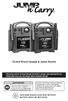 WARNING Read these instructions completely before using the Jump-N-Carry and save them for future reference. Before using the Jump-N-Carry to jump start a car, truck, boat or to power any equipment, read
3615 SELFIE. http://graffitiresearchlab.fr HOW-TO / GUIDE D'UTILISATION
 3615 SELFIE http://graffitiresearchlab.fr HOW-TO / GUIDE D'UTILISATION Hardware : Minitel Computer DIN FM545 45 connector (http://www.gotronic.fr/art-fiche-din-fm545-4747.htm) Cable Arduino compatible
60 WATT SOLAR 12V POWER GENERATOR KIT
 60 WATT SOLAR 12V POWER GENERATOR KIT User s Manual Congratulations on your Coleman solar product purchase. This product is designed to the highest technical specifications and standards. It will supply
Travel Charge Quad USB Power Hub
 Item No. / Artículo N o / Article n o : 2891 (6.8A) & 2892 (9.6A) Travel Charge Quad USB Power Hub User s Manual / Manual de Usuario / Guide d Utilisation Travel Charge Quad USB Power Hub by Wagan Tech
USB 598. Quick Start Guide (Windows) Guide de démarrage rapide (Windows) USB Modem. Modem USB. www.sierrawireless.com
 USB 598 With Avec USB Modem Quick Start Guide (Windows) Modem USB Guide de démarrage rapide (Windows) www.sierrawireless.com This guide provides installation instructions for users of: Windows Vista Windows
Cheque Holding Policy Disclosure (Banks) Regulations. Règlement sur la communication de la politique de retenue de chèques (banques) CONSOLIDATION
 CANADA CONSOLIDATION CODIFICATION Cheque Holding Policy Disclosure (Banks) Regulations Règlement sur la communication de la politique de retenue de chèques (banques) SOR/2002-39 DORS/2002-39 Current to
User guide 3 Notice d utilisation 20
 800/1000/1500/2000/2500/3000/3500 VA User guide 3 Notice d utilisation 20 English Version 2 User guide 1. SAFETY INSTRUCTIONS Security IMPORTANT! Installing and connecting UPSs in a way that does not comply
Using a Walker. 2. Move your injured or weak leg toward the walker first. If you have had surgery on both legs, use either leg to begin walking.
 Using a Walker Walking with a Walker 1. Lift the walker and place it at a comfortable distance in front of you with all four of its legs on the floor. This distance is often equal to an arm s length. 2.
Simply Share, Save & Stream
 3-year warranty garantie de 3 ans mediashare TM Simply Share, Save & Stream Quick Start Guide Guide de démarrage rapide home network storage unité de stockage pour réseau à domicile share your photos!
Quick Installation Guide TV-IP212/TV-IP212W TV-IP312/TV-IP312W H/W: A1.0R
 Quick Installation Guide TV-IP212/TV-IP212W TV-IP312/TV-IP312W H/W: A1.0R Table Table of Contents of Contents... 1. Avant de commencer... 2. Installation du matériel... 3. Installation du serveur de caméra
Quick Installation Guide TEW-MP1U
 Quick Installation Guide TEW-MP1U Table of Contents...... 1. Avant de commencer... 2. Procéder à l'installation... 3. Configuration du serveur d'impression... 4. Impression... 5. Faxer... 6. Scannage...