
Cellular Signal Booster Need help? Customer Support
|
|
|
- Roland Cloutier
- il y a 10 ans
- Total affichages :
Transcription
1 ENGLISH FRANÇAIS Connect 4G-X Cellular Signal Booster Need help? Customer Support Mon.- Fri. Hours: 7 am to 6 pm MST

2 !! IT IS VERY IMPORTANT TO POWER YOUR SIGNAL BOOSTER USING A SURGE PROTECTED AC POWER STRIP WITH AT LEAST A 1000 JOULE RATING. FAILURE TO DO THIS WILL VOID YOUR WARRANTY IN THE EVENT OF A POWER SURGE OR LIGHTNING STRIKE. THE SIGNAL BOOSTER UNIT IS DESIGNED FOR USE IN AN INDOOR, TEMPERATURE- CONTROLLED ENVIRONMENT (LESS THAN 150 DEGREES FAHRENHEIT). IT IS NOT INTENDED FOR USE IN ATTICS OR SIMILAR LOCATIONS SUBJECT TO TEMPERATURES IN EXCESS OF 150 F. ENGLISH Installation Instructions for the Following Wilson Electronics Signal Booster: Connect4G-X In-Building Wireless Band 12/17 & 13 (700 MHz), Band 5 (800 MHz), Band 4 (1700/2100 MHz), Band 25/2 (1900 MHz) SmarTech Signal Booster Model # FCC ID: PWO IC: 4726A The term IC before the radio certification number only signifies that Industry Canada technical specifications were met. Contents Package Contents...3 Before Getting Started...3 Find the Strongest Signal...3 Installation Details...4 Quick Install...5 Outside Antenna Installation...5 Signal Booster Installation...5 Inside Antenna Installation...6 Powering Up the Signal Booster...6 Troubleshooting & Understanding Lights...6 Additional FAQ...7 Optional Equipment...8 Safety Guidelines...10 Signal Booster Specifications Guarantee...Back Cover 2 Need help? Customer Support Mon.- Fri. Hours: 7 am to 6 pm MST

3 Package Contents 60 LMR Cable (952360) 75 LMR Cable (952375) Connect 4G-X (461104) 12V / 3A, AC/DC Power Supply (859900) Panel Antenna ( ) Appearance of device and accessories may vary. Wide Band Directional Antenna ( ) ENGLISH Pole Mount Bracket Wall Mount Bracket Tools Required for Installation: (depending on your particular installation, you will need the following tools) 1. Pole mount - 10 mm open-end wrench or adjustable wrench 2. Wall mount or Rafter mount - Drill and 3/16 inch bit, Phillips-head screwdriver Before Getting Started Before you install your Connect 4G-X and start enjoying improved cellular reception in your facility, please do the following: 1. Read through all the installation steps. This will help you know what to expect from start to finish. 2. Watch the YouTube video demonstrating the Connect 4G-X installation at weboost.com/us/ connect4g-xvideo. 3. Familiarize yourself with all materials in your product package. This will allow you to know which pieces we reference in the instructions. 4. Identify the location of your best available cellular signal. See instructions that follow. 5. Determine the best installation locations for your Outside Antenna, Signal Boost, and Inside Antenna. Connect all cables and test the function of your Connect 4G-X system before finalizing installation. Find the Strongest Cellular Signal Before you install your Connect 4G-X signal booster, you must determine the location of the best available cellular signal. This will affect the location of your Outside Antenna and will help you get the best performance from your Connect 4G-X. You can find the strongest signal outside your building, typically at the highest point available, using any of the following methods: 1. Best method: After connecting power the power supply to your surge protected power strip, connect the Outside Antenna to the Connect 4G-X signal booster, and the Connect 4G-X to the Inside Antenna. Have one person outside (on the roof for best results) rotate the Outside Antenna with a second person inside the building near the Inside Antenna watching the signal strength on a phone. This allows you to read the signal strength from nearby cell towers. a. The person inside should have the phone in test mode so the numerical signal strength can be read. This is more accurate than the bar indicator. Go to Need help? Customer Support Mon.- Fri. Hours: 7 am to 6 pm MST 3

4 ENGLISH 4 for help in finding the test mode for your phone. b. The person on the roof should turn the Outside Antenna 45 degrees at a time. Allow 30 seconds for the phone to register with each turn. Cell Tower Rotate c. The person inside should note the readings on the phone with each turn. Signal readings usually appear as a negative number. The closer the number gets to zero, the stronger the signal (for example, -86 db would be a moderately good reading while -55 db would be an excellent reading, and -110 db would be a weak, or unusable signal). Cell Tower Outside Directional Antenna Outside Directional Antenna Rotate d. Once you have determined which direction provides the strongest outside signal, you can install the Outside Antenna in that general direction. 2. Good methods: a. Place calls from several locations outside your building. As you move to different locations, note where you get the best reception. b. If you have a smart phone, you can download apps that help you identify locations of cell phone towers or the strongest signal. Go to the App Store and search for cell signal to find available apps for your device. 3. Acceptable method: Check the bar indicator on your cell phone display and note where the signal appears the strongest. (Note: cell phone bars are only an approximation of signal strength and vary from phone to phone.) Phones can take up to 30 seconds to reset to a new reading. Be patient and repeat your signal check several times. WAIT 30 SECONDS For additional instructions on finding the strongest cellular signal, watch the installation video at: weboost.com/us/ connect4g-xvideo. Installation Details As you plan your installation, keep the following guidelines in mind to maximize your signal strength: 1. Maintain a vertical distance of at least 20 feet or a horizontal distance of at least 50 feet between the Outside Antenna to the Inside Antenna. 2. If possible, place the Inside Antenna directly beneath the placement of the Outside Antenna location. This creates a maximized signal zone within the room where the Inside Antenna is located. Outside Directional Antenna Place the inside antenna directly beneath the placement of the Outside Antenna location At least 20 feet of vertical or 50 horizontal separation Inside Panel Antenna 3. Be sure the Inside Antenna is NOT facing toward the Outside Antenna. This creates potential oscillation or feedback and reduces the effectiveness of the Connect 4G-X. Need help? Customer Support Mon.- Fri. Hours: 7 am to 6 pm MST

5 4. If you do not know how to mount hardware or run coax cable through walls, ceilings and floors, get help from a weboost Certified Installer at www. weboost.com/us/installers or from a qualified contractor or electrician. We recommend you install the Lightning Surge Protector (859902). Attach the cable from the Outside Directional Antenna to the surge protector and ground the surge protector. The LSP is sold separately. Quick Install For more detailed instructions on installation, read the description later in this guide or watch the video at weboost.com/ us/connect4g-xvideo. NOTE: Create a soft install first by testing components in your proposed locations before securing them with hardware. 1. Select a location on the roof of the building to install the Outside Antenna. Make sure the antenna is clear of obstructions that could block the signal from the nearest cellular tower. 2. Select a location to install the Connect 4G-X Signal Booster that is well ventilated and away from excessive heat, moisture, and direct sunlight. 3. Select a location for the Inside Antenna that is in the center of the area where the signal needs to be amplified and a minimum of 20 vertical feet or 50 horizontal feet from the Outside Antenna. Outside Directional Antenna Inside Panel Antenna Connect 4G-X 4. Run the coax cable from the Outside Antenna to the Signal Booster and attach it to the connector labeled Outside Antenna. Connect another coax cable to the connector labeled Inside Antenna and run it to the Inside Antenna. NOTE: Be careful not to bend the center pins on the connectors when securing connections. 5. Once you have ensured all connections are tight, connect the Signal Booster to a surge protected power strip with at least a 1000 Joule rating to protect your equipment from power surges and lightning strikes. (See page 11 for information on lightning protection) 6. If your Connect 4G-X is working correctly, the lights will be green. If the lights are not green, see the Troubleshooting starting on page 6. Outside Antenna Installation 1. Select a location on the roof or an outside wall where the Outside Antenna can be mounted without obstruction (at least three feet of clearance in all directions) and with at least 20 feet of vertical or 50 feet of horizontal separation from the Internal Antenna. 2. After connecting the coax cable to the antenna, run it underneath the down side of your roof s flashing if mounted on the roof. Tip: Often you can follow the route used by satellite TV cables. If you attach the Outside Antenna to a wall, run the cable along the outside of the wall to the area where you want the cable to appear on the inside of the building, then drill a hole through the wall where the cable will enter the building. Caution: Before drilling holes for the cable, be sure there are no electrical outlets, wiring, or sewer or water pipes you could puncture or sever. 3. Seal any holes with silicone, cable bushings or other waterproof sealant. Signal Booster Installation 1. Select a location for the Signal Booster that is away from excessive heat, direct sunlight, moisture and well ventilated. The enclosure must NOT be air tight. Also, be sure the location is near a power source. Need help? Customer Support Mon.- Fri. Hours: 7 am to 6 pm MST 5 ENGLISH

6 ENGLISH 2. Connect the cables to the Signal Booster from the Outside Antenna and Inside Antenna at the designated ports. 3. Do NOT connect the Signal Booster to the power source until all cables are connected. Inside Antenna Installation 1. Select a location in the center of the area where you want cellular signals improved to mount the Inside Antenna. If you have multiple rooms with poor signal, you may need multiple Inside Antennas. These can attach to the Signal Boost by using a splitter (sold separately). Contact weboost for more information. 2. Ensure a minimum of 20 feet vertical or 50 horizontal feet separation from the Outside Antenna. Outside Directional Antenna Place the inside antenna directly beneath the placement of the Outside Antenna location At least 20 feet of vertical or 50 horizontal separation Inside Panel Antenna Outside Antenna Face inside antenna away from the outside antenna. Inside Antenna 4. Use the mounting hardware included in the package to secure the Inside Antenna to the selected location. Powering Up The Signal Booster 1. Ensure the cables to both the Outside Antenna and Inside Antenna are securely connected before powering up the Signal Booster. 2. Plug the power supply into the Signal Booster input marked POWER and then into a surge protector power strip with a minimum 1000 Joule rating.! 3. The lights on the Signal Booster should remain green. If the lights are not green, see the Troubleshooting section starting on page 7. For illustrations of these installation steps, view the install video at weboost.com/us/ connect4g-xvideo. Troubleshooting & Understanding Lights The Connect 4G-X includes four indicator lights, one for each band (see FAQ for explanation of MHz bands). Each indicator light will either be green, orange or red. 3. Inside Antennas can be mounted above ceiling drywall, on a ceiling inside a room, or on a wall inside a room. Ensure the Inside Antenna is facing AWAY from the Outside Antenna to avoid oscillation (feedback) and reduced performance. Green indicates that the booster is powered and operating at maximum gain. Solid Red indicates that the booster has shut off on the associated frequencies to prevent oscillation (feedback). 6 Need help? Customer Support Mon.- Fri. Hours: 7 am to 6 pm MST

7 Solid Orange indicates that the booster has shut off on the associated frequencies due to close proximity of a cell tower. Green/Orange Blinking indicates that the booster is operating at a reduced gain due to close proximity of a cell tower. Green/Red Blinking indicates that the booster is operating at a reduced gain to prevent oscillation (feedback). Note: All red light issues must be resolved before orange light issues. Fixing Red Light Issues If one or more lights on the Signal Booster are red: 1. Make sure all connections are tight. 2. Increase the distance between the outside antenna and the inside antenna, by moving them horizontally and/or vertically farther apart until the light(s) change to green. Lights Off If one or more of the lights on the Signal Booster are off verify power to your surge protected power strip. NOTE: The Signal Booster can be reset by disconnecting and reconnecting the power supply. For additional descriptions on troubleshooting, see the install video at weboost.com/us/connect4g-xvideo. Additional FAQ: What hours can I contact tech support? Technical Support can be reached from 7:00am to 6:00pm MST, by calling ( ), or by , at support@ weboost.com How does weather affect the performance of my Outside Antenna? Water vapor (e.g. rain, fog, snow or other precipitation) creates an effective filter to cellular signal. In times of heavy precipitation, you may see less performance. What s the difference between the 800 MHz and the 1900 MHz bands? How do I know which MHz band my cell phone uses? The Connect 4G-X works with all major North American cellular providers. Traditionally, 800/1900MHz are associated with voice and 3G data; while 700MHz and 1700/2100MHz are associated with 4G data. ENGLISH 3. Follow the same steps for a green/red blinking light until the light goes solid green. 4. If more separation is not possible and the coverage of the booster is too small with a green/red blinking light indicating reduced gain, contact the weboost Customer Support Team for assistance: Carrier Frequency Use We recommend visiting www. wirelessadvisor.com (United States) or (Canada) for information regarding the frequency band used by your cell service provider in a specific geographical location. Need help? Customer Support Mon.- Fri. Hours: 7 am to 6 pm MST 7

8 ENGLISH Inside Antenna Expansion Kit Kit N 2 - Wall Panel antennas 1-50 ohm 3-Way Splitter Kit N 3 - Wall Panel Antennas 3-2-Way 50 Ohm Splitters Kit F 2 - Wall Panel Antennas 1-3-Way 75Ohm Splitter Kit F 3 - Wall Panel Antennas 3-2-Way 75Ohm Splitters Kit F 1 - Wall Panel Antenna 1-2-Way 75 Ohm Splitter Inside Antenna Kits Kit Ohm Dome Antenna 10 LMR400 Kit Ohm Wall Panel Antenna 60 LMR400 Kit Ohm Dome Antenna 10 RG6 Cable Kit Ohm Wall mount Panel Antenna 20 RG58 Cable 50 Ohm Outside Antenna Kits Kit Ohm Pole Mount Panel Antenna 25 RG58 Cable Kit Ohm Wide Band Directional 25 RG58 Cable Kit Yagi Directional Antenna 50 RG58 Cable Kit MHz Yagi Directional 40 RG58 Cable Kit Omni-Directional antenna 20 RG58 Cable Kit MHz Yagi antenna 30 RG58 Cable Kit Omni-Directional antenna 20 LMR400 Cable Kit Yagi Directional w/ N-Female 170 LMR400 Kit MHz Yagi Directional 100 LMR400 Cablet Kit Ohm Wide Band Directional Antenna 75 LMR400 Cable Kit Ohm Pole Mount Panel Antenna 75 LMR400 Cable 75 Ohm Outside Antenna Kits Kit Yagi Directional Antenna 75 RG6 Cable N-Male to F-Female adapter Kit Omni Directional w/ F-Female 20 RG6 Cable Kit MHz Yagi Directional 60 RG6 Cable N-Male to F-Female adapter Kit MHz Yagi Directional 500 RG6 Cable N-Male to F-Female adapter Kit Ohm Pole Mount Panel Antenna 40 RG6 Cable Kit Ohm Grey Brick Antenna 20 RG6 Cable Kit Ohm Wide Band Directional 30 RG6 Cable Mini-Mag Outside Antenna w/12.5 RG174 cable-sma 8 Need help? Customer Support Mon.- Fri. Hours: 7 am to 6 pm MST

9 Notes: ENGLISH Need help? Customer Support Mon.- Fri. Hours: 7 am to 6 pm MST 9

10 Safety Guidelines ENGLISH WARNING: WARNING: WARNING: WARNING: WARNING: To uphold compliance with network protection standards, all active cellular devices must maintain at least 6 feet of separation distance from Panel and Dome antennas. Connecting the Signal Booster directly to the cell phone with use of an adapter will damage the cell phone. Use only the power supply provided in this package. Use of a non-wilson Electronics product may damage your equipment. The Signal Booster unit is designed for use in an indoor, temperature-controlled environment (less than 150 degrees Fahrenheit). It is not intended for use in attics or similar locations subject to temperatures in excess of that range. Take care to ensure that neither you nor the pole comes near any power lines during installation. WARNING: The Outside Antenna must be installed no higher than 10 meters (32 9 ) above ground. RF SAFETY WARNING: Any antenna used with this device must be located at least 8 inches from all persons. This is a CONSUMER device. BEFORE USE, you MUST REGISTER THIS DEVICE with your wireless provider and have your provider s consent. Most wireless providers consent to the use of signal boosters. Some providers may not consent to the use of this device on their network. If you are unsure, contact your provider. You MUST operate this device with approved antennas and cables as specified by the manufacturer. Antennas MUST be installed at least 20 cm (8 inches) from any person. You MUST cease operating this device immediately if requested by the FCC or a licensed wireless service provider. WARNING. E911 location information may not be provided or may be inaccurate for calls served by using this device. This device complies with Part 15 of FCC rules. Operation is subject to two conditions: (1) This device may not cause harmful interference, and (2) this device must accept any interference received, including interference that may cause undesired operation. Changes or modifications not expressly approved by weboost could void the authority to operate this equipment. 10 Need help? Customer Support Mon.- Fri. Hours: 7 am to 6 pm MST

11 Signal Booster Specifications Connect 4G-X Model Number Connectors Antenna Impedance Frequency Passband Gain (nominal) 20 db Bandwidth (MHz) N-Female 50 Ohms MHz, MHz, MHz, MHz, / MHz 700MHz Band12/ MHz Band MHz /2100MHz MHz MHz Band12/17 700MHz Band13 800MHz 1700/2100MHz 1900MHz Typical Maximum Power output for single cell phone (Uplink) dbm Power output for single cell phone (Downlink) dbm MHz Band12/17 700MHz Band13 800MHz 1700MHz 1900MHz MHz Band12/17 700MHz Band13 800MHz 2100MHz 1900MHz ENGLISH Power output for multiple received channels (Uplink) dbm No. Tones Maximum Power 700MHz Band12/17 700MHz Band13 800MHz 1700MHz 1900MHz Power output for multiple received channels (Downlinklink) dbm Maximum Power No. Tones 700MHz Band12/17 700MHz Band13 800MHz 2100MHz 1900MHz Noise Figure Isolation Power Requirements 5 db nominal > 90 db V AC, Hz, 20 W Each Signal Booster is individually tested and factory set to ensure FCC compliance. The Signal Booster cannot be adjusted without factory reprogramming or disabling the hardware. The Signal Booster will amplify, but not alter incoming and outgoing signals in order to increase coverage of authorized frequency bands only. If the Signal Booster is not in use for five minutes, it will reduce gain until a signal is detected. If a detected signal is too high in a frequency band, or if the Signal Booster detects an oscillation, the Signal Booster will automatically turn the power off on that band. For a detected oscillation the Signal Booster will automatically resume normal operation after a minimum of 1 minute. After 5 (five) such automatic restarts, any problematic bands are permanently shut off until the Signal Booster has been manually restarted by momentarily removing power from the Signal Booster. Noise power, gain, and linearity are maintained by the Signal Booster s microprocessor. The Manufacturer s rated output power of this equipment is for single carrier operation. For situations when multiple carrier signals are present, the rating would have to be reduced by 3.5 db, especially where the output signal is re-radiated and can cause interference to adjacent band users. This power reduction is to be by means of input power or gain reduction and not by an attenuator at the output of the device.! Lightning Surge Protector (sold separately) To Outside Antenna Ground Wire (not included) To Signal Booster RECOMMENDED: INSTALLING THE LIGHTNING SURGE PROTECTOR (SOLD SEPARATELY) INSTALL THE LIGHTNING SURGE PROTECTOR (LSP) CLOSE TO THE SIGNAL BOOSTER. ATTACH THE CABLE FROM THE OUTSIDE ANTENNA TO THE SURGE PROTECTOR. ENSURE THE LSP IS PROPERLY GROUNDED. # OHM MAY BE PURCHASED AT OR BY CALLING Need help? Customer Support Mon.- Fri. Hours: 7 am to 6 pm MST 11

12 2-Year Warranty weboost Signal Boosters are warranted for two (2) years against defects in workmanship and/or materials. Warranty cases may be resolved by returning the product directly to the reseller with a dated proof of purchase. Signal Boosters may also be returned directly to the manufacturer at the consumer s expense, with a dated proof of purchase and a Returned Material Authorization (RMA) number supplied by weboost. weboost shall, at its option, either repair or replace the product. This warranty does not apply to any Signal Boosters determined by weboost to have been subjected to misuse, abuse, neglect, or mishandling that alters or damages physical or electronic properties. Failure to use a surge protected AC Power Strip with at least a 1000 Joule rating will void your warranty. RMA numbers may be obtained by contacting Customer Support at Disclaimer: The information provided by weboost is believed to be complete and accurate. However, no responsibility is assumed by weboost for any business or personal losses arising from its use, or for any infringements of patents or other rights of third parties that may result from its use. Copyright 2014 weboost. All rights reserved. weboost products covered by U.S. patent(s) and pending application(s) For patents go to: weboost.com/us/patents 3301 East Deseret Drive, St. George, UT web: [email protected] phone: local: fax:

13 FRANÇAIS Amplificateur de signal cellulaire Connect 4G-X Vous avez besoin d aide? Support Technique Lun.- Ven. Horaires: 7:00-18:00 Heure normale des Rocheuses

14 !! IL EST TRÈS IMPORTANT DE BRANCHER VOTRE AMPLIFICATEUR À L AIDE D UNE MULTIPRISE C.A. PROTÉGÉE CONTRE LES SURTENSIONS D AU MOINS 1000 JOULES. SI VOUS NE RESPECTEZ PAS CETTE INSTRUCTION, VOTRE GARANTIE EST ANNULÉE DANS LE CAS D UNE SURTENSION OU D UN COUP DE FOUDRE. L AMPLIFICATEUR DE SIGNAL EST CONÇU POUR UN ENVIRONNEMENT INTÉRIEUR ÀTEMPÉRATURE CONTROLÉE (MOINS DE 150 DEGRÉS FAHRENHEIT). IL N EST PAS CONÇU POUR UNE UTLISATION DANS UN GRENIER OU TOUT AUTRE EMPLACEMENT SIMILAIRE SUJET À DES TEMPÉRATURES DE PLUS DE 150 F. Instructions d installation pour l amplificateur de signal weboost suivant: Amplificateur cellulaire pour bâtiment Connect 4G-X Bande 12/17 et 13 (700 MHz), Bande 5 (800 MHz), Bande 4 (1700/2100 MHz), Bande 25/2 (1900 MHz) SmarTech Modèle n IC 4726A Le sigle IC situé avant le numéro d accréditation de radiodiffusion signifie seulement que les caractéristiques techniques sont conformes aux exigences d Industrie Canada. Table des matières Contenu de l emballage...3 Avant de commencer...3 Trouver le signal le plus fort Détails sur l installation...4 Installation rapide...5 Installation de l antenne extérieure...5 Installation de l amplificateur de signal...6 Installation de l antenne intérieure...6 Mise en marche de l amplificateur de signal...6 Résolution des problèmes et fonctionnement des voyants...6 Faits supplémentaires (FAQ)...8 Matériel optionnel...8 Consignes de sécurité...10 Caractéristiques de l amplificateur de signal Garanties...Verso 2 Vous avez besoin d aide? Support Technique Lun.- Ven. Horaires: 7:00-18:00 Heure normale des Rocheuses

15 Contenu de l emballage Câble LMR 18.3 m (60 pi) (952360) Connect 4G-X (461104) 12V / 3A, Bloc d alimentation CA/CC (859900) Antenne pour panneau ( ) Câble LMR 22.9 m (75 pi) (952375) L apparence du dispositif et des accessoires peut varier. Antenne directionnelle large bande ( ) Support de montage sur pôle Support de montage sur mur Outils nécessaires à l installation: (Selon votre installation, vous aurez besoin des outils suivants) 1. Montage sur pôle - clé plate de 10 mm ou clé réglable 2. Montage sur mur ou sur chevron - perceuse et mèche de 4.8 mm (3/16 po), tournevis cruciforme Avant de commencer Avant d installer l amplificateur Connect 4G-X et de pouvoir profiter d une meilleure réception de votre signal cellulaire dans votre bâtiment, suivez les étapes suivantes: 1. Lisez toutes les étapes d installation. Vous saurez ainsi à quoi vous attendre lors de l installation du début à la fin. 2. Regardez la vidéo sur YouTube sur l installation de l amplificateur de signal Connect 4G-X disponible à weboost.com/us/connect4g- Xvideo. 3. Familiarisez-vous avec toutes les pièces contenues dans votre emballage. Vous saurez ainsi à quelle pièce il est fait référence dans les instructions. 4. Déterminez l emplacement de votre meilleur signal cellulaire. Suivez les instructions qui suivent. 5. Déterminez les meilleurs endroits pour installer l antenne extérieure, l amplificateur, et l antenne intérieure. Testez les fonctionnalités de votre système Connect 4G-X avant de fixer l installation de manière permanente. Vous avez besoin d aide? Trouver le signal le plus fort Avant d installer votre amplificateur de signal Connect 4G-X, vous devez déterminer l emplacement où le signal cellulaire est le plus fort. Cela affectera l emplacement de votre antenne extérieure et vous aidera à obtenir les meilleures performances de votre amplificateur Connect 4G-X. Vous trouverez le signal le plus fort à l extérieur de votre bâtiment, en général à l endroit le plus élevé, en utilisant l une des méthodes suivantes: 1. Méthode recommandée: Après avoir connecté le bloc d alimentation à la multiprise de protection contre les surtensions, connectez l antenne extérieure à l amplificateur de signal Connect 4G-X, et l amplificateur Connect 4G-X à l antenne intérieure. Désignez une personne à l extérieur (sur le toit si possible) pour pivoter l antenne extérieure, et une autre personne à l intérieur du bâtiment près de l antenne intérieure pour surveiller la force du signal sur un téléphone. Cela vous permet de lire la force du signal provenant des bases cellulaires avoisinantes. a. La personne à l intérieur doit mettre le téléphone en mode test pour pouvoir lire la force numérique du signal, qui est plus précise que l indicateur de barres. Reportezvous au site pour plus de détails sur le mode test de votre téléphone. 3 Support Technique Lun.- Ven. Horaires: 7:00-18:00 Heure normale des Rocheuses

16 b. La personne sur le toit fait pivoter l antenne extérieure de 45 degrés. Attendez 30 secondes chaque fois pour que le téléphone se réinitialise pour chaque nouvel emplacement. Base cellulaire l endroit où le signal est le plus fort. (Remarque: Les barres ne sont qu une approximation de la force du signal et varient d un téléphone à l autre.) Les téléphones peuvent prendre jusqu à 30 secondes pour se réinitialiser entre chaque lecture. Soyez patient et répétez la procédure plusieurs fois. Rotate Antenne extérieure directionnelle Faire pivoter l antenne Attendez 30 secondes c. La personne à l intérieur prend note de la force du signal chaque fois que l antenne est tournée. Le chiffre affiché est en général négatif. Plus il est proche de zéro, plus le signal est fort (par exemple, -86 db indique un signal relativement bon, -55 db indique un très bon signal, et -110 db indique un signal faible ou inutilisable). Antenne extérieure directionnelle Pour plus d instructions sur la manière de procéder pour trouver le meilleur signal cellulaire, regardez la vidéo d installation disponible à: weboost.com/us/connect4g- Xvideo. Détails sur l installation Lorsque vous planifiez votre installation, tenez compte des recommandations suivantes pour optimiser la force de votre signal cellulaire: Base cellulaire Faire pivoter l antenne Rotate d. Une fois que vous avez déterminé quel emplacement offre le meilleur signal extérieur, vous pouvez installer l antenne extérieure dans cette direction. 2. Bonnes méthodes: a. Placez des appels depuis plusieurs endroits à l extérieur de votre bâtiment. Prenez note de l endroit où vous obtenez la meilleure réception. b. Si vous avez un smart phone, vous pouvez télécharger des applications qui vous permettent d identifier l emplacement de bases cellulaires ou du signal le plus fort. Ouvrez l App Store et recherchez «signal cellulaire» pour trouver les applications disponibles pour votre système. 3. Méthode acceptable: Vérifiez le nombre de barres sur votre téléphone cellulaire et prenez note de 1. Conservez une distance verticale d au moins 6.1 m (20 pi) ou une distance horizontale d au moins 15.2 m (50 pi) entre l antenne extérieure et l antenne intérieure. 2. Si possible, placez l antenne intérieure directement sous l emplacement de l antenne extérieure. Cela crée une zone de signal optimale dans la pièce où l antenne intérieure est placée. Antenne extérieure directionnelle Placez l antenne intérieure directement sous l emplacement de l antenne extérieure. Au moins 6.1 m (20 pi) de séparation verticale ou 15.2 m (50 pi) de séparation horizontale. Antenne pour panneau intérieure 3. L antenne intérieure ne doit PAS faire face à l antenne extérieure. Cela peut créer une oscillation ou retour et réduire les performances de votre amplificateur Connect 4G-X. 4 Vous avez besoin d aide? Support Technique Lun.- Ven. Horaires: 7:00-18:00 Heure normale des Rocheuses

17 4. Si vous ne savez pas comment monter le matériel ou faire passer un câble coaxial à travers les murs, les plafonds, ou les sols, contactez un installateur certifié de Wilson au com/us/installers ou un entrepreneur ou électricien qualifié. Il est recommandé d installer un protecteur contre les surtensions parafoudre (859902). Attachez le câble de l antenne extérieure directionnelle vers le protecteur et mettez le protecteur à la terre. Le protecteur est vendu séparément. Installation rapide Pour des instructions d installation plus détaillées, lisez la section correspondante dans ce guide ou regardez la vidéo disponible à weboost.com/us/connect4g- Xvideo. REMARQUE: Effectuez une installation préliminaire en testant les éléments aux endroits que vous avez choisis avant de fixer votre système de manière permanente. 1. Sélectionnez un endroit sur le toit du bâtiment pour installer l antenne extérieure. Vérifiez qu il n y a pas d obstacles qui pourraient bloquer le signal entre l antenne et la base cellulaire la plus proche. 2. Sélectionnez un endroit pour installer l amplificateur de signal Connect 4G-X bien ventilé, hors de toute chaleur excessive, des rayons directs du soleil, et de l humidité. 3. Sélectionnez un emplacement pour l antenne intérieure au centre de l endroit où le signal doit être amplifié et à au moins 6.1 m (20 pi) verticalement ou 15.2 m (50 pi) horizontalement de l antenne extérieure. Antenne Inside Panel pour panneau intérieure Antenna Vous avez besoin d aide? Outside Antenne Directional extérieure Antenna directionnelle Connect 4G-X 4. Attachez le câble coaxial de l antenne extérieure vers l amplificateur au connecteur étiqueté «Antenne extérieure» (Outside Antenna). Connectez un autre câble coaxial au connecteur étiqueté «Antenne intérieure» (Inside Antenna) et acheminez-le vers l antenne intérieure. REMARQUE: Faites attention à ne pas tordre les fiches centrales des connecteurs lorsque vous serrez les connexions. 5. Une fois que vous avez vérifié que toutes les connexions sont bien serrées, connectez l amplificateur à la multiprise de protection contre les surtensions d au moins 1000 joules pour protéger votre matériel des surtensions et coups de foudre (reportez-vous à la page 11 pour plus de détails sur la protection contre la foudre). 6. Si votre dispositif Connect 4G-X fonctionne correctement, ses voyants sont verts. S ils sont oranges ou rouges, reportez-vous à la section «Résolution des problèmes» à la page 6. Installation de l antenne extérieure 1. Choisissez un emplacement sur un toit ou un mur extérieur où l antenne extérieure peut être montée sans obstacle (0.9 m (3 pi) de dégagement minimum dans toutes les directions) et à au moins 6.1 m (20 pi) verticalement ou 15.2 m (50 pi) horizontalement de l antenne intérieure. 2. Après avoir connecté le câble coaxial à l antenne, faites-le passer sous les solins de votre toit si vous avez effectué l installation sur un toit. Conseil: Vous pouvez souvent suivre les câbles de télé satellite. Si vous avez attaché l antenne extérieure à un mur, acheminez le câble à l extérieur le long du mur vers l endroit où vous voulez que le câble apparaisse à l intérieur du bâtiment, puis percez un trou pour faire entrer le câble dans le bâtiment. Attention: Avant de percer le trou pour le câble, vérifiez qu il n y a pas de prise, de câble, d égout, ou de conduite d eau. 3. Fermez tous les trous avec un produit d étanchéité de type silicone, de bagues pour câble, ou autre scellant imperméable. Support Technique Lun.- Ven. Horaires: 7:00-18:00 Heure normale des Rocheuses 5

18 Installation de l amplificateur de signal 1. Sélectionnez un emplacement pour l amplificateur bien ventilé, hors de toute chaleur excessive, des rayons directs du soleil, et de l humidité. L emplacement ne doit PAS être hermétique. Vérifiez aussi qu une source d alimentation est proche. 2. Connectez les câbles à l amplificateur depuis l antenne extérieure et l antenne intérieure aux ports désignés. 3. Ne branchez PAS l amplificateur de signal au bloc d alimentation tant que les câbles ne sont pas connectés. Installation de l antenne intérieure 1. Sélectionnez un emplacement au centre de l endroit où vous voulez améliorer votre signal pour monter l antenne intérieure. Si le signal est faible dans plusieurs pièces, vous aurez peutêtre besoin de plusieurs antennes intérieures. Elles peuvent être attachées à l amplificateur à l aide d un séparateur (vendu séparément). Contactez Wilson Electronics pour plus de détails. 2. Conservez une distance d au moins 6.1 m (20 pi) verticalement ou 15.2 m (50 pi) horizontalement avec l antenne extérieure. Antenne extérieure directionnelle Placez l antenne intérieure directement sous l emplacement de l antenne extérieure. Au moins 6.1 m (20 pi) de séparation verticale ou 15.2 m (50 pi) de séparation horizontale. ou sur le mur à l intérieur d une pièce. L antenne intérieure ne doit PAS faire face à l antenne extérieure pour éviter une oscillation (retour). Outside Antenna Placez l antenne intérieure à l opposé de l antenne extérieure. Inside Antenna 4. Utilisez le matériel de montage compris dans l emballage pour fixer l antenne intérieure à l emplacement voulu. Mise en marche de l amplificateur 1. Vérifiez que les câbles de l antenne extérieure et de l antenne intérieure sont bien connectés avant d allumer l amplificateur. 2. Branchez le bloc d alimentation dans la fiche de l amplificateur étiquetée «Alimentation» (POWER) et dans une multiprise de protection contre les surtensions d au moins 1000 joules.! 3. Les voyants sur l amplificateur doivent rester verts. S ils sont rouges ou oranges, reportez-vous à la section «Résolution des problèmes» à la page 7. Si vous voulez voir des illustrations sur l installation, regardez la vidéo d installation à weboost.com/us/connect4g-xvideo. Résolution des problèmes et fonctionnement des voyants Le dispositif Connect 4G-X comprend deux voyants, un pour chaque bande (voir Faits supplémentaires (FAQ) pour plus de détails sur les bandes MHz). Chaque voyant est soit vert, soit orange, soit rouge. Antenne pour panneau intérieure 3. Les antennes intérieures peuvent être montées au-dessus du plâtre des plafonds, au plafond d une pièce, Vert indique que l amplificateur de signal est allumé et fonctionne avec un gain maximum. 6 Vous avez besoin d aide? Support Technique Lun.- Ven. Horaires: 7:00-18:00 Heure normale des Rocheuses

19 Rouge indique que l amplificateur s est arrêté sur les fréquences associées pour éviter une oscillation (retour). Orange indique que l amplificateur s est arrêté sur les fréquences associées à cause d une base cellulaire proche. Vert/orange clignotant indique que l amplificateur fonctionne avec un gain réduit à cause d une base cellulaire proche. Vert/rouge clignotant indique que l amplificateur fonctionne avec un gain réduit pour éviter une oscillation (retour). Remarque: Tous les voyants rouges doivent être éliminés avant les voyants oranges. Comment éliminer les voyants rouges Si l un ou plusieurs voyants sont rouges: 1. Vérifiez que toutes les connexions sont bien serrées. 2. Augmentez la distance entre l antenne extérieure et l antenne intérieure en les éloignant horizontalement et/ou verticalement jusqu à ce que le voyant devienne vert. pas suffisante, et le voyant est vert/ rouge clignotant, indiquant un gain réduit, contactez le Service de soutien technique de weboost au Comment éliminer les voyants oranges Si l un ou plusieurs voyants sont oranges: 1. Tournez l antenne extérieure en petit incrément pour l éloigner du signal cellulaire le plus fort jusqu à ce que le voyant devienne vert ou vert/orange clignotant. Éloignez l antenne extérieure du signal cellulaire le plus fort en petit incrément 2. Si le voyant reste orange, ou s il est vert/orange et clignote, indiquant que le gain réduit n est pas suffisant pour la zone à couvrir, contactez le Service de soutien technique de weboost au Voyants éteints Inside area needing increased signal Si l un ou plusieurs voyants de l amplificateur sont éteints, vérifiez que votre multiprise de protection contre les surtensions est allumée. REMARQUE: L amplificateur de signal peut être réinitialisé en débranchant et en rebranchant son bloc d alimentation. Pour plus de détails sur la résolution des problèmes, voir la vidéo d installation disponible à weboost.com/us/connect4g- Xvideo. 3. Suivez les mêmes instructions si le voyant est vert/rouge et qu il clignote jusqu à ce qu il devienne vert. 4. S il n est pas possible de séparer les antennes davantage et la zone de couverture de l amplificateur n est Vous avez besoin d aide? Support Technique Lun.- Ven. Horaires: 7:00-18:00 Heure normale des Rocheuses 7

20 Faits supplémentaires (FAQ): Quels sont les horaires du service de Soutien technique? Le service de Soutien technique est disponible de 7:00 à 18:00 heure normale des Rocheuse, au , ou par à wilsonelectronics.com. Comment le temps affecte-t-il les performances de mon antenne extérieure? L humidité (ex. pluie, brouillard, neige, ou autre précipitation) crée un filtre efficace vers le signal cellulaire. Lorsque les précipitations sont importantes, les performances de votre dispositif sont affectées. Quelle est la différence entre les bandes 800 MHz et 1900 MHz? Comment savoir quelle bande MHz est utilisée par mon téléphone cellulaire? L amplificateur Connect 4G-X fonctionne avec tous les fournisseurs cellulaires principaux d Amérique du Nord sur les fréquences 800 et En général, les fréquences 800/1900MHz sont associées aux données audio et 3G; alors que les fréquences 700MHz et 1700/2100MHz sont associées aux données 4G. Fréquences utilisées par les fournisseurs Il est recommandé de visiter le site www. wirelessadvisor.com (États-Unis) or ly/1mqf2gl (Canada) pour plus de détails sur la bande de fréquence utilisée par votre fournisseur de services cellulaires, par région. Kits d extension pour antenne intérieure Kit N 2 antennes pour panneau mural 1 câble séparateur 50 Ohm à 3 voies Kit N 3 antennes pour panneau mural 3 câbles séparateurs 50 Ohm à 2 voies Kit F 2 antennes pour panneau mural 1 câble séparateur 75 Ohm à 3 voies Kit F 3 antennes pour panneau mural 3 câbles séparateurs 75 Ohm à 2 voies Kit F 1 antenne pour panneau mural 1 câble séparateur 75 Ohm à 2 voies Kits pour antenne intérieure Kit Antenne parabole 50 Ohm Câble LMR400 3m (10 pi) Kit Antenne pour panneau mural 50 Ohm Câble LMR m (60 pi) Kit Antenne parabole 75 Ohm Câble RG6 3 m (10 pi) Kit Antenne pour panneau mural 50 Ohm Câble RG m (20 pi) Kits pour antenne extérieure 50 Ohm Kit Antenne pour panneau 50 Ohm montage sur pôle Câble RG m (25 pi) Kit Antenne directionnelle 50 Ohm large bande Câble RG m (25 pi) Kit Antenne directionnelle Yagi Câble RG m (50 pi) Kit Antenne directionnelle Yagi 800 MHz Câble RG m (40 pi) Kit Antenne omni-directionnelle Câble RG m (20 pi) Kit Antenne Yagi 1900 MHz Câble RG m (30 pi) Kit Antenne omni-directionnelle Câble LMR m (20 pi) Kit Antenne Yagi directionnelle avec N-Femelle Câble LMR m (170 pi) Kit Antenne Yagi directionnelle 1900 MHz Câble LMR m (100 pi) Kit Antenne directionnelle 50 Ohm large bande Câble LMR m (75 pi) 8 Vous avez besoin d aide? Support Technique Lun.- Ven. Horaires: 7:00-18:00 Heure normale des Rocheuses

21 Kit Antenne pour panneau 50 Ohm montage sur pôle Câble LMR m (75 pi) Kits pour antenne extérieure 75 Ohm Kit Antenne Yagi directionnelle Câble RG m (75 pi) Adaptateur N-Mâle à F-Femelle Kit Antenne Omni directionnelle avec connecteur F-Femelle Câble RG6 6.1 m (20 pi) Kit Antenne Yagi directionnelle 800 MHz Câble RG m (60 pi) Adaptateur N-mâle à F-Femelle Kit Antenne Yagi directionnelle 1900 MHz Câble RG m (500 pi) Adaptateur N-Mâle à F-Femelle Kit Antenne pour panneau 75 Ohm montage sur pôle Câble RG m (40 pi) Kit Antenne gris brique 75 Ohm Câble RG6 6.1 m (20 pi) Kit Antenne directionnelle large bande 75 Ohm Câble RG6 9.1 m (30 pi) Mini antenne extérieure à support magnétique avec câble SMA RG m (12.5 pi) Vous avez besoin d aide? Support Technique Lun.- Ven. Horaires: 7:00-18:00 Heure normale des Rocheuses 9
22 Consignes de sécurité AVERTISSEMENT: Pour maintenir la conformité aux normes de protection des réseaux, tous les dispositifs cellulaires doivent maintenir une distance de séparation d au moins 1.8 m (6 pi) entre les antennes de panneau et parabole. AVERTISSEMENT: Le fait de connecter l amplificateur de signal directement au téléphone cellulaire à l aide d un adaptateur endommage le téléphone. AVERTISSEMENT: Utilisez uniquement le bloc d alimentation compris dans l emballage. Vous risquez d endommager votre matériel si vous utilisez un autre produit. AVERTISSEMENT: L amplificateur est conçu pour une utilisation intérieure, dans un environnement à température contrôlée (moins de 150 degrés Fahrenheit). Il n est pas conçu pour être utilisé dans un grenier ou tout autre endroit où la température peut dépasser cette limite. AVERTISSEMENT: Évitez d avoir le pôle proche ou de vous approcher de lignes électriques pendant l installation. AVERTISSEMENT: L antenne extérieure doit être installée à 10 mètres maximum (32 pi 9 po) du sol. CONSIGNES DE SÉCURITÉ SUR LES RADIOFRÉQUENCES: Toute antenne utilisée avec ce dispositif doit être placée à au moins 20 cm (8 po) de toute personne avoisinante. 10 Vous avez besoin d aide? Support Technique Lun.- Ven. Horaires: 7:00-18:00 Heure normale des Rocheuses
23 Caractéristiques de l amplificateur de signal Connect 4G-X Numéro de modèle Connecteurs N-Femelle Impédance de l antenne 50 Ohms Fréquence MHz, MHz, MHz, MHz, / MHz Gain de la bande passante (nominal) 700MHz Band12/ MHz Band MHz /2100MHz MHz 67.8 Bande passante de 20 db (nominal) Typique Maximale Puissance de sortie pour un appareil sans fil unique (Montante) dbm Puissance de sortie pour un appareil sans fil unique (Descendante) dbm 700MHz Band12/17 700MHz Band13 800MHz 1700/2100MHz 1900MHz MHz Band12/17 700MHz Band13 800MHz 1700MHz 1900MHz MHz Band12/17 700MHz Band13 800MHz 2100MHz 1900MHz Puissance de sortie pour plusieurs canaux reçus (liaison montante). dbm 700MHz Band12/17 700MHz Band13 800MHz 1700MHz 1900MHz tonalité Puissance de sortie pour plusieurs canaux reçus (liaison descendante). dbm tonalité 700MHz Band12/17 700MHz Band13 800MHz 2100MHz 1900MHz Facteur de bruit 5 db nominal Isolation > 90 db Exigences d alimentation V AC, Hz, 20 W La puissance de sortie nominale déterminée par le fabricant pour ce matériel est pour une configuration à porteuse unique. Pour les situations où plusieurs signaux provenant de différents fournisseurs sont présents, la valeur doit être réduite de 3.5 db, surtout si le signal de sortie est ré-émis et peut causer une interférence avec les utilisateurs de la bande adjacente. Cette réduction de la puissance doit être obtenue en diminuant la puissance d entrée ou le gain, et non pas au moyen d un atténuateur placé à la sortie du dispositif. RECOMMENDÉ: INSTALLATION DU PROTECTEUR CONTRE LES SURTENSIONS! Vers l antenne extérieure PARAFOUDRE (VENDU SÉPARÉMENT) Protecteur contre INSTALLEZ LE PROTECTEUR CONTRE LES SURTENSIONS PARAFOUDRE (LSP) les surtensions PRÈS DE L AMPLIFICATEUR. ATTACHEZ LE CÂBLE DE L ANTENNE EXTÉRIEURE parafoudre (vendu séparément) VERS LE PROTECTEUR. VÉRIFIEZ QUE LE PROTECTEUR EST BIEN MIS À TERRE. Fil de terre Le modèle nº OHM EST DISPONIBLE SUR LE SITE (n est pas inclus) OU EN APPELLANT Vers l amplificateur de signal Vous avez besoin d aide? Support Technique Lun.- Ven. Horaires: 7:00-18:00 Heure normale des Rocheuses 11
24 Garantie de 2 ans Les amplificateurs de signal weboost sont garantis contre tout défaut de fabrication ou de matériaux pendant deux (2) ans. Les cas de garantie peuvent être réglés en retournant le produit directement au revendeur avec une preuve d achat datée. Les amplificateurs peuvent aussi être retournés directement au fabricant, aux frais du client, avec une preuve d achat datée et un numéro d autorisation de retour de matériel (ARM) fourni par weboost. weboost réparera ou remplacera le produit, à sa seule discrétion. weboost paiera la livraison du produit réparé ou remplacé au client d origine s il se trouve à l intérieur de la zone continentale des États-Unis. Cette garantie ne s applique pas aux amplificateurs qui, selon l évaluation de weboost, ont fait l objet d une utlisation inappropriée, d une utilisation abusive, de négligence ou de mauvaises manipulations causant des modifications ou des dommages aux propriétés électroniques ou physiques du produit. Si vous n utilisez pas une multiprise C.A. de protection contre les surtensions d au moins 1000 joules, votre garantie est annulée. Les numéros d ARM sont disponibles en appelant le Service de soutien technique au Avis de non-responsabilité: À la connaissance de weboost, les renseignements fournis sont complets et exacts. Toutefois, weboost n est pas responsable des pertes commerciales ou personnelles de toute contrefaçon de brevet ou de l atteinte des droits de tiers causées par l utilisation de cet appareil. Copyright 2014 weboost. Tous droits réservés. Produits weboost protégés par brevet(s) et brevet(s) en instance aux États-Unis Pour des détails sur les brevets, reportez-vous à: weboost.com/us/patents 3301 East Deseret Drive, St. George, UT web: [email protected] téléphone: local: télécopie: _Connect4G-X_
Paxton. ins-20605. Net2 desktop reader USB
 Paxton ins-20605 Net2 desktop reader USB 1 3 2 4 1 2 Desktop Reader The desktop reader is designed to sit next to the PC. It is used for adding tokens to a Net2 system and also for identifying lost cards.
Thank you for choosing the Mobile Broadband USB Stick. With your USB Stick, you can access a wireless network at high speed.
 Thank you for choosing the Mobile Broadband USB Stick. With your USB Stick, you can access a wireless network at high speed. Note: This manual describes the appearance of the USB Stick, as well as the
Guide d'installation rapide TFM-560X YO.13
 Guide d'installation rapide TFM-560X YO.13 Table of Contents Français 1 1. Avant de commencer 1 2. Procéder à l'installation 2 Troubleshooting 6 Version 06.08.2011 16. Select Install the software automatically
Quick Installation Guide TEW-AO12O
 Quick Installation Guide TEW-AO12O Table of of Contents Contents Français... 1 1. Avant de commencer... 1 2. Installation du matériel... 2 3. Montage... 4 Troubleshooting... 6 Version 10.04.2007 1. Avant
Thank you for choosing the Mobile Broadband USB Stick. With your USB Stick, you can access a wireless network at high speed.
 Thank you for choosing the Mobile Broadband USB Stick. With your USB Stick, you can access a wireless network at high speed. Note: This manual describes the appearance of the USB Stick, as well as the
GIGABIT PCI DESKTOP ADAPTER DGE-530T. Quick Installation Guide+ Guide d installation+
 GIGABIT PCI DESKTOP ADAPTER Quick Installation Guide+ Guide d installation+ Check Your Package Contents Quick Installation Guide Gigabit Ethernet PCI Adapter CD with Manual and Drivers DO NOT insert the
Instructions Mozilla Thunderbird Page 1
 Instructions Mozilla Thunderbird Page 1 Instructions Mozilla Thunderbird Ce manuel est écrit pour les utilisateurs qui font déjà configurer un compte de courrier électronique dans Mozilla Thunderbird et
ASSEMBLY INSTRUCTIONS DIRECTIVES POUR L'ASSEMBLAGE ombre pendant lamp lampe suspendue à tons dégradés, chocolat
 ASSEMBLY INSTRUCTIONS DIRECTIVES POUR L'ASSEMBLAGE ombre pendant lamp lampe suspendue à tons dégradés, chocolat SKU 2728089 INSTRUCTIONAL MANUAL MANUEL D'INSTRUCTIONS 270/2707 COMPONENT LIST LISTE DES
Package Contents. System Requirements. Before You Begin
 Package Contents DWA-125 Wireless 150 USB Adapter CD-ROM (contains software, drivers, and manual) Cradle If any of the above items are missing, please contact your reseller. System Requirements A computer
ASSEMBLY INSTRUCTIONS DIRECTIVES POUR L'ASSEMBLAGE luster chandelier lamp chandelier à trois branches en verre lustré
 ASSEMBLY INSTRUCTIONS DIRECTIVES POUR L'ASSEMBLAGE luster chandelier lamp chandelier à trois branches en verre lustré SKU 2711592 INSTRUCTIONAL MANUAL MANUEL D'INSTRUCTIONS 270/2707 COMPONENT LIST LISTE
Notice Technique / Technical Manual
 Contrôle d accès Access control Encodeur USB Mifare ENCOD-USB-AI Notice Technique / Technical Manual SOMMAIRE p.2/10 Sommaire Remerciements... 3 Informations et recommandations... 4 Caractéristiques techniques...
Contrôle d'accès Access control. Notice technique / Technical Manual
 p.1/18 Contrôle d'accès Access control INFX V2-AI Notice technique / Technical Manual p.2/18 Sommaire / Contents Remerciements... 3 Informations et recommandations... 4 Caractéristiques techniques... 5
Fabricant. 2 terminals
 Specifications Fabricant Nominal torque (Nm) 65 Minimal torque (Nm) 0,63 Coil resistance - 20 C (ohms) 20 Rated current DC (A) 1 Rotor inertia (kg.m 2 ) 2.10-3 Weight (kg) 7,20 Heat dissipation continuous
How to Login to Career Page
 How to Login to Career Page BASF Canada July 2013 To view this instruction manual in French, please scroll down to page 16 1 Job Postings How to Login/Create your Profile/Sign Up for Job Posting Notifications
Logitech Speaker System Z553 Setup Guide Guide d installation
 Logitech Speaker System Z553 Setup Guide Guide d installation Logitech Speaker System Z553 English................. 3 Français................ 10 www.logitech.com/support...19 2 Package contents Logitech
Garage Door Monitor Model 829LM
 Garage Door Monitor Model 829LM To prevent possible SERIOUS INJURY or DEATH from a closing garage door: NEVER permit children to operate or play with door control push buttons or remote control transmitters.
Lavatory Faucet. Instruction Manual. Questions? 1-866-661-9606 [email protected]
 Lavatory Faucet Instruction Manual rev. 19-01-2015 Installation Manual You will need Adjustable Wrench Adjustable Pliers Plumber s Tape Hardware list (included) Allen Key Socket wrench tool Important Follow
Spécial Catégorie 6 Patch Cords
 Spécial Catégorie 6 Patch Cords Patent Pending Sommaire 1 - Préliminaires... 2 2 Qu est ce qu apporte la catégorie 6... 3 3 Qu est ce que l interopérabilité...3 4 Ce que PatchSee annonçait en septembre
Gestion des prestations Volontaire
 Gestion des prestations Volontaire Qu estce que l Income Management (Gestion des prestations)? La gestion des prestations est un moyen de vous aider à gérer votre argent pour couvrir vos nécessités et
Instructions pour mettre à jour un HFFv2 v1.x.yy v2.0.00
 Instructions pour mettre à jour un HFFv2 v1.x.yy v2.0.00 HFFv2 1. OBJET L accroissement de la taille de code sur la version 2.0.00 a nécessité une évolution du mapping de la flash. La conséquence de ce
Warning: Failure to follow these warnings could result in property damage, or personal injury.
 Western Steel & Tube 1 Storage Locker Extended Storage Locker Storage Cabinet Assembly And Use Instructions Warning: Failure to follow these warnings could result in property damage, or personal injury.
APPENDIX 6 BONUS RING FORMAT
 #4 EN FRANÇAIS CI-DESSOUS Preamble and Justification This motion is being presented to the membership as an alternative format for clubs to use to encourage increased entries, both in areas where the exhibitor
Quick Installation Guide TBW-106UB H/W: V1
 Quick Installation Guide TBW-106UB H/W: V1 Table of Contents... 1. Avant de commencer... 2. Procéder à l'installation... 3. Configuration de l'adaptateur Bluetooth... Troubleshooting... 1 1 2 5 7 Version
Utiliser une WebCam. Micro-ordinateurs, informations, idées, trucs et astuces
 Micro-ordinateurs, informations, idées, trucs et astuces Utiliser une WebCam Auteur : François CHAUSSON Date : 8 février 2008 Référence : utiliser une WebCam.doc Préambule Voici quelques informations utiles
PRESENTATION REMOTE TÉLÉCOMMANDE DE PRÉSENTATION. User Guide Manuel de l utilisateur
 PRESENTATION REMOTE TÉLÉCOMMANDE DE PRÉSENTATION User Guide Manuel de l utilisateur Targus Presentation Remote Introduction Thank you for your purchase of the Targus Presentation Remote. This cordless
DOCUMENTATION - FRANCAIS... 2
 DOCUMENTATION MODULE SHOPDECORATION MODULE PRESTASHOP CREE PAR PRESTACREA INDEX : DOCUMENTATION - FRANCAIS... 2 INSTALLATION... 2 Installation automatique... 2 Installation manuelle... 2 Résolution des
PARIS ROISSY CHARLES DE GAULLE
 GPS 2 34 1 E 49 0 46 N GPS* 2 56 56 E 49 0 12 N Votre contact / Your contact: et / and: Accueil : Cabines téléphoniques publiques Reception: Public telephone kiosks Navette Shuttle AÉROPORT DE TT CAR TRANSIT
WiFi Security Camera Quick Start Guide. Guide de départ rapide Caméra de surveillance Wi-Fi (P5)
 #45 #46 WiFi Security Camera Quick Start Guide Guide de départ rapide Caméra de surveillance Wi-Fi (P5) #47 Start Here 1 Is this you? TECH SUPPORT CTRL ALT DEL 2 If yes, turn to page three 1 3 If not,
Quick Start Guide This guide is intended to get you started with Rational ClearCase or Rational ClearCase MultiSite.
 Rational ClearCase or ClearCase MultiSite Version 7.0.1 Quick Start Guide This guide is intended to get you started with Rational ClearCase or Rational ClearCase MultiSite. Product Overview IBM Rational
Guide d installation Deco Drain inc. DD200
 Guide d installation Deco Drain inc. DD200 Pour plus informations et pour télécharger les guides d installation en couleur, visitez notre site web. www.decodrain.com Soutien technique : Composez le : 514-946-8901
DOCUMENTATION - FRANCAIS... 2
 DOCUMENTATION MODULE CATEGORIESTOPMENU MODULE CREE PAR PRESTACREA INDEX : DOCUMENTATION - FRANCAIS... 2 INSTALLATION... 2 CONFIGURATION... 2 LICENCE ET COPYRIGHT... 3 SUPPORT TECHNIQUE ET MISES A JOUR...
SA-32 / SA-62 INSTRUCTION MANUAL - MANUEL D INSTRUCTIONS
 SA-32 / SA-62 INSTRUCTION MANUAL - MANUEL D INSTRUCTIONS 4 5 6 7 4 5 6 7 1. Telephone Paging Volume Control 1. Contrôle de volume Paging Téléphone 2. Microphone Volume Control 2. Contrôle volume du microphone
English Q&A #1 Braille Services Requirement PPTC 144918. Q1. Would you like our proposal to be shipped or do you prefer an electronic submission?
 English Q&A #1 Braille Services Requirement PPTC 144918 Q1. Would you like our proposal to be shipped or do you prefer an electronic submission? A1. Passport Canada requests that bidders provide their
Quick Installation Guide TW100-BRV304
 Quick Installation Guide TW100-BRV304 Table of of Contents Contents Français... 1. Avant de commencer... 2. Installation du matériel... 3. Configuration du routeur... 1 1 2 3 Troubleshooting... 5 Version
Once the installation is complete, you can delete the temporary Zip files..
 Sommaire Installation... 2 After the download... 2 From a CD... 2 Access codes... 2 DirectX Compatibility... 2 Using the program... 2 Structure... 4 Lier une structure à une autre... 4 Personnaliser une
Quick Installation Guide TEW-P21G
 Quick Installation Guide TEW-P21G Table of of Contents Contents... 1. Avant de commencer... 2. Comment effectuer les connexions... 3. Utilisation du serveur d'impression... 1 1 2 3 Troubleshooting... 7
Règlement sur le télémarketing et les centres d'appel. Call Centres Telemarketing Sales Regulation
 THE CONSUMER PROTECTION ACT (C.C.S.M. c. C200) Call Centres Telemarketing Sales Regulation LOI SUR LA PROTECTION DU CONSOMMATEUR (c. C200 de la C.P.L.M.) Règlement sur le télémarketing et les centres d'appel
WEB page builder and server for SCADA applications usable from a WEB navigator
 Générateur de pages WEB et serveur pour supervision accessible à partir d un navigateur WEB WEB page builder and server for SCADA applications usable from a WEB navigator opyright 2007 IRAI Manual Manuel
Folio Case User s Guide
 Fujitsu America, Inc. Folio Case User s Guide I N S T R U C T I O N S This Folio Case is a stylish, lightweight case for protecting your Tablet PC. Elastic Strap Pen Holder Card Holders/ Easel Stops Figure
Contents Windows 8.1... 2
 Workaround: Installation of IRIS Devices on Windows 8 Contents Windows 8.1... 2 English Français Windows 8... 13 English Français Windows 8.1 1. English Before installing an I.R.I.S. Device, we need to
Le No.1 de l économie d énergie pour patinoires.
 Le No.1 de l économie d énergie pour patinoires. Partner of REALice system Economie d énergie et une meilleure qualité de glace La 2ème génération améliorée du système REALice bien connu, est livré en
03/2013. Mod: WOKI-60IP/TR. Production code: DTWIC 6000
 03/2013 Mod: WOKI-60IP/TR Production code: DTWIC 6000 ENCASTRABLE INDUCTION DROP IN INDUCTION 11/2011 TECHNICAL FEATURES DOCUMENTATION S.A.V. Notice d utilisation : FX00326-A Guide d intervention : ---
AUTO ER ADAPT ER SPECIAL USE WARNING
 POWER SPECIALISTS FOR MOBILE COMPUTING AUTO ER ADAPT ER The Lind Automobile Power Adapter is designed to power your laptop computer and to charge its internal battery from an appropriate DC voltage power
USB 598. Quick Start Guide (Windows) Guide de démarrage rapide (Windows) USB Modem. Modem USB. www.sierrawireless.com
 USB 598 With Avec USB Modem Quick Start Guide (Windows) Modem USB Guide de démarrage rapide (Windows) www.sierrawireless.com This guide provides installation instructions for users of: Windows Vista Windows
LG Electronics, Inc. Display Limited Warranty - USA
 LG Electronics, Inc. Display Limited Warranty - USA Your LG Display will be repaired or replaced in accordance with the terms of this warranty, at LGE s option, if it proves to be defective in material
Compléter le formulaire «Demande de participation» et l envoyer aux bureaux de SGC* à l adresse suivante :
 FOIRE AUX QUESTIONS COMMENT ADHÉRER? Compléter le formulaire «Demande de participation» et l envoyer aux bureaux de SGC* à l adresse suivante : 275, boul des Braves Bureau 310 Terrebonne (Qc) J6W 3H6 La
that the child(ren) was/were in need of protection under Part III of the Child and Family Services Act, and the court made an order on
 ONTARIO Court File Number at (Name of court) Court office address Applicant(s) (In most cases, the applicant will be a children s aid society.) Full legal name & address for service street & number, municipality,
Z-Axis Compliance Device Compliance en z
 Compensation for different vertical positions Collision recognition in Z-direction Protection of parts and work pieces Monitoring of the insertion forces during assembly operations Monitoring of the picking
Principe de TrueCrypt. Créer un volume pour TrueCrypt
 Sommaire : Principe de TrueCrypt...1 Créer un volume pour TrueCrypt...1 Premier montage...6 Réglages...8 Save Currently Mounted Volumes as Favorite...8 Settings > Preferences...9 TrueCrypt Traveller pour
accidents and repairs:
 accidents and repairs: putting the pieces together accidents et réparations : réunir le tout nobody can repair your Toyota like Toyota Unfortunately, accidents do happen. And the best way to restore your
SERVEUR DÉDIÉ DOCUMENTATION
 SERVEUR DÉDIÉ DOCUMENTATION Release 5.0.6.0 19 Juillet 2013 Copyright 2013 GIANTS Software GmbH, All Rights Reserved. 1/9 CHANGE LOG Correction de bug divers (5.0.6.0) Ajout d une option de relance automatique
Software and Hardware Datasheet / Fiche technique du logiciel et du matériel
 Software and Hardware Datasheet / Fiche technique du logiciel et du matériel 1 System requirements Windows Windows 98, ME, 2000, XP, Vista 32/64, Seven 1 Ghz CPU 512 MB RAM 150 MB free disk space 1 CD
R.V. Table Mounting Instructions
 PTSS165 ACCESSORY MOUNTING INSTRUCTIONS Use these instructions in conjunction with your main manual to properly assemble your gas grill. Refer to the main manual for safety, operating, cleaning and maintenance
Quick Installation Guide TV-IP400 TV-IP400W
 Quick Installation Guide TV-IP400 TV-IP400W Table of of Contents Contents Français... 1. Avant de commencer... 2. Installation du matériel... 3. Configuration de la Webcam... Troubleshooting... 1 1 2 3
TABLE DES MATIERES A OBJET PROCEDURE DE CONNEXION
 1 12 rue Denis Papin 37300 JOUE LES TOURS Tel: 02.47.68.34.00 Fax: 02.47.68.35.48 www.herve consultants.net contacts@herve consultants.net TABLE DES MATIERES A Objet...1 B Les équipements et pré-requis...2
Z1900 User Manual. In This Guide
 Z1900 User Manual In This Guide Introduction........................................... 1 Choosing a location for the Network Access Unit.............. 6 Mounting the Network Access Unit.........................
Le Cloud Computing est-il l ennemi de la Sécurité?
 Le Cloud Computing est-il l ennemi de la Sécurité? Eric DOMAGE Program manager IDC WE Security products & Solutions Copyright IDC. Reproduction is forbidden unless authorized. All rights reserved. Quelques
DOCUMENTATION MODULE BLOCKCATEGORIESCUSTOM Module crée par Prestacrea - Version : 2.0
 DOCUMENTATION MODULE BLOCKCATEGORIESCUSTOM Module crée par Prestacrea - Version : 2.0 INDEX : DOCUMENTATION - FRANCAIS... 2 1. INSTALLATION... 2 2. CONFIGURATION... 2 3. LICENCE ET COPYRIGHT... 3 4. MISES
RULE 5 - SERVICE OF DOCUMENTS RÈGLE 5 SIGNIFICATION DE DOCUMENTS. Rule 5 / Règle 5
 RULE 5 - SERVICE OF DOCUMENTS General Rules for Manner of Service Notices of Application and Other Documents 5.01 (1) A notice of application or other document may be served personally, or by an alternative
PAR RINOX INC BY RINOX INC PROGRAMME D INSTALLATEUR INSTALLER PROGRAM
 PAR RINOX INC BY RINOX INC PROGRAMME D INSTALLATEUR INSTALLER PROGRAM DEVENEZ UN RINOXPERT DÈS AUJOURD HUI! BECOME A RINOXPERT NOW OPTIMISER VOS VENTES INCREASE YOUR SALES VISIBILITÉ & AVANTAGES VISIBILITY
Dans une agence de location immobilière...
 > Dans une agence de location immobilière... In a property rental agency... dans, pour et depuis vocabulaire: «une location» et «une situation» Si vous voulez séjourner à Lyon, vous pouvez louer un appartement.
Free filter reminders! Sign up online at: santevia.com/filterease. need help? Contact Santevia! 1-866-943-9220 [email protected].
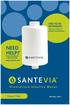 Free filter reminders! Sign up online at: need help? Contact Santevia! -866-9-90 [email protected] Shower Filter English about our santevia Shower Filter Prevent leaks This shower filter employs NMC leading
WINTER BOAT STORAGE SYSTEM SYSTÈME DE REMISAGE HIVERNAL POUR BATEAU
 MANUAL / MANUEL VIDEO WINTER BOAT STORAGE SYSTEM SYSTÈME DE REMISAGE HIVERNAL POUR BATEAU ASSEMBLY INSTRUCTIONS GUIDE D ASSEMBLAGE NAVIGLOO 14-18½ ft/pi FISHING BOAT! RUNABOUT! PONTOON BOAT! SAILBOAT (SAILBOAT
RAPID 3.34 - Prenez le contrôle sur vos données
 RAPID 3.34 - Prenez le contrôle sur vos données Parmi les fonctions les plus demandées par nos utilisateurs, la navigation au clavier et la possibilité de disposer de champs supplémentaires arrivent aux
The new consumables catalogue from Medisoft is now updated. Please discover this full overview of all our consumables available to you.
 General information 120426_CCD_EN_FR Dear Partner, The new consumables catalogue from Medisoft is now updated. Please discover this full overview of all our consumables available to you. To assist navigation
Harmony Smart Keyboard Add-on. Setup Guide Guide d installation
 Harmony Smart Keyboard Add-on Setup Guide Guide d installation Contents / Sommaire English................. 3 Français................. 9 support.myharmony.com/smart-keyboard-add-on 2 E Ch Pg Package contents
3615 SELFIE. http://graffitiresearchlab.fr HOW-TO / GUIDE D'UTILISATION
 3615 SELFIE http://graffitiresearchlab.fr HOW-TO / GUIDE D'UTILISATION Hardware : Minitel Computer DIN FM545 45 connector (http://www.gotronic.fr/art-fiche-din-fm545-4747.htm) Cable Arduino compatible
Application Form/ Formulaire de demande
 Application Form/ Formulaire de demande Ecosystem Approaches to Health: Summer Workshop and Field school Approches écosystémiques de la santé: Atelier intensif et stage d été Please submit your application
Quick Setup Guide Guide de configuration rapide. Tablet Device SGPT12 Series Tablette électronique Série SGPT12
 Quick Setup Guide Guide de configuration rapide Tablet Device SGPT12 Series Tablette électronique Série SGPT12 Welcome / Bienvenue Congratulations on your purchase of this Xperia Tablet S. This Quick Setup
FCM 2015 ANNUAL CONFERENCE AND TRADE SHOW Terms and Conditions for Delegates and Companions Shaw Convention Centre, Edmonton, AB June 5 8, 2015
 FCM 2015 ANNUAL CONFERENCE AND TRADE SHOW Terms and Conditions for Delegates and Companions Shaw Convention Centre, Edmonton, AB June 5 8, 2015 Early-bird registration Early-bird registration ends April
LOGICIEL D'ADMINISTRATION POUR E4000 & G4000 MANAGEMENT SOFTWARE FOR E4000 & G4000
 LOGICIEL D'ADMINISTRATION POUR E4000 & G4000 MANAGEMENT SOFTWARE FOR E4000 & G4000 TABLE DES MATIÈRES TITRE PAGE Présentation - - - - - - - - - - - - - - - - - - - - - - - - - - - - - - - - - - - -4 Le
Propriétés de la matière. Material properties. Sonde de pression Pressure probe. Ref : 242 013. Français p 1. English p 3.
 Propriétés de la matière Material properties Français p 1 English p 3 Sonde de pression Pressure probe Version : 6010 Propriétés de la matière Sonde de pression 1 Principe et description 1.1 Principe La
Frequently Asked Questions
 GS1 Canada-1WorldSync Partnership Frequently Asked Questions 1. What is the nature of the GS1 Canada-1WorldSync partnership? GS1 Canada has entered into a partnership agreement with 1WorldSync for the
APPENDIX 2. Provisions to be included in the contract between the Provider and the. Holder
 Page 1 APPENDIX 2 Provisions to be included in the contract between the Provider and the Obligations and rights of the Applicant / Holder Holder 1. The Applicant or Licensee acknowledges that it has read
Contrôle d accès Access control MOD-TCPIP-AI. Notice technique / Technical Manual
 Contrôle d accès Access control MOD-TCPIP-AI Notice technique / Technical Manual Notice technique Mod-TCPIP-AI 9 septembre 2008 v.1.0 p.2/16 Sommaire / Contents Sommaire / Contents...2 Remerciements...3
SYSTÈME JETS D AIR WISH WISH AIR JETS SYSTEM Système de massage à jets d air pour bains en polymère - Air jet massage system for polymer bathtubs
 SYSTME JETS D AIR WISH WISH AIR JETS SYSTEM Système de massage à jets d air pour bains en polymère - Air jet massage system for polymer bathtubs Manuel d installation - Installation manual 6835, RUE PICARD
Practice Direction. Class Proceedings
 Effective Date: 2010/07/01 Number: PD - 5 Title: Practice Direction Class Proceedings Summary: This Practice Direction describes the procedure for requesting the assignment of a judge in a proceeding under
Logitech Tablet Keyboard for Windows 8, Windows RT and Android 3.0+ Setup Guide Guide d installation
 Logitech Tablet Keyboard for Windows 8, Windows RT and Android 3.0+ Setup Guide Guide d installation English.......................................... 3 Français.........................................
First Nations Assessment Inspection Regulations. Règlement sur l inspection aux fins d évaluation foncière des premières nations CONSOLIDATION
 CANADA CONSOLIDATION CODIFICATION First Nations Assessment Inspection Regulations Règlement sur l inspection aux fins d évaluation foncière des premières nations SOR/2007-242 DORS/2007-242 Current to September
Nouveautés printemps 2013
 » English Se désinscrire de la liste Nouveautés printemps 2013 19 mars 2013 Dans ce Flash Info, vous trouverez une description des nouveautés et mises à jour des produits La Capitale pour le printemps
POLICY: FREE MILK PROGRAM CODE: CS-4
 POLICY: FREE MILK PROGRAM CODE: CS-4 Origin: Authority: Reference(s): Community Services Department Cafeteria Services and Nutrition Education Division Resolution #86-02-26-15B.1 POLICY STATEMENT All elementary
Institut français des sciences et technologies des transports, de l aménagement
 Institut français des sciences et technologies des transports, de l aménagement et des réseaux Session 3 Big Data and IT in Transport: Applications, Implications, Limitations Jacques Ehrlich/IFSTTAR h/ifsttar
Using a Walker. 2. Move your injured or weak leg toward the walker first. If you have had surgery on both legs, use either leg to begin walking.
 Using a Walker Walking with a Walker 1. Lift the walker and place it at a comfortable distance in front of you with all four of its legs on the floor. This distance is often equal to an arm s length. 2.
LE FORMAT DES RAPPORTS DU PERSONNEL DES COMMISSIONS DE DISTRICT D AMENAGEMENT FORMAT OF DISTRICT PLANNING COMMISSION STAFF REPORTS
 FORMAT OF DISTRICT PLANNING COMMISSION STAFF REPORTS LE FORMAT DES RAPPORTS DU PERSONNEL DES COMMISSIONS DE DISTRICT D AMENAGEMENT A Guideline on the Format of District Planning Commission Staff Reports
User guide Conference phone Konftel 100
 User guide Conference phone Konftel 100 English I Español I Conference phones for every situation Cet emballage contient: 1 x Guide de l utilisateur 1 x Téléphone pour conférences 1 x Transformateur secteur
NEW Fin Fan / Air cooled condenser cleaning
 Air cooled Condensers ( ACC ) Cleaning Air Cooled heat exchangers ( Finfan) Cleaning Cleaning Services Permanente installation NEW Fin Fan / Air cooled condenser cleaning New and revolutionnary high pressure
Guide pour l Installation des Disques Durs SATA et Configuration RAID
 Guide pour l Installation des Disques Durs SATA et Configuration RAID 1. Guide pour l Installation des Disques Durs SATA.. 2 1.1 Installation de disques durs Série ATA (SATA).. 2 1.2 Créer une disquette
Le passé composé. C'est le passé! Tout ça c'est du passé! That's the past! All that's in the past!
 > Le passé composé le passé composé C'est le passé! Tout ça c'est du passé! That's the past! All that's in the past! «Je suis vieux maintenant, et ma femme est vieille aussi. Nous n'avons pas eu d'enfants.
NORME INTERNATIONALE INTERNATIONAL STANDARD. Dispositifs à semiconducteurs Dispositifs discrets. Semiconductor devices Discrete devices
 NORME INTERNATIONALE INTERNATIONAL STANDARD CEI IEC 747-6-3 QC 750113 Première édition First edition 1993-11 Dispositifs à semiconducteurs Dispositifs discrets Partie 6: Thyristors Section trois Spécification
Mesure chimique. Chemical measurement. Sonde de température Pt 1000 Inox Pt 1000 stainless steel. Ref : 703 262. Français p 1.
 Mesure chimique Chemical measurement Français p 1 English p 3 Sonde de température Pt 1000 Inox Pt 1000 stainless steel Version : 6010 Mesure chimique Sonde de température Pt 1000 Inox 1 Description La
Comprendre l impact de l utilisation des réseaux sociaux en entreprise SYNTHESE DES RESULTATS : EUROPE ET FRANCE
 Comprendre l impact de l utilisation des réseaux sociaux en entreprise SYNTHESE DES RESULTATS : EUROPE ET FRANCE 1 Objectifs de l étude Comprendre l impact des réseaux sociaux externes ( Facebook, LinkedIn,
Exemple PLS avec SAS
 Exemple PLS avec SAS This example, from Umetrics (1995), demonstrates different ways to examine a PLS model. The data come from the field of drug discovery. New drugs are developed from chemicals that
Cheque Holding Policy Disclosure (Banks) Regulations. Règlement sur la communication de la politique de retenue de chèques (banques) CONSOLIDATION
 CANADA CONSOLIDATION CODIFICATION Cheque Holding Policy Disclosure (Banks) Regulations Règlement sur la communication de la politique de retenue de chèques (banques) SOR/2002-39 DORS/2002-39 Current to
ETABLISSEMENT D ENSEIGNEMENT OU ORGANISME DE FORMATION / UNIVERSITY OR COLLEGE:
 8. Tripartite internship agreement La présente convention a pour objet de définir les conditions dans lesquelles le stagiaire ci-après nommé sera accueilli dans l entreprise. This contract defines the
AMENDMENT TO BILL 32 AMENDEMENT AU PROJET DE LOI 32
 THAT the proposed clause 6(1), as set out in Clause 6(1) of the Bill, be replaced with the following: Trustee to respond promptly 6(1) A trustee shall respond to a request as promptly as required in the
lundi 3 août 2009 Choose your language What is Document Connection for Mac? Communautés Numériques L informatique à la portée du Grand Public
 Communautés Numériques L informatique à la portée du Grand Public Initiation et perfectionnement à l utilisation de la micro-informatique Microsoft Document Connection pour Mac. Microsoft Document Connection
AUDIT COMMITTEE: TERMS OF REFERENCE
 AUDIT COMMITTEE: TERMS OF REFERENCE PURPOSE The Audit Committee (the Committee), assists the Board of Trustees to fulfill its oversight responsibilities to the Crown, as shareholder, for the following
Monitor LRD. Table des matières
 Folio :1/6 Table des matières 1.Installation du logiciel... 3 2.Utilisation du logiciel... 3 2.1.Description de la fenêtre de commande... 3 2.1.1.Réglage des paramètres de communication... 4 2.1.2.Boutons
Support Orders and Support Provisions (Banks and Authorized Foreign Banks) Regulations
 CANADA CONSOLIDATION CODIFICATION Support Orders and Support Provisions (Banks and Authorized Foreign Banks) Regulations Règlement sur les ordonnances alimentaires et les dispositions alimentaires (banques