
CUPS Manuel de l'utilisateur CUPS SUM
|
|
|
- Amélie Thomas
- il y a 10 ans
- Total affichages :
Transcription
1 CUPS Manuel de l'utilisateur CUPS SUM Easy Software Products Copyright , All Rights Reserved
2

3 CUPS Manuel de l'utilisateur Table des matières Préface...1 Aperçu du système...2 Aperçu du document...2 Conventions d'écritures...2 Abréviations...3 Autres références Aperçu du système d'impression...5 Le problème d'impression...5 La technologie...6 Travaux d'impression...6 Classes d'imprimantes...6 Filtres...6 Programmes d'arrière plan (Backends)...7 Pilotes d'imprimantes...7 Réseau Utilisation du système d'impression...9 Soumission de travaux à l'impression...9 Choix d'une imprimante...9 Réglage des options d'imprimante...10 Impression de plusieurs copies...10 Vérification de l'état d'une imprimante depuis la ligne de commande...11 Vérification de l'état d'un imprimante depuis l'interface "web"...11 Suppression d'un travail d'impression Options standards d'imrimante...13 Options générales...13 Réglage de l'orientation...13 Choix du type, de la taille et de la source du support d'impression...13 Impression en recto/verso...14 Options de pages de garde...14 Sélection des pages de garde...14 Options de document...15 Sélection d'une série de pages...15 Sélection des pages paires et impaires...15 Impression de plusieurs pages par face du support ("N Up Printing")...15 Réglage de la luminosité...16 Réglage de la correction Gamma...16 Options de texte...16 Réglage du nombre de caractères par pouce...16 Réglage du nombre de lignes par pouce...16 Réglage du nombre de colonnes...16 Réglage des marges de la page...17 Impression améliorée...17 Options d'image...17 Positionnement de l'image...17 Mise à l'échelle de l'image...17 i
4 CUPS Manuel de l'utilisateur Table des matières 3 Options standards d'imrimante Ajustement de la teinte ("Hue", "Tint") de l'image...18 Ajustement de la saturation de couleur de l'image...18 Options HP GL/ Impression en noir...19 Ajuster le tracé à la page...19 Réglage de la largeur implicite de tracé...19 Sortie brute ou non filtrée Sauvegarder les options et valeurs implicites des réglages d'imprimante...21 Options d'imprimante...21 Réglage des options pour une imprimante spécifique...21 Visualisation des réglages implicites actuels...22 Choix de l'imprimante implicite...22 Instances d'imprimantes...22 Retirer des instances d'imprimantes...22 A Licence d'utilisation du logiciel (NdT : en anglais)...23 Common UNIX Printing System License Agreement...23 Introduction...23 Trademarks...24 Binary Distribution Rights...24 Support...25 GNU GENERAL PUBLIC LICENSE...26 GNU LIBRARY GENERAL PUBLIC LICENSE...31 ii
5 Préface Ce manuel de l'utilisateur décrit comment utiliser le logiciel CUPS TM ("Common Unix Printing System TM ") Version Note du traducteur : Amies lectrices, amis lecteurs, j'ai fait le choix de ne pas traduire l'expression anglaise "default" par la version française habituellent utilisée "par défaut" que l'on doit, entre autres, à la documentation d'un célèbre système d'exploitation "ouvert à tous vents". En effet, l'expression "par défaut" est normalement utilisée en mathématiques (arrondi "par défaut" ou "par excès", personnellement je cherche encore mon "imprimante par excès"!) mais elle est abusivement employée en informatique pour signifier "donnée/comportement qui s'applique si l'on n'en précise pas explicitement la valeur/nature/teneur". Or la langue française possède justement un mot pout exprimer ce concept : "implicite" (Larousse 1998 : "Qui est contenu dans une proposition sans être exprimé en termes précis formels; qui est la conséquence nécessaire."). Dans la mesure du possible, j'utiliserai cet adjectif sauf dans les cas où son emploi n'est pas suffisamment explicite (sic!). Je lui préfèrerai alors l'expression "... de base..." ou l'adjectif "standard". Ce choix est totalement personnel et le fait que j'ai fait l'effort (non négligeable) de traduire ces lignes pour vos yeux délicats suffit à le justifier! Si, par malheur, ma prose vous est insupportable, je ne vous empêche aucunement de vous reporter à la version originale où vous retrouverez "default" entouré de tout le reste... en anglais, bien sûr. Enfin, si vous avez une meilleure traduction, je suis preneur! Malgré les très nombreuses relectures et corrections, certaines fautes de frappe, d'orthographe ou de grammaire ont pu échapper à ma vigilance (ou à celles de mes relecteurs/correcteurs). Merci de me les Préface 1
6 signaler afin de contribuer à l'amélioration constante de la qualité du présent manuel. Bonne lecture! Aperçu du système CUPS fournit une couche d'impression portable pour les systèmes d'exploitation de type UNIX. Il a été développé par Easy Software Products pour promouvoir une solution d'impression standard pour tous les vendeurs et utilisateurs d'unix. CUPS fournit des interfaces en ligne de commande de type System V et Berkeley. CUPS utilise le protocol IPP (Internet Printing Protocol) comme base de l'administration des travaux et files d'impression. Les protocoles LPD ("Line Printer Daemon"), SMB ("Server Message Block"), et AppSocket (JetDirect) sont également pris en charge avec des fontionnalités réduites. CUPS ajoute l'exploration réseau des imprimantes ("network printer browsing") et des options d'impression basées sur PPD ("PostScript Printer Definition") pour prendre en charge l'impression "dans le monde réel" sous UNIX. CUPS inclut également une version adaptée de GNU/Ghostscript (actuellement basée sur la version 5.50) et un module de rendu (RIP Raster Image Processor) pour fichier image qui sont utilisés pour prendre en charge les imprimantes non PostScript. Des pilotes d'exemple (incluant ces filtres) pour imprimantes HP et EPSON sont également inclus. Aperçu du document Le présent manuel de l'utilisateur s'articule autour sections suivantes: 1 Aperçu du système d'impression 2 Utilisation du système d'impression 3 Options standards pour imprimante 4 Sauvegarde des options et valeurs implicites des réglages d'imprimante A Licence d'utilisation du logiciel (NdT : en anglais) Conventions d'écritures CUPS Manuel de l'utilisateur Diverses conventions de polices de caractères et de syntaxe sont utilisées dans ce guide. Des exemples et leur signification sont donnés ci dessous: Exemple Description lpstat lpstat(1) Les noms des commandes; La première référence faite à une commande ou une fonction dans un chapitre est suivie par un numéro de section de page de manuel. /var /usr/share/cups/data/testprint.ps Noms de fichiers et de répertoires. 2 Aperçu du système
7 CUPS Manuel de l'utilisateur Request ID is Printer 123 Affichage écran. lp d imprimante nom_fichier ENTREE Frappe littérale de l'utilisateur; les touches spéciales telles que ENTREE sont représentées en lettres capitales Les nombres dans le texte sont écrits avec un point symbolisant le séparateur décimal. Abréviations Les abréviations suivantes sont utilisées au cours de ce manuel: ko Mo Go Kilo octets, ou 1024 octets Méga octets, ou octets Giga octets, ou octets Autres références CUPS Manuel de l'administrateur Un guide d'administration du logiciel CUPS. CUPS Manuel du programmeur (NdT : en anglais) Un guide du programmeur pour créer des programmes qui s'interfacent avec et/ou étendent le logiciels CUPS. Abréviations 3
8 CUPS Manuel de l'utilisateur 4 Abréviations
9 1 Aperçu du système d'impression Ce chapitre fournit un aperçu du fonctionnement de CUPS. Le problème d'impression Depuis des années le problème d'impression a empoisonné le monde UNIX. Contrairement à Microsoft Windows ou Mac OS, UNIX n'a pas d'interface standard ou de système en place pour prendre en charge les imprimantes. Parmi les solutions actuellement disponibles, les systèmes Berkeley et System V sont prédominants. Ces systèmes d'impressions prennent en charge les imprimantes de type matriciel texte ou les imprimantes PostScript (texte et graphique), et avec quelques ajustements il peuvent prendre en charge un grand nombre d'imprimantes et de formats de fichiers. Cependant, puisque chaque version de système d'exploitation UNIX utilise un système d'impression différent de celui de son voisin, il est extrêmement difficile de développer des pilotes d'imprimantes pour une vaste gamme d'imprimantes et de systèmes d'exploitation. Ceci, combiné au faible nombre de clients pour chaque variante d'unix, a poussé les fabricants d'imprimantes à abandonner la prise en charge globale de tous les UNIX. CUPS est conçu pour éliminer le problème d'impression. Un système d'impression commun peut être utilisé par toutes les variantes d'unix pour prendre en charge les capacités d'impression dont les utilisateurs ont besoin. Les fabricants d'imprimantes peuvent utiliser l'interface modulaire des filtres pour développer un unique pilote qui prend en charge une large gamme de formats de fichiers et ce, sans presque aucun effort. Etant donné que CUPS fournit une interface compatible avec les commandes Berkeley et System V, les utilisateurs (et les applications) peuvent tirer bénéfice de cette nouvelle technologie sans avoir à faire de changements. 1 Aperçu du système d'impression 5
10 La technologie CUPS Manuel de l'utilisateur CUPS est basé sur un standard émergeant d'internet appelé IPP (Internet Printing Protocol). IPP a été adopté par des douzaines de fabricants d'imprimantes et de serveurs d'impression et est pris en charge par Microsoft Windows IPP définit un protocole standard pour imprimer ainsi qu'administrer les travaux d'impression et les options des imprimantes telles que la taille du support d'impression, la résolution, etc. Comme tout protocole de la pile TCP/IP, IPP peut être utilisé localement ou à travers Internet pour atteindre des imprimantes éloignées de centaines ou de milliers de kilomètres. Contrairement à d'autres protocoles de la pile TCP/IP, IPP prend en charge le contrôle d'accès, l'authentification et l'encryptage, ce qui fait de lui une solution d'impression bien plus efficace et sécurisée que ses ancêtres. IPP est une surcouche ajoutée au dessus du protocole HTTP (HyperText Transport Protocol) qui est à la base des serveurs "web" sur l'internet. Ceci permet aux utilisateurs de lire la documentation, vérifier les informations sur l'état des imprimantes ou du serveur, administrer les imprimantes, les classes d'imprimantes et les travaux d'impression en utilisant leur navigateur "web". CUPS fournit un système d'impression complet basé sur IPP/1.1 prenant en charge l'authentification "Basic", "Digest" et par certificats locaux ainsi qu'un contrôle d'accès basé sur l'utilisateur, le domaine ou l'adresse IP. L'encryptage TLS sera disponible dans une future version de CUPS. Travaux d'impression Tout fichier ou groupe de fichiers soumis à l'impression est appelé un travail d'impression. Les travaux d'impression sont identifiés par un nombre unique en commençant à 1 et sont affectés à une destination particulière, généralement une imprimante. Les travaux d'impression peuvent également inclure des options associées telles que la taille du support d'impression, le nombre de copies et la priorité dans la file d'impression. Classes d'imprimantes CUPS prend en charge des collections d'imprimantes connues sous le nom de classes. Les travaux d'impression transmis à une classe d'imprimantes sont envoyés à la première imprimante disponible dans la classe. Filtres Les filtres permettent à un utilisateur ou une application d'imprimer de nombreux types de documents sans effort supplémentaire. Les travaux d'impressions envoyés au serveur CUPS sont filtrés avant d'être envoyés à l'imprimante. Certains filtres convertissent les fichiers de travaux d'impression dans différents formats que l'imprimante peut comprendre. D'autres ne font que des sélections de page et des tris. CUPS fournit des filtres pour imprimer de nombreux types de fichiers image, des fichier HP GL/2, fichiers PDF et texte. CUPS fournit également des filtres PostScript et RIP (Raster Image Processor) qui convertissent les fichiers PostScript ou image en format "bitmap" qui peut être envoyé à une imprimante de type "matriciel" (NdT : il s'agit ici, des imprimantes dont l'impression est générée au moyen d'une grille de points comme l'étaient les vénérables imprimantes à aiguilles de notre enfance, mais pas seulement elles puisque les imprimantes à jet d'encre actuelles sont également de type matriciel... par opposition aux imprimantes laser 6 La technologie
11 dont la méthode de génération d'impression est différente.) Programmes d'arrière plan (Backends) Les programmes d'arrière plan effectuent le travail le plus important : ils envoient les données d'impression à l'imprimante. CUPS fournit des programmes d'arrière plan pour imprimer via des ports de type parallèle, série, USB et à travers un réseau au moyen des protocoles IPP, JetDirect (AppSocket) et LPD (Line Printer Daemon). Des programmes d'arrière plan additionnels sont disponibles sous forme de paquetage de service réseau comme le programme d'arrière_plan SMB inclus dans le célèbre logiciel SAMBA. Les programmes d'arrière plan sont également utilisés pour déterminer les périphériques disponibles. Au démarrage, chaque programme d'arrière plan est interrogé afin de déterminer la liste des périphériques qu'il prend en charge, ainsi que toute information disponible. Cela permet au programme d'arrière plan de gestion du port parallère d'indiquer à CUPS qu'une imprimante EPSON Stylus Color 600 est branchée sur le port parallèle 1, par exemple. Pilotes d'imprimantes Les pilotes d'imprimantes de CUPS consistent en un ou plusieurs filtres spécifiques à une imprimante. CUPS inclut des pilotes d'imprimantes d'exemple pour les imprimantes Deskjet et LaserJet Hewlett Packard et les imprimantes EPSON jet d'encre couleur Stylus Color, Stylus Photo et les modèles 9 et 24 aiguilles matricielles. Bien que ces pilotes ne produisent pas des impressions de qualité optimale pour les différents modèles d'imprimantes, ils fournissent une impression de base et démontrent comment vous pouvez écrire vos propres pilotes d'imprimantes et les incorporer dans CUPS. Réseau CUPS Manuel de l'utilisateur Les imprimantes et classes d'imprimantes sur le système local sont automatiquement partagées avec les autres systèmes sur le réseau. Cela vous permet de configurer un système hôte pour tous les autres. Les utilisateurs pourront sélectionner une imprimante locale par son nom ou une imprimante à distance en utilisant la syntaxe "nom_imprimante@serveur". CUPS fournit également des classes d'imprimantes implicites (NdT : le terme "implicite" est ici la traduction litérale du même mot anglais "implicit" et non celle de l'expression "default". cf. ma remarque dans la préface du présent manuel. De toute façon, CUPS ne prévoit pas de "default class" c'est à dire de "classe de base", donc aucune ambiguïté possible ici.), qui sont des collections d'imprimantes ou de classes d'imprimantes qui portent le même nom. Cela vous permet de configurer de multiples serveurs pointant vers la même imprimante réseau physique, par exemple, de sorte que vous ne dépendez pas d'un seul serveur pour pouvoir imprimer. Etant donné que cette méthode vous permet de travailler avec des classes d'imprimantes, vous pouvez configurer de multiples serveurs et imprimantes sans jamais vous soucier d'un simple point en panne tant que tous les autres serveurs ne tombent pas en panne en même temps. Programmes d'arrière plan (Backends) 7
12 CUPS Manuel de l'utilisateur 8 Programmes d'arrière plan (Backends)
13 2 Utilisation du système d'impression Ce chapitre expose comment soumettre, lister et annuler les travaux d'impression sur différentes imprimantes. Soumission de travaux à l'impression CUPS fournit les deux commandes d'impression System V (lp(1)) et Berkeley ( lpr(1)). Tapez la commande suivante pour imprimer un fichier sur l'imprimante implicite du système: ou: lp nom_fichier ENTREE lpr nom_fichier ENTREE CUPS sait directement interpréter différents types de fichier, y compris les fichiers PostScript et image. Cela vous permet d'imprimer depuis vos applications ou depuis la ligne de commande, selon votre préférence! Choix d'une imprimante Beaucoup de systèmes disposeront de plusieurs imprimantes à offrir à l'utilisateur. Ces imprimantes peuvent être reliées au système local par un port parallèle, série ou USB, ou accessibles à travers le réseau. Utilisez la commande lpstat(1) pour voir une liste des imprimantes disponibles: lpstat p d ENTREE 2 Utilisation du système d'impression 9
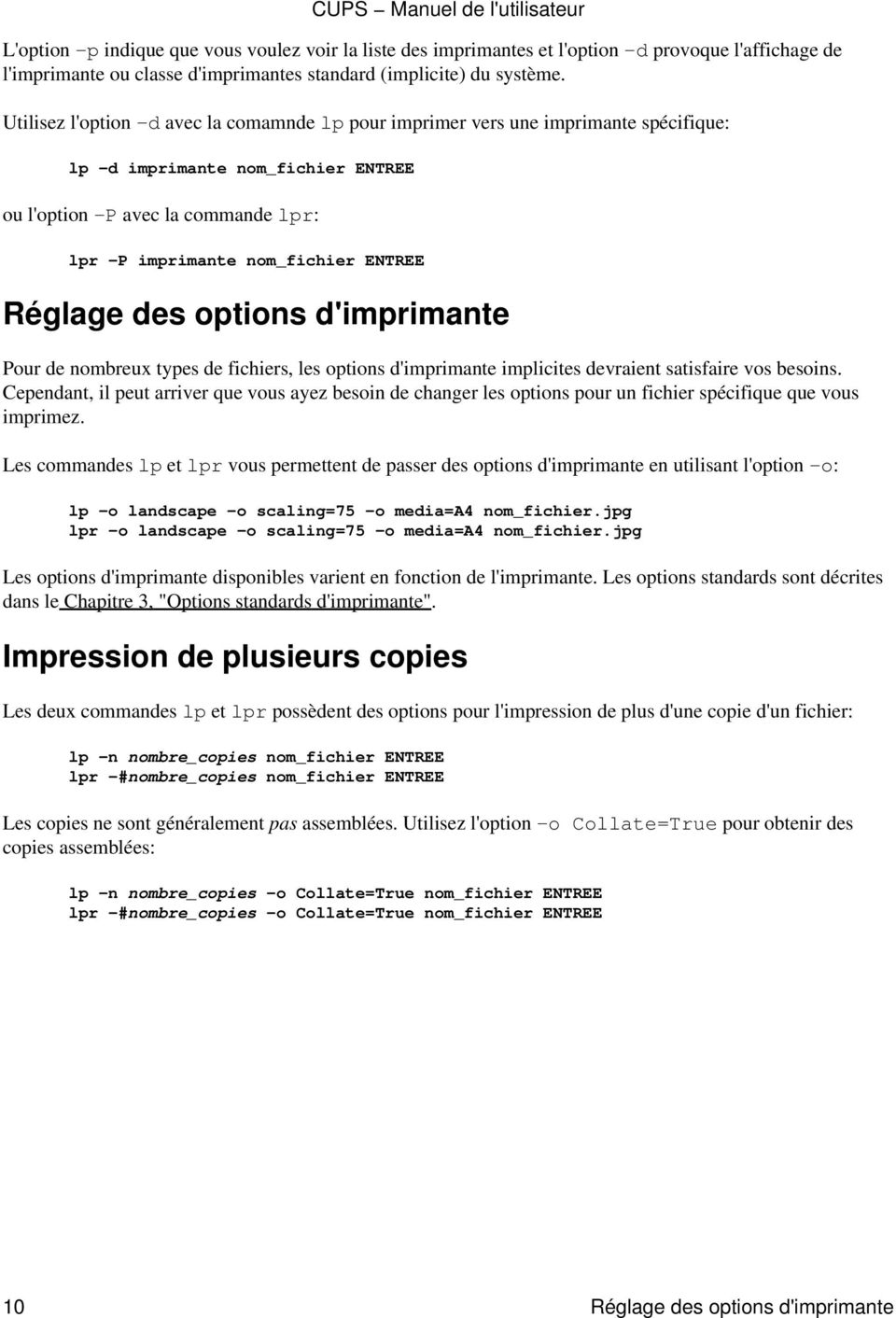
14 L'option p indique que vous voulez voir la liste des imprimantes et l'option d provoque l'affichage de l'imprimante ou classe d'imprimantes standard (implicite) du système. Utilisez l'option d avec la comamnde lp pour imprimer vers une imprimante spécifique: lp d imprimante nom_fichier ENTREE ou l'option P avec la commande lpr: lpr P imprimante nom_fichier ENTREE Réglage des options d'imprimante Pour de nombreux types de fichiers, les options d'imprimante implicites devraient satisfaire vos besoins. Cependant, il peut arriver que vous ayez besoin de changer les options pour un fichier spécifique que vous imprimez. Les commandes lp et lpr vous permettent de passer des options d'imprimante en utilisant l'option o: lp o landscape o scaling=75 o media=a4 nom_fichier.jpg lpr o landscape o scaling=75 o media=a4 nom_fichier.jpg Les options d'imprimante disponibles varient en fonction de l'imprimante. Les options standards sont décrites dans le Chapitre 3, "Options standards d'imprimante". Impression de plusieurs copies Les deux commandes lp et lpr possèdent des options pour l'impression de plus d'une copie d'un fichier: lp n nombre_copies nom_fichier ENTREE lpr #nombre_copies nom_fichier ENTREE CUPS Manuel de l'utilisateur Les copies ne sont généralement pas assemblées. Utilisez l'option o Collate=True pour obtenir des copies assemblées: lp n nombre_copies o Collate=True nom_fichier ENTREE lpr #nombre_copies o Collate=True nom_fichier ENTREE 10 Réglage des options d'imprimante
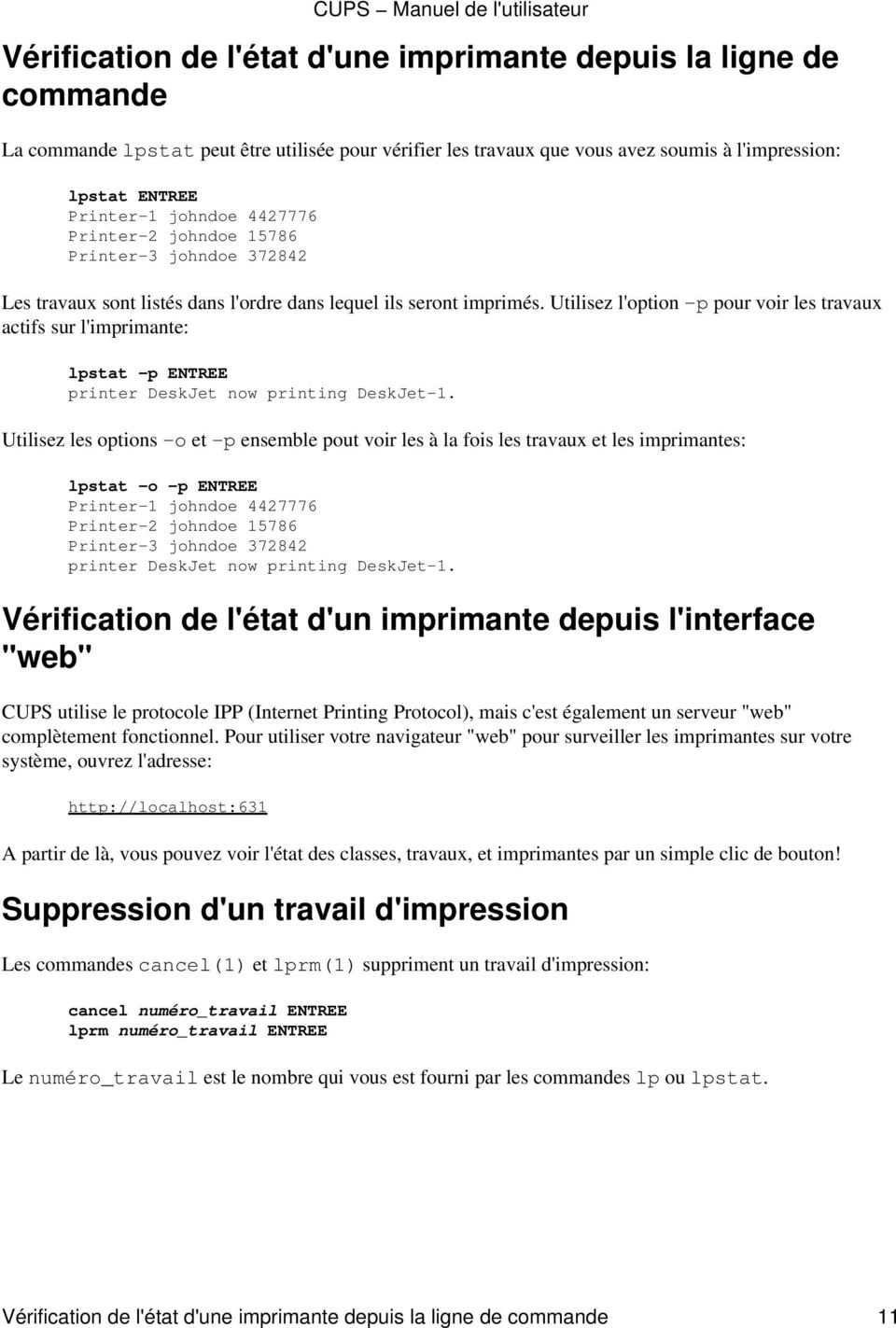
15 Vérification de l'état d'une imprimante depuis la ligne de commande La commande lpstat peut être utilisée pour vérifier les travaux que vous avez soumis à l'impression: lpstat ENTREE Printer 1 johndoe Printer 2 johndoe Printer 3 johndoe Les travaux sont listés dans l'ordre dans lequel ils seront imprimés. Utilisez l'option p pour voir les travaux actifs sur l'imprimante: lpstat p ENTREE printer DeskJet now printing DeskJet 1. Utilisez les options o et p ensemble pout voir les à la fois les travaux et les imprimantes: lpstat o p ENTREE Printer 1 johndoe Printer 2 johndoe Printer 3 johndoe printer DeskJet now printing DeskJet 1. Vérification de l'état d'un imprimante depuis l'interface "web" CUPS utilise le protocole IPP (Internet Printing Protocol), mais c'est également un serveur "web" complètement fonctionnel. Pour utiliser votre navigateur "web" pour surveiller les imprimantes sur votre système, ouvrez l'adresse: A partir de là, vous pouvez voir l'état des classes, travaux, et imprimantes par un simple clic de bouton! Suppression d'un travail d'impression Les commandes cancel(1) et lprm(1) suppriment un travail d'impression: cancel numéro_travail ENTREE lprm numéro_travail ENTREE CUPS Manuel de l'utilisateur Le numéro_travail est le nombre qui vous est fourni par les commandes lp ou lpstat. Vérification de l'état d'une imprimante depuis la ligne de commande 11
16 CUPS Manuel de l'utilisateur 12 Vérification de l'état d'une imprimante depuis la ligne de commande
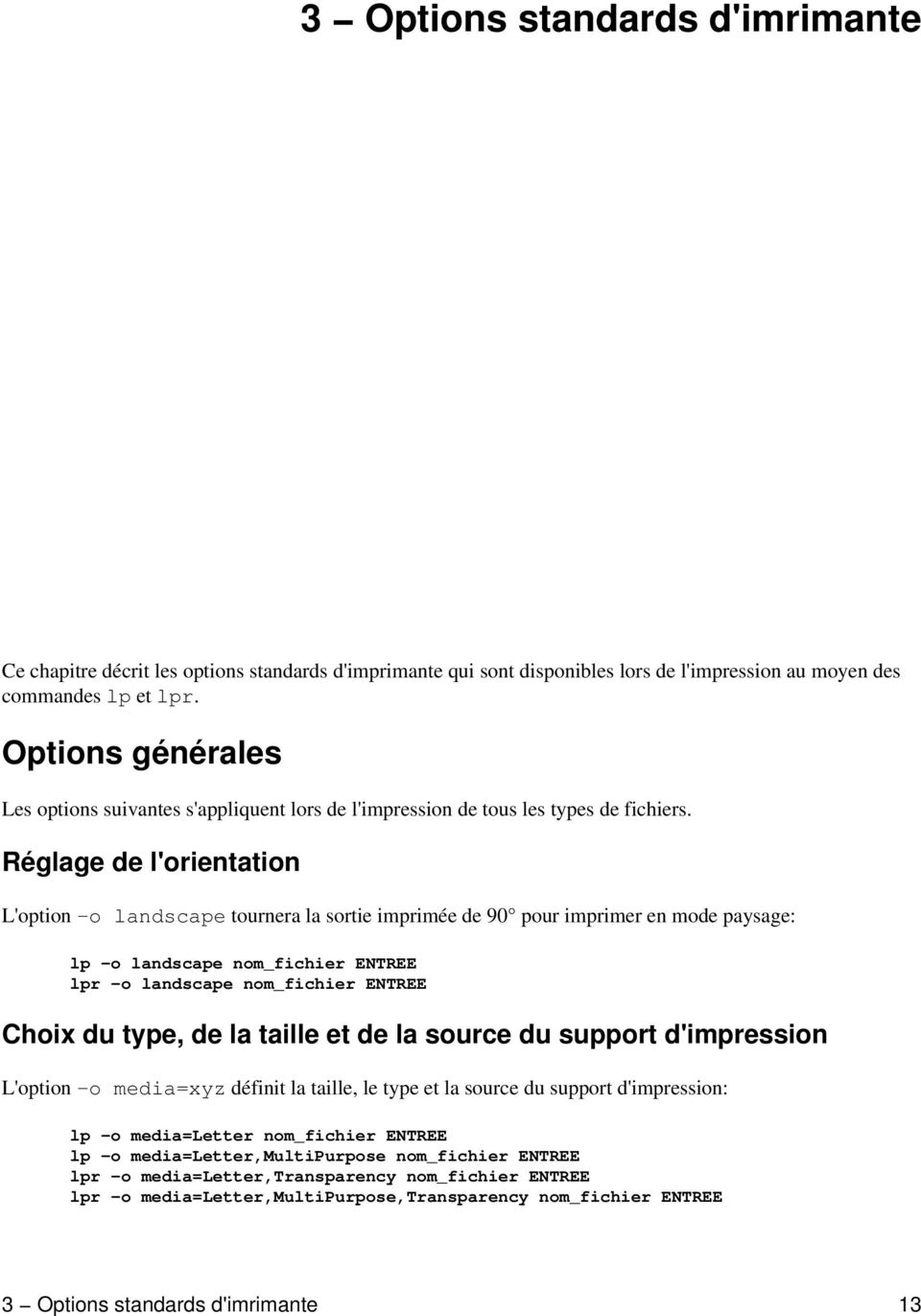
17 3 Options standards d'imrimante Ce chapitre décrit les options standards d'imprimante qui sont disponibles lors de l'impression au moyen des commandes lp et lpr. Options générales Les options suivantes s'appliquent lors de l'impression de tous les types de fichiers. Réglage de l'orientation L'option o landscape tournera la sortie imprimée de 90 pour imprimer en mode paysage: lp o landscape nom_fichier ENTREE lpr o landscape nom_fichier ENTREE Choix du type, de la taille et de la source du support d'impression L'option o media=xyz définit la taille, le type et la source du support d'impression: lp o media=letter nom_fichier ENTREE lp o media=letter,multipurpose nom_fichier ENTREE lpr o media=letter,transparency nom_fichier ENTREE lpr o media=letter,multipurpose,transparency nom_fichier ENTREE 3 Options standards d'imrimante 13
18 Les tailles, types et sources de support d'impression disponibles dépendent de l'imprimante mais la plupart des matériels prennent en charge les options suivantes (les plus courantes): Letter US Letter (8.5x11 pouces, ou 216x279mm) Legal US Legal (8.5x14 pouces, ou 216x356mm) A4 ISO A4 (8.27x11.69 pouces, ou 210x297mm) COM10 US #10 Enveloppe (9.5x4.125 pouces, ou 241x105mm) DL ISO DL Enveloppe (8.66x4.33 pouces, ou 220x110mm) Transparency Type de support transparent ou source de support transparent Upper Bac d'alimentation supérieur Lower Bac d'alimentation inférieur MultiPurpose Bac papier multi usage LargeCapacity Bac d'alimentation de grande capacité Les options réellement prises en charge sont définies dans le fichier PPD de l'imprimante au moyen des options PageSize, InputSlot, et MediaType. Impression en recto/verso Les options o sides=two sided short edge et o sides=two sided long edge activeront l'impression recto/verso si l'imprimante la prend en charge. L'option o sides=two sided short edge convient pour les pages orientées en paysage, tandis que l'option o sides=two sided long edge convient pour celles orientées en portrait: lp o sides=two sided short edge nom_fichier ENTREE lp o sides=two sided long edge nom_fichier ENTREE lpr o sides=two sided long edge nom_fichier ENTREE La valeur implicite est d'imprimer en mode simple face ("single sided"): lp o sides=one sided nom_fichier ENTREE lpr o sides=one sided nom_fichier ENTREE Options de pages de garde Les options suivantes s'appliquent à l'impression de tous les types de fichiers. Sélection des pages de garde CUPS Manuel de l'utilisateur L'option o jobsheets=start,end définit les pages de garde pour un travail d'impression: lp o job sheets=none nom_fichier ENTREE lp o job sheets=standard nom_fichier ENTREE lpr o job sheets=classified,classified nom_fichier ENTREE Si seulement un fichier de page de garde est indiqué il sera imprimé avant le travail d'impression. Si un second fichier de page de garde est indiqué, il sera imprimé après le travail d'impression.. Les pages de garde disponibles dépendent de la configuration du système local; CUPS inclut les fichiers de pages de garde suivants: 14 Impression en recto/verso
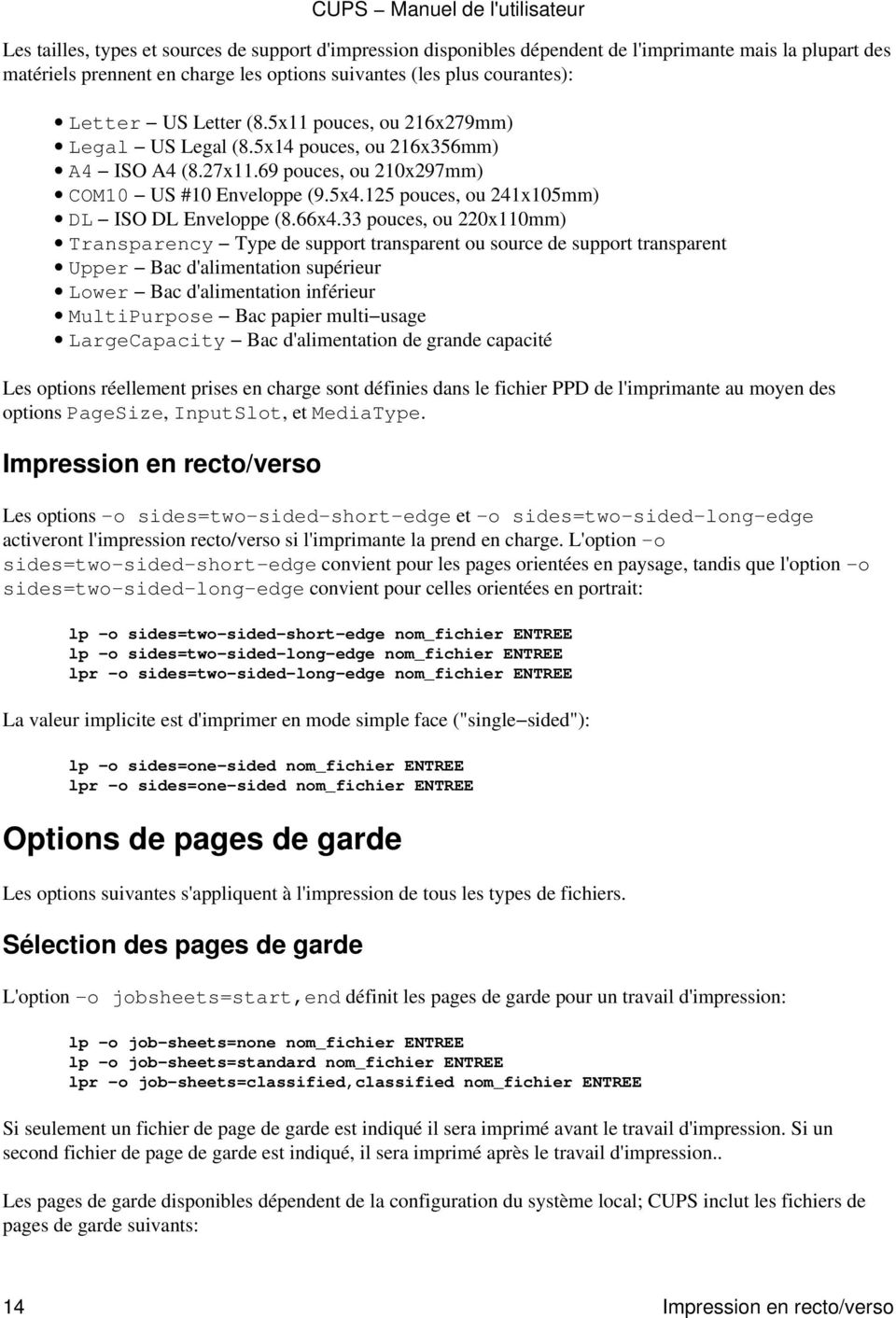
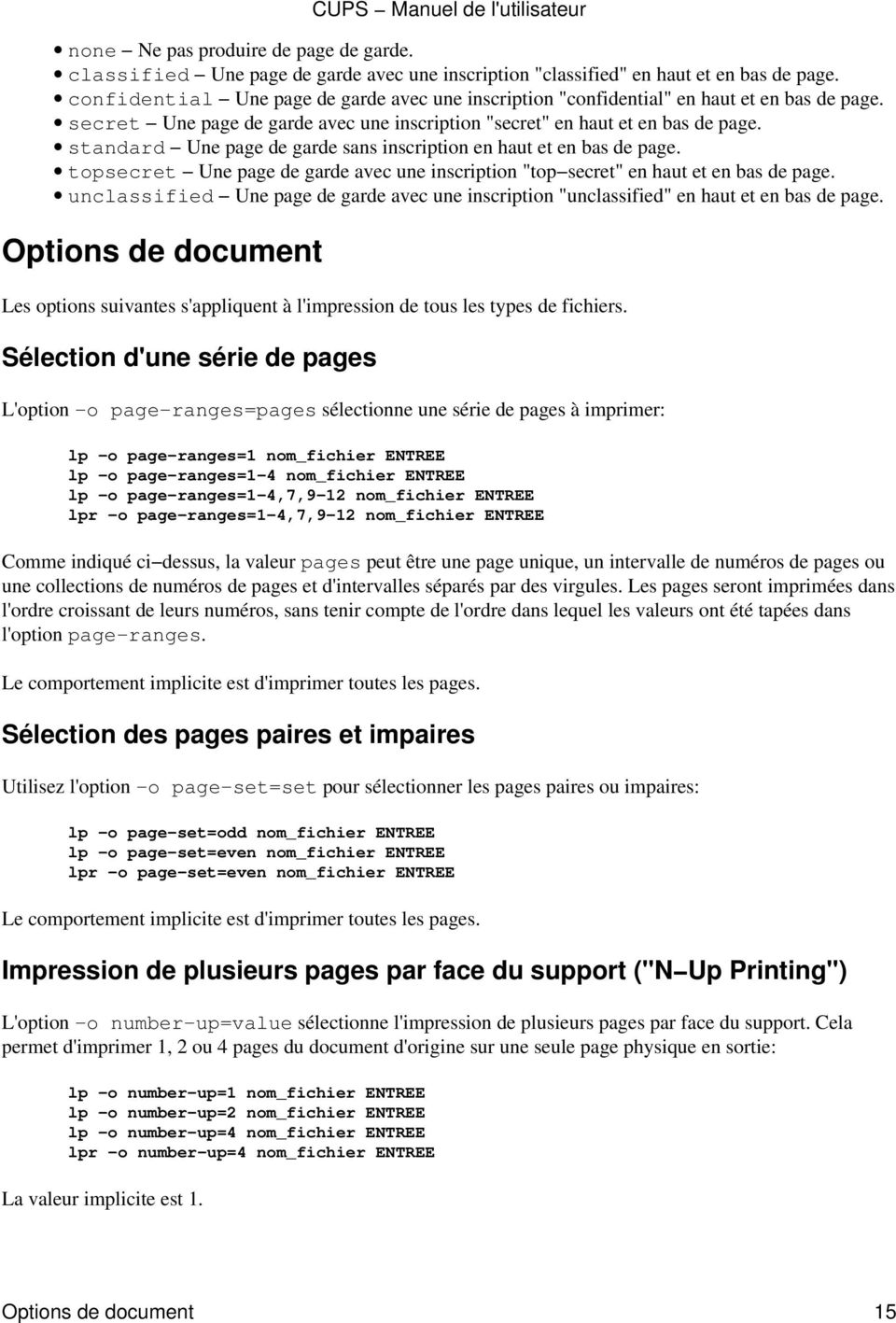
19 none Ne pas produire de page de garde. classified Une page de garde avec une inscription "classified" en haut et en bas de page. confidential Une page de garde avec une inscription "confidential" en haut et en bas de page. secret Une page de garde avec une inscription "secret" en haut et en bas de page. standard Une page de garde sans inscription en haut et en bas de page. topsecret Une page de garde avec une inscription "top secret" en haut et en bas de page. unclassified Une page de garde avec une inscription "unclassified" en haut et en bas de page. Options de document Les options suivantes s'appliquent à l'impression de tous les types de fichiers. Sélection d'une série de pages L'option o page ranges=pages sélectionne une série de pages à imprimer: lp o page ranges=1 nom_fichier ENTREE lp o page ranges=1 4 nom_fichier ENTREE lp o page ranges=1 4,7,9 12 nom_fichier ENTREE lpr o page ranges=1 4,7,9 12 nom_fichier ENTREE Comme indiqué ci dessus, la valeur pages peut être une page unique, un intervalle de numéros de pages ou une collections de numéros de pages et d'intervalles séparés par des virgules. Les pages seront imprimées dans l'ordre croissant de leurs numéros, sans tenir compte de l'ordre dans lequel les valeurs ont été tapées dans l'option page ranges. Le comportement implicite est d'imprimer toutes les pages. Sélection des pages paires et impaires Utilisez l'option o page set=set pour sélectionner les pages paires ou impaires: lp o page set=odd nom_fichier ENTREE lp o page set=even nom_fichier ENTREE lpr o page set=even nom_fichier ENTREE Le comportement implicite est d'imprimer toutes les pages. Impression de plusieurs pages par face du support ("N Up Printing") L'option o number up=value sélectionne l'impression de plusieurs pages par face du support. Cela permet d'imprimer 1, 2 ou 4 pages du document d'origine sur une seule page physique en sortie: lp o number up=1 nom_fichier ENTREE lp o number up=2 nom_fichier ENTREE lp o number up=4 nom_fichier ENTREE lpr o number up=4 nom_fichier ENTREE La valeur implicite est 1. CUPS Manuel de l'utilisateur Options de document 15
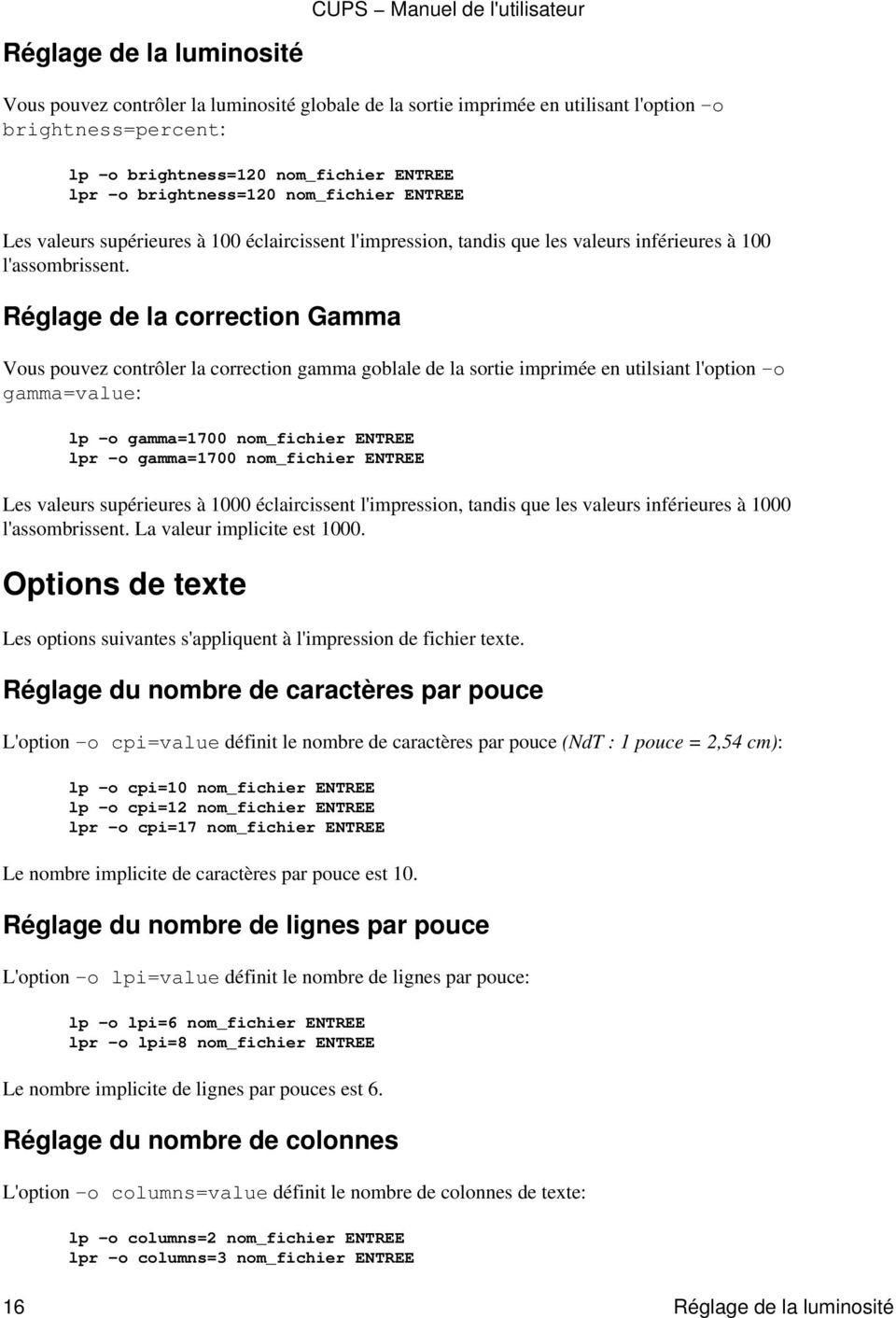
20 CUPS Manuel de l'utilisateur Réglage de la luminosité Vous pouvez contrôler la luminosité globale de la sortie imprimée en utilisant l'option o brightness=percent: lp o brightness=120 nom_fichier ENTREE lpr o brightness=120 nom_fichier ENTREE Les valeurs supérieures à 100 éclaircissent l'impression, tandis que les valeurs inférieures à 100 l'assombrissent. Réglage de la correction Gamma Vous pouvez contrôler la correction gamma goblale de la sortie imprimée en utilsiant l'option o gamma=value: lp o gamma=1700 nom_fichier ENTREE lpr o gamma=1700 nom_fichier ENTREE Les valeurs supérieures à 1000 éclaircissent l'impression, tandis que les valeurs inférieures à 1000 l'assombrissent. La valeur implicite est Options de texte Les options suivantes s'appliquent à l'impression de fichier texte. Réglage du nombre de caractères par pouce L'option o cpi=value définit le nombre de caractères par pouce (NdT : 1 pouce = 2,54 cm): lp o cpi=10 nom_fichier ENTREE lp o cpi=12 nom_fichier ENTREE lpr o cpi=17 nom_fichier ENTREE Le nombre implicite de caractères par pouce est 10. Réglage du nombre de lignes par pouce L'option o lpi=value définit le nombre de lignes par pouce: lp o lpi=6 nom_fichier ENTREE lpr o lpi=8 nom_fichier ENTREE Le nombre implicite de lignes par pouces est 6. Réglage du nombre de colonnes L'option o columns=value définit le nombre de colonnes de texte: lp o columns=2 nom_fichier ENTREE lpr o columns=3 nom_fichier ENTREE 16 Réglage de la luminosité
21 Le nombre de colonnes implicite est 1. Réglage des marges de la page Normalement, les marges de la page sont fixées par les limites physiques de l'imprimante. Utilisez les options o page left=value, o page right=value, o page top=value, et o page bottom=value pour ajuster les marges: lp o page left=valeur nom_fichier ENTREE lp o page right=valeur nom_fichier ENTREE lp o page top=valeur nom_fichier ENTREE lp o page bottom=valeur nom_fichier ENTREE lpr o page bottom=valeur nom_fichier ENTREE L'argument valeur est la marge en points; 1 point = 1/72ème de pouce = 0.35mm. Impression améliorée L'option o prettyprint ajoute un en tête en haut de chaque page. Celui ci comporte le numéro de page, le titre du travail d'impression (habituellement le nom du fichier), et la date. Les mots clefs C, C++ et les lignes de commentaires sont également représentées en italique: lp o prettyprint nom_fichier ENTREE lpr o prettyprint nom_fichier ENTREE Options d'image Les options suivantes s'appliquent lors de l'impression de fichiers image. Positionnement de l'image L'option o position=name indique la position de l'image dans la page: center Centre l'image dans la page (valeur implicite) top Imprime l'image calée en haut de la page et centrée en largeur left Imprime l'image calée à gauche de la page et centrée en hauteur right Imprime l'image calée à droite de la page et centrée en hauteur top left Imprime l'image calée dans le coin supérieur gauche top right Imprime l'image calée dans le coin supérieur droit bottom Imprime l'image calée en bas de la page et centrée en largeur bottom left Imprime l'image calée dans le coin inférieur gauche bottom right Imprime l'image calée dans le coin inférieur droit Mise à l'échelle de l'image CUPS Manuel de l'utilisateur Les options o scaling=percent, o ppi=value, et o natural scaling=percent changent la taille de l'image imprimée: lp o scaling=percent nom_fichier ENTREE lp o ppi=value nom_fichier ENTREE lpr o natural scaling=percent nom_fichier ENTREE Réglage des marges de la page 17
22 CUPS Manuel de l'utilisateur La valeur scaling=percent est un nombre compris entre 1 et 800 indiquant la taille par rapport celle de la page (pas celle de l'image). Un valeur de 100% va adapter l'image à la taille maximale que permet la page (en fonction des contraintes imposées par le rapport hauteur/largeur de l'image). Une valeur de 200% imprimera l'image répartie sur 4 pages. La valeur ppi=value est un nombre compris entre 1 et 1200 indiquant la résolution de l'image en pixels par pouce. Une image qui mesure 3000x2400 pixels s'imprimera sur le papier en 10x8 pouces à une résolution de 300 pixels par pouce (ppp ou, en anglais, dpi). Si la résolution indiquée donne une image plus grande que la page, plusieurs pages sont imprimées pour satisfaire la requête. La valeur natural scaling=percent est un nombre compris entre 1 et 800 indiquant la taille d'impression de l'image relativement à sa taille d'origine. Une valeur de 100% imprimera l'image dans sa taille normale, tandis qu'une valeur de 50% donnera une taille moitié moins grande. Si la valeur indiquée donne une image plus grande que la page, plusieurs pages sont imprimées pour satisfaire la requête. Ajustement de la teinte ("Hue", "Tint") de l'image La valeur o hue=value ajustera la teinte ("hue") de l'image imprimée, comme le réglage de teinte de votre télévision: lp o hue=value nom_fichier ENTREE lpr o hue=value nom_fichier ENTREE L'argument value est un nombre compris entre 360 et 360 représentant une rotation de teinte. Le tableau suivant, résume les changements que vous verrez avec différentes couleurs: La valeur implicite de ce paramètre est 0. Original hue= 45 hue=45 Rouge Pourpre Jaune orange Vert Jaune vert Bleu vert Jaune Orange Vert Jaune Bleu Bleu ciel Pourpre Magenta Indigo Rouge cramoisi Cyan Bleu vert Blue marine clair Ajustement de la saturation de couleur de l'image L'option o saturation=percent ajuste la saturation des couleurs de l'image, comme le bouton "couleur" de votre télévision: lp o saturation=percent nom_fichier ENTREE lpr o saturation=percent nom_fichier ENTREE L'argument percent indique la saturation de couleur de 0 à 200. Une saturation de 0 produit une image en noir et blanc, tandis qu'une valeur de 200 rend les couleurs extrêmement intenses. La saturation implicite est de Ajustement de la teinte ("Hue", "Tint") de l'image
23 Options HP GL/2 CUPS Manuel de l'utilisateur Les options suivantes s'appliquent aux fichiers HP GL/2. Impression en noir L'option o blackplot indique que tous les "stylos" doivent écrire en noir: lp o blackplot nom_fichier ENTREE lpr o blackplot nom_fichier ENTREE La valeur implicite est d'utiliser les couleurs définies dans le fichier ou les couleurs standards de "stylos" définies dans le manuel de référence HP GL/2. Ajuster le tracé à la page L'option o fitplot indique que le tracé doit être mis à l'échelle pour tenir sur la page: lp o fitplot nom_fichier ENTREE lpr o fitplot nom_fichier ENTREE Le comportement implicite est d'utiliser les distances absolues définies dans le fichier. NOTE: Cette fonctionnalité dépend d'une définition précise de la commande de taille de tracé (PS) dans le fichier HP GL/2. Si aucune taille de tracé n'est donnée dans le fichier, alors le filtre HP GL/2 considère que le tracé a une taille ANSI E. Réglage de la largeur implicite de tracé L'option o penwidth=valeur indique la valeur implicite de largeur de tracé pour les fichiers HP GL/2: lp o penwidth=valeur nom_fichier ENTREE lpr o penwidth=valeur nom_fichier ENTREE La valeur de largeur de tracé définit la largeur de "stylo" en micromètres. La valeur implicite de 1000 produit des lignes de 1 millimètre de large. Indiquer une largeur de "stylo" de 0 produit un tracé d'un pixel de large. NOTE: Cette option est ignorée si les largeurs de tracé sont définies dans le fichier. Sortie brute ou non filtrée L'option o raw vous permet d'envoyer directement des fichiers à l'imprimante sans faire de filtrage. Cela est parfois nécessaire lors que vous imprimez depuis des applications qui fournissent leur propres "pilotes d'imprimantes" pour votre imprimante: Options HP GL/2 19
24 lp o raw nom_fichier ENTREE lpr o raw nom_fichier ENTREE L'option l peut également être utilisée avec la commande lpr pour envoyer directement des fichiers à une imprimante: lpr l nom_fichier ENTREE CUPS Manuel de l'utilisateur 20 Options HP GL/2
25 4 Sauvegarder les options et valeurs implicites des réglages d'imprimante Ce chapitre décrit comment sauvegarder les options pour votre imprimante et définir votre propre imprimante implicite. Options d'imprimante Chaque imprimante prend en charge un grand nombre d'options, que vous avez découvertes dans le Chapitre 3, "Options standards d'imprimante". Plutôt qu'indiquer ces options à chaque fois que vous imprimez un fichier, CUPS vous permet de sauvegarder comme "implicites" les options pour votre imprimante. La commande lpoptions(1) sauvegarde les options de vos imprimantes. Comme les commandes lp et lpr, elle accepte les options d'imprimantes en utilisant l'argument o: lpoptions o media=a4 o sides=two sided long edge ENTREE lpoptions o media=legal o scaling=100 ENTREE Une fois sauvegardées, toute commande lp ou lpr les utilisera lorsque vous imprimerez. Réglage des options pour une imprimante spécifique L'exemple précédent montre comment régler les options pour l'imprimante implicite. L'option p imprimante indique que les options sont pour une autre imprimante: lpoptions p laserjet o media=a4 o sides=two sided long edge ENTREE lpoptions p deskjet o media=legal o scaling=100 ENTREE 4 Sauvegarder les options et valeurs implicites des réglages d'imprimante 21
26 Visualisation des réglages implicites actuels La commande lpoptions peut également être utilisée pour afficher les options actuelles en n'indiquant aucune option sur la ligne de commande: lpoptions ENTREE media=a4 sides=two sided long edge lpoptions p deskjet ENTREE media=legal scaling=100 Choix de l'imprimante implicite L'administrateur définira généralement une imprimante implicite valable pour tout le système et qui sera utilisée par tous. Utilisez l'option d imprimante pour définir votre propre imprimante implicite: lpoptions d deskjet ENTREE L'imprimante peut être locale (deskjet) ou à distance (deskjet@serveur). Instances d'imprimantes En plus de définir des réglages pour chaque file d'impression, CUPS prend en charge les instances d'imprimantes qui vous permettent de définir différents jeux d'options pour chaque imprimante. Vous indiquez chaque instante en utilisant le caractère "slash" (/): lpoptions p laserjet/duplex o sides=two sided long edge ENTREE lpoptions p laserjet/legal o media=legal ENTREE Les commandes lp et lpr comprennent également la notation: lp d laserjet/duplex nom_fichier ENTREE lpr P laserjet/legal nom_fichier ENTREE Retirer des instances d'imprimantes Utilisez l'option x imprimante/instance pour retirer une instance d'imprimante dont vous n'avez plus besoin: lpoptions x laserjet ENTREE lpoptions x laserjet/duplex ENTREE lpoptions x laserjet/legal ENTREE CUPS Manuel de l'utilisateur L'option x ne retire que les options implicites pour cette instance d'imprimante. la file d'impression d'origine demeurera jusqu'à suppression au moyen de la commande lpadmin(8) par l'administrateur. 22 Visualisation des réglages implicites actuels
27 A Licence d'utilisation du logiciel (NdT : en anglais) Common UNIX Printing System License Agreement Introduction Copyright by Easy Software Products AIRPORT VIEW DR STE 204 HOLLYWOOD, MARYLAND USA Voice: cups [email protected] WWW: The Common UNIX Printing System TM, ("CUPS TM "), is provided under the GNU General Public License ("GPL") and GNU Library General Public License ("LGPL"), Version 2. A copy of these licenses follow this introduction. The GNU LGPL applies to the CUPS API library, located in the "cups" subdirectory of the CUPS source distribution and in the "/usr/include/cups" directory and "libcups.a", "libcups_s.a", "libcups.sl", or "libcups.so" files in the binary distributions. The GNU GPL applies to the remainder of the CUPS distribution, including the "pstoraster" filter which is based upon GNU Ghostscript 5.50 and the "pdftops" filter which is based upon Xpdf 0.93a. A Licence d'utilisation du logiciel (NdT : en anglais) 23
28 For those not familiar with the GNU GPL, the license basically allows you to: Use the CUPS software at no charge. Distribute verbatim copies of the software in source or binary form. Sell verbatim copies of the software for a media fee, or sell support for the software. Distribute or sell printer drivers and filters that use CUPS so long as source code is made available under the GPL. What this license does not allow you to do is make changes or add features to CUPS and then sell a binary distribution without source code. You must provide source for any new drivers, changes, or additions to the software, and all code must be provided under the GPL or LGPL as appropriate. The GNU LGPL relaxes the "link to" restriction, allowing you to develop applications that use the CUPS API library under other licenses and/or conditions as appropriate for your application. Trademarks Easy Software Products has trademarked the Common UNIX Printing System, CUPS, and CUPS logo. These names and logos may be used freely in any direct port or binary distribution of CUPS. To use them in derivative products, please contract Easy Software Products for written permission. Our intention is to protect the value of these trademarks and ensure that any derivative product meets the same high quality standards as the original. Binary Distribution Rights Easy Software Products also sells rights to the CUPS source code under a binary distribution license for vendors that are unable to release source code for their drivers, additions, and modifications to CUPS under the GNU GPL and LGPL. For information please contact us at the address shown above. The Common UNIX Printing System provides a "pstoraster" filter that utilizes the GNU GhostScript 5.50 core to convert PostScript files into a stream of raster images. For binary distribution licensing of this software, please contact: Miles Jones Director of Marketing Artifex Software Inc. 454 Las Gallinas Ave., Suite 108 San Rafael, CA USA Voice: Fax: [email protected] The "pdftops" filter is based on the Xpdf 0.93a software. For binary distribution licensing of this software, please contact: Derek B. Noonburg [email protected] WWW: CUPS Manuel de l'utilisateur 24 Trademarks
29 CUPS Manuel de l'utilisateur Support Easy Software Products sells software support for CUPS as well as a commercial printing product based on CUPS called ESP Print Pro. You can find out more at our web site: Support 25
30 GNU GENERAL PUBLIC LICENSE Version 2, June 1991 CUPS Manuel de l'utilisateur Copyright 1989, 1991 Free Software Foundation, Inc. 59 Temple Place, Suite 330, Boston, MA USA Everyone is permitted to copy and distribute verbatim copies of this license document, but changing it is not allowed. Preamble The licenses for most software are designed to take away your freedom to share and change it. By contrast, the GNU General Public License is intended to guarantee your freedom to share and change free software to make sure the software is free for all its users. This General Public License applies to most of the Free Software Foundation's software and to any other program whose authors commit to using it. (Some other Free Software Foundation software is covered by the GNU Library General Public License instead.) You can apply it to your programs, too. When we speak of free software, we are referring to freedom, not price. Our General Public Licenses are designed to make sure that you have the freedom to distribute copies of free software (and charge for this service if you wish), that you receive source code or can get it if you want it, that you can change the software or use pieces of it in new free programs; and that you know you can do these things. To protect your rights, we need to make restrictions that forbid anyone to deny you these rights or to ask you to surrender the rights. These restrictions translate to certain responsibilities for you if you distribute copies of the software, or if you modify it. For example, if you distribute copies of such a program, whether gratis or for a fee, you must give the recipients all the rights that you have. You must make sure that they, too, receive or can get the source code. And you must show them these terms so they know their rights. We protect your rights with two steps: (1) copyright the software, and (2) offer you this license which gives you legal permission to copy, distribute and/or modify the software. Also, for each author's protection and ours, we want to make certain that everyone understands that there is no warranty for this free software. If the software is modified by someone else and passed on, we want its recipients to know that what they have is not the original, so that any problems introduced by others will not reflect on the original authors' reputations. Finally, any free program is threatened constantly by software patents. We wish to avoid the danger that redistributors of a free program will individually obtain patent licenses, in effect making the program proprietary. To prevent this, we have made it clear that any patent must be licensed for everyone's free use or not licensed at all. The precise terms and conditions for copying, distribution and modification follow. 26 GNU GENERAL PUBLIC LICENSE
31 CUPS Manuel de l'utilisateur GNU GENERAL PUBLIC LICENSE TERMS AND CONDITIONS FOR COPYING, DISTRIBUTION AND MODIFICATION 0. This License applies to any program or other work which contains a notice placed by the copyright holder saying it may be distributed under the terms of this General Public License. The "Program", below, refers to any such program or work, and a "work based on the Program" means either the Program or any derivative work under copyright law: that is to say, a work containing the Program or a portion of it, either verbatim or with modifications and/or translated into another language. (Hereinafter, translation is included without limitation in the term "modification".) Each licensee is addressed as "you". Activities other than copying, distribution and modification are not covered by this License; they are outside its scope. The act of running the Program is not restricted, and the output from the Program is covered only if its contents constitute a work based on the Program (independent of having been made by running the Program). Whether that is true depends on what the Program does. 1. You may copy and distribute verbatim copies of the Program's source code as you receive it, in any medium, provided that you conspicuously and appropriately publish on each copy an appropriate copyright notice and disclaimer of warranty; keep intact all the notices that refer to this License and to the absence of any warranty; and give any other recipients of the Program a copy of this License along with the Program. You may charge a fee for the physical act of transferring a copy, and you may at your option offer warranty protection in exchange for a fee. 2. You may modify your copy or copies of the Program or any portion of it, thus forming a work based on the Program, and copy and distribute such modifications or work under the terms of Section 1 above, provided that you also meet all of these conditions: a. You must cause the modified files to carry prominent notices stating that you changed the files and the date of any change. b. You must cause any work that you distribute or publish, that in whole or in part contains or is derived from the Program or any part thereof, to be licensed as a whole at no charge to all third parties under the terms of this License. c. if the modified program normally reads commands interactively when run, you must cause it, when started running for such interactive use in the most ordinary way, to print or display an announcement including an appropriate copyright notice and a notice that there is no warranty (or else, saying that you provide a warranty) and that users may redistribute the program under these conditions, and telling the user how to view a copy of this License. (Exception: if the Program itself is interactive but does not normally print such an announcement, your work based on the Program is not required to print an announcement.) These requirements apply to the modified work as a whole. If identifiable sections of that work are not derived from the Program, and can be reasonably considered independent and separate works in themselves, then this License, and its terms, do not apply to those sections when you distribute them as separate works. But when you distribute the same sections as part of a whole which is a work based on the Program, the distribution of the whole must be on the terms of this License, whose permissions for other licensees extend to the entire whole, and thus to each and every part regardless of who wrote it. Thus, it is not the intent of this section to claim rights or contest your rights to work written entirely by you; rather, the intent is to exercise the right to control the distribution of derivative or collective GNU GENERAL PUBLIC LICENSE 27
32 CUPS Manuel de l'utilisateur works based on the Program. In addition, mere aggregation of another work not based on the Program with the Program (or with a work based on the Program) on a volume of a storage or distribution medium does not bring the other work under the scope of this License. 3. You may copy and distribute the Program (or a work based on it, under Section 2) in object code or executable form under the terms of Sections 1 and 2 above provided that you also do one of the following: a. Accompany it with the complete corresponding machine readable source code, which must be distributed under the terms of Sections 1 and 2 above on a medium customarily used for software interchange; or, b. Accompany it with a written offer, valid for at least three years, to give any third party, for a charge no more than your cost of physically performing source distribution, a complete machine readable copy of the corresponding source code, to be distributed under the terms of Sections 1 and 2 above on a medium customarily used for software interchange; or, c. Accompany it with the information you received as to the offer to distribute corresponding source code. (This alternative is allowed only for noncommercial distribution and only if you received the program in object code or executable form with such an offer, in accord with Subsection b above.) The source code for a work means the preferred form of the work for making modifications to it. For an executable work, complete source code means all the source code for all modules it contains, plus any associated interface definition files, plus the scripts used to control compilation and installation of the executable. However, as a special exception, the source code distributed need not include anything that is normally distributed (in either source or binary form) with the major components (compiler, kernel, and so on) of the operating system on which the executable runs, unless that component itself accompanies the executable. If distribution of executable or object code is made by offering access to copy from a designated place, then offering equivalent access to copy the source code from the same place counts as distribution of the source code, even though third parties are not compelled to copy the source along with the object code. 4. You may not copy, modify, sublicense, or distribute the Program except as expressly provided under this License. Any attempt otherwise to copy, modify, sublicense or distribute the Program is void, and will automatically terminate your rights under this License. However, parties who have received copies, or rights, from you under this License will not have their licenses terminated so long as such parties remain in full compliance. 5. You are not required to accept this License, since you have not signed it. However, nothing else grants you permission to modify or distribute the Program or its derivative works. These actions are prohibited by law if you do not accept this License. Therefore, by modifying or distributing the Program (or any work based on the Program), you indicate your acceptance of this License to do so, and all its terms and conditions for copying, distributing or modifying the Program or works based on it. 6. Each time you redistribute the Program (or any work based on the Program), the recipient automatically receives a license from the original licensor to copy, distribute or modify the Program subject to these terms and conditions. You may not impose any further restrictions on the recipients' exercise of the rights granted herein. You are not responsible for enforcing compliance by third parties to this License. 28 GNU GENERAL PUBLIC LICENSE
33 7. If, as a consequence of a court judgment or allegation of patent infringement or for any other reason (not limited to patent issues), conditions are imposed on you (whether by court order, agreement or otherwise) that contradict the conditions of this License, they do not excuse you from the conditions of this License. If you cannot distribute so as to satisfy simultaneously your obligations under this License and any other pertinent obligations, then as a consequence you may not distribute the Program at all. For example, if a patent license would not permit royalty free redistribution of the Program by all those who receive copies directly or indirectly through you, then the only way you could satisfy both it and this License would be to refrain entirely from distribution of the Program. If any portion of this section is held invalid or unenforceable under any particular circumstance, the balance of the section is intended to apply and the section as a whole is intended to apply in other circumstances. It is not the purpose of this section to induce you to infringe any patents or other property right claims or to contest validity of any such claims; this section has the sole purpose of protecting the integrity of the free software distribution system, which is implemented by public license practices. Many people have made generous contributions to the wide range of software distributed through that system in reliance on consistent application of that system; it is up to the author/donor to decide if he or she is willing to distribute software through any other system and a licensee cannot impose that choice. This section is intended to make thoroughly clear what is believed to be a consequence of the rest of this License. 8. If the distribution and/or use of the Program is restricted in certain countries either by patents or by copyrighted interfaces, the original copyright holder who places the Program under this License may add an explicit geographical distribution limitation excluding those countries, so that distribution is permitted only in or among countries not thus excluded. In such case, this License incorporates the limitation as if written in the body of this License. 9. The Free Software Foundation may publish revised and/or new versions of the General Public License from time to time. Such new versions will be similar in spirit to the present version, but may differ in detail to address new problems or concerns. Each version is given a distinguishing version number. If the Program specifies a version number of this License which applies to it and "any later version", you have the option of following the terms and conditions either of that version or of any later version published by the Free Software Foundation. If the Program does not specify a version number of this License, you may choose any version ever published by the Free Software Foundation. 10. If you wish to incorporate parts of the Program into other free programs whose distribution conditions are different, write to the author to ask for permission. For software which is copyrighted by the Free Software Foundation, write to the Free Software Foundation; we sometimes make exceptions for this. Our decision will be guided by the two goals of preserving the free status of all derivatives of our free software and of promoting the sharing and reuse of software generally. NO WARRANTY CUPS Manuel de l'utilisateur 11. BECAUSE THE PROGRAM IS LICENSED FREE OF CHARGE, THERE IS NO WARRANTY FOR THE PROGRAM, TO THE EXTENT PERMITTED BY APPLICABLE LAW. EXCEPT WHEN OTHERWISE STATED IN WRITING THE COPYRIGHT HOLDERS AND/OR OTHER PARTIES PROVIDE THE PROGRAM "AS IS" WITHOUT WARRANTY OF ANY KIND, EITHER EXPRESSED OR IMPLIED, INCLUDING, BUT NOT LIMITED TO, THE IMPLIED GNU GENERAL PUBLIC LICENSE 29
34 WARRANTIES OF MERCHANTABILITY AND FITNESS FOR A PARTICULAR PURPOSE. THE ENTIRE RISK AS TO THE QUALITY AND PERFORMANCE OF THE PROGRAM IS WITH YOU. SHOULD THE PROGRAM PROVE DEFECTIVE, YOU ASSUME THE COST OF ALL NECESSARY SERVICING, REPAIR OR CORRECTION. 12. IN NO EVENT UNLESS REQUIRED BY APPLICABLE LAW OR AGREED TO IN WRITING WILL ANY COPYRIGHT HOLDER, OR ANY OTHER PARTY WHO MAY MODIFY AND/OR REDISTRIBUTE THE PROGRAM AS PERMITTED ABOVE, BE LIABLE TO YOU FOR DAMAGES, INCLUDING ANY GENERAL, SPECIAL, INCIDENTAL OR CONSEQUENTIAL DAMAGES ARISING OUT OF THE USE OR INABILITY TO USE THE PROGRAM (INCLUDING BUT NOT LIMITED TO LOSS OF DATA OR DATA BEING RENDERED INACCURATE OR LOSSES SUSTAINED BY YOU OR THIRD PARTIES OR A FAILURE OF THE PROGRAM TO OPERATE WITH ANY OTHER PROGRAMS), EVEN IF SUCH HOLDER OR OTHER PARTY HAS BEEN ADVISED OF THE POSSIBILITY OF SUCH DAMAGES. END OF TERMS AND CONDITIONS CUPS Manuel de l'utilisateur 30 GNU GENERAL PUBLIC LICENSE
35 GNU LIBRARY GENERAL PUBLIC LICENSE Version 2, June 1991 Copyright (C) 1991 Free Software Foundation, Inc. 59 Temple Place Suite 330, Boston, MA , USA Everyone is permitted to copy and distribute verbatim copies of this license document, but changing it is not allowed. [This is the first released version of the library GPL. It is numbered 2 because it goes with version 2 of the ordinary GPL.] Preamble CUPS Manuel de l'utilisateur The licenses for most software are designed to take away your freedom to share and change it. By contrast, the GNU General Public Licenses are intended to guarantee your freedom to share and change free software to make sure the software is free for all its users. This license, the Library General Public License, applies to some specially designated Free Software Foundation software, and to any other libraries whose authors decide to use it. You can use it for your libraries, too. When we speak of free software, we are referring to freedom, not price. Our General Public Licenses are designed to make sure that you have the freedom to distribute copies of free software (and charge for this service if you wish), that you receive source code or can get it if you want it, that you can change the software or use pieces of it in new free programs; and that you know you can do these things. To protect your rights, we need to make restrictions that forbid anyone to deny you these rights or to ask you to surrender the rights. These restrictions translate to certain responsibilities for you if you distribute copies of the library, or if you modify it. For example, if you distribute copies of the library, whether gratis or for a fee, you must give the recipients all the rights that we gave you. You must make sure that they, too, receive or can get the source code. If you link a program with the library, you must provide complete object files to the recipients so that they can relink them with the library, after making changes to the library and recompiling it. And you must show them these terms so they know their rights. Our method of protecting your rights has two steps: (1) copyright the library, and (2) offer you this license which gives you legal permission to copy, distribute and/or modify the library. Also, for each distributor's protection, we want to make certain that everyone understands that there is no warranty for this free library. If the library is modified by someone else and passed on, we want its recipients to know that what they have is not the original version, so that any problems introduced by others will not reflect on the original authors' reputations. Finally, any free program is threatened constantly by software patents. We wish to avoid the danger that companies distributing free software will individually obtain patent licenses, thus in effect transforming the program into proprietary software. To prevent this, we have made it clear that any patent must be licensed for everyone's free use or not licensed at all. Most GNU software, including some libraries, is covered by the ordinary GNU General Public License, which GNU LIBRARY GENERAL PUBLIC LICENSE 31
36 CUPS Manuel de l'utilisateur was designed for utility programs. This license, the GNU Library General Public License, applies to certain designated libraries. This license is quite different from the ordinary one; be sure to read it in full, and don't assume that anything in it is the same as in the ordinary license. The reason we have a separate public license for some libraries is that they blur the distinction we usually make between modifying or adding to a program and simply using it. Linking a program with a library, without changing the library, is in some sense simply using the library, and is analogous to running a utility program or application program. However, in a textual and legal sense, the linked executable is a combined work, a derivative of the original library, and the ordinary General Public License treats it as such. Because of this blurred distinction, using the ordinary General Public License for libraries did not effectively promote software sharing, because most developers did not use the libraries. We concluded that weaker conditions might promote sharing better. However, unrestricted linking of non free programs would deprive the users of those programs of all benefit from the free status of the libraries themselves. This Library General Public License is intended to permit developers of non free programs to use free libraries, while preserving your freedom as a user of such programs to change the free libraries that are incorporated in them. (We have not seen how to achieve this as regards changes in header files, but we have achieved it as regards changes in the actual functions of the Library.) The hope is that this will lead to faster development of free libraries. The precise terms and conditions for copying, distribution and modification follow. Pay close attention to the difference between a "work based on the library" and a "work that uses the library". The former contains code derived from the library, while the latter only works together with the library. Note that it is possible for a library to be covered by the ordinary General Public License rather than by this special one. TERMS AND CONDITIONS FOR COPYING, DISTRIBUTION AND MODIFICATION 0. This License Agreement applies to any software library which contains a notice placed by the copyright holder or other authorized party saying it may be distributed under the terms of this Library General Public License (also called "this License"). Each licensee is addressed as "you". A "library" means a collection of software functions and/or data prepared so as to be conveniently linked with application programs (which use some of those functions and data) to form executables. The "Library", below, refers to any such software library or work which has been distributed under these terms. A "work based on the Library" means either the Library or any derivative work under copyright law: that is to say, a work containing the Library or a portion of it, either verbatim or with modifications and/or translated straightforwardly into another language. (Hereinafter, translation is included without limitation in the term "modification".) "Source code" for a work means the preferred form of the work for making modifications to it. For a library, complete source code means all the source code for all modules it contains, plus any associated interface definition files, plus the scripts used to control compilation and installation of the library. Activities other than copying, distribution and modification are not covered by this License; they are outside its scope. The act of running a program using the Library is not restricted, and output from such a program is covered only if its contents constitute a work based on the Library (independent of the use of the Library in a tool for writing it). Whether that is true depends on what the Library does and what the program that uses the 32 GNU LIBRARY GENERAL PUBLIC LICENSE
37 CUPS Manuel de l'utilisateur Library does. 1. You may copy and distribute verbatim copies of the Library's complete source code as you receive it, in any medium, provided that you conspicuously and appropriately publish on each copy an appropriate copyright notice and disclaimer of warranty; keep intact all the notices that refer to this License and to the absence of any warranty; and distribute a copy of this License along with the Library. You may charge a fee for the physical act of transferring a copy, and you may at your option offer warranty protection in exchange for a fee. 2. You may modify your copy or copies of the Library or any portion of it, thus forming a work based on the Library, and copy and distribute such modifications or work under the terms of Section 1 above, provided that you also meet all of these conditions: a. The modified work must itself be a software library. b. You must cause the files modified to carry prominent notices stating that you changed the files and the date of any change. c. You must cause the whole of the work to be licensed at no charge to all third parties under the terms of this License. d. If a facility in the modified Library refers to a function or a table of data to be supplied by an application program that uses the facility, other than as an argument passed when the facility is invoked, then you must make a good faith effort to ensure that, in the event an application does not supply such function or table, the facility still operates, and performs whatever part of its purpose remains meaningful. (For example, a function in a library to compute square roots has a purpose that is entirely well defined independent of the application. Therefore, Subsection 2d requires that any application supplied function or table used by this function must be optional: if the application does not supply it, the square root function must still compute square roots.) These requirements apply to the modified work as a whole. If identifiable sections of that work are not derived from the Library, and can be reasonably considered independent and separate works in themselves, then this License, and its terms, do not apply to those sections when you distribute them as separate works. But when you distribute the same sections as part of a whole which is a work based on the Library, the distribution of the whole must be on the terms of this License, whose permissions for other licensees extend to the entire whole, and thus to each and every part regardless of who wrote it. Thus, it is not the intent of this section to claim rights or contest your rights to work written entirely by you; rather, the intent is to exercise the right to control the distribution of derivative or collective works based on the Library. In addition, mere aggregation of another work not based on the Library with the Library (or with a work based on the Library) on a volume of a storage or distribution medium does not bring the other work under the scope of this License. 3. You may opt to apply the terms of the ordinary GNU General Public License instead of this License to a given copy of the Library. To do this, you must alter all the notices that refer to this License, so that they refer to the ordinary GNU General Public License, version 2, instead of to this License. (If a newer version than GNU LIBRARY GENERAL PUBLIC LICENSE 33
38 CUPS Manuel de l'utilisateur version 2 of the ordinary GNU General Public License has appeared, then you can specify that version instead if you wish.) Do not make any other change in these notices. Once this change is made in a given copy, it is irreversible for that copy, so the ordinary GNU General Public License applies to all subsequent copies and derivative works made from that copy. This option is useful when you wish to copy part of the code of the Library into a program that is not a library. 4. You may copy and distribute the Library (or a portion or derivative of it, under Section 2) in object code or executable form under the terms of Sections 1 and 2 above provided that you accompany it with the complete corresponding machine readable source code, which must be distributed under the terms of Sections 1 and 2 above on a medium customarily used for software interchange. If distribution of object code is made by offering access to copy from a designated place, then offering equivalent access to copy the source code from the same place satisfies the requirement to distribute the source code, even though third parties are not compelled to copy the source along with the object code. 5. A program that contains no derivative of any portion of the Library, but is designed to work with the Library by being compiled or linked with it, is called a "work that uses the Library". Such a work, in isolation, is not a derivative work of the Library, and therefore falls outside the scope of this License. However, linking a "work that uses the Library" with the Library creates an executable that is a derivative of the Library (because it contains portions of the Library), rather than a "work that uses the library". The executable is therefore covered by this License. Section 6 states terms for distribution of such executables. When a "work that uses the Library" uses material from a header file that is part of the Library, the object code for the work may be a derivative work of the Library even though the source code is not. Whether this is true is especially significant if the work can be linked without the Library, or if the work is itself a library. The threshold for this to be true is not precisely defined by law. If such an object file uses only numerical parameters, data structure layouts and accessors, and small macros and small inline functions (ten lines or less in length), then the use of the object file is unrestricted, regardless of whether it is legally a derivative work. (Executables containing this object code plus portions of the Library will still fall under Section 6.) Otherwise, if the work is a derivative of the Library, you may distribute the object code for the work under the terms of Section 6. Any executables containing that work also fall under Section 6, whether or not they are linked directly with the Library itself. 6. As an exception to the Sections above, you may also compile or link a "work that uses the Library" with the Library to produce a work containing portions of the Library, and distribute that work under terms of your choice, provided that the terms permit modification of the work for the customer's own use and reverse engineering for debugging such modifications. You must give prominent notice with each copy of the work that the Library is used in it and that the Library and its use are covered by this License. You must supply a copy of this License. If the work during execution displays copyright notices, you must include the copyright notice for the Library among them, as well as a reference directing the user to the copy of this License. Also, you must do one of these things: a. Accompany the work with the complete corresponding machine readable source code for the Library including whatever changes were used in the work (which must be distributed under Sections 1 and 2 34 GNU LIBRARY GENERAL PUBLIC LICENSE
39 CUPS Manuel de l'utilisateur above); and, if the work is an executable linked with the Library, with the complete machine readable "work that uses the Library", as object code and/or source code, so that the user can modify the Library and then relink to produce a modified executable containing the modified Library. (It is understood that the user who changes the contents of definitions files in the Library will not necessarily be able to recompile the application to use the modified definitions.) b. Accompany the work with a written offer, valid for at least three years, to give the same user the materials specified in Subsection 6a, above, for a charge no more than the cost of performing this distribution. c. If distribution of the work is made by offering access to copy from a designated place, offer equivalent access to copy the above specified materials from the same place. d. Verify that the user has already received a copy of these materials or that you have already sent this user a copy. For an executable, the required form of the "work that uses the Library" must include any data and utility programs needed for reproducing the executable from it. However, as a special exception, the source code distributed need not include anything that is normally distributed (in either source or binary form) with the major components (compiler, kernel, and so on) of the operating system on which the executable runs, unless that component itself accompanies the executable. It may happen that this requirement contradicts the license restrictions of other proprietary libraries that do not normally accompany the operating system. Such a contradiction means you cannot use both them and the Library together in an executable that you distribute. 7. You may place library facilities that are a work based on the Library side by side in a single library together with other library facilities not covered by this License, and distribute such a combined library, provided that the separate distribution of the work based on the Library and of the other library facilities is otherwise permitted, and provided that you do these two things: a. Accompany the combined library with a copy of the same work based on the Library, uncombined with any other library facilities. This must be distributed under the terms of the Sections above. b. Give prominent notice with the combined library of the fact that part of it is a work based on the Library, and explaining where to find the accompanying uncombined form of the same work. 8. You may not copy, modify, sublicense, link with, or distribute the Library except as expressly provided under this License. Any attempt otherwise to copy, modify, sublicense, link with, or distribute the Library is void, and will automatically terminate your rights under this License. However, parties who have received copies, or rights, from you under this License will not have their licenses terminated so long as such parties remain in full compliance. 9. You are not required to accept this License, since you have not signed it. However, nothing else grants you permission to modify or distribute the Library or its derivative works. These actions are prohibited by law if you do not accept this License. Therefore, by modifying or distributing the Library (or any work based on the Library), you indicate your acceptance of this License to do so, and all its terms and conditions for copying, distributing or modifying the Library or works based on it. 10. Each time you redistribute the Library (or any work based on the Library), the recipient automatically receives a license from the original licensor to copy, distribute, link with or modify the Library subject to GNU LIBRARY GENERAL PUBLIC LICENSE 35
40 these terms and conditions. You may not impose any further restrictions on the recipients' exercise of the rights granted herein. You are not responsible for enforcing compliance by third parties to this License. 11. If, as a consequence of a court judgment or allegation of patent infringement or for any other reason (not limited to patent issues), conditions are imposed on you (whether by court order, agreement or otherwise) that contradict the conditions of this License, they do not excuse you from the conditions of this License. If you cannot distribute so as to satisfy simultaneously your obligations under this License and any other pertinent obligations, then as a consequence you may not distribute the Library at all. For example, if a patent license would not permit royalty free redistribution of the Library by all those who receive copies directly or indirectly through you, then the only way you could satisfy both it and this License would be to refrain entirely from distribution of the Library. If any portion of this section is held invalid or unenforceable under any particular circumstance, the balance of the section is intended to apply, and the section as a whole is intended to apply in other circumstances. It is not the purpose of this section to induce you to infringe any patents or other property right claims or to contest validity of any such claims; this section has the sole purpose of protecting the integrity of the free software distribution system which is implemented by public license practices. Many people have made generous contributions to the wide range of software distributed through that system in reliance on consistent application of that system; it is up to the author/donor to decide if he or she is willing to distribute software through any other system and a licensee cannot impose that choice. This section is intended to make thoroughly clear what is believed to be a consequence of the rest of this License. 12. If the distribution and/or use of the Library is restricted in certain countries either by patents or by copyrighted interfaces, the original copyright holder who places the Library under this License may add an explicit geographical distribution limitation excluding those countries, so that distribution is permitted only in or among countries not thus excluded. In such case, this License incorporates the limitation as if written in the body of this License. 13. The Free Software Foundation may publish revised and/or new versions of the Library General Public License from time to time. Such new versions will be similar in spirit to the present version, but may differ in detail to address new problems or concerns. Each version is given a distinguishing version number. If the Library specifies a version number of this License which applies to it and "any later version", you have the option of following the terms and conditions either of that version or of any later version published by the Free Software Foundation. If the Library does not specify a license version number, you may choose any version ever published by the Free Software Foundation. 14. If you wish to incorporate parts of the Library into other free programs whose distribution conditions are incompatible with these, write to the author to ask for permission. For software which is copyrighted by the Free Software Foundation, write to the Free Software Foundation; we sometimes make exceptions for this. Our decision will be guided by the two goals of preserving the free status of all derivatives of our free software and of promoting the sharing and reuse of software generally. NO WARRANTY CUPS Manuel de l'utilisateur 15. BECAUSE THE LIBRARY IS LICENSED FREE OF CHARGE, THERE IS NO WARRANTY FOR THE LIBRARY, TO THE EXTENT PERMITTED BY APPLICABLE LAW. EXCEPT WHEN 36 GNU LIBRARY GENERAL PUBLIC LICENSE
41 OTHERWISE STATED IN WRITING THE COPYRIGHT HOLDERS AND/OR OTHER PARTIES PROVIDE THE LIBRARY "AS IS" WITHOUT WARRANTY OF ANY KIND, EITHER EXPRESSED OR IMPLIED, INCLUDING, BUT NOT LIMITED TO, THE IMPLIED WARRANTIES OF MERCHANTABILITY AND FITNESS FOR A PARTICULAR PURPOSE. THE ENTIRE RISK AS TO THE QUALITY AND PERFORMANCE OF THE LIBRARY IS WITH YOU. SHOULD THE LIBRARY PROVE DEFECTIVE, YOU ASSUME THE COST OF ALL NECESSARY SERVICING, REPAIR OR CORRECTION. 16. IN NO EVENT UNLESS REQUIRED BY APPLICABLE LAW OR AGREED TO IN WRITING WILL ANY COPYRIGHT HOLDER, OR ANY OTHER PARTY WHO MAY MODIFY AND/OR REDISTRIBUTE THE LIBRARY AS PERMITTED ABOVE, BE LIABLE TO YOU FOR DAMAGES, INCLUDING ANY GENERAL, SPECIAL, INCIDENTAL OR CONSEQUENTIAL DAMAGES ARISING OUT OF THE USE OR INABILITY TO USE THE LIBRARY (INCLUDING BUT NOT LIMITED TO LOSS OF DATA OR DATA BEING RENDERED INACCURATE OR LOSSES SUSTAINED BY YOU OR THIRD PARTIES OR A FAILURE OF THE LIBRARY TO OPERATE WITH ANY OTHER SOFTWARE), EVEN IF SUCH HOLDER OR OTHER PARTY HAS BEEN ADVISED OF THE POSSIBILITY OF SUCH DAMAGES. END OF TERMS AND CONDITIONS CUPS Manuel de l'utilisateur GNU LIBRARY GENERAL PUBLIC LICENSE 37
42 CUPS Manuel de l'utilisateur 38 GNU LIBRARY GENERAL PUBLIC LICENSE
SERVEUR DÉDIÉ DOCUMENTATION
 SERVEUR DÉDIÉ DOCUMENTATION Release 5.0.6.0 19 Juillet 2013 Copyright 2013 GIANTS Software GmbH, All Rights Reserved. 1/9 CHANGE LOG Correction de bug divers (5.0.6.0) Ajout d une option de relance automatique
Instructions Mozilla Thunderbird Page 1
 Instructions Mozilla Thunderbird Page 1 Instructions Mozilla Thunderbird Ce manuel est écrit pour les utilisateurs qui font déjà configurer un compte de courrier électronique dans Mozilla Thunderbird et
Subject to the terms of this Agreement, Adobe hereby grants you a nonexclusive,
 ADOBE SYSTEMS INCORPORATED OPEN SOURCE LICENSE NOTICE TO USER: Adobe Systems Incorporated is providing the Software Documentation for use under the terms of this Agreement. Any use, reproduction, modification
DOCUMENTATION - FRANCAIS... 2
 DOCUMENTATION MODULE SHOPDECORATION MODULE PRESTASHOP CREE PAR PRESTACREA INDEX : DOCUMENTATION - FRANCAIS... 2 INSTALLATION... 2 Installation automatique... 2 Installation manuelle... 2 Résolution des
WEB page builder and server for SCADA applications usable from a WEB navigator
 Générateur de pages WEB et serveur pour supervision accessible à partir d un navigateur WEB WEB page builder and server for SCADA applications usable from a WEB navigator opyright 2007 IRAI Manual Manuel
APPENDIX 2. Provisions to be included in the contract between the Provider and the. Holder
 Page 1 APPENDIX 2 Provisions to be included in the contract between the Provider and the Obligations and rights of the Applicant / Holder Holder 1. The Applicant or Licensee acknowledges that it has read
Application Form/ Formulaire de demande
 Application Form/ Formulaire de demande Ecosystem Approaches to Health: Summer Workshop and Field school Approches écosystémiques de la santé: Atelier intensif et stage d été Please submit your application
APPENDIX 6 BONUS RING FORMAT
 #4 EN FRANÇAIS CI-DESSOUS Preamble and Justification This motion is being presented to the membership as an alternative format for clubs to use to encourage increased entries, both in areas where the exhibitor
Règlement sur le télémarketing et les centres d'appel. Call Centres Telemarketing Sales Regulation
 THE CONSUMER PROTECTION ACT (C.C.S.M. c. C200) Call Centres Telemarketing Sales Regulation LOI SUR LA PROTECTION DU CONSOMMATEUR (c. C200 de la C.P.L.M.) Règlement sur le télémarketing et les centres d'appel
DOCUMENTATION - FRANCAIS... 2
 DOCUMENTATION MODULE CATEGORIESTOPMENU MODULE CREE PAR PRESTACREA INDEX : DOCUMENTATION - FRANCAIS... 2 INSTALLATION... 2 CONFIGURATION... 2 LICENCE ET COPYRIGHT... 3 SUPPORT TECHNIQUE ET MISES A JOUR...
Paxton. ins-20605. Net2 desktop reader USB
 Paxton ins-20605 Net2 desktop reader USB 1 3 2 4 1 2 Desktop Reader The desktop reader is designed to sit next to the PC. It is used for adding tokens to a Net2 system and also for identifying lost cards.
Cheque Holding Policy Disclosure (Banks) Regulations. Règlement sur la communication de la politique de retenue de chèques (banques) CONSOLIDATION
 CANADA CONSOLIDATION CODIFICATION Cheque Holding Policy Disclosure (Banks) Regulations Règlement sur la communication de la politique de retenue de chèques (banques) SOR/2002-39 DORS/2002-39 Current to
DOCUMENTATION MODULE BLOCKCATEGORIESCUSTOM Module crée par Prestacrea - Version : 2.0
 DOCUMENTATION MODULE BLOCKCATEGORIESCUSTOM Module crée par Prestacrea - Version : 2.0 INDEX : DOCUMENTATION - FRANCAIS... 2 1. INSTALLATION... 2 2. CONFIGURATION... 2 3. LICENCE ET COPYRIGHT... 3 4. MISES
How to Login to Career Page
 How to Login to Career Page BASF Canada July 2013 To view this instruction manual in French, please scroll down to page 16 1 Job Postings How to Login/Create your Profile/Sign Up for Job Posting Notifications
Contents Windows 8.1... 2
 Workaround: Installation of IRIS Devices on Windows 8 Contents Windows 8.1... 2 English Français Windows 8... 13 English Français Windows 8.1 1. English Before installing an I.R.I.S. Device, we need to
Quick Start Guide This guide is intended to get you started with Rational ClearCase or Rational ClearCase MultiSite.
 Rational ClearCase or ClearCase MultiSite Version 7.0.1 Quick Start Guide This guide is intended to get you started with Rational ClearCase or Rational ClearCase MultiSite. Product Overview IBM Rational
Support Orders and Support Provisions (Banks and Authorized Foreign Banks) Regulations
 CANADA CONSOLIDATION CODIFICATION Support Orders and Support Provisions (Banks and Authorized Foreign Banks) Regulations Règlement sur les ordonnances alimentaires et les dispositions alimentaires (banques
First Nations Assessment Inspection Regulations. Règlement sur l inspection aux fins d évaluation foncière des premières nations CONSOLIDATION
 CANADA CONSOLIDATION CODIFICATION First Nations Assessment Inspection Regulations Règlement sur l inspection aux fins d évaluation foncière des premières nations SOR/2007-242 DORS/2007-242 Current to September
AMENDMENT TO BILL 32 AMENDEMENT AU PROJET DE LOI 32
 THAT the proposed clause 6(1), as set out in Clause 6(1) of the Bill, be replaced with the following: Trustee to respond promptly 6(1) A trustee shall respond to a request as promptly as required in the
CALCUL DE LA CONTRIBUTION - FONDS VERT Budget 2008/2009
 Société en commandite Gaz Métro CALCUL DE LA CONTRIBUTION - FONDS VERT Budget 2008/2009 Taux de la contribution au Fonds vert au 1 er janvier 2009 Description Volume Coûts Taux 10³m³ 000 $ /m³ (1) (2)
Le Cloud Computing est-il l ennemi de la Sécurité?
 Le Cloud Computing est-il l ennemi de la Sécurité? Eric DOMAGE Program manager IDC WE Security products & Solutions Copyright IDC. Reproduction is forbidden unless authorized. All rights reserved. Quelques
THE LAW SOCIETY OF UPPER CANADA BY-LAW 19 [HANDLING OF MONEY AND OTHER PROPERTY] MOTION TO BE MOVED AT THE MEETING OF CONVOCATION ON JANUARY 24, 2002
![THE LAW SOCIETY OF UPPER CANADA BY-LAW 19 [HANDLING OF MONEY AND OTHER PROPERTY] MOTION TO BE MOVED AT THE MEETING OF CONVOCATION ON JANUARY 24, 2002](/thumbs/19/276456.jpg "THE LAW SOCIETY OF UPPER CANADA BY-LAW 19 [HANDLING OF MONEY AND OTHER PROPERTY] MOTION TO BE MOVED AT THE MEETING OF CONVOCATION ON JANUARY 24, 2002") 2-aes THE LAW SOCIETY OF UPPER CANADA BY-LAW 19 [HANDLING OF MONEY AND OTHER PROPERTY] MOTION TO BE MOVED AT THE MEETING OF CONVOCATION ON JANUARY 24, 2002 MOVED BY SECONDED BY THAT By-Law 19 [Handling
2-aes THE LAW SOCIETY OF UPPER CANADA BY-LAW 19 [HANDLING OF MONEY AND OTHER PROPERTY] MOTION TO BE MOVED AT THE MEETING OF CONVOCATION ON JANUARY 24, 2002 MOVED BY SECONDED BY THAT By-Law 19 [Handling
en SCÈNE RATIONAL Rational Démonstration SDP : automatisation de la chaîne de développement Samira BATAOUCHE [email protected]
 Rational Démonstration SDP : automatisation de la chaîne de développement Samira BATAOUCHE [email protected] Fabrice GRELIER [email protected] RATIONAL en SCÈNE 2007 IBM Corporation Objectif
MELTING POTES, LA SECTION INTERNATIONALE DU BELLASSO (Association étudiante de lʼensaparis-belleville) PRESENTE :
 MELTING POTES, LA SECTION INTERNATIONALE DU BELLASSO (Association étudiante de lʼensaparis-belleville) PRESENTE : Housing system est un service gratuit, qui vous propose de vous mettre en relation avec
SunATM 4.0 Release Notes
 SunATM 4.0 Release Notes Sun Microsystems, Inc. 901 San Antonio Road Palo Alto, CA 94303-4900 USA 650 960-1300 Fax 650 969-9131 Part No.: 805-6553-10 March 1999, Revision A Copyright 1999 Sun Microsystems,
that the child(ren) was/were in need of protection under Part III of the Child and Family Services Act, and the court made an order on
 ONTARIO Court File Number at (Name of court) Court office address Applicant(s) (In most cases, the applicant will be a children s aid society.) Full legal name & address for service street & number, municipality,
FCM 2015 ANNUAL CONFERENCE AND TRADE SHOW Terms and Conditions for Delegates and Companions Shaw Convention Centre, Edmonton, AB June 5 8, 2015
 FCM 2015 ANNUAL CONFERENCE AND TRADE SHOW Terms and Conditions for Delegates and Companions Shaw Convention Centre, Edmonton, AB June 5 8, 2015 Early-bird registration Early-bird registration ends April
Règlement relatif à l examen fait conformément à la Déclaration canadienne des droits. Canadian Bill of Rights Examination Regulations CODIFICATION
 CANADA CONSOLIDATION CODIFICATION Canadian Bill of Rights Examination Regulations Règlement relatif à l examen fait conformément à la Déclaration canadienne des droits C.R.C., c. 394 C.R.C., ch. 394 Current
Gestion des prestations Volontaire
 Gestion des prestations Volontaire Qu estce que l Income Management (Gestion des prestations)? La gestion des prestations est un moyen de vous aider à gérer votre argent pour couvrir vos nécessités et
Once the installation is complete, you can delete the temporary Zip files..
 Sommaire Installation... 2 After the download... 2 From a CD... 2 Access codes... 2 DirectX Compatibility... 2 Using the program... 2 Structure... 4 Lier une structure à une autre... 4 Personnaliser une
RULE 5 - SERVICE OF DOCUMENTS RÈGLE 5 SIGNIFICATION DE DOCUMENTS. Rule 5 / Règle 5
 RULE 5 - SERVICE OF DOCUMENTS General Rules for Manner of Service Notices of Application and Other Documents 5.01 (1) A notice of application or other document may be served personally, or by an alternative
PAR RINOX INC BY RINOX INC PROGRAMME D INSTALLATEUR INSTALLER PROGRAM
 PAR RINOX INC BY RINOX INC PROGRAMME D INSTALLATEUR INSTALLER PROGRAM DEVENEZ UN RINOXPERT DÈS AUJOURD HUI! BECOME A RINOXPERT NOW OPTIMISER VOS VENTES INCREASE YOUR SALES VISIBILITÉ & AVANTAGES VISIBILITY
Tutoriel de formation SurveyMonkey
 Tutoriel de formation SurveyMonkey SurveyMonkey est un service de sondage en ligne. SurveyMonkey vous permet de créer vos sondages rapidement et facilement. SurveyMonkey est disponible à l adresse suivante
Package Contents. System Requirements. Before You Begin
 Package Contents DWA-125 Wireless 150 USB Adapter CD-ROM (contains software, drivers, and manual) Cradle If any of the above items are missing, please contact your reseller. System Requirements A computer
Monitor LRD. Table des matières
 Folio :1/6 Table des matières 1.Installation du logiciel... 3 2.Utilisation du logiciel... 3 2.1.Description de la fenêtre de commande... 3 2.1.1.Réglage des paramètres de communication... 4 2.1.2.Boutons
Compléter le formulaire «Demande de participation» et l envoyer aux bureaux de SGC* à l adresse suivante :
 FOIRE AUX QUESTIONS COMMENT ADHÉRER? Compléter le formulaire «Demande de participation» et l envoyer aux bureaux de SGC* à l adresse suivante : 275, boul des Braves Bureau 310 Terrebonne (Qc) J6W 3H6 La
Android. Trucs et astuces
 Android Trucs et astuces La table des matières C est Nouveau 3 Quelques astuces avant de commencer 4 Introduction 5 Création d une toile 5 Navigation 5 Masquage de l interface utilisateur 5 Couleur 6 Personnalisation
Archived Content. Contenu archivé
 ARCHIVED - Archiving Content ARCHIVÉE - Contenu archivé Archived Content Contenu archivé Information identified as archived is provided for reference, research or recordkeeping purposes. It is not subject
Nouveautés printemps 2013
 » English Se désinscrire de la liste Nouveautés printemps 2013 19 mars 2013 Dans ce Flash Info, vous trouverez une description des nouveautés et mises à jour des produits La Capitale pour le printemps
Folio Case User s Guide
 Fujitsu America, Inc. Folio Case User s Guide I N S T R U C T I O N S This Folio Case is a stylish, lightweight case for protecting your Tablet PC. Elastic Strap Pen Holder Card Holders/ Easel Stops Figure
TABLE DES MATIERES A OBJET PROCEDURE DE CONNEXION
 1 12 rue Denis Papin 37300 JOUE LES TOURS Tel: 02.47.68.34.00 Fax: 02.47.68.35.48 www.herve consultants.net contacts@herve consultants.net TABLE DES MATIERES A Objet...1 B Les équipements et pré-requis...2
Appointment or Deployment of Alternates Regulations. Règlement sur la nomination ou la mutation de remplaçants CONSOLIDATION CODIFICATION
 CANADA CONSOLIDATION CODIFICATION Appointment or Deployment of Alternates Regulations Règlement sur la nomination ou la mutation de remplaçants SOR/2012-83 DORS/2012-83 Current to August 30, 2015 À jour
Manuel de l utilisateur DSL-N12U. Routeur-modem ADSL sans fil 11N
 Manuel de l utilisateur DSL-N12U Routeur-modem ADSL sans fil 11N F7218 Seconde édition Février 2012 Copyright 2012 ASUSTeK COMPUTER INC. Tous droits réservés. Aucun extrait de ce manuel, incluant les produits
ADMINISTRATION DE ADOBE LIVECYCLE MOSAIC 9.5
 ADMINISTRATION DE ADOBE LIVECYCLE MOSAIC 9.5 Informations juridiques Copyright 2010 Adobe Systems Incorporated and its licensors. All rights reserved. Administration d Adobe LiveCycle Mosaic 9.5 13 octobre
SUBSCRIPTION AGREEMENT - MICROSOFT DREAMSPARK PREMIUM
 SUBSCRIPTION AGREEMENT - MICROSOFT DREAMSPARK PREMIUM This is a subscription agreement ( agreement ) between Microsoft Corporation (or based on where you live, one of its affiliates) and you for the Microsoft
Le passé composé. C'est le passé! Tout ça c'est du passé! That's the past! All that's in the past!
 > Le passé composé le passé composé C'est le passé! Tout ça c'est du passé! That's the past! All that's in the past! «Je suis vieux maintenant, et ma femme est vieille aussi. Nous n'avons pas eu d'enfants.
Tom Pertsekos. Sécurité applicative Web : gare aux fraudes et aux pirates!
 Tom Pertsekos Sécurité applicative Web : gare aux fraudes et aux pirates! Sécurité Le mythe : «Notre site est sûr» Nous avons des Nous auditons nos Firewalls en place applications périodiquement par des
Credit Note and Debit Note Information (GST/ HST) Regulations
 CANADA CONSOLIDATION CODIFICATION Credit Note and Debit Note Information (GST/ HST) Regulations Règlement sur les renseignements à inclure dans les notes de crédit et les notes de débit (TPS/ TVH) SOR/91-44
Utiliser une WebCam. Micro-ordinateurs, informations, idées, trucs et astuces
 Micro-ordinateurs, informations, idées, trucs et astuces Utiliser une WebCam Auteur : François CHAUSSON Date : 8 février 2008 Référence : utiliser une WebCam.doc Préambule Voici quelques informations utiles
lundi 3 août 2009 Choose your language What is Document Connection for Mac? Communautés Numériques L informatique à la portée du Grand Public
 Communautés Numériques L informatique à la portée du Grand Public Initiation et perfectionnement à l utilisation de la micro-informatique Microsoft Document Connection pour Mac. Microsoft Document Connection
English Q&A #1 Braille Services Requirement PPTC 144918. Q1. Would you like our proposal to be shipped or do you prefer an electronic submission?
 English Q&A #1 Braille Services Requirement PPTC 144918 Q1. Would you like our proposal to be shipped or do you prefer an electronic submission? A1. Passport Canada requests that bidders provide their
AccuRead OCR. Guide de l'administrateur
 AccuRead OCR Guide de l'administrateur Avril 2015 www.lexmark.com Contenu 2 Contenu Aperçu...3 Applications prises en charge...3 Formats et langues pris en charge...4 Performances de l'ocr...4 Exemples
INDIVIDUALS AND LEGAL ENTITIES: If the dividends have not been paid yet, you may be eligible for the simplified procedure.
 Recipient s name 5001-EN For use by the foreign tax authority CALCULATION OF WITHHOLDING TAX ON DIVIDENDS Attachment to Form 5000 12816*01 INDIVIDUALS AND LEGAL ENTITIES: If the dividends have not been
CLIM/GTP/27/8 ANNEX III/ANNEXE III. Category 1 New indications/ 1 re catégorie Nouvelles indications
 ANNEX III/ANNEXE III PROPOSALS FOR CHANGES TO THE NINTH EDITION OF THE NICE CLASSIFICATION CONCERNING AMUSEMENT APPARATUS OR APPARATUS FOR GAMES/ PROPOSITIONS DE CHANGEMENTS À APPORTER À LA NEUVIÈME ÉDITION
Phone Manager Soutien de l'application OCTOBER 2014 DOCUMENT RELEASE 4.1 SOUTIEN DE L'APPLICATION
 Phone Manager Soutien de l'application OCTOBER 2014 DOCUMENT RELEASE 4.1 SOUTIEN DE L'APPLICATION Salesforce NOTICE The information contained in this document is believed to be accurate in all respects
If you understand the roles nouns (and their accompanying baggage) play in a sentence...
 If you understand the roles nouns (and their accompanying baggage) play in a sentence...... you can use pronouns with ease (words like lui, leur, le/la/les, eux and elles)...... understand complicated
PROJET DE LOI. An Act to Amend the Employment Standards Act. Loi modifiant la Loi sur les normes d emploi
 2nd Session, 57th Legislature New Brunswick 60-61 Elizabeth II, 2011-2012 2 e session, 57 e législature Nouveau-Brunswick 60-61 Elizabeth II, 2011-2012 BILL PROJET DE LOI 7 7 An Act to Amend the Employment
Comment Accéder à des Bases de Données MySQL avec Windows lorqu'elles sont sur un Serveur Linux
 Comment Accéder à des Bases de Données MySQL avec Windows lorqu'elles sont sur un Serveur Linux Distribué par Le Projet Documentation d'openoffice.org Table of Contents 1) Préambule...3 2) Télécharger
Impression sous Linux
 Stéphane Gill [email protected] Table des matières Introduction 2 Gestion de la file d attente d impression 2 Impression d un fichier 2 Contenu de la file d attente d impression 3 lprm,
Guide d'installation rapide TFM-560X YO.13
 Guide d'installation rapide TFM-560X YO.13 Table of Contents Français 1 1. Avant de commencer 1 2. Procéder à l'installation 2 Troubleshooting 6 Version 06.08.2011 16. Select Install the software automatically
Sun Blade G2 RAID 0/1 Expansion Module Installation Guide
 Sun Blade G2 RAID 0/1 Expansion Module Installation Guide Copyright 2008 Sun Microsystems, Inc., 4150 Network Circle, Santa Clara, California 95054, U.S.A. All rights reserved. Sun Microsystems, Inc. has
Oracle FS Data Protection Manager. Release Notes. Part Number E50336-01 Oracle FS Data Protection Manager release 3.5.
 Oracle FS Data Protection Manager Release Notes Part Number E50336-01 Oracle FS Data Protection Manager release 3.5.0 2014 December Copyright 2005, 2014, Oracle and/or its affiliates. All rights reserved.
22/09/2014 sur la base de 55,03 euros par action
 CORPORATE EVENT NOTICE: Amortissement d'orane Reprise de cotation PUBLICIS GROUPE S.A. PLACE: Paris AVIS N : PAR_20140902_06559_EUR DATE: 02/09/2014 MARCHE: EURONEXT PARIS Amortissement en titres et en
VTP. LAN Switching and Wireless Chapitre 4
 VTP LAN Switching and Wireless Chapitre 4 ITE I Chapter 6 2006 Cisco Systems, Inc. All rights reserved. Cisco Public 1 Pourquoi VTP? Le défi de la gestion VLAN La complexité de gestion des VLANs et des
Tammy: Something exceptional happened today. I met somebody legendary. Tex: Qui as-tu rencontré? Tex: Who did you meet?
 page: pro10 1. quelqu'un, quelque chose 2. chacun vs. aucun 3. more indefinite pronouns A pronoun replaces a noun which has been mentioned or is obvious from context. An indefinite pronoun refers to people
Comment sauvegarder ses documents
 Comment sauvegarder ses documents Diffusé par Le Projet Documentation OpenOffice.org OpenOffice.org Documentation Project How-To Table des Matières 1. Préliminaires...3 2. Enregistrer un nouveau document...4
Notice Technique / Technical Manual
 Contrôle d accès Access control Encodeur USB Mifare ENCOD-USB-AI Notice Technique / Technical Manual SOMMAIRE p.2/10 Sommaire Remerciements... 3 Informations et recommandations... 4 Caractéristiques techniques...
Export Permit (Steel Monitoring) Regulations. Règlement sur les licences d exportation (surveillance de l acier) CONSOLIDATION CODIFICATION
 CANADA CONSOLIDATION CODIFICATION Export Permit (Steel Monitoring) Regulations Règlement sur les licences d exportation (surveillance de l acier) SOR/87-321 DORS/87-321 Current to August 4, 2015 À jour
Table des matières. 2011 Hakim Benameurlaine 1
 Table des matières 1 SERVICE D IMPRESSION... 2 1.1 Introduction... 2 1.2 Système BSD... 2 1.2.1 Commandes d impression... 3 1.2.2 Filtres d impression... 3 1.2.3 LPRng (Line PRinter next generation)...
Multiple issuers. La cotation des actions ROBECO ci-dessous est suspendue sur EURONEXT PARIS dans les conditions suivantes :
 CORPORATE EVENT NOTICE: Suspension de cotation Multiple issuers PLACE: Paris AVIS N : PAR_20141002_07393_EUR DATE: 02/10/2014 MARCHE: EURONEXT PARIS La cotation des fonds mentionnés ci-dessous sera suspendue
DOCUMENTATION - FRANCAIS... 2
 DOCUMENTATION MODULE PRETTYSLIDER MODULE PRESTASHOP CREE PAR PRESTACREA INDEX : DOCUMENTATION - FRANCAIS... 2 INSTALLATION... 2 Installation automatique... 2 Installation manuelle... 2 Résolution des problèmes...
Solaris Server Intranet Extension 1.0 Licensing Guide
 Solaris Server Intranet Extension 1.0 Licensing Guide SunSoft, Inc. A Sun Microsystems, Inc. Business 2550 Garcia Avenue Mountain View, CA 94043 USA 415 960-1300 fax 415 969-9131 Part No.:805-1623-10 Revision
Editing and managing Systems engineering processes at Snecma
 Editing and managing Systems engineering processes at Snecma Atego workshop 2014-04-03 Ce document et les informations qu il contient sont la propriété de Ils ne doivent pas être copiés ni communiqués
OUVRIR UN COMPTE CLIENT PRIVÉ
 OUVRIR UN COMPTE CLIENT PRIVÉ LISTE DE VERIFICATION Pour éviter tous retards dans le traitement de votre application pour l ouverture d un compte avec Oxford Markets ( OM, l Entreprise ) Veuillez suivre
CONTINUING CONSOLIDATION OF STATUTES ACT LOI SUR LA CODIFICATION PERMANENTE DES LOIS. 1 In this Act,
 CONTINUING CONSOLIDATION OF STATUTES ACT LOI SUR LA CODIFICATION PERMANENTE DES LOIS Definitions 1 In this Act, Chief Legislative Counsel means that member of the public service appointed to this position
AntiVirus ClamWin: Manuel de l'utilisateur
 AntiVirus ClamWin: Manuel de l'utilisateur Manuel & Aide 2004-2006 Russell Phillips Traduction 2005-2006 Pierre Slamich, Regis Debray et Dylan Aïssi Code du programme ClamWin 2004-2006 Alex Cherney www.clamwin.com
ETABLISSEMENT D ENSEIGNEMENT OU ORGANISME DE FORMATION / UNIVERSITY OR COLLEGE:
 8. Tripartite internship agreement La présente convention a pour objet de définir les conditions dans lesquelles le stagiaire ci-après nommé sera accueilli dans l entreprise. This contract defines the
Instructions pour mettre à jour un HFFv2 v1.x.yy v2.0.00
 Instructions pour mettre à jour un HFFv2 v1.x.yy v2.0.00 HFFv2 1. OBJET L accroissement de la taille de code sur la version 2.0.00 a nécessité une évolution du mapping de la flash. La conséquence de ce
Thank you for choosing the Mobile Broadband USB Stick. With your USB Stick, you can access a wireless network at high speed.
 Thank you for choosing the Mobile Broadband USB Stick. With your USB Stick, you can access a wireless network at high speed. Note: This manual describes the appearance of the USB Stick, as well as the
Discours du Ministre Tassarajen Pillay Chedumbrum. Ministre des Technologies de l'information et de la Communication (TIC) Worshop on Dot.
 Discours du Ministre Tassarajen Pillay Chedumbrum Ministre des Technologies de l'information et de la Communication (TIC) Worshop on Dot.Mu Date: Jeudi 12 Avril 2012 L heure: 9h15 Venue: Conference Room,
The new consumables catalogue from Medisoft is now updated. Please discover this full overview of all our consumables available to you.
 General information 120426_CCD_EN_FR Dear Partner, The new consumables catalogue from Medisoft is now updated. Please discover this full overview of all our consumables available to you. To assist navigation
Form of Deeds Relating to Certain Successions of Cree and Naskapi Beneficiaries Regulations
 CANADA CONSOLIDATION CODIFICATION Form of Deeds Relating to Certain Successions of Cree and Naskapi Beneficiaries Regulations Règlement sur la forme des actes relatifs à certaines successions de bénéficiaires
Lesson Plan Physical Descriptions. belle vieille grande petite grosse laide mignonne jolie. beau vieux grand petit gros laid mignon
 Lesson Plan Physical Descriptions Objective: Students will comprehend and describe the physical appearance of others. Vocabulary: Elle est Il est Elle/Il est Elle/Il a les cheveux belle vieille grande
NORME INTERNATIONALE INTERNATIONAL STANDARD. Dispositifs à semiconducteurs Dispositifs discrets. Semiconductor devices Discrete devices
 NORME INTERNATIONALE INTERNATIONAL STANDARD CEI IEC 747-6-3 QC 750113 Première édition First edition 1993-11 Dispositifs à semiconducteurs Dispositifs discrets Partie 6: Thyristors Section trois Spécification
Bill 12 Projet de loi 12
 1ST SESSION, 41ST LEGISLATURE, ONTARIO 63 ELIZABETH II, 2014 1 re SESSION, 41 e LÉGISLATURE, ONTARIO 63 ELIZABETH II, 2014 Bill 12 Projet de loi 12 An Act to amend the Employment Standards Act, 2000 with
Practice Direction. Class Proceedings
 Effective Date: 2010/07/01 Number: PD - 5 Title: Practice Direction Class Proceedings Summary: This Practice Direction describes the procedure for requesting the assignment of a judge in a proceeding under
ZoomBox MEDION LIFE P89230. Mode d emploi
 ZoomBox MEDION LIFE P89230 Mode d emploi Sommaire 1. Remarques concernant le présent mode d'emploi...5 1.1. Symboles et avertissements utilisés dans ce mode d'emploi...6 1.2. Utilisation conforme...7 2.
RAPID 3.34 - Prenez le contrôle sur vos données
 RAPID 3.34 - Prenez le contrôle sur vos données Parmi les fonctions les plus demandées par nos utilisateurs, la navigation au clavier et la possibilité de disposer de champs supplémentaires arrivent aux
Paramètres email avancés. Guide de l'administrateur
 Paramètres email avancés Guide de l'administrateur Décembre 2013 www.lexmark.com Contenu 2 Contenu Aperçu...3 Configuration de l'application...4 Configuration des options de numérisation...4 Utilisation
L'Offre sera ouverte pendant 18 jours de bourse, à un prix par action de 152,30 EUR. BPCE International et Outre-Mer
 CORPORATE EVENT NOTICE: Offre publique d'achat simplifiée REUNION(BANQUE DE LA) PLACE: Paris AVIS N : PAR_20150402_02663_EUR DATE: 02/04/2015 MARCHE: EURONEXT PARIS Le 02/04/2015, l'autorité des marchés
Guide de récupération de Windows Server 2003 R2 pour serveurs Sun x64
 Guide de récupération de Windows Server 2003 R2 pour serveurs Sun x64 Sommaire Introduction 1 Procédure de réinstallation 1 Documentation associée 5 Vos commentaires nous sont utiles 5 Introduction Ce
3615 SELFIE. http://graffitiresearchlab.fr HOW-TO / GUIDE D'UTILISATION
 3615 SELFIE http://graffitiresearchlab.fr HOW-TO / GUIDE D'UTILISATION Hardware : Minitel Computer DIN FM545 45 connector (http://www.gotronic.fr/art-fiche-din-fm545-4747.htm) Cable Arduino compatible
Phone Manager Soutien de l'application OCTOBER 2014 DOCUMENT RELEASE 4.1 SOUTIEN DE L'APPLICATION
 Phone Manager Soutien de l'application OCTOBER 2014 DOCUMENT RELEASE 4.1 SOUTIEN DE L'APPLICATION Sage CRM NOTICE The information contained in this document is believed to be accurate in all respects but
I>~I.J 4j1.bJ1UlJ ~..;W:i 1U
 ~I ~~I ~ ~WI~I ~WI ~~'~.M ~ o~wj' js'~' ~ ~JA1ol..;l.:w I>~I.J 4j1.bJ1UlJ ~..;W:i 1U Exercice 1: Le modele TCP/IP est traditionnellement considere comme une pile de 5 couches. Pour chaque couche, expliquer
Domino Attachment and Object Service (DAOS)
 Domino Attachment and Object Service (DAOS) Pascal Bourgeois Avant-ventes Lotus [email protected] 2009 IBM Corporation Objectifs Présenter les avantages de DAOS et l'impact sur l'environnement
CONVENTION DE STAGE TYPE STANDART TRAINING CONTRACT
 CONVENTION DE STAGE TYPE STANDART TRAINING CONTRACT La présente convention a pour objet de définir les conditions dans lesquelles le stagiaire ci-après nommé sera accueilli dans l entreprise. This contract
Comment Créer une Base de Données Ab Initio
 Comment Créer une Base de Données Ab Initio Diffusé par Le Projet Documentation OpenOffice.org Table des Matières 1. Création de la Source de Données...3 2. Ajout de Tables dans une Source de Données...3
LOI SUR LE RÉGIME D ASSURANCE COLLECTIVE DE LA FONCTION PUBLIQUE PUBLIC SERVICE GROUP INSURANCE BENEFIT PLAN ACT
 PUBLIC SERVICE GROUP INSURANCE BENEFIT PLAN ACT LOI SUR LE RÉGIME D ASSURANCE COLLECTIVE DE LA FONCTION PUBLIQUE Application of this Act 1(1) This Act applies to the following (a) persons employed by the
Manuel de l utilisateur. Séries RT-N12. Routeur sans fil N à haut débit
 Manuel de l utilisateur Séries RT-N12 Routeur sans fil N à haut débit F7901 Première édition V1 Décembre 2012 Copyright 2012 ASUSTeK COMPUTER INC. Tous droits réservés. Aucun extrait de ce manuel, incluant